-
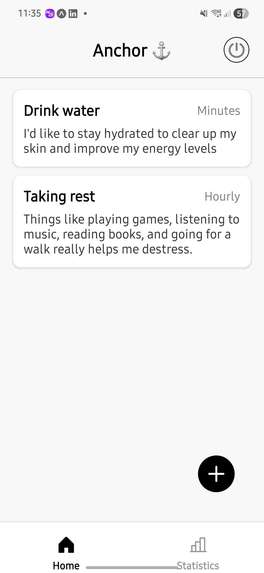
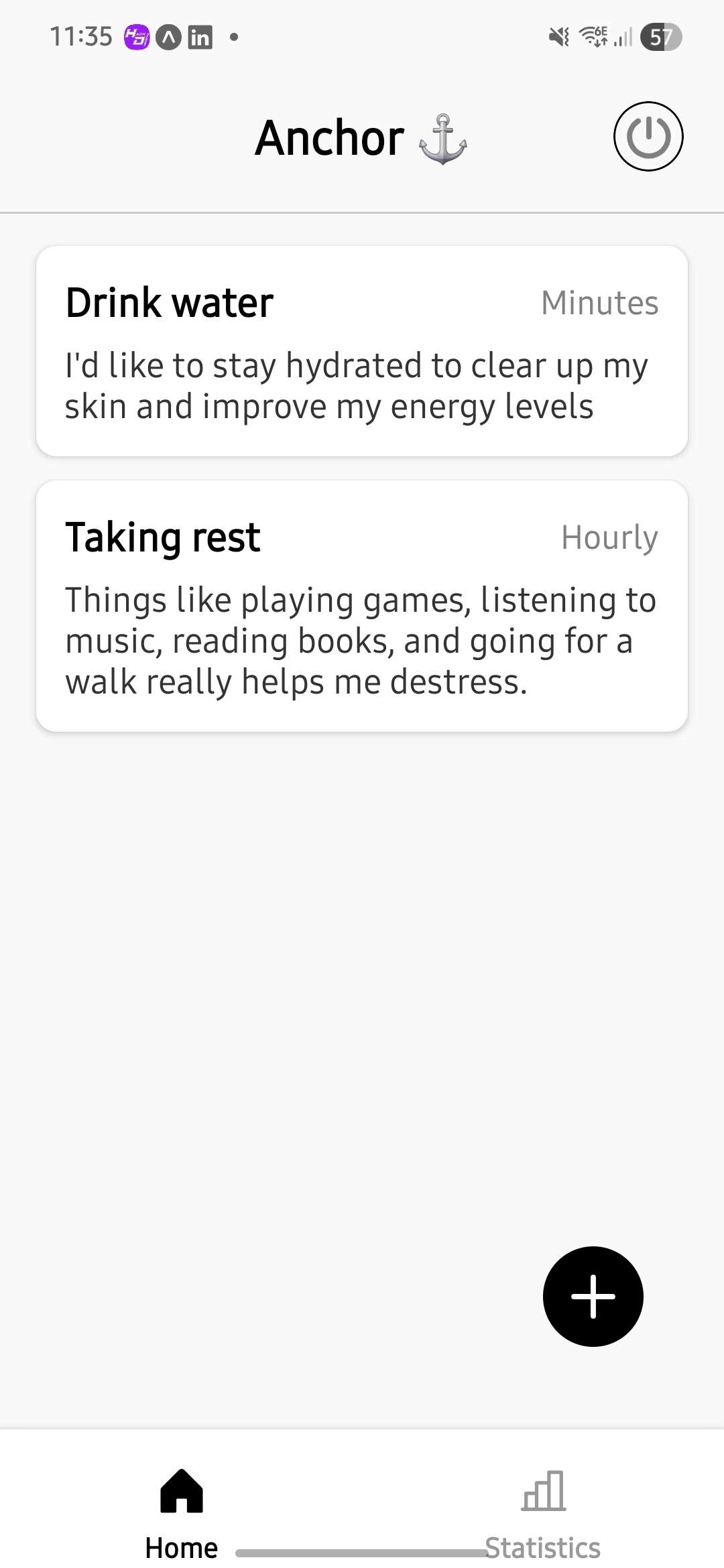
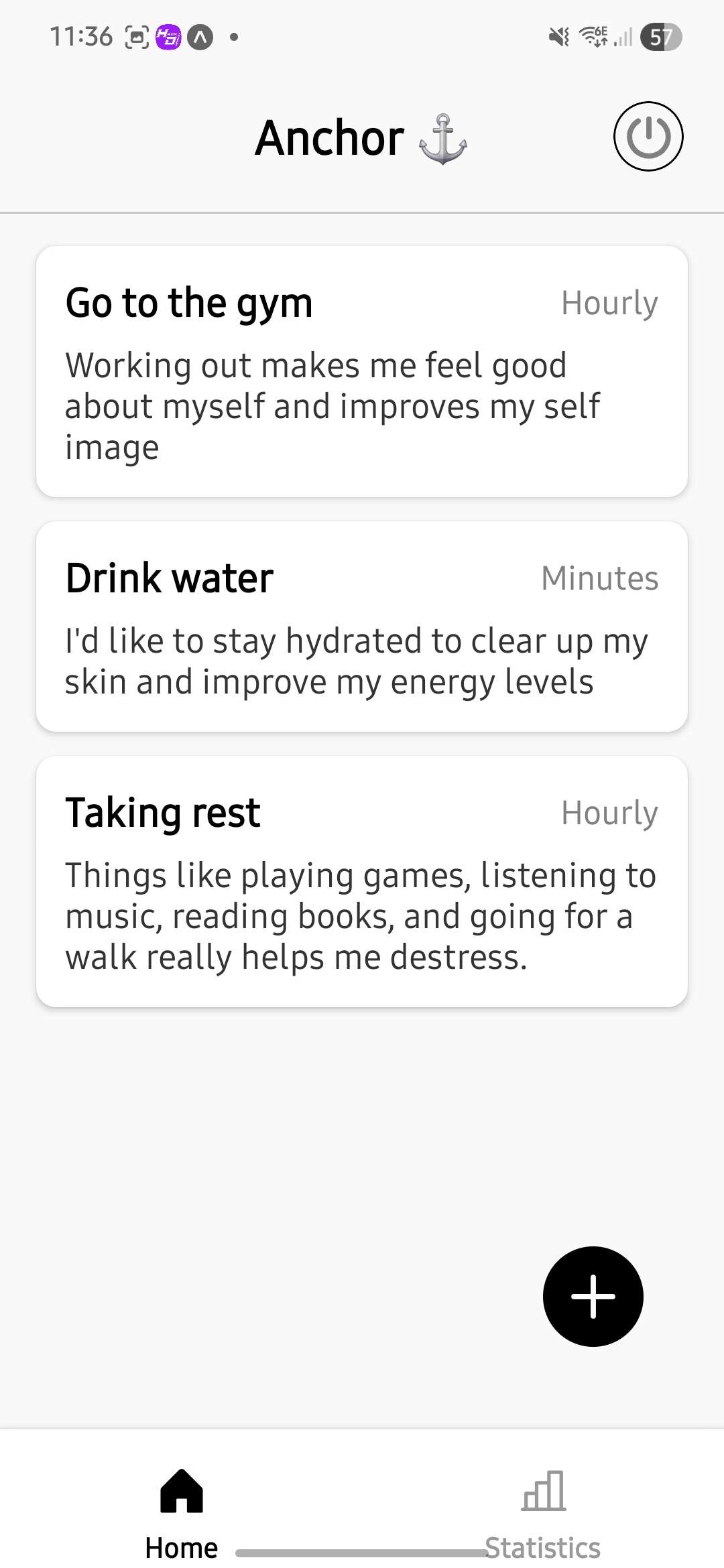
Anchor's home page - Welcome!
-
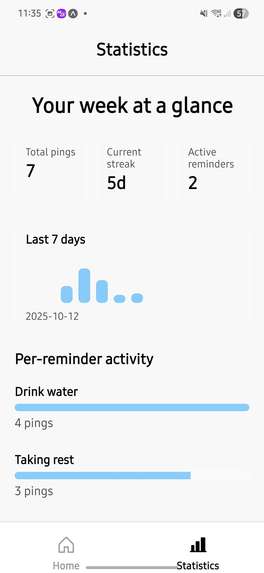
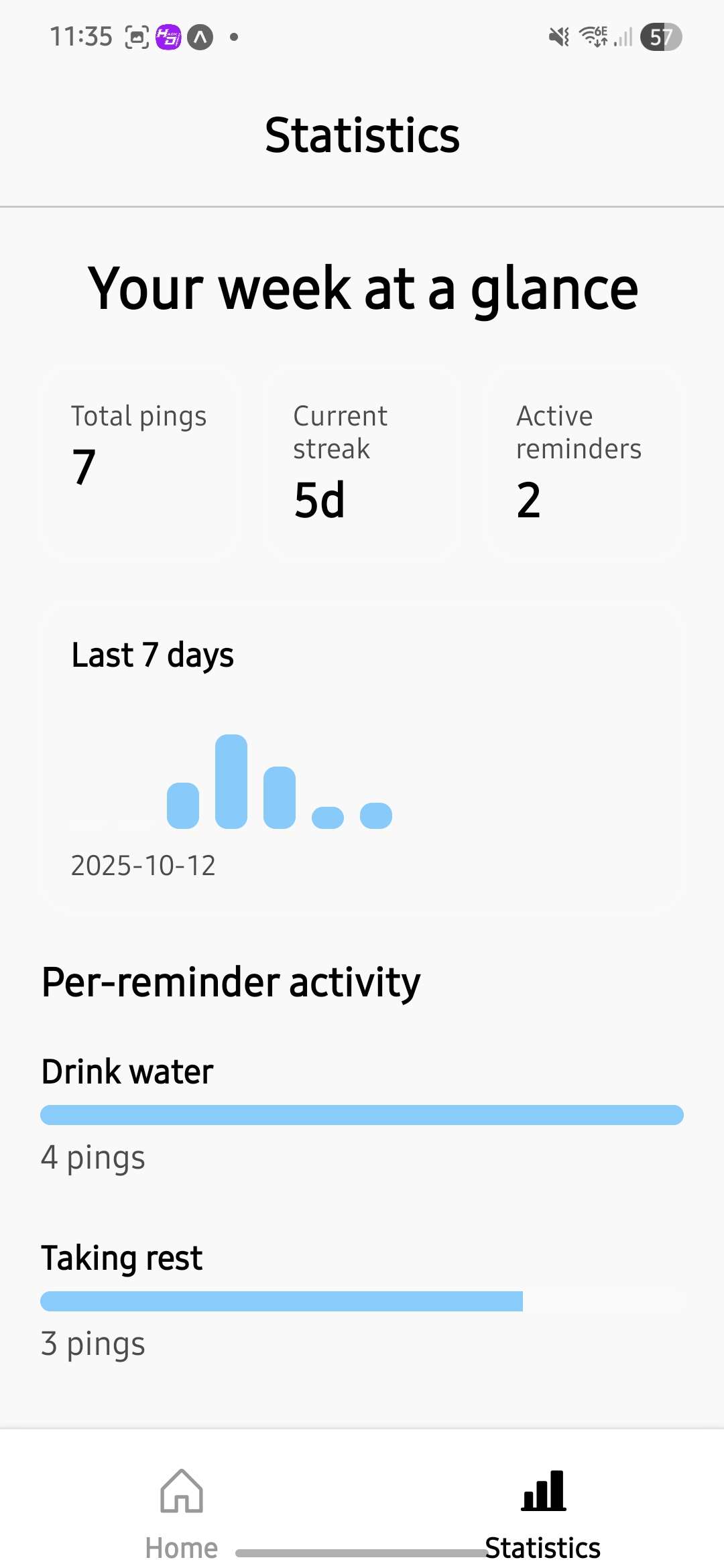
Anchor's past statistics page - based on interactions with notifications.
-
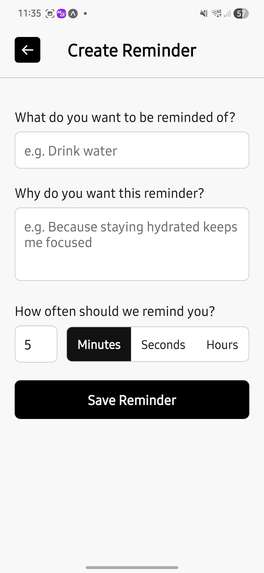
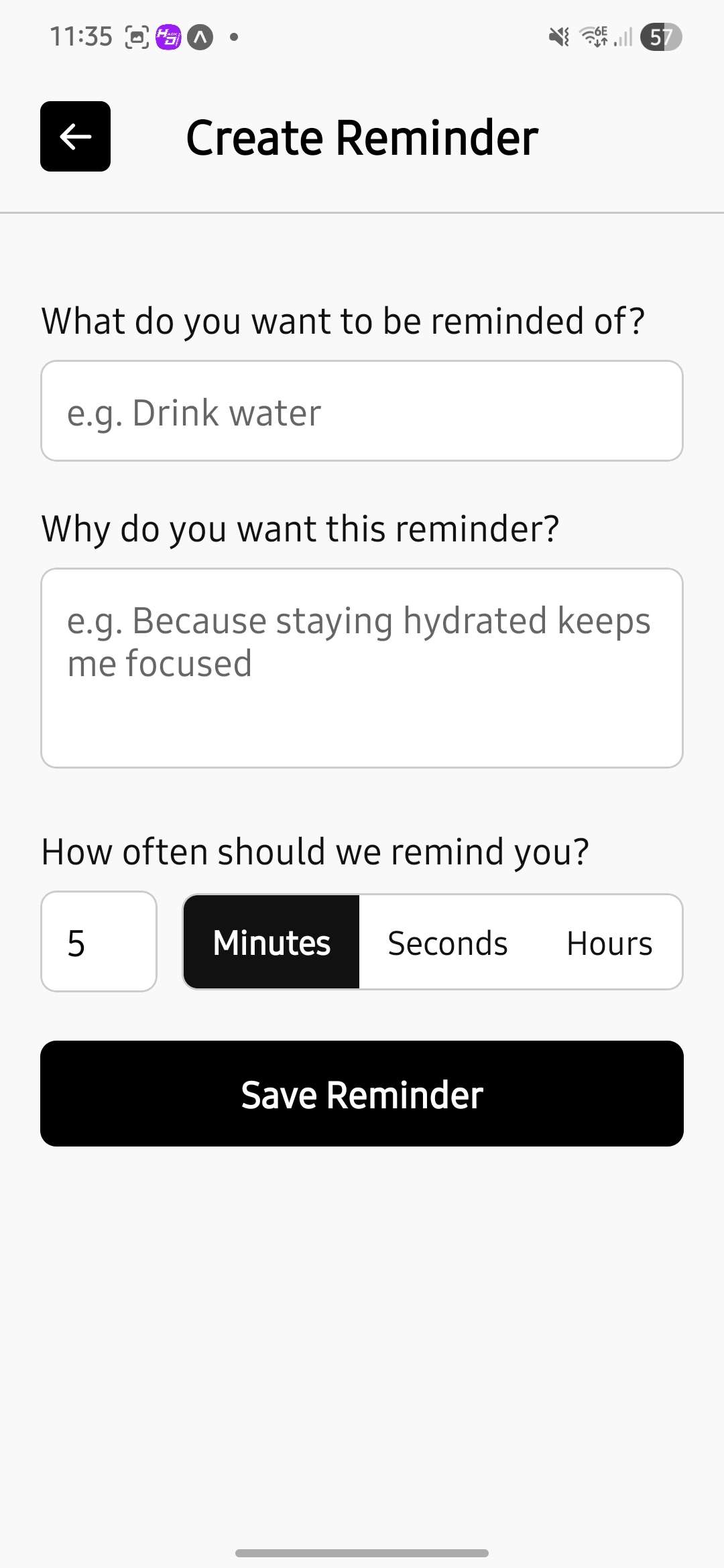
Empty create reminder form from pressing + on home page.
-
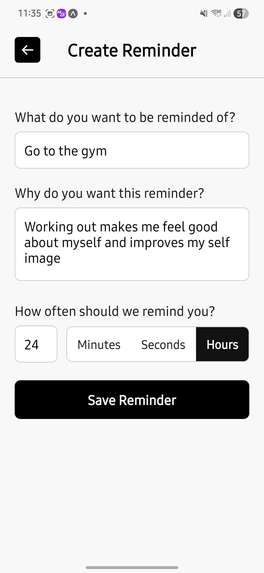
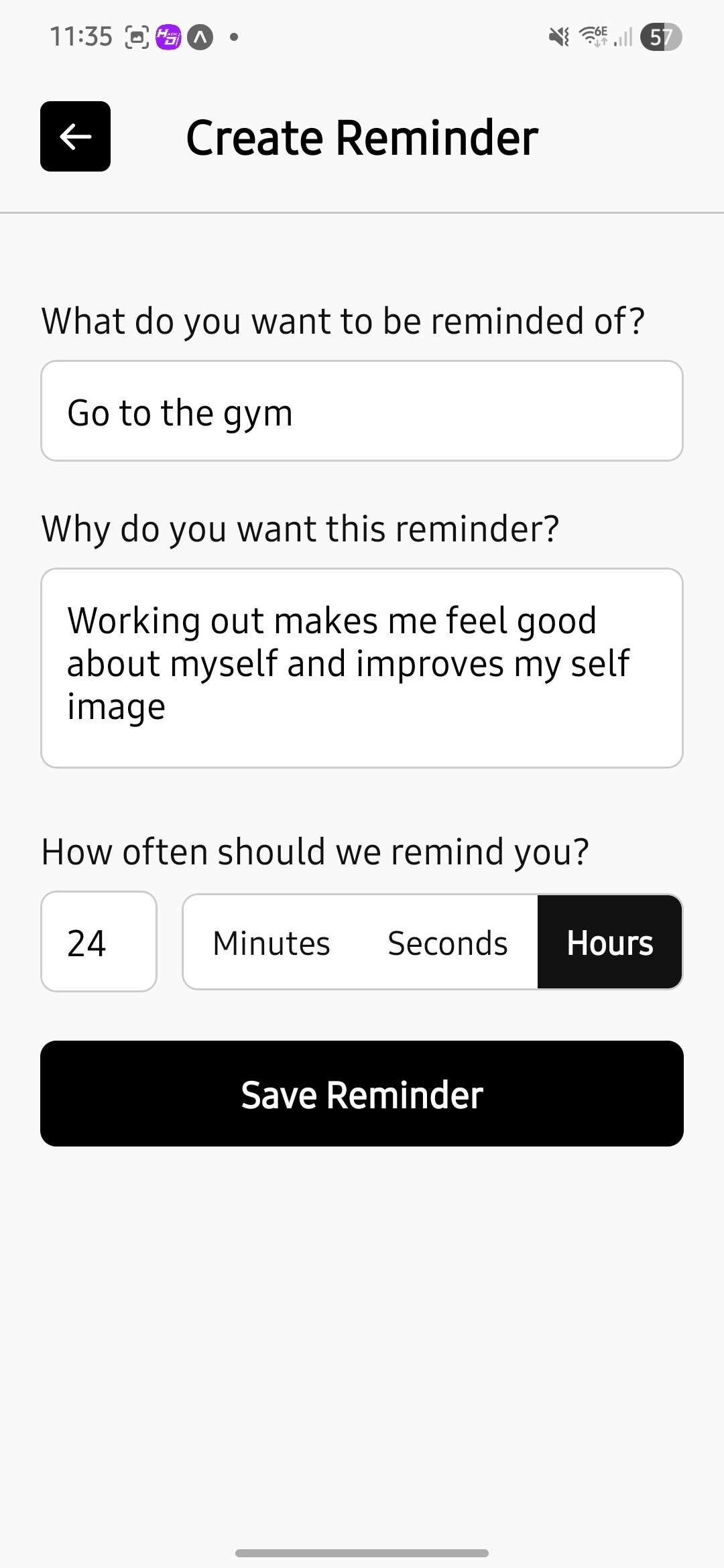
Filled create reminder form - press save to add reminder.
-
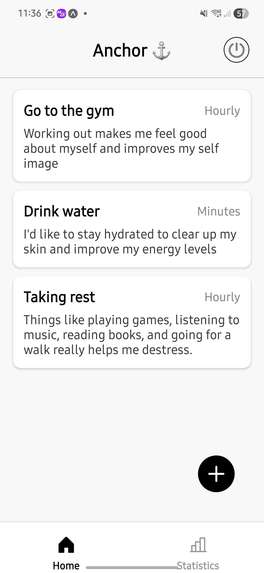
Updated home page - Gym reminder added.
-
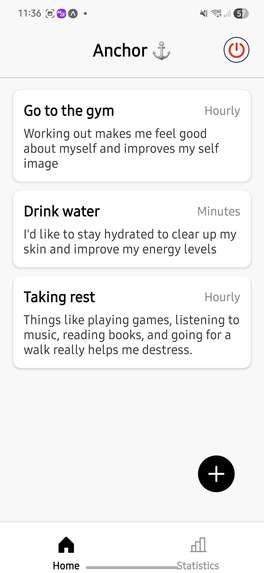
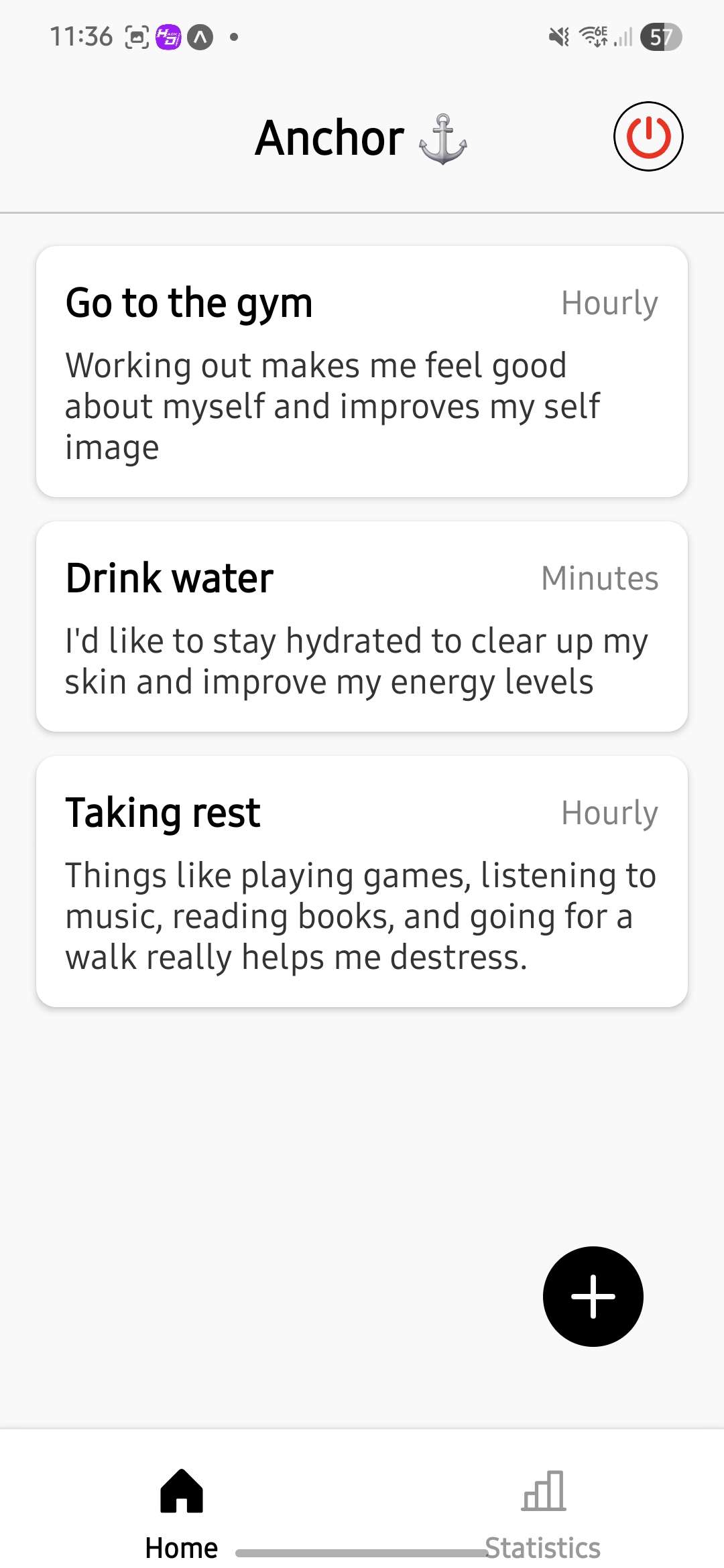
Updated home page - notifications suppressed by pressing the power button.
-
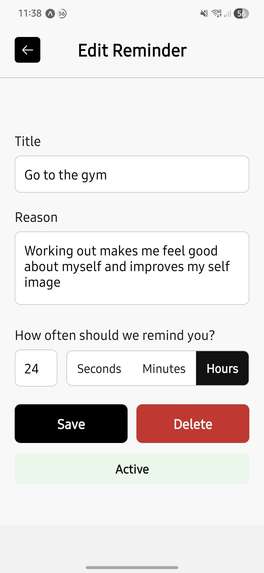
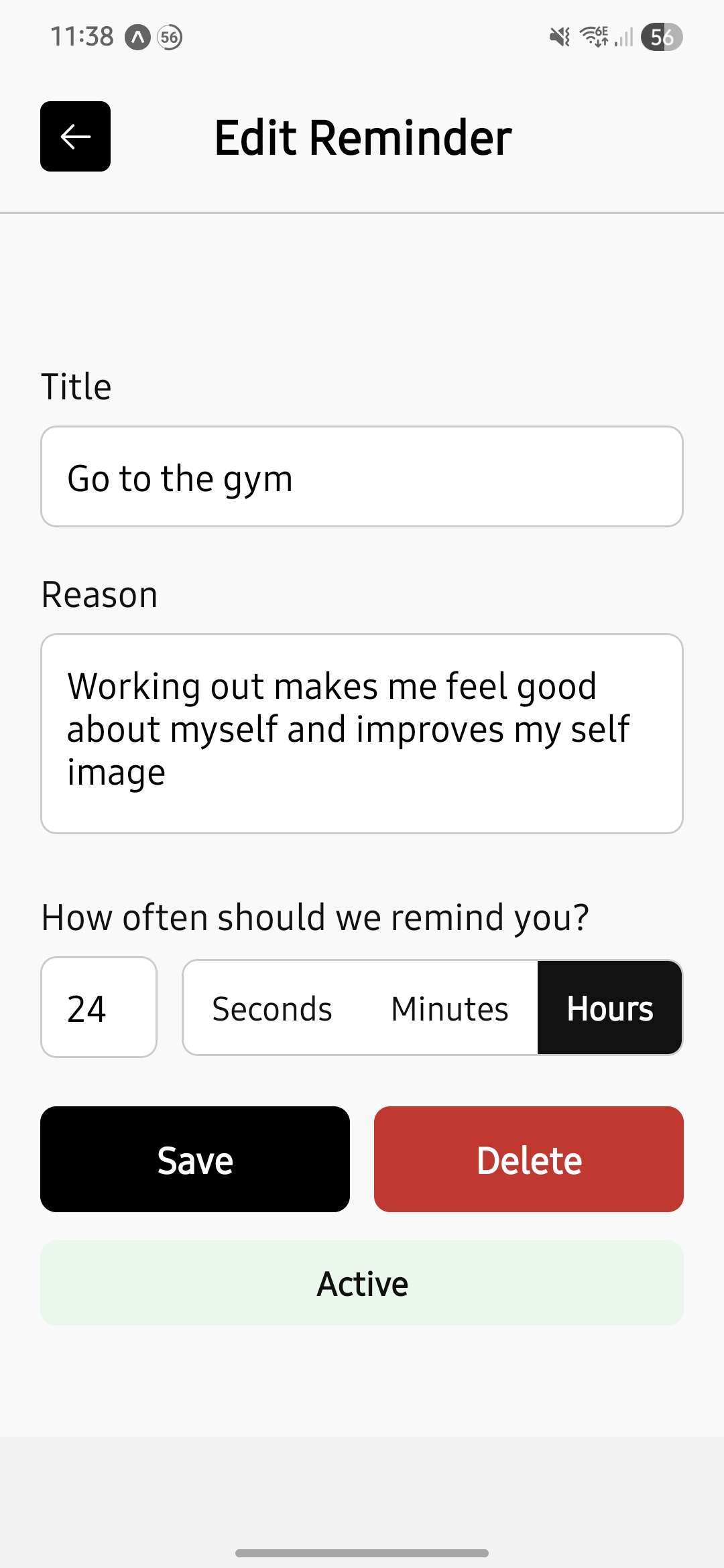
Edit reminder form - selected by pressing on the reminder in home page.
-
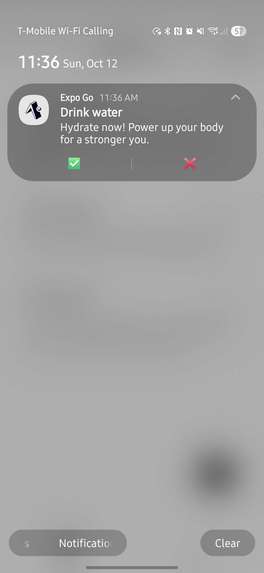
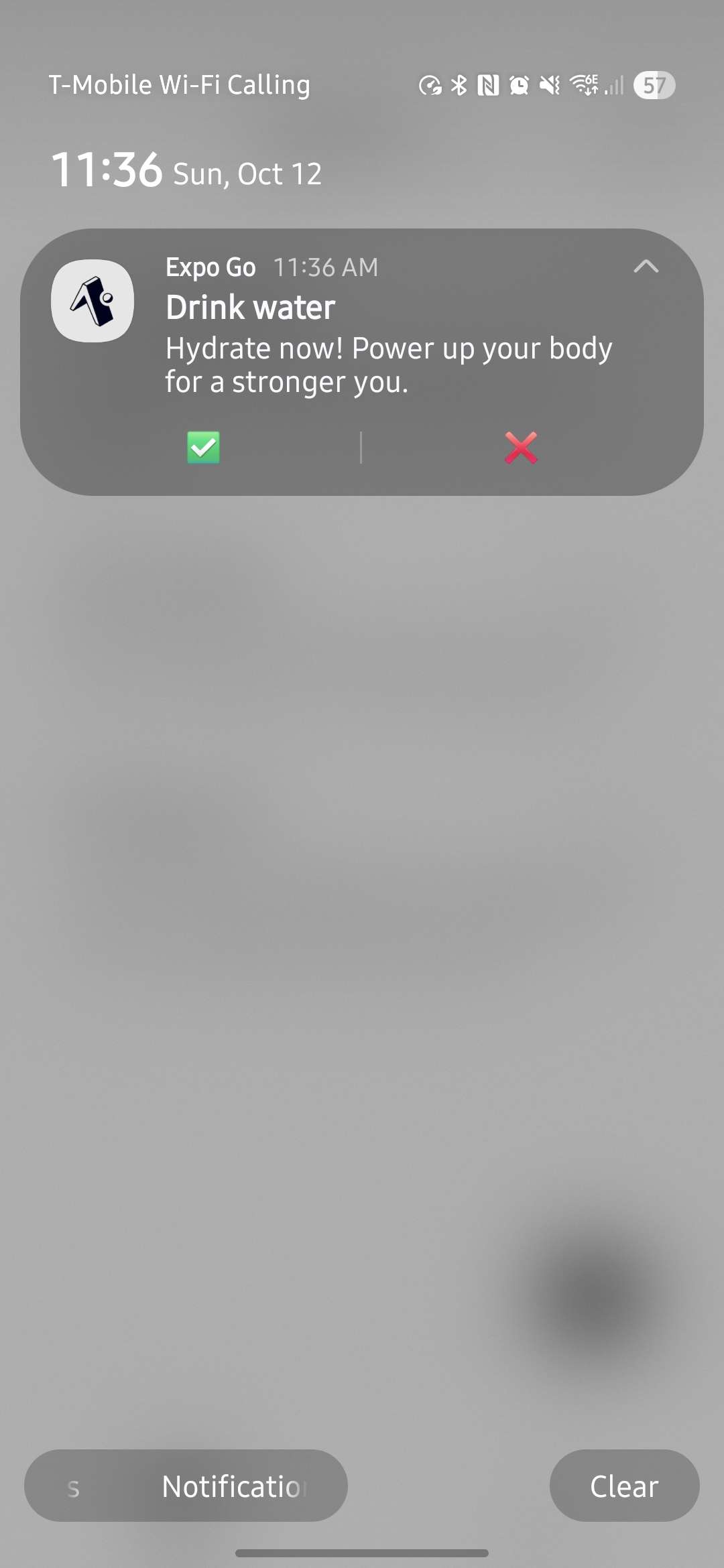
AI generated personalized notifications will be sent as per the selected interval
Anchor — Tiny recurring reminders with quick-response notifications
Short blurb
A small, focused habit/reminder app that helps you stay consistent with short, recurring actions. Anchor schedules repeatable local notifications, provides quick response actions on the notification (✅ / ❌), and keeps state locally using AsyncStorage so it's fast and private.
What it does
Anchor lets users create short, repeatable reminders (seconds, minutes, or hourly intervals). Each reminder can be toggled on/off. When active, reminders will schedule local OS notifications that include quick-response action buttons. Tapping an action schedules a follow-up acknowledgement notification. Users can globally enable/disable notifications; disabling cancels all scheduled reminders and clears persisted notification identifiers.
Key behaviors
- Create, update, and remove reminders with
title,reason,frequency, and unit (seconds/minutes/hourly). - Recurring local notifications scheduled using Expo Notifications with repeat triggers.
- Notification action buttons for fast responses (✅ / ❌) and follow-up notifications.
- Global toggle to enable/disable notifications; disabling cancels scheduled notifications and clears notification IDs.
- Persistent local storage with AsyncStorage so reminder data and enabled/disabled preference persist across sessions.
Why it's cool
- Extremely lightweight and privacy-friendly — all data is stored locally (no backend required).
- Uses native notification features (channels on Android, categories on iOS) to deliver engaging, interactive reminders.
- Designed for micro-habits and quick check-ins — short repeat intervals and immediate follow-ups keep momentum.
- Robust handling of app lifecycle: reschedules reminders on launch, cleans up when notifications are disabled, and maintains consistent state.
Technical details
Stack
- React Native (TypeScript)
- Expo Notifications (local scheduling, actions, permission handling)
@react-native-async-storage/async-storage(local persistence)- Platform-specific handling for Android notification channels and iOS categories
- Small context-based state management using React Context + hooks
Core implementation notes
Reminder model
type Reminder = {
  id: string;
  title: string;
  reason: string;
  frequency: number;
  frequencyType: "seconds" | "minutes" | "hourly";
  isActive: boolean;
  createdAt: string; // ISO timestamp
  notificationId?: string; // persisted scheduled id
}
Scheduling
- Notifications are scheduled via Expo’s scheduleNotificationAsync using a TimeInterval trigger with repeats enabled.
- On Android the app creates a notification channel (named "default") configured with high importance so reminders surface as banners/alerts and can show action UI.
- On iOS the app registers a notification category (for example, "reminderResponse") so quick-action buttons can be shown on delivered notifications.
- Each scheduled notification includes the category identifier so the OS knows to render action buttons with that notification.
- The implementation is defensive: before scheduling it attempts to cancel any previously persisted scheduled id for the same reminder to avoid duplicates.
Actions & responses
- Action buttons (✅ / ❌) are registered as part of the notification category and are attached to scheduled notifications via the category identifier.
- The app listens for notification responses using a runtime listener and dismisses the tapped notification when handled.
- When an action is tapped, the listener schedules a short follow-up acknowledgement notification (examples: “💪 Respect.” for ✅, “🤔 No excuses.” for ❌).
- The response handling is wrapped in try/catch and logs failures so it degrades gracefully on runtimes where some APIs are unavailable.
Persistence & sync
- All reminders are persisted to local storage under a single STORAGE_KEY so data remains private and fast to load.
- The global enabled/disabled flag is persisted under ENABLED_KEY.
- The app keeps a notificationId on each reminder representing the OS-scheduled identifier so it can cancel or update schedules reliably.
- On app mount the flow is:
- load reminders and the enabled flag from storage;
- if notifications are disabled, cancel any OS-scheduled reminders and clear persisted ids;
- if enabled, ensure active reminders without notificationIds get scheduled (resilient to app restarts).
- load reminders and the enabled flag from storage;
- The code defensively persists state anytime reminders change so in-memory and storage remain consistent.
How to run (dev)
- Install project dependencies using your package manager (npm or yarn).
- Start Metro / the Expo dev server.
- For notification action button testing, use a native dev build or standalone build (Expo Go often does not surface action buttons). Create a local dev client or use an emulator/device with Android 13+ for best parity.
- Open the app on the device, grant notification permissions when prompted, and verify the Android channel and iOS category are created on first run.
- For quick testing, create a reminder with a short interval (e.g., seconds) to verify scheduling, action buttons, and follow-ups.
Challenges
- Reliable background scheduling of short-interval reminders using Expo's time-interval triggers with
repeatsset — handled edge cases where OS limits and emulator quirks could cause skipped or duplicated schedules. - Cross-platform action buttons: implemented iOS categories and Android action metadata with graceful fallbacks for runtimes (Expo Go) or OS versions that don't fully support actions.
- State synchronization between persisted reminders and OS-scheduled notification identifiers to avoid duplicates or orphaned scheduled entries.
- Safe disabling and re-enabling: canceling scheduled notifications at the OS level, dismissing visible notifications where supported, and clearing
notificationIdfields from stored reminders to ensure toggling is reliable. - Dealing with Android channel/category caching — implemented uninstall/clear guidance and one-time cleanup flows to recover from stale scheduled notifications created by earlier runs.
Future improvements
- Add snooze and custom scheduling (daily/weekly/cron-like rules) so users can model non-uniform schedules.
- Optional cloud sync (user opt-in) to back up reminders across devices with privacy-first encryption.
- User-configurable notification sounds, vibration patterns, and richer action labels.
- Better UX for permission denial (inline guidance, deep-link to OS notification settings).
- Unit tests for scheduling logic and integration tests for notification-response flows to avoid regressions.
- More robust handling of platform-specific quirks (e.g., additional safeguards for OEM-modified Android notification behavior).
Attribution & license
Built with React Native and Expo. See the repository for full license details and contributor information. If you reuse or adapt parts of this work, include attribution and follow the repository license terms.


Log in or sign up for Devpost to join the conversation.