-
-

app icon
-
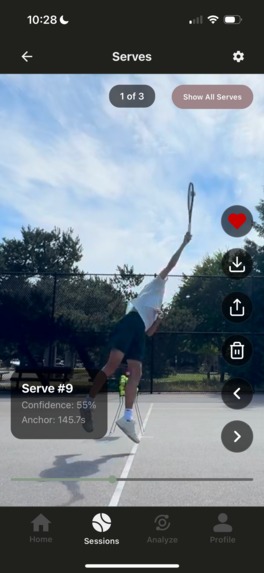
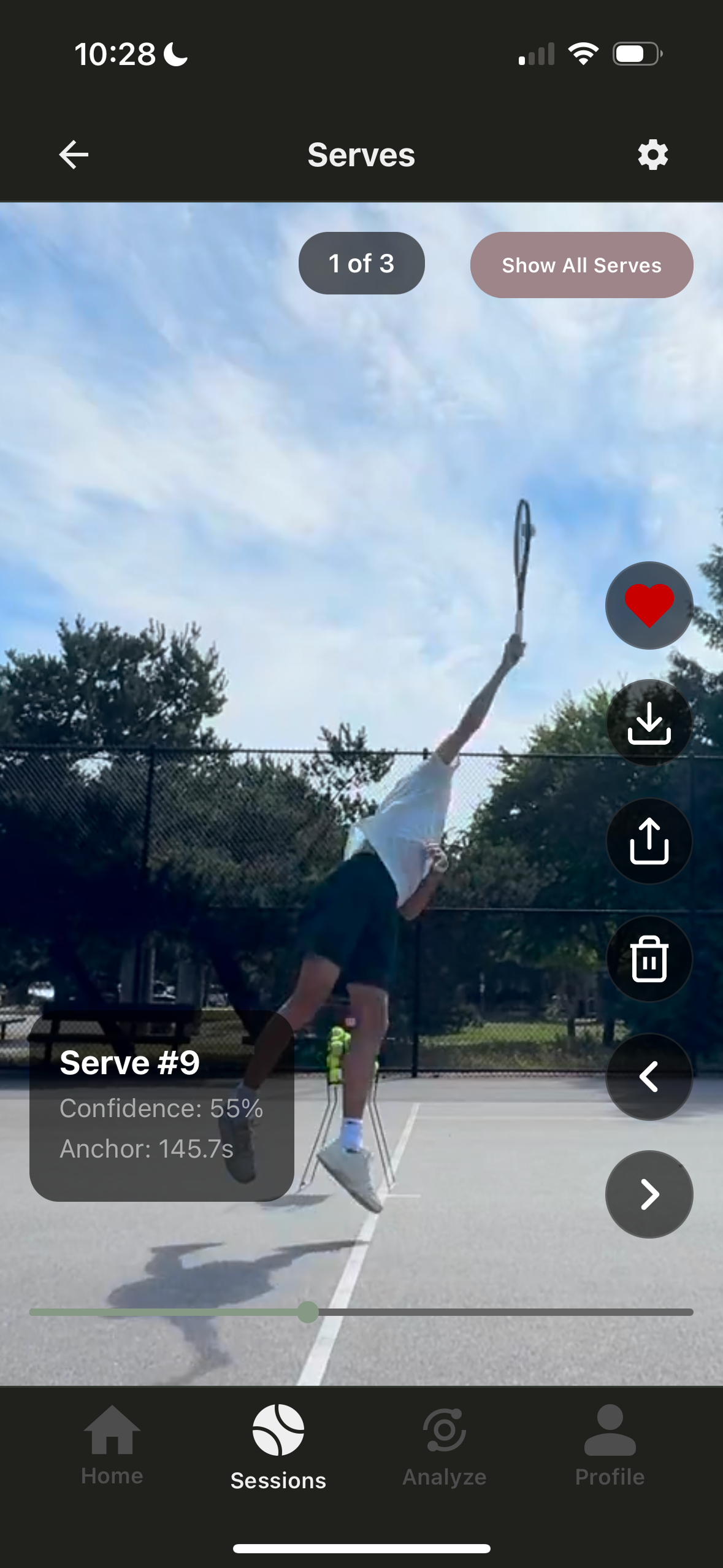
app screenshot side serve
-
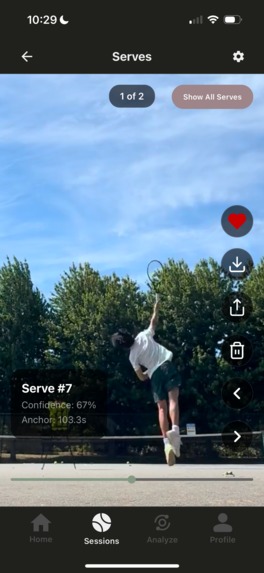
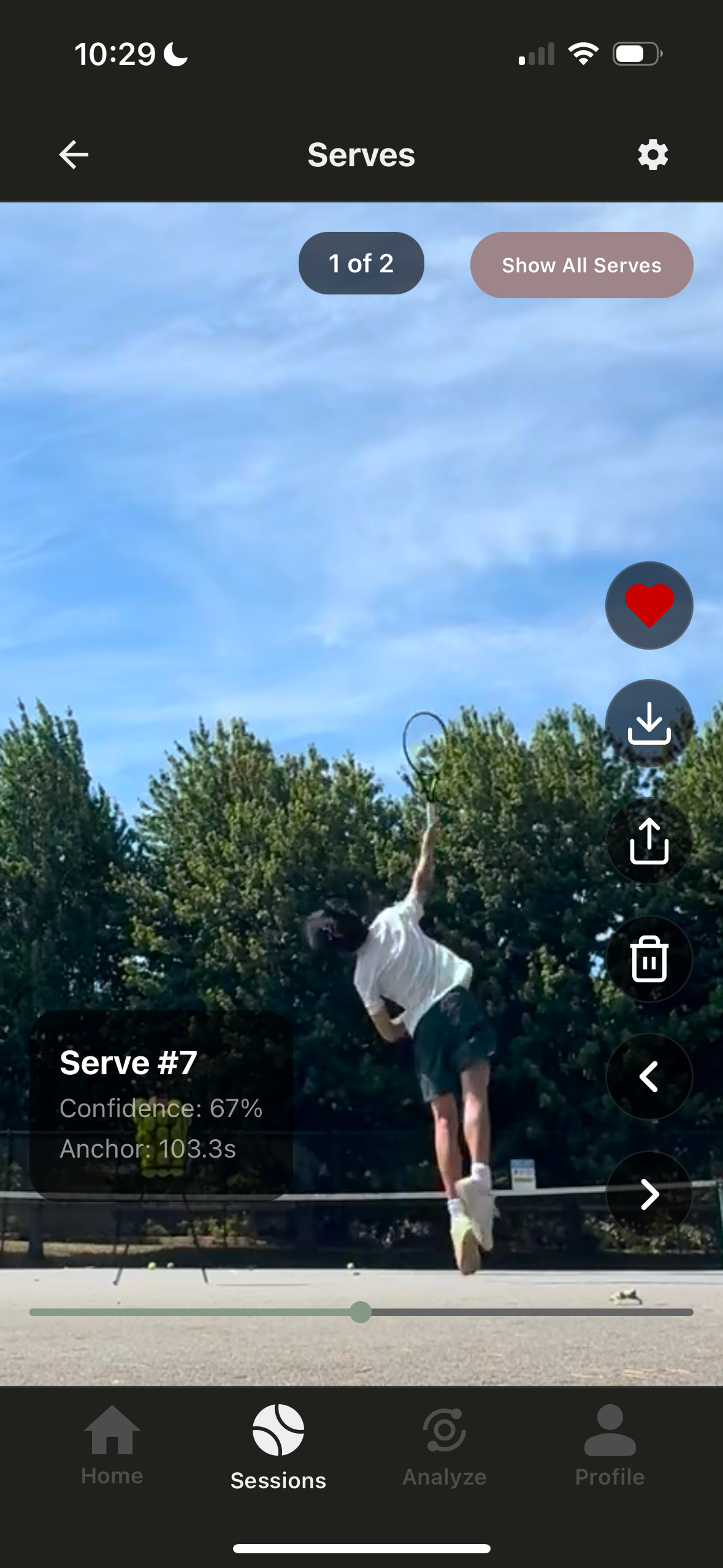
app screenshot back serve
-
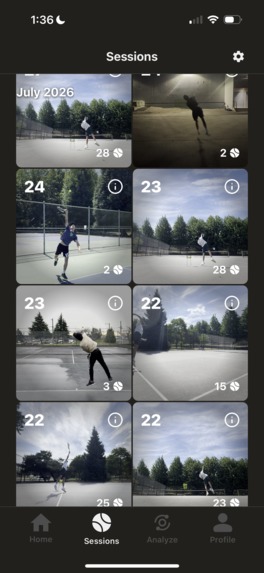
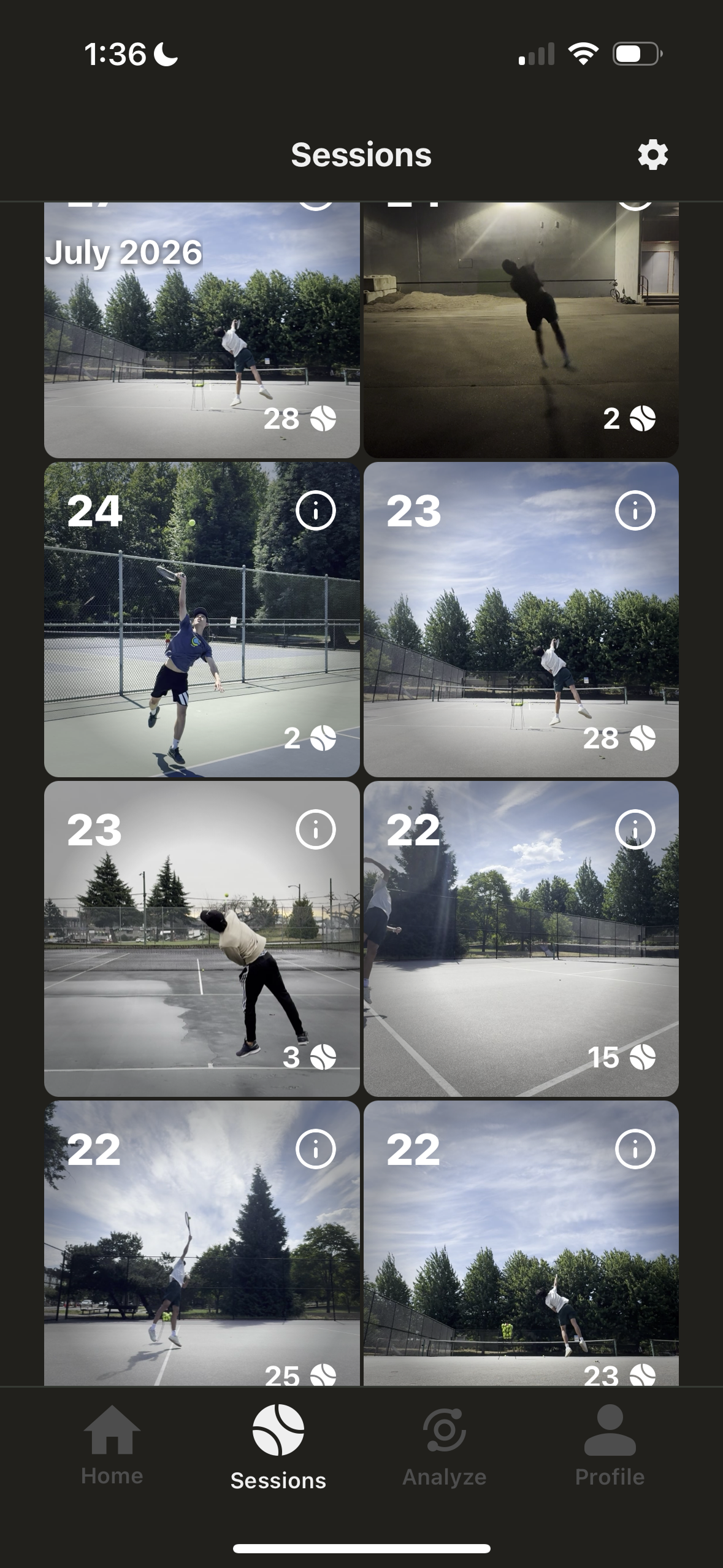
session gallery
-
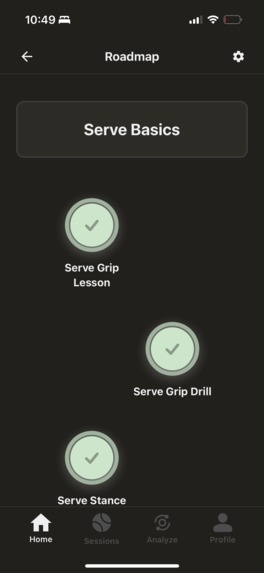
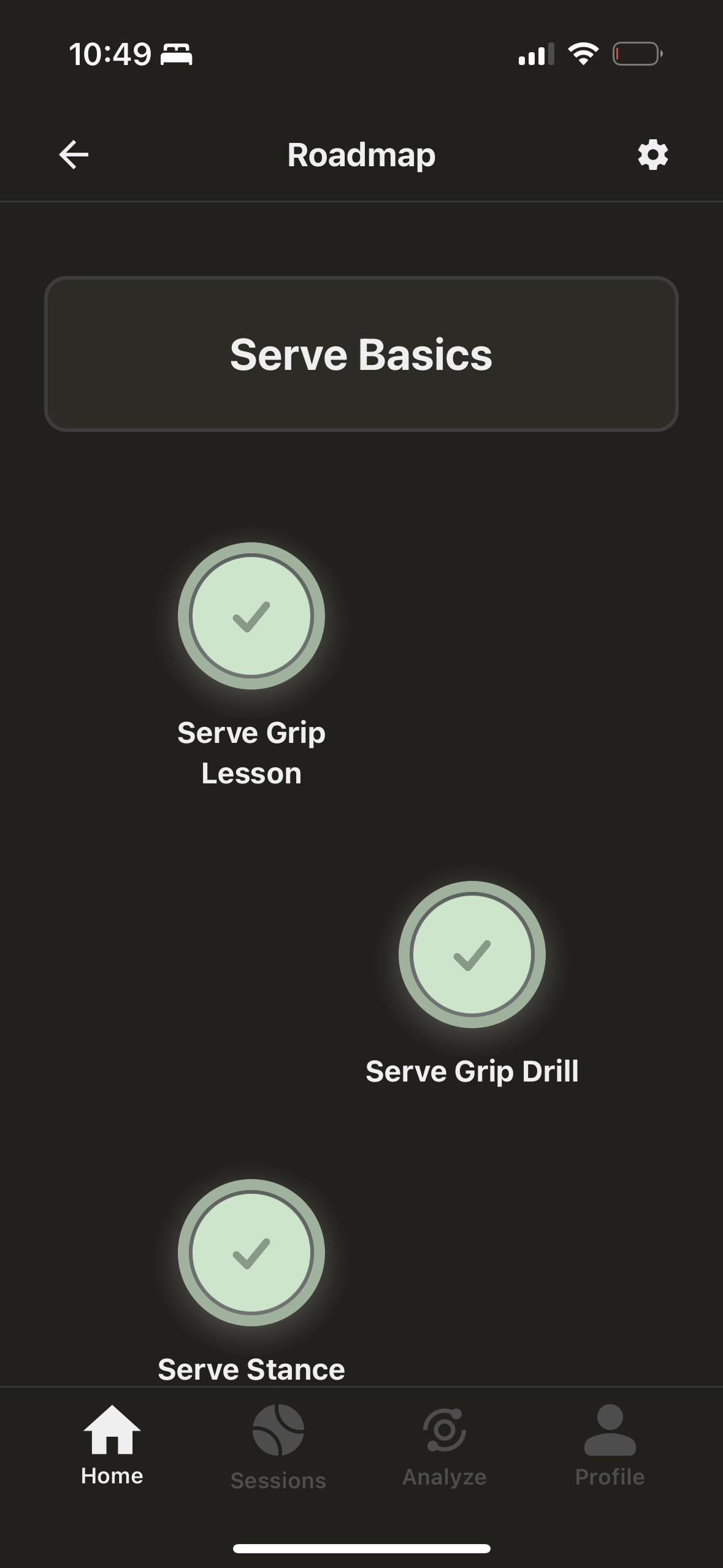
serve roadmap unit
-
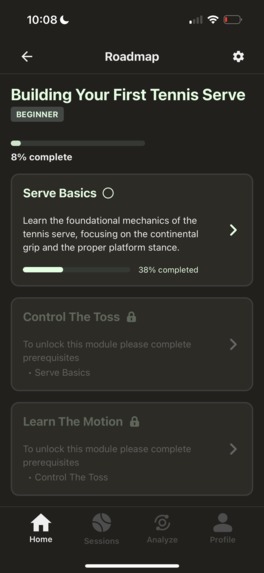
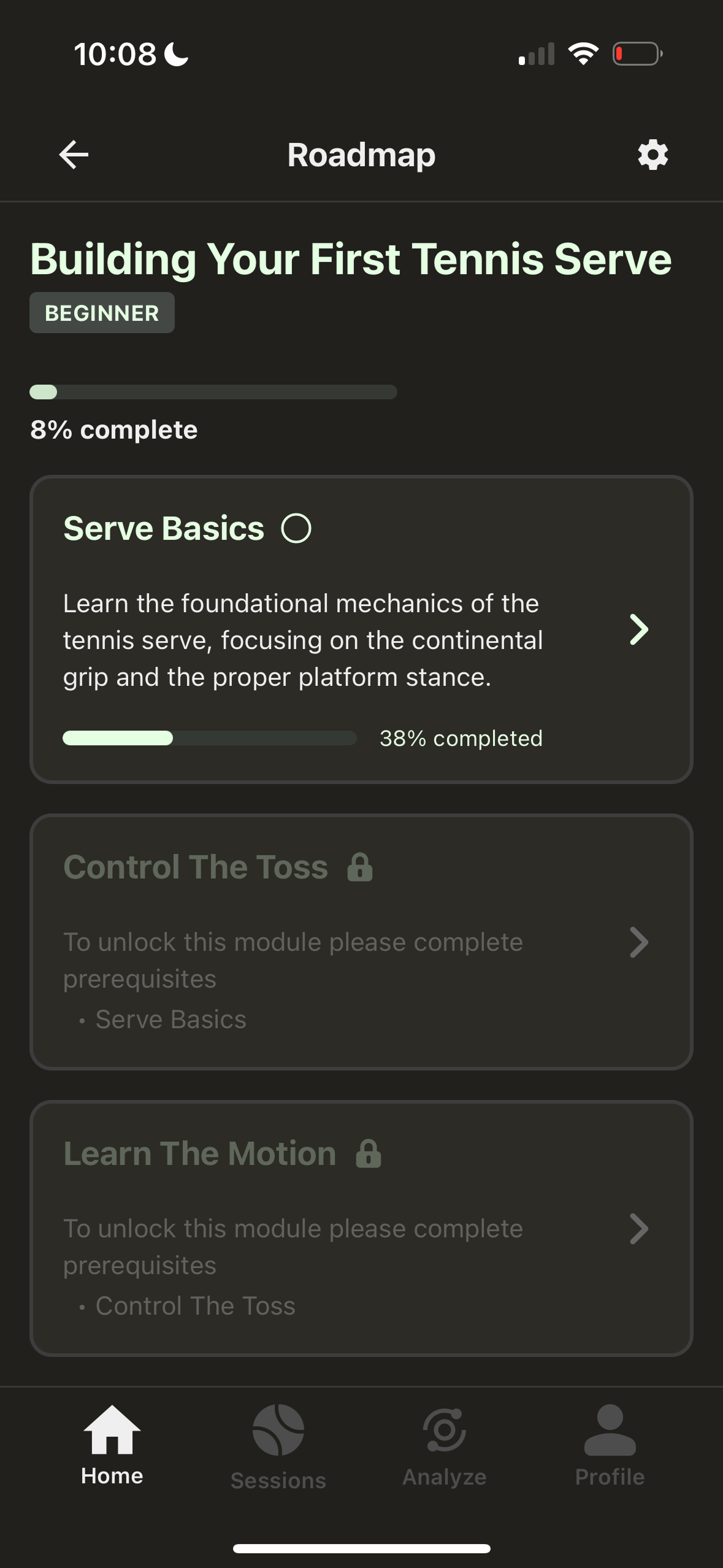
serve roadmap module list

Inspiration
AceTrackr started from a problem I had while practicing my tennis serve.
I would record my practice sessions on my iPhone so I could look back at my serves and see what I was doing. But actually reviewing the videos was a pain. I would have a long video with a bunch of serves, and I'd have to scrub through the whole thing to find the one I wanted.
The iPhone scrubber also wasn't very good for this. It was hard to move it to exactly the moment I wanted, especially when I wanted to pause at a specific part of my serve. Even when I did find a serve, going back and replaying it wasn't very convenient.
I thought there had to be a better way to do this.
So I started building AceTrackr: an app where I could upload a practice video and have it automatically find my serves and turn them into individual clips.
What it does
AceTrackr lets tennis players record their serve practice and then review their serves without having to manually scrub through the original video. After uploading a session, AceTrackr automatically detects the serves and creates individual clips. From there, you can replay them, go frame-by-frame, save your favorites, and look back at your sessions over time.
I've also been building tennis serve roadmaps into the app. These are meant to give players something to work through as they improve, rather than just giving them a bunch of video clips with no direction. The main idea is pretty simple: make it much easier to actually learn from the tennis videos you're already recording.
How we built it
AceTrackr consists of many running parts including the actual iOS app, backend, video processing, and computer vision pipeline. The biggest technical part of the project was getting the computer vision side working. I built a pipeline that processes a tennis video and tries to identify when individual serves happen. This involved collecting training data, experimenting with different approaches, training models, and then testing them on actual practice videos.
Once the serves are detected, the backend processes the video and creates the clips that are shown in the app. On the app side, I built the session gallery, serve player, frame-by-frame playback, favorites, progress tracking, and the roadmap content. I also spent a lot of time just making everything look and feel nicer.
A surprising amount of the project ended up being small things that aren't particularly exciting to talk about, but make a big difference when you're actually using the app.
Challenges we ran into
The biggest challenge was definitely getting serve detection to work reliably. It was easy to make something that worked on a few videos. It was much harder to make something that could handle real practice sessions consistently. I needed enough training data, and the videos could vary quite a bit depending on the camera angle, lighting, player, and what was happening between serves.
Collecting and preparing the data for the model also took a lot longer than I originally expected.
The other big challenge was probably just the sheer amount of frontend polishing. There were a lot of things that seemed like they should be quick to implement, but ended up requiring a bunch of debugging once I actually tried them in the full app.
Accomplishments that we're proud of
The thing I'm most proud of is probably getting my first real user. After spending so much time working on the app by myself, I still remember seeing someone actually use AceTrackr for the first time. I was genuinely ecstatic, and couldn't stop occasionally getting up from my chair and fist bumping the air.
It was the first time the project stopped feeling like something I was just building on my computer and started feeling like an actual product that someone else could find useful. I'm also really happy with how far the computer vision side has come. Serve detection was originally just an idea, and getting it to the point where it can actually process practice videos and produce useful clips was a pretty big milestone for me.
What we learned
The biggest thing I learned was not to underestimate how much work even a small feature can take. There were a lot of times where I thought, "I'll just add this really quickly," and then ended up spending much longer on it because of edge cases, backend changes, UI states, bugs, or just making it feel good to use.
I also learned a lot about what it takes to actually build a computer vision system. Getting a model to work in a controlled example is one thing, but getting it to work reliably on videos recorded by real people is a lot harder.
More generally, building AceTrackr has taught me a lot about taking an idea from "this would be cool" to something that someone can actually download and use.
What's next for AceTrackr
For now, I want to keep making the core experience better. The biggest priority is improving serve detection so that it's faster and more reliable. I want someone to be able to upload a practice session and trust that AceTrackr will do a good job finding their serves without having to think about what's happening behind the scenes.
I also want to keep adding roadmap content for players at different skill levels who want to improve their serve. There's still a lot I want to build, but the overall goal hasn't really changed from when I started: make reviewing tennis serve practice much less frustrating and make it easier for players to actually learn from the videos they're recording.
Built With
- cloudflare-r2
- computer-vision
- docker
- expo.io
- ffmpeg
- ios
- java
- machine-learning
- mediapipe
- postgresql
- python
- pytorch
- react-native
- redis
- springboot
- tensorflow
- typescript

Log in or sign up for Devpost to join the conversation.