-
-
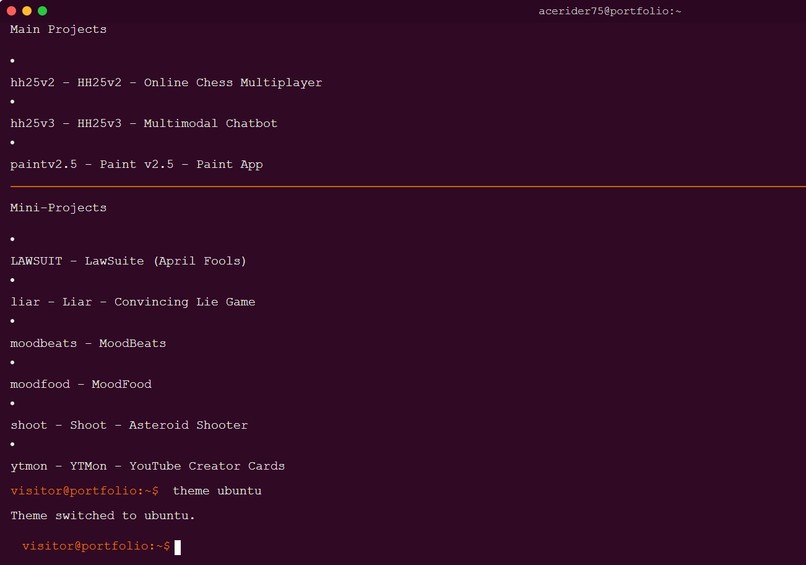
navigate to any project, even to github
-
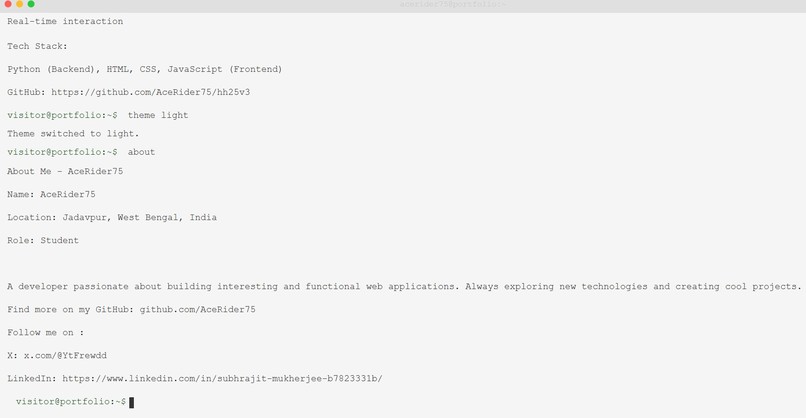
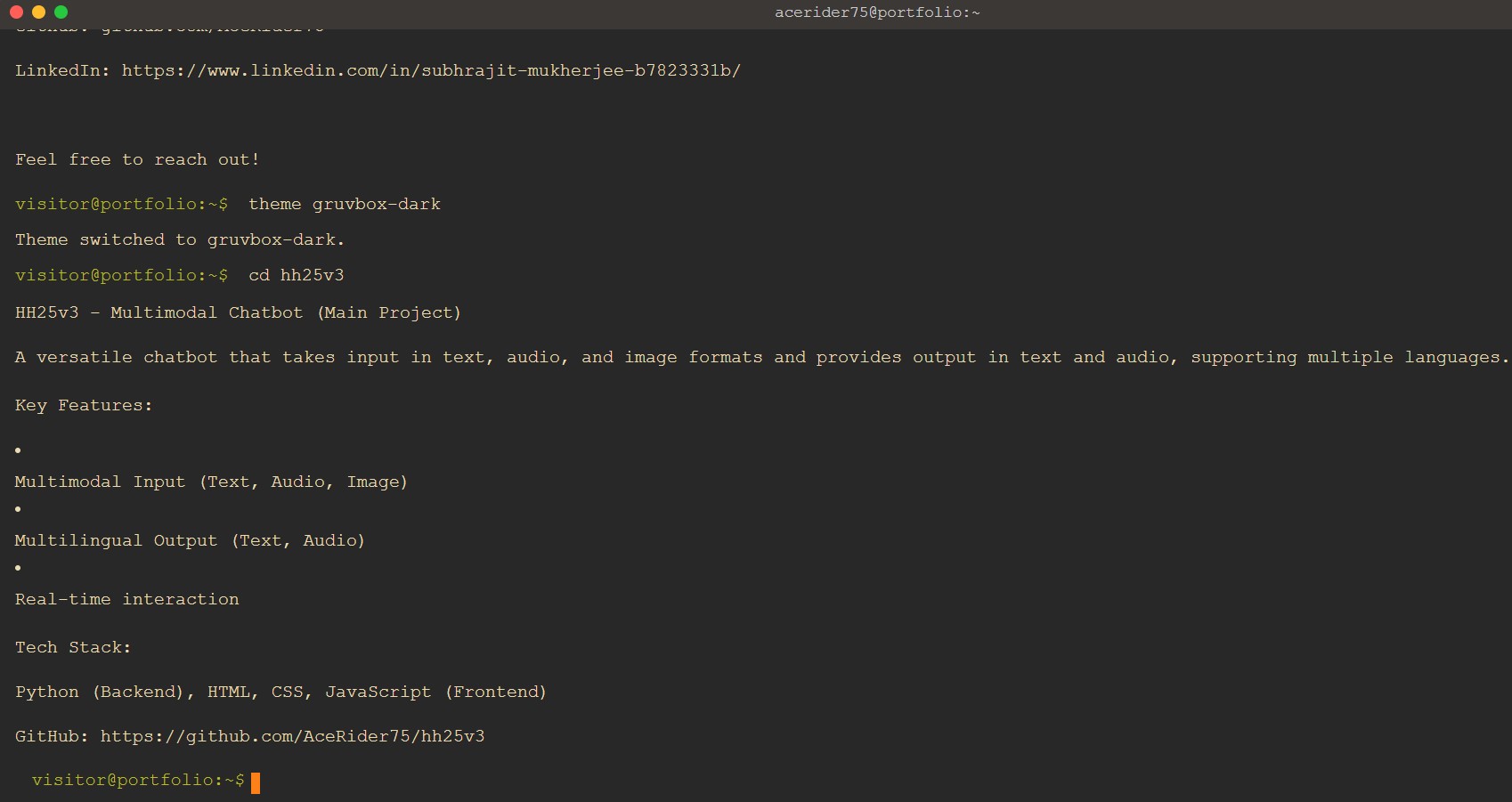
all details via commands
-
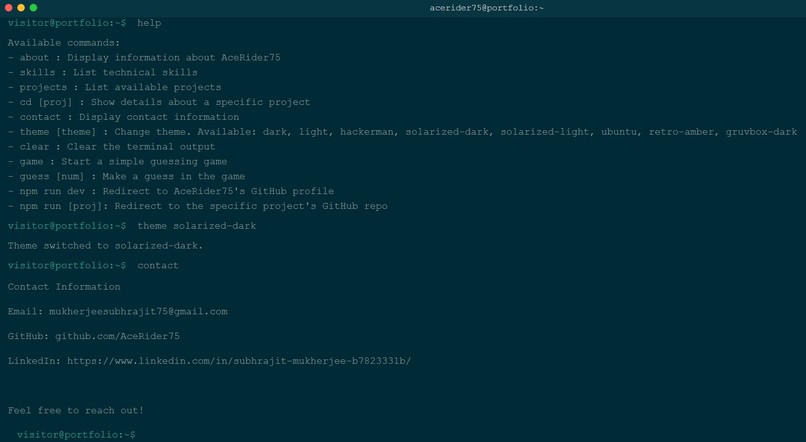
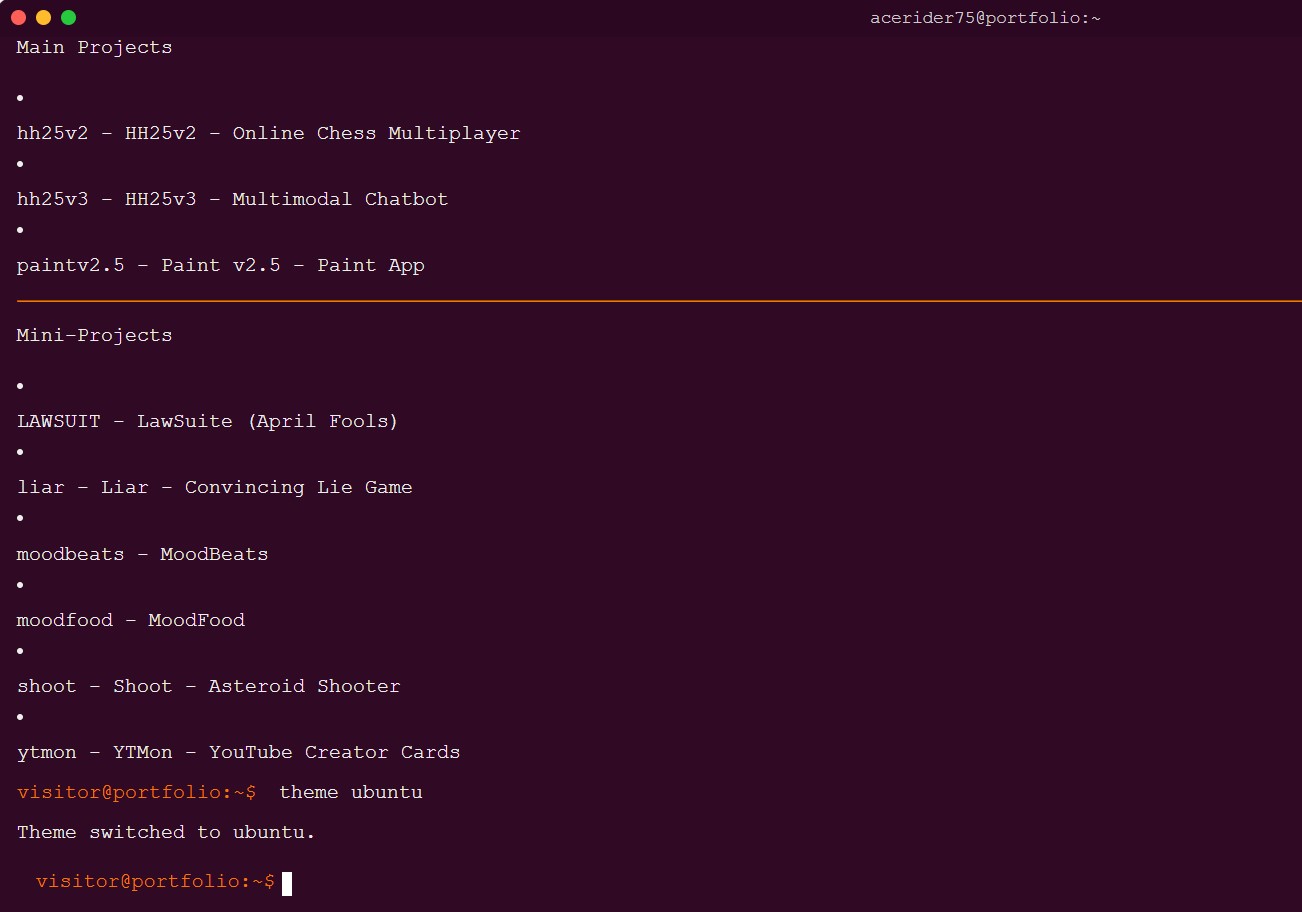
all projects on display, just via commands
-
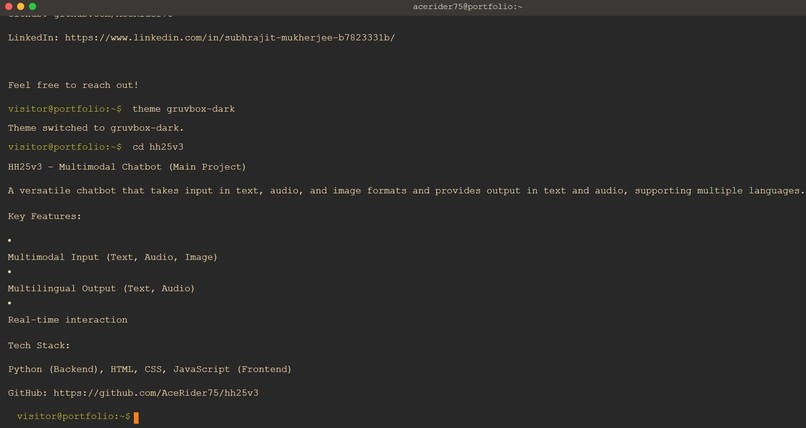
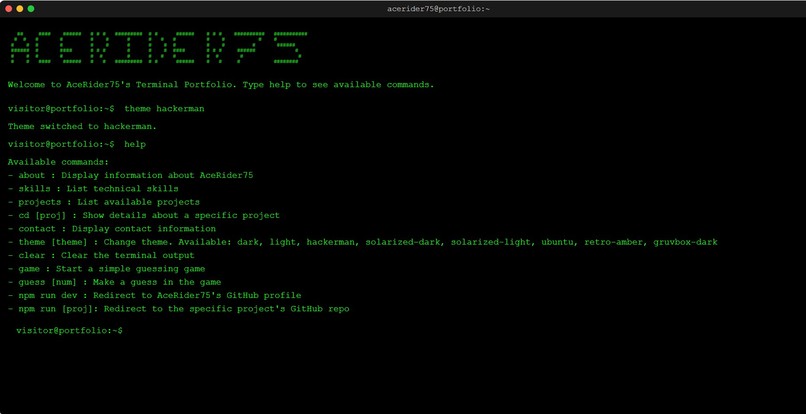
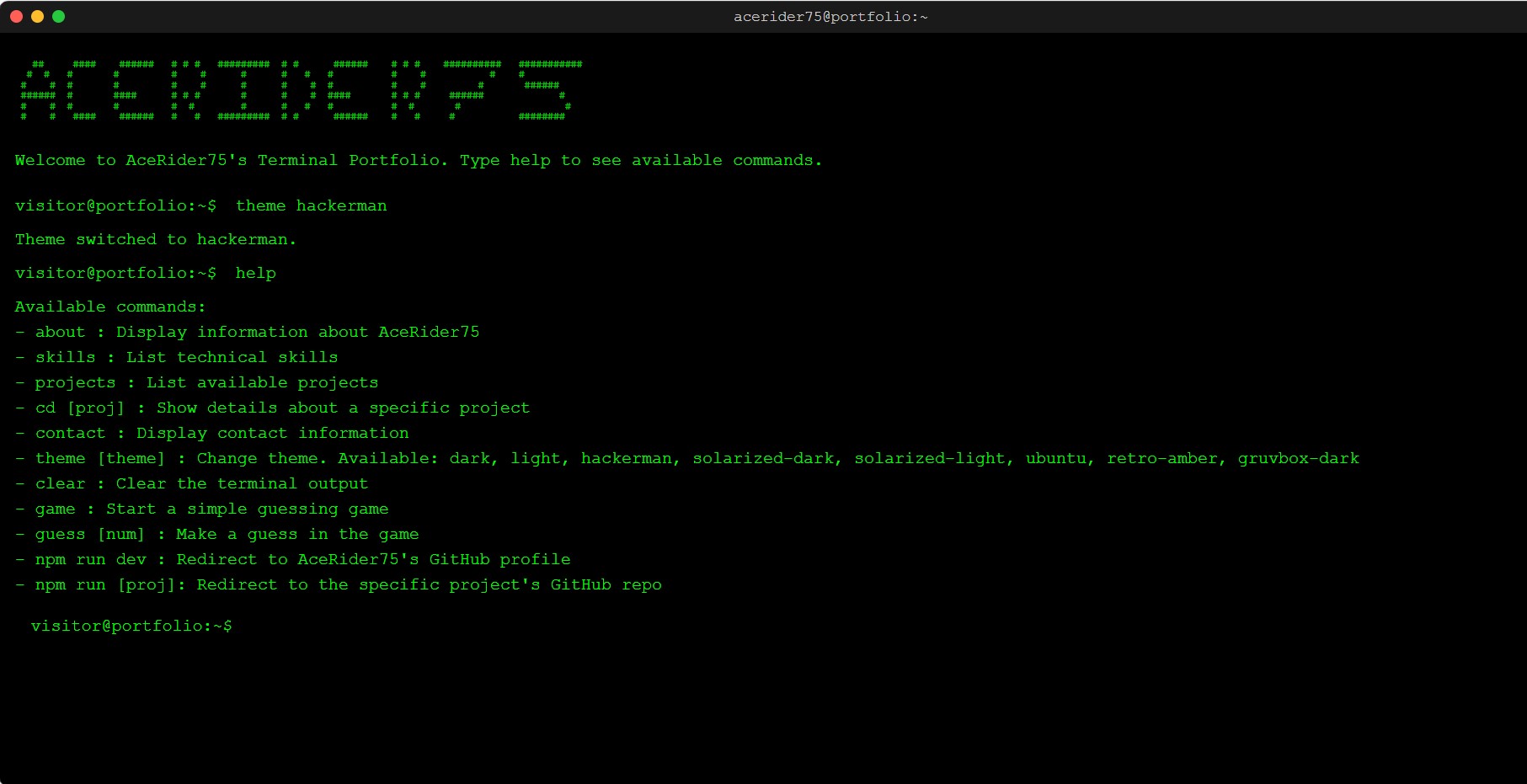
a variety of terminal themes, whichever suits the eyes
-
The Hacker for the Hackathon


AceRider75’s Terminal Portfolio
Inspiration
I’ve always been fascinated by the nostalgia and simplicity of command‐line interfaces. I wanted to build an interactive portfolio that felt like a real terminal session—complete with commands, theming, history navigation, and even fun Easter eggs—so visitors can “play” with my résumé instead of just reading it.
What it does
- Emulates a full‐screen terminal in the browser
- Supports a suite of commands:
help– lists all available commands and themesabout,skills,projects,contact– display information about mecd [projectname]– shows detailed info for each projecttheme [themename]– switches between 8+ curated terminal color schemesclear– clears the screengame&guess [number]– a simple number‐guessing gamenpm run dev– redirects to my GitHub profilenpm run [projectname]– redirects to the corresponding GitHub repo
- Typing animation for realistic command output
- Custom blinking block cursor that tracks your input position
- Command history navigation with ↑/↓ arrow keys
- Tab‐completion for commands, themes, project names, and npm scripts
How we built it
- HTML & CSS for the terminal shell, layout, and themes (CSS custom properties + flexbox)
- Vanilla JavaScript to:
- Parse and execute commands
- Animate text typing (
typeWriterfunction) - Measure text width and position a custom cursor (
updateCursorPosition) - Store and restore command history
- Persist theme selection in
localStorage - Handle tab‐completion and arrow‐key navigation
- Redirect via
window.location.hreffornpm runcommands
- Parse and execute commands
Challenges we ran into
- Precisely positioning a custom blinking cursor inside a real
<input>field—font metrics and subpixel rendering vary across browsers. - Implementing robust tab‐completion for multiple contexts (commands, themes, project names, npm scripts).
- Synchronizing dynamic content updates with smooth typing animation without jank.
- Ensuring the terminal feels “alive” (cursor blink, scroll auto‐follow, focus management) while avoiding default browser behaviors that interfere.
Accomplishments that we're proud of
- A fully interactive, game‐like portfolio that stands out from static pages.
- Rich feature set (themes, history, tab‐completion, redirects) implemented in ~1,500 lines of clean, vanilla JS.
- Seamless user experience with smooth animations, keyboard controls, and persistent preferences.
- Creative use of ASCII art and terminal metaphors to showcase projects uniquely.
What we learned
- Advanced DOM manipulation techniques, including measuring text for custom caret placement.
- Building stateful single‐page interactions entirely with vanilla JavaScript (no frameworks).
- Mastery of CSS variables and theming for easy style switching.
- Strategies for building CLI‐like interfaces on the web (parsing user input, command routing, history management).
What's next for AceRider75’s Terminal
- Add a “blog” command that fetches and displays markdown posts.
- Integrate a mini‐shell for compiling/running code snippets in the browser.
- Expand interactive Easter eggs (e.g., “fortune” command, ASCII animations).
- Link up to a real chatbot demo via
hh25v3when users typechat. - Polish mobile responsiveness and add accessibility features (ARIA roles, screen‐reader support).

Log in or sign up for Devpost to join the conversation.