-
-
Logo
-
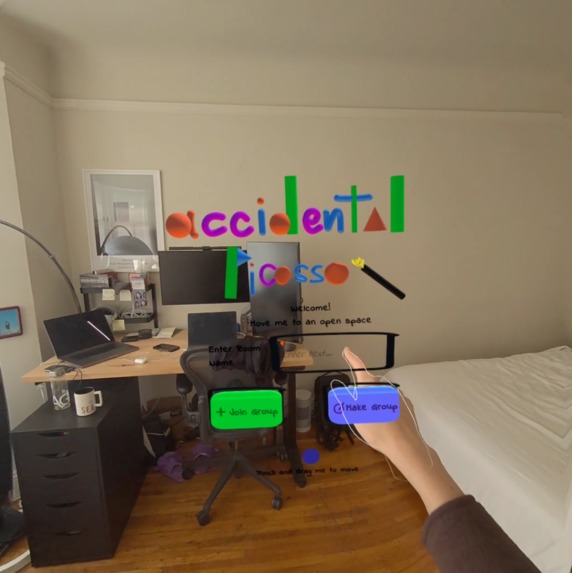
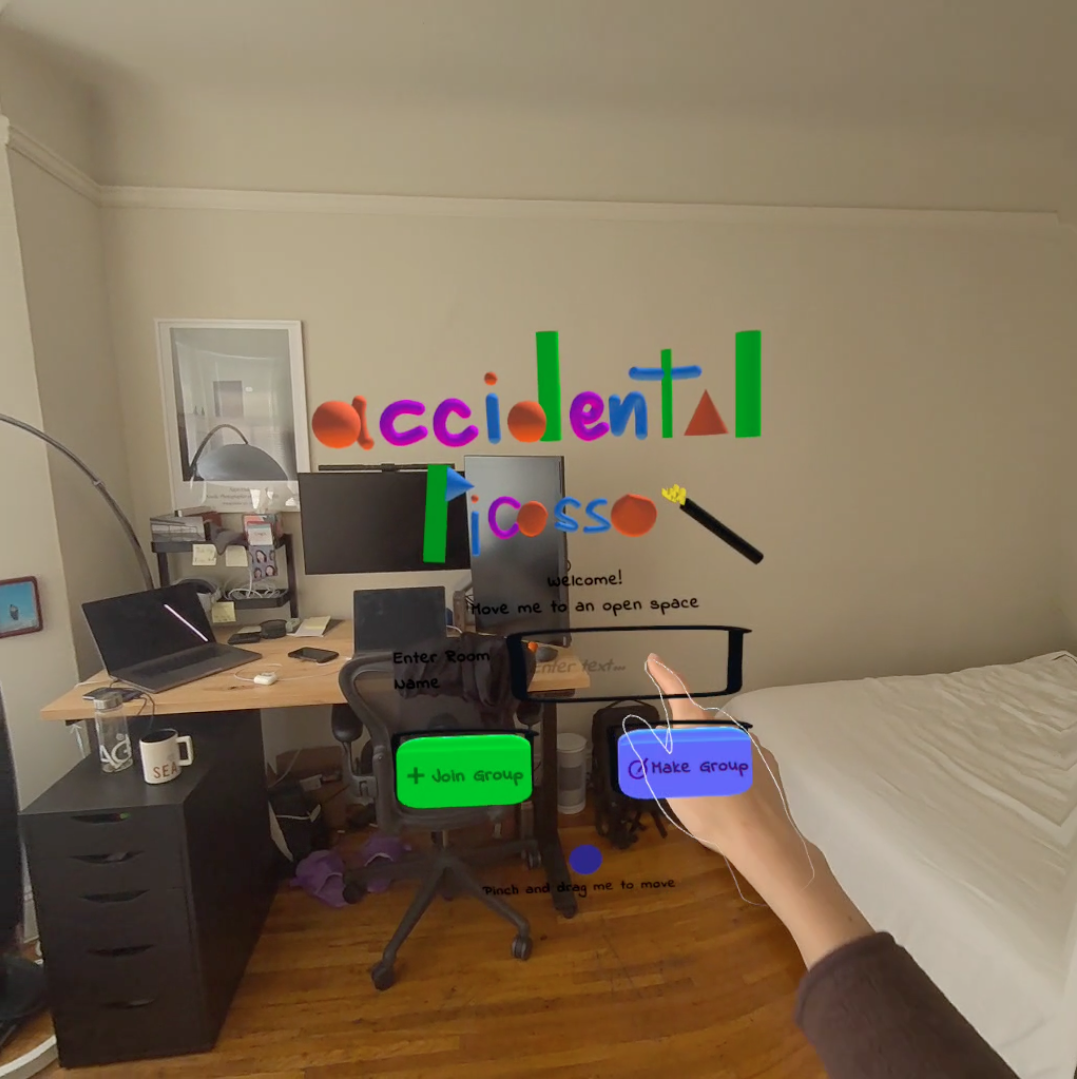
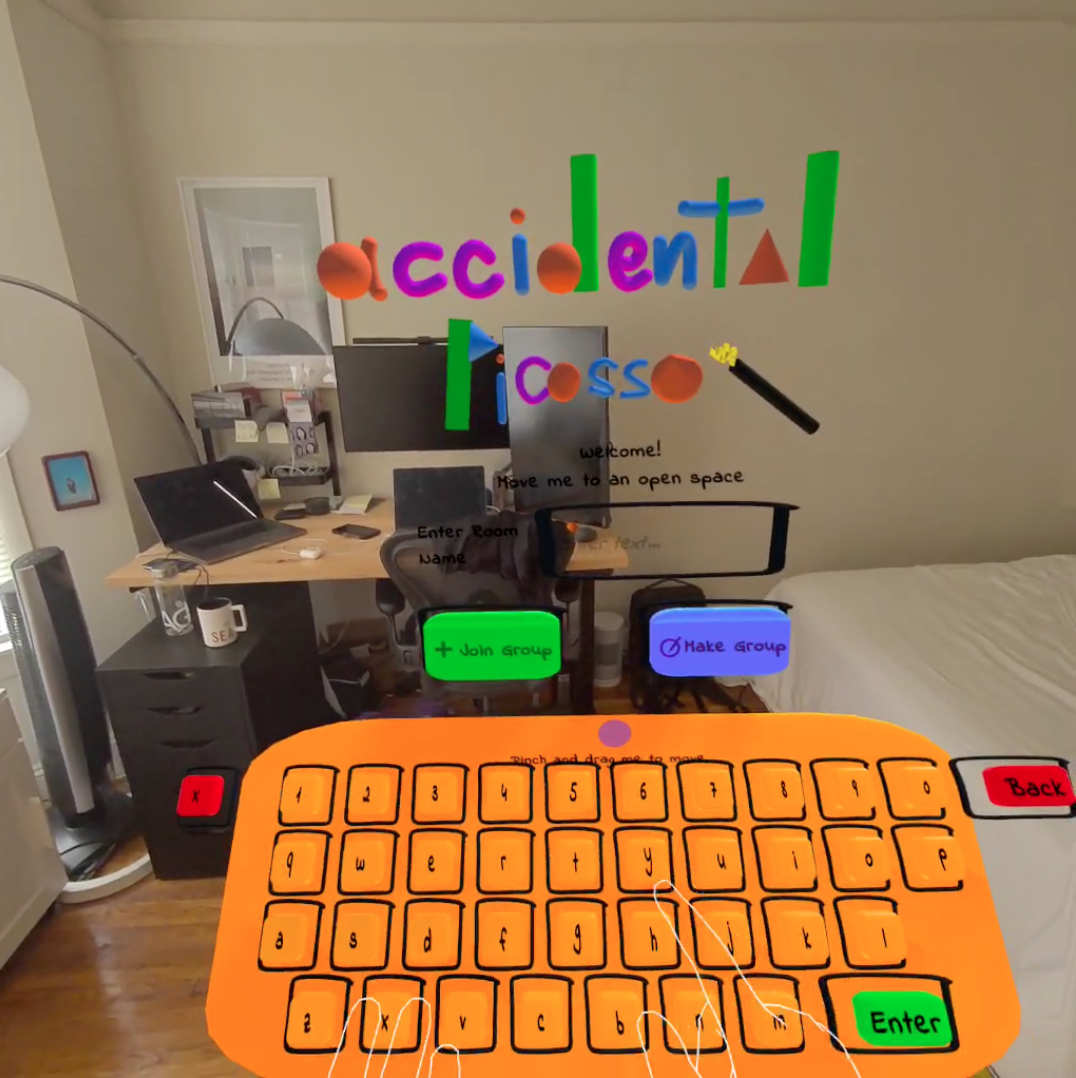
Players enter a shared room name to join together
-
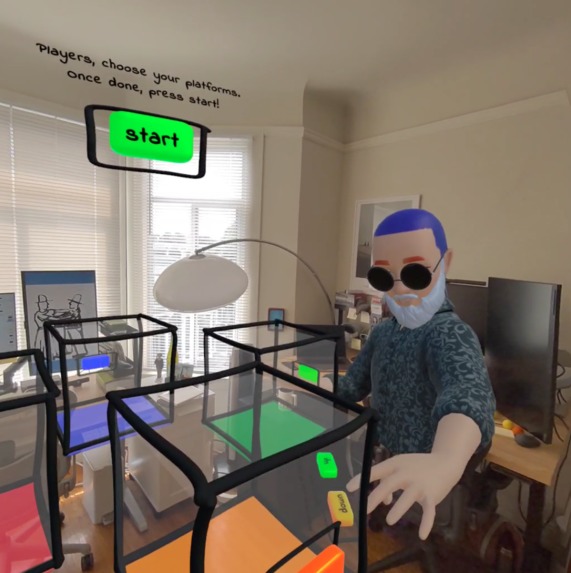
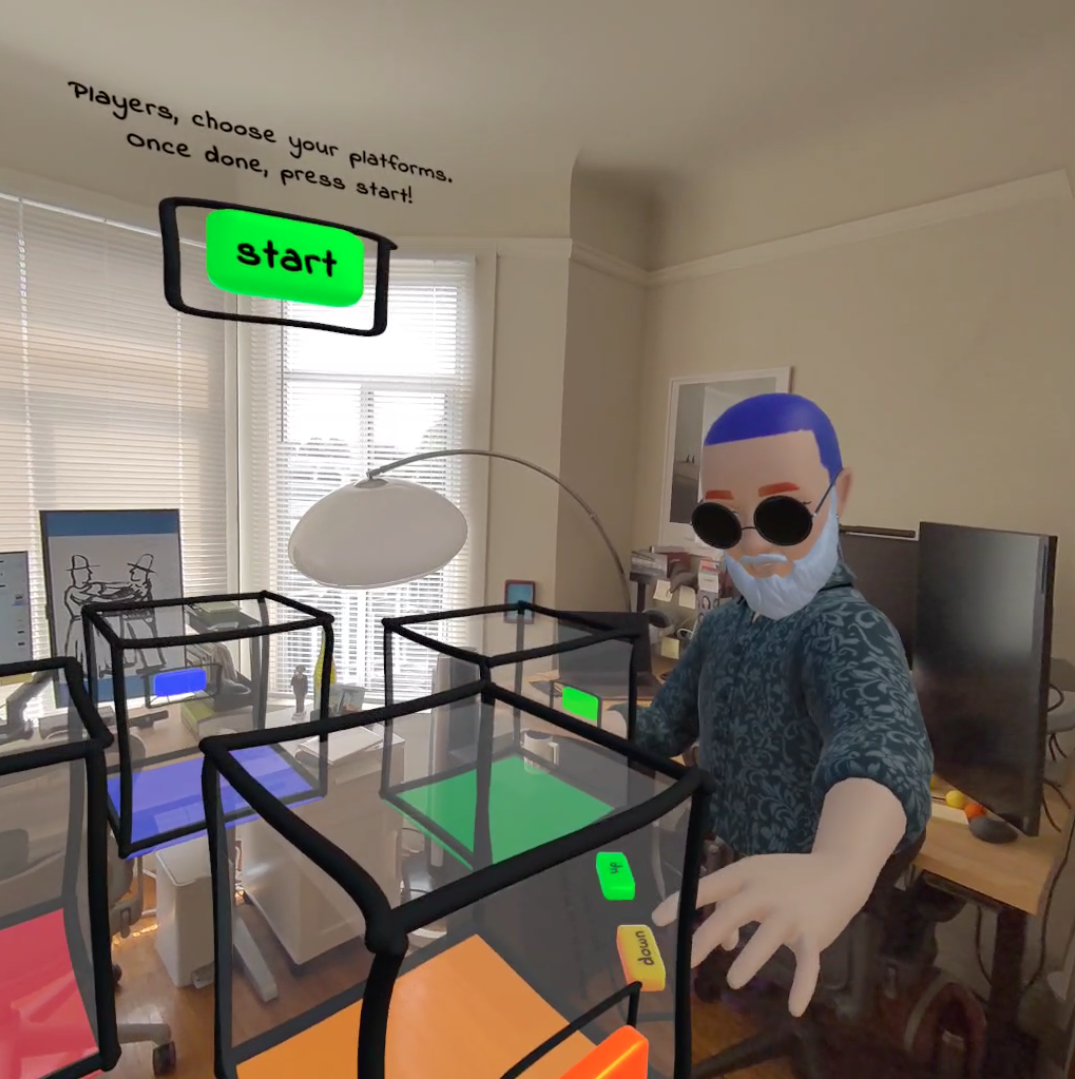
Players can adjust the shared height of the platform
-
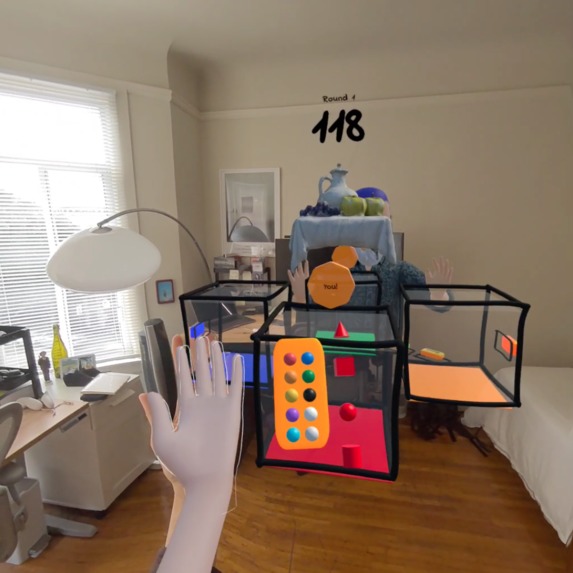
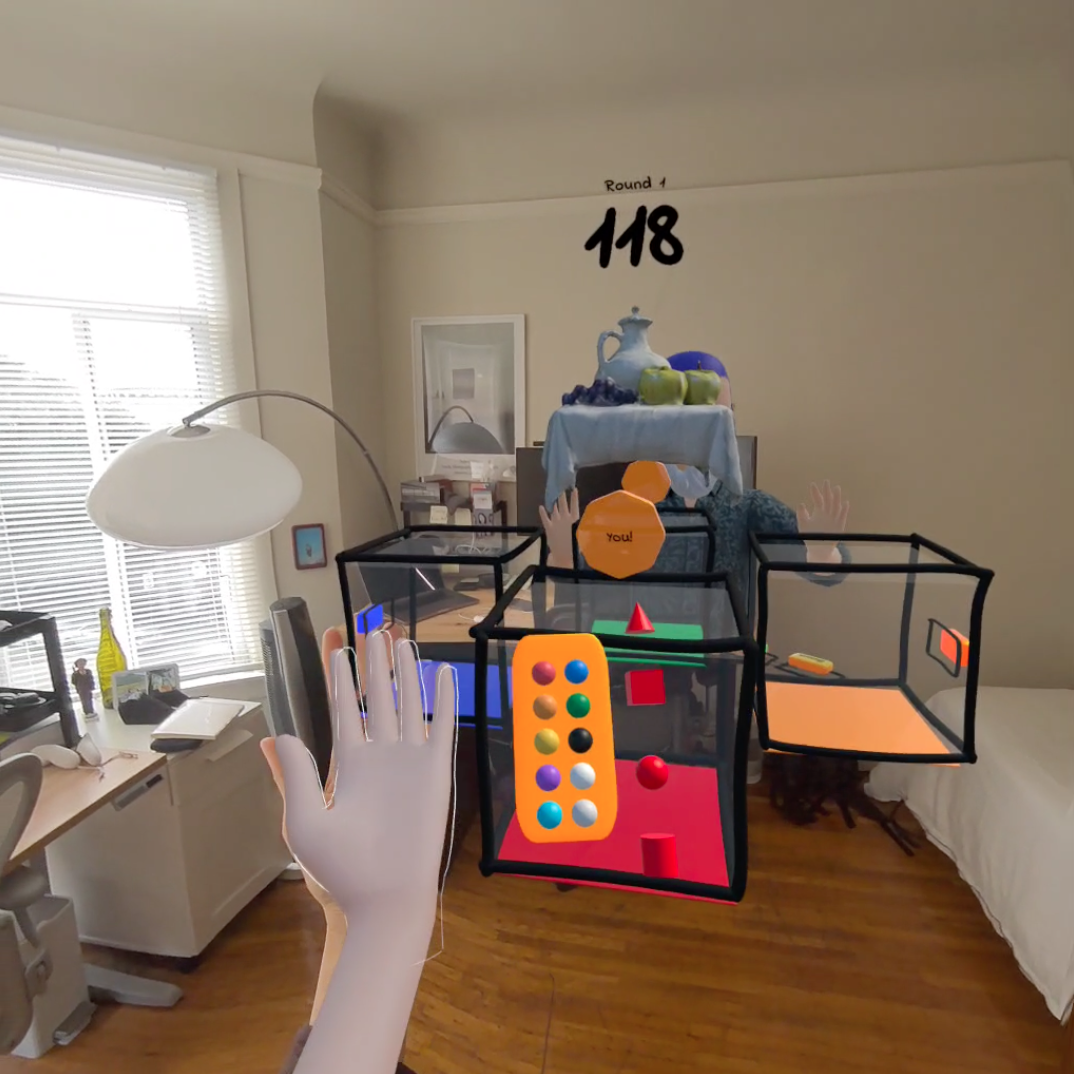
Hand palette with the colors and shapes players can use
-
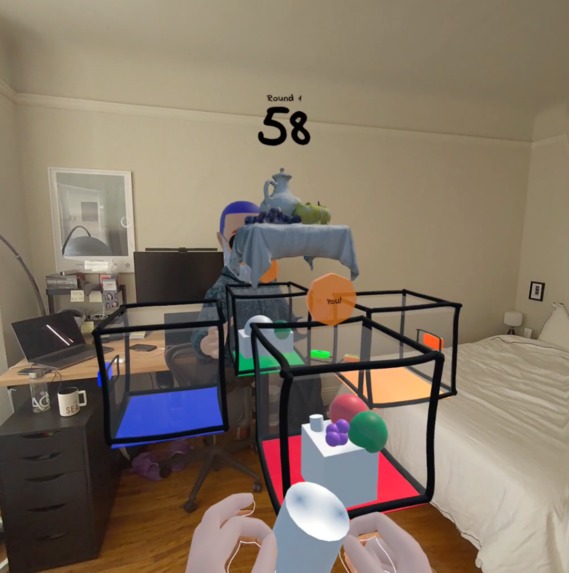
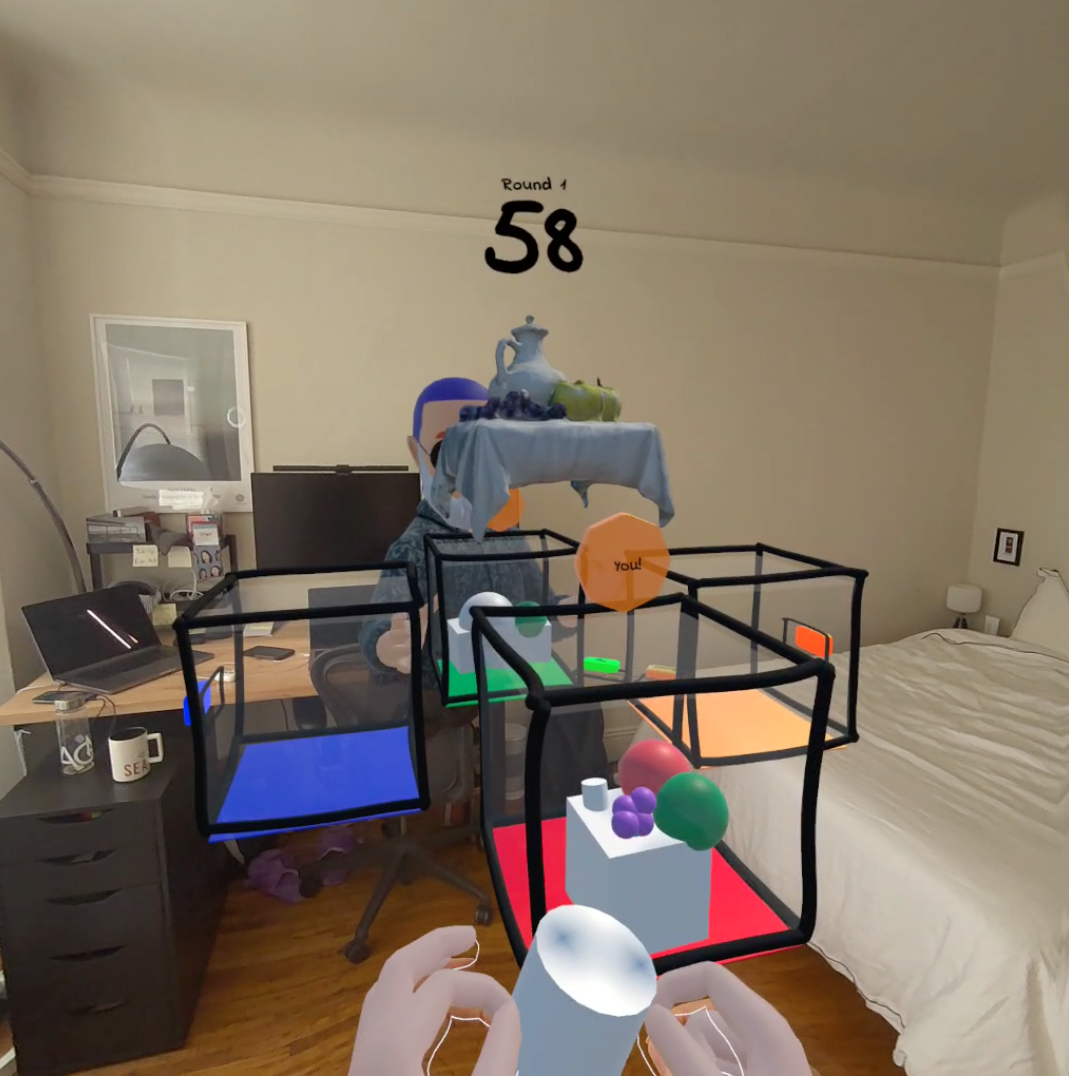
Scale, rotate, and move shapes by pinching and draging
-
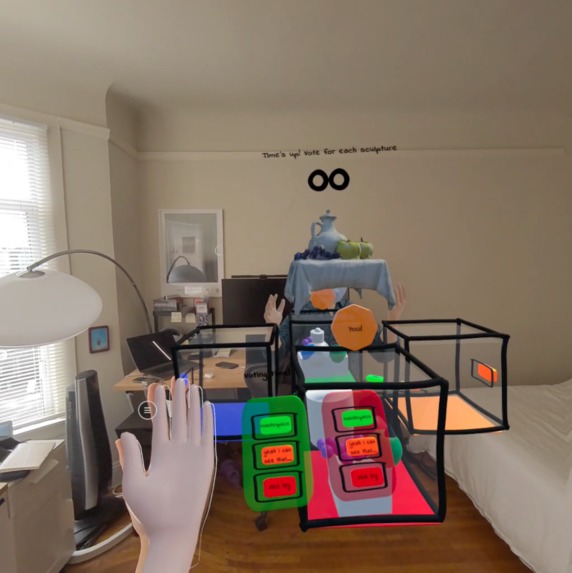
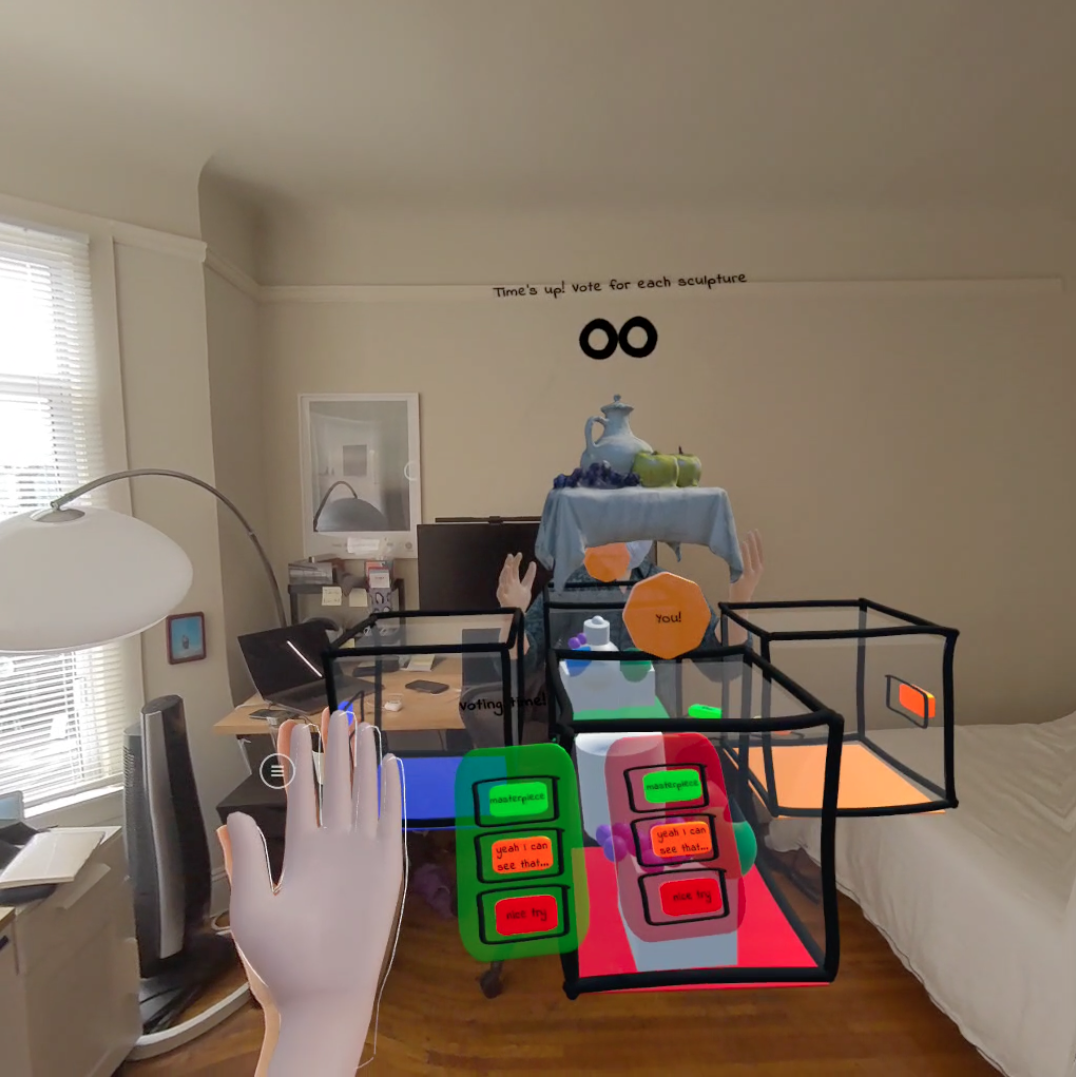
Scoring mechanism
-
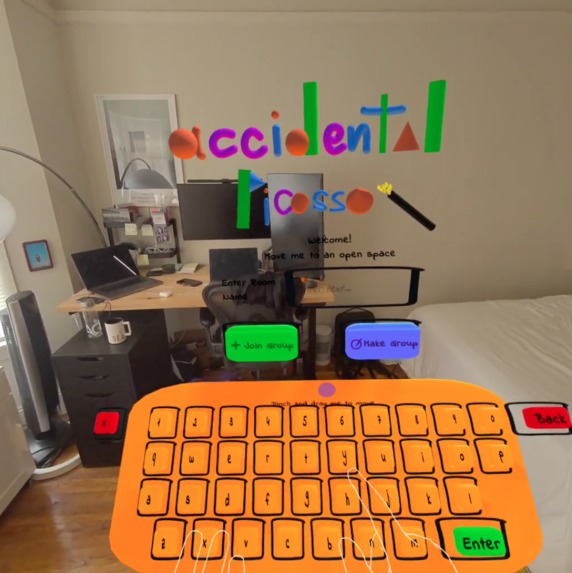
Custom keyboard designed and built for this game
What is it?
Accidental Picasso is a mixed reality 2-4 person multiplayer game where friends compete to see who can best recreate wacky sculptures using simple shapes.
In each round, players get 120 seconds and a realistic still life sculpture that they have to recreate using only 10 fixed colors, 4 types of shapes (cube, cone, cylinder, and sphere), and their hands (no controllers!). At the end of each round, players explain their work and score each other with the highest praise being "masterpiece", then "I can see that..", to the lowest score "nice try". The player with the highest total points wins.
With Accidental Picasso, the focus is less about how accurately a player recreates a wacky sculpture but more on how creative they can get when trying to recreate it and the banter that comes along as they try to convince their friends to vote for their work. Because it is in passthrough and they and their friends can move around in the same space, players can feel like their friends are right there with them. They can talk, play, and hang out just like they would in real life.
Inspiration
I wanted to create a casual, light-hearted game that I can play with my friends who are scattered around the world while we catch up and spend some quality time together. Some games that inspired Accidental Picasso were Drawful 2, Pictionary, and Minecraft's Build Battle.
The first iteration of this idea was conceived at another hackathon with my teammate Cheng-Wei Hu. We built that prototype on the Apple Vision Pro using Swift. That idea served more as a seed for this project. I started this project from scratch using Unity at the end of March. I have since iterated on and refined the UX, changed up the sound effects, redesigned and created all the 3D assets, and iterated on the game concept. The only thing that remained the same was the background music used and the name of the game.
List of Features and Functionality
- Create/Join room - players first create or join a room virtually together.
- Custom keyboard - I created a custom keyboard for players to enter a unique room name.
- Meta Avatar - remote players are represented as their meta avatars and are rendered in a spatially accurate position.
- Central game space - the game platform is rendered at the center of the player's defined boundary.
- Choose a player area - players then walk around and choose the area that they'd like to start creating on (4 possible locations red/blue/orange/green).
- Adjust platform height - players can adjust the platform height to a position that suits all of them. This is synced across all players.
- Hand-tracked palette - when the game starts, players can access the palette on their hand where there are shapes and colors to choose from.
- Color picker - part of the hand-tracked palette, players can update the colors of their shapes before pinching and dragging them out.
- Create and manipulate shapes - players can easily pinch and drag 4 different types of shapes (cube, sphere, cylinder, and cone), and scale, move and rotate them using one or two hands.
- Timer - each round takes 120 seconds.
- Scoring system - at the end of each round, players can score each sculpture based on how good they think it is.
How I built it
I built it for the Quest 2 and 3 using Unity and Meta's Passthrough API, Avatars, and Interaction SDK. I used Normcore as the networking solution to support the multiplayer system including syncing the game state, shapes being created and manipulated, platform height, player avatars, player positions and voice.
The logo and buttons were created using a mix of Gravity Sketch and Unity's primitive shapes. I used Meshy.ai to create the sample models that players had to replicate. Sound effects were by floraphonic from Pixabay and the background music was Fluffing a Duck by Kevin MacLeod (incompetech.com). Licensed under Creative Commons: By Attribution 3.0 License.
Challenges I ran into
The multiplayer feature of the game was the biggest challenge I ran into. It took quite some time for me to learn and properly sync the game state, scoring, shapes, and user positions. Testing and debugging multiplayer was also more complex. I was able to use ParrelSync to ensure that the right objects and data were being synced. But to test the whole game flow, I would need to ask my friend to help me out.
Accomplishments that I'm proud of
I am most proud of the palette's user experience. Since its a casual game, I didn't want complicated buttons and elaborate manipulation methods to take away from the fun of the game. I iterated through a few designs before going with this one. Meta's Interaction SDK also really helped in making this iteration process more seamless.
I am also very happy with how the multiplayer function turned out. Even though players are not in the same space, seeing their avatars in passthrough and in a spatially accurate position deepened the sense of presence. It feels like you are just hanging out and chatting away with your friends in your home.
What I learned
When creating a multiplayer game, its best to define exactly how the game flow should progress before adding that feature because it is difficult to test and requires more work to undo/update.
I also see the clear benefits of working as a group. Working on Accidental Picasso solo this time made me remember how fun it was to bounce ideas off of my teammates and motivate each other.
What's next for Accidental Picasso
I want to clean up the project, add more models that players can try to replicate, and support colocation/mix of colocation with remote.


Log in or sign up for Devpost to join the conversation.