-
-
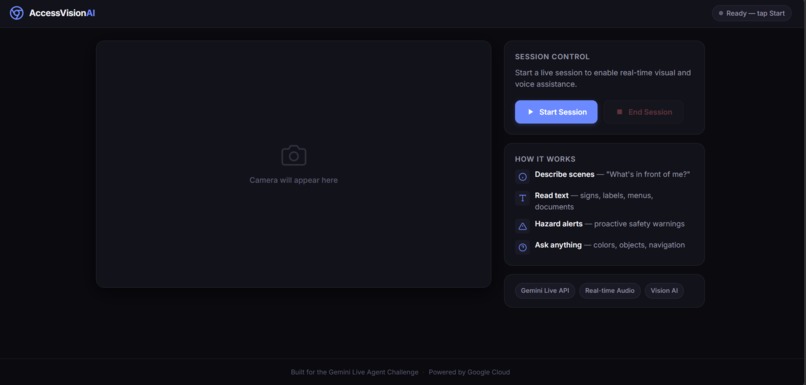
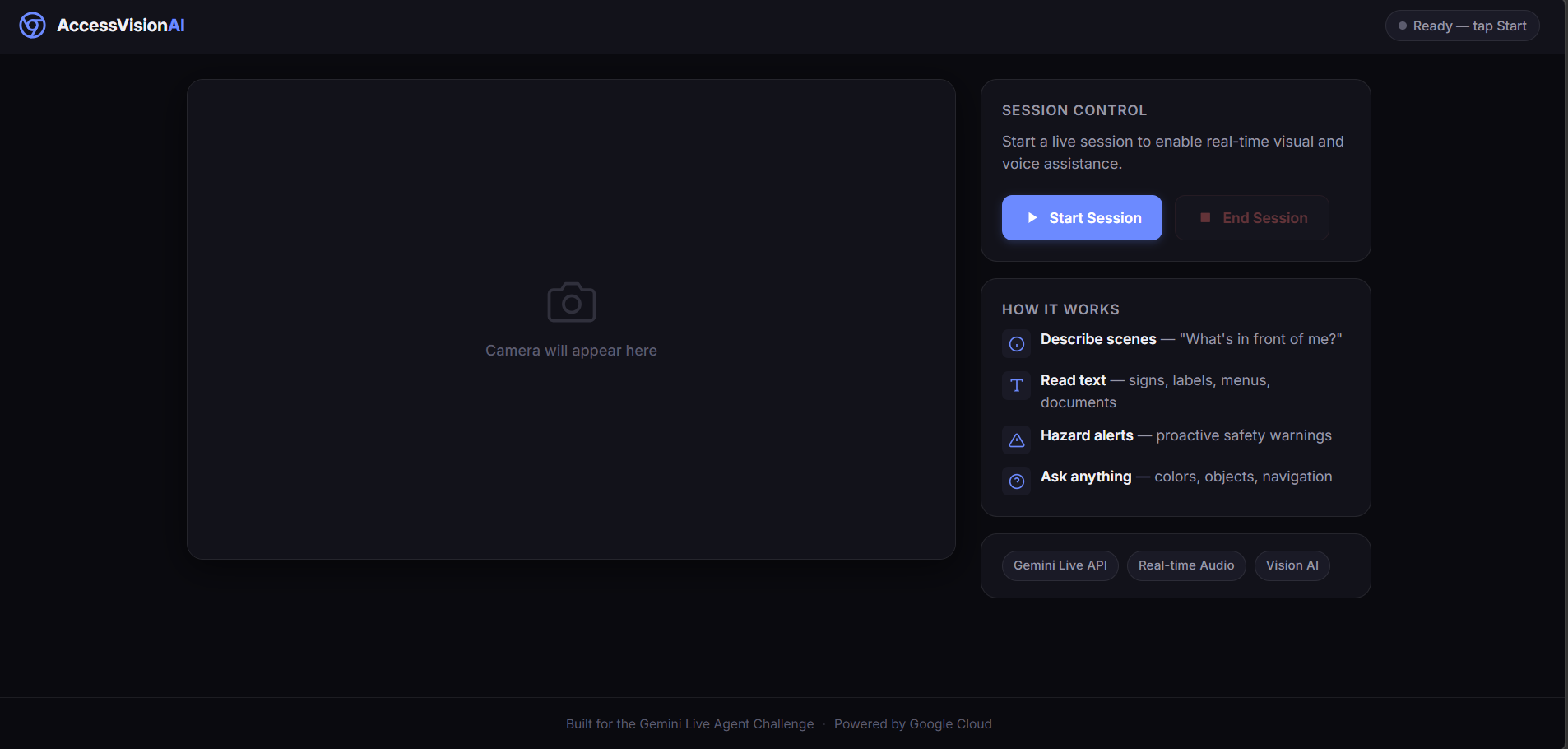
this is an application snippet
Inspiration
My grandmother is visually impaired. I've watched her struggle with things most of us don't even think about — figuring out if milk has expired, reading a bus number, or just knowing what's on her plate at dinner. She always jokes that she needs "someone to be her eyes for a few seconds."
That stuck with me. When I saw the Gemini Live API could handle real-time audio and video together, the idea clicked immediately — what if her phone camera could just talk to her? No menus, no buttons, no screen reading. Just point and ask.
What it does
You open the app on your phone, hit Start, and that's it. Talk to it like you'd talk to a friend walking next to you.
- "What's in front of me?" — it describes what the camera sees
- "Read that sign" — it reads text out loud, word for word
- "What color is this shirt?" — it tells you
- "Is there anything in my way?" — it warns you about obstacles
The whole point is that you never have to touch the screen after pressing Start. Everything is voice in, voice out. My grandmother could actually use this, and that was the bar I set for myself.
How we built it
The first version had a Python backend sitting between the browser and Gemini — the browser sent audio and video to FastAPI, which forwarded it to Gemini, got the response, and sent it back. It worked, but it was slow. Like, noticeably-annoying slow.
So I ripped out the middleman. The browser now connects directly to Gemini's WebSocket endpoint. The FastAPI server just serves the HTML files and hands over the API config — that's it.
The actual flow
$$\text{Phone Camera + Mic} \xrightarrow{\text{WebSocket}} \text{Gemini Live API} \xrightarrow{\text{Voice Response}} \text{Phone Speaker}$$
What's under the hood
| Piece | What We used |
|---|---|
| AI | Gemini 2.5 Flash Native Audio (Live API) |
| Frontend | Plain HTML/JS/CSS — no React, no build step, nothing fancy |
| Audio in | AudioWorklet capturing mic at 16kHz, sending tiny 8ms chunks |
| Audio out | Another AudioWorklet with a ring buffer for smooth playback |
| Video | Canvas grabs a JPEG frame every 2 seconds at \( 320 \times 240 \) |
| Server | Python FastAPI, basically just a file server |
| Hosting | Docker container on Cloud Run |
Making it fast enough to actually be useful
A 3-second delay sounds fine until you're a blind person about to walk into a pole. Latency had to be as low as possible.
The math is pretty simple — total delay is:
$$L = L_{\text{capture}} + L_{\text{network}} + L_{\text{model}} + L_{\text{playback}}$$
We can't control how fast Gemini thinks (\( L_{\text{model}} \)), but I crushed everything else:
- Capture: 8ms audio chunks instead of the typical 128ms. That's \( 16\times \) more frequent
- Network: direct browser-to-Gemini WebSocket, no server in the middle
- Playback: ring buffer AudioWorklet instead of creating a new audio node for every chunk (which causes GC stutters)
- Video: \( 320 \times 240 \) at quality \( q = 0.4 \) every 2 seconds. Roughly \( \frac{1}{6} \) the bandwidth of what I started with:
$$B_{\text{new}} \approx \frac{320 \times 240 \times 0.4}{640 \times 480 \times 0.6} \times \frac{1}{2} \approx \frac{1}{6} \cdot B_{\text{original}}$$
- Interruptions: if you start talking while Gemini is mid-sentence, the playback buffer flushes in under a millisecond. No awkward overlapping voices.
Accessibility wasn't an afterthought
Since the target users are visually impaired, the UI had to be accessible from the ground up:
- High contrast dark theme (\( \geq 4.5:1 \) ratio everywhere)
- Big buttons — \( 44 \times 44\text{px} \) minimum, because shaky hands are real
- Screen reader support with ARIA live regions
- Respects
prefers-reduced-motion - Works on mobile Chrome with one hand
Challenges we ran into
Finding the right model was weirdly hard. Every tutorial says to use gemini-2.0-flash-live-001. That model doesn't exist anymore (or never did?). I got a 404 and spent a while confused. Eventually I wrote a script to list every available model and test which ones actually support BidiGenerateContent. Turns out it's gemini-2.5-flash-native-audio-latest. Would've been nice if the docs mentioned that.
The browser sends Blobs, not strings. When Gemini responds over WebSocket, the browser receives it as a Blob object. My code was doing JSON.parse(event.data) and getting "[object Blob]" is not valid JSON. Took me longer than I'd like to admit to figure out I needed await event.data.text() first.
The proxy architecture was too slow. My v1 had every audio chunk making this trip:
$$\text{Mic} \rightarrow \text{Browser} \rightarrow \text{FastAPI} \rightarrow \text{Gemini} \rightarrow \text{FastAPI} \rightarrow \text{Browser} \rightarrow \text{Speaker}$$
That's two extra network hops adding \( 200\text{–}400\text{ms} \) of latency. I scrapped the proxy entirely and went direct:
$$\text{Mic} \rightarrow \text{Browser} \rightarrow \text{Gemini} \rightarrow \text{Browser} \rightarrow \text{Speaker}$$
Night and day difference.
My C: drive had 9MB of free space. Yes, nine megabytes. pip install kept crashing. I ended up creating the entire virtual environment on my D: drive where I had 209GB free. Not exactly a technical challenge, but it ate 30 minutes of my life.
What we learned
Gemini's multimodal understanding is genuinely impressive. I didn't have to tell it "now look at the video frame and describe it" — it just does it. You talk, it listens, it watches the camera, and it responds naturally. The system prompt just shapes the personality.
Prompt engineering matters more than I expected for accessibility. Telling the model "never say 'I can see'" and "use clock-position language like '2 o'clock'" completely changed how useful the responses felt. Small wording tweaks, big UX impact.
AudioWorklet ring buffers are the right way to do streaming playback. Creating a new
AudioBufferSourceNodeper chunk works in demos but causes micro-stutters in practice because of garbage collection. The ring buffer just keeps flowing.Sometimes the best optimization is deleting code. Removing the backend proxy was the single biggest latency improvement, and it also made the codebase simpler.
What's next
- Remembering places — "Remember this is the pharmacy entrance" so it can remind you next time
- Multiple languages — Gemini already speaks many languages, just need to wire it up
- Smart glasses — a phone in your hand works, but camera-equipped glasses would be hands-free
- Community layer — let sighted volunteers add descriptions to common locations that the AI can reference
Built With
- audioworklet
- css
- docker
- fastapi
- gemini-live-api
- google-cloud-run
- google-gemini-api
- html
- javascript
- python
- web-audio-api
- websocket


Log in or sign up for Devpost to join the conversation.