-
-
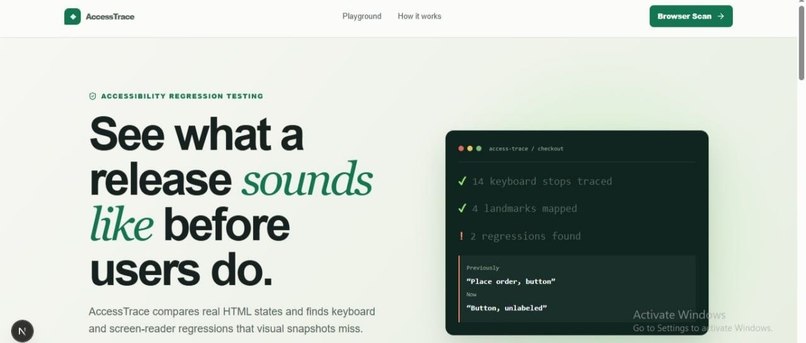
page1
-
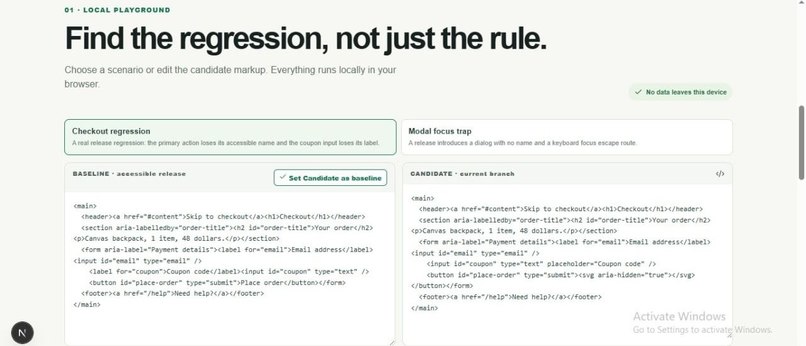
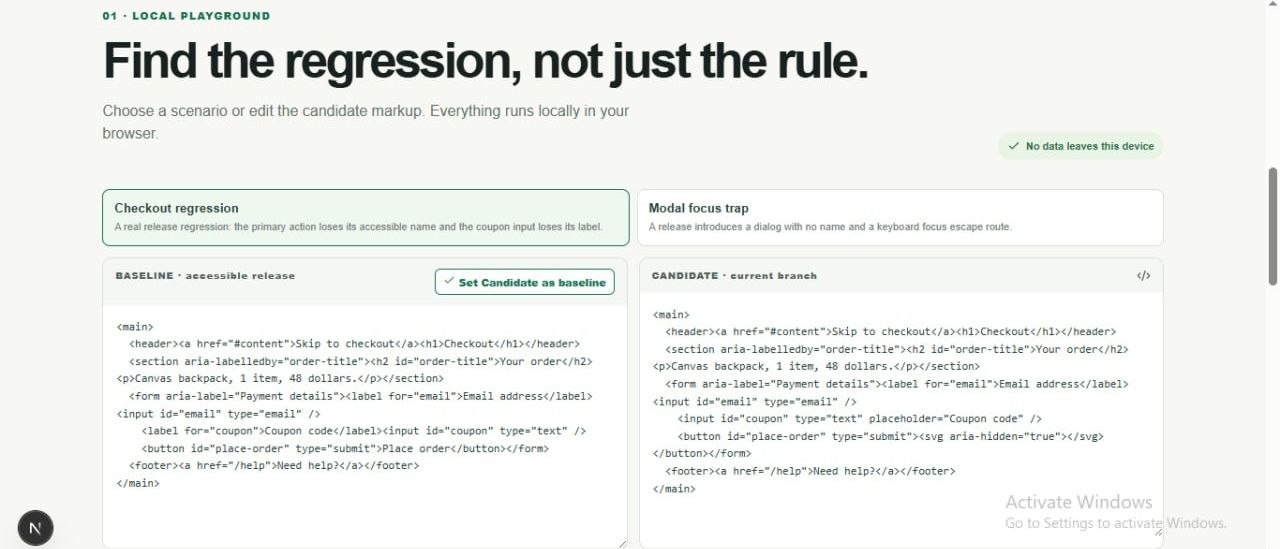
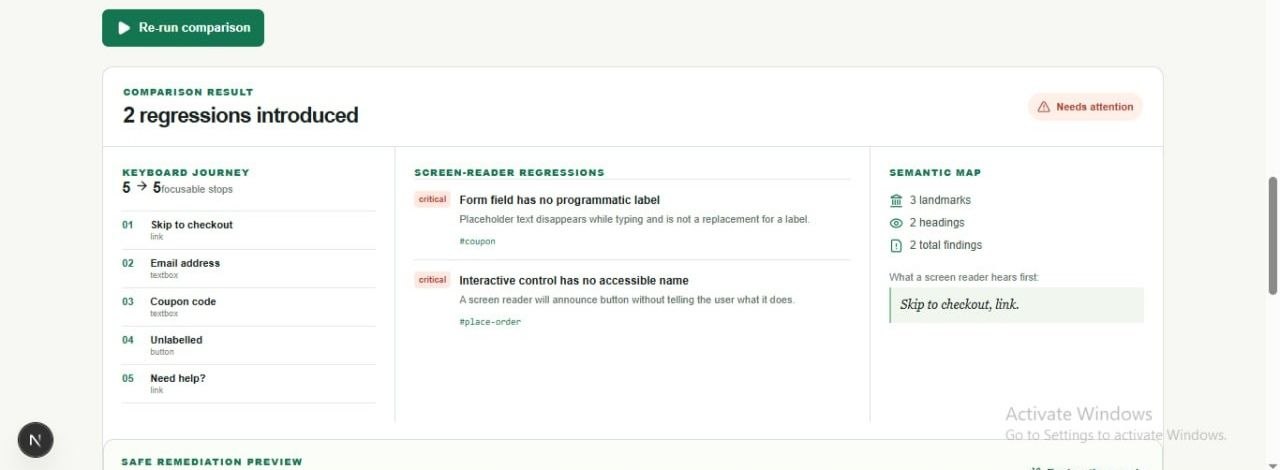
baseline and current branch
-
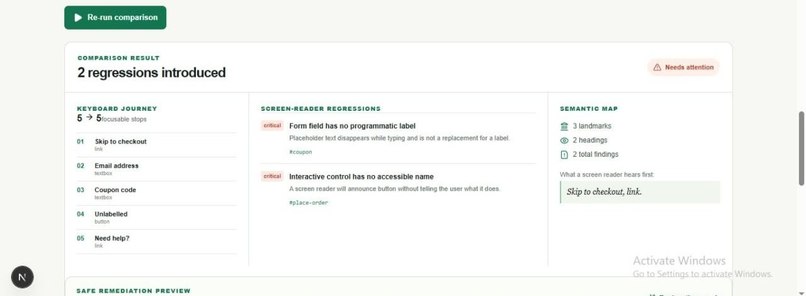
regressions
-
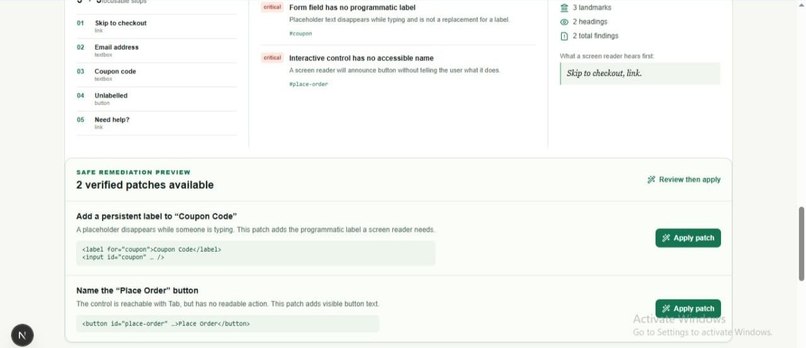
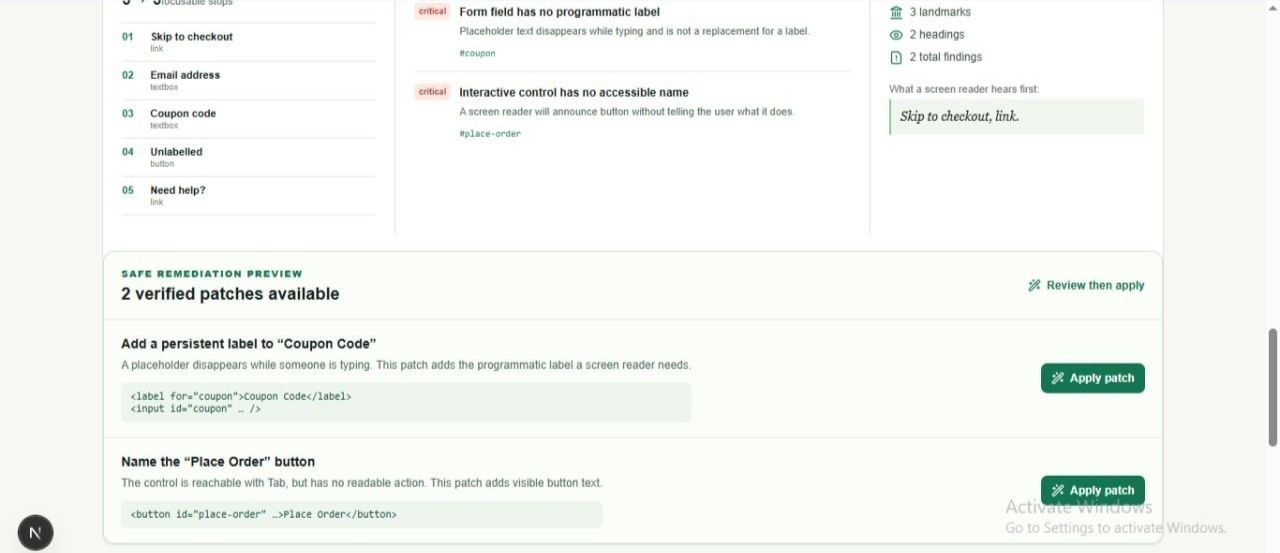
analysis based code patches to resolve regression issues
-
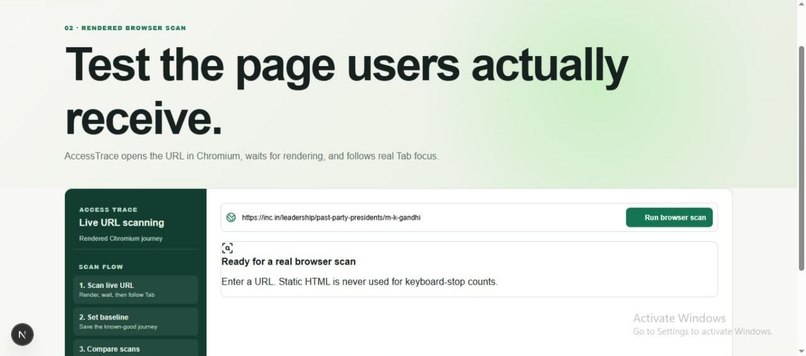
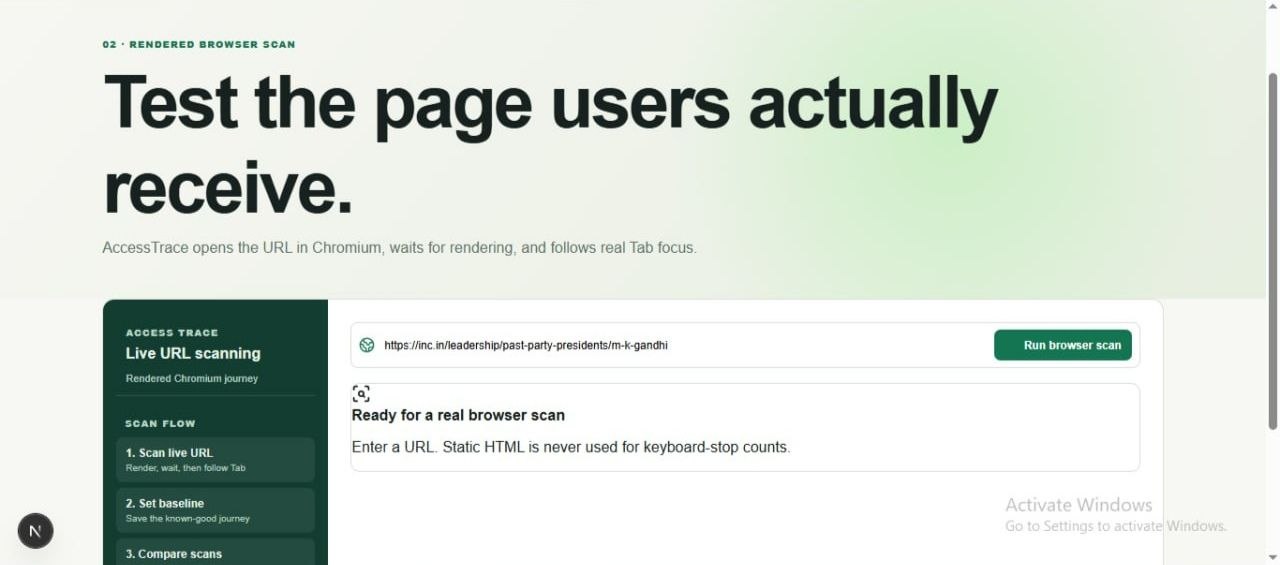
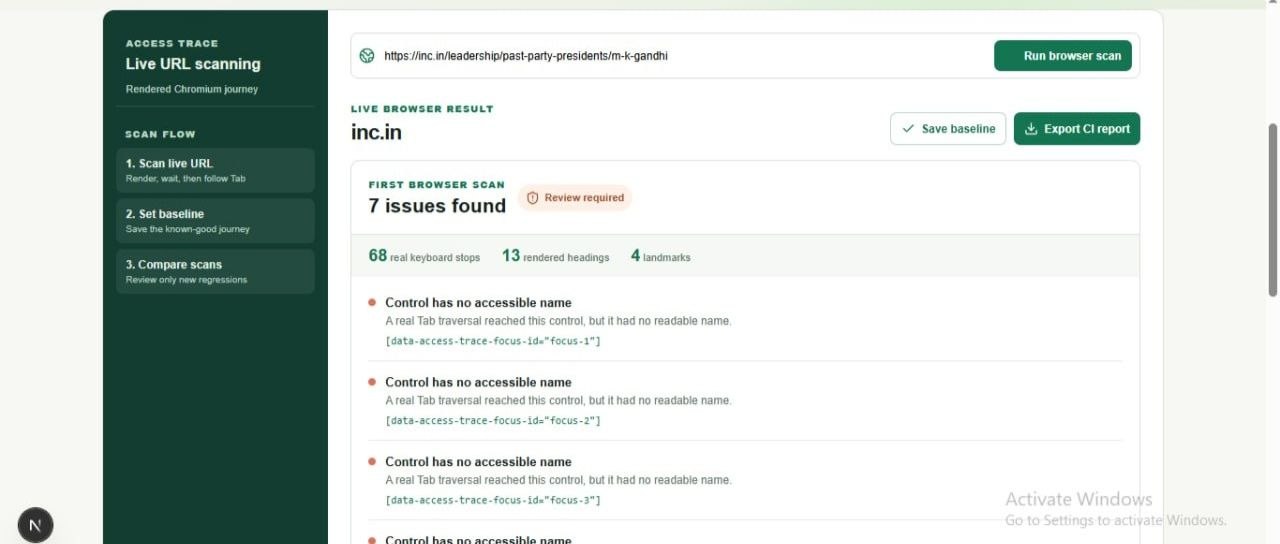
real time url check
-
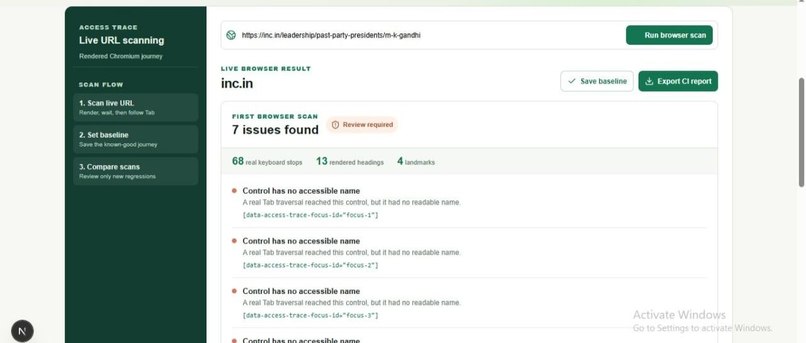
real time analysis of any url available on internet
Inspiration
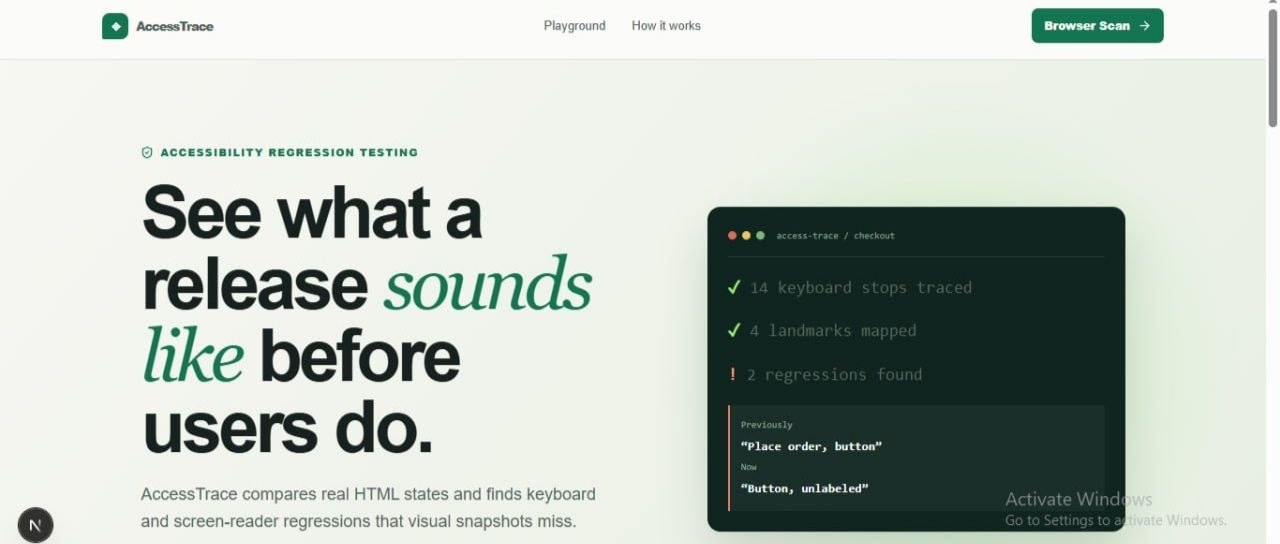
Accessibility regressions are quite often introduced during normal product updates. A button may lose its name, a form field lose its label, or keyboard order changes. These errors may be invisible in visual testing but can make a flow unusable for keyboard and screen-reader users. We wanted to make these failures visible before a release reaches real users, so that we enhance their actual experience.
What it does
AccessTrace compares a known-good baseline with a changed candidate version and identifies newly introduced accessibility regressions. Playground page lets developers paste HTML, compare keyboard stops, accessible names, labels, headings, and landmarks, then also provides "apply patches" that safely fixes candidate code. Browser Scan page opens a live URL in Chromium, waits for the page to render, follows real Tab focus, and shows the keyboard journey users actually experience. This means we can check any URL on the internet in this feature.
How we built it
We built AccessTrace using Next.js, React, TypeScript, Playwright and Codex. Codex did most of the part, we together made multiple epochs to reach at final stage of this current project. The Playground parses local HTML and creates an accessibility-focused map of focusable controls, accessible names, labels, headings, landmarks, and new regressions.
Browser Scan(feature) uses a rendered Chromium browser instead of only checking downloaded HTML. This allows AccessTrace to inspect real keyboard navigation after JavaScript has loaded.
Challenges we ran into
The main challenge was avoiding misleading results. Static page HTML includes hidden elements, framework markup, and controls that are not actually reachable with a keyboard. Early scans produced noisy keyboard-stop counts, numbers were really inflated. We solved this by using real rendered browser behavior and actual Tab traversal with help of Chromium. Another challenge was safe remediation. Generic advice is easy to generate, but trustworthy fixes are harder. We limited automatic fixes to deterministic cases mostly.
Accomplishments that we're proud of
We created a complete workflow instead of only an accessibility checker. A developer can save a known-good baseline, compare a new version, understand the impact of a regression, apply a safe patch, and verify if the candidate is safe to merge. We are also proud that Browser Scan traces rendered pages and real Tab focus rather than treating accessibility as a static checklist. We successfully built 3 very critical features : finding regressions, solving it with corrected code patches and Browser scan.
What we learned
We learned that accessibility is not only about technical rules. It is about whether a person can complete a real task. We also learned that developer tools must be transparent about their limits. A smaller set of safe and verifiable fixes is more useful than broad but unreliable suggestions. Most importantly, Codex is really reliable, it can work independently while we learn how things are happening and working in the background.
What's next for AccessTrace
We are planing to add checks for dialogs, image alternatives, focus visibility, heading structure, and more complex keyboard interactions. We also want to add CI integration, pull request reports, saved projects, team baselines, and cloud browser execution for scalable live website scans. We aim to build an actual holistic and complete app.
Built With
- chromium
- codex
- next.js
- node.js
- openai
- playwright
- react
- typescript
- vercel

Log in or sign up for Devpost to join the conversation.