Inspiration
The idea for AccessPilot came from my own experience working around enterprise access provisioning.
A lot of the work involved checking access requests, looking at approval status, figuring out why something was pending, and following up on requests. I kept thinking that many of these tasks were repetitive and could be made much easier if an administrator could simply ask an AI assistant what was happening.
That is where the idea for AccessPilot started.
Instead of manually checking different pieces of information, I wanted to build something where an administrator could ask:
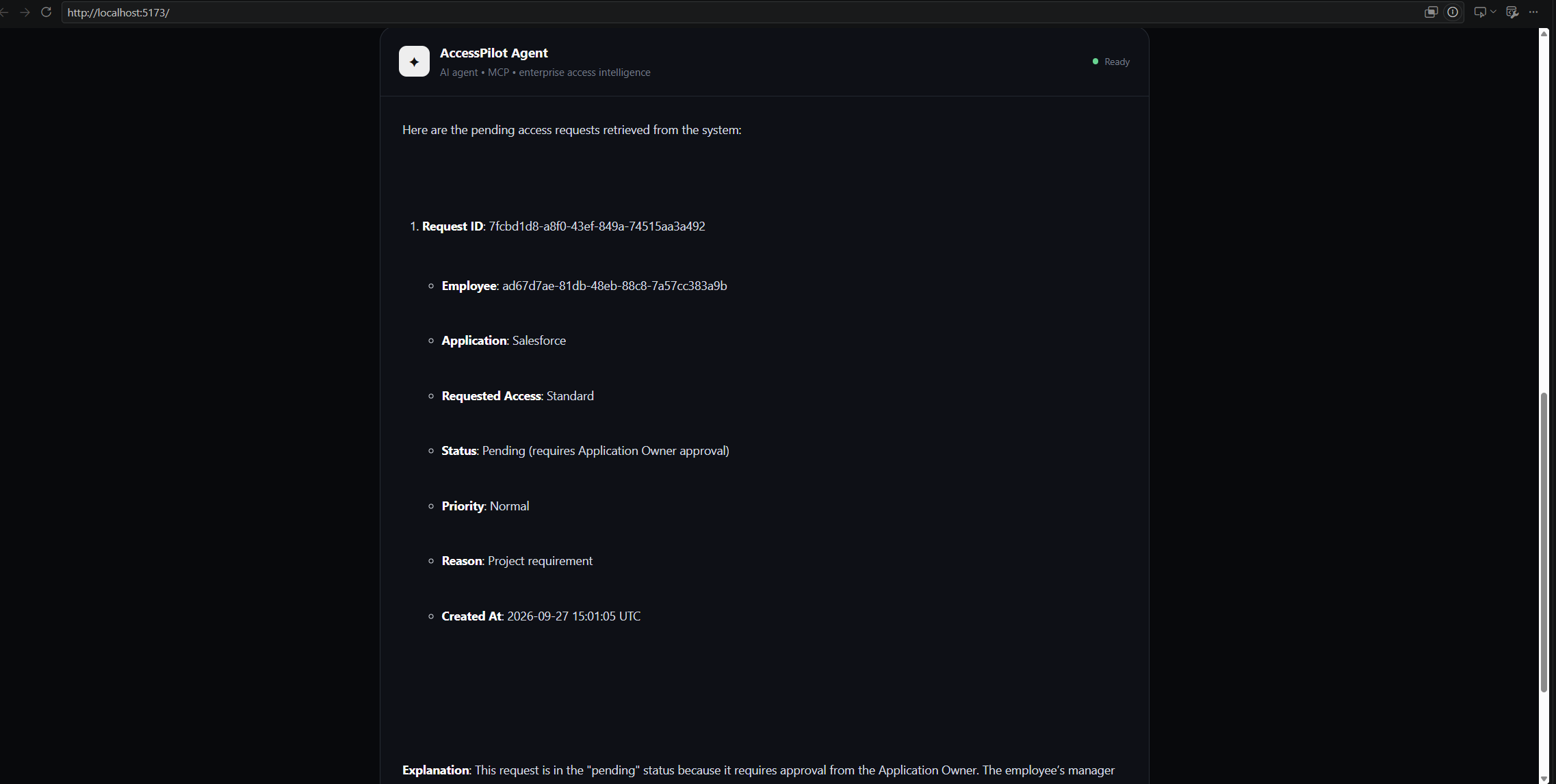
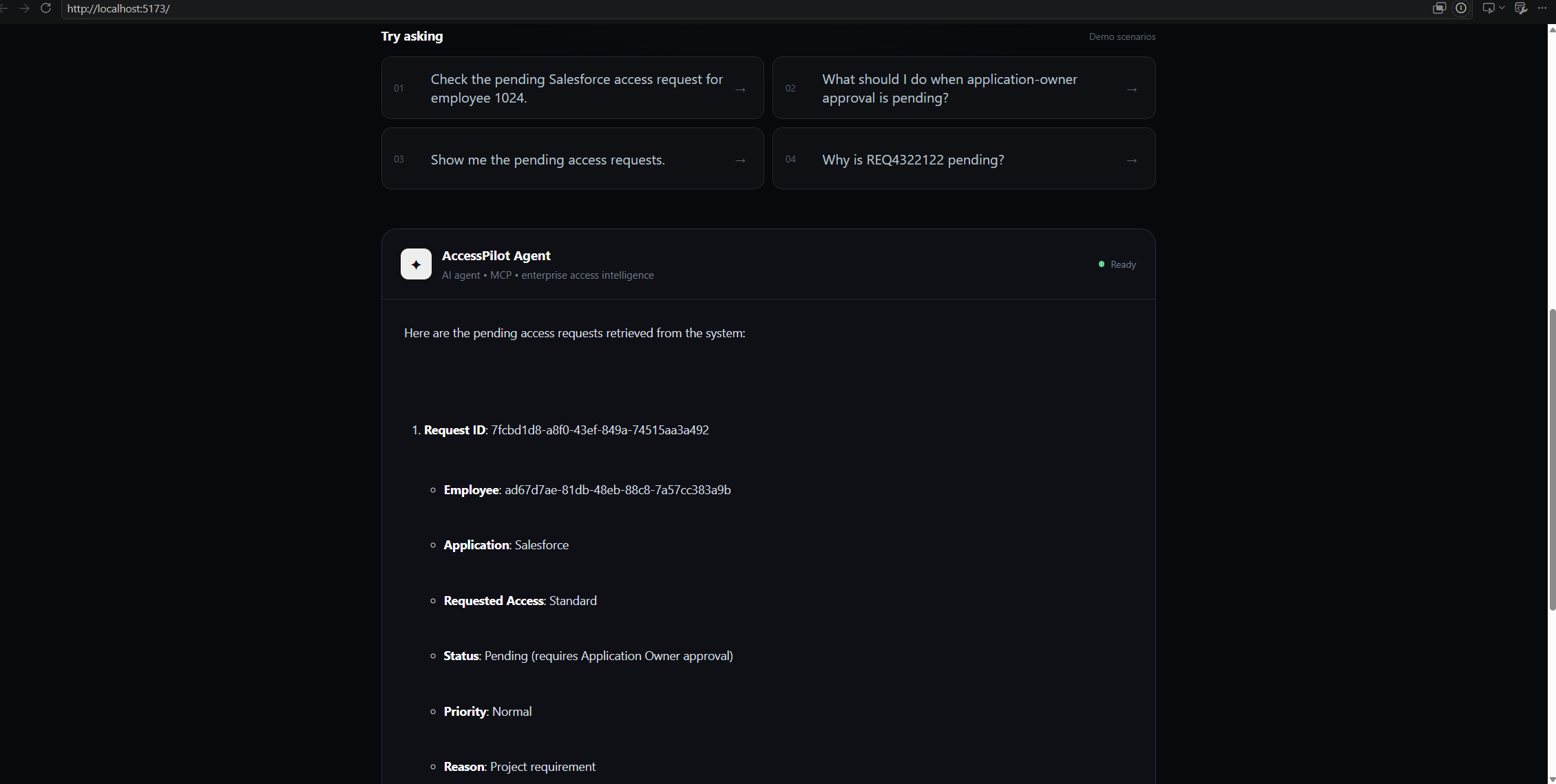
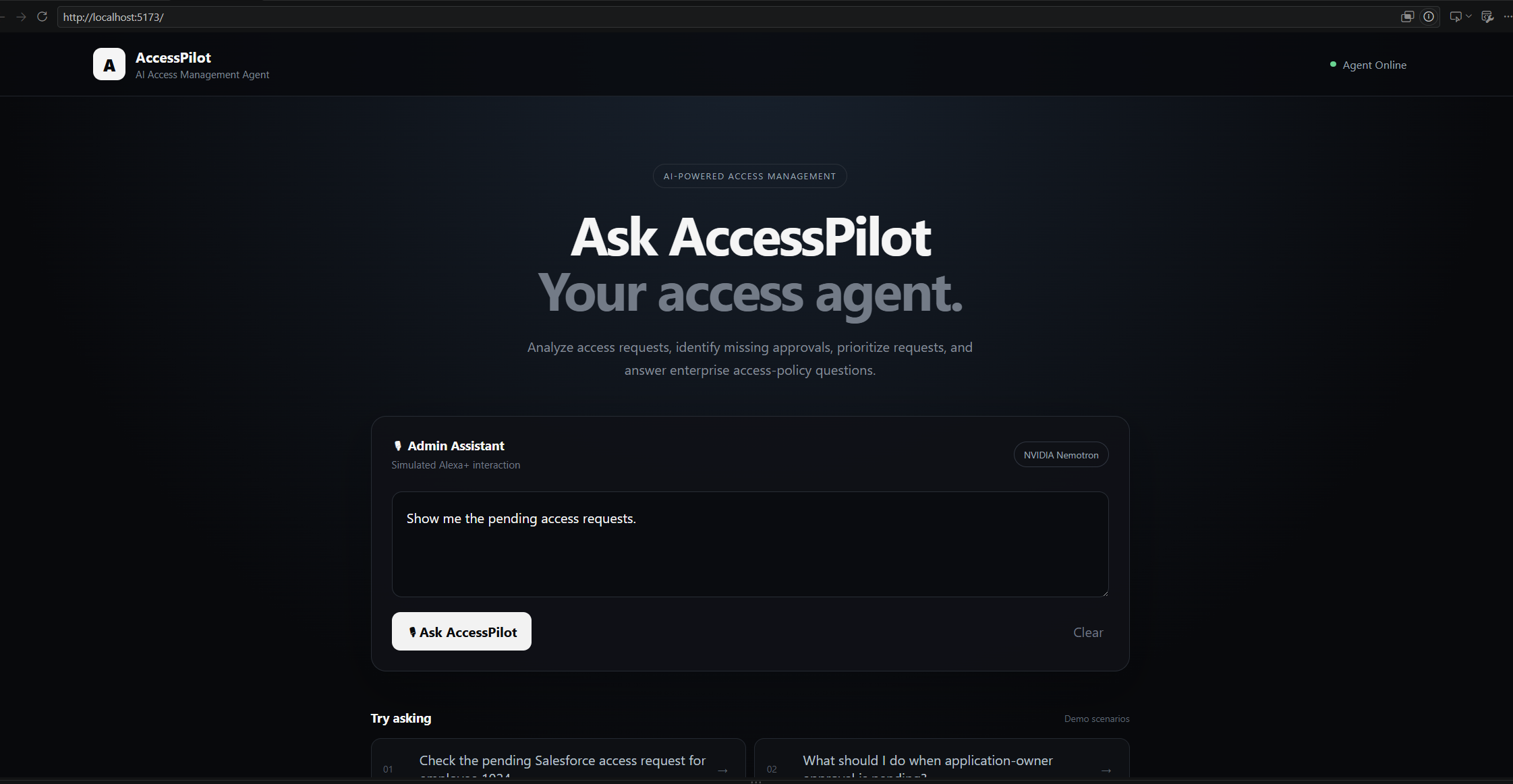
"Show me the pending access requests."
or:
"Why is this Salesforce request still pending?"
and get a useful answer based on the actual application data and access policies.
What I Built
I built AccessPilot as an AI-powered access-management assistant.
The main idea is simple: the administrator talks to the AI agent, and the agent decides what information it needs to answer the question.
For example, if I ask about a specific access request, the agent can use MCP tools to retrieve the request and analyze it instead of making up an answer.
Some of the tools I built include:
get_employeeget_employee_accessget_pending_requestsget_request_by_idanalyze_access_requestprioritize_requestssearch_access_policies
I also added a RAG pipeline so the agent can search access-policy documents when the question is about policies or what an administrator should do in a particular situation.
The final interface is a React-based AI assistant with an Alexa+ style interaction concept.
How I Built It
I built most of the project in TypeScript and used Node.js and Fastify for the backend.
The basic flow is:
Administrator
      ↓
React Interface
      ↓
AccessPilot Agent
      ↓
MCP Tools
   ↙       ↘
PostgreSQL  RAG
              ↓
            Qdrant
              ↓
       Access Policies
      ↓
AWS Bedrock
      ↓
Final Answer
For the application data, I used PostgreSQL.
For the AI agent, I used AWS Bedrock.
For connecting the agent to my application functionality, I used MCP.
For the policy knowledge base, I created a small RAG pipeline using Ollama embeddings and Qdrant.
The policy document is split into smaller chunks, converted into embeddings, and stored in Qdrant. When a policy-related question is asked, relevant chunks are retrieved and provided as context for the answer.
What I Learned
The biggest thing I learned from this project was that building an AI agent is very different from just calling an LLM API.
At first, I thought the main challenge would be getting the model to answer questions. But once I started building the project, I realized that the more important part is giving the model the right tools and making sure it gets reliable information.
MCP was especially interesting for me.
Instead of putting all my application data into the prompt, I could expose specific capabilities through tools. The agent could then decide when it needed something like get_pending_requests or analyze_access_request.
I also learned a lot about RAG while building the project. Getting embeddings, Qdrant, retrieval, and the actual agent flow to work together took quite a bit of debugging.
Another important lesson was that an AI agent should not be allowed to simply guess enterprise information. For example, when I tested a request for an employee that didn't exist, the agent correctly reported that the employee wasn't found instead of inventing information.
That kind of behavior is especially important for enterprise use cases.
Challenges I Faced
The project had quite a few problems along the way.
One of the first challenges was getting the MCP agent flow working properly. I had to make sure the agent was actually calling the right tools instead of trying to answer everything from the model itself.
I also had problems while setting up the RAG pipeline. I experimented with using AWS Bedrock for embeddings, but my AWS account had an organization-level restriction that blocked the required Bedrock bearer-token operation.
Instead of letting that stop the project, I changed the setup so that AWS Bedrock is used for the main AI reasoning while Ollama handles the embeddings and Qdrant handles vector search.
I also ran into some very simple but time-consuming infrastructure problems. At one point my Qdrant container was missing, so the RAG pipeline couldn't connect to localhost:6333. I had to recreate the container and rebuild the policy index.
These issues were actually useful because they made me understand the different parts of the system instead of treating the whole AI pipeline as one black box.
AWS and AgentCore
I also explored AWS AgentCore as part of the project architecture and prepared the project for AgentCore deployment.
However, when I tried deploying it, the AWS account was restricted by an Organizations service-control policy. Since I didn't have control over that organization-level restriction, I decided not to make the entire project dependent on the deployment.
The working project can still demonstrate the main architecture:
React
  ↓
AI Agent
  ↓
MCP
  ↓
PostgreSQL + RAG
  ↓
AWS Bedrock
This also taught me an important practical lesson: when building a project, it is useful to have a working core system even if one cloud deployment component is unavailable.
Why I Think This Is Useful
Access management is one of those areas where a lot of time can be spent looking for information rather than actually solving the problem.
With AccessPilot, the goal is to make that interaction much simpler.
Instead of:
Open tracker
→ Find employee
→ Find request
→ Check approvals
→ Search policy
→ Decide what to do
the administrator can ask:
"Why is this request pending and what should I do next?"
and let the agent collect the required information.
There is still a lot I would want to add before calling this production-ready, but the project demonstrates the core idea of using an AI agent to interact with real application tools and policy knowledge.
What's Next?
If I continue working on AccessPilot, I would like to:
- Connect it to a real enterprise IAM system
- Add proper authentication and role-based access
- Add audit logs
- Add automated follow-ups for pending approvals
- Improve request-risk and priority analysis
- Add Slack or Microsoft Teams integration
- Deploy the agent using AWS AgentCore when the required AWS permissions are available
- Explore a real voice-based Alexa+ experience
Final Thoughts
The most interesting part of building AccessPilot wasn't getting an AI model to generate an answer.
It was figuring out how to make the AI use real tools, retrieve the right information, and give an answer based on that information.
I started this project with a simple thought:
"Can I make access provisioning easier by letting an administrator just ask an AI?"
Building AccessPilot helped me understand how MCP, RAG, vector databases, and cloud AI services can come together to make that idea possible.
There is still a lot more I want to build, but this project gave me a much better understanding of what it actually takes to build an AI agent from the ground up.
Built With
- amazon-web-services
- awsbedrock
- mcp
- postrgres
- rag
- react
- sql
- typescript
- vite

Log in or sign up for Devpost to join the conversation.