Inspiration
AccessPilot is rooted in my own lived experience. I have a disability affecting my right arm. I feel its impact and understand firsthand the frustration, effort, and loss of independence that seemingly small physical barriers can create.
This personal connection shaped the project. I wanted to build the kind of immediate, respectful guidance that can help people understand and adapt everyday spaces without making assumptions about their bodies or abilities.
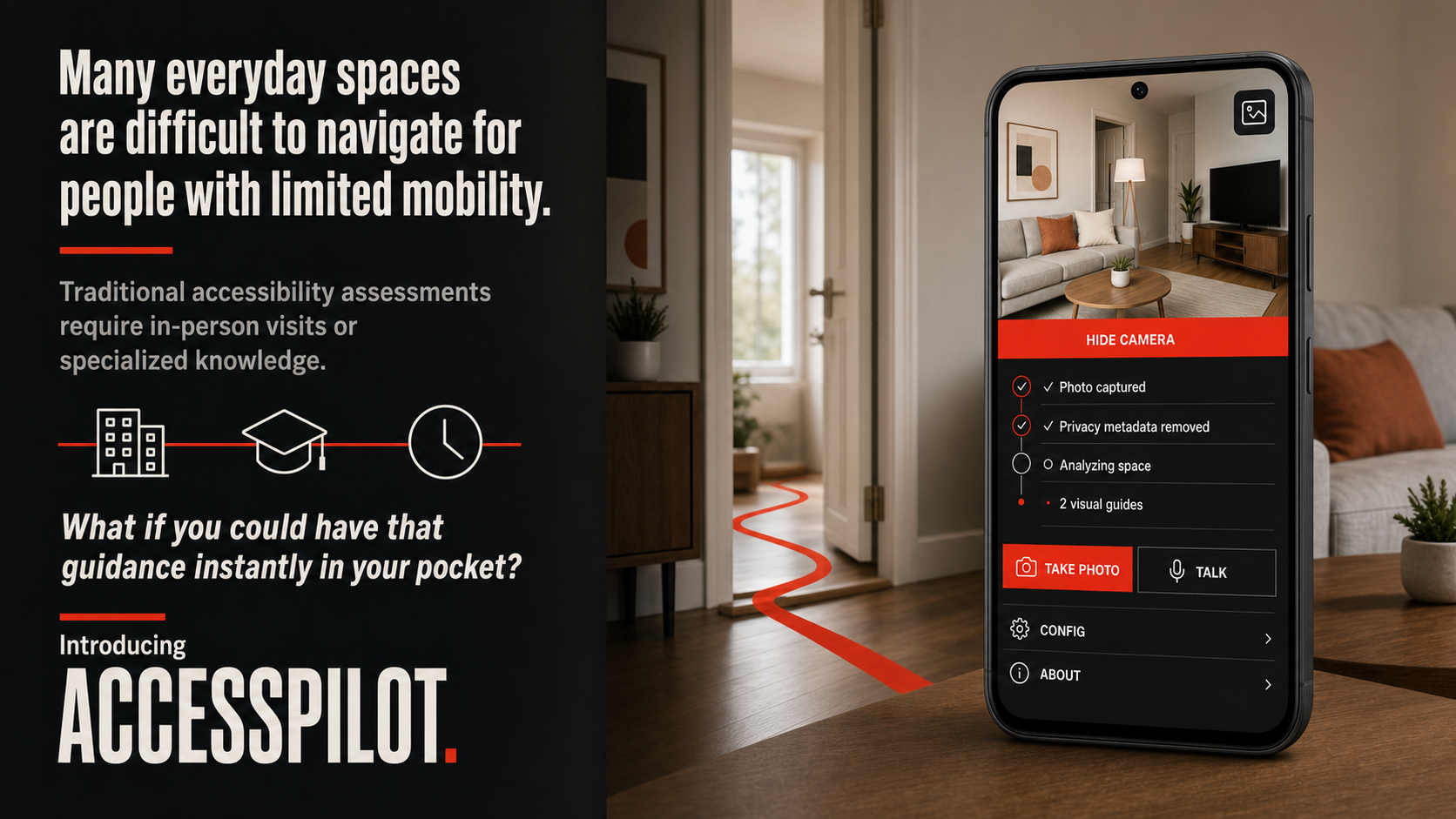
Many everyday spaces are difficult to navigate for people with limited mobility. Traditional accessibility assessments may require specialist knowledge, measurements, or an in-person visit.
I wanted to explore whether a camera, voice interaction, and multimodal AI could provide immediate and understandable guidance while clearly communicating uncertainty and safety limitations.
What it does
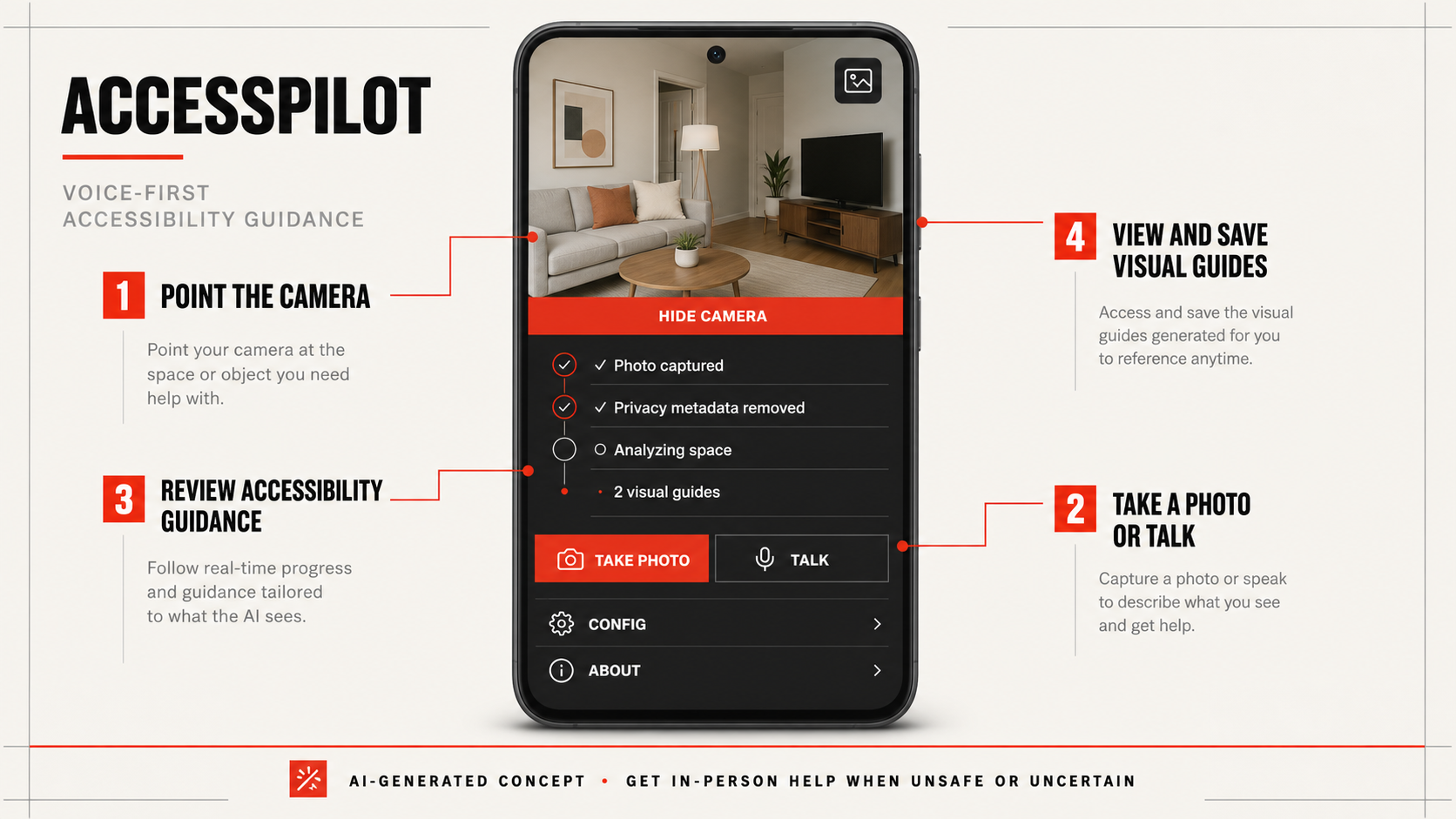
AccessPilot is a voice-first Android accessibility assistant.
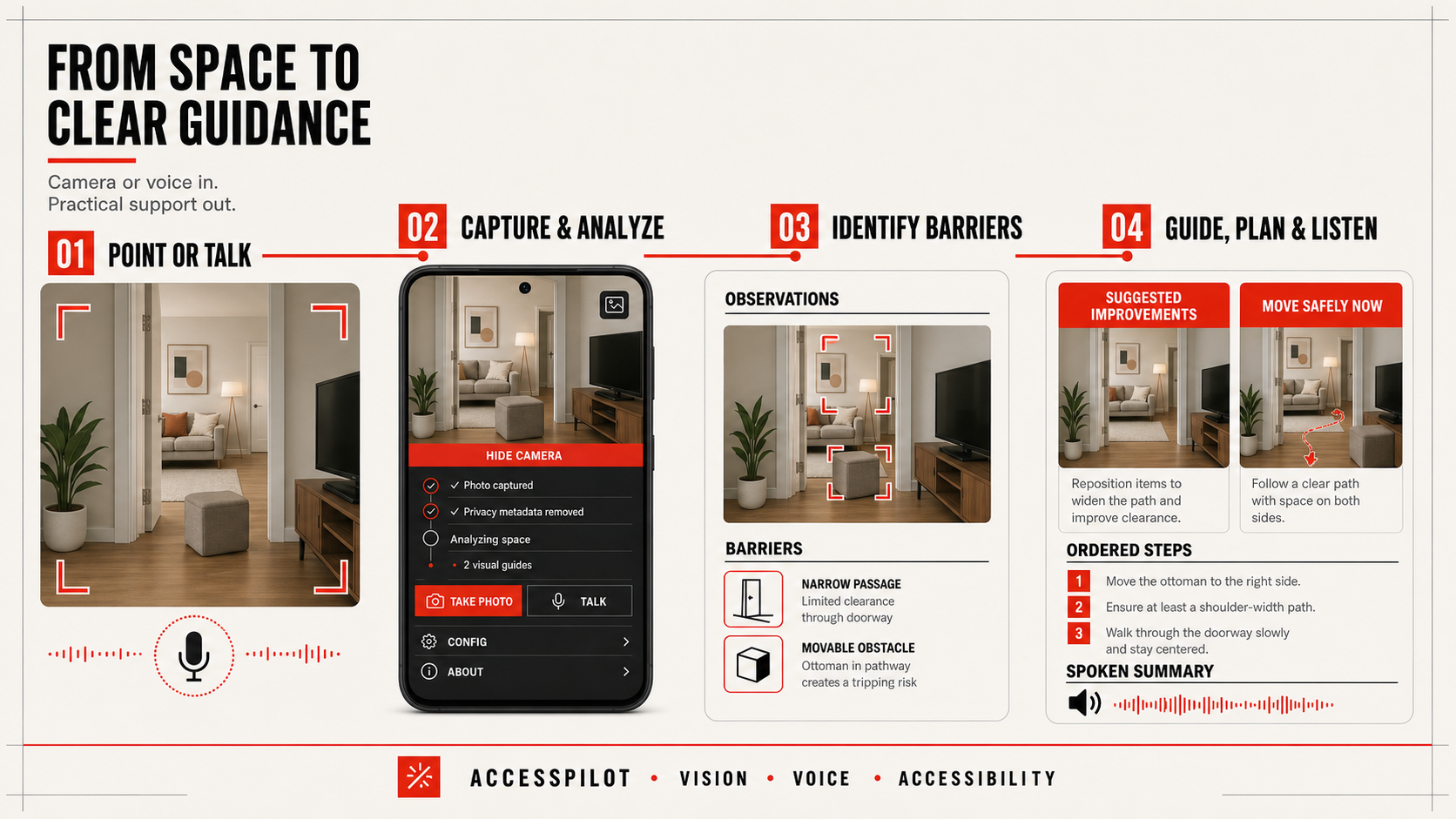
The user points the camera at a room or physical barrier and takes a photo. AccessPilot then:
Identifies visible accessibility barriers. Separates observations from inferences and uncertainties. Suggests a practical strategy and ordered steps. Generates two purpose-specific visual guides:
Suggested improvements shows possible accessibility-focused changes. Move safely now illustrates reversible guidance for navigating the space as it currently exists.
Reads a concise summary aloud. Allows generated images to be viewed full screen. Lets the user explicitly save a generated image to their phone.
Users can add a short mobility profile so that recommendations reflect their needs. They can also collapse the camera and focus entirely on the conversation.
AccessPilot provides conceptual guidance—not medical, structural, or professional advice—and recommends in-person assistance whenever a situation appears dangerous or uncertain.
How we built it
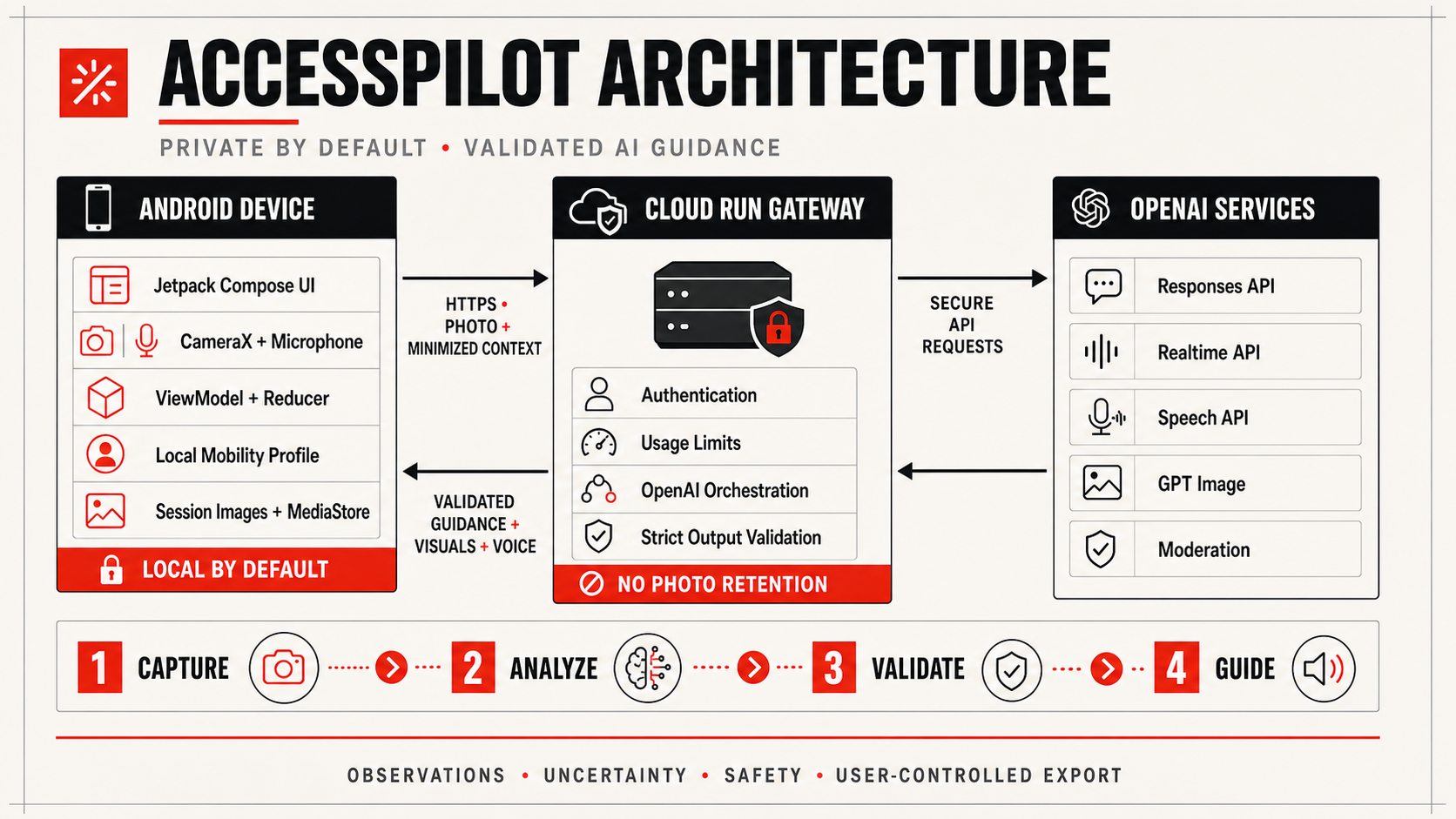
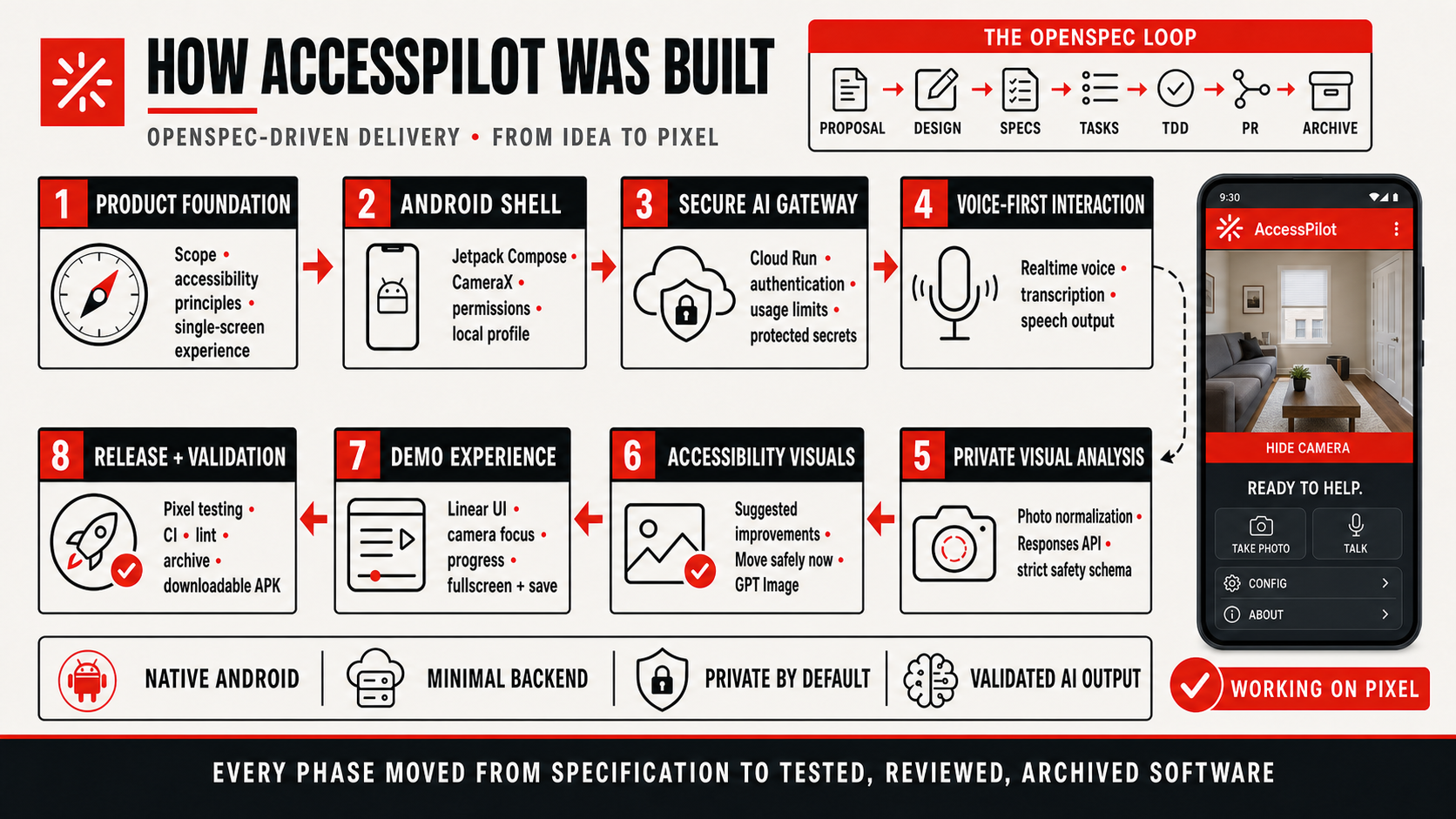
AccessPilot is a native Android application built with:
Kotlin Jetpack Compose Material 3 CameraX Android accessibility APIs
A minimal TypeScript gateway runs on Google Cloud Run and protects the OpenAI credentials.
The gateway orchestrates:
OpenAI Responses API for structured multimodal photo analysis. GPT Image for the two accessibility visualizations. OpenAI Realtime API for voice interaction. OpenAI Speech API for spoken application responses.
Model output is treated as untrusted input. The backend requires a strict structured response, validates its safety constraints, and blocks executable guidance for dangerous situations.
The gateway does not retain user photos. The mobility profile and generated session data remain on the Android device by default. Generated images are only exported to Android Photos after an explicit user action.
Challenges we faced
The hardest challenge was balancing useful guidance with responsible uncertainty.
A single photograph cannot reliably reveal exact dimensions, weight, stability, required force, or whether a route is completely safe. We addressed this with:
Constrained model instructions. Strict structured-output schemas. Deterministic validation. Explicit confidence and safety levels. Separate observations, potential barriers, uncertainties, and recommendations. Stop-level responses that provide no executable movement instructions.
Image generation also takes considerably longer than text analysis. We created a truthful activity timeline, bounded timeouts, partial-success handling, and protection against automatic duplicate generation requests.
Finally, fitting the camera, conversation, controls, generated images, and accessibility semantics onto one Android screen required careful layout and lifecycle management.
Accomplishments that we're proud of
We delivered a complete end-to-end experience running on a physical Pixel device and connected to a production Cloud Run gateway.
AccessPilot combines:
Multimodal visual analysis. Realtime voice interaction. AI-generated speech. Purpose-specific image editing. Fullscreen visualization review. Local image export. Accessible camera and conversation controls. Privacy and safety boundaries.
Most importantly, the interface remains understandable while the AI is working and never presents generated guidance as guaranteed safety.
What we learned
We learned that accessibility AI requires much more than a good model response.
A trustworthy experience also needs:
Clear data ownership. Accessible controls. Honest progress feedback. Strict validation. Explicit uncertainty. Safety-aware fallback behavior. Clear boundaries between conceptual guidance and professional assessment.
We also learned that generated images become more useful when each image has a specific purpose instead of asking the model to create a generic “improved” scene.
What's next for AccessPilot
Our immediate focus is testing the complete experience with real users, refining the visual and spoken guidance, expanding safety evaluations, and preparing a clear demonstration of the current working product.
The goal is to keep AccessPilot focused: a practical, accessible assistant that helps people better understand the spaces around them.
Created by Diego Martin Moreno.
Built With
- accessibility
- android
- assistive-technology
- camerax
- computer-vision
- fastify
- google-cloud
- google-cloud-run
- gpt-5.6
- gpt-image
- jetpack-compose
- kotlin
- material-3
- multimodal-ai
- node.js
- okhttp
- openai-api
- openai-realtime-api
- openai-responses-api
- openai-speech-api
- typescript
- voice-ai
- webrtc
- zod

Log in or sign up for Devpost to join the conversation.