Inspiration
Modern software is powerful, but interacting with it still requires users to manually navigate complex interfaces, fill forms, click buttons, and search through menus. Many systems—especially legacy enterprise tools—do not provide APIs for automation, making them difficult to integrate with modern AI assistants.
We were inspired by the idea of an AI that can operate software the same way humans do: by looking at the screen and interacting with it visually. If AI can understand images, interfaces, and user intent, it should be able to act as a universal digital assistant.
AccessPilot was created to demonstrate a future where AI becomes the user’s hands on screen, capable of understanding any interface and completing tasks automatically.
What it does
AccessPilot is a vision-powered AI agent that can understand software interfaces and perform tasks autonomously.
Instead of relying on APIs or DOM access, AccessPilot observes screenshots of applications and websites, interprets UI elements using Gemini multimodal reasoning, and executes actions such as:
- Clicking buttons
- Typing into input fields
- Navigating menus
- Filling forms
- Downloading files
- Completing workflows
Users simply describe their goal using natural language or voice commands.
Examples:
- “Download all invoices from last month.”
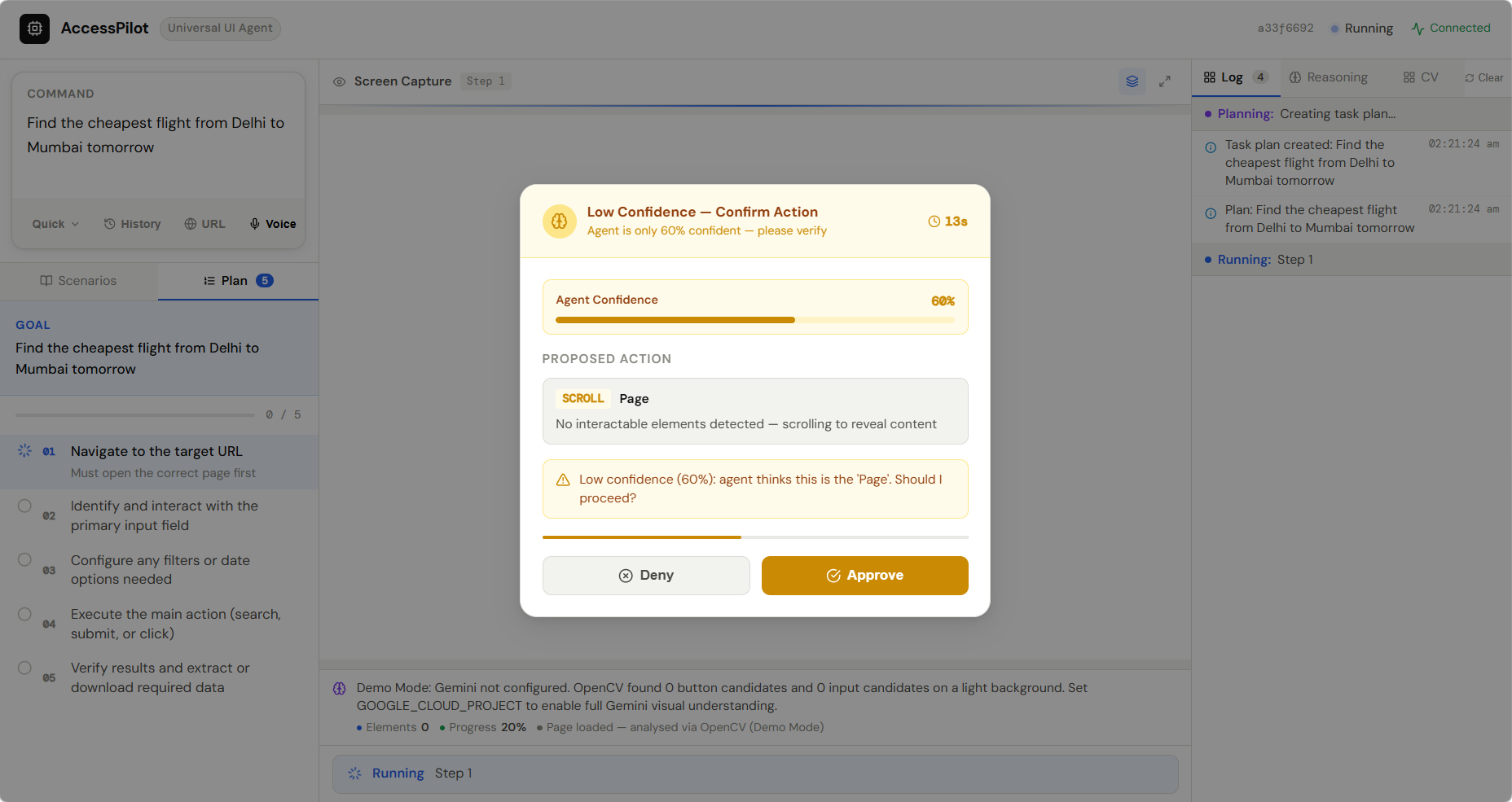
- “Find the cheapest flight from Delhi to Mumbai tomorrow.”
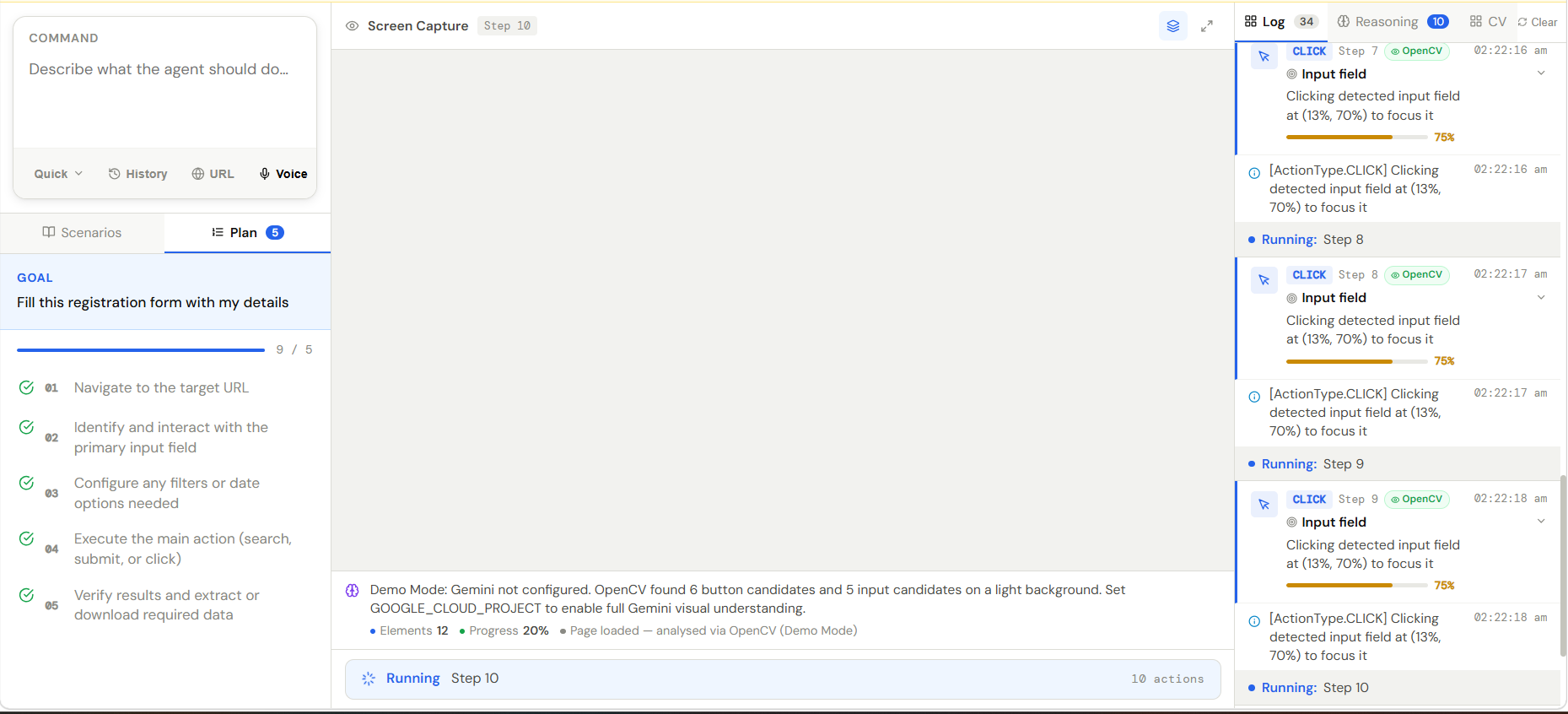
- “Fill this form using my resume.”
AccessPilot then plans the steps required and performs them automatically.
How we built it
AccessPilot is designed as a visual AI agent architecture combining multimodal reasoning, automation, and real-time feedback.
Core Components
1. Vision-Based UI Understanding
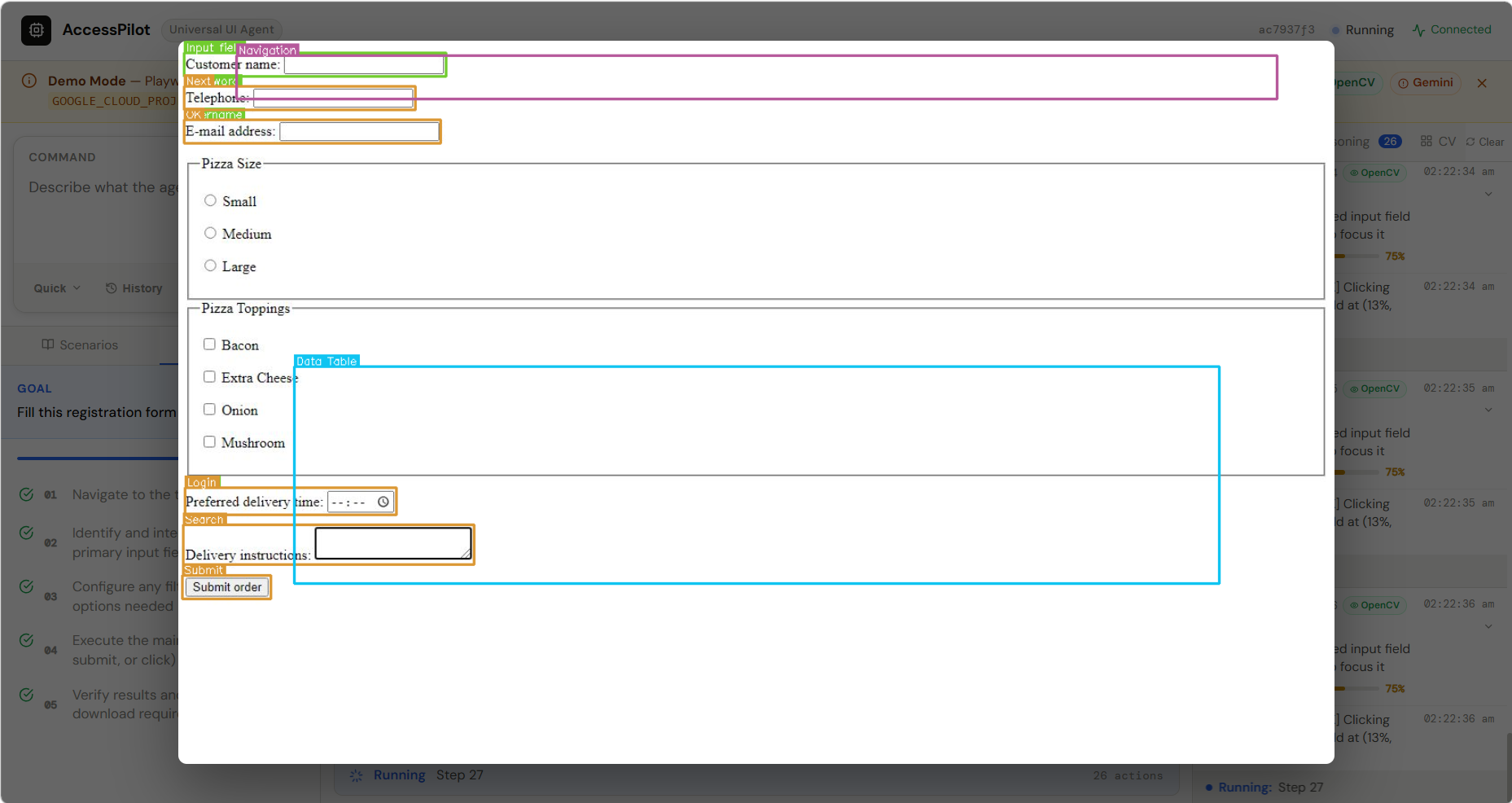
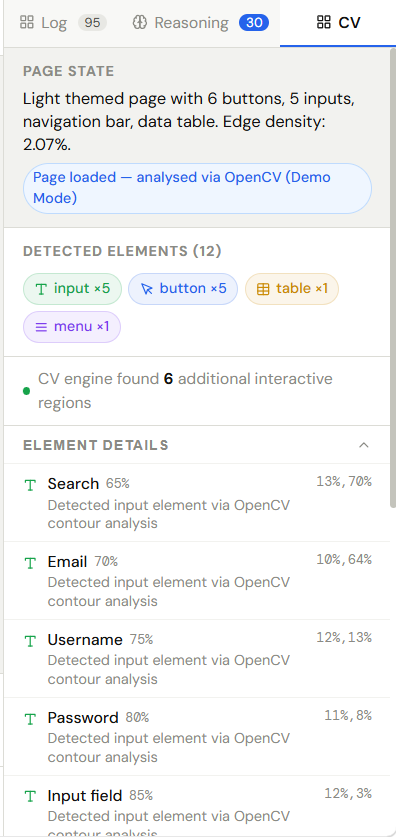
We use Gemini multimodal models via Vertex AI to analyze screenshots of software interfaces and identify important UI elements such as buttons, forms, menus, and text fields.
2. Agent Planning System
The agent converts user commands into step-by-step plans using reasoning prompts. Each task is broken into structured actions like:
- CLICK
- TYPE
- SCROLL
- WAIT
3. Automation Engine
Actions generated by the AI are executed using Playwright, allowing the agent to interact with websites and applications programmatically.
4. Feedback Loop
After each action, the agent captures a new screenshot and sends it back to Gemini for analysis. This creates a continuous loop of:
User Intent → Screen Understanding → Action → Feedback.
5. Self-Healing Navigation
If UI elements move or change location, AccessPilot can search for them again using visual similarity and text detection, allowing the agent to recover from interface changes.
6. Explainable AI Interface
The frontend displays the AI’s reasoning, task plan, and executed actions so users can understand exactly what the agent is doing.
Tech Stack
Frontend
- React
- WebSocket streaming for live agent updates
Backend
- Python + FastAPI
AI
- Gemini multimodal models (Vertex AI)
Automation
- Playwright browser automation
Computer Vision
- OpenCV for UI element detection
Cloud Infrastructure
- Google Cloud Run
- Firebase Hosting
- Cloud Build
- Vertex AI
Challenges we ran into
Building a universal UI agent presented several challenges:
1. Understanding complex interfaces
Software interfaces vary widely in layout and structure. Ensuring the AI could reliably detect actionable UI elements from screenshots required careful prompt design and visual preprocessing.
2. Preventing incorrect actions
Automation systems can easily make mistakes if a UI element is misidentified. We added action confirmations and reasoning transparency to ensure safe interactions.
3. Maintaining agent context
Agents must remember their progress within a task. We implemented memory and state tracking so the agent can maintain a coherent execution plan.
4. Handling changing interfaces
Web interfaces frequently change. To address this, we implemented self-healing navigation, allowing the agent to recover if elements move or disappear.
Accomplishments that we're proud of
- Building a fully functional visual AI agent architecture
- Successfully integrating Gemini multimodal reasoning with automation
- Implementing a self-healing UI navigation system
- Creating an explainable AI interface that displays the agent's reasoning
- Deploying the system on Google Cloud infrastructure
AccessPilot demonstrates that AI can move beyond chat interfaces and begin directly interacting with software environments.
What we learned
Through this project we learned:
- How multimodal AI models can interpret real-world interfaces
- The importance of feedback loops for reliable AI agents
- How to combine LLM reasoning with deterministic automation systems
- Best practices for deploying AI services on Google Cloud
Most importantly, we learned that visual AI agents have the potential to dramatically simplify how people interact with software.
What's next for AccessPilot — AI That Operates Any Interface
We believe AccessPilot represents an early step toward a new generation of universal AI assistants.
Future improvements include:
- Desktop application automation beyond browsers
- Multi-application workflows across different software tools
- Improved visual grounding for UI elements
- Personal agent memory for recurring tasks
- Accessibility features for users with limited mobility
- Enterprise automation for legacy systems without APIs
Our long-term vision is an AI system that can operate any digital interface, allowing humans to focus on goals instead of software navigation.
Built With
- docker
- fastapi
- firebase-hosting
- gemini-multimodal-api
- google-cloud-build
- google-cloud-run
- javascript
- opencv
- playwright
- python
- react
- vertex-ai
- websockets

Log in or sign up for Devpost to join the conversation.