AccessPath AI
From Search to Confident Application
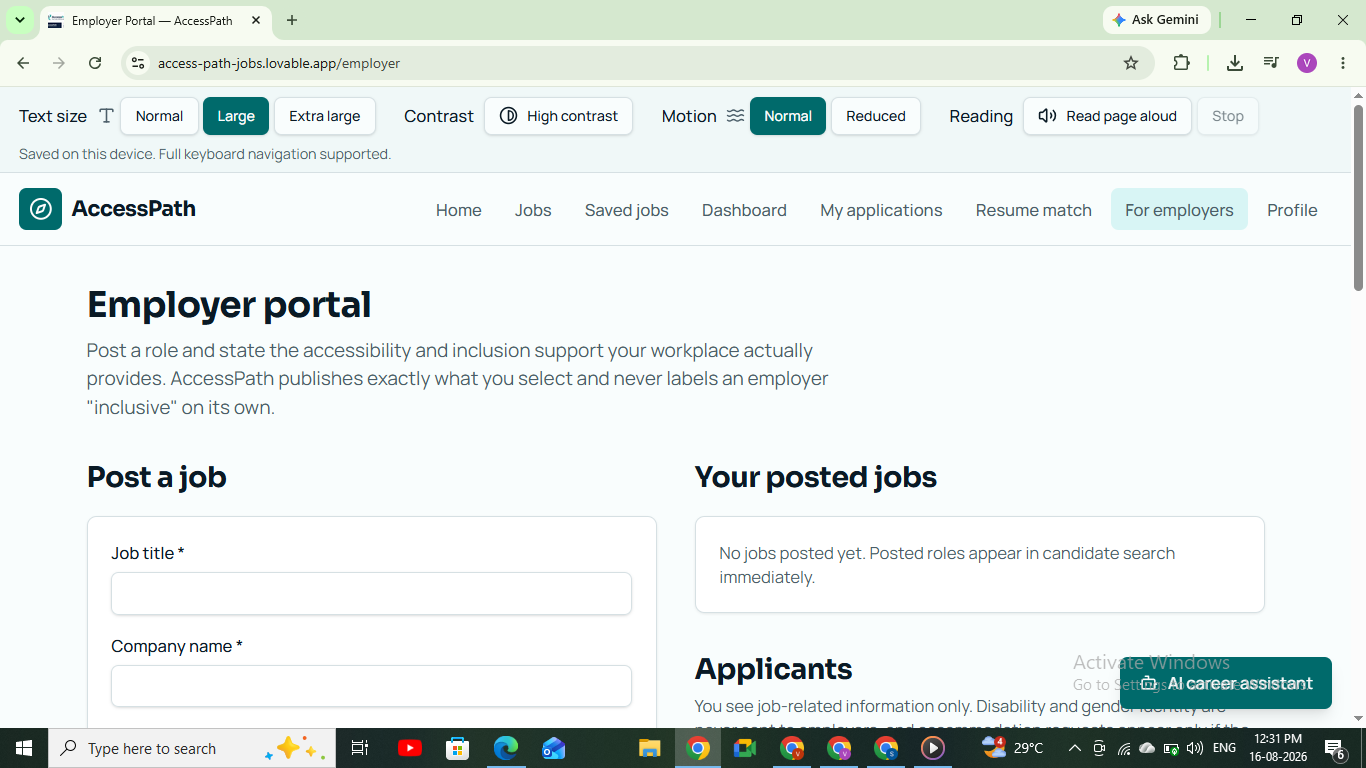
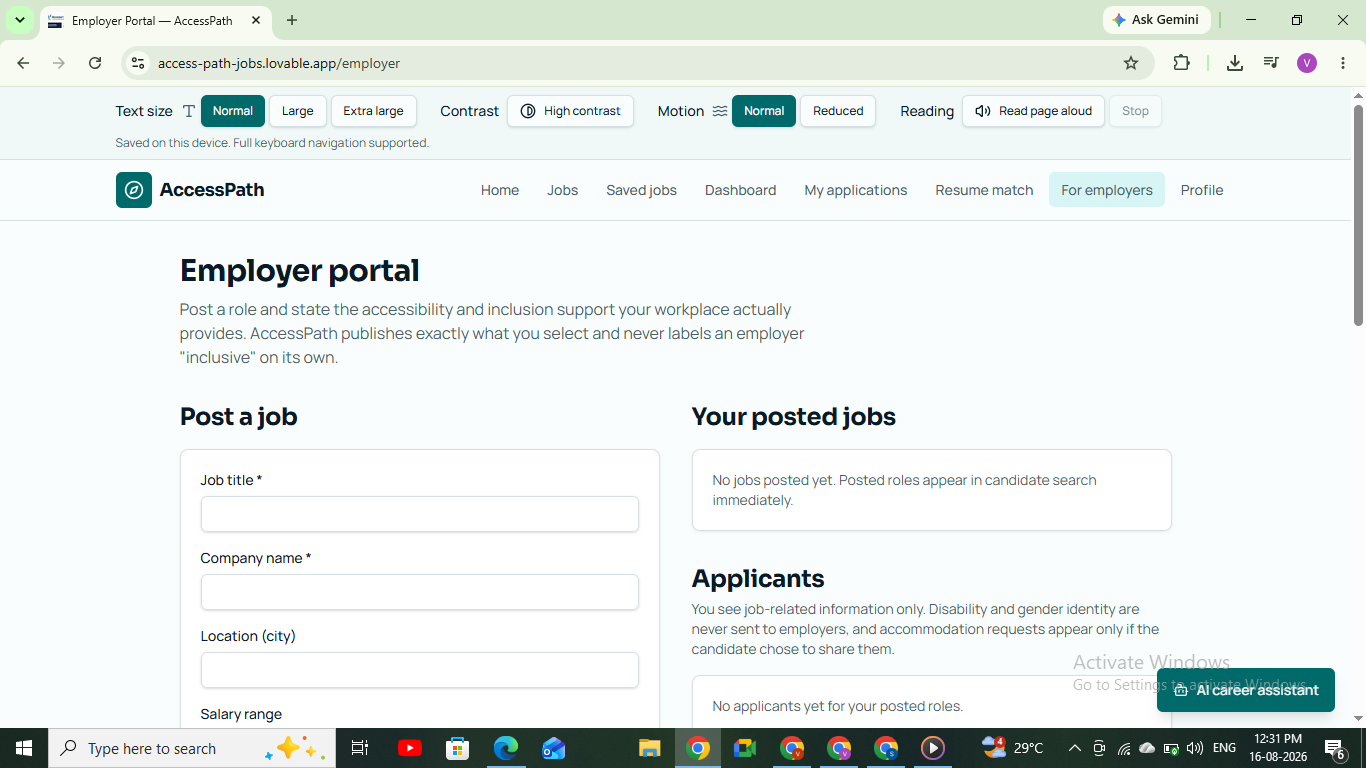
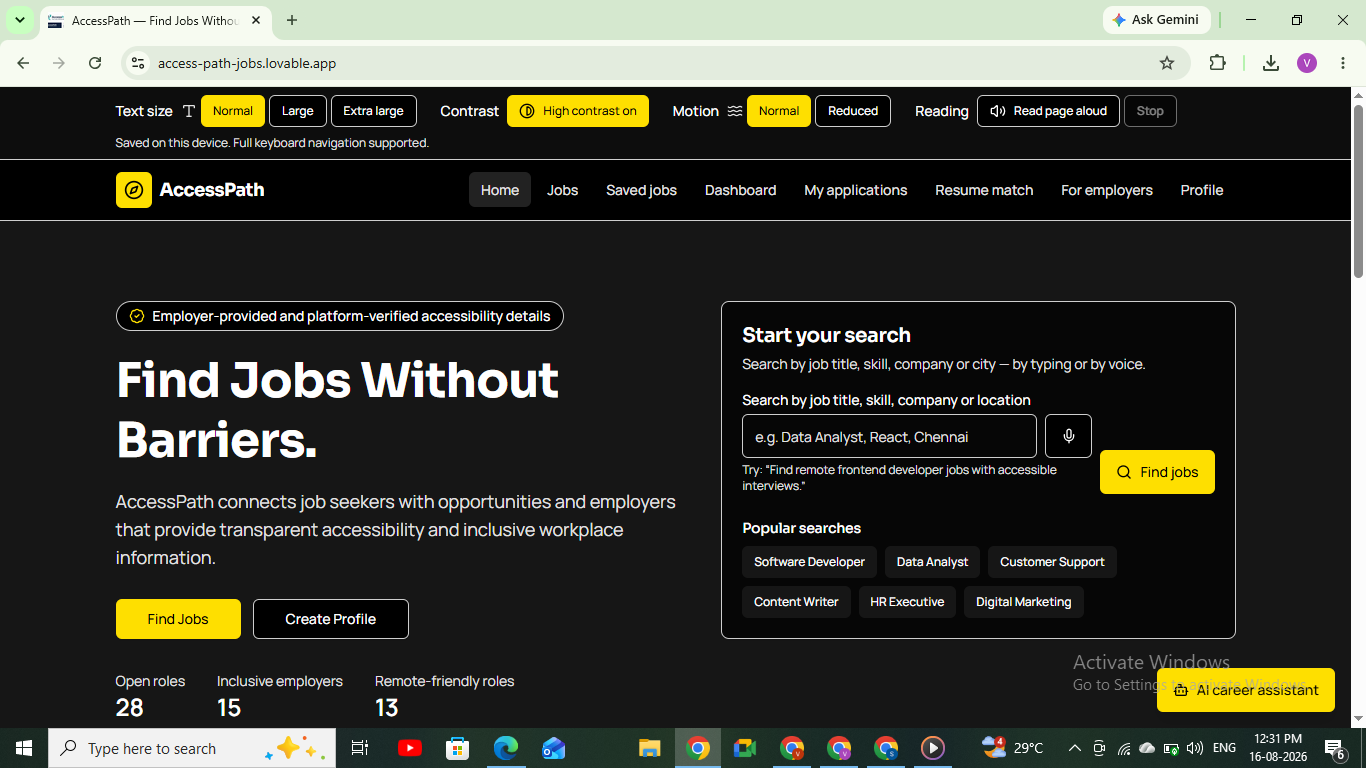
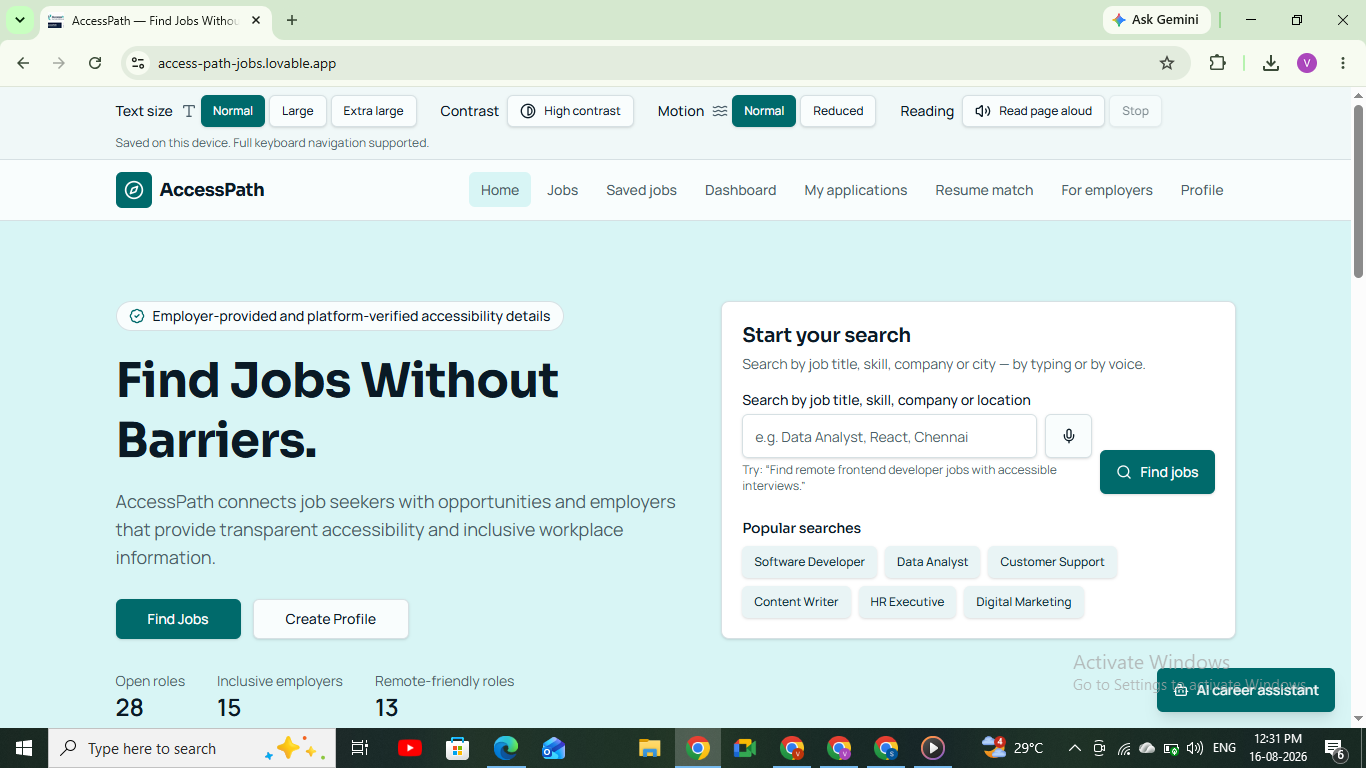
AccessPath AI is an AI-powered inclusive career platform designed for people with disabilities and transgender job seekers.
The goal is simple: finding a job should not become harder because a person has accessibility or inclusion needs.
Unlike traditional job platforms that mainly focus on skills, location, and salary, AccessPath AI also considers factors such as accessibility, remote work, interview accessibility, workplace inclusion, and individual career readiness.
The platform does not require login or signup. A user can open it and immediately start exploring.
Inspiration
We were inspired by a simple question:
What if a qualified person is not applying for a job because they do not know whether the workplace or interview will be accessible and inclusive?
Most job platforms answer:
"Are you qualified for this job?"
But they often do not answer:
- Is the workplace accessible?
- Is the interview accessible?
- Is remote work available?
- Does the employer provide inclusive policies?
- What skills am I missing?
- Am I actually ready to apply?
For a person with a disability, these questions can be as important as salary or job title.
Transgender job seekers can also face concerns around workplace inclusion, safety, discrimination, and whether an employer has inclusive policies.
We wanted to build a platform that puts these factors into the career journey instead of treating them as an afterthought.
That became AccessPath AI.
What It Does
AccessPath AI takes a user from job discovery to confident application.
1. Accessibility & Inclusion Profile
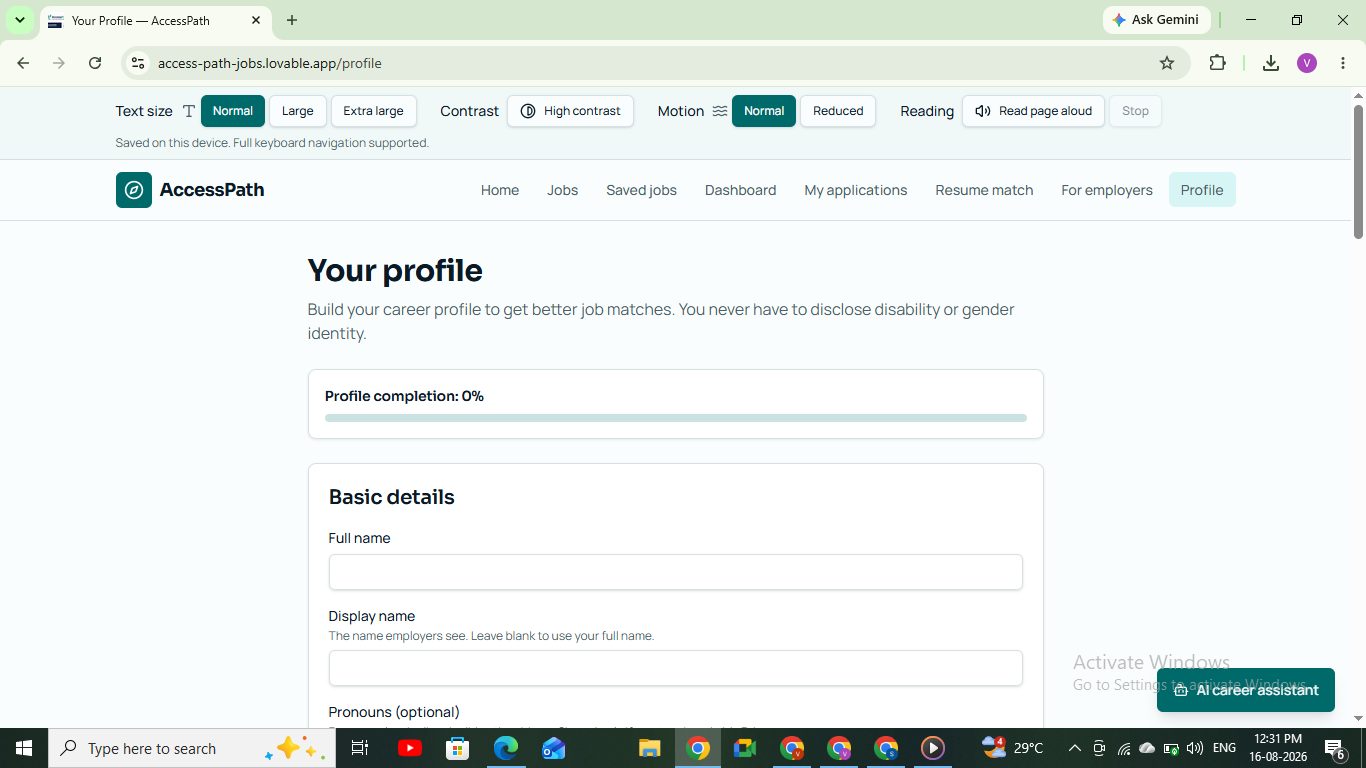
Users can select the requirements that matter to them.
For example:
- Blind / Low Vision
- Deaf / Hard of Hearing
- Mobility accessibility
- Speech accessibility
- Cognitive accessibility
- Remote work
- Flexible working hours
- Inclusive workplace preferences
Transgender users can also use inclusion-focused preferences without being categorized as having a disability.
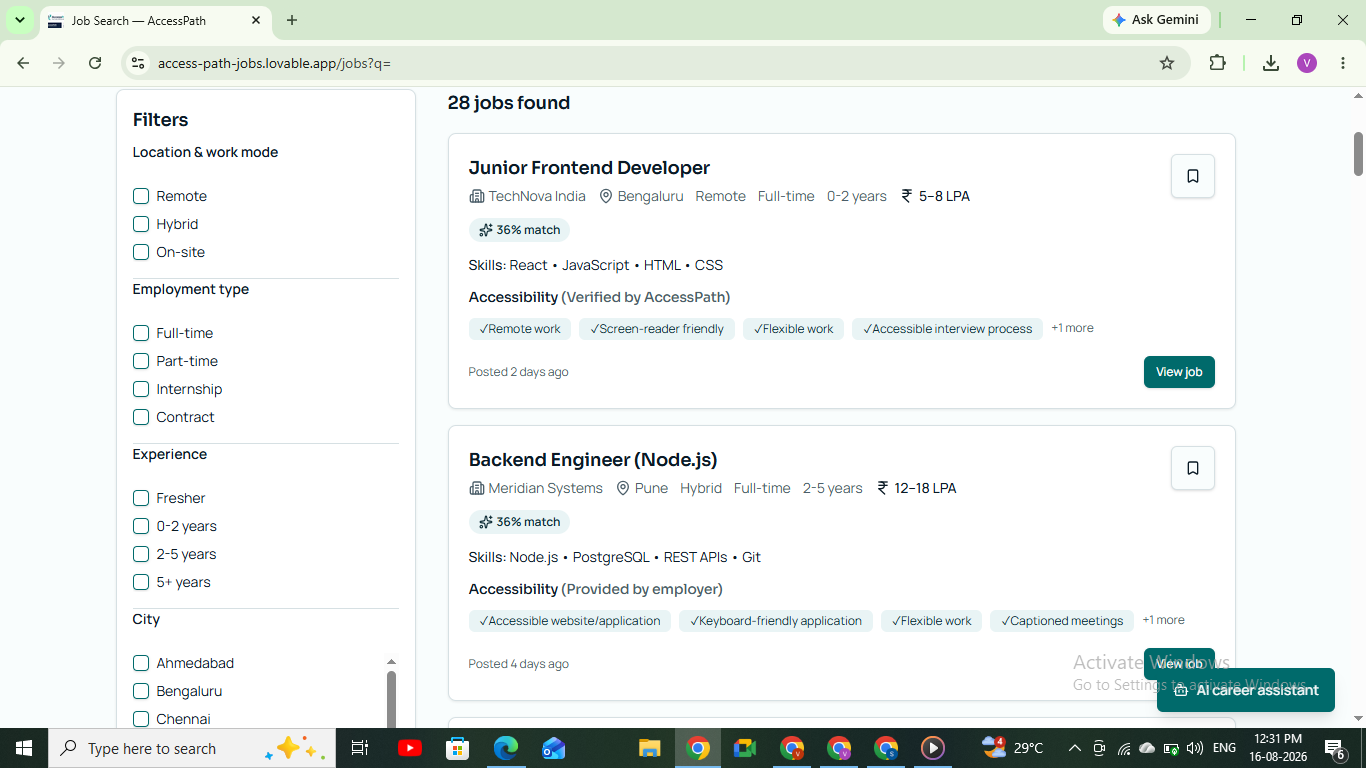
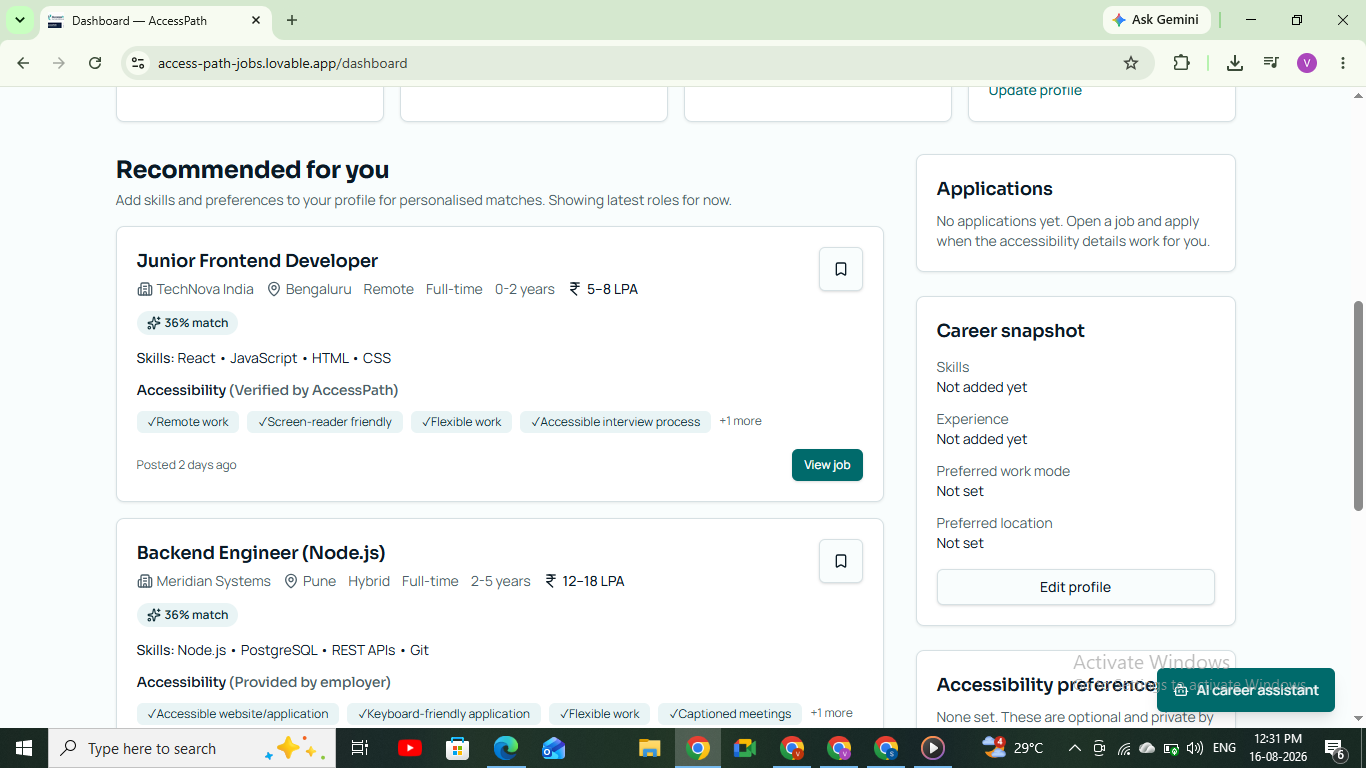
2. Smart Job Matching
Instead of matching only by job title, AccessPath AI considers multiple signals:
Candidate Skills
       +
Career Requirements
       +
Accessibility Requirements
       +
Work Preferences
       +
Workplace Inclusion
       ↓
Smart Job Match
The result is a more useful job recommendation.
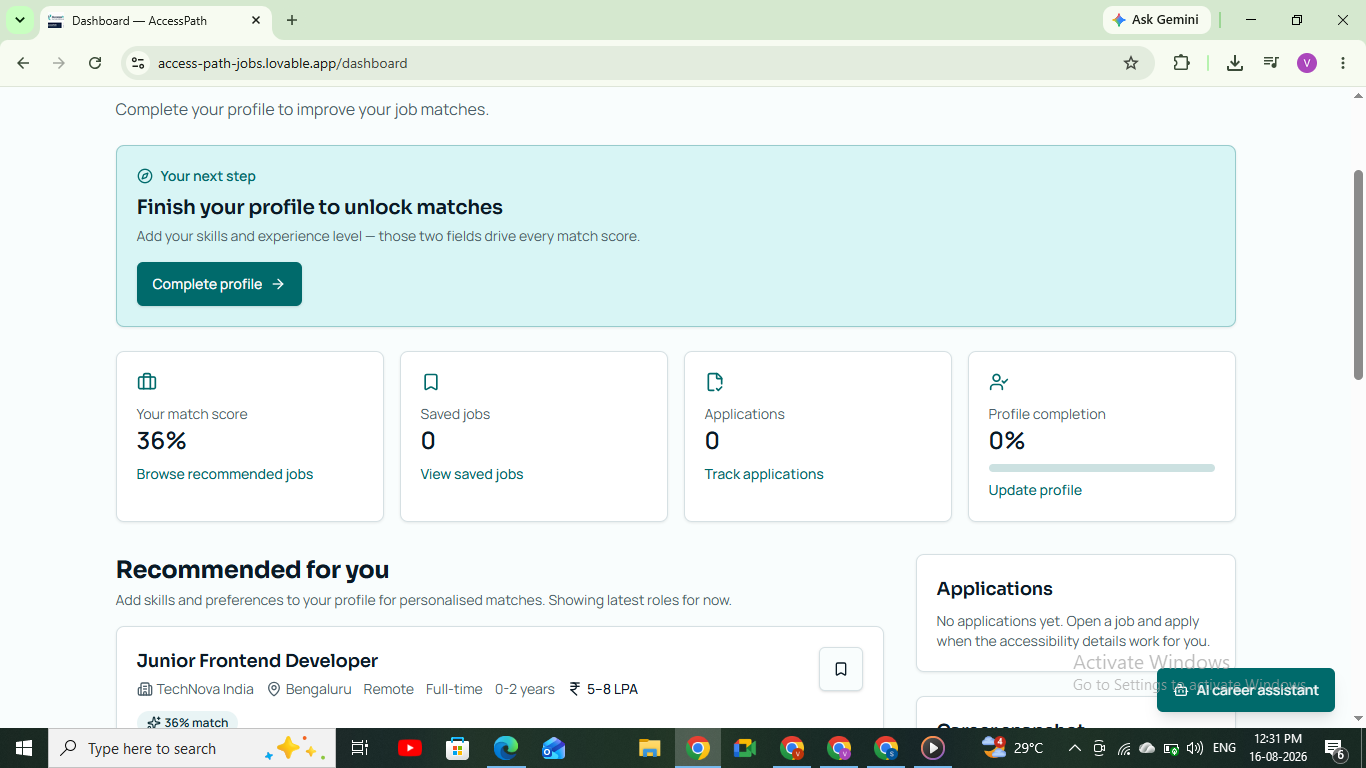
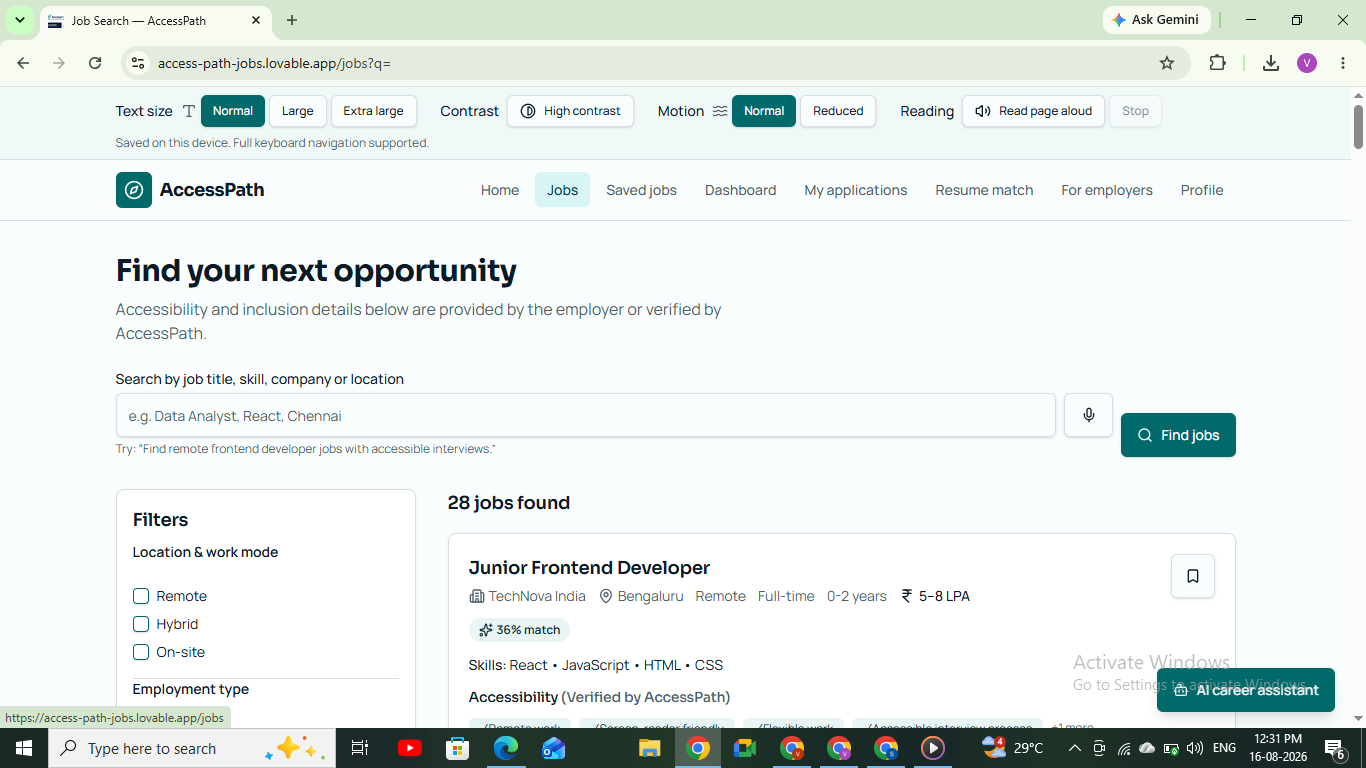
3. Accessibility Compatibility Score
Every job can be evaluated using a simple score.
Example:
92% Overall Match
- Skills Match: 95%
- Accessibility Match: 100%
- Remote Compatibility: Yes
- Accessible Interview: Yes
- Flexible Work: Yes
- Inclusive Workplace: Yes
This gives the user more information before they decide to apply.
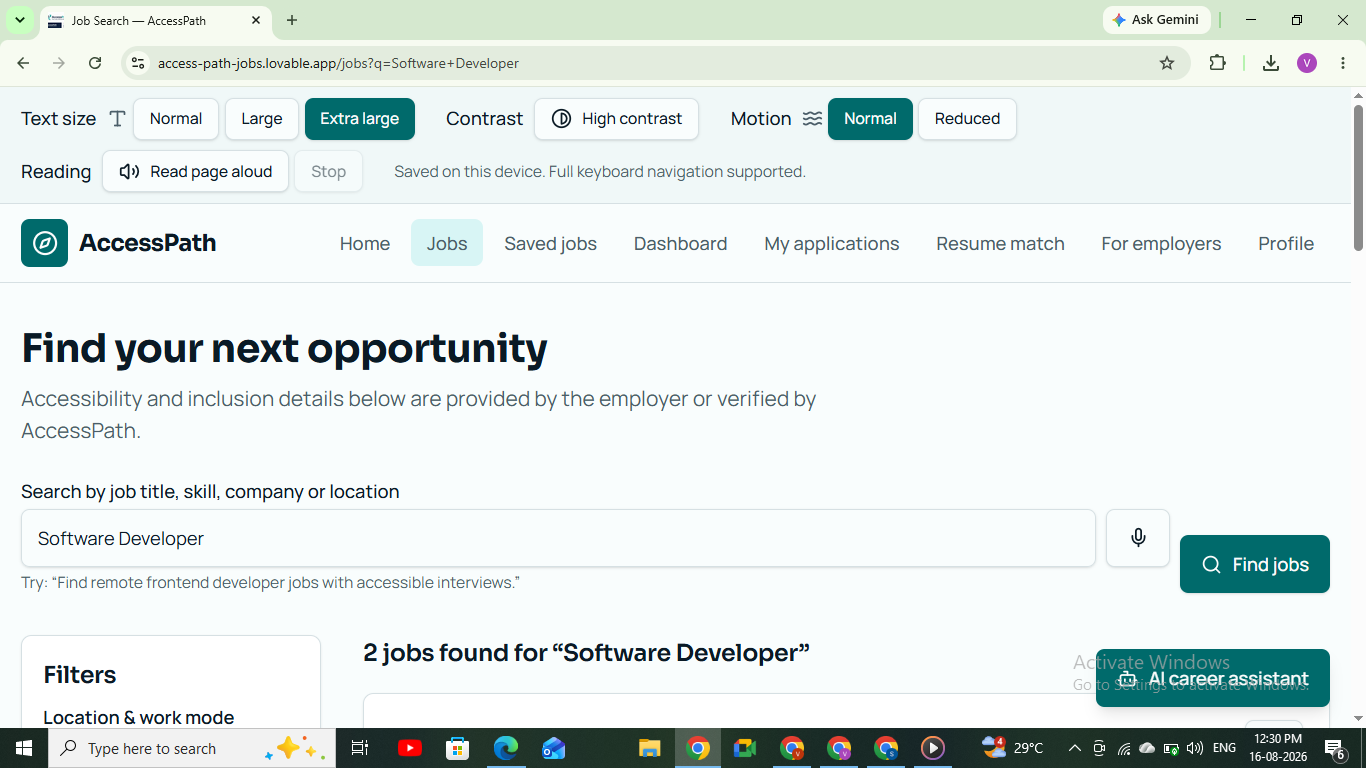
4. Voice Job Search
Users can search using their voice instead of typing complicated filters.
For example:
"Find remote frontend developer jobs with accessible interviews."
The speech input is converted into a searchable request.
This makes the platform easier to use for users who have difficulty typing or navigating complex interfaces.
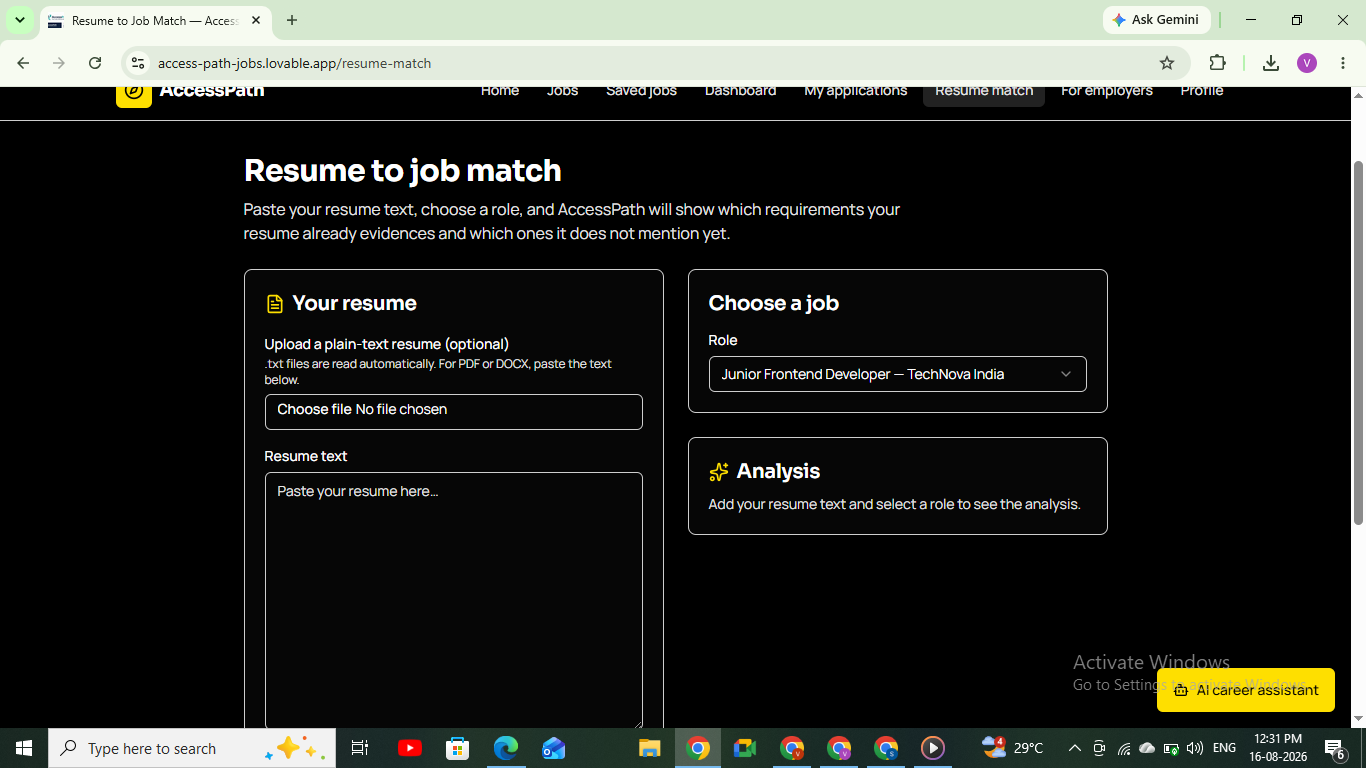
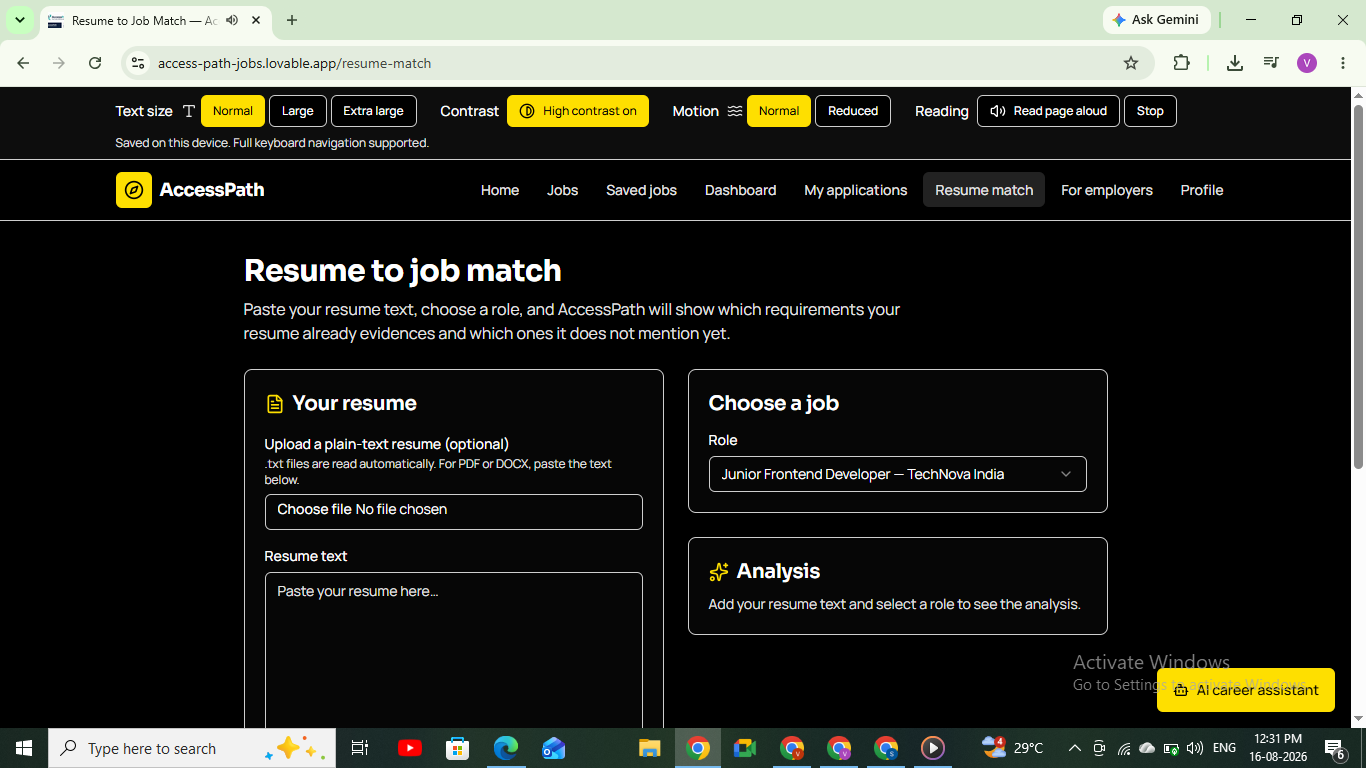
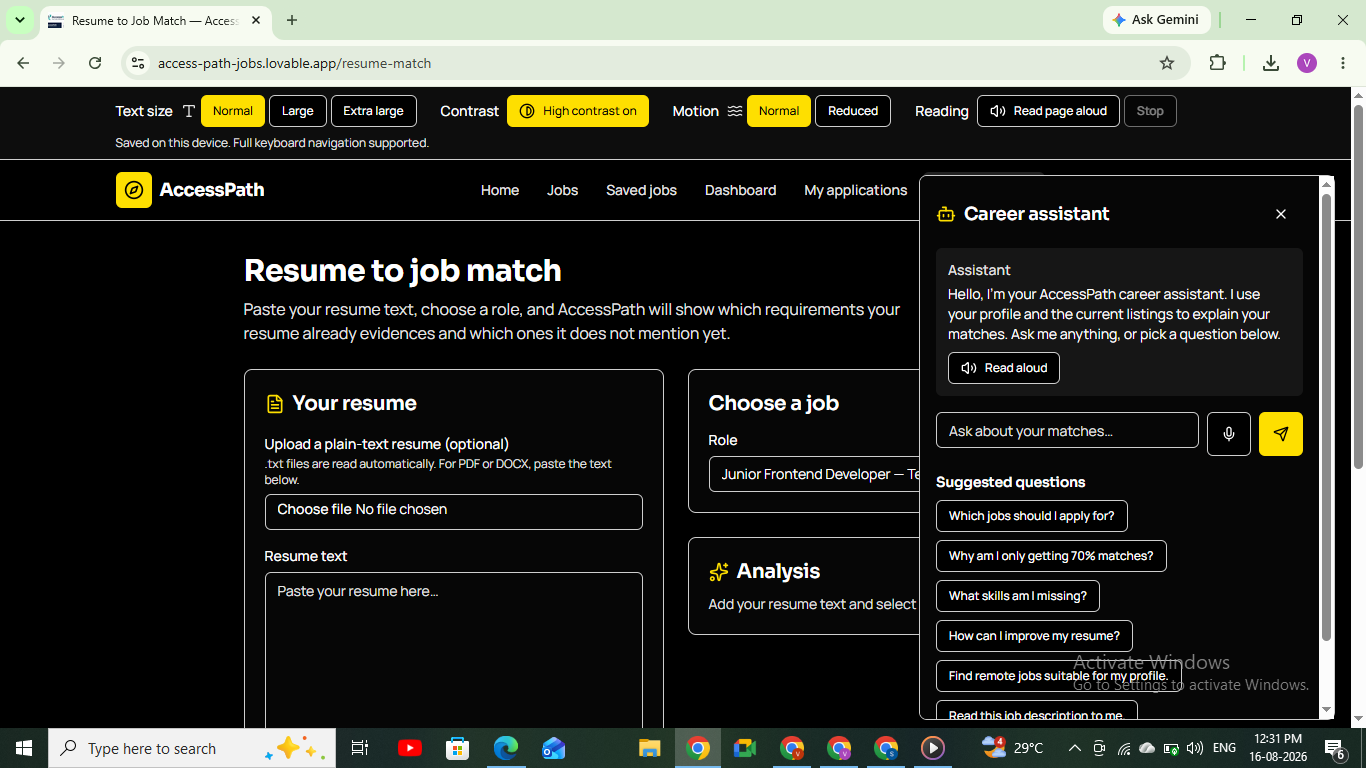
5. AI Resume Analysis
Users can paste their existing resume or experience.
The AI analyzes the content and identifies:
- Relevant skills
- Missing skills
- Job-specific keywords
- Resume gaps
- Areas that can be improved
Instead of simply generating a new resume, AccessPath AI explains why the resume matches or does not match a job.
6. AI Interview Coach
Users can select a target role such as:
- Frontend Developer
- Backend Developer
- Data Analyst
- Software Engineer
The system generates role-specific interview questions and preparation guidance.
This helps users move from:
"I found a job."
to:
"I am ready to apply for it."
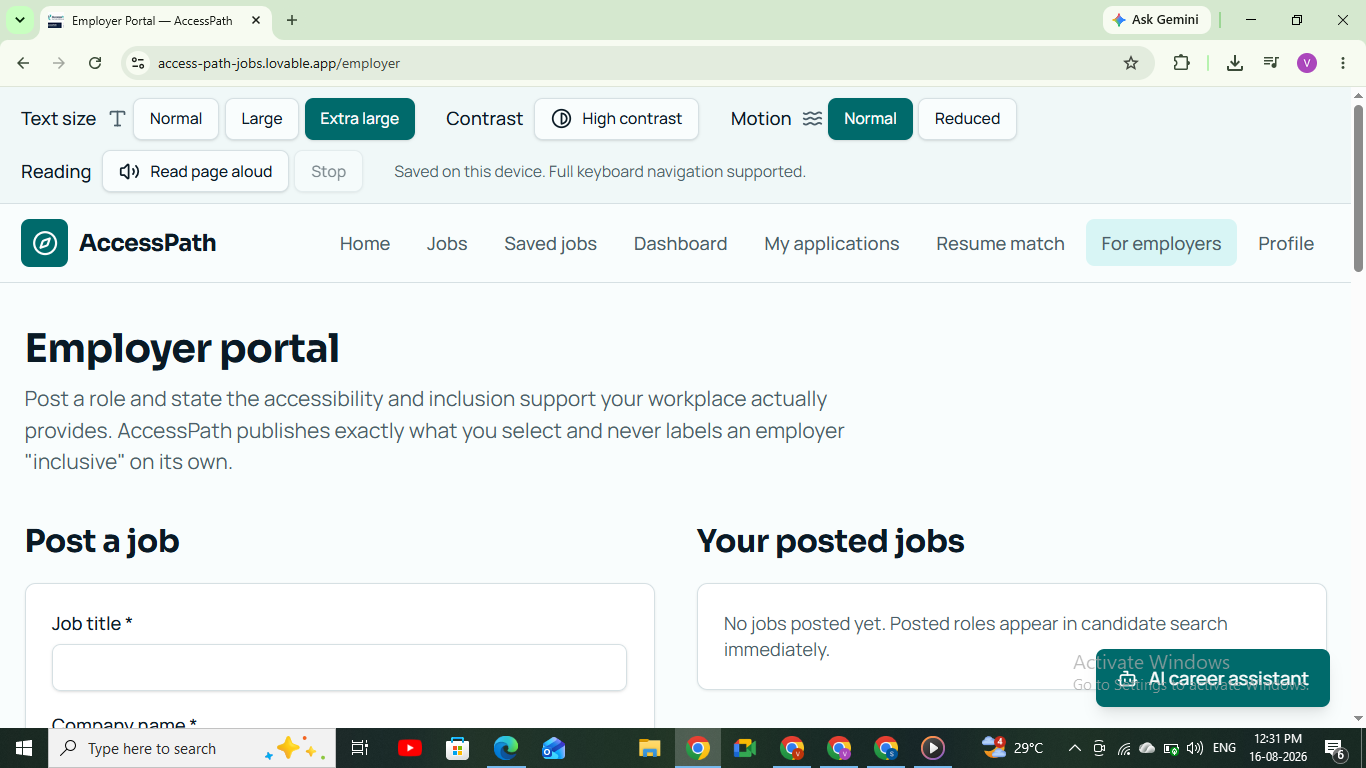
7. Accessibility Control Center
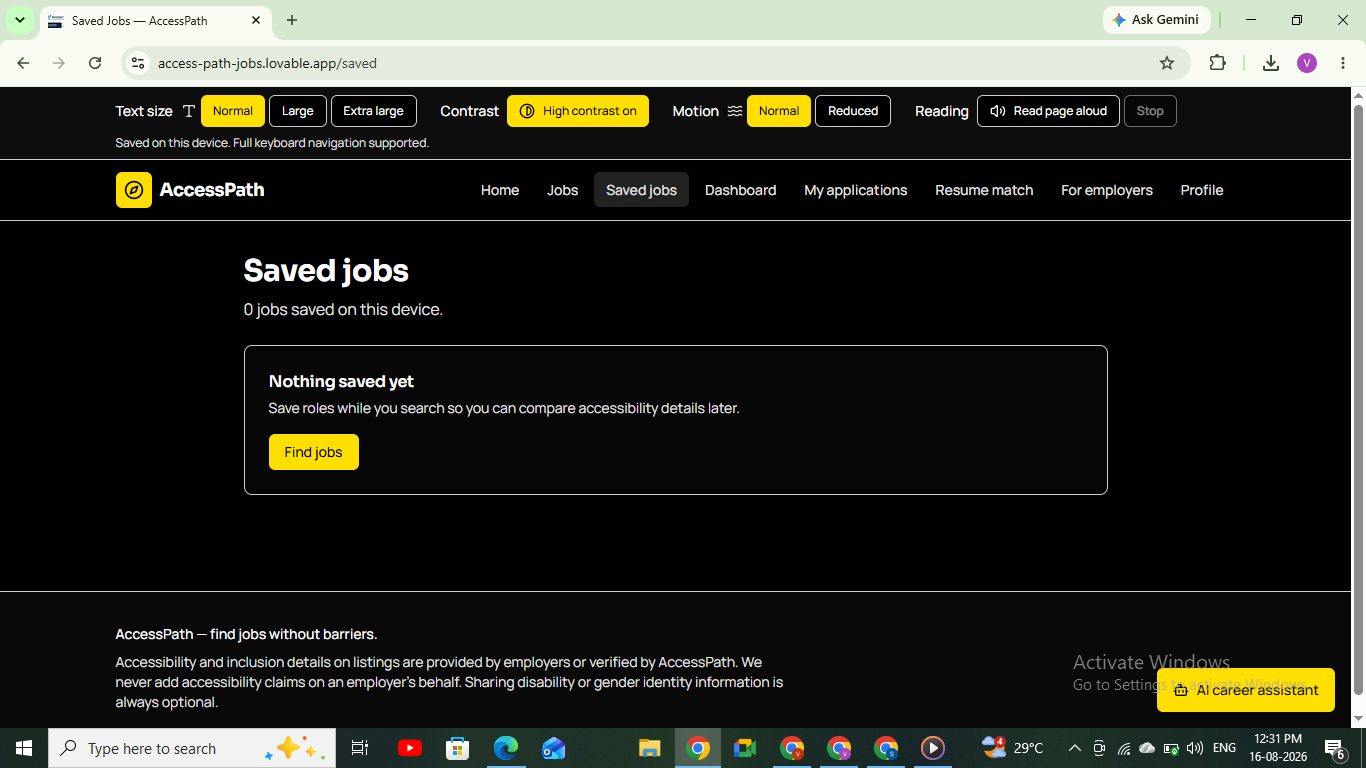
Accessibility is built into the product itself.
Users can enable features such as:
- High contrast
- Larger text
- Dyslexia-friendly font
- Reduced motion
- Text-to-speech
- Keyboard-friendly navigation
The browser's speech capabilities can also be used to read important content aloud.
8. Apply With Confidence
Before applying, AccessPath AI provides a final readiness summary.
For example:
Application Confidence: 89%
Strong areas
- Required technical skills
- Remote work compatibility
- Accessible interview
Improve before applying
- Add React project experience
- Improve JavaScript keyword coverage
- Practice behavioral questions
This turns the platform from a simple job board into a career preparation assistant.
How We Built It
AccessPath AI was designed as a lightweight web application so that the core experience remains fast and easy to demonstrate.
Frontend
The application is built using:
- React — component-based user interface
- TypeScript — type-safe development
- Vite — fast development and build system
- Tailwind CSS — responsive and consistent UI
- Framer Motion — smooth interface animations
- Lucide React — accessible interface icons
The application uses reusable components so features such as job cards, accessibility controls, scores, and AI panels can be maintained independently.
AI Architecture
The AI layer is divided into separate tasks instead of using one large prompt for everything.
User Input
    ↓
User Requirements
    ↓
AI Processing Layer
    ├── Job Matching
    ├── Resume Analysis
    ├── Skill Gap Detection
    └── Interview Generation
    ↓
Structured Results
    ↓
Accessible UI
This makes the system easier to extend and debug.
For example, resume analysis can return structured information such as:
{
  skillsMatched: [],
  missingSkills: [],
  keywords: [],
  recommendations: [],
  matchScore: 0
}
The frontend then converts these results into visual cards, scores, and recommendations.
Accessibility Technology
The platform uses browser capabilities such as:
- Web Speech API for voice input
- SpeechSynthesis API for text-to-speech
- Semantic HTML
- Keyboard navigation
- ARIA labels
- Responsive layouts
Accessibility controls are implemented at the interface level so the user can change the experience without leaving the application.
Challenges We Ran Into
1. Accessibility is more than a color or font
One of our biggest challenges was understanding that accessibility is not simply adding a high-contrast button.
We had to think about:
- Keyboard navigation
- Screen-reader compatibility
- Text size
- Motion
- Voice interaction
- Clear language
- Focus states
- Information hierarchy
This changed the way we designed the entire interface.
2. Matching accessibility with job requirements
A normal job recommendation system can compare:
Skills ↔ Job Requirements
But AccessPath AI needs to consider:
Skills + Accessibility + Work Preferences + Inclusion
This required us to think about job matching as a multi-factor problem rather than a simple keyword search.
3. Keeping the experience simple
We wanted to provide many useful features without creating a complicated dashboard.
The solution was to make the main journey very clear:
Choose Needs
     ↓
Find Jobs
     ↓
Check Compatibility
     ↓
Improve Resume
     ↓
Practice Interview
     ↓
Apply Confidently
4. Designing for different users
A blind user, wheelchair user, deaf user, and transgender job seeker may have completely different needs.
We therefore avoided creating a single "special mode" and instead designed personalized preferences and controls.
Accomplishments We're Proud Of
♿ Accessibility is part of the core product
We did not build a normal job portal and add accessibility at the end.
Accessibility influences the:
Search → Matching → Job Evaluation → Resume → Interview → Application
journey.
🤖 AI has a practical purpose
Instead of adding an AI chatbot just because the project is an AI project, we use AI for specific problems:
- Job matching
- Resume analysis
- Skill-gap detection
- Interview preparation
Every AI feature has a clear user benefit.
🎤 Voice interaction
Users can interact with the platform using voice, reducing dependence on traditional search forms.
🚫 No login barrier
The core experience works without registration.
This is intentional.
A user should be able to discover the value of an accessibility platform before being asked to create an account.
🌍 Inclusion beyond disability
AccessPath AI also supports transgender job seekers, focusing on workplace inclusion and safer career discovery.
We deliberately treat disability accessibility and transgender inclusion as different dimensions of an inclusive career experience rather than combining them into one category.
What We Learned
The biggest lesson was:
Accessibility is not a feature. It is a design principle.
We also learned that a technically impressive application is not enough.
A good solution needs to answer three questions:
1. Who has the problem?
People who face accessibility or inclusion barriers during job discovery and application.
2. Why do existing solutions fall short?
Traditional job platforms often focus heavily on qualifications while providing limited information about accessibility and inclusion.
3. What changes because of our product?
Users can make better-informed decisions, identify career gaps, prepare for interviews, and approach suitable opportunities with greater confidence.
We also learned how important it is to keep AI outputs structured and understandable rather than overwhelming users with long AI-generated responses.
What's Next for AccessPath AI
AccessPath AI is currently a prototype, but the architecture is designed to grow.
1. Real Job Data
Integrate trusted job APIs and employer data instead of prototype job listings.
2. Verified Accessibility Information
Employers could provide verified information about:
- Workplace accessibility
- Interview accommodations
- Remote work
- Flexible schedules
- Assistive technology
- Inclusive workplace policies
3. Employer Accessibility Profiles
Companies could receive an Accessibility & Inclusion Profile based on verified information.
This would help candidates compare employers beyond salary and job title.
4. Personalized Career Roadmaps
The system could generate:
Current Skills
      ↓
Skill Gaps
      ↓
Learning Resources
      ↓
Projects
      ↓
Interview Preparation
      ↓
Job Application
5. More Assistive AI
Future versions could include:
- Sign-language support
- More advanced voice navigation
- AI accessibility auditing for job descriptions
- Personalized interview accommodations
- Screen-reader optimized career assistance
6. Privacy-First User Accounts
Although the prototype requires no login, future versions could provide optional accounts for users who want to save:
- Career progress
- Resumes
- Job applications
- Accessibility preferences
- Interview history
- Personalized roadmaps
The goal would be to keep accounts optional, not another barrier.
Our Vision
AccessPath AI is built around one simple belief:
Talent should determine opportunity — not accessibility barriers.
We want to move job searching from:
"Can I apply?"
to:
"Is this opportunity right for me, is it accessible and inclusive, and how can I become ready for it?"
AccessPath AI
From Search to Confident Application.


Log in or sign up for Devpost to join the conversation.