-
-
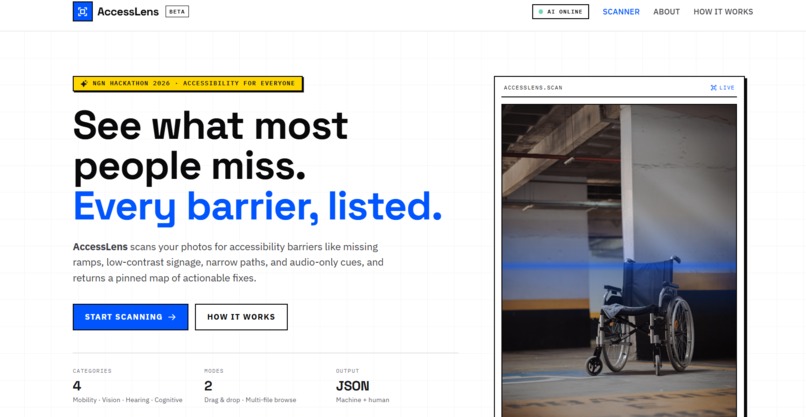
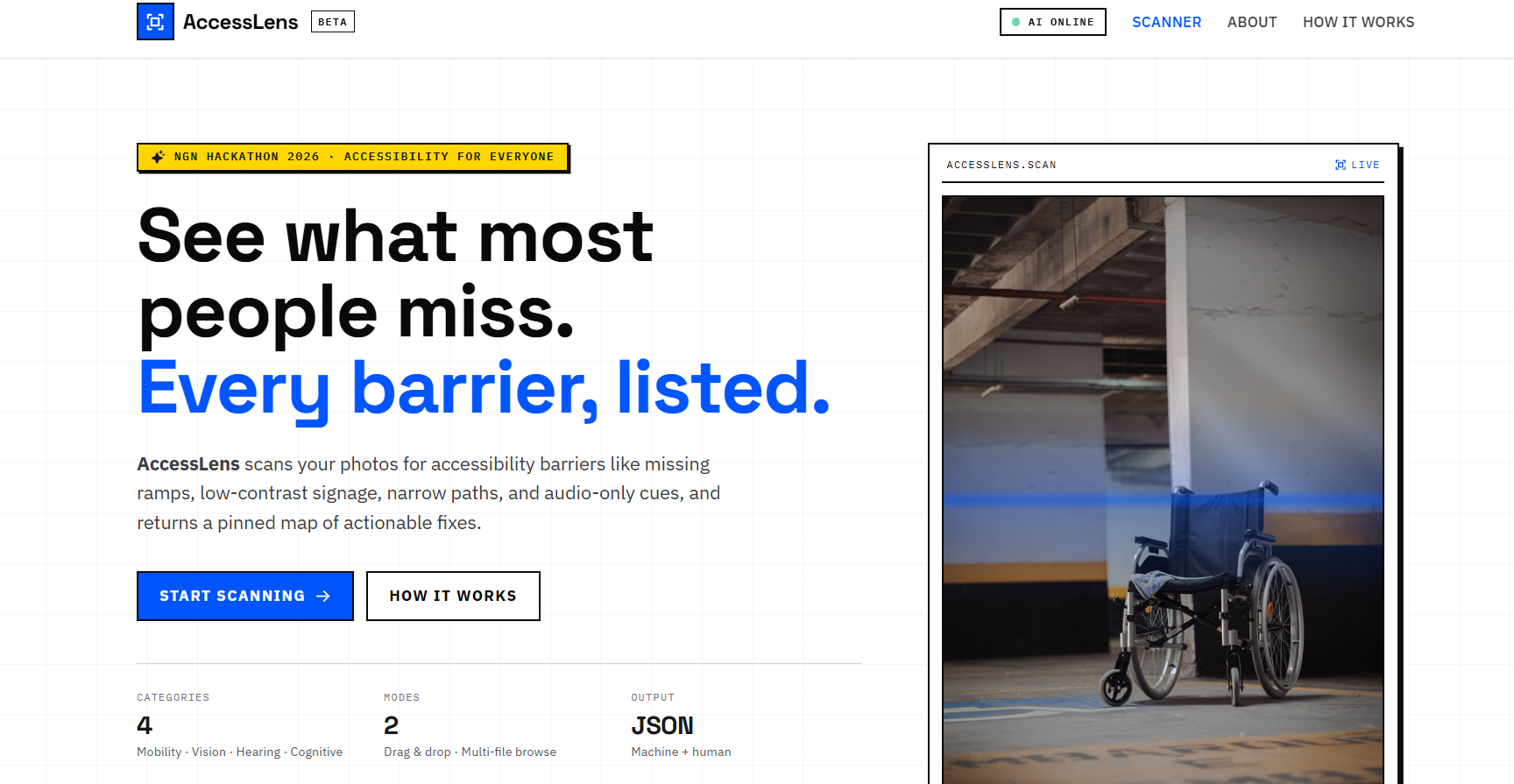
Main page of the website
-
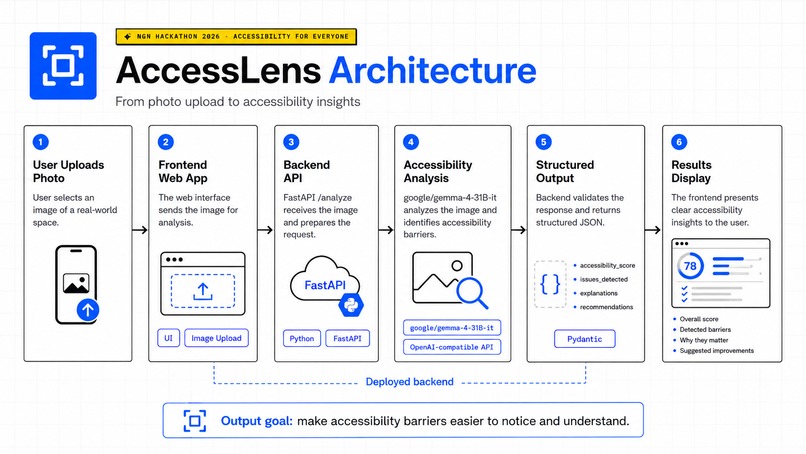
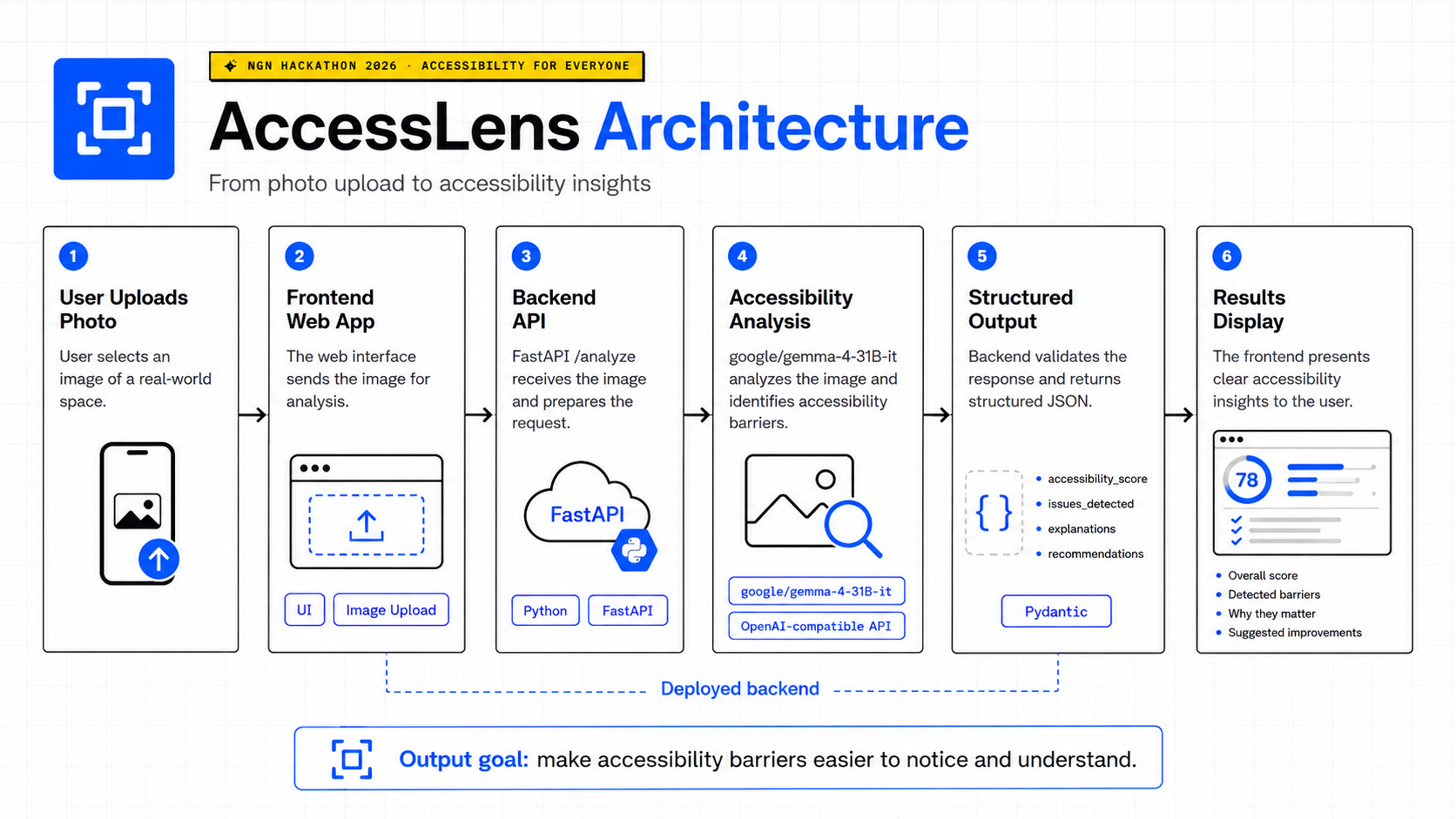
AcessLens Architecture
-
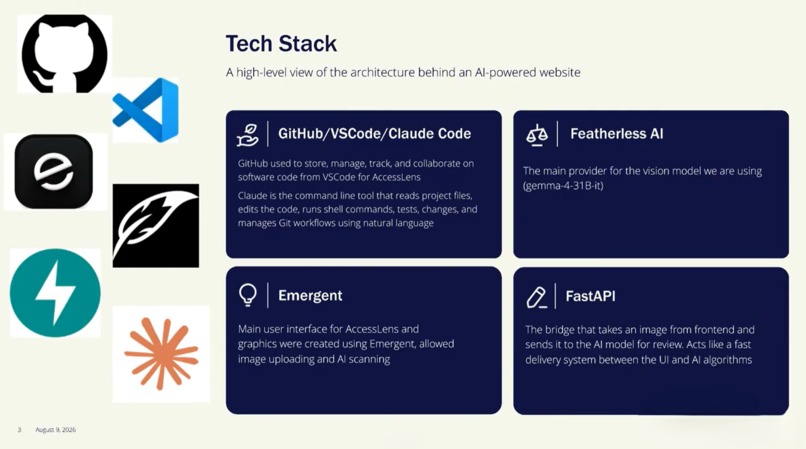
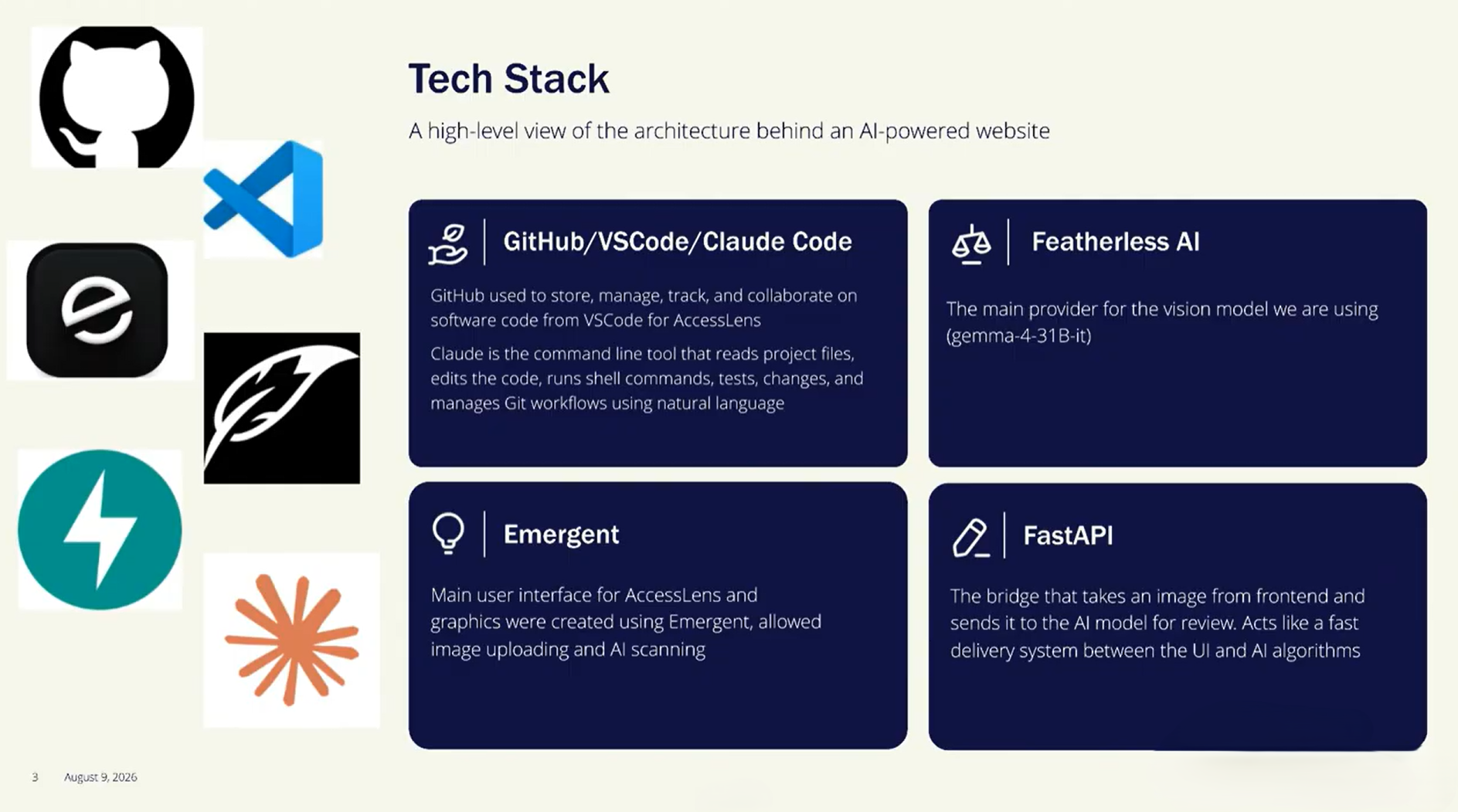
Tech Stack
-
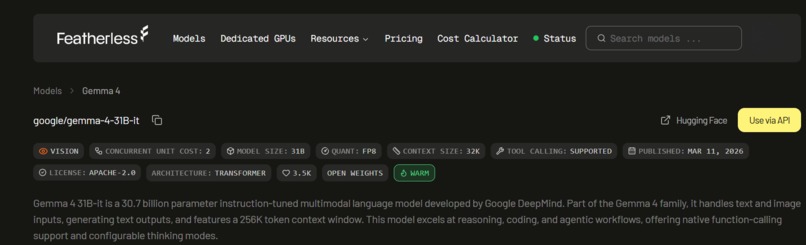
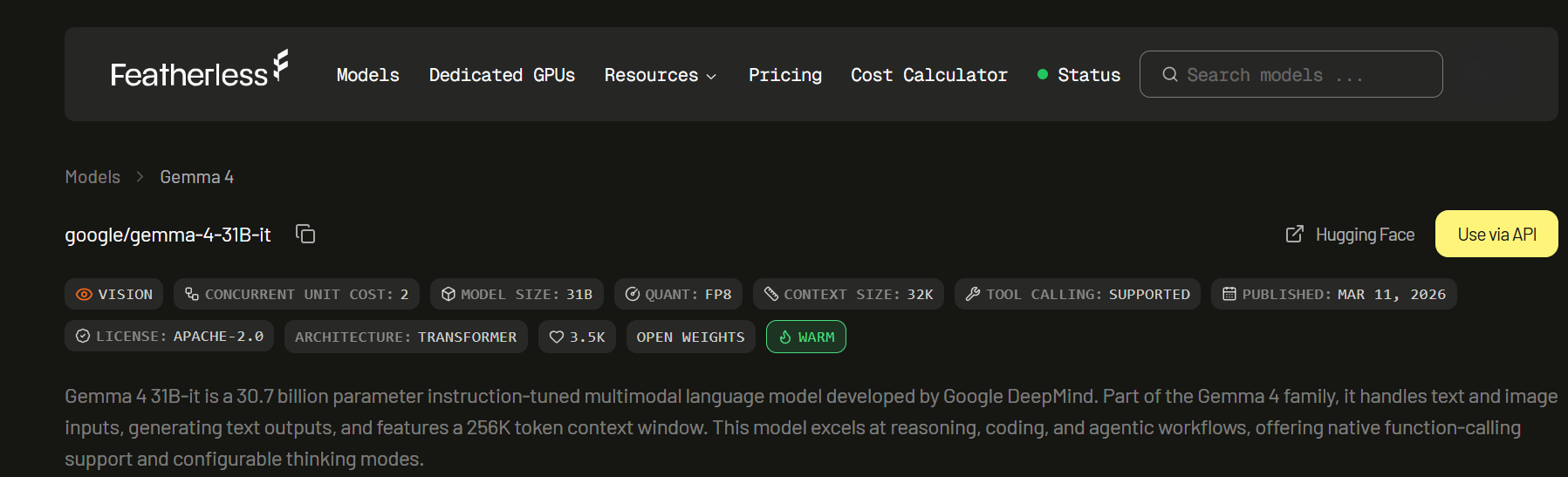
Featherless AI model
-
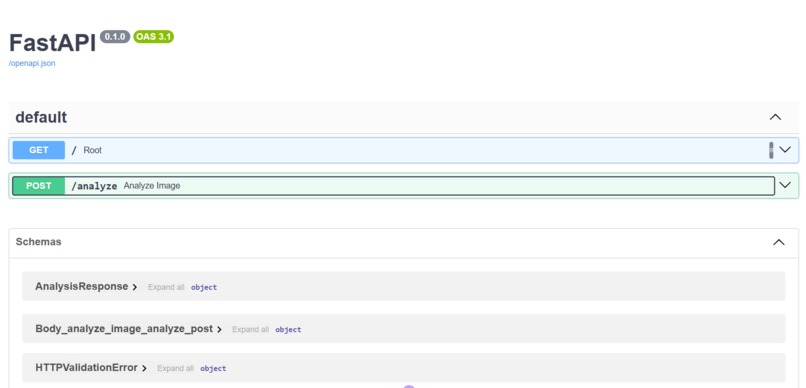
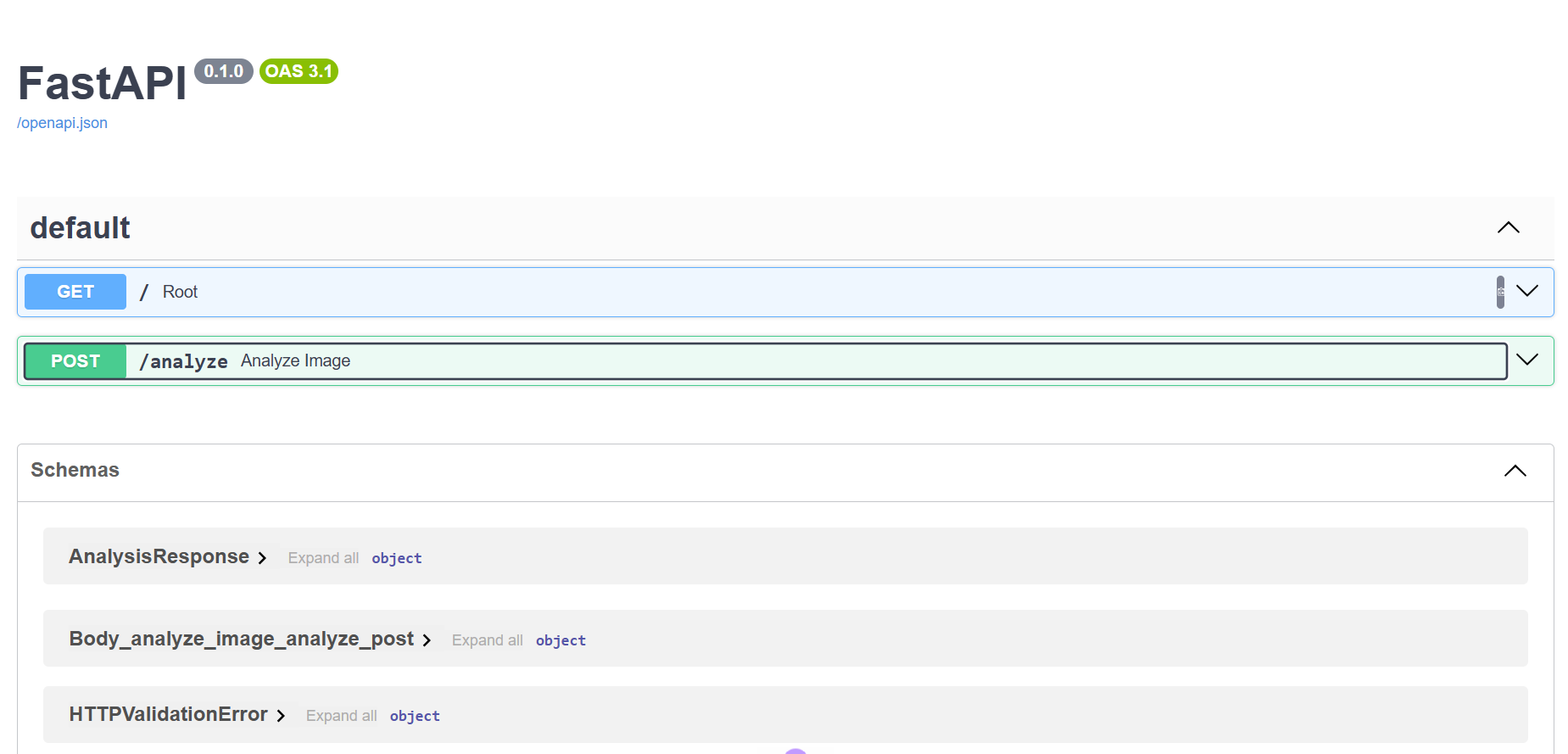
AccessLens Backend API
-
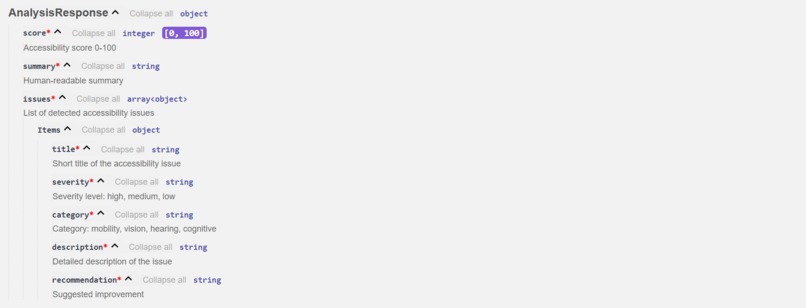
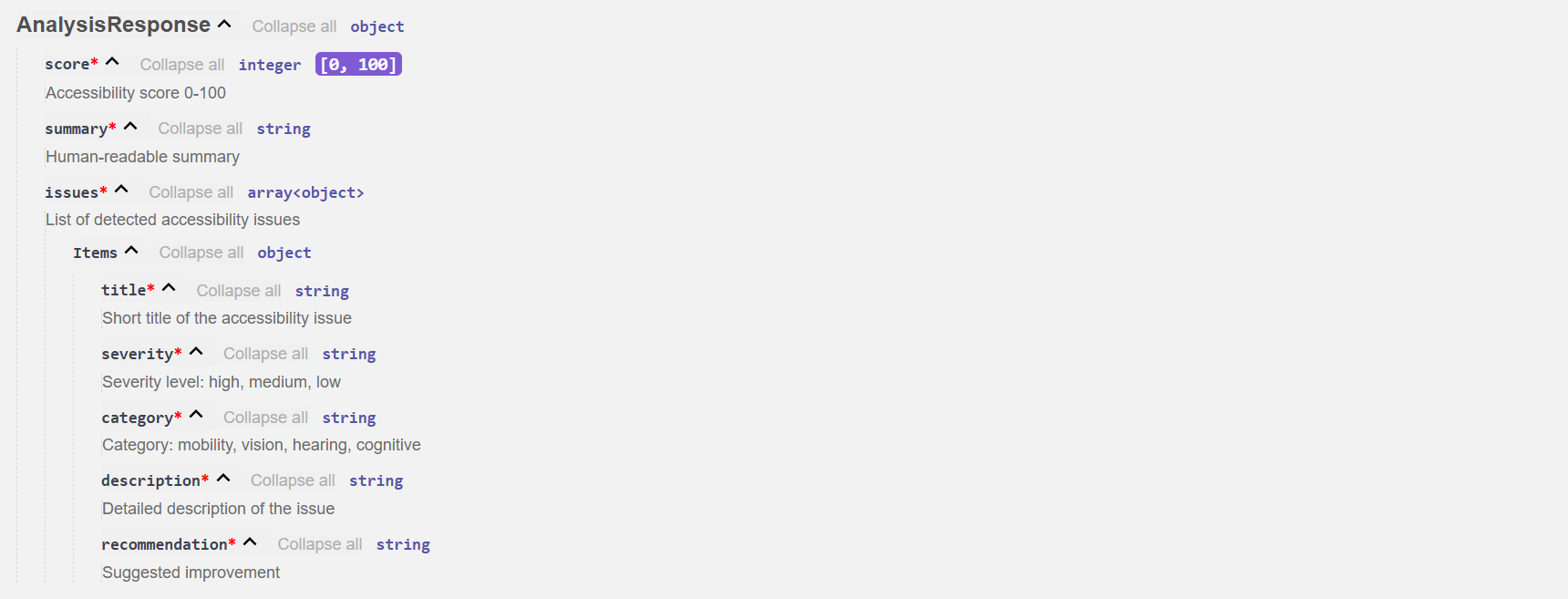
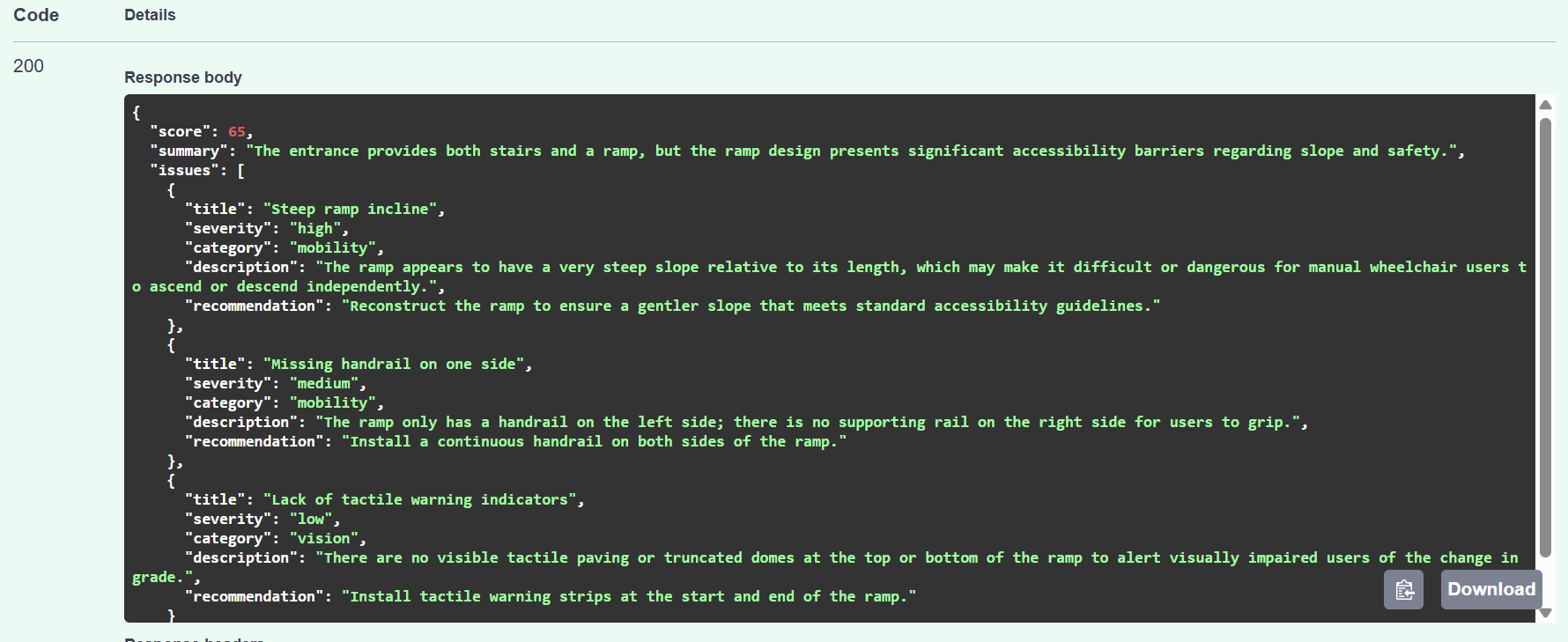
AnalysisResponse Metrics and how to interpret them
-
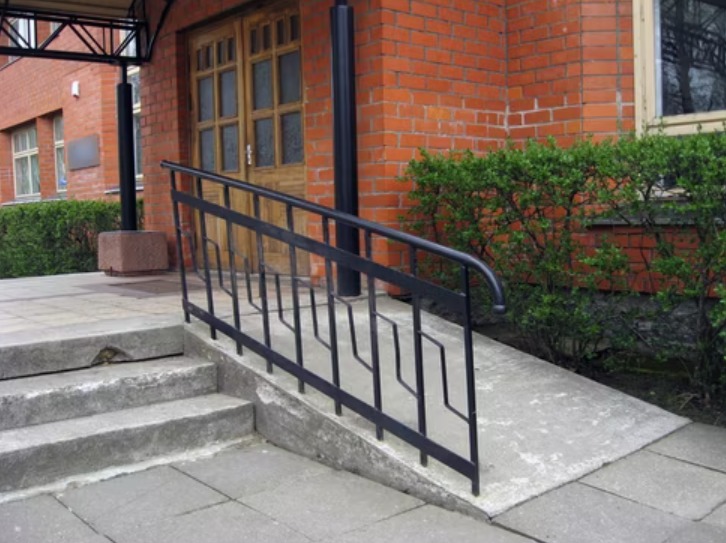
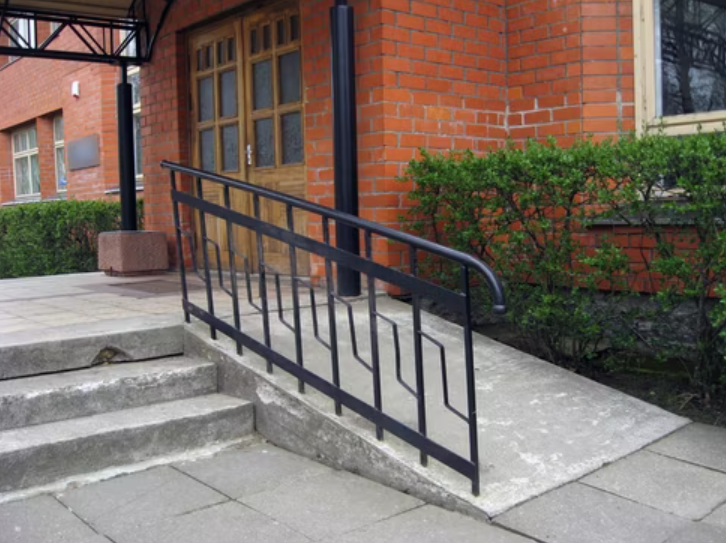
Example image
-
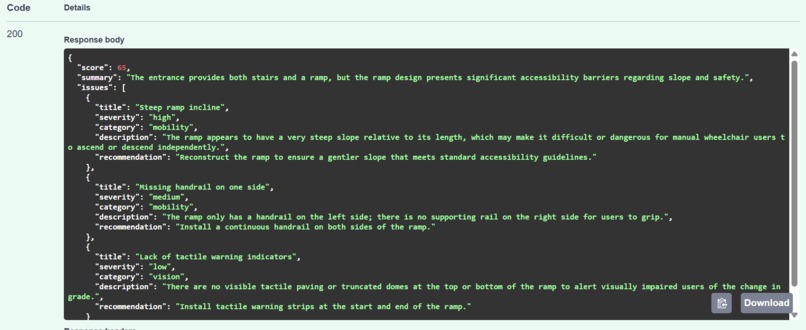
Output of the results to Example image
-
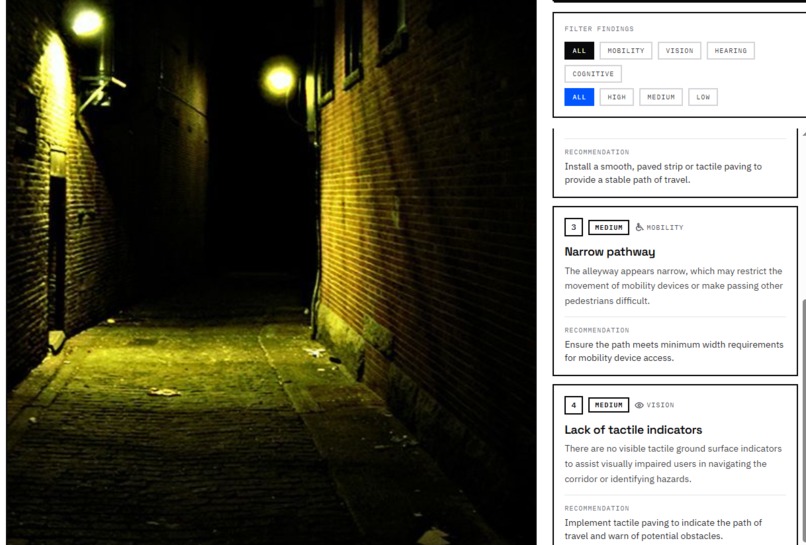
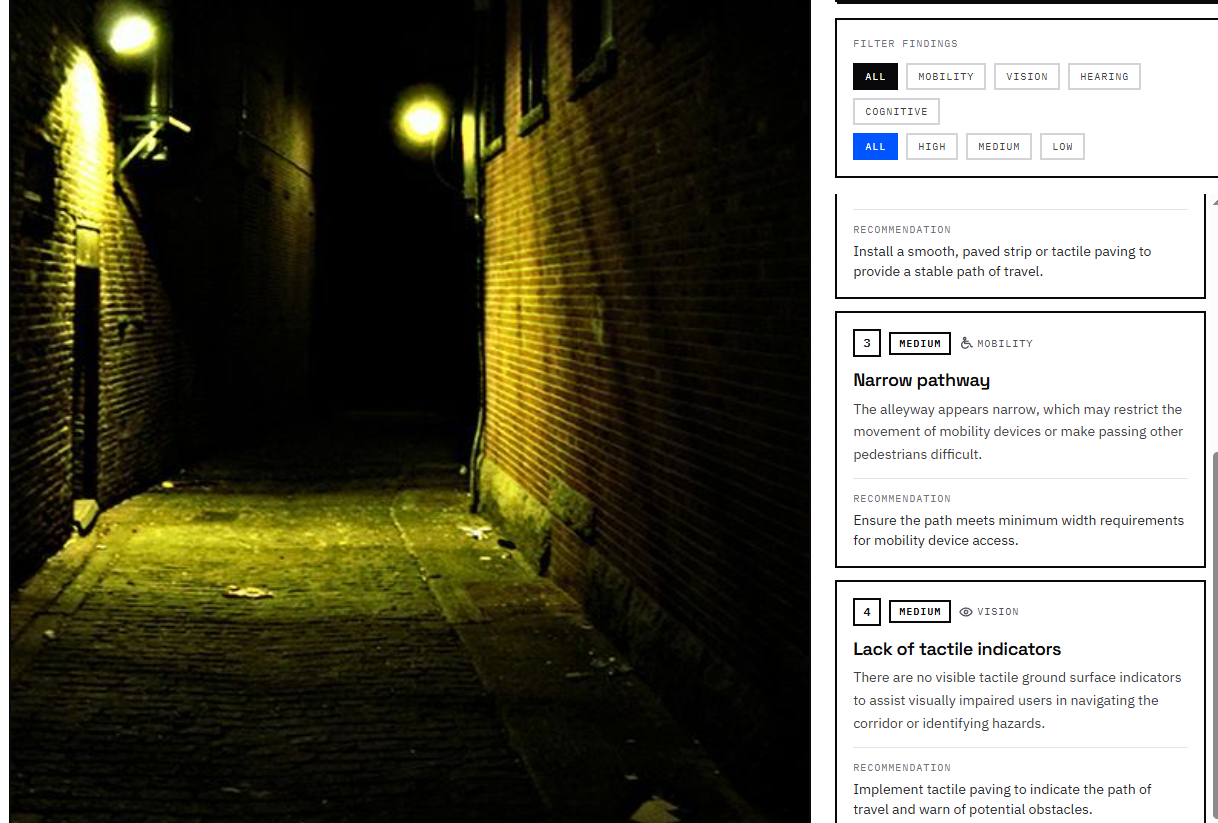
Website demo #1
-
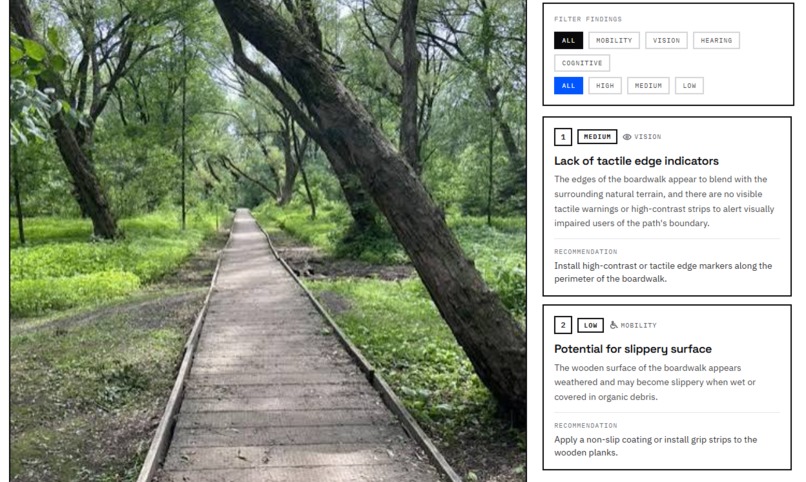
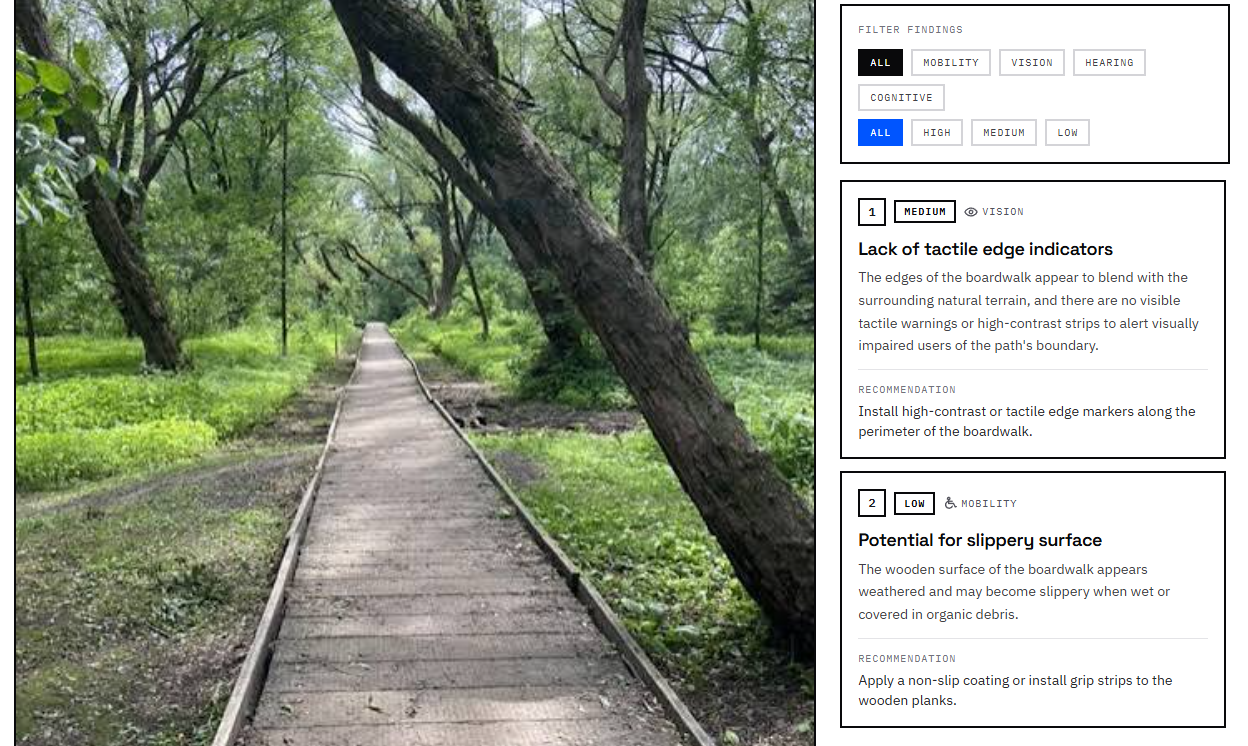
Website demo #2 (different instance)
Inspiration
Accessibility barriers are often easy to overlook unless they directly affect you. A staircase without a ramp, a narrow path, poor signage, or an unreachable control can turn an ordinary space into a difficult or unusable one for someone with a disability.
We wanted to build something that could make these barriers easier to notice. That idea became AccessLens: a tool that uses AI to analyze photos of real-world spaces and identify potential accessibility concerns.
Our goal was not to replace professional accessibility audits, but to create a simple first step that helps people recognize barriers and think more intentionally about inclusive design.
What it does
AccessLens allows a user to upload a photo of a physical space.
The image is sent to our backend, where an AI vision model analyzes the scene for potential accessibility concerns. The system returns:
- An overall accessibility score
- Accessibility issues detected in the image
- Explanations of why those issues may create barriers
- Practical suggestions for how the space could be improved
This turns a normal photo into a quick accessibility assessment that is easy to understand, even for someone without experience in accessible design.
How we built it
We divided the project into a frontend, backend, and AI analysis layer.
The frontend handles image uploads and presents the results in a clear, user-friendly format.
For the backend, we used Python and FastAPI. We created an /analyze endpoint that receives the uploaded image, passes it through the AI analysis pipeline, and returns structured data to the frontend.
The AI vision model examines the image and generates the accessibility score, detected issues, explanations, and recommendations. We designed the output in a consistent format so the frontend could reliably display the results.
We also deployed the backend online, allowing the frontend to communicate with the API instead of relying on a local development environment.
Challenges we ran into
One of the biggest challenges was deciding how ambitious the project should be within the hackathon timeframe.
Accessibility is an extremely broad topic, and accurately evaluating a physical environment can involve measurements, regulations, context, and details that may not be visible in a single image. We had to narrow the scope to something that was realistic to build during a short hackathon while still being useful.
Another challenge was integrating all the different parts of the project. The frontend, API, image upload system, AI model, deployment, and cross-origin communication all had to work together correctly.
We also had to ensure the AI returned consistent data instead of unstructured text so the frontend could reliably interpret and display each result.
Accomplishments that we're proud of
We are proud that we built a complete working pipeline rather than only a concept or mockup.
A user can upload a real image, have it processed by our backend and AI system, and receive an accessibility assessment through the website.
We also successfully combined work from different team members into one functioning application. Building and deploying the API, connecting it to the frontend, and getting the full image-to-analysis flow working within the hackathon timeframe was one of our biggest accomplishments.
Most importantly, we built something connected to a real-world problem. Even in its current form, AccessLens demonstrates how AI could help people notice accessibility barriers that might otherwise be overlooked.
What we learned
We learned a lot about building AI applications beyond simply calling a model.
A major lesson was the importance of designing the entire pipeline around the AI: handling uploaded files, creating effective prompts, producing consistent structured responses, validating data, building an API, deploying it, and connecting everything to the frontend.
We also learned that accessibility is much more complex than identifying obvious physical barriers. A complete accessibility assessment would need to consider measurements, different types of disabilities, building standards, context, and details that cannot always be determined from a photograph alone.
That limitation helped us better understand both the potential and the boundaries of AI-based accessibility analysis.
What's next for AccessLens
With more time, we would expand AccessLens beyond a single-photo assessment.
Future versions could visually highlight detected barriers directly on the uploaded image, provide more detailed recommendations, and evaluate different categories of accessibility separately.
We would also like to incorporate accessibility standards and measurements where possible, support multiple photos from the same location, and generate more comprehensive accessibility reports for businesses, schools, public spaces, and other organizations.
Ultimately, our goal is for AccessLens to help people identify accessibility problems earlier, so accessibility becomes part of how spaces are designed and improved rather than something considered only after barriers are discovered.


Log in or sign up for Devpost to join the conversation.