💡 Inspiration
Reading dense textbooks, complex research articles, or confusing news updates can be an overwhelming barrier for students with learning differences or neurodivergent profiles such as dyslexia, ADHD, or hyperlexia. I wanted to build a seamless, distraction-free desktop tool that instantly strips away complicated vocabulary and transforms walls of text into highly structured, clear, and action-oriented bullet points—making learning accessible to everyone. To add a fun, modern twist that engages younger users, I also decided to build a translation mode that rewrites text into popular internet slang.
⚙️ What it does
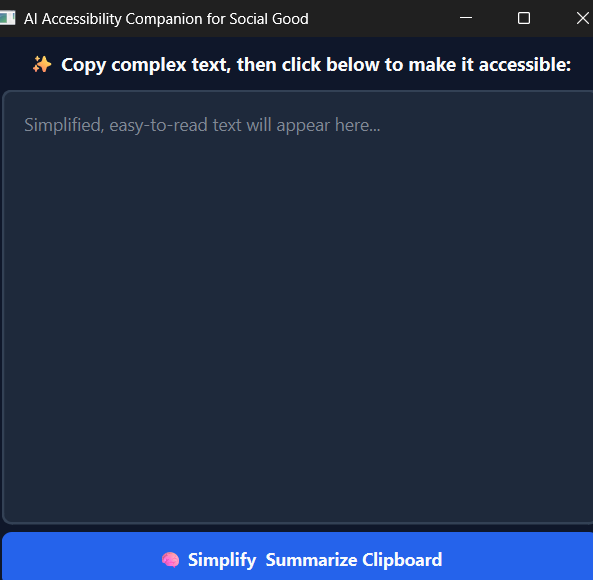
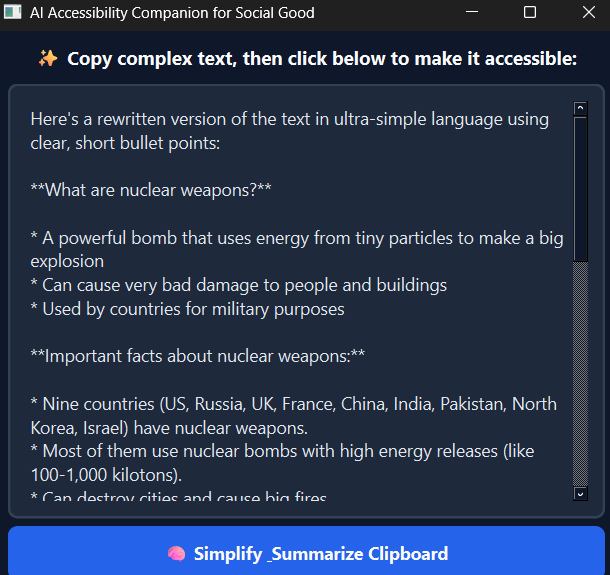
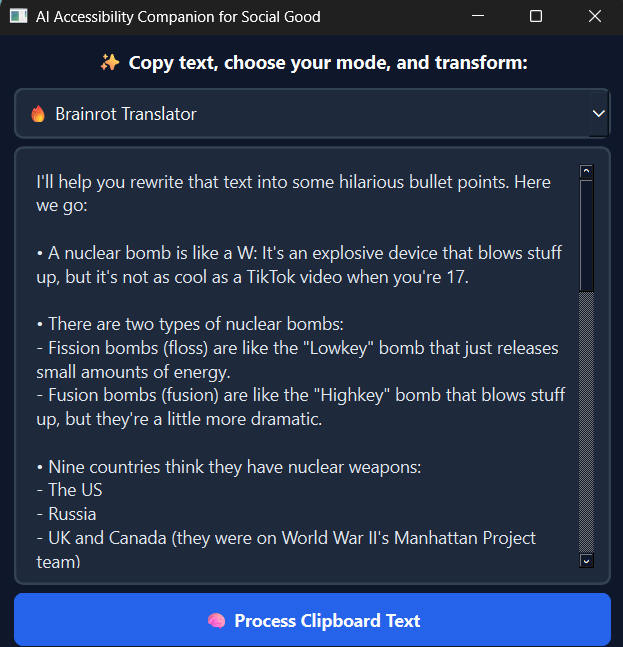
AccessiRead AI lives on the user's desktop. When a student encounters a difficult piece of writing anywhere on their computer (browser, PDF viewer, or e-book reader), they simply highlight and copy it. Using a sleek dropdown menu, the user can select their preferred mode:
- Accessibility Summary: Strips away jargon and converts the clipboard text into ultra-simple language using clear, short bullet points.
- Brainrot Translator: Converts the text into highly humorous, clean, and safe Gen-Z internet slang (like skibidi, rizz, sigma, and mewing) to make learning entertaining.
With a single click of the button, the app grabs the text from their clipboard, communicates with a local language model based on the chosen mode, and displays the transformed result instantly.
🛠️ How I built it
The application is structured cleanly using a modern local AI architecture:
- Frontend UI: Built using Python and PyQt6 to create a custom, high-contrast dark-themed desktop interface with a mode-selection QComboBox dropdown optimized for user choice.
- AI Backend Engine: Configured to integrate seamlessly with Ollama, running the lightweight and highly efficient Llama 3.2:1b model entirely offline on my machine. The backend dynamically adjusts the system instructions based on the user's UI mode selection.
- Asynchronous Multi-threading: Implemented using QThread and pyqtSignal workers to ensure that when the local AI engine is processing heavy prompt requests, the main user interface stays perfectly fluid, responsive, and never crashes or freezes.
- Automation: Added sub-process management to automatically detect and safely launch the background Ollama server if it isn't already active.
🚀 Challenges I ran into
As a solo creator learning to coordinate desktop apps and AI, managing synchronous delays was a major hurdle. Initially, when the AI was thinking, the entire desktop interface would lock up and throw "(Not Responding)" errors. Learning to break the architecture apart into multithreaded background workers so the window stays active and movable was a massive milestone.
Another unexpected challenge appeared when implementing the internet slang feature: the local Llama model's built-in safety filters would occasionally trigger false positives on harmless slang terms like "cooked" or "gyatt," resulting in a flat refusal message. I had to carefully engineer the system instructions to explicitly guarantee clean, school-appropriate, and safe contextual guidance to bypass these aggressive filters smoothly.
🎉 Accomplishments that I'm proud of
I am proud to have built a fully functioning, dual-mode local machine learning application completely by myself! The entire system runs entirely locally and offline—meaning students do not need an active internet connection, don't have to worry about data privacy, and don't need to pay for expensive API keys.
📚 What I learned
I learned the fundamentals of visual interface design with PyQt6, asynchronous multi-threading in Python, prompt engineering to handle sensitive AI safety guardrails, and how local open-source LLMs communicate via local API payloads.
🔮 What's next for AccessiRead AI
I plan to introduce system-wide keyboard global hotkeys (e.g., Ctrl + Shift + A) so students don't even have to open the window to simplify text, add Text-to-Speech (TTS) capabilities to read the simplified points aloud, and build a history tab to save previously summarized materials for easy studying later.
Built With
- asynchronous
- llama-3.2
- ollama
- pyqt6
- python

Log in or sign up for Devpost to join the conversation.