-
-
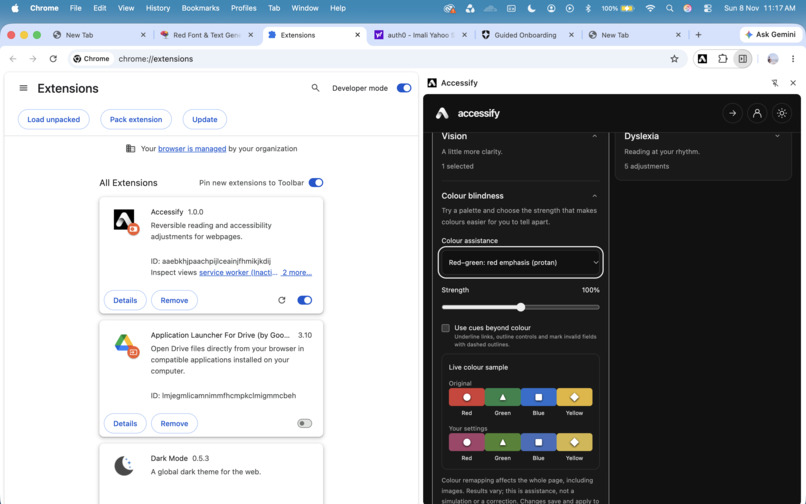
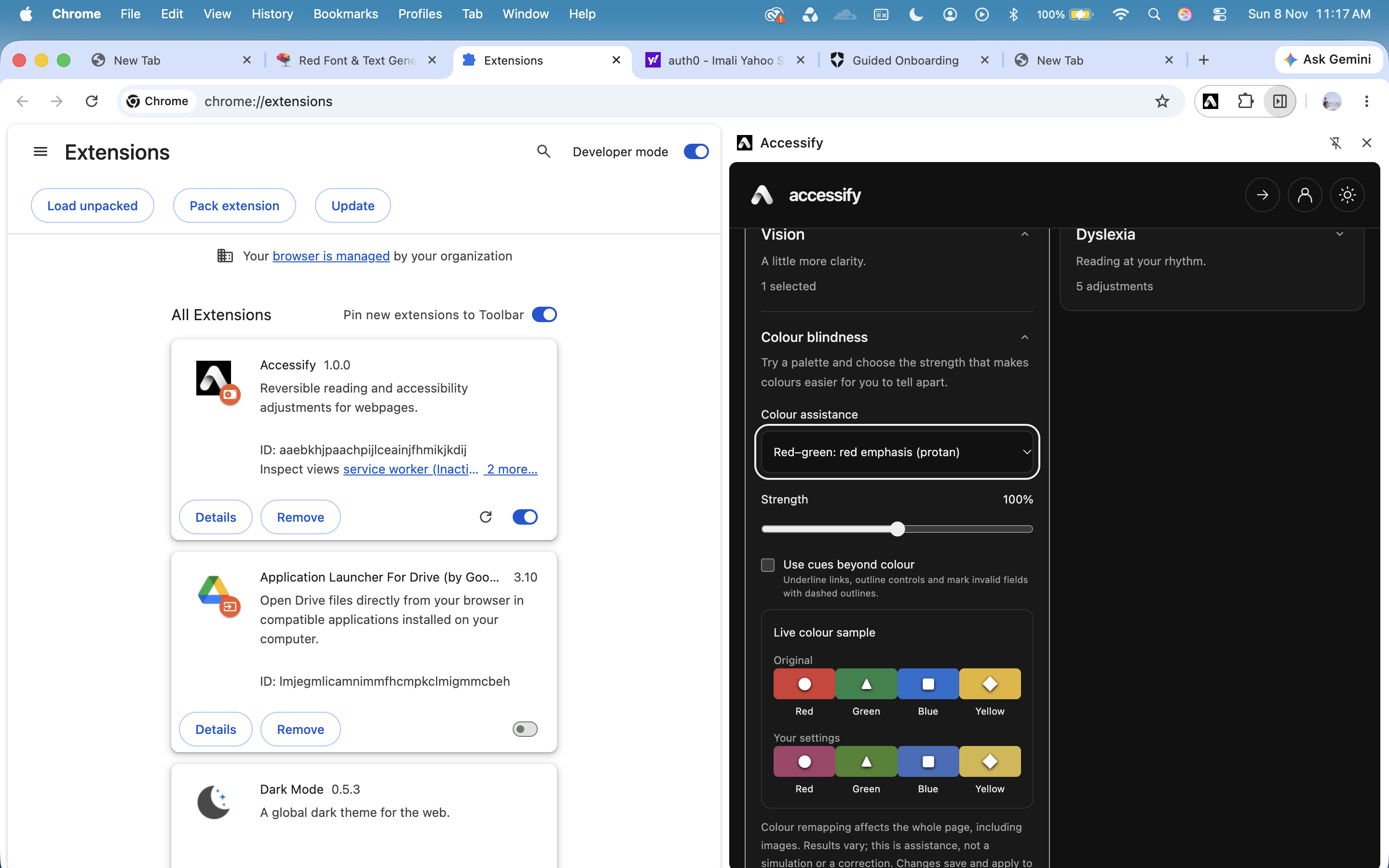
Colorblindness: Red-green impairment with sample
-
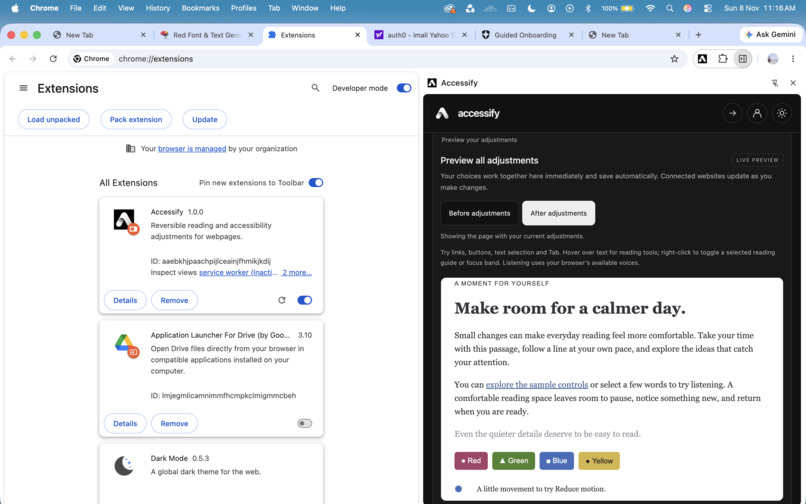
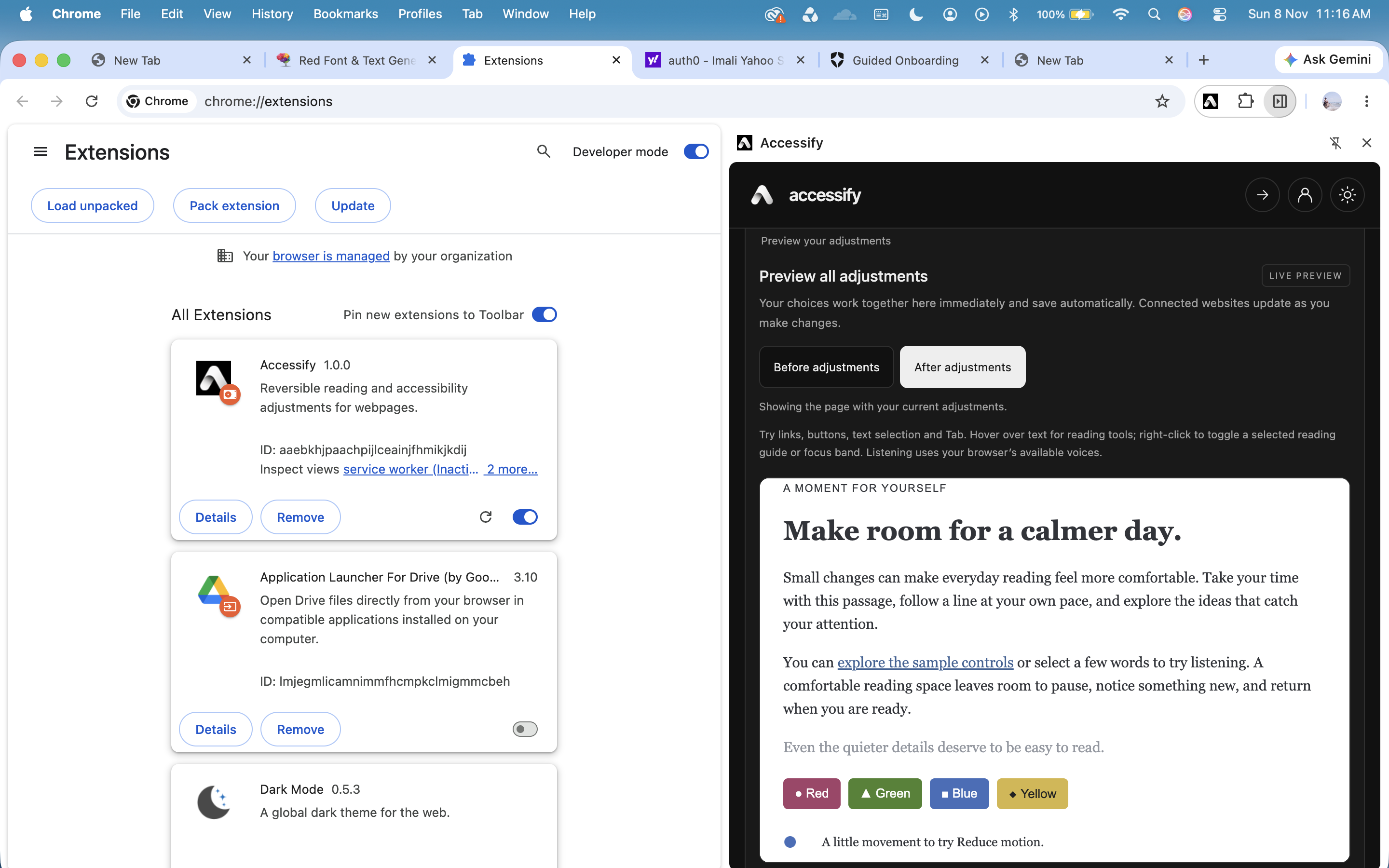
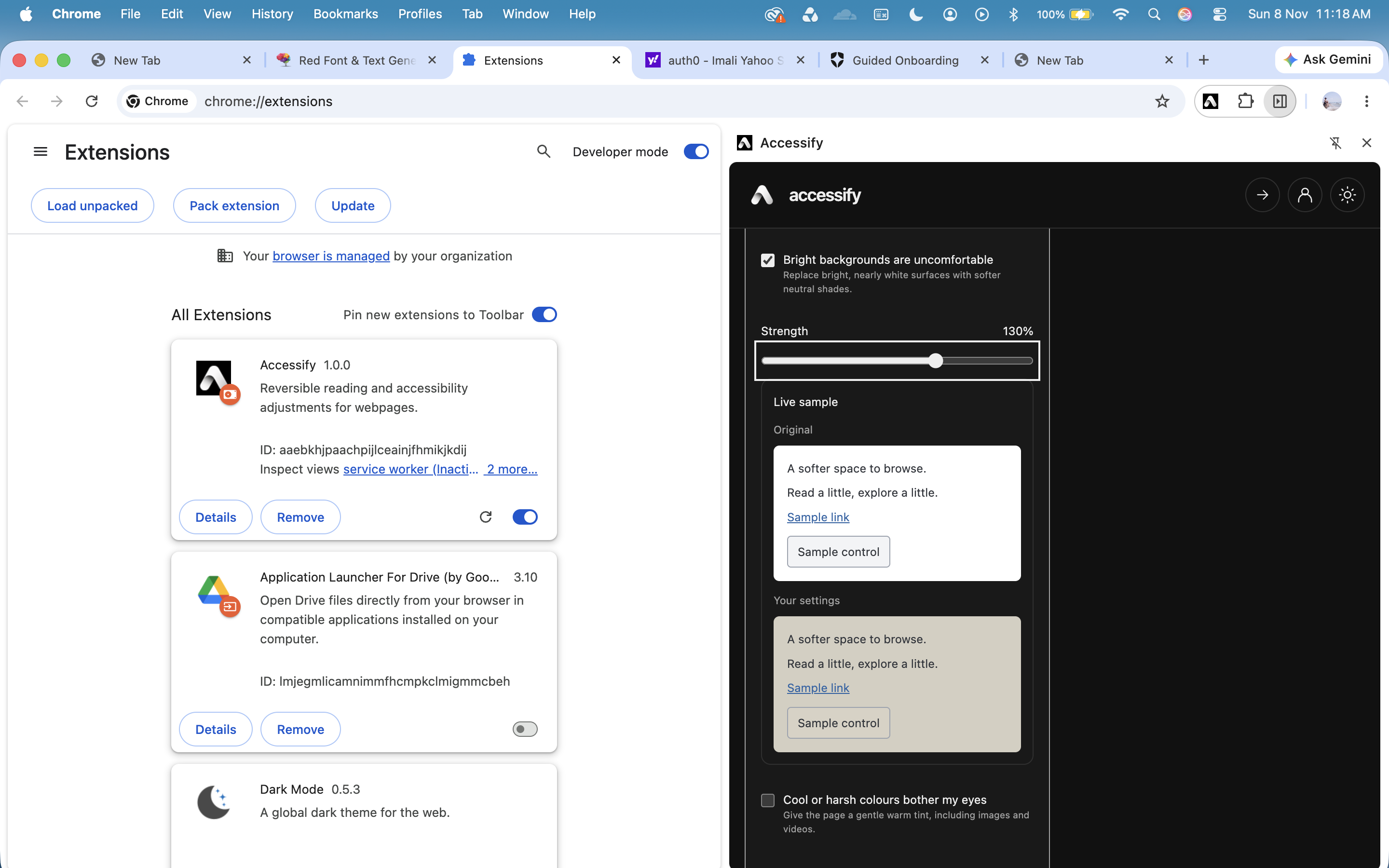
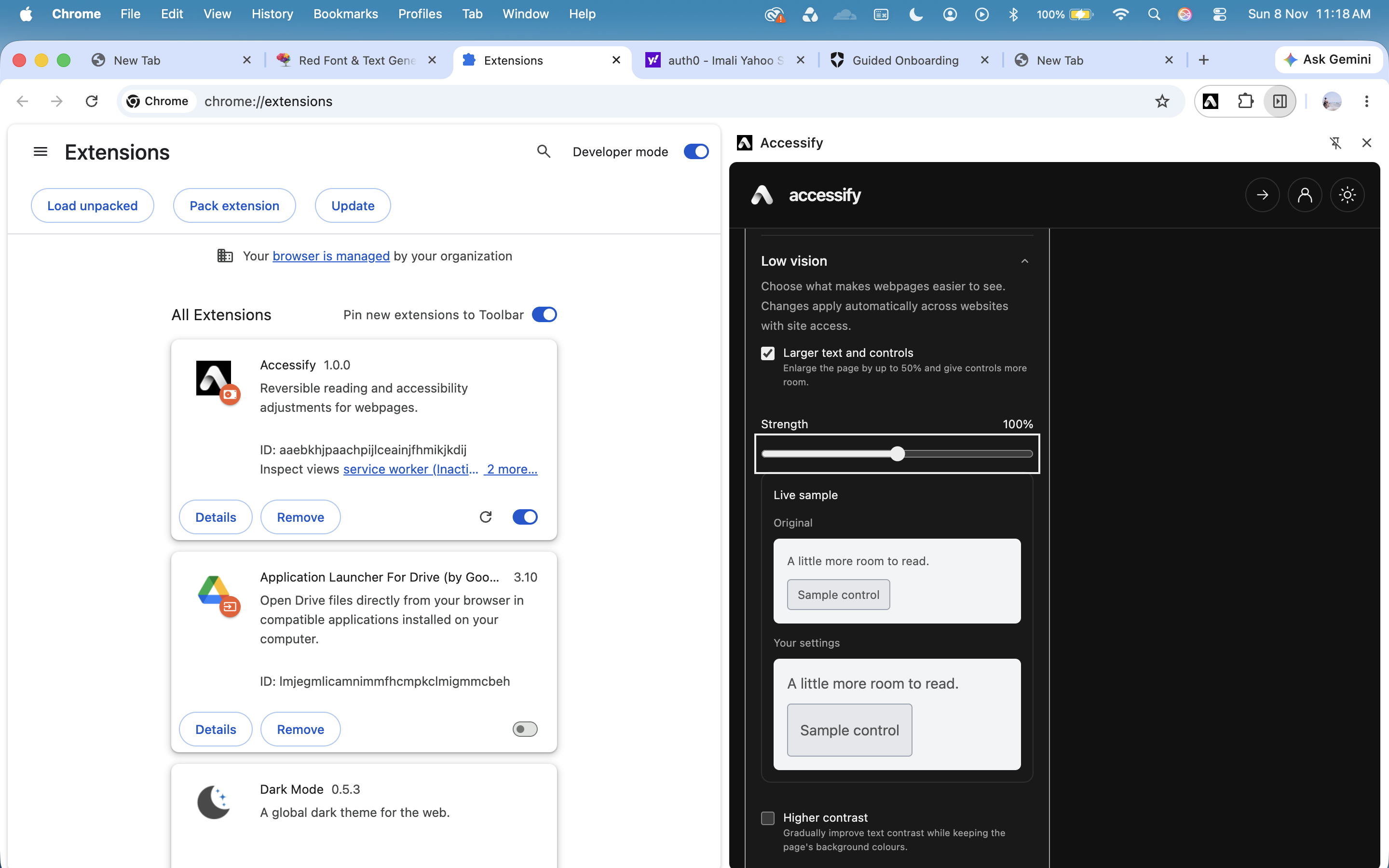
Live preview with before and after adjustments
-
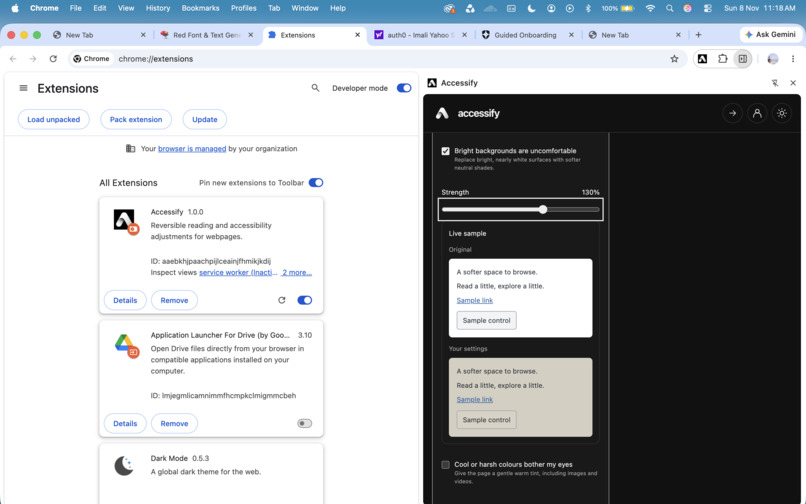
Reducing the background brightness
-
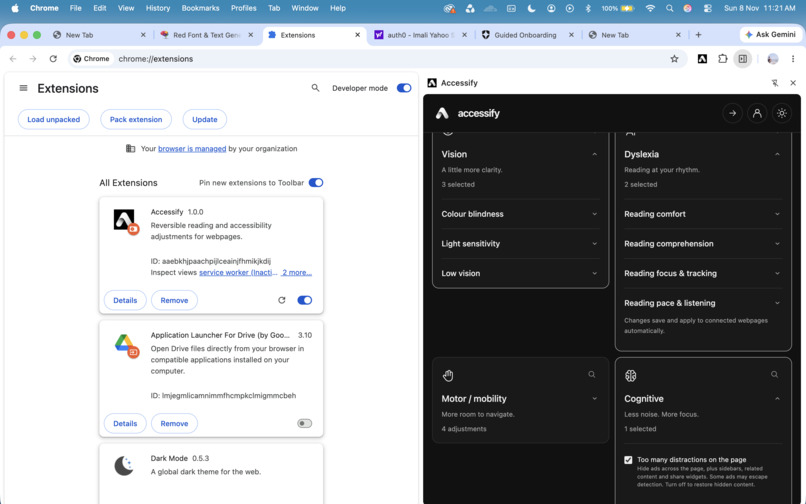
Hide the side bars, and ads which may disturb the user's attention
-
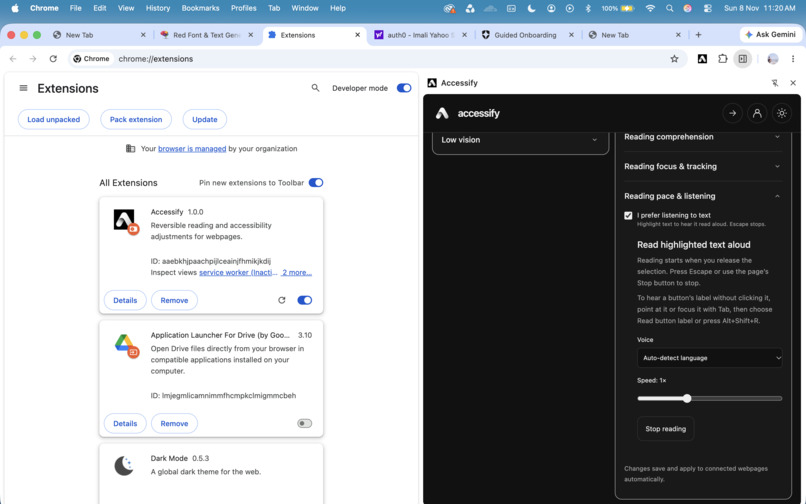
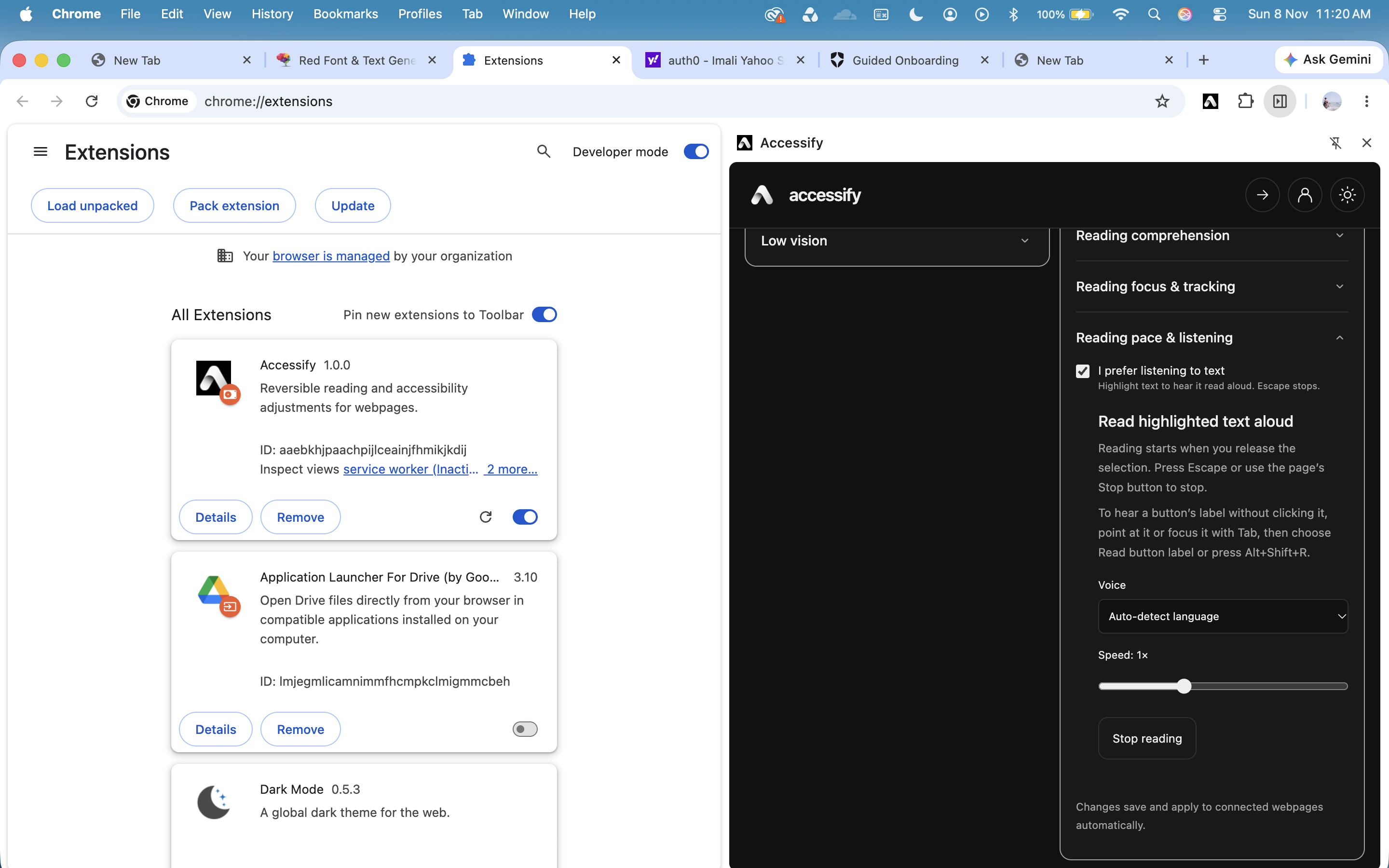
Read out the highlighted text, it will auto detect the language it supports
-
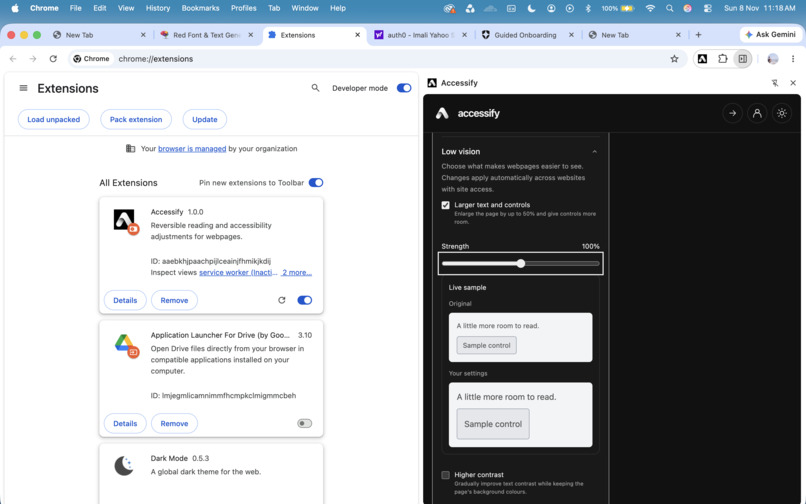
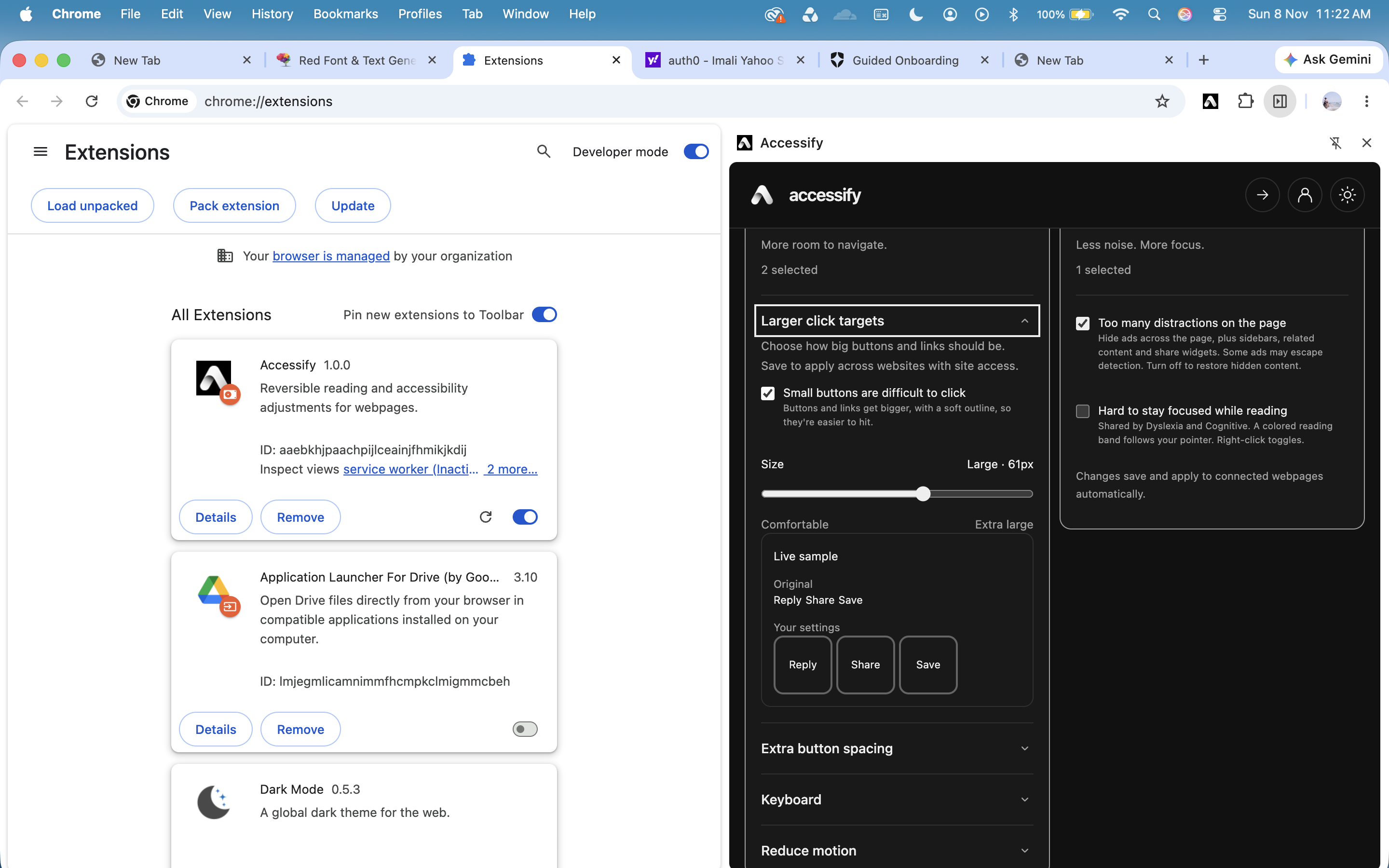
Adjusting the size of text and control buttons
-
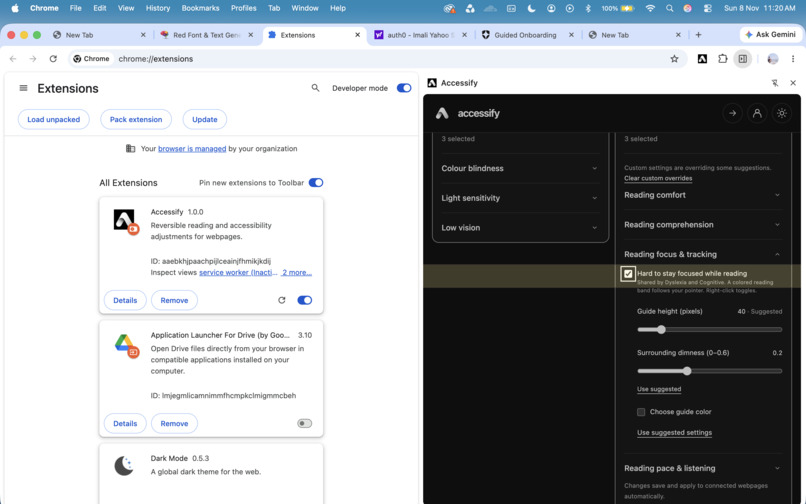
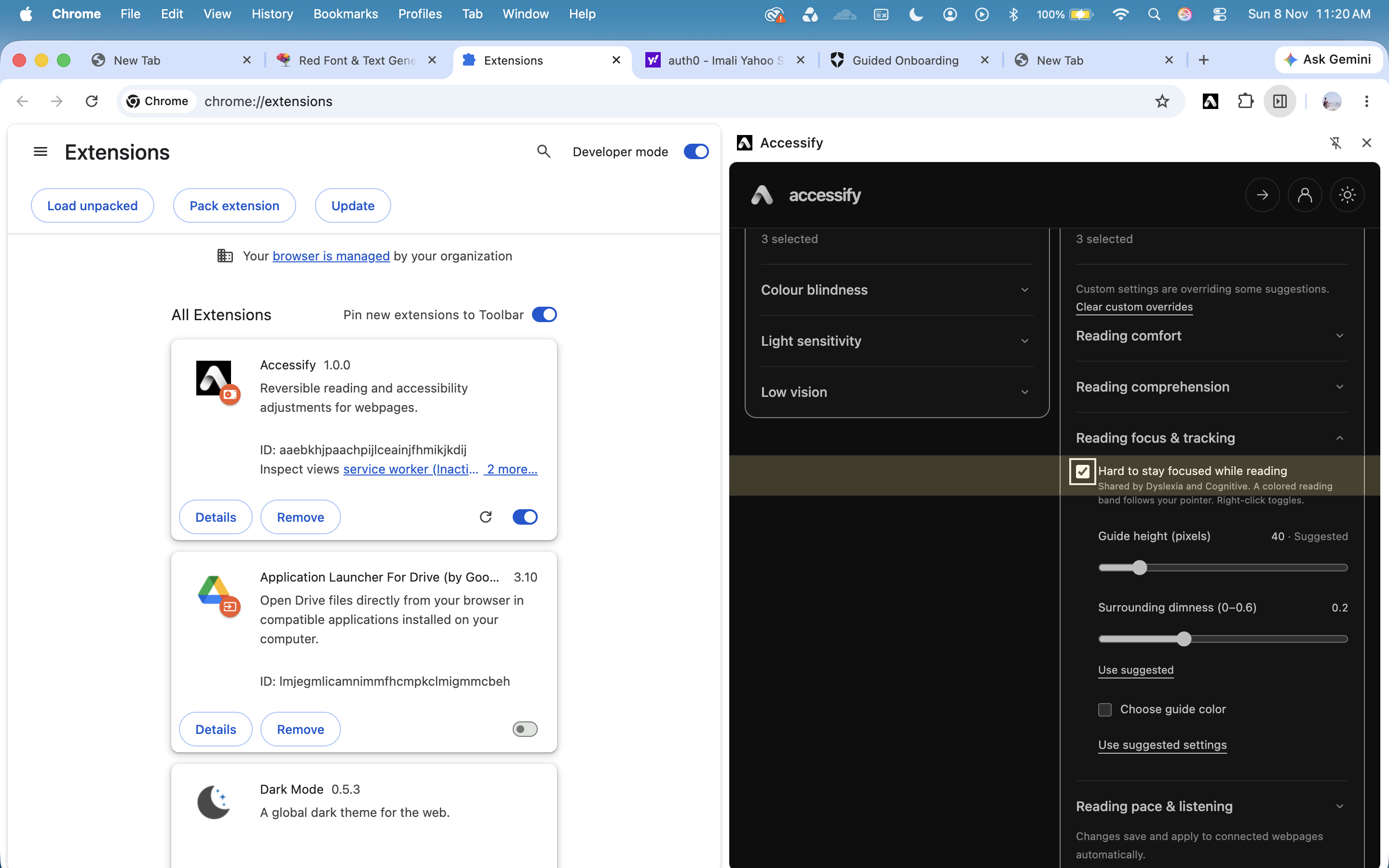
Create a focus bar around cursor
-
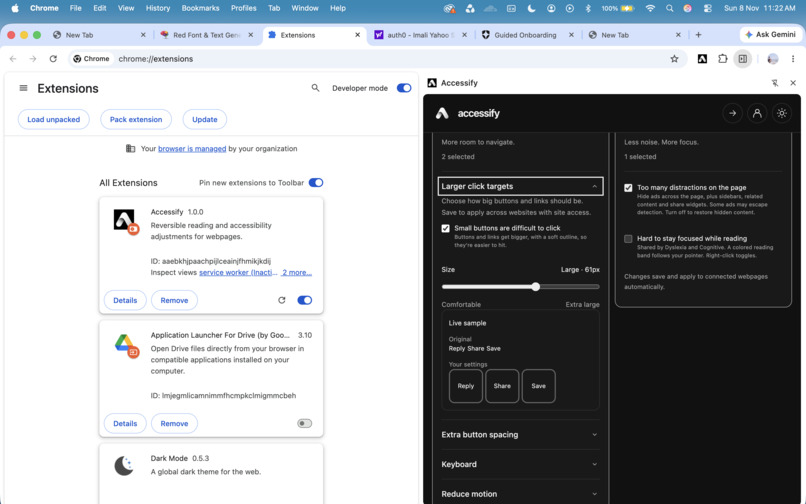
Make the buttons larger
-
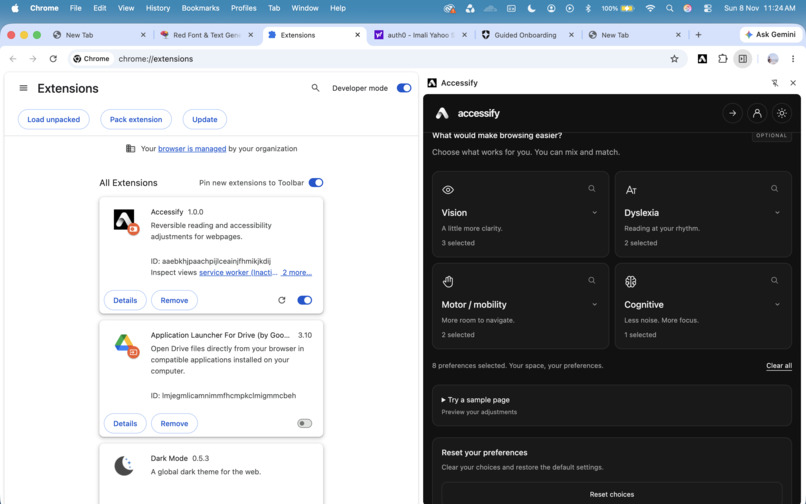
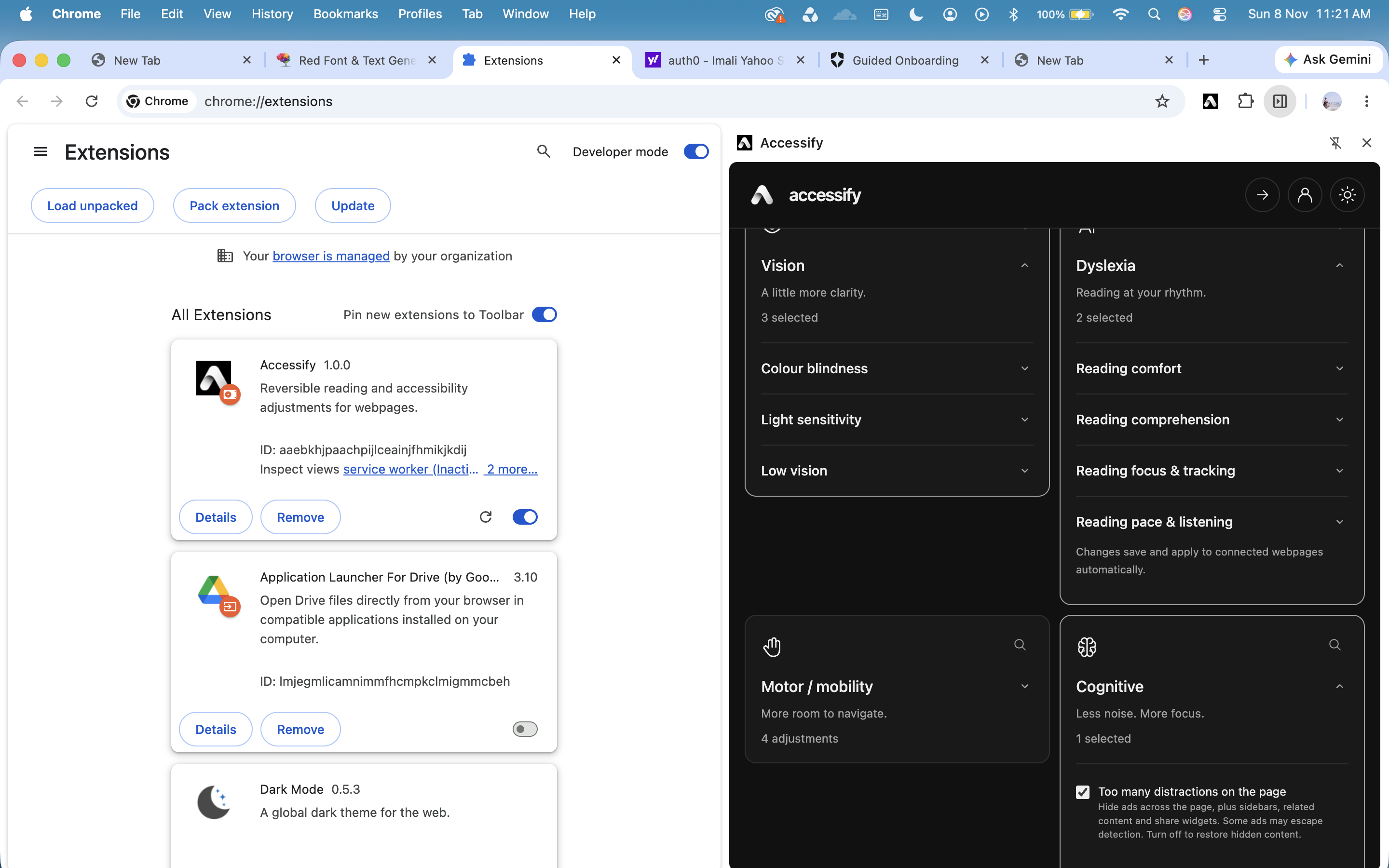
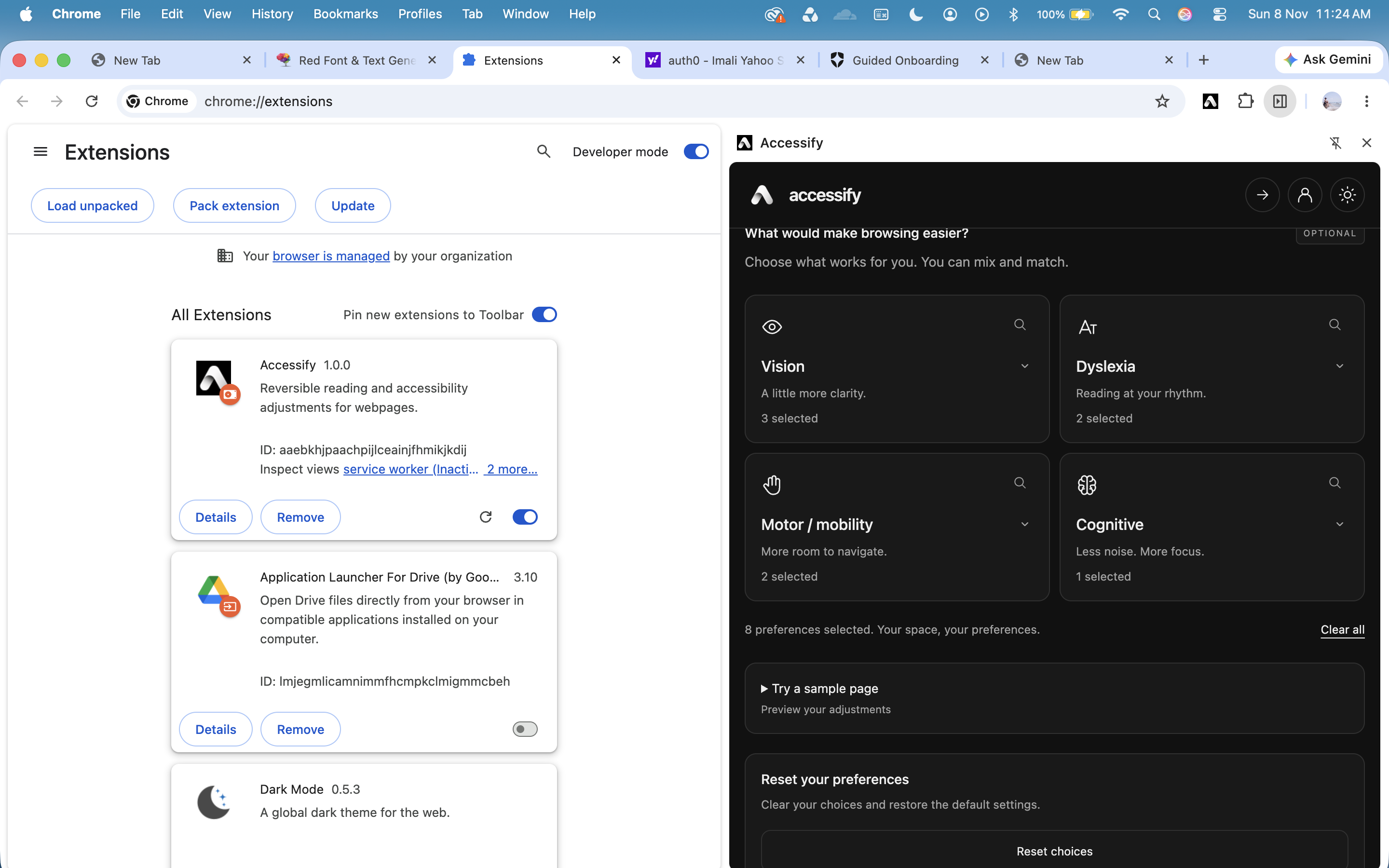
The main page, and the adjustable categories
-
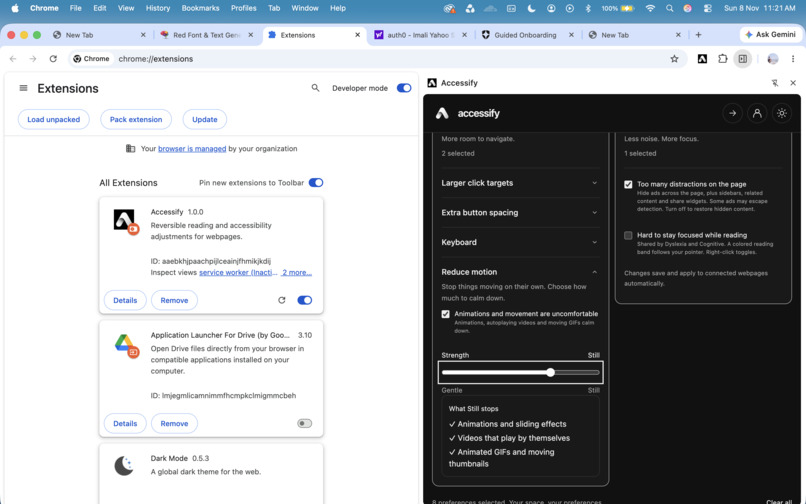
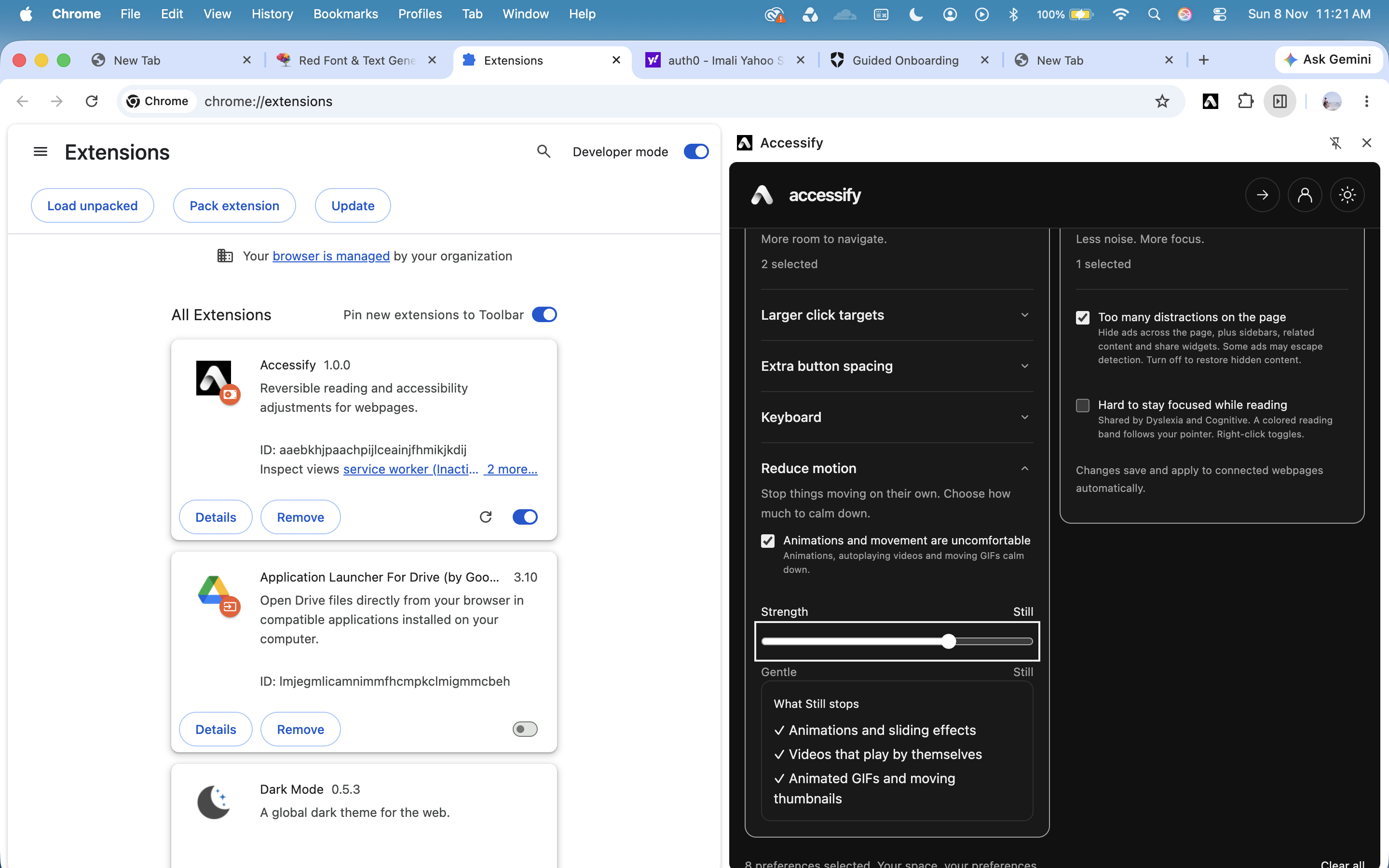
Reduce the motion of the object which could sometimes affect the focus of the user
Inspiration
For people with visual impairments, colour vision deficiencies, dyslexia, motor difficulties, or attention-related challenges, even simple tasks like reading an article, navigating a website, or clicking a button can become frustrating. Although accessibility standards exist, many websites still don't fully accommodate different accessibility needs. Users often have to rely on individual websites to provide accessible experiences, leaving them with limited control over how they browse. What if users could make websites adapt to their needs, instead of having to adapt themselves to every website? That question inspired us to build Accessify, a Chrome extension that helps users personalize their browsing experience through accessibility adjustments.
What it does
Accessify allows users to customize how websites look and behave based on their accessibility needs. Instead of requiring website developers to implement specific adjustments, Accessify lets users apply accessibility features directly to the websites they visit.
How we built it
Our technology stack includes:
- React: To create an interactive interface for selecting accessibility preferences.
- JavaScript: To analyze and modify webpage presentation and behaviour.
- HTML and CSS: To structure and style the extension interface.
- Tailwind CSS: To help create a consistent, responsive design.
- Chrome Extension APIs: To interact with browser tabs, inject scripts, and manage preferences.
- Auth0: To handle secure user authentication.
- Node.js and Express: To build a backend API for storing and retrieving user preferences.
Challenges we ran into
One of the challenges is working on colorblindness. Color blindness is not as simple as replacing red with blue. Colours interact with their backgrounds and surrounding elements, and different types of colour vision deficiencies require different considerations. We had to explore how color transformations could improve distinguishability while preserving the original website's appearance as much as possible. We also encountered difficulties integrating the Chrome extension with external services. Implementing Auth0 required understanding authentication redirects, Chrome's identity API, and secure token handling. Connecting the extension to our Express backend introduced additional challenges involving local server configuration, API requests, and synchronization.
Accomplishments that we're proud of
We're proud that we turned a broad accessibility problem into a working browser extension with multiple customizable features. Rather than focusing on just one accessibility need, we designed Accessify around the idea that different users require different combinations of adjustments.
What we learned
Throughout HackCamp, we learned that accessibility is much more complex than making text larger or increasing contrast. Different disabilities and individual preferences require different approaches, and a change that helps one user may not necessarily help another.
What's next for Accessify
While Accessify started as a Chrome extension, our vision extends beyond the browser. Our next major goal is to turn Accessify into a standalone application available on desktop. We are already working on the prototype. We want users to benefit from personalized accessibility features beyond websites, making digital experiences more inclusive across different platforms. We would also like to introduce more intelligent, context-aware adjustments that adapt to different interfaces and user needs.
Built With
- auth0
- chrome
- chrome-extension-apis
- css3
- express.js
- git
- github
- html5
- javascript
- node.js
- oauth-2.0
- react
- tailwind-css
- vite

