-
-
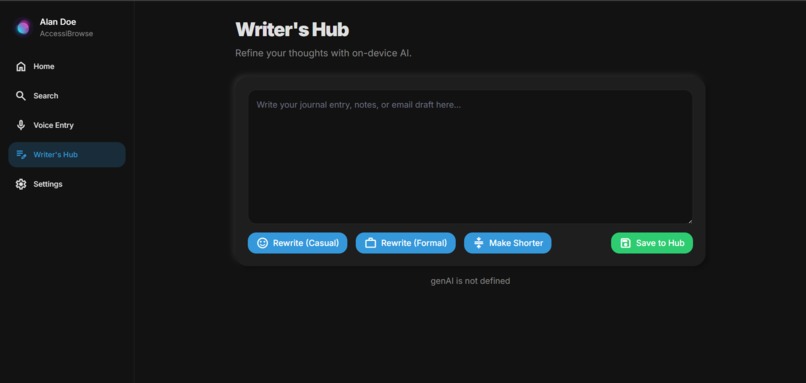
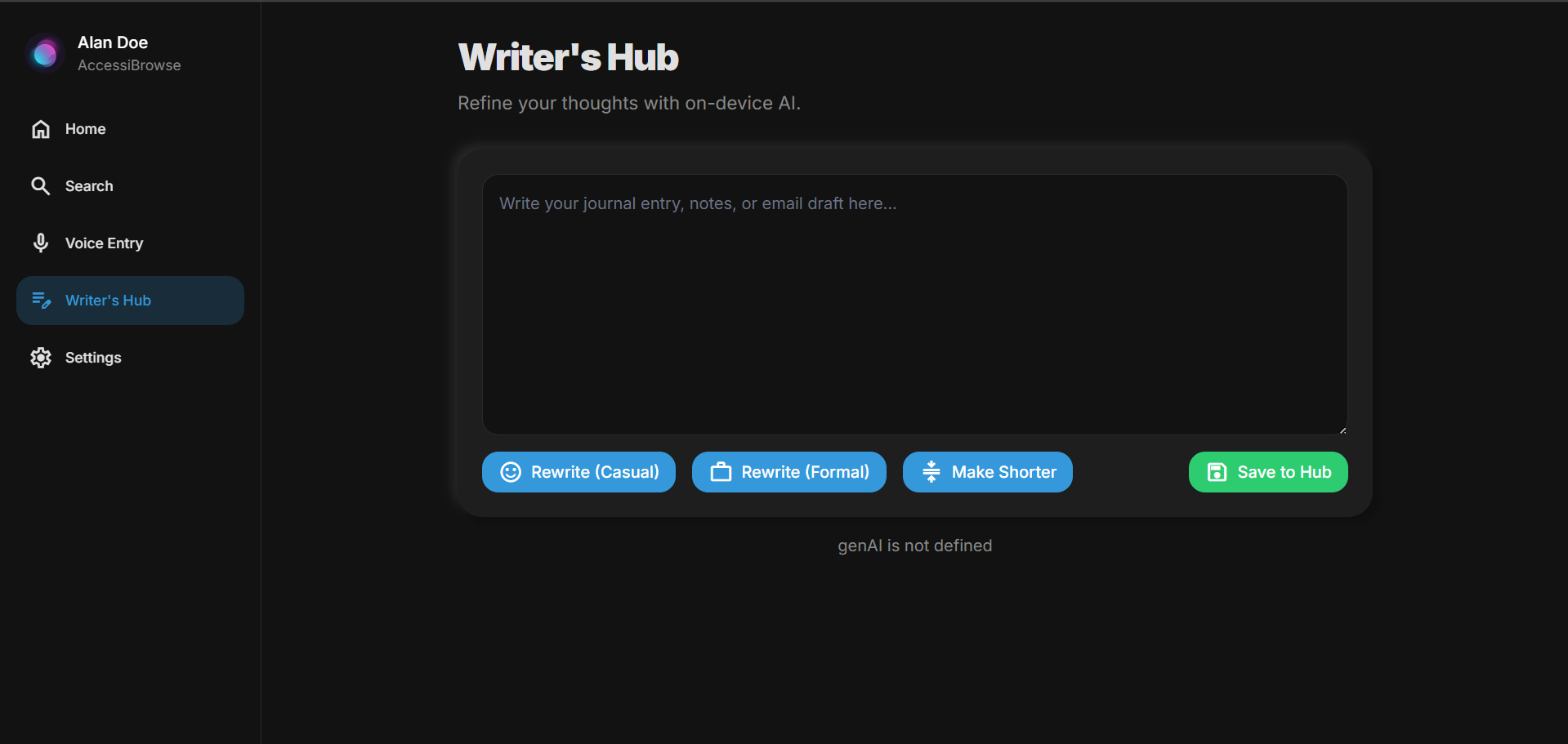
Writer's hub page
-
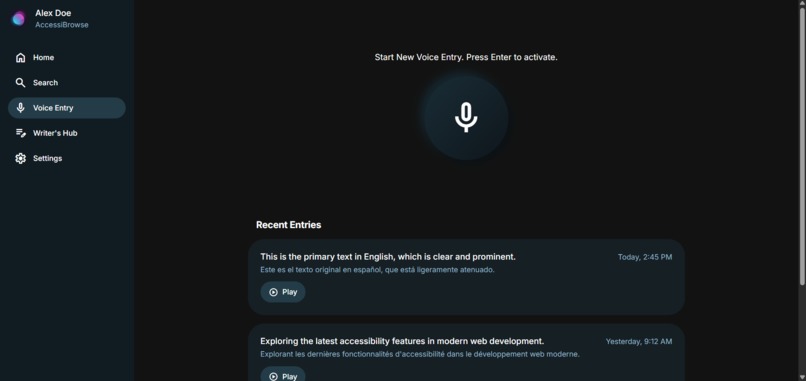
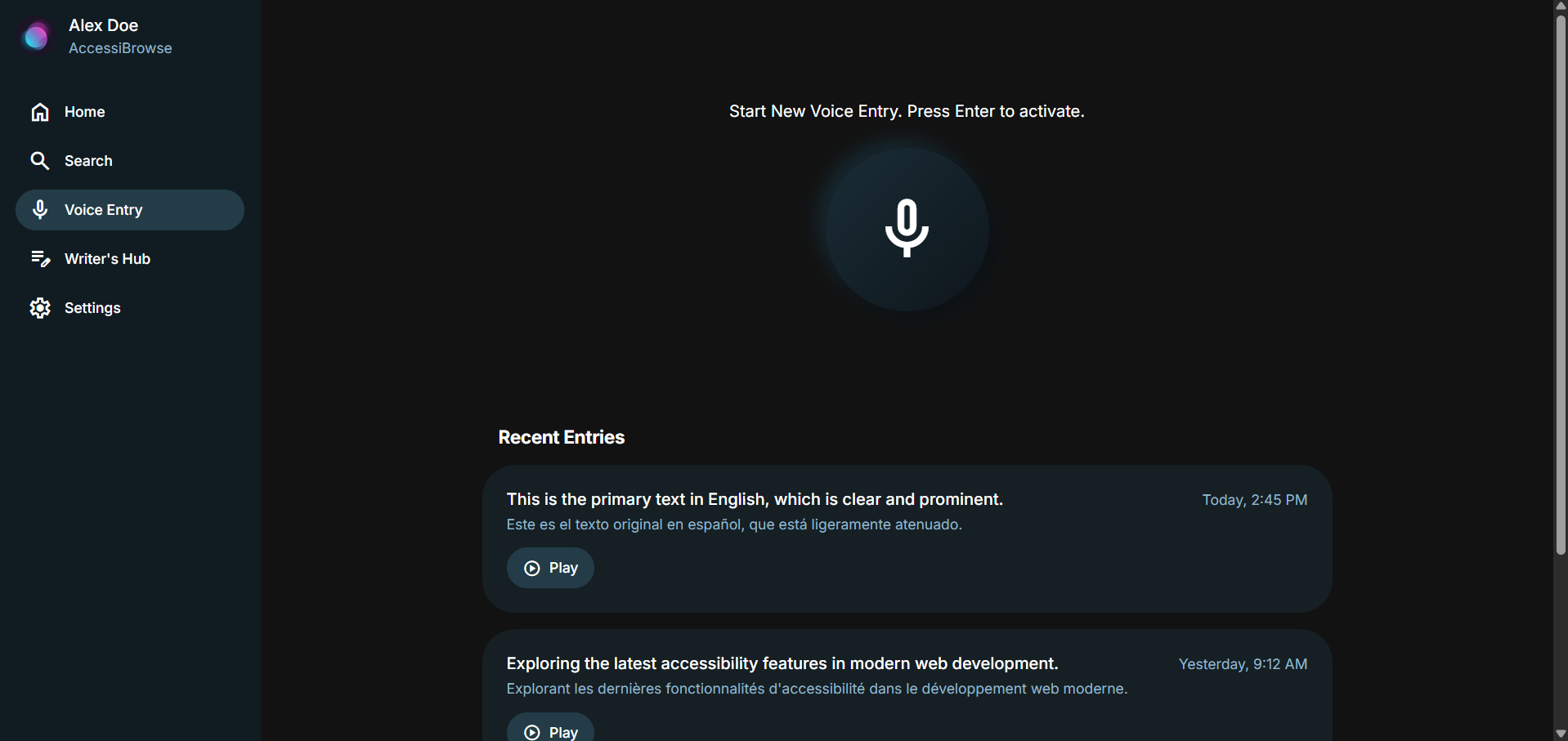
Voice entry page
-
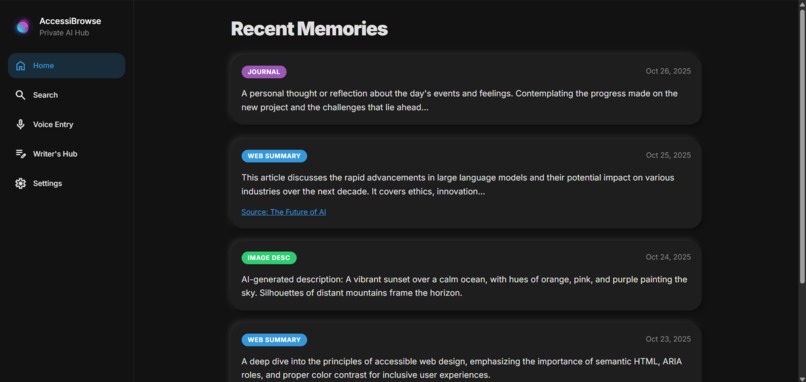
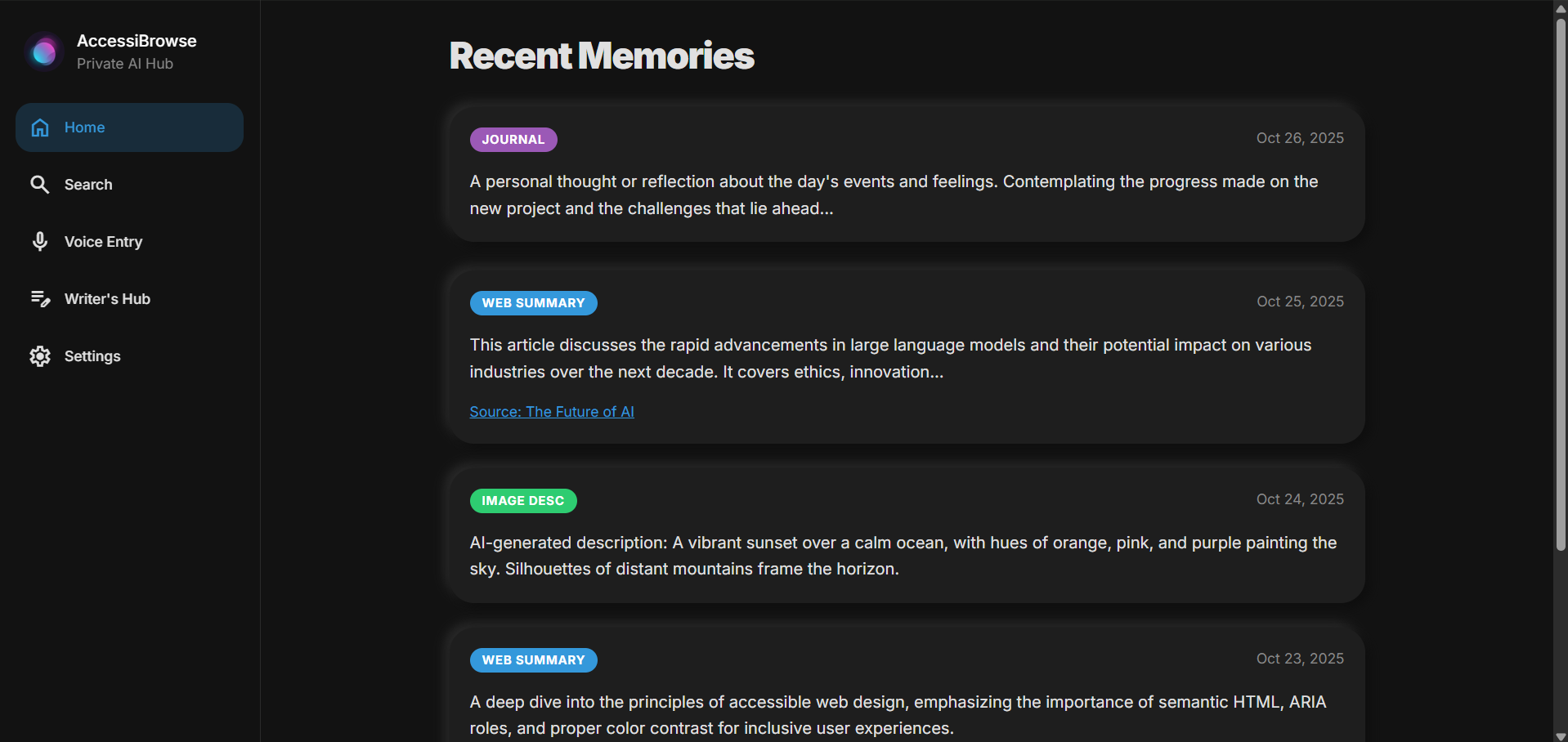
Home page
-
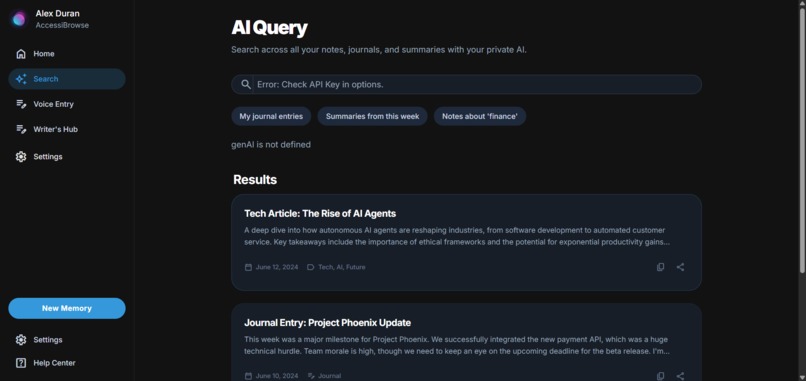
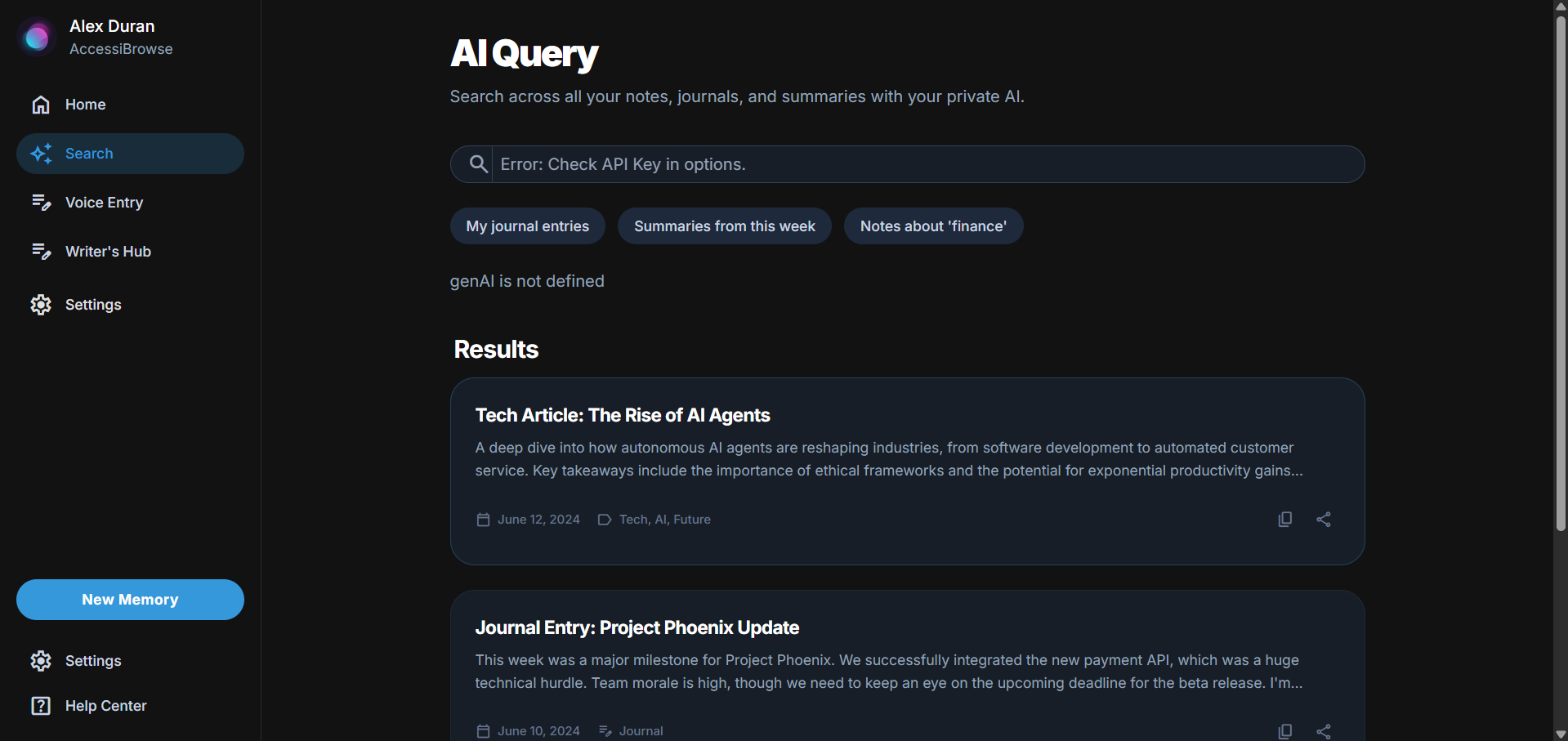
Search page
-
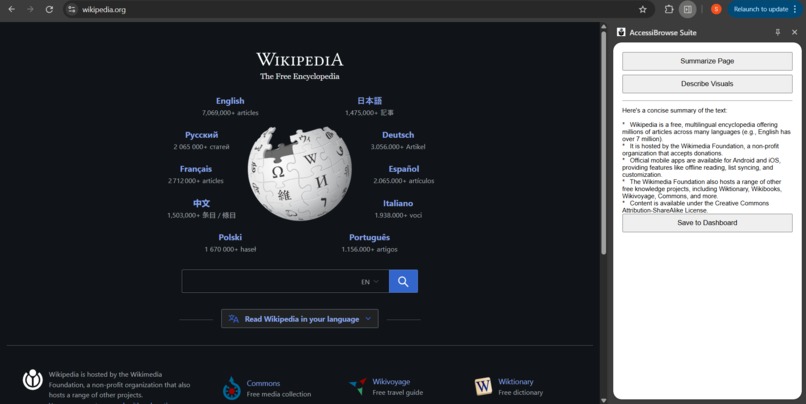
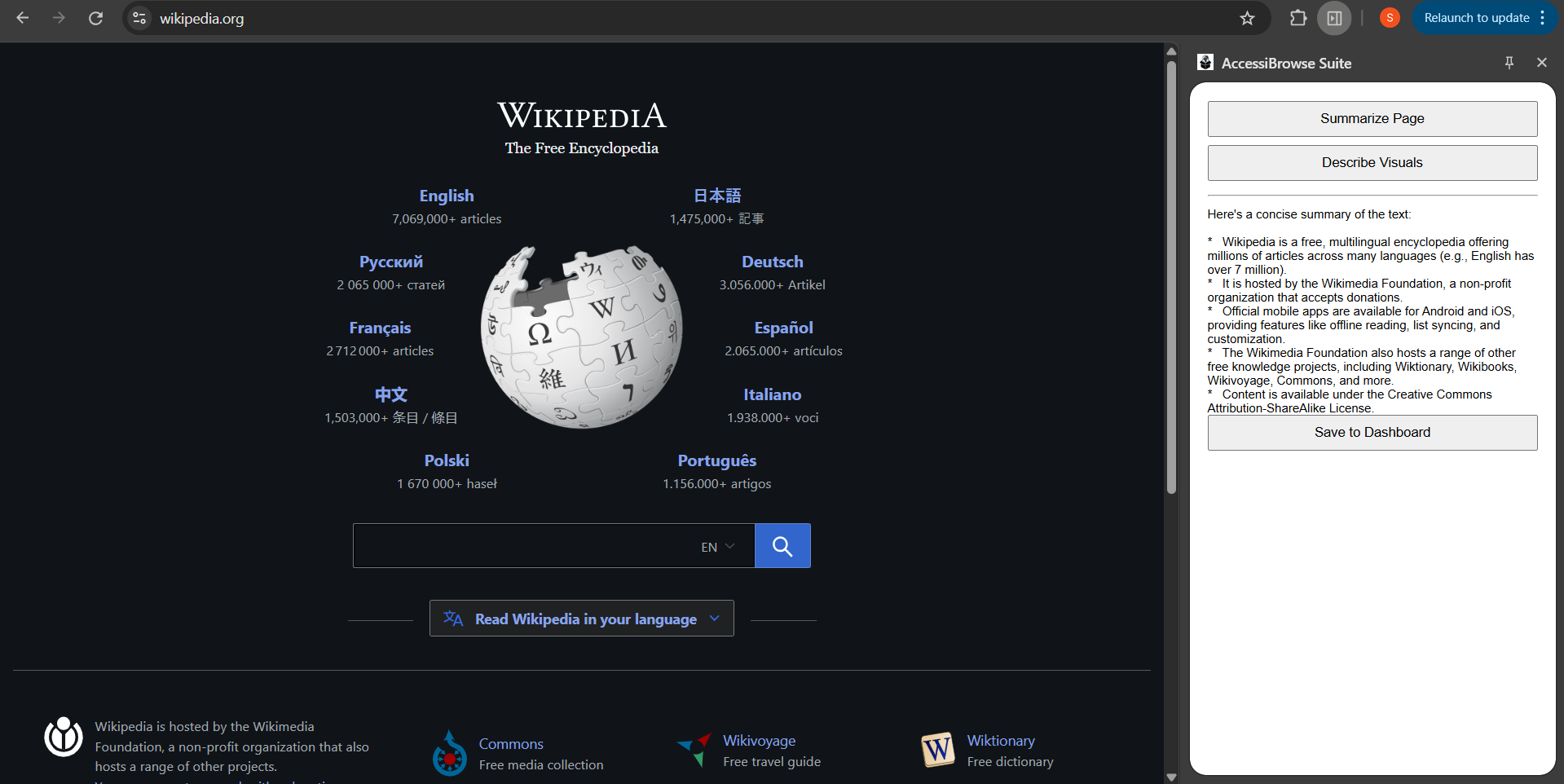
Chrome extension summarizing webpage
-
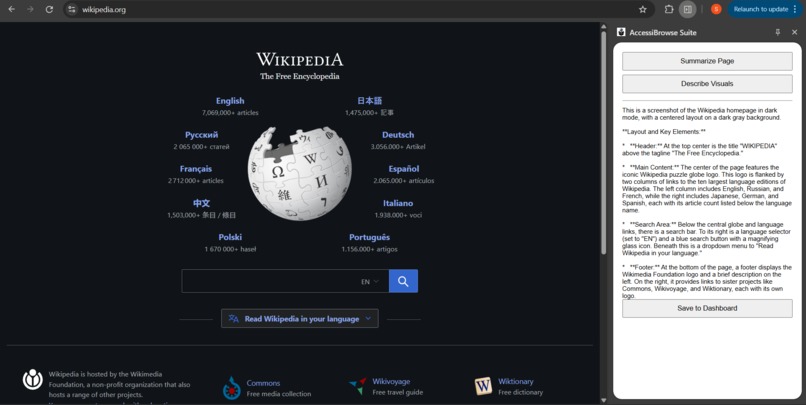
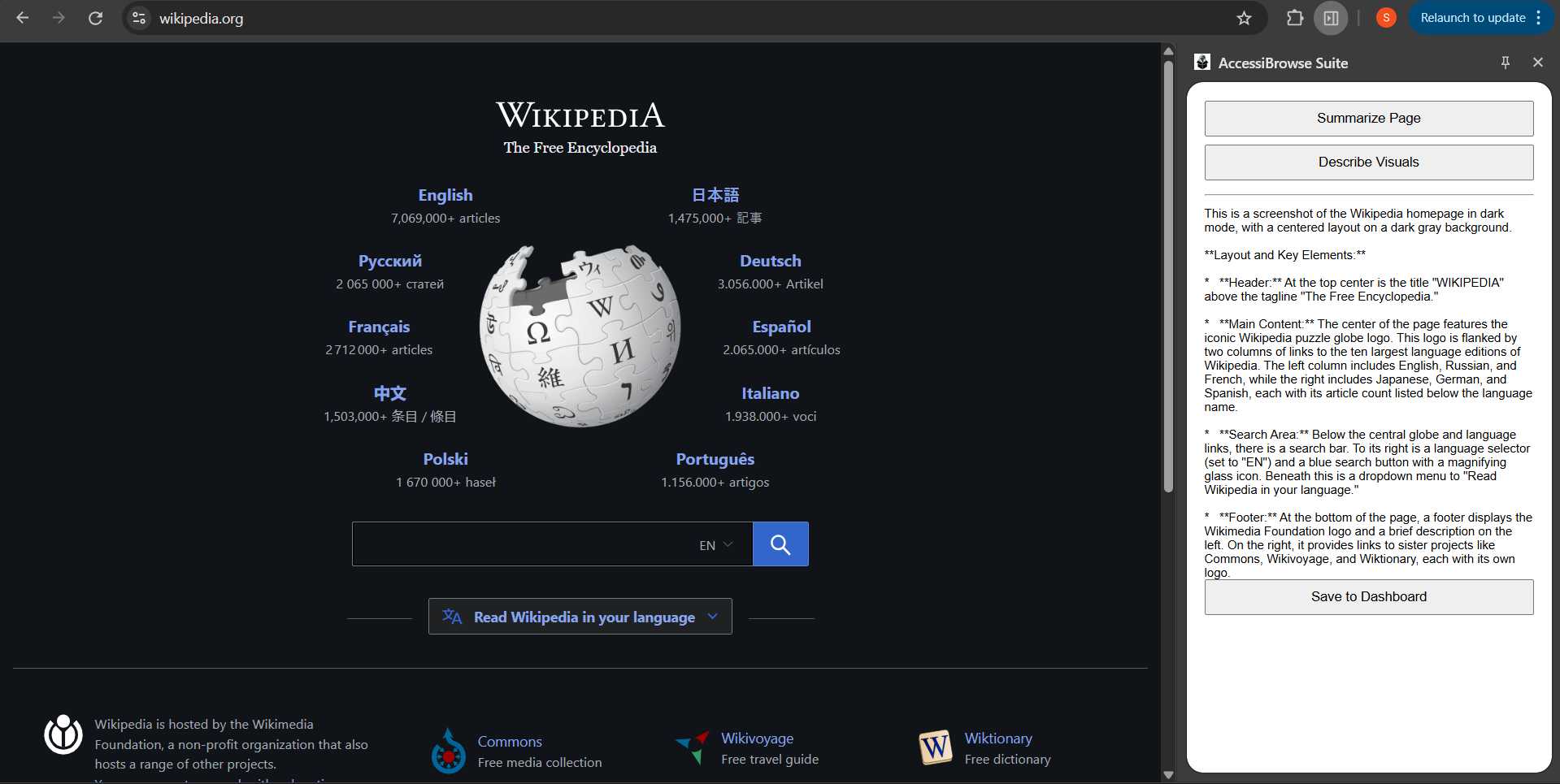
Chrome extension describing visuals of webpage
Inspiration
For millions of blind and low-vision users, the web is a broken, frustrating experience. Standard screen readers are blind to text inside images, confused by complex visual layouts, and can't provide a simple overview of a long article. We were inspired by the "AI for Good" theme to tackle this massive accessibility gap. We also believe in privacy; modern AI tools shouldn't force users to upload their personal thoughts and browsing history to the cloud. AccessiBrowse was born from this dual inspiration: to build an "AI-powered visual layer" for the web that is 100% private.
What it does
AccessiBrowse Suite is a "hybrid AI" accessibility tool that gives visually impaired users the power to see, summarize, and semantically search the web. It's a two-part application:
The "Collector" (Chrome Extension): This tool acts as the user's "eyes." It uses hotkeys and a context menu to:
- Summarize any dense webpage into clean, spoken bullet points.
- Describe Visuals: Take a screenshot of the page and describe its layout (e.g., "a login form is on the left, a navigation bar is at the top").
The "Hub" (Private Dashboard): This is a 100% private, on-device PWA where all collected information is saved. It uses IndexedDB, meaning the user's data never leaves their machine. It features:
- A Voice-First Journal: Users can record their thoughts, which are transcribed and translated by AI.
- The Writer's Hub: An accessible text editor with AI rewrite tools.
- Private Semantic Search: The "killer feature." A user can type a concept like "my thoughts on that tech article," and the AI searches only their private, local database to find the relevant memories.
How we built it
This project is the definition of a Hybrid AI Strategy. We combined a cloud-based API for power with on-device storage for privacy.
Technology Stack:
- Chrome Extension (Manifest V3): For the "Collector" side panel, hotkeys (chrome.commands), and context menus (chrome.contextMenus).
- Service Worker: As the central "brain" to handle API calls using fetch and manage background tasks.
- PWA (HTML, CSS, JS): The "Hub" dashboard is a full, multi-page web app bundled inside the extension, allowing it to share the same data.
- IndexedDB: The on-device database used to store all user data (summaries, journal entries, etc.) privately.
- Gemini (Cloud) API: We used the gemini-2.5-flash model for fast summarization and gemini-2.5-pro for complex vision tasks.
- Chrome APIs: We used chrome.tts for all spoken feedback and chrome.speechRecognition for the voice journal.
Architecture: The service worker handles all secure, authenticated fetch requests to the Gemini API. The side panel and dashboard pages are "clients" that send messages to the service worker or call addMemory directly. The key was separating the UI (the PWA) from the engine (the service worker) while having both access the same local IndexedDB.
Challenges we ran into
This project was a constant battle with subtle, complex bugs that taught us a lot about modern web architecture.
- The Great API Hunt: Our biggest challenge was a series of 4xx errors from the Gemini API. We debugged 404 (Not Found) errors by discovering the difference between the v1 and v1beta endpoints, and finally realized our AI Studio key was provisioned for specific models (gemini-2.5-flash / gemini-2.5-pro), not the older gemini-pro.
- The Quota Error: We also hit 429 (Quota Exceeded) errors, which confirmed our API key was working but that we were debugging too fast for the free tier limit!
- The Silent Save Failure: Our "Save" buttons would do nothing with no console error. We traced this to a complex bug: our service-worker.js was trying to import { addMemory } from './db.js', but it wasn't set as a module. Our fix (copy-pasting the DB code) then broke the script silently because of a lingering export keyword. The final, correct solution was to properly configure the service-worker as a module in the manifest and fix the db.js onupgradeneeded function.
- Hotkey Black Hole: The "not speaking" bug was maddening. It turned out the API call was failing due to the quota limit, and the catch block was only set to speak() the error. But since speak() also stops any current speech, it was cutting itself off, resulting in silence. Adding console.error() to every catch block was the key to finding the real problem.
Accomplishments that we're proud of
- Building a True Hybrid AI: We didn't just call an API. We successfully designed a system that leverages a powerful cloud AI while enforcing 100% user privacy by keeping all personal data on-device.
- The Private Semantic Search: This feature is a game changer. It gives users the power of modern AI to search their own thoughts and history, a feature even many commercial products don't offer due to their cloud-first nature.
- Solving a Real Problem: We're proud of building a tool that directly addresses a major "AI for Good" challenge, making the web more accessible for a community that is often left behind.
- Debugging Perseverance: We're proud of pushing through the "silent failures" and complex, interacting bugs in the Chrome extension environment.
What we learned
- Service Workers are Tricky: They live in their own world. Understanding their lifecycle, how to communicate with them, and their restrictions (like module imports) is a steep learning curve.
- Always Make Errors Loud: Never write a catch block that doesn't console.error(). Silent failures are the hardest bugs to solve.
- API Specs are Law: The difference between v1 and v1beta, and which models are available, is not a suggestion, it's the root of all API-related 404s.
- Permissions are Everything: A feature not working? It's probably a missing permission in manifest.json (tts, commands, host_permissions, etc.).
- IndexedDB is Powerful but Finicky: The onupgradeneeded event is the only place to safely create your database structure. Getting this wrong breaks everything.
What's next for AccessiBrowse
This is just the beginning. The "Hub" architecture is built to be expanded.
- On-Device Models: The next logical step is to integrate a true on-device model (like gemma:2b via chrome.ai) for smaller tasks, making the app even more private and fast.
- The "Cognitive Layer": We want to move beyond simple summarization to a "cognitive" layer that can track context across pages, helping users with multi-step tasks like booking a flight or filling out complex forms.
- Publish to the Chrome Web Store: We want to polish the UI, ensure it's fully keyboard-navigable, and release it for free to start getting real-world feedback from the community we built it for.
Built With
- css
- gemini-api
- gemini-nano
- html5
- indexeddb
- javascript
- prompt-api
- rewriter-api
- summarizer-api

Log in or sign up for Devpost to join the conversation.