Inspiration
Finding truly accessible places can be a significant challenge for individuals with mobility impairments. While standard mapping tools might offer basic information, details about the quality of access or potential nuances are often missing. We were inspired to bridge this gap by leveraging modern web technologies and AI. We wanted to create a tool, initially focused on Montreal, that goes beyond simple checkboxes to provide more practical, contextual insights, making it easier for wheelchair users and others with mobility needs to navigate their city with confidence.
What it does
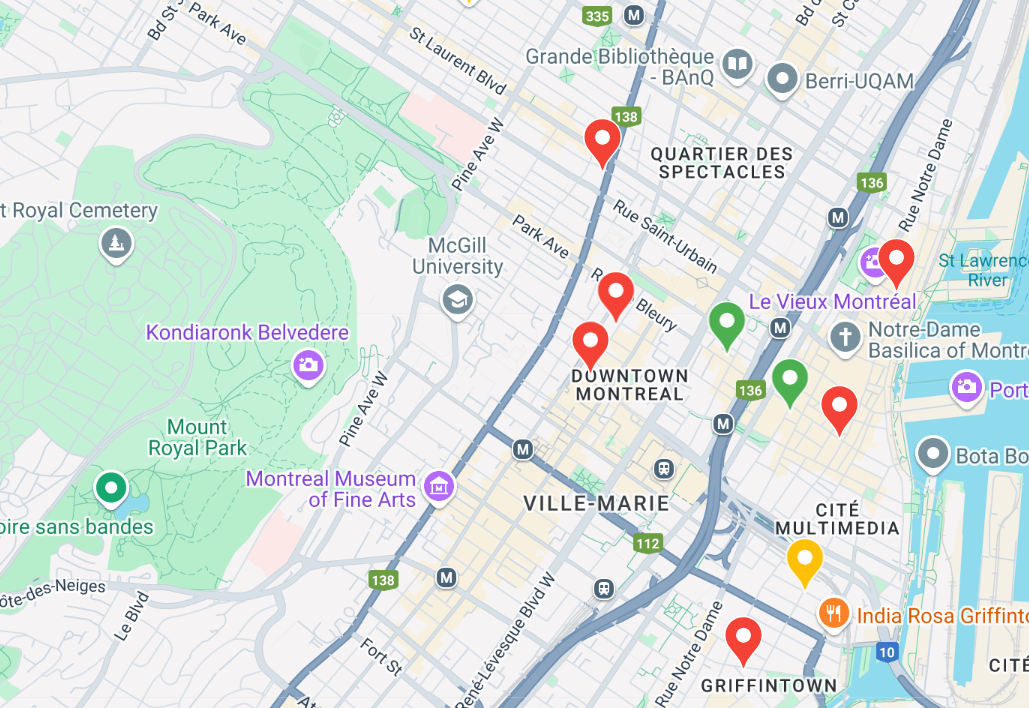
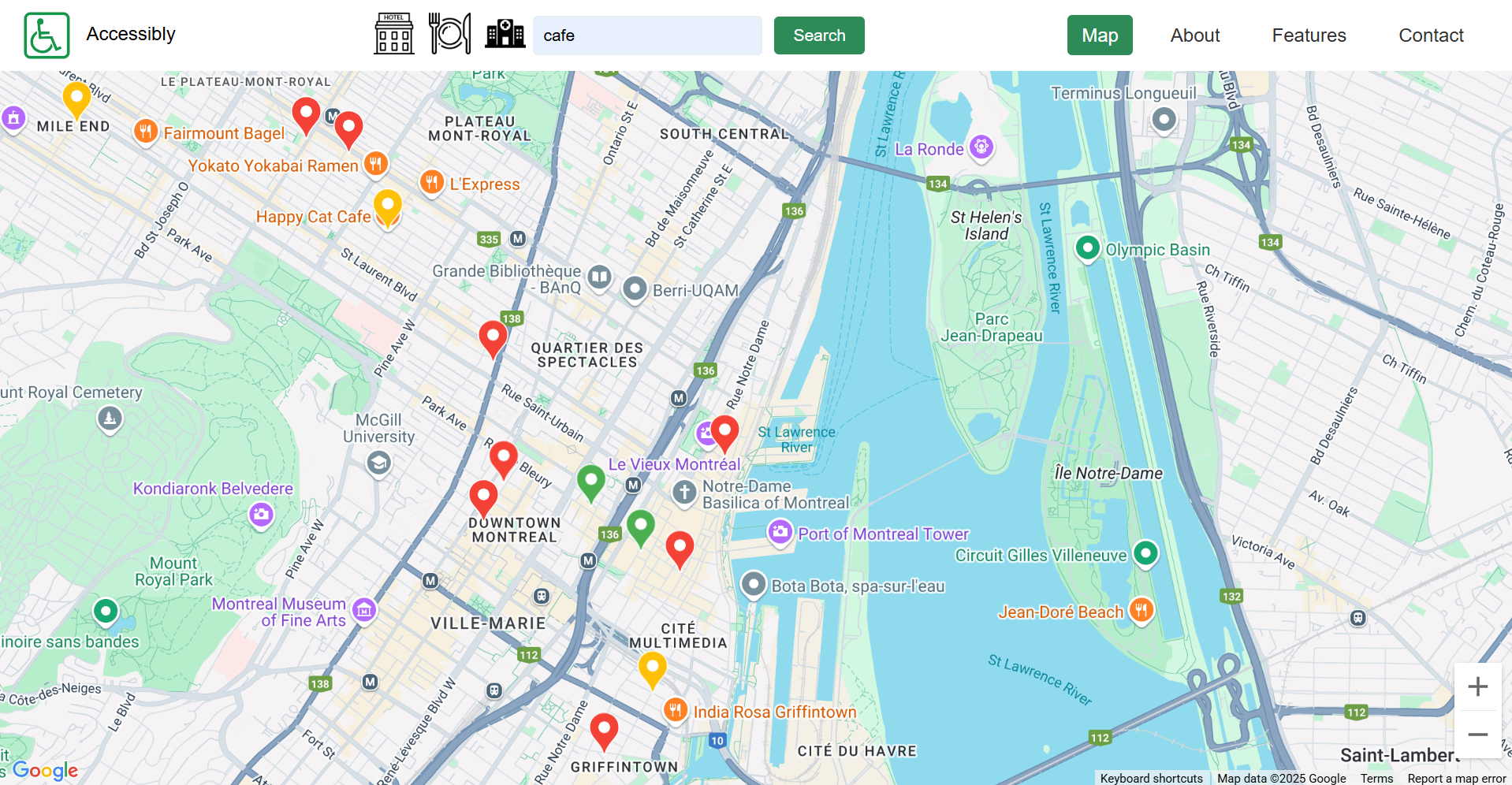
AccessiMap provides an interactive map interface (using Google Maps) centered on Montreal. Users can search for types of places (like cafes, libraries, etc.) or explore the map directly. Locations are displayed with color-coded markers indicating their known level of basic wheelchair accessibility (entrance, seating, restroom, parking) retrieved via the Google Places API.
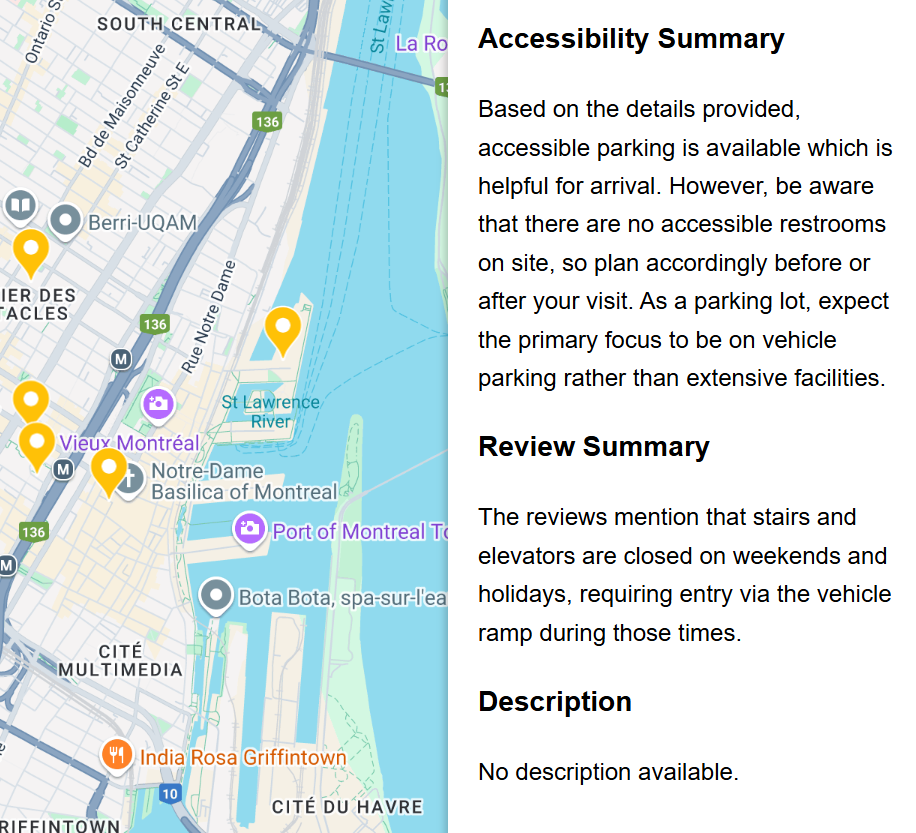
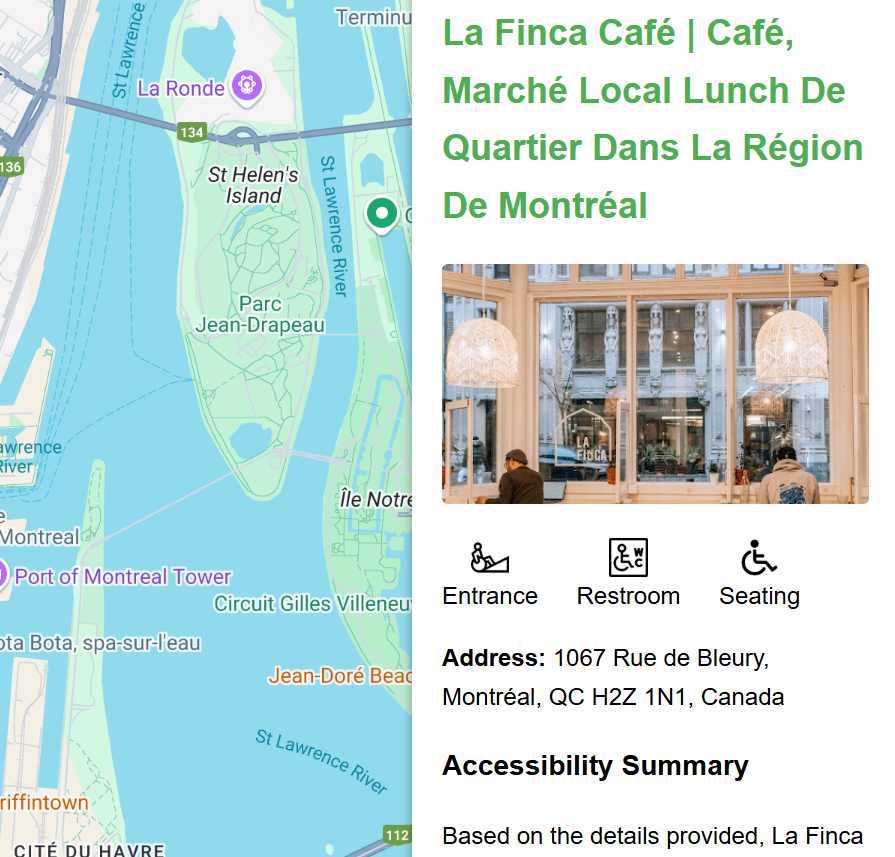
When a user selects a location marker, a sidebar appears showing:
- The location's name and address.
- Basic accessibility flags (Wheelchair Accessible Entrance, Restroom, Seating, Parking - based on available Google Places data).
- AI-Generated Accessibility Considerations: This key feature uses the Gemini API to provide a short, natural language summary. Based on the location type (e.g., 'Cafe', 'Museum') and its known basic accessibility flags, the AI generates practical insights about potential nuances or common challenges a wheelchair user might still encounter (e.g., potential interior space constraints, path from parking, variability in restroom usability), helping users make more informed decisions.
How we built it
AccessiMap is a web application built with a Node.js/TypeScript backend and a Vite/HTML/JavaScript frontend.
- Mapping Interface: The frontend uses the Google Maps JavaScript SDK to display the interactive map centered on Montreal and manage markers.
- Place Discovery: When the user searches or explores, the frontend interacts with the Google Places API (specifically Place Search and Place Details) to find relevant locations and retrieve basic information, including available accessibility flags (
wheelchair_accessible_entrance, etc.) and coordinates. - Displaying Information: Basic place details and accessibility flags are displayed immediately in the sidebar when a marker is clicked.
- AI Insights Generation: Simultaneously, a request is sent from the frontend to our Node.js backend. The backend constructs a specific prompt containing the location's name, type, and known basic accessibility flags.
- LLM Call: The backend sends this prompt to the Gemini API (specifically using a model like Gemini Flash for speed).
- Displaying AI Summary: The backend receives the generated text summary from Gemini and sends it back to the frontend, which then displays it in the sidebar under the "AI-Generated Considerations" section (handling the asynchronous response with a loading indicator).
Challenges we ran into
- Data Scarcity & Reliability: Finding detailed, reliable, and comprehensive accessibility data programmatically is very difficult. Google Places API often only provides the
wheelchair_accessible_entranceflag, and other details are sparse or missing. This limitation was a key motivator for using AI to add contextual value. - AI Prompt Engineering: Crafting the right prompt for Gemini was crucial. We needed it to generate genuinely useful and relevant insights based on limited input data, without hallucinating specific details it couldn't know. This required iterative testing and refinement.
- LLM Latency: Ensuring the AI generation didn't make the app feel sluggish. We opted for Gemini Flash and implemented asynchronous loading with visual indicators in the UI so users weren't blocked while waiting for the AI insights.
- Scope Management: Our initial ideas were broader (including visual/hearing impairments), but given the hackathon timeframe, we focused specifically on mobility impairments to deliver a functional core product.
Accomplishments that we're proud of
- Successfully integrating Google Maps, Google Places, and the Gemini AI API into a cohesive user experience.
- Implementing the core AI feature: generating nuanced accessibility considerations that provide value beyond basic data flags.
- Creating a clean, functional map interface with interactive markers and an informative sidebar.
- Overcoming the challenge of limited structured data by leveraging AI's contextual understanding.
- Delivering a working prototype focused on a real-world need within the hackathon constraints.
What we learned
- The significant limitations of current publicly available accessibility data APIs.
- Practical prompt engineering techniques to elicit useful, grounded responses from LLMs like Gemini.
- Techniques for managing asynchronous operations and perceived latency when integrating external AI APIs in a web application.
- Hands-on experience with the Google Maps JavaScript SDK, Google Places API, and Gemini API.
- The importance of focusing scope tightly during a hackathon to ensure a deliverable outcome.
What's next for Accessibly
- Improve Mobile Responsiveness: Ensure the interface works seamlessly on various screen sizes.
- Expand Data Sources: Integrate data from OpenStreetMap accessibility tags or potentially develop a simple community feedback mechanism for users to report details or inaccuracies.
- Broader Accessibility Support: Revisit the initial goal of incorporating information relevant to visual, hearing, or sensory accessibility needs.
- User Accounts & Contributions: Allow users to save favorite locations or potentially contribute more detailed accessibility reviews/ratings.
- Geographic Expansion: Enable functionality beyond the initial Montreal focus.
- Backend Database: Implement a database to cache Place details and AI-generated summaries, potentially storing user-contributed data in the future.


Log in or sign up for Devpost to join the conversation.