-
-
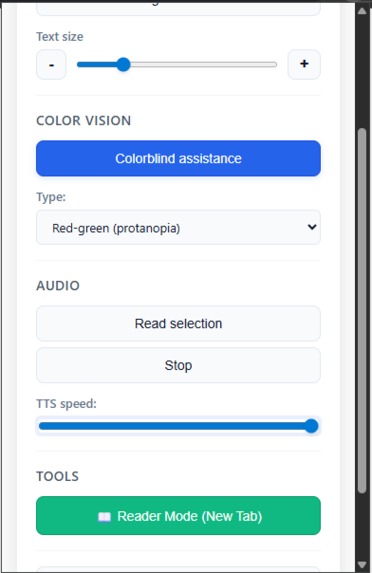
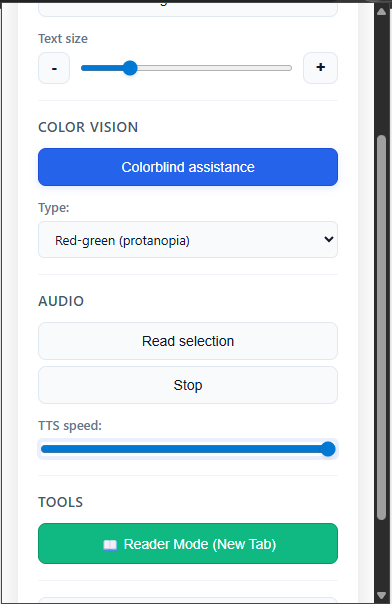
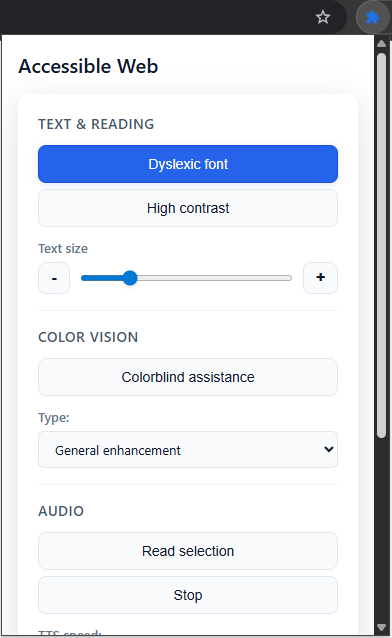
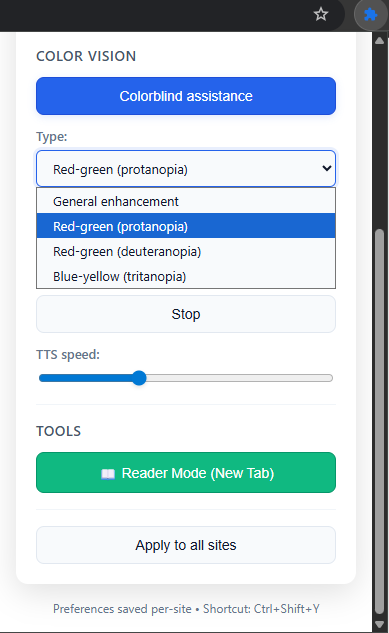
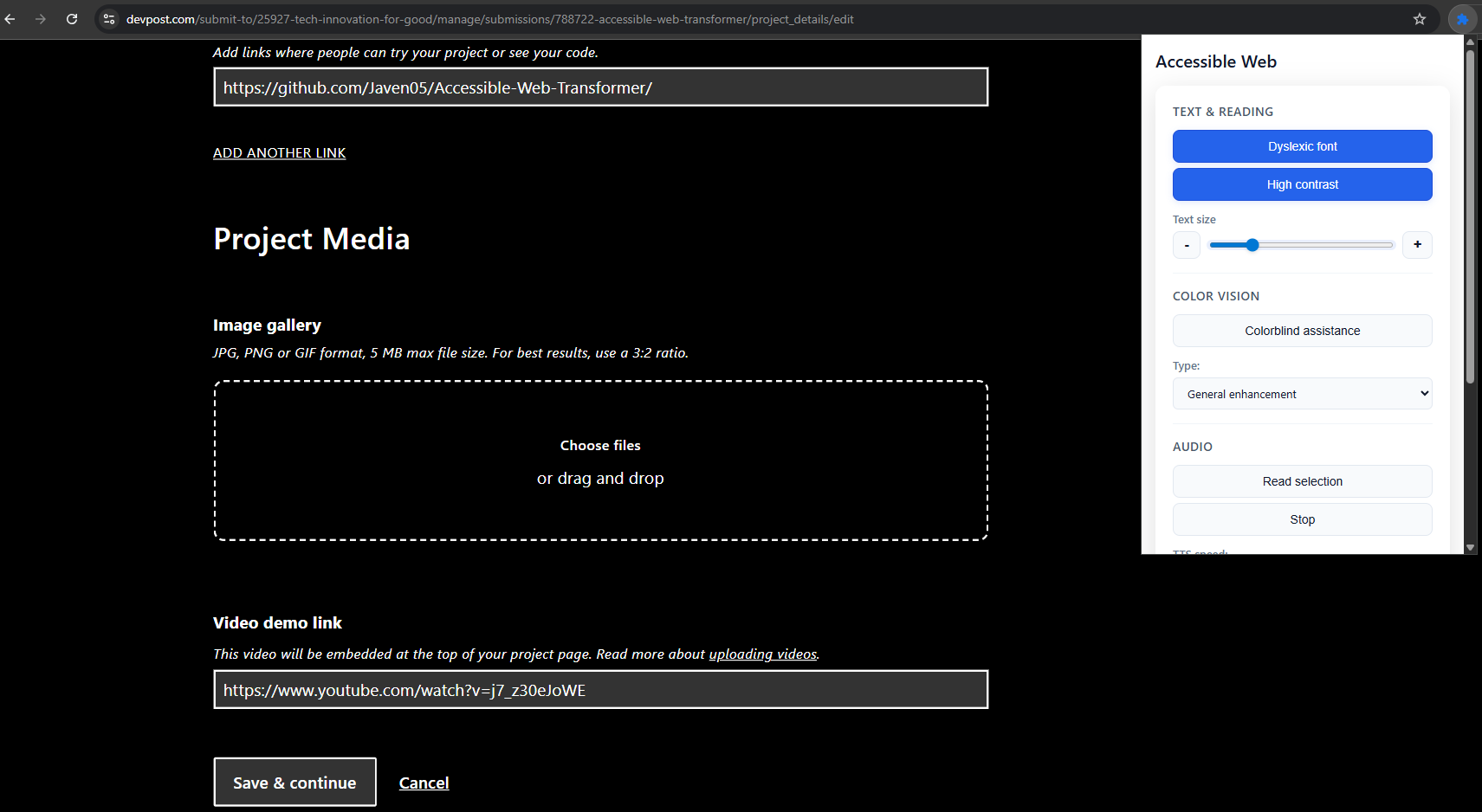
Settings popup (1)
-
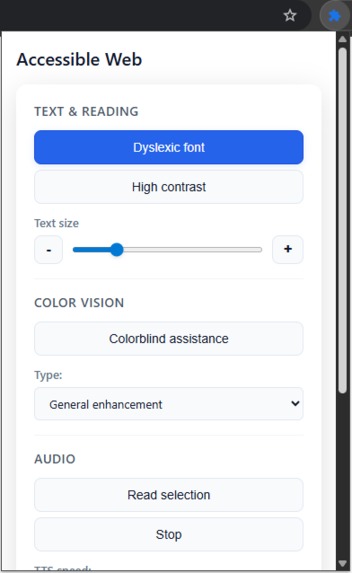
Settings popup (3)
-
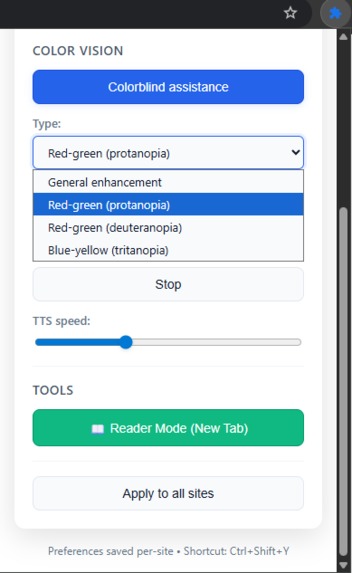
Settings popup (2)
-
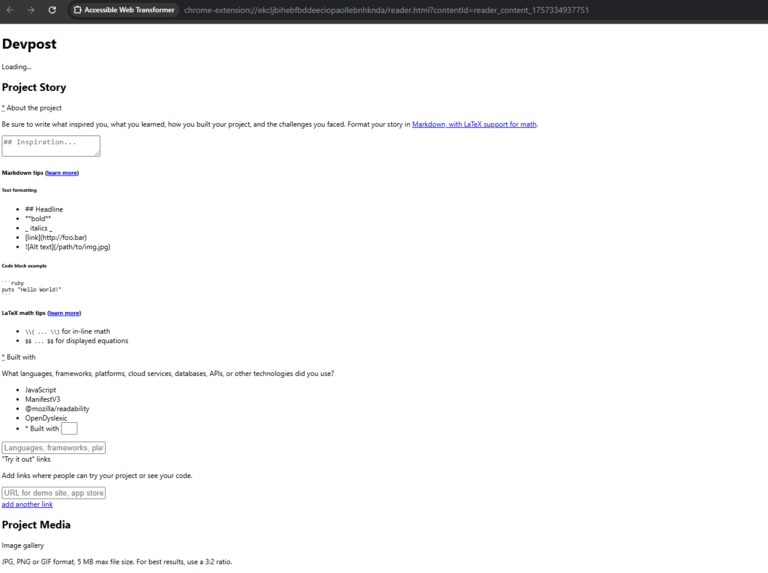
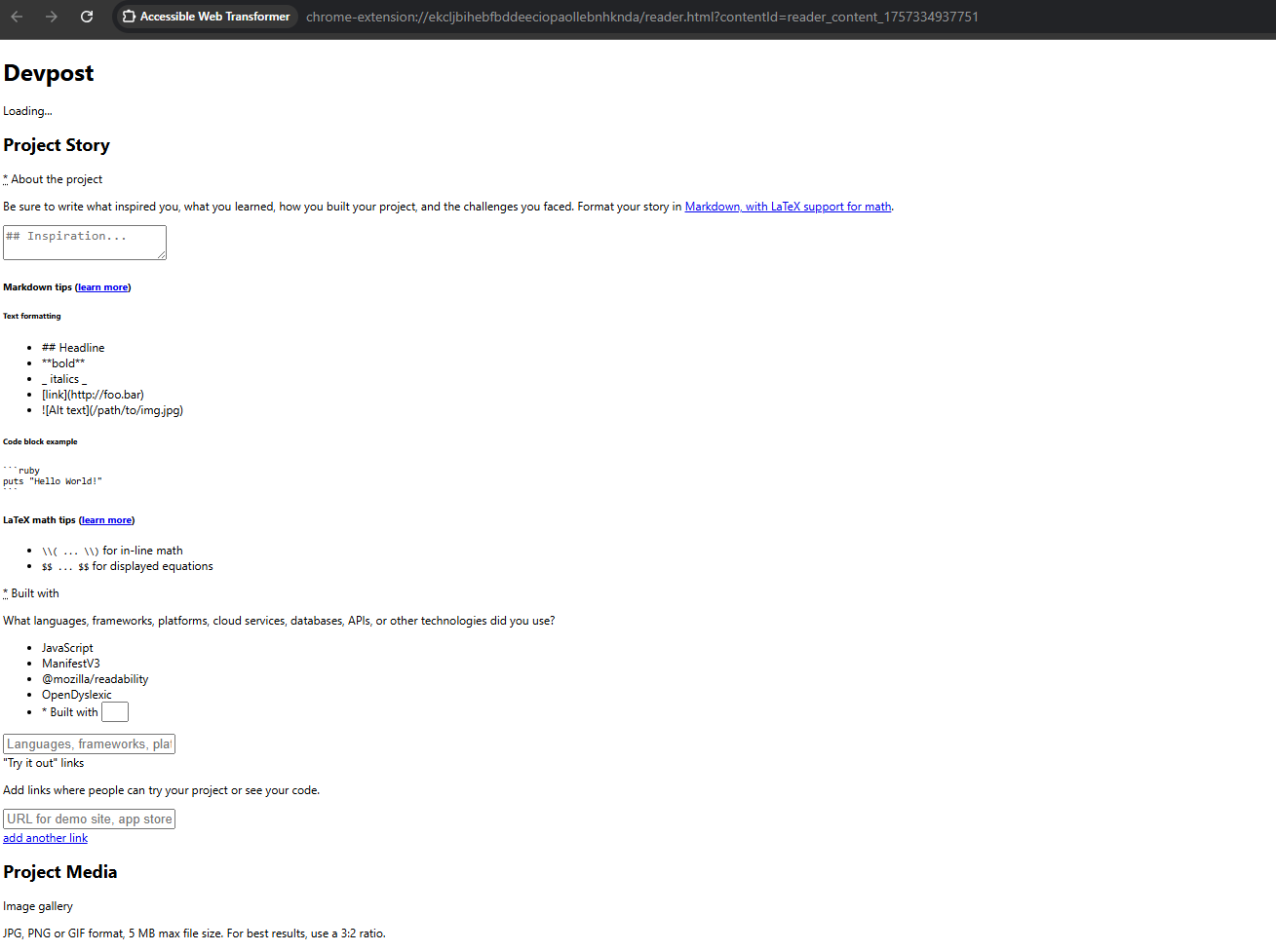
Reader Mode on new webpage
-
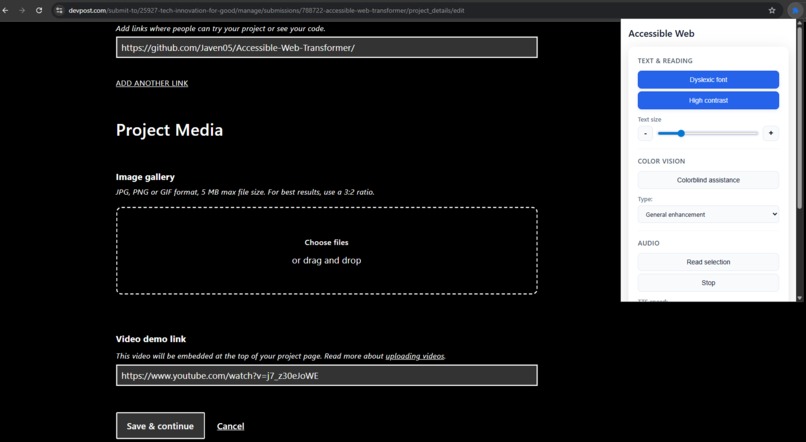
Extension modifying webpage
Inspiration
The web was built to be universal, yet over 1 billion people living with disabilities are still excluded every day.
- Dyslexic readers often struggle with standard fonts and page layouts, making reading slow and error-prone.
- Color-blind users can miss important information when visuals rely on color distinctions.
- People with low vision or blindness need assistive tools to perceive and navigate web content effectively.
- Users with cognitive challenges may find cluttered pages overwhelming and difficult to process.
- Individuals with motor impairments face obstacles when interacting with small buttons, precise controls, or scrolling-heavy interfaces.
Accessibility isn’t a single problem—it’s a spectrum of needs. We wanted to create something that doesn’t just target one group but grows into a universal accessibility layer for the internet.
That’s why we built Accessible Web Transformer—a one-click Chrome extension that adapts any website to fit the unique needs of its user, whether they live with visual, cognitive, or reading impairments.
What it does
Accessible Web Transformer combines multiple accessibility tools into one modular extension, empowering users to toggle only what helps them most.
✨ Current Features:
- Visual Assistance: Dyslexic-friendly font, high-contrast mode, adjustable text size
- Color Vision Filters: Modes for protanopia, deuteranopia, tritanopia, and more
- Cognitive Support: Distraction-free Reader Mode, simplified layouts
- Auditory Access: Text-to-speech for selected content or entire pages
- Smart Preferences: Save settings globally or per site
- Quick Access: Activate everything with a single keyboard shortcut
🌟 Universal Vision: Unlike tools that solve only one problem, Accessible Web Transformer is designed to eventually cover every major impairment category—visual, auditory, cognitive, and even motor accessibility—becoming a true all-in-one accessibility hub.
How we built it
- Chrome Extension (Manifest V3) integrated at the browser level
- Content Scripts to inject accessible CSS (fonts, spacing, contrast)
- Web Speech API for high-quality text-to-speech
- Mozilla Readability for Reader Mode parsing
- Storage API for per-site and global user preferences
- OpenDyslexic Font to improve readability for dyslexic users
Our modular design ensures we can keep adding accessibility modules, extending coverage to more impairments in the future.
Challenges we ran into
- CSS overrides clashing with websites
- Finding the right balance between accessibility filters and usability
- Optimizing text-to-speech on long, dynamic pages
- Designing a system that supports both per-site and global preferences without conflict
Accomplishments we’re proud of
- Delivered a working prototype that already empowers users with reading, color, and vision accessibility tools
- Unified multiple accessibility functions into one universal extension
- Designed a scalable framework that can keep expanding to serve more disabilities
- Centered everything around user-first simplicity—accessibility tools that are easy, not overwhelming
What we learned
- Accessibility is not about one feature—it’s about a mindset of inclusion
- Every small tweak (contrast, spacing, clutter removal) can have huge impact on usability
- Designing for diverse needs requires both technical creativity and human empathy
- Modular design is key for building a tool that can evolve to cover all disabilities
What’s next
We’re aiming to evolve Accessible Web Transformer into a universal accessibility companion:
- 🔍 OCR for Images → Read aloud embedded text for blind and low-vision users
- 🧠 AI Text Simplification → Rewrite complex content into plain language for cognitive accessibility
- 🎨 Custom Font Uploads → Let users bring their own accessible fonts
- 🖱️ Voice Commands / Keyboard Navigation → Support motor-impaired users
- 🌍 Cross-Browser & Mobile Support → Ensure accessibility everywhere, not just Chrome
Ultimately, we want Accessible Web Transformer to be the go-to digital toolkit for every kind of impairment so that no one is left behind to struggle with navigating the digital era.
Built With
- JavaScript
- HTML
- CSS
- Chrome Extensions (Manifest V3)
- Web Speech API
- Mozilla Readability
- OpenDyslexic Font
Built With
- javascript
- manifestv3
- mozilla/readability
- opendyslexia

Log in or sign up for Devpost to join the conversation.