-
-
UI2
Inspiration
Screen readers read a Slack channel top-to-bottom, symbol by symbol. If you can see your screen, you skim 50 unread messages in 10 seconds — bold text, reactions, who's typing all give you shortcuts. None of that works with a screen reader. Every message costs the same amount of time to hear, in order, with no way to skip ahead. That's a real barrier for the millions of working-age adults with vision impairments, and Slack doesn't have a good answer for it. We wanted to let a totally-blind user run Slack by ear, not just have it read aloud.
What it does
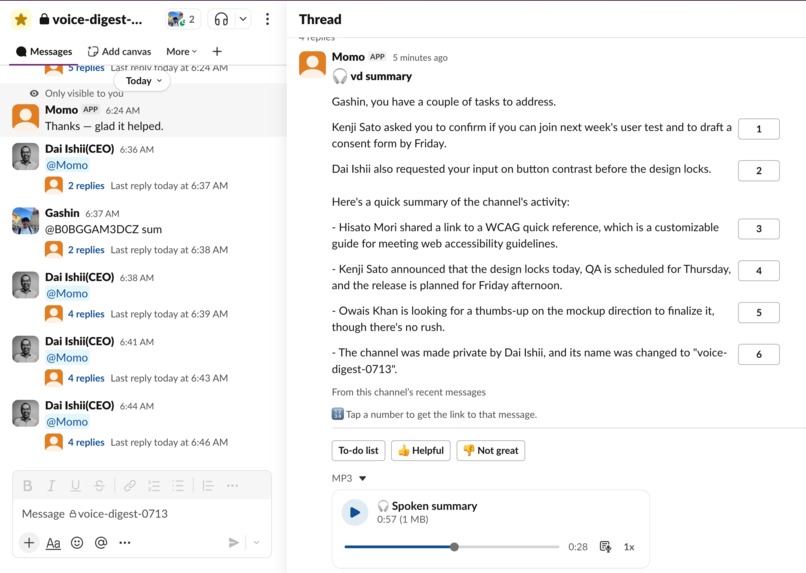
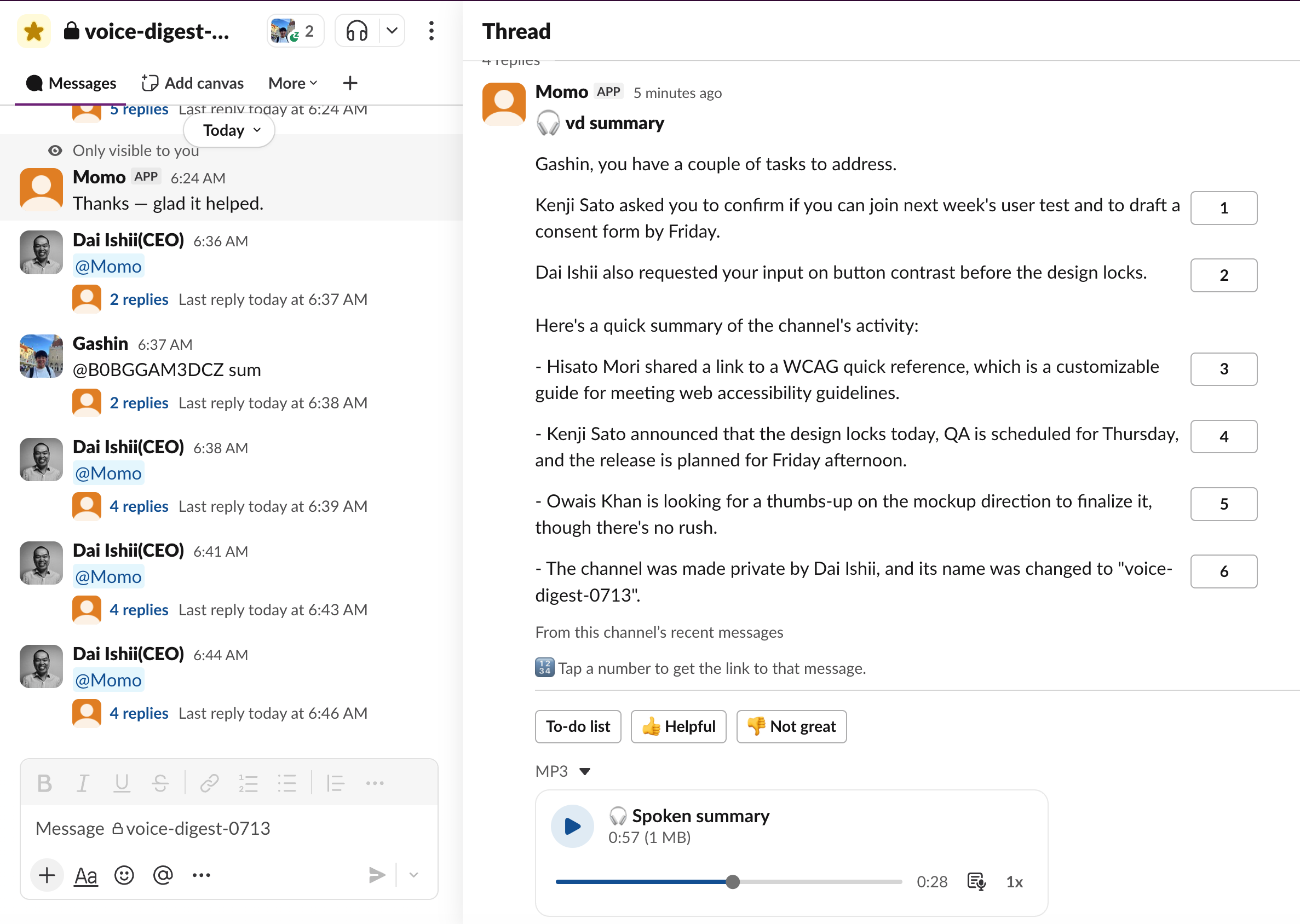
Mention @vd in a channel or thread, or DM it, and VoiceDigest gathers the relevant context, resolves user IDs to names, and returns an audio-first digest: anything addressed to you — requests, questions, deadlines — comes first, then everything else as short bullets.
It actually speaks. Every digest is also posted as a playable audio clip using OpenAI TTS, so a blind user can run Slack by ear, not only through a screen reader.
It's agentic, not scripted. The model runs a tool-calling loop and decides for itself when to describe an image or read a link, then grounds its answer in what it finds. Images and links become words through two custom MCP tools, describe_image and read_link.
The reply itself is built for screen readers: a header, the digest, a "To-do list" that renders as a Data Table with a graceful fallback to checkboxes, and 👍/👎 feedback buttons.
How we built it
VoiceDigest ships its own MCP server, vd-accessibility, speaking stdio JSON-RPC 2.0 with nothing but the Python standard library. It exposes two tools:
describe_image(image_url, context?)— uses OpenAI vision (gpt-4o-mini) to produce a blind-friendly description; Slack's private file URLs are fetched with the bot's bearer token.read_link(url)— fetches a web page, strips the HTML, and summarizes it for audio.
The bot itself (src/bot.py, built on Slack Bolt) is the MCP client: on startup it spawns the server as a subprocess, exposes its tools to the model as function declarations, and runs an agentic tool loop so the model calls tools on its own. It's a real, reusable MCP server — any MCP client, including Claude Desktop, can mount it.
For grounding, VoiceDigest optionally pulls fresh cross-channel context through Slack's Real-Time Search (assistant.search.context), and falls back transparently to conversations.history when Real-Time Search isn't authorized — so it always works in any workspace.
The whole thing runs on Socket Mode, so there's no public URL, no web framework, and no database — just the standard library plus slack_bolt. One OPENAI_API_KEY covers reasoning, vision, and speech (gpt-4o-mini for reasoning/function-calling/vision, tts-1 for voice).
Challenges we ran into
- Keeping the audio digest short enough to be usable while still surfacing what's actually addressed to the user first, ahead of general channel chatter.
- Building a real MCP server from scratch with only the standard library — no framework to lean on for the stdio JSON-RPC transport.
- Making the tool-calling loop genuinely agentic (the model deciding when to call
describe_imageorread_link) rather than hardcoding when those tools fire. - Designing Block Kit output that degrades gracefully for screen readers — the Data Table to-do list needed a checkbox fallback for clients that don't render it accessibly.
What's next
Expanding Real-Time Search coverage across more workspace permission tiers, and extending the MCP server's tool set beyond images and links.
Built With
- gpt-4o-mini
- mcp
- openai
- openai-tts
- python
- slack-api
- slack-bolt

Log in or sign up for Devpost to join the conversation.