Inspiration
Modern websites often look good visually but hide serious accessibility issues—missing alt text, unlabeled inputs, poor contrast, broken heading hierarchy. These problems exclude millions of users and are hard for beginners to spot. We wanted a tool that made accessibility instant, actionable, and beginner-friendly, especially for student teams building fast during hackathons.
What it does
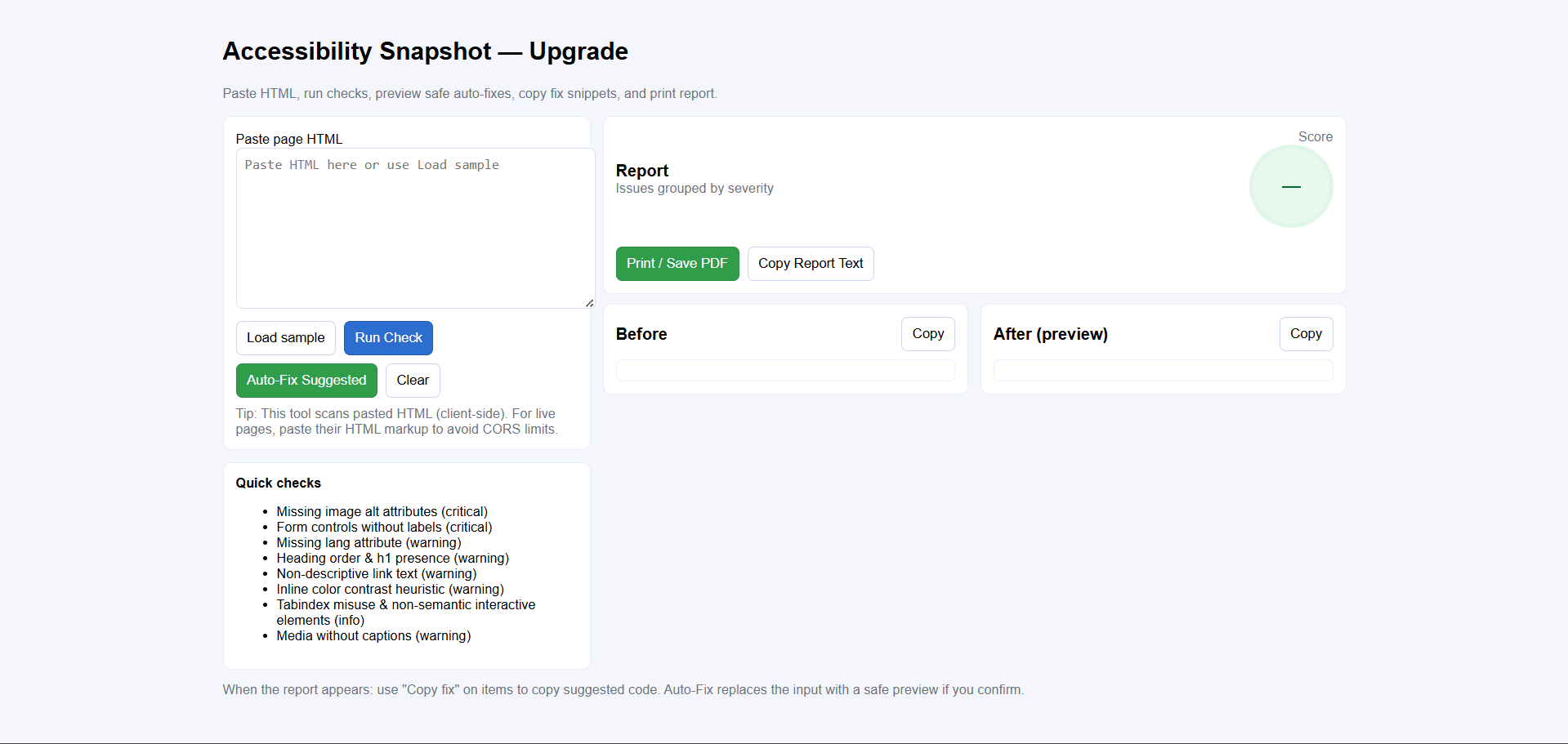
Accessibility Snapshot scans any pasted HTML and instantly detects critical accessibility issues. It highlights missing alt attributes, unlabeled form controls, bad link text, heading structure errors, contrast problems, ARIA misuse, and more. It then generates a clear, prioritized report with one-click fix suggestions, a before/after preview, and a print-ready audit—helping anyone quickly make their site more inclusive.
How we built it
We built a fully client-side web tool using HTML, CSS, and JavaScript. Using the browser’s DOMParser, we convert the user’s pasted HTML into a live DOM tree and run heuristic checks on images, headings, form controls, links, inline styles, and media elements. We structured issues into severity tiers and built a dynamic report UI, an auto-fix preview engine, and a sanitised before/after view. Everything runs locally in the browser—no backend, no uploads, fully private.
Challenges we ran into
- Avoiding false positives while keeping checks lightweight
- Handling broken or partial HTML without causing parser errors
- Designing safe auto-fixes that never overwrite meaningful content
- Ensuring regex sanitizers worked reliably across browsers
- Balancing thoroughness with instant performance for a smooth UX
Accomplishments that we're proud of
- Built a full accessibility auditing tool in just a few hours
- Implemented real, meaningful checks—not just UI placeholders
- Added safe auto-fix preview with side-by-side code comparison
- Produced a polished, print-ready accessibility report suitable for real teams
- Created an inclusive tool that lowers the barrier to accessible development
What we learned
- Accessibility issues are often simple but widespread
- Developers improve faster when they get clear fixes instead of vague warnings
- A small set of strong heuristics can catch the majority of beginner-level a11y problems
- Good UX matters—even for tools aimed at developers
- Building fully client-side tools increases privacy and ease of use
What's next for Accessibility Snapshot
- Add URL scanning with a lightweight proxy (or user-side browser extension)
- Add deeper CSS contrast analysis and color-blindness simulation
- Provide keyboard-navigation flow detection and focus-trap checks
- Export reports as JSON or GitHub-ready comments for CI pipelines
- Build a Chrome extension for real-time a11y audits while browsing
- Add multi-page audits and score history for teams tracking improvements
Built With
- css3
- domparserapi
- html5
- javascript


Log in or sign up for Devpost to join the conversation.