Accessibility Copilot
See it. Understand it. Fix it. Verify it.
Inspiration
Accessibility is essential to building digital experiences that everyone can use, but it is still often treated as something to check at the end of development rather than throughout the design and development process.
Existing accessibility tools can identify many problems, but their results can be technical and difficult to translate into actual changes. A developer may know that a page failed an accessibility rule without immediately understanding why it matters, who it affects, or how to fix it.
We built Accessibility Copilot to bridge that gap.
Our goal was to explore whether AI and deterministic accessibility testing could work together to make accessibility issues easier to detect, understand, and remediate.
The idea behind our approach is simple:
AI proposes. Rules verify. Humans decide.
Instead of using AI as an accessibility authority, Accessibility Copilot combines AI-assisted reasoning with established accessibility standards and testing tools to help developers make more informed accessibility decisions.
What it does
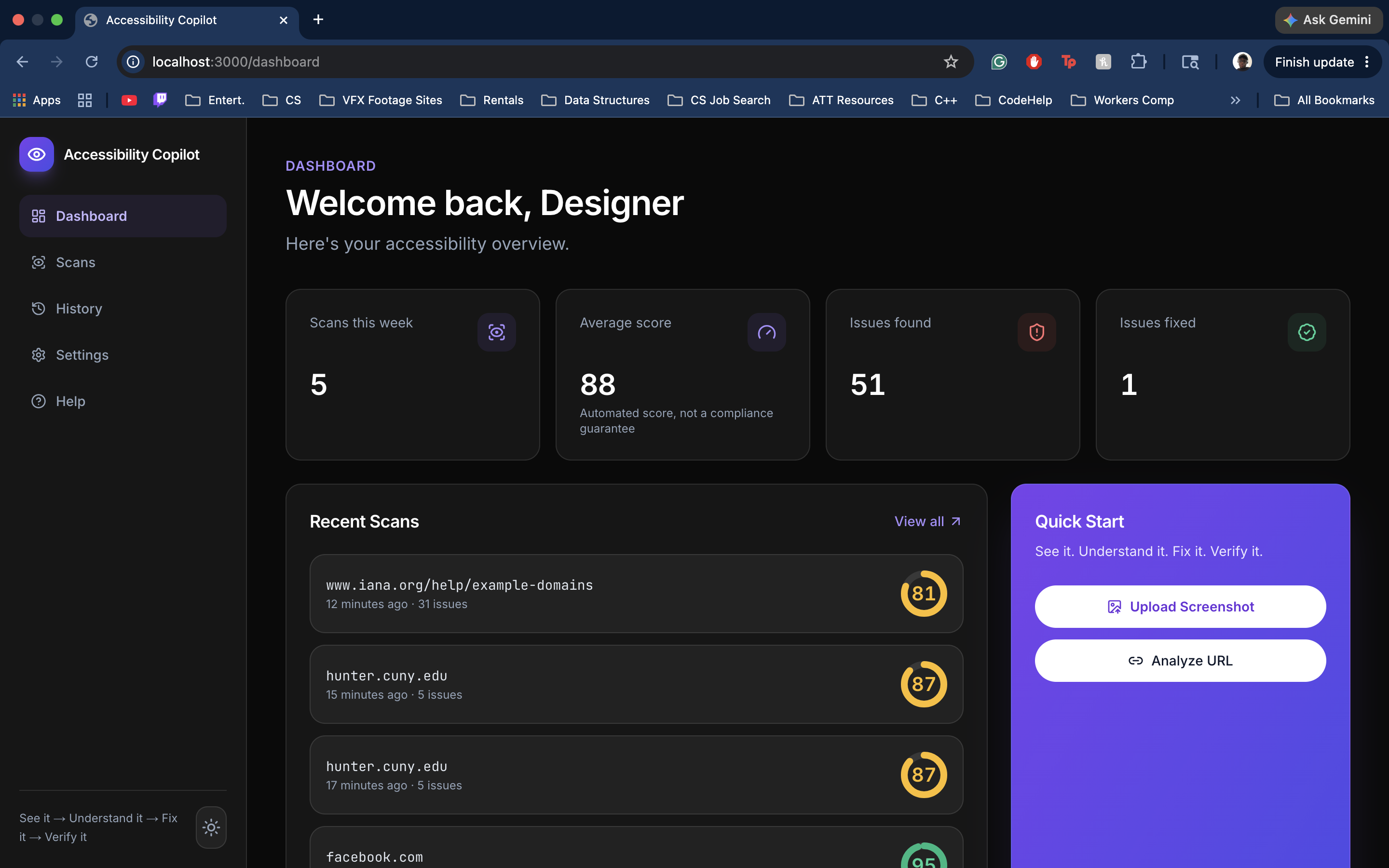
Accessibility Copilot is an AI-assisted accessibility analysis platform for developers and designers.
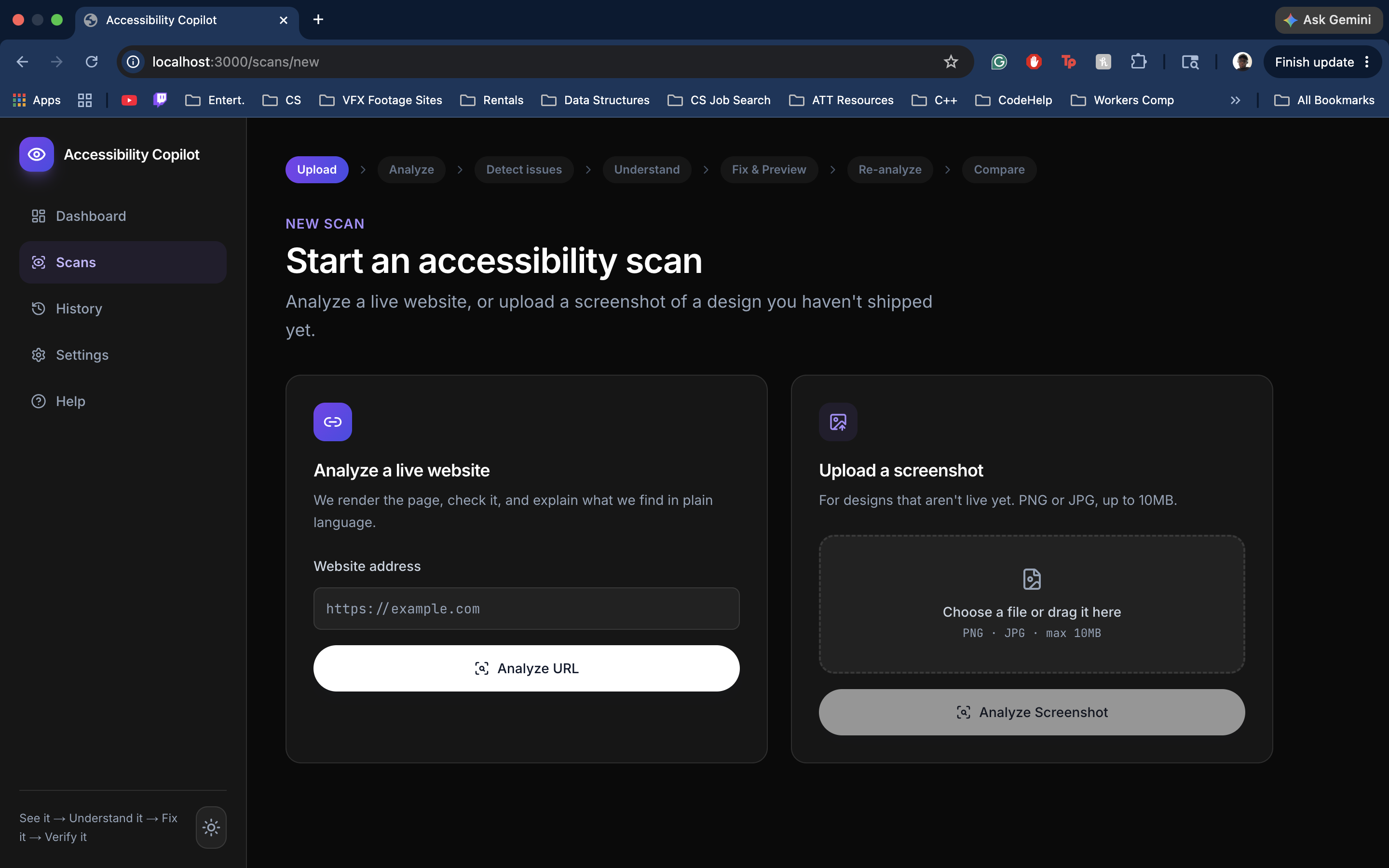
Users can analyze a website URL or provide a screenshot of an interface. Accessibility Copilot examines the experience for potential accessibility barriers and presents the findings in a format designed to be understandable and actionable.
The platform helps answer four important questions:
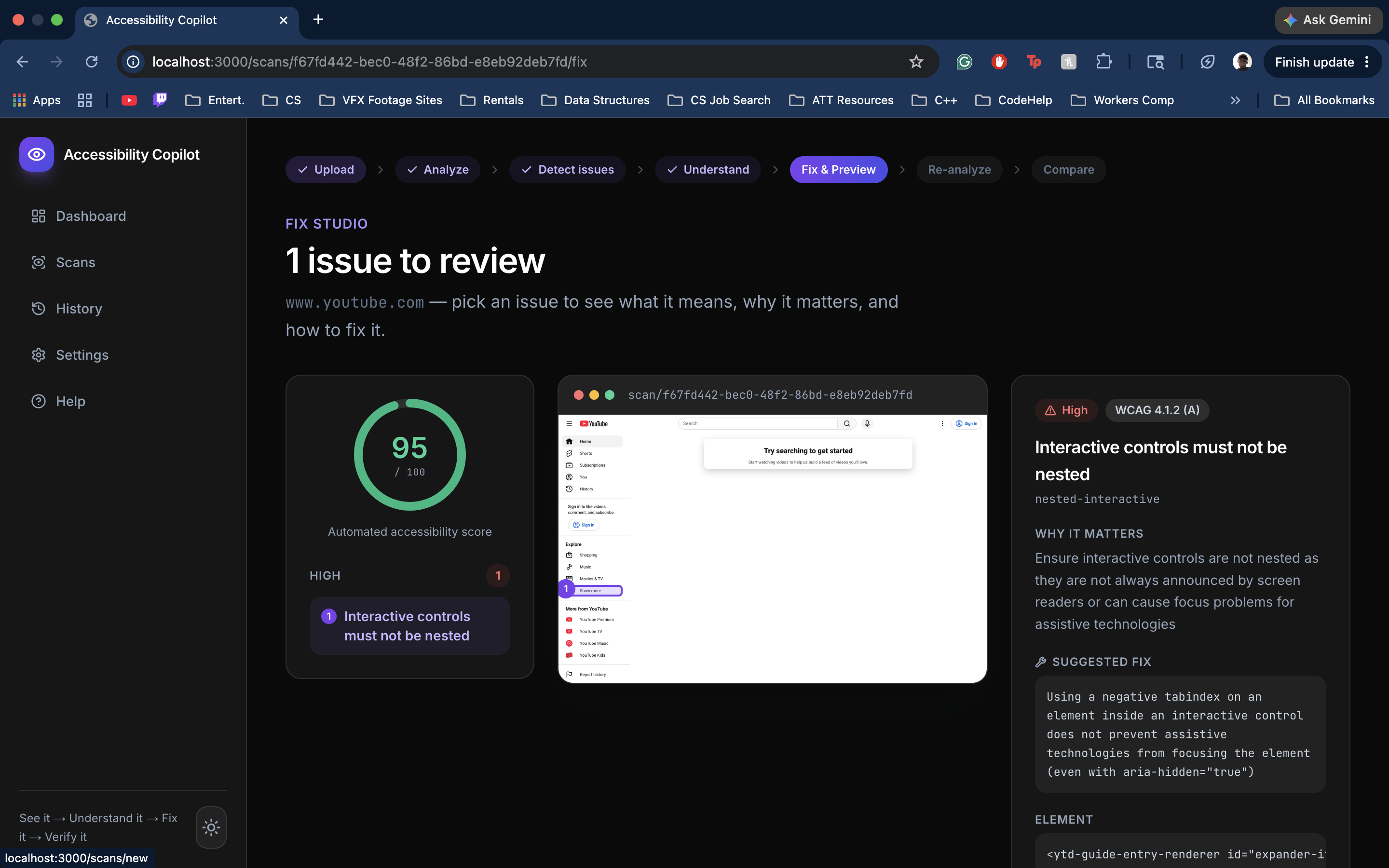
What is wrong? Accessibility Copilot identifies potential accessibility issues within the interface.
Why does it matter? Findings include explanations of how an issue may affect users, including people with disabilities.
What accessibility guidance applies? Issues are connected to relevant WCAG guidance and deterministic accessibility checks where applicable.
How can I improve it? Using Google Gemini, Accessibility Copilot can provide developer-friendly remediation recommendations rather than simply displaying an error.
Our workflow follows a simple cycle:
Detect → Explain → Fix → Verify → Improve
Accessibility Copilot currently focuses on issues that can be detected or assisted through automated and visual analysis, including areas such as color contrast, text readability, labels and controls, interactive elements, and other visually detectable accessibility barriers.
The goal is not to claim that a website is fully accessible based on a single score. Instead, we want to turn accessibility testing into an understandable development workflow where automated tools, AI assistance, and human judgment complement one another.
How we built it
Accessibility Copilot uses a full-stack architecture that combines traditional accessibility testing with multimodal AI.
Our frontend was built with Next.js, React, TypeScript, and Tailwind CSS to provide an interface where users can submit websites or screenshots and review accessibility findings.
On the backend, we use Node.js alongside Python and FastAPI to support the different parts of the analysis pipeline and communication between services.
For deterministic accessibility testing, we integrated axe-core, which evaluates rendered webpages using automated accessibility rules and connects detected violations to relevant accessibility standards and WCAG criteria.
We use Playwright for browser automation, allowing the application to load and inspect webpages in a browser environment rather than analyzing only static input.
For AI-assisted analysis and remediation, we integrated the Google Gemini API. Gemini helps interpret visual and structured accessibility findings and transform technical results into clearer explanations and suggested remediation steps.
Results from these different systems are normalized before being displayed to the user, allowing Accessibility Copilot to combine deterministic findings with AI-assisted guidance in one experience.
At a high level, our pipeline looks like:
Website / Screenshot → Accessibility Analysis → axe-core + WCAG Rules + Gemini → Normalized Findings → Suggested Remediation → Re-evaluation
We also use SQLite for application data and structured results.
One of the most important architectural decisions we made was not to rely entirely on AI. AI is useful for interpretation and visual reasoning, while deterministic tools such as axe-core provide repeatable rule-based validation. Human review remains important for accessibility decisions that require context.
Challenges we ran into
One of our biggest challenges was supporting screenshots in addition to live website URLs.
A live webpage provides access to its DOM, semantic structure, attributes, and interactive elements. A screenshot contains only visual information. Supporting both required us to think about accessibility from two different perspectives: what can be determined programmatically from a webpage and what can be inferred visually using multimodal AI.
Another challenge was connecting all parts of the application into a reliable pipeline. Our frontend, Node.js services, Python/FastAPI backend, browser automation, axe-core analysis, and Gemini integration all needed to exchange structured data while handling asynchronous operations.
We also ran into issues with our Generate Fix functionality. Early versions of the feature did not reliably connect a detected issue to useful remediation output, so we had to rethink how findings were structured and passed to the AI.
During multimodal testing, we also reached the Gemini API request limit. This limited some of our AI-powered testing near the end of development, although our core accessibility analysis functionality remained operational.
Finally, integrating independently developed components across a team created challenges with branches, pull requests, API contracts, and frontend/backend state. Getting individually working components to function as one system became one of the most important engineering challenges of the project.
Accomplishments that we're proud of
We're especially proud that we built an end-to-end accessibility analysis pipeline rather than only creating an AI wrapper or a static accessibility checklist.
Accessibility Copilot can take an interface, analyze accessibility concerns, connect findings to established accessibility guidance, and turn technical results into information developers can more easily understand and act on.
We successfully integrated axe-core and WCAG-based testing with Google Gemini, allowing deterministic accessibility findings and AI-assisted explanations to complement each other instead of relying entirely on one approach.
We're also proud that we were able to analyze multiple website URLs and identify accessibility issues across different interfaces.
Supporting both webpage-based analysis and our work toward screenshot-based multimodal analysis pushed us beyond traditional accessibility scanners and helped us explore how visual AI could complement DOM-based testing.
Most importantly, we built a working foundation for the idea that accessibility tooling should go beyond saying:
"This failed."
It should help developers understand:
"This failed, this is why it matters, and this is what you can do next."
What we learned
The biggest thing we learned was how challenging it is to connect multiple parts of a real application into one reliable workflow.
We worked with frontend state management, file uploads, backend APIs, browser automation, structured data between services, Gemini API integration, accessibility analysis, and asynchronous results. Each component could work independently while still creating unexpected problems once connected to the rest of the application.
We also learned that AI and deterministic accessibility testing have very different strengths.
AI can help interpret visual context, explain technical findings, and suggest possible solutions. Deterministic tools such as axe-core are better suited for repeatable checks against known accessibility rules. Neither replaces the need for human judgment, particularly for accessibility issues that depend on context or actual assistive-technology usage.
From a teamwork perspective, we learned how to divide a larger system across multiple developers, manage Git branches and pull requests, resolve integration conflicts, and establish interfaces between independently developed components.
Most importantly, the project changed how we think about accessibility itself. Accessibility is not simply a score or a checklist that developers complete before deployment. It is an iterative engineering and design process.
Design → Detect → Understand → Fix → Verify → Ship → Monitor
What's next for Accessibility Copilot
Our next priority is improving the reliability of Accessibility Copilot's detection and remediation pipeline.
We want to combine Gemini's visual reasoning with stronger WCAG rules, DOM analysis, and axe-core validation, allowing AI-assisted findings to be cross-referenced against deterministic evidence whenever possible.
We also want to strengthen the Fix and Verify portion of the workflow. Rather than only recommending a change, future versions could apply or preview a remediation and automatically re-run accessibility checks to determine whether the change actually improved the interface.
From there, we see Accessibility Copilot expanding throughout the development lifecycle.
Figma integration could help designers identify accessibility concerns before code is written.
Developer handoff and code-level remediation could turn findings into implementation-ready changes.
CI/CD and pull-request checks could detect accessibility regressions before they reach production.
Accessibility regression monitoring could continuously track whether product updates introduce new barriers.
Longer term, teams could use Accessibility Copilot to understand accessibility trends across products and design systems rather than treating every accessibility audit as an isolated event.
Our North Star is simple:
Make accessibility problems visible, understandable, actionable, and verifiable before they become barriers for users.
Built With
- axe-core
- css
- html
- mysql
- next.js
- react
- tailwind
- typescript


Log in or sign up for Devpost to join the conversation.