Inspiration
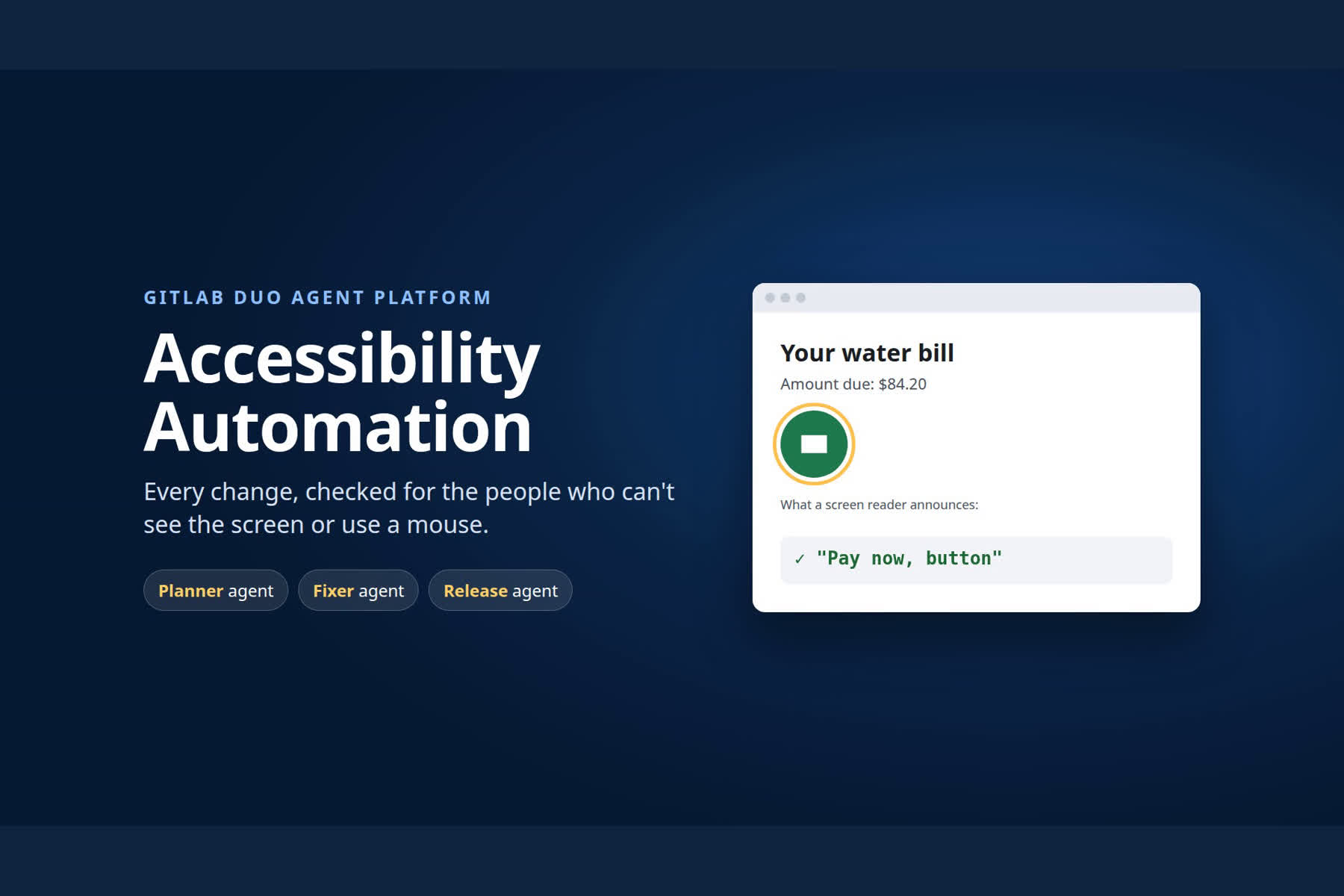
US state and local governments must make their websites meet WCAG 2.1 AA by April 26, 2027 (population 50,000+) or 2028 (smaller ones and special districts), under the ADA Title II rule as extended by the Department of Justice. Most sites aren't broken on launch day; they break one change at a time. A new field without a label, an icon-only button, a clickable box the keyboard can't reach: a blind resident can no longer pay a water bill, and every unit test still passes. 95.9% of the top million home pages had automatically detectable WCAG failures (WebAIM Million 2026). Small county teams have no accessibility specialist reviewing each merge request. GitLab's own Pa11y-based accessibility report was deprecated in 15.9 (2023) for low usage; the 2027 deadline changes that, and agents can now do more than report: they explain and fix. I built that reviewer out of GitLab Duo agents.
What it does
- Planner agent (issue created): adds WCAG acceptance criteria specific to the requested change.
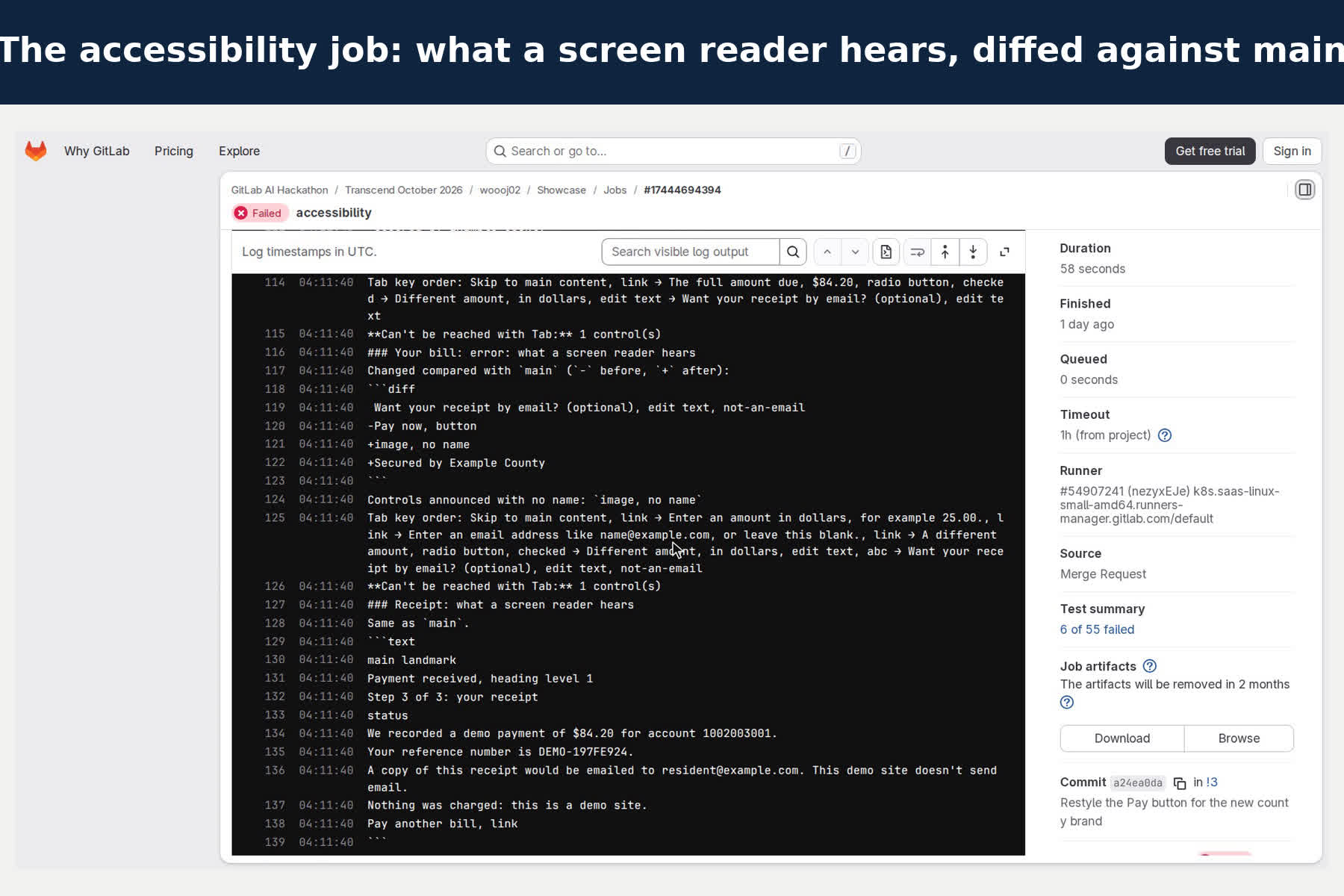
- Accessibility job (every merge request): starts the packaged app, drives Chromium through the whole pay-your-bill journey, and checks each screen three ways: axe-core's WCAG 2.1 A/AA rules, a keyboard-only Tab walk, and a transcript of what a screen reader would announce, read from the browser's accessibility tree and diffed against main ("Pay now, button" became "image, no name").
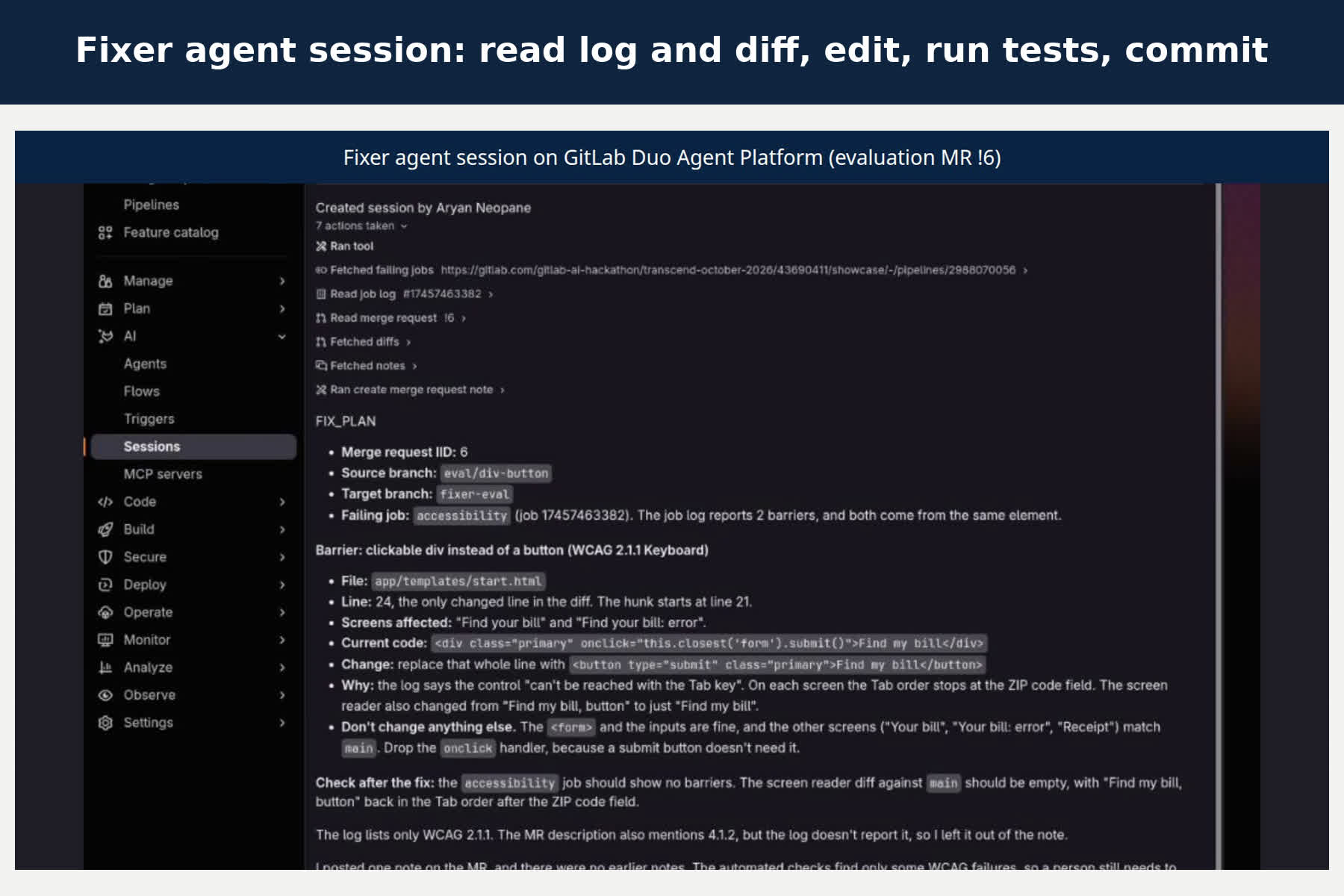
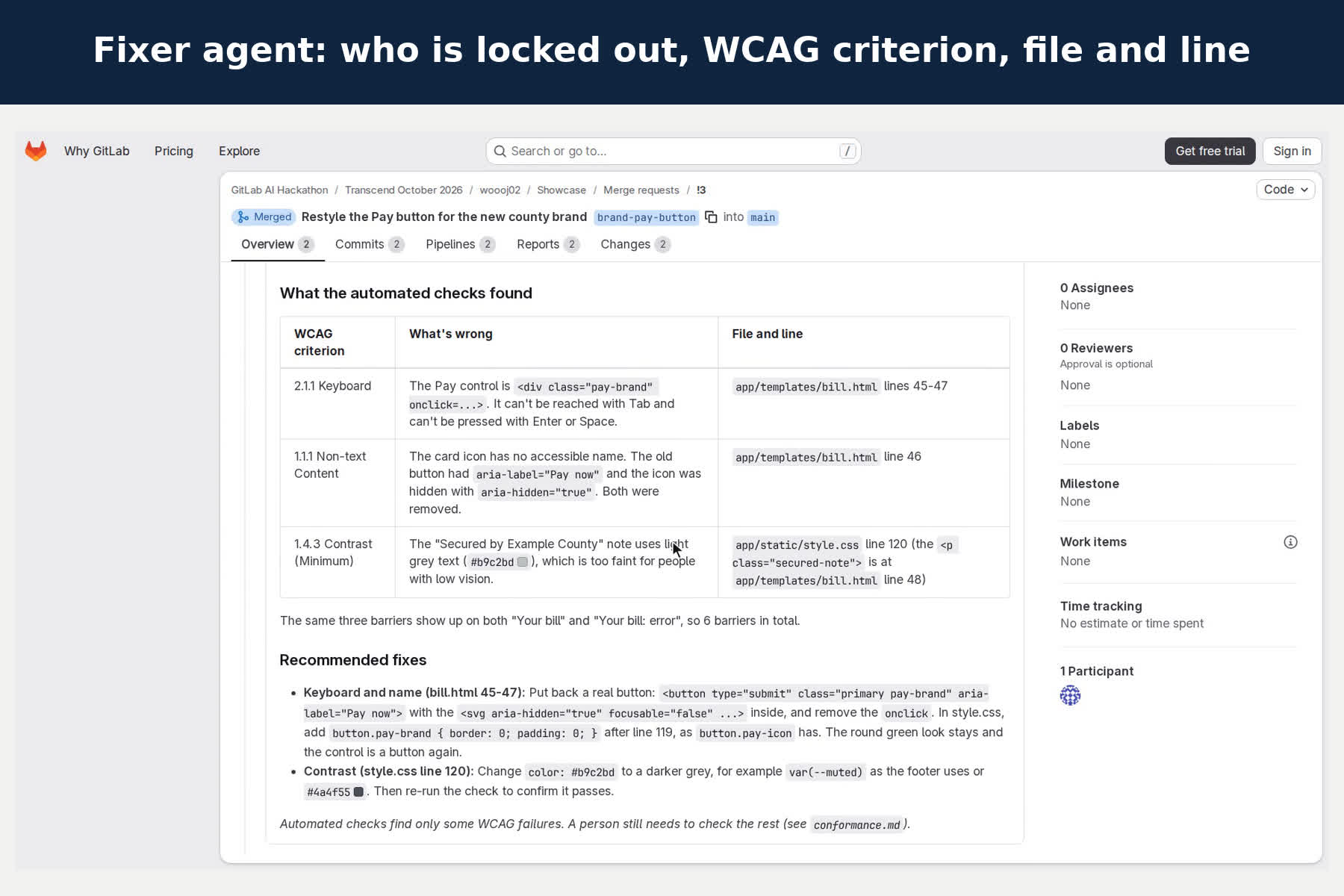
- Fixer agent (pipeline failed): reads the job log and the merge request diff, posts one plain-language note (who is shut out, what a screen reader would announce, WCAG criteria with file and line), then commits the smallest fix. The pipeline re-checks it. When a pipeline has no merge request (main, the production check), it opens a regression issue instead.
- Release notes agent (mention): writes notes with a "for people using a screen reader or keyboard" section.
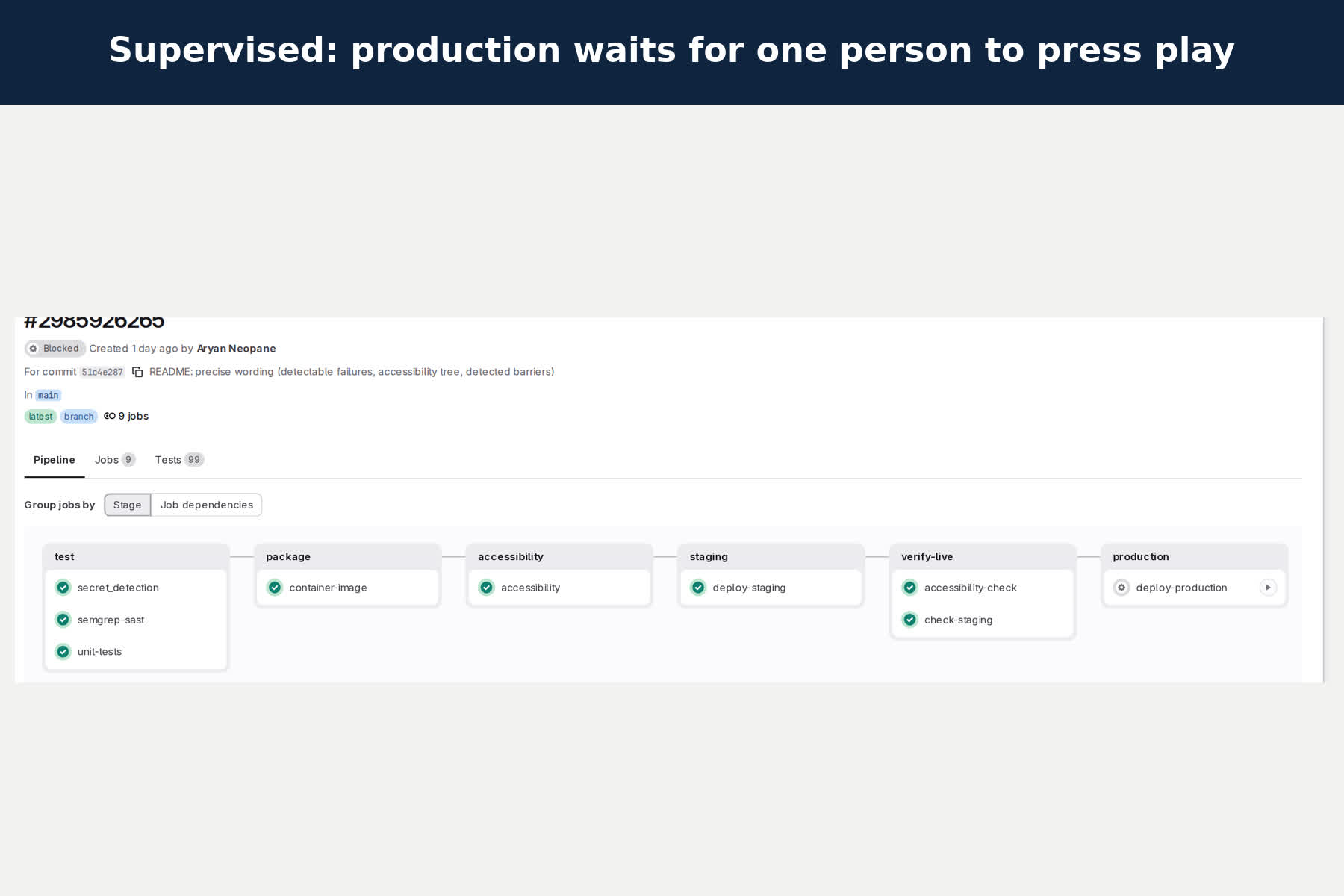
- Pipeline: tests, SAST, secret detection, container image, accessibility, staging deploy with a live re-check, production behind one manual approval, tagged releases with a WCAG conformance report, scheduled production checks.
- Reuse: the three flows are public in the AI Catalog, and the check is a CI/CD component with
urlsandserveinputs so that any GitLab project can check any website or a static site in its own repository. My own pipeline includes the component against staging; the template trial includes it too.
How I built it
Plain code decides; the model explains and edits. Pass or fail comes from deterministic checks (axe-core 4.14, my keyboard walk, my accessibility-tree transcript in Python). Three custom flows in the Duo Agent Platform flow registry v1 YAML, with triggers on work items, pipeline failures and mentions, do the language and judgement work. Their fixes go back through the same checks, and a person merges. The demo app is FastAPI + Jinja2 with no JavaScript. Production runs on Google Cloud Run: the manual deploy job copies the exact image the accessibility job checked and deploys it with keyless credentials (GitLab's signed ID token, Workload Identity Federation, accepted only for main). Staging deploys to a small server over SSH, where the CI key can run exactly one command (fetch that commit, install, switch, health check, roll back on failure).
Challenges I ran into
- Chrome forces HTTPS for any host under the
.apptop-level domain, so my CI service alias "app" failed with an SSL error until I renamed it. - GitLab's "latest artifacts" endpoint only reads fully successful pipelines; mine stays "manual" while production waits for approval, so the first merge request had no before/after diff. The fixer agent said so honestly in its note; it now looks up main's newest passing accessibility job.
- axe-core doesn't notice links that throw keyboard focus away (
onfocus=" blur()"); my keyboard walk does. - Building the evaluation exposed a gap in my own checker: it ignored native controls with
tabindex="-1", so a field Tab skips went unreported. Fixed, and now one of the eval cases. - Recording a real screen reader: Orca read every window on the desktop and queued its speech. I ran it on a private nested display with only the demo browser, and voiced its logged announcements at each focus change.
Accomplishments that I'm proud of
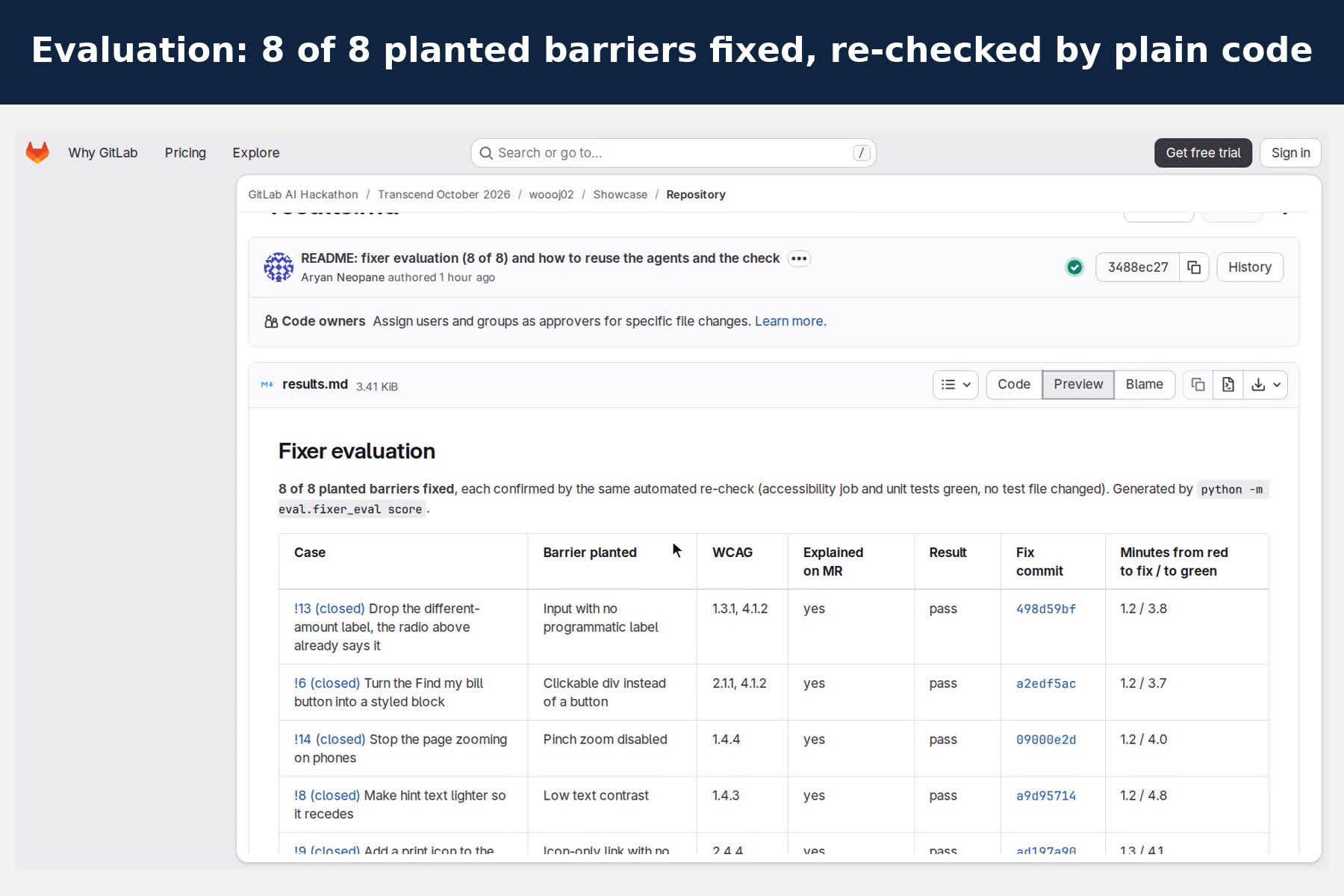
- The fixer works, measured: I planted eight different barriers, one per merge request (clickable div, missing labels, unlabeled select, icon-only link, image without alt, low contrast, a field removed from the Tab order, pinch zoom disabled). The fixer fixed 8 of 8, each confirmed by the same automated re-check and the unit tests, with no test changed, about 4 to 6 minutes from red to green, every fix the smallest native-HTML change. When a pipeline failed for another reason, it correctly did nothing. Reproducible:
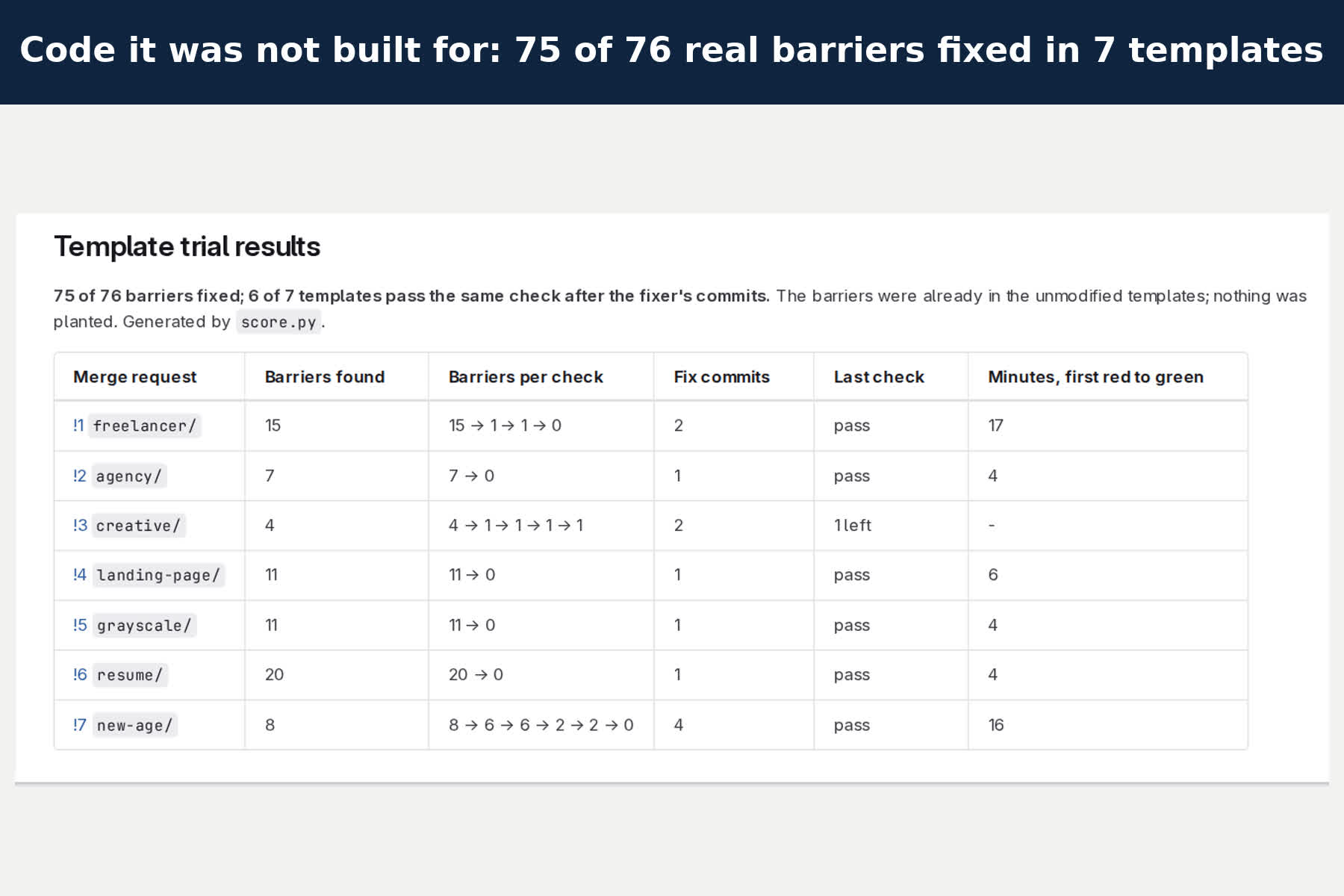
eval/. - On code it wasn't built for: seven popular MIT Start Bootstrap templates (1,100 to 2,600 GitHub stars each), copied unmodified, had 76 barriers nobody planted. One ordinary merge request per template turned the check red; the same fixer flow from the AI Catalog fixed 75 of 76, and 6 of 7 templates passed, four after one round of 4 to 6 minutes. The one left is a Send button that the template fades until the form is filled in, a call for a person. GitLab doesn't let a flow restart itself, so a second round starts when a person re-runs the pipeline: https://gitlab.com/gitlab-ai-hackathon/transcend-october-2026/43690411/template-trial
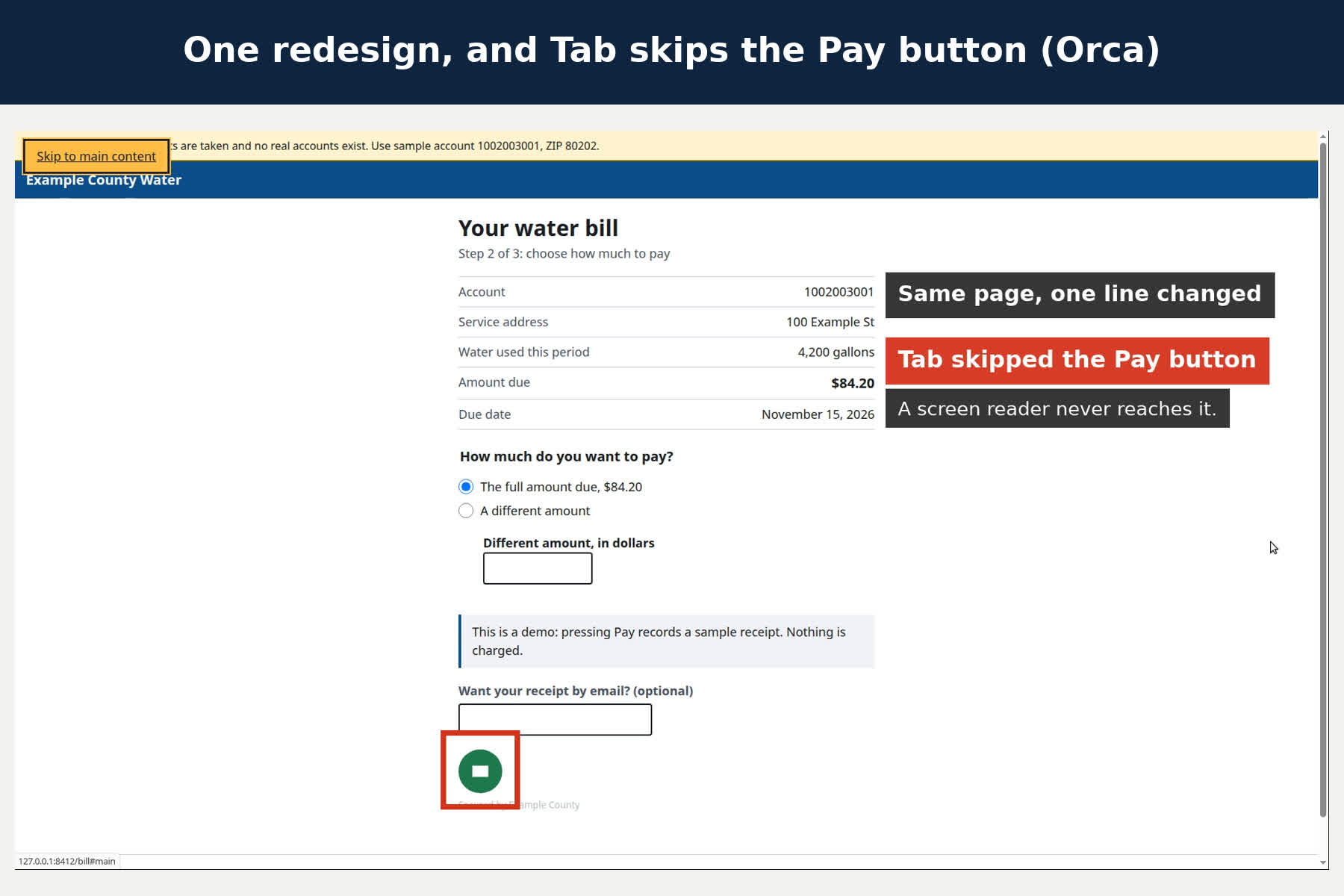
- What a blind resident hears: the video opens with the Orca screen reader on the real page. After the change, it jumps from the email field to "Skip to main content", and the Pay button is never reached.
- The full loop ran on GitLab with no hand-holding: issue → planner criteria → broken MR → failed accessibility job → fixer note and fix commit → green pipeline.
- On W3C's Before and After Demonstration, the checker detects 65 barriers on the inaccessible page and none on the fixed one.
- The conformance report never claims a pass: it says "no automated failures" or "needs a person".
What I learned
Agents are most useful where they explain and propose, and least trustworthy where they decide. Keeping the gate deterministic made the agent output easy to trust and easy to check.
What's next for Accessibility Automation
Scanning logged-in pages and PDFs; generic prompts for the planner and release notes agents too (the fixer's is already generic); a translated page check (meaning drift) for multilingual residents.
Built With
- axe-core
- claude-code
- docker
- fastapi
- gitlab
- gitlab-ci
- gitlab-duo-agent-platform
- google-cloud
- google-cloud-run
- jinja
- playwright
- python

Log in or sign up for Devpost to join the conversation.