-
-
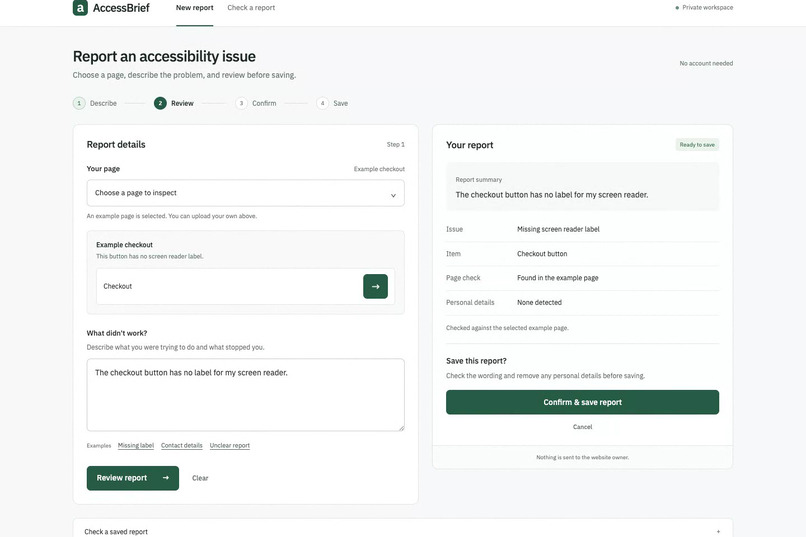
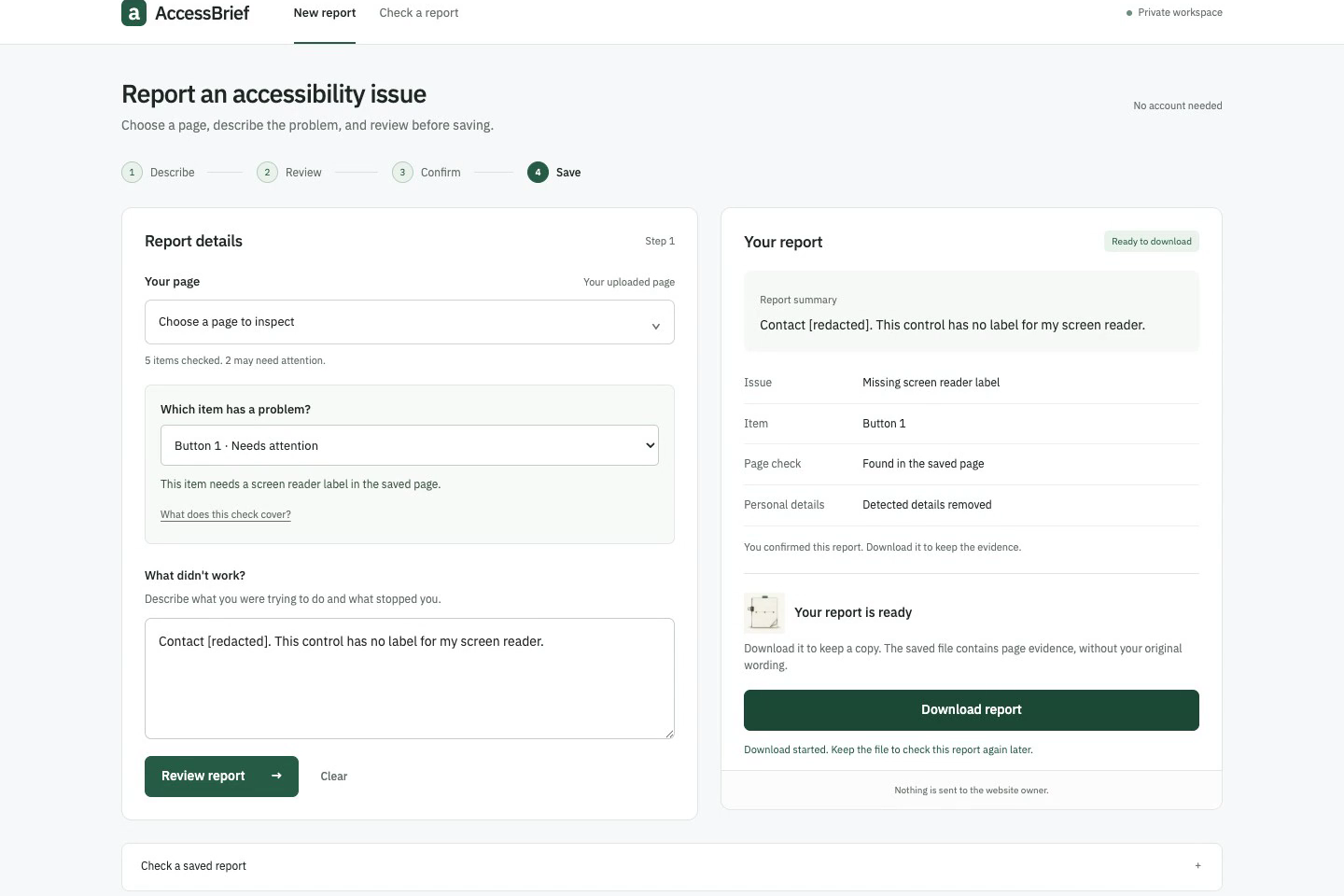
Review before saving: the issue, the affected item and the page check are shown in plain language.
-
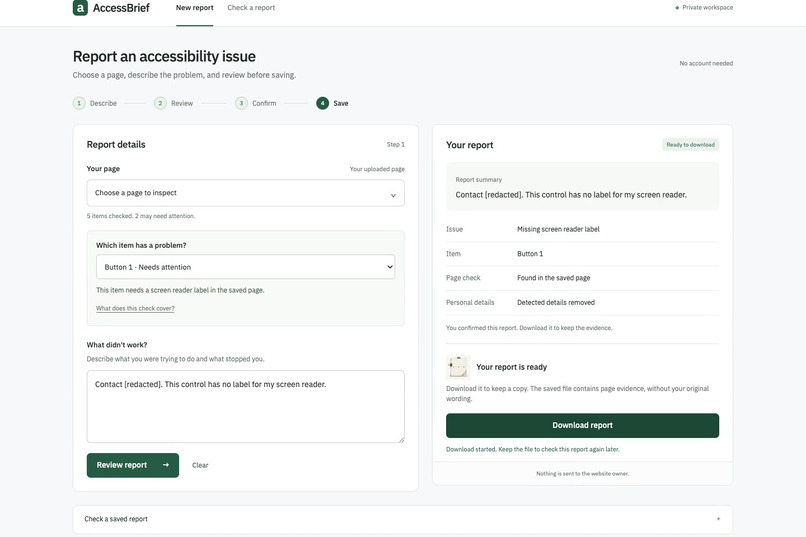
Detected contact details are removed from the wording; after confirmation the evidence file is ready to download.
-
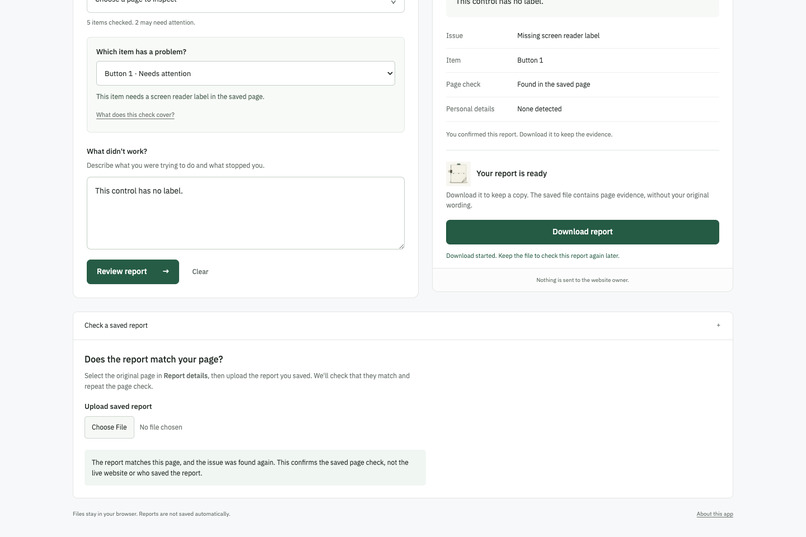
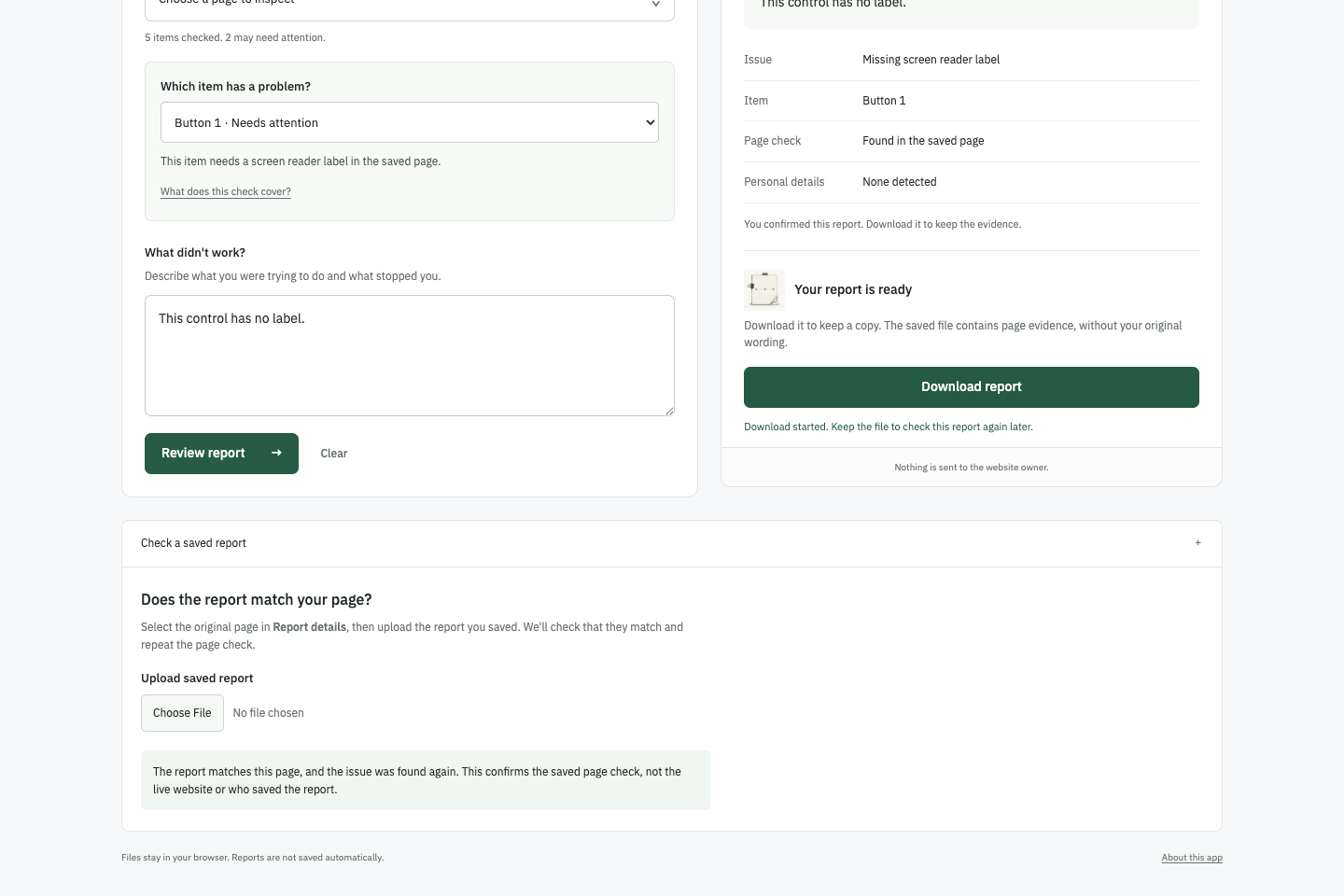
Check a saved report: reopen it with the original HTML to confirm that the page matches and the issue is found again.
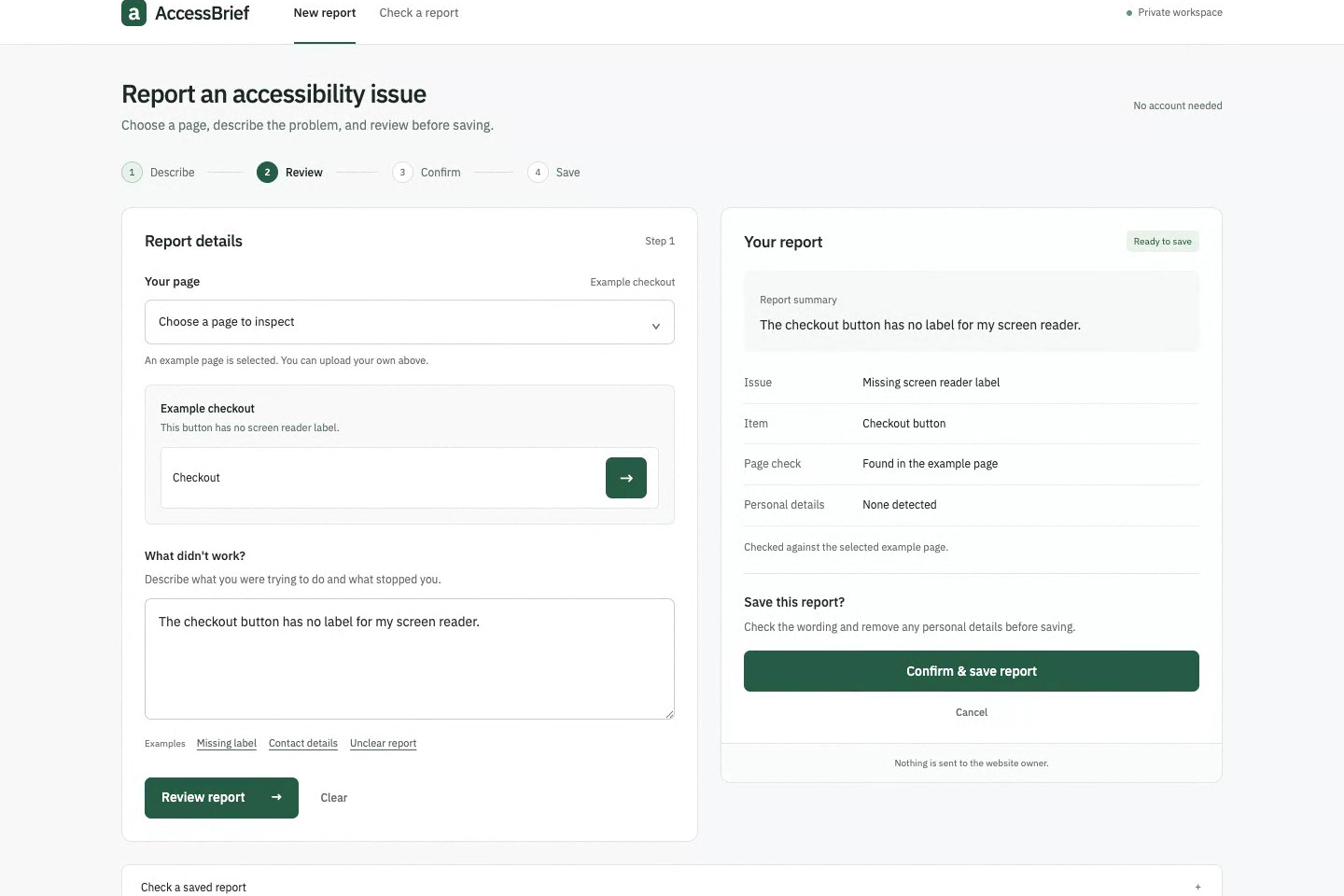
Report an accessibility issue and keep the evidence
AccessBrief helps a website maintainer turn a barrier report into a reviewed record. Open a saved HTML page, select the affected control or image, describe the problem, and check the result before saving. The page is parsed in the browser without running its scripts or loading its resources.
Open AccessBrief · Watch the current 96-second walkthrough
The walkthrough above shows the September 10 update. The embedded YouTube video documents the earlier sample-checkout version.
Review before saving
AccessBrief checks supported native controls for missing names and images for missing descriptions. It removes detected identity patterns from report wording before review and asks the user to check what remains. Ambiguous reports get one clarification. Instructions embedded in a report cannot authorize saving.
The review shows the issue, the affected item, and the page check in plain language. Selecting another item or changing the page clears the earlier confirmation. A labelled button cannot produce a missing-label report. Cancellation creates no receipt, and nothing is sent to the website owner.
After confirmation, the user can download an evidence file without the report wording. Reopen it with the original HTML to check that the page matches and reproduce the finding. A changed page fails this check. The checksum establishes file consistency; it does not authenticate the person who confirmed the report.
Working Alexa+ simulation and Agent Skill
The browser models the reporting workflow after an Alexa+ experience receives a report. The repository also includes an executable Agent Skill with a SKILL.md contract and a Node.js entry point. Both use the same deterministic reporting core and HTML parser. The local server can run a bounded Skill proof; the walkthrough shows that actual invocation.
This is a local simulation. No Alexa device, voice service, remote model or production Alexa deployment is connected. The hosted app needs no account or API key. Local setup requires Node.js and npm ci for the pinned parser and browser bundler.
What changed and how it was checked
The initial checkout-only flow now accepts ordinary saved HTML without project-specific annotations. The interface supports desktop and mobile, with clear review and download states. Technical identifiers remain inside evidence files and Skill output rather than appearing in the reporting workflow.
The 46 automated tests cover imports, name resolution, receipt checks, redaction, confirmation and the local Skill boundary. Browser checks exercise the complete import-to-download flow, reject modified source and duplicate IDs, and confirm that imported scripts and resources do not run. Seven name-resolution cases are compared with Chromium's accessibility tree.
Scope and build notes
Saved-source inspection cannot evaluate dynamic content, CSS, keyboard behavior, contrast or complete rendered accessibility. Custom ARIA widgets are outside the imported-page check. A source finding still needs review in the target browser. Pattern-based redaction is not a guarantee of complete anonymization.
Files and working state stay in the browser tab; the app does not upload or persist imported source. Code is MIT licensed. IBM Plex Sans uses the SIL Open Font License. Codex assisted development, the small interface illustrations use GPT Image, and the walkthrough uses synthetic narration. The repository contains the implementation, tests, setup instructions and a factual friction log.
Built With
- css3
- esbuild
- html5
- javascript
- node.js
- parse5

Log in or sign up for Devpost to join the conversation.