-
-
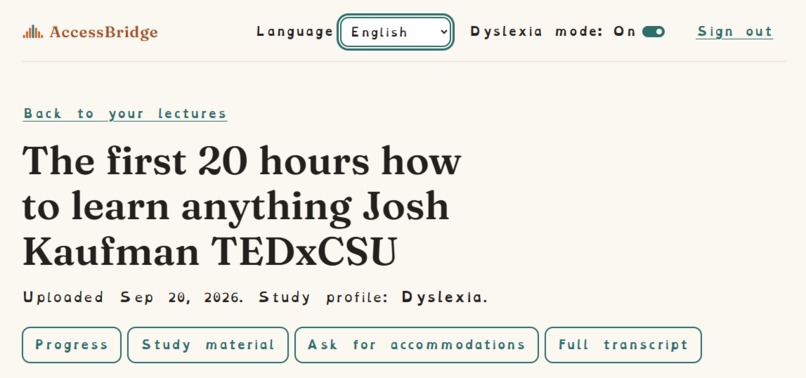
Lectures
-
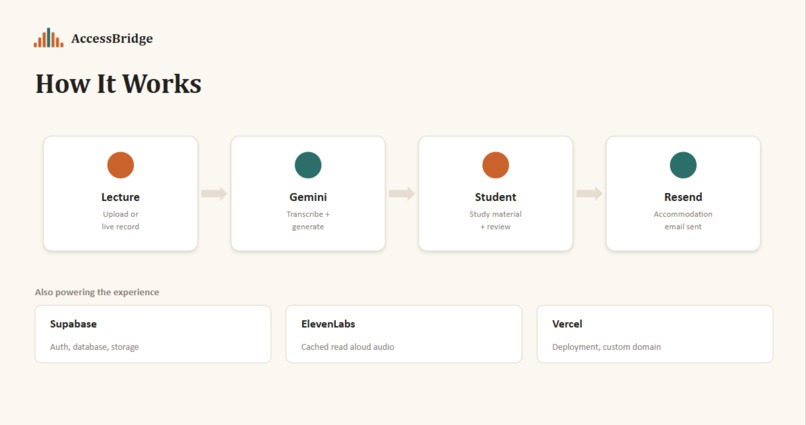
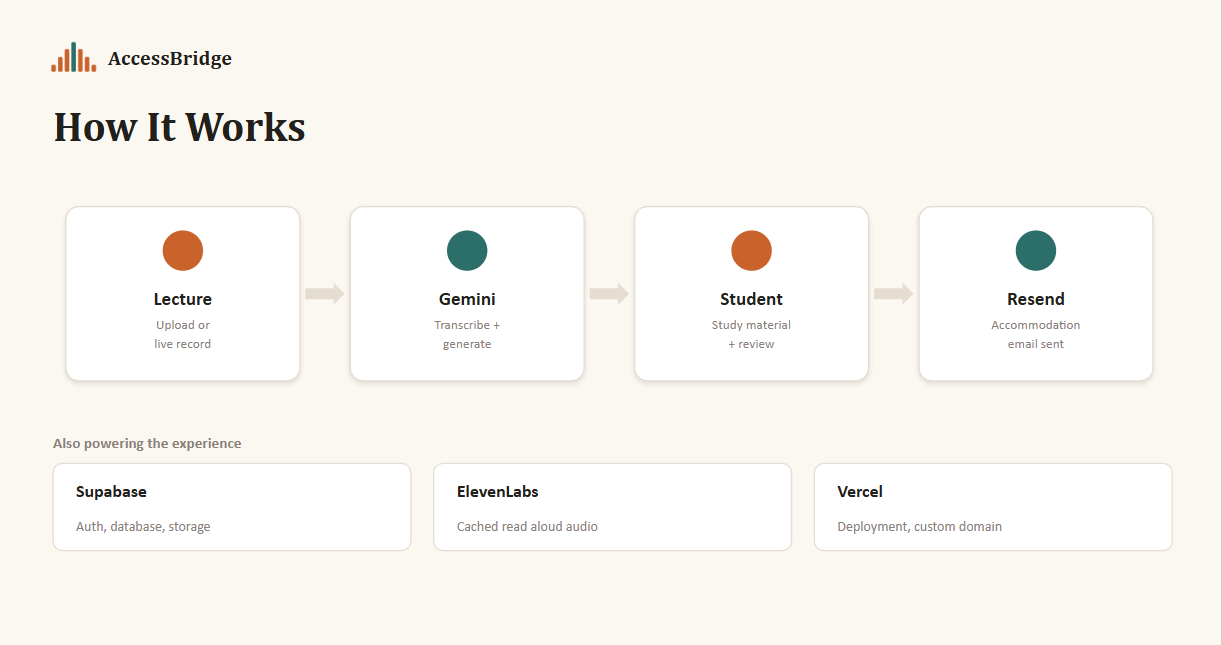
Pipeline
Inspiration
Dyslexia affects 5-10% of the U.S. population, and it comes with a steep, often invisible cost in higher education: young adults with learning disabilities enroll in four-year colleges at half the rate of the general population, and their overall college completion rate is 41%, compared to 52% for all students. Deaf and hard-of-hearing students face a similar gap as they make up just 1.3% of enrolled college students nationwide, far below their share of the general population, and consistently graduate at lower rates than their normal hearing classmates.
My cousin has dyslexia, and he's talked for years about how exhausting school actually is for him, and it's not because the material is hard, but because everything around learning it is built for people whose brains process text differently than his. Dense lecture slides. Professors who talk fast and don't post notes. And then, on top of all that, the part almost nobody thinks about: the awkward, repeated conversation of asking a professor for accommodations, explaining himself, and hoping it goes well for every single class, every semester.
AccessBridge is my way of closing that gap, as it's not just a way of making lecture content accessible, but also taking the exhausting paperwork of actually getting accommodations off a student's plate as well.
What it does
AccessBridge is your personal AI accommodations concierge. A student uploads or live-records a lecture, and the app transcribes it, generates study material built for their specific disability profile, reads it aloud on demand, and drafts and sends a real accommodation request email to their professor, reasoning over that lecture's actual content instead of using a generic template.
Key Features
- Real-time transcription with timestamps, backed by a Gemini model fallback chain for reliability
- Profile-specific study material with summaries, glossaries, and outlines for dyslexia; captioned transcripts and a fully text-based concept map for deaf/hard-of-hearing students
- AI-drafted, editable, and actually-sent accommodation request emails, grounded in the real lecture content
- Text-to-speech read-aloud with cached audio, so the same text is never generated twice
- A context-aware chatbot that answers questions about lecture content on a lecture page, and helps with site navigation everywhere else
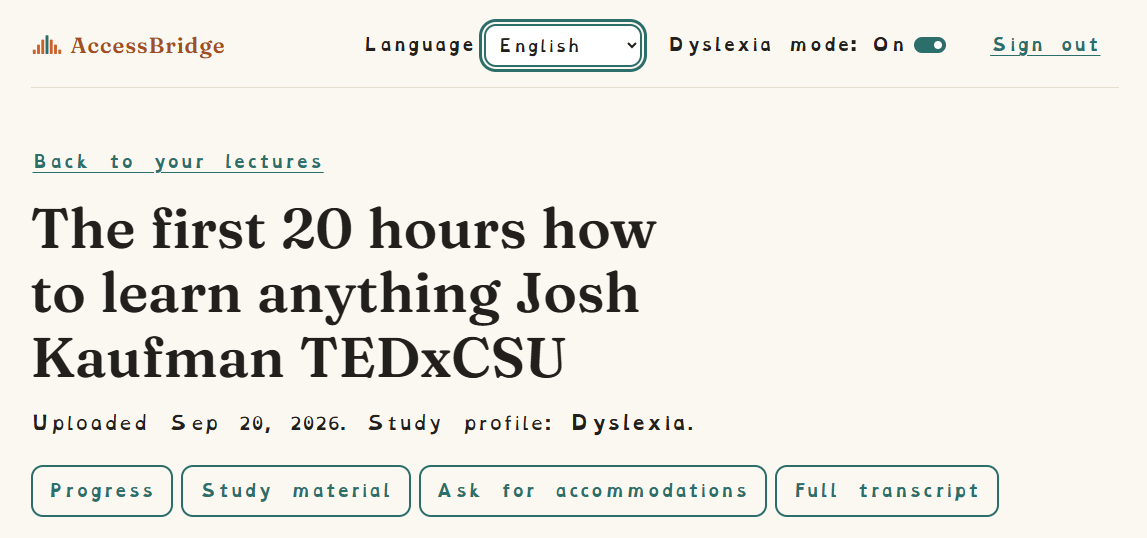
- A persistent, visible dyslexia-friendly reading mode
- Multi-language interface which includes English, Spanish, French, and Portuguese
How I built it
- Next.js + TypeScript + Tailwind - the frontend, styled with a from-scratch design system
- Supabase - Postgres for data, Auth for accounts, and Storage for lecture audio and cached read-aloud files.
- Google Gemini API - powers transcription, profile-specific study material generation, the concept map, the chatbot, and the accommodation email drafts, with a fallback chain across model versions to handle rate limits under load.
- ElevenLabs API - generates read-aloud audio for study material, cached server-side so repeat plays don't regenerate audio.
- Resend API - sends the accommodation request emails for real, from a verified sending domain so delivery to .edu addresses actually works.
- Vercel - deployment, on a custom domain.
Challenges I ran into
- The newest Gemini models returned frequent 503s under load during testing, so I built a fallback chain across model versions rather than relying on one.
- My first instinct for the deaf/hard-of-hearing concept map was a visual diagram, until I realized that it fails the exact users it's meant to serve. I rebuilt it as a fully text-based structure where every relationship is a real sentence, navigable in reading order by keyboard and screen reader.
- My first email sent silently failed for .edu recipients because I hadn't verified a sending domain, which would have quietly broken the signature feature if I hadn't caught it during testing.
- Real accessibility work is unglamorous and easy to fake: color-only status indicators, missing focus states, unannounced status changes. I ran a dedicated pass specifically to hunt for these, rather than assuming a nice-looking UI was automatically accessible.
Accomplishments that I'm proud of
I'm proud that the accommodation email agent actually works end-to-end from draft, edit, real send, real delivery to a real inbox, not just a mocked-up UI. I'm also proud I caught and fixed the things that would have quietly failed without proper testing, like the .edu delivery failure, the visual-only concept map that would have failed the exact students it was built for, and the color-only status indicators that don't actually meet an accessibility bar just because they look clean. Shipping a feature set this complete, including live recording, a context-aware chatbot, and multi-language support, on top of the core flow, doing this solo is the thing I didn't expect to get to.
What I learned
I learned that accessibility work is mostly unglamorous and easy to fake, as a screen can look polished and still fail someone using a keyboard or a screen reader, and the only way to catch that is to go looking for it deliberately rather than trusting that good design equals accessible design. I also learned a lot about building resilient AI pipelines under real-world constraints: rate limits, model fallbacks, and the gap between how something works in a quick test and how it works on a real, full-length lecture.
What's next for AccessBridge
- Expand to more disability profiles beyond dyslexia and deaf/hard-of-hearing
- Timestamped navigation directly from the concept map or study material back into the source audio
- Integration with actual campus disability services offices, rather than a single demo recipient
Built With
- elevenlabs
- godaddy
- google-gemini
- nextjs
- postgresql
- resend
- supabase
- tailwindcss
- typescript
- vercel

Log in or sign up for Devpost to join the conversation.