-
-
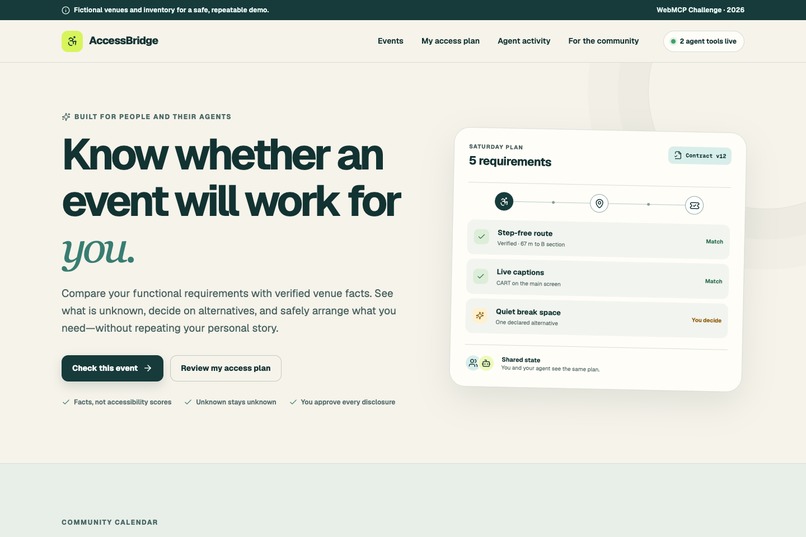
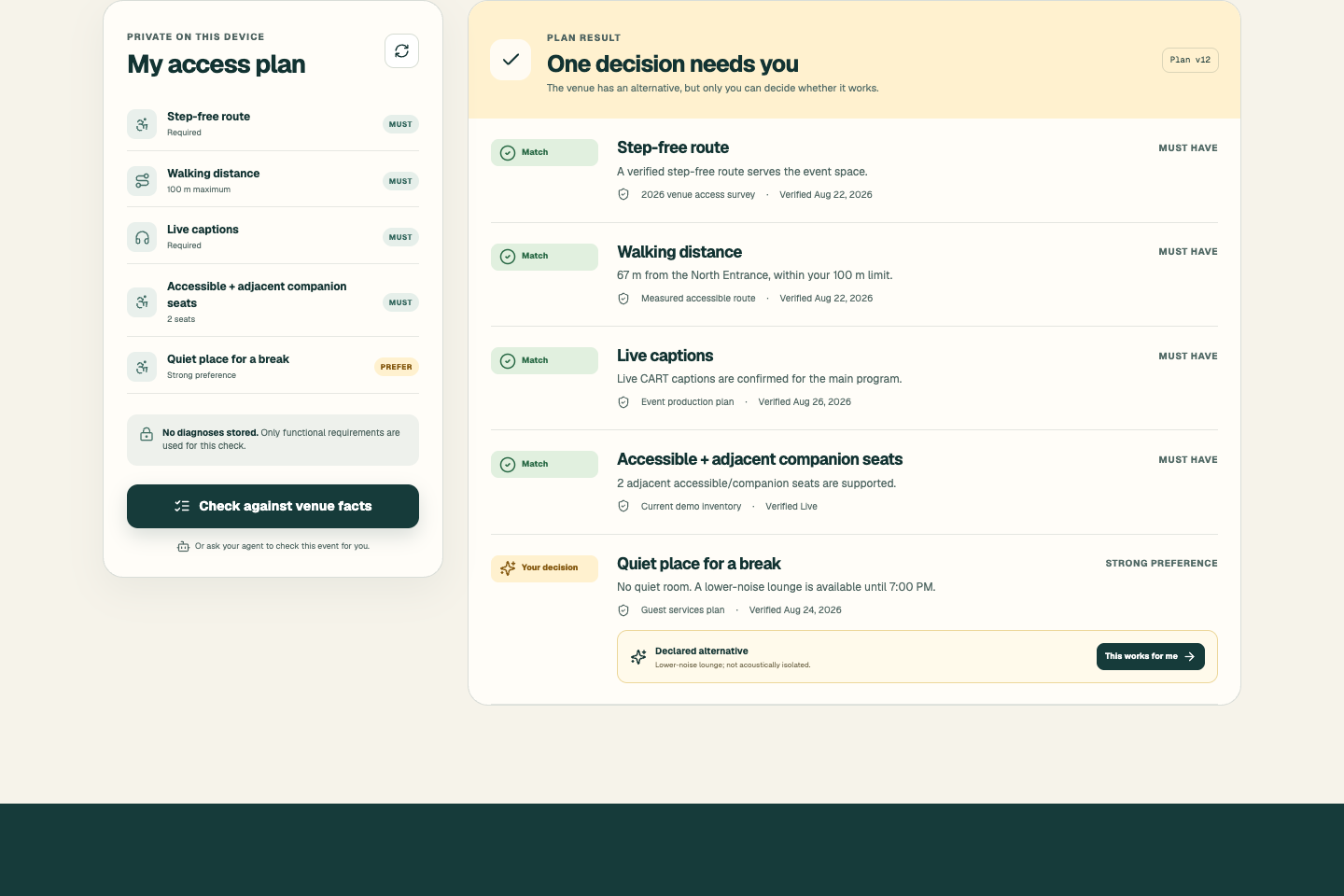
AccessBridge combines a private access plan with verified venue facts and browser-agent coordination.
-
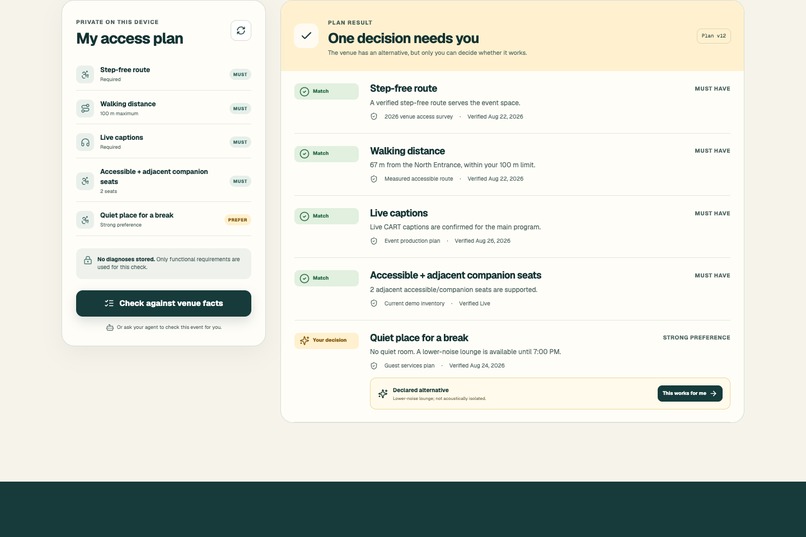
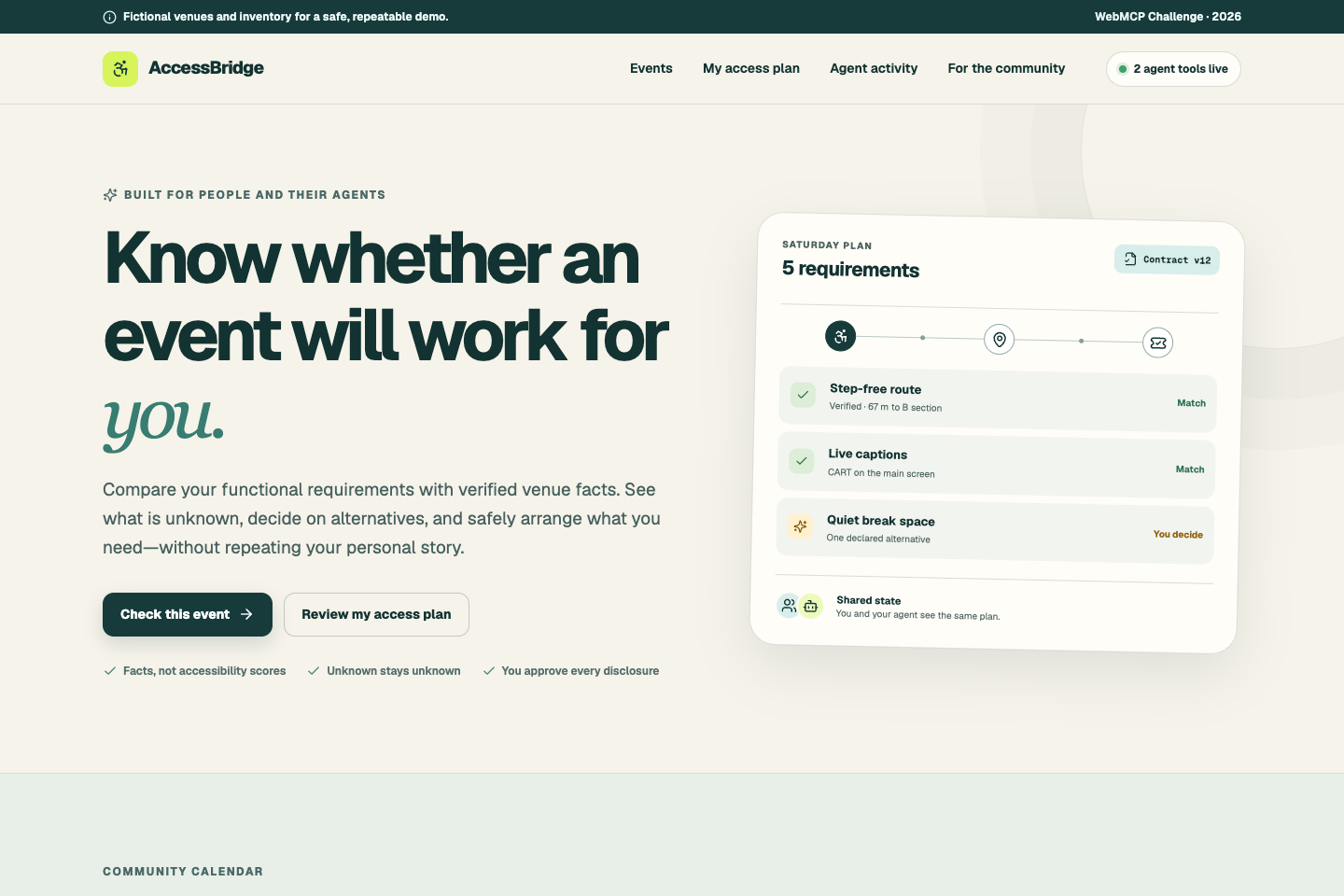
Every requirement is evaluated separately, preserving matches, evidence, unknowns, and decisions.
-
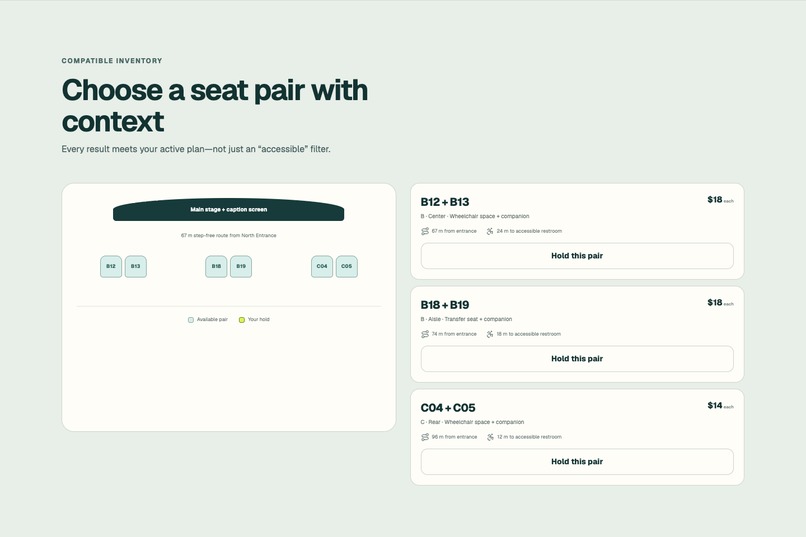
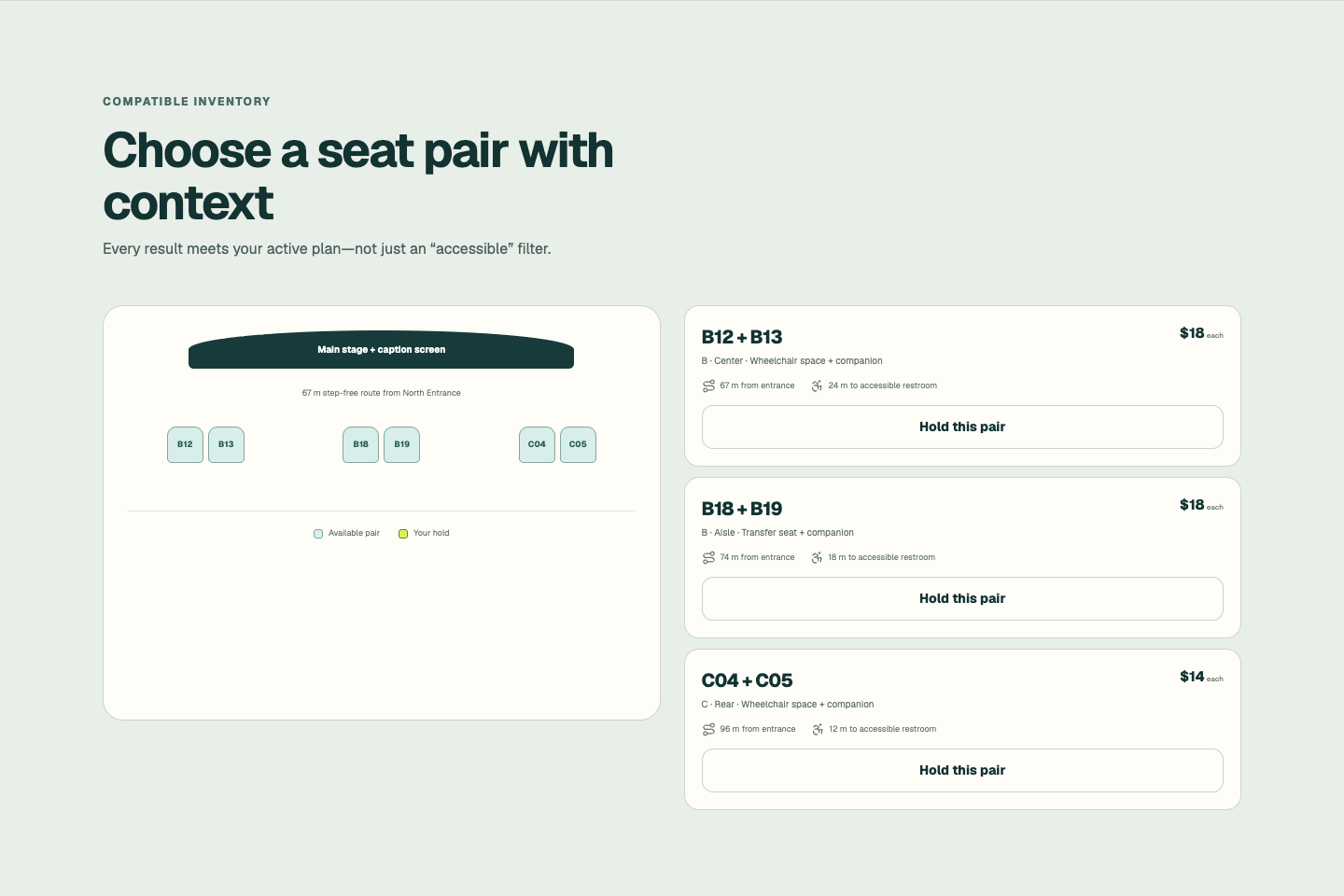
Compatible accessible and companion seats are filtered against the person’s active access plan.
-
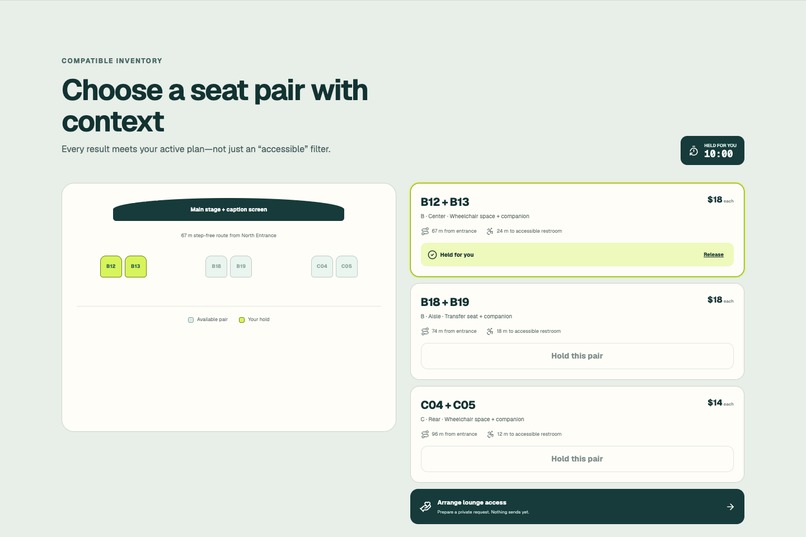
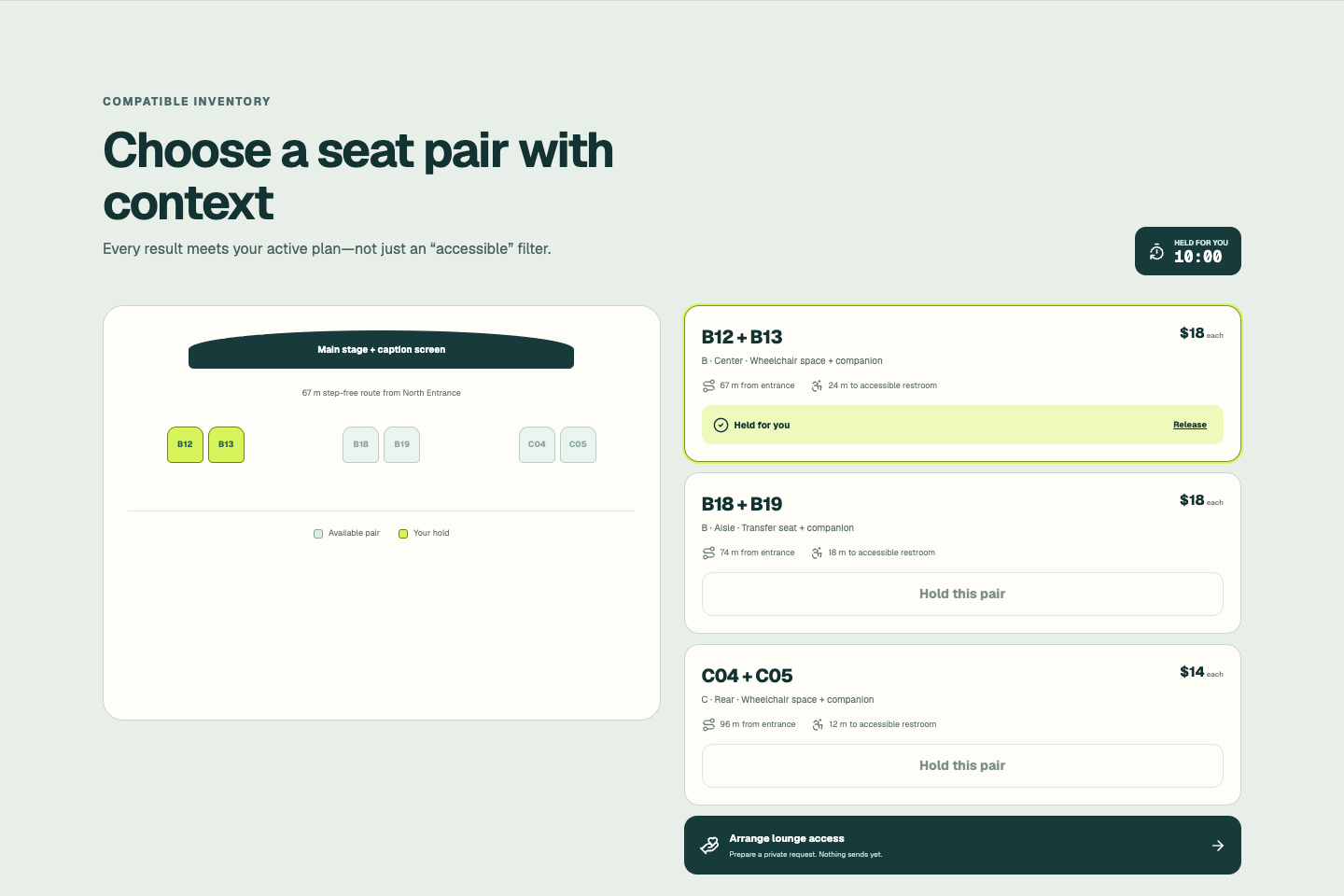
A reversible 10-minute hold protects the selected seats while the agent prepares the next step.
-
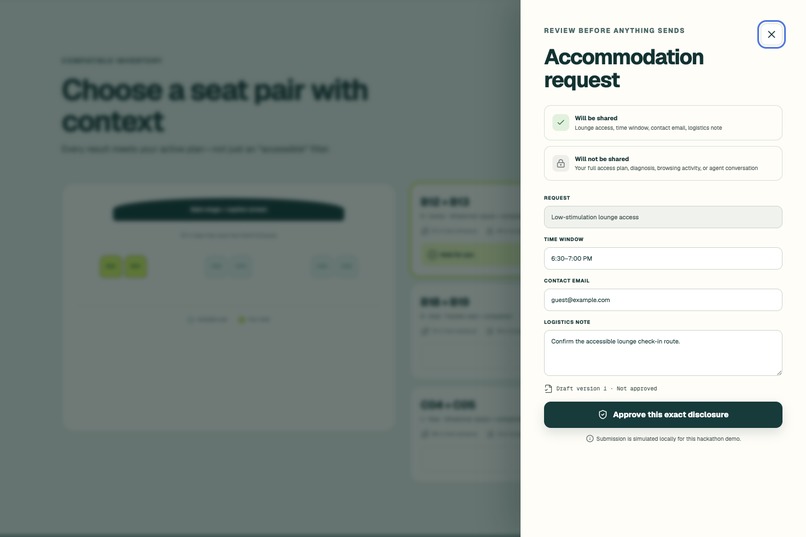
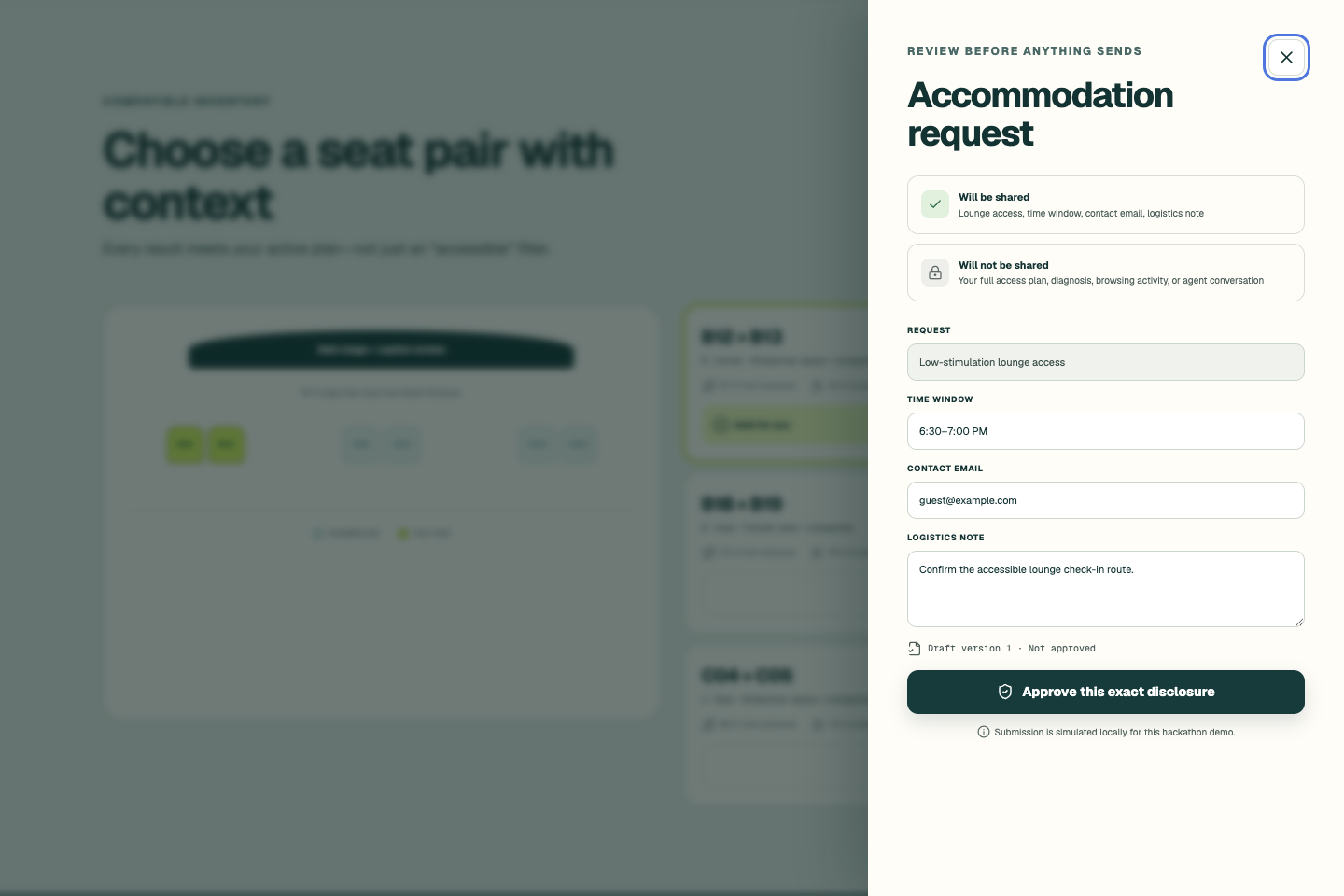
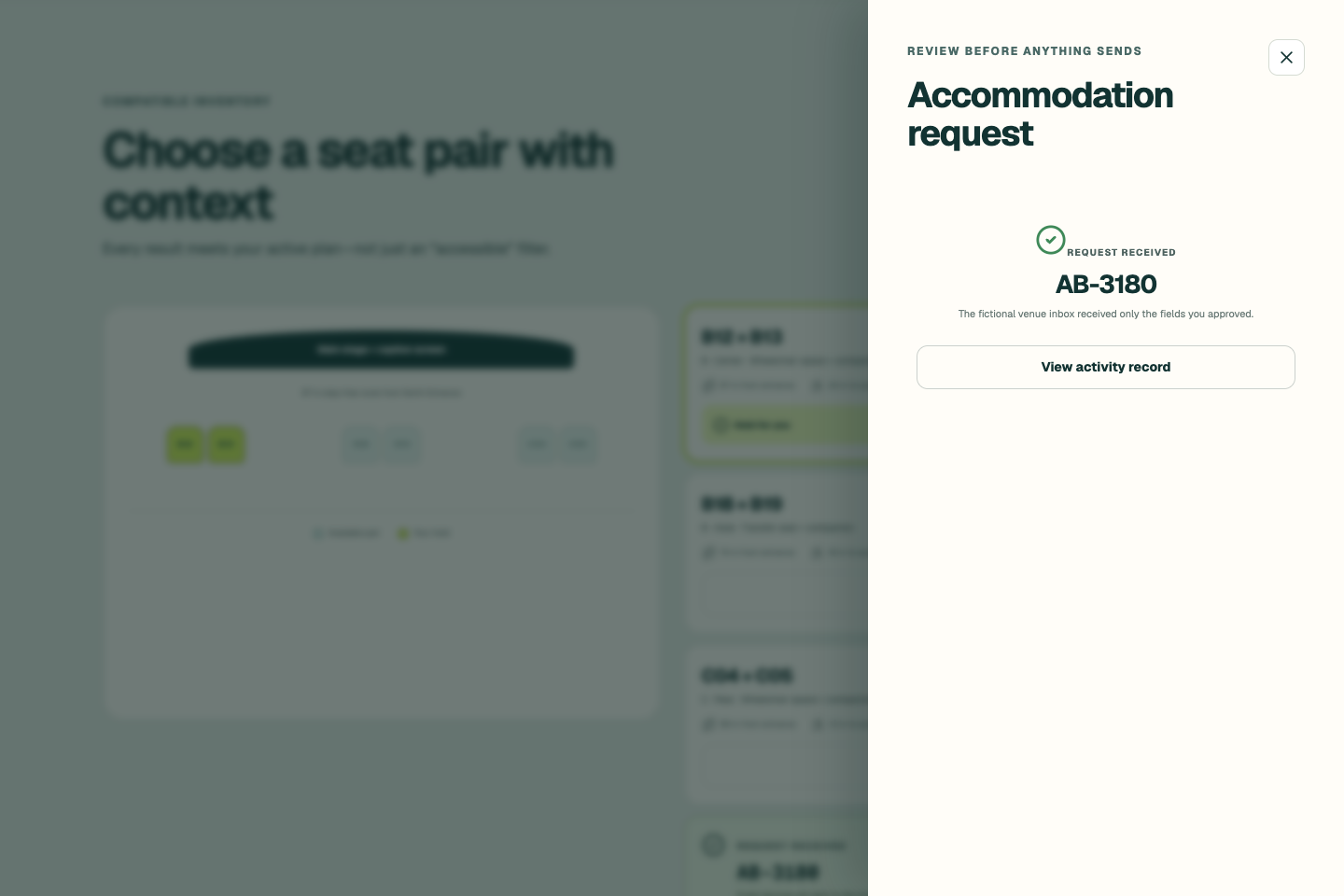
The person reviews exactly what will and will not be shared before enabling submission.
-
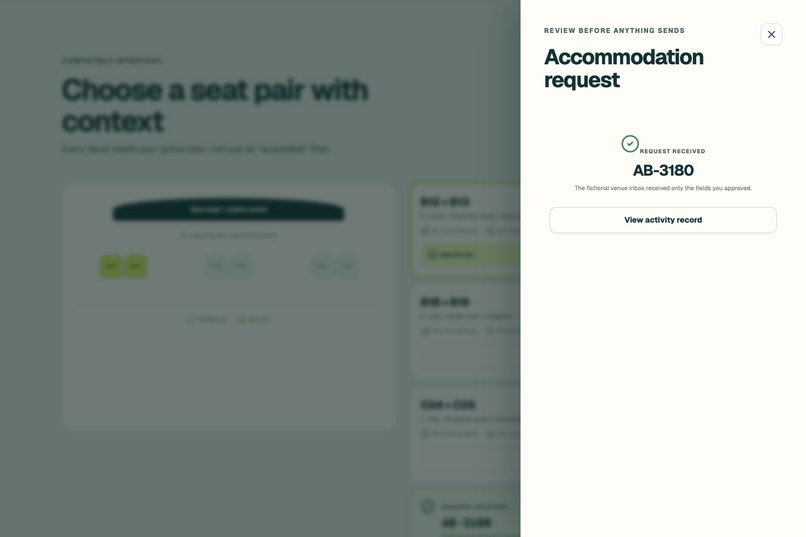
Only the approved disclosure is submitted; the full access plan and agent conversation remain private.
-
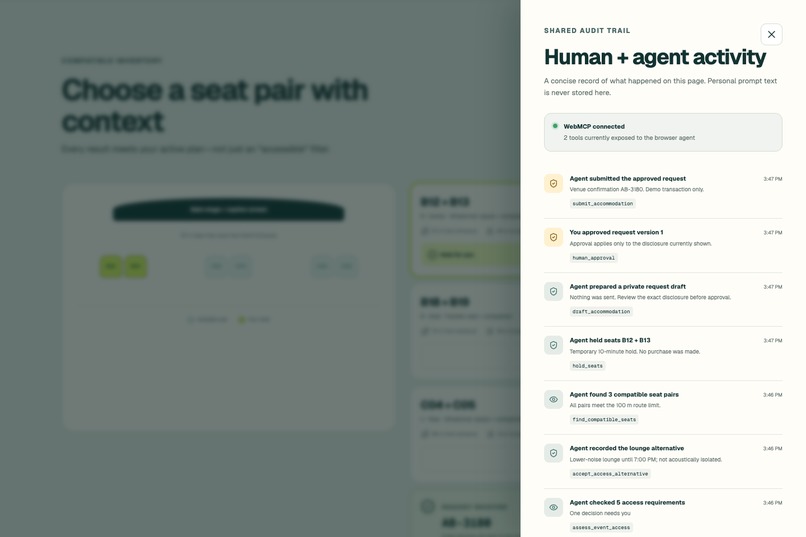
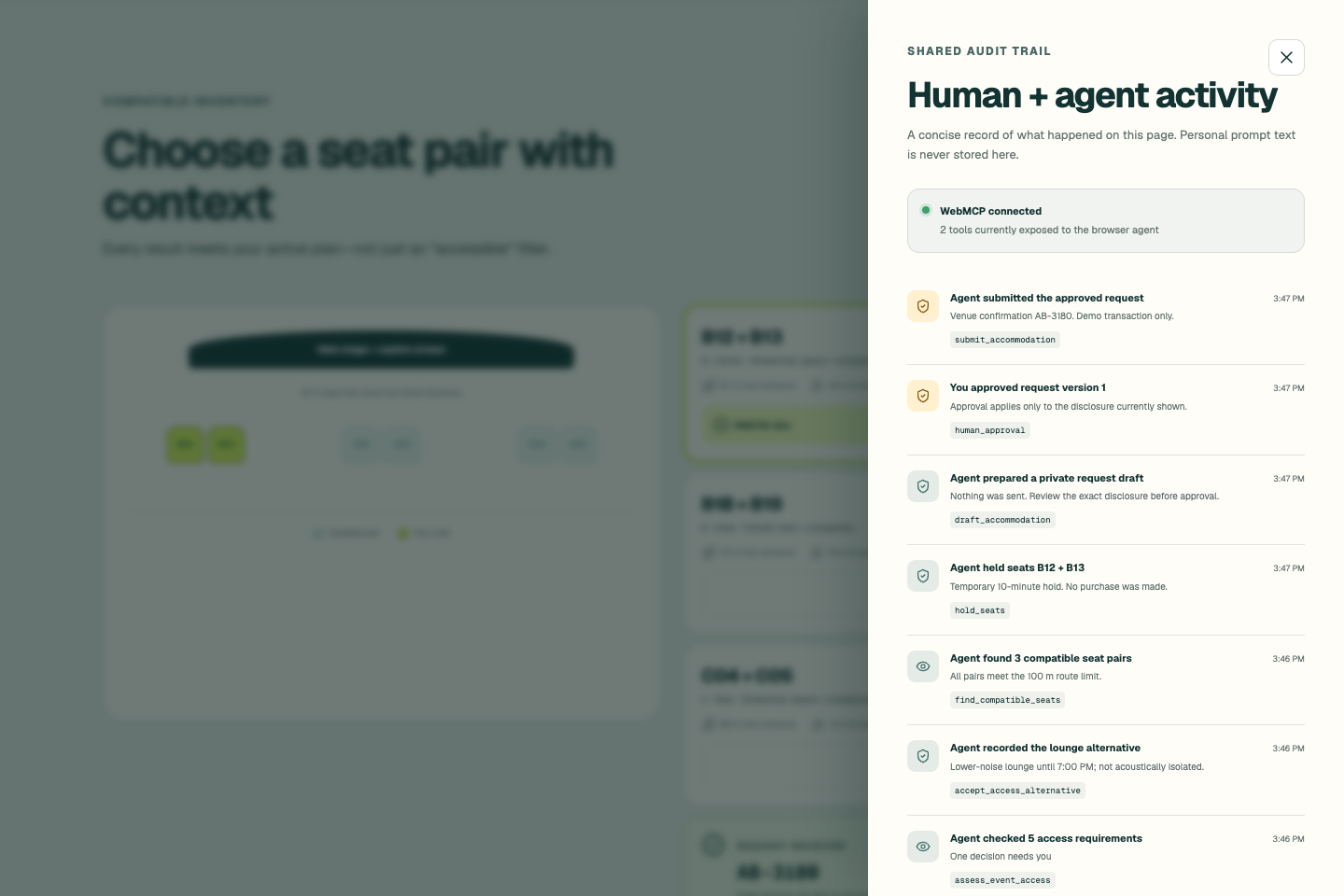
The shared audit trail records human and agent actions without storing personal prompt text.
Inspiration
Planning an accessible outing should not require opening multiple venue pages, interpreting vague labels, calling a box office, and repeatedly explaining personal circumstances.
Most event platforms answer a generic question: “Is this venue accessible?” People need an individual answer: “Will this specific event work for me, with my requirements, on this date?”
The necessary information is often fragmented across venue descriptions, accessibility FAQs, seating inventory, and accommodation forms. Browser agents can help coordinate this work, but conventional UI automation introduces another risk: the agent may misinterpret ambiguous language, overlook an unknown fact, or disclose more personal information than necessary.
AccessBridge was created to provide a reliable coordination layer between people, browser agents, venues, and ticketing workflows.
What it does
AccessBridge helps people and their agents confidently plan accessible outings using verified venue facts, compatible seating, and human-approved accommodations.
A person creates a private access plan using functional requirements rather than diagnoses. For example:
- A step-free route
- A maximum walking distance
- Live captions
- Accessible and adjacent companion seating
- A lower-stimulation place for a break
AccessBridge compares those requirements with a structured, venue-provided Access Contract. Instead of producing a generic accessibility score, it evaluates every requirement independently and preserves:
- Verified matches
- Conditions
- Blockers
- Unknown information
- Evidence sources and verification dates
- Venue-declared alternatives
When a venue offers an alternative, AccessBridge does not decide whether it is acceptable. The person makes that decision, and the agent can record and coordinate the next steps.
Once the plan is workable, the agent can find compatible seating, place a reversible hold, and prepare a minimum-disclosure accommodation request. Submission remains structurally unavailable until the person reviews and approves the exact version of the information that will be shared.
Every human and agent action updates the same visible interface and appears in a shared activity record. AccessBridge is not a separate chatbot layered over a website—the website remains the source of truth, and WebMCP gives agents a reliable way to work with its live state.
How we built it
AccessBridge is built with Next.js 16, React 19, TypeScript, and the browser-native WebMCP API.
The application registers tools directly through:
document.modelContext.registerTool()
Its WebMCP surface is state-aware. Only search_events and assess_event_access are available initially. Additional tools appear only when their prerequisites are satisfied:
accept_access_alternativefind_compatible_seatshold_seatsrelease_seat_holddraft_accommodationsubmit_accommodation
Abort-signal lifecycle cleanup removes tools as soon as they are no longer valid. For example, assessment tools disappear during an active transaction, and the submission tool exists only while the currently displayed disclosure has exact human approval.
Every tool has a strict JSON Schema and additional runtime validation. Human controls and WebMCP tools invoke the same application logic, so agent activity always changes the interface the person can see.
The compatibility engine is deterministic and preserves unknowns rather than allowing an AI model to infer missing facts. Plans are versioned to reject stale operations, seat holds are reversible, and editing a request automatically invalidates prior approval.
The public application is deployed on Vercel with restrictive security headers, responsive semantic UI, keyboard-accessible dialogs, ARIA live announcements, reduced-motion support, automated tests, and WCAG A/AA scanning.
Challenges we ran into
The hardest challenge was defining the boundary between coordination and authority.
An agent should be able to perform repetitive work, but it should not silently relax a hard requirement, decide whether an alternative is acceptable, or submit personal information without informed approval. We addressed this by making consent part of the tool lifecycle rather than relying on prompt instructions alone.
State synchronization was another major challenge. A WebMCP tool must always represent what is currently valid on the page. We introduced versioned plans, transaction guards, abortable tool registration, stale-state rejection, and exact-version approval to prevent outdated actions.
We also had to design accessibility information without reducing people to a universal score. Access is individual and contextual, so the product preserves evidence, conditions, unknowns, and alternatives at the requirement level.
Finally, an accessibility product must itself be accessible. We tested keyboard behavior, dialog focus, screen-reader announcements, color contrast, responsive layouts, and populated workflow states—not only the initial landing page.
Accomplishments that we're proud of
- A complete native WebMCP journey runs successfully in Chromium and ChatGPT-compatible browser contexts.
- Tools appear and disappear dynamically based on real workflow state.
- Missing venue facts remain unknown instead of becoming AI-generated assumptions.
- Hard blockers prevent incompatible seat and accommodation workflows.
- Seat holds are reversible and protected against stale plan versions.
- Personal disclosure cannot be submitted before exact human approval.
- Editing an approved request immediately revokes submission permission.
- Duplicate submission attempts are idempotent.
- Human and agent actions remain visible in one shared activity record.
- The production experience passes automated tests and WCAG A/AA scans with no violations.
What we learned
WebMCP is most valuable when it acts as progressive enhancement for a strong product—not as a replacement for the interface.
A small, precise, state-aware tool surface is safer and more reliable than exposing every possible action at once. We also learned that important consent boundaries should be enforced structurally through application state and tool availability, not delegated to model behavior.
For accessibility workflows, provenance matters as much as the fact itself. People need to know what was verified, when it was verified, what remains unknown, and whether an alternative is genuinely equivalent or simply another option.
The strongest human-agent experiences give agents responsibility for coordination while preserving human authority over personal decisions.
What's next for AccessBridge
The next phase is turning the Access Contract into shared infrastructure for venues, event platforms, and accessibility communities.
Planned work includes:
- Authenticated venue publishing and versioned Access Contracts
- Independent verification and community review workflows
- Integrations with real ticketing and seating inventory providers
- Secure, reusable personal access plans
- Signed consent and disclosure receipts
- Notifications when venue facts change after a plan is created
- Organization dashboards for identifying recurring information gaps
- Open adapters that let more event platforms expose compatible WebMCP tools
The current public experience uses fictional venues, inventory, holds, and submissions so the complete workflow remains safe and repeatable. The product architecture is designed for real venue and ticketing integrations.
Built With
- accessibility
- chrome
- css3
- eslint
- geist
- github
- html5
- javascript
- json
- lucide
- next.js
- node.js
- react
- typescript
- vercel
- vitest
- wcag
- webmcp


Log in or sign up for Devpost to join the conversation.