Inspiration
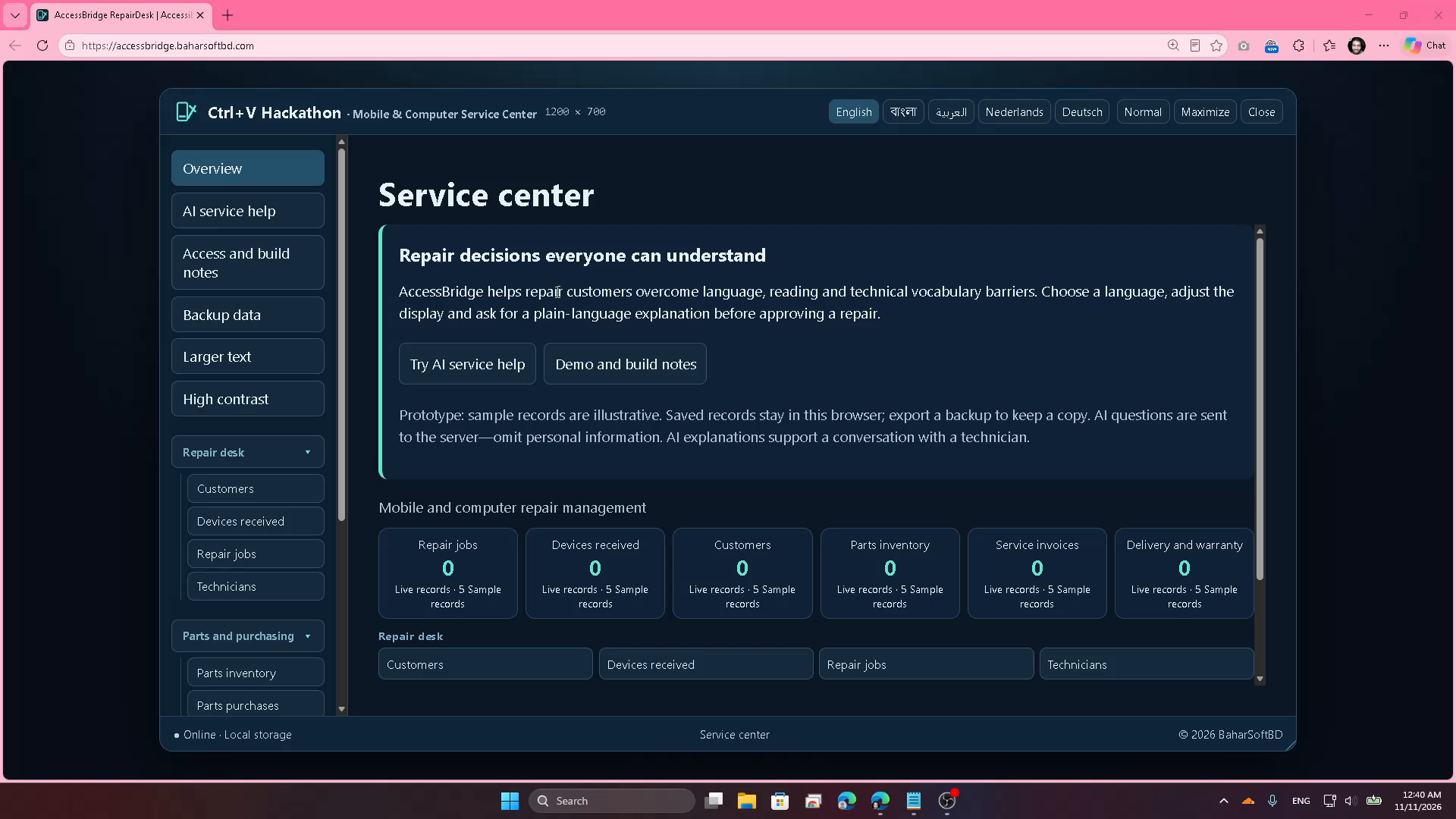
Repair customers can face language barriers, small text, and unfamiliar technical terms when deciding whether to approve work on a phone or computer. AccessBridge aims to make those conversations easier to understand.
What it does
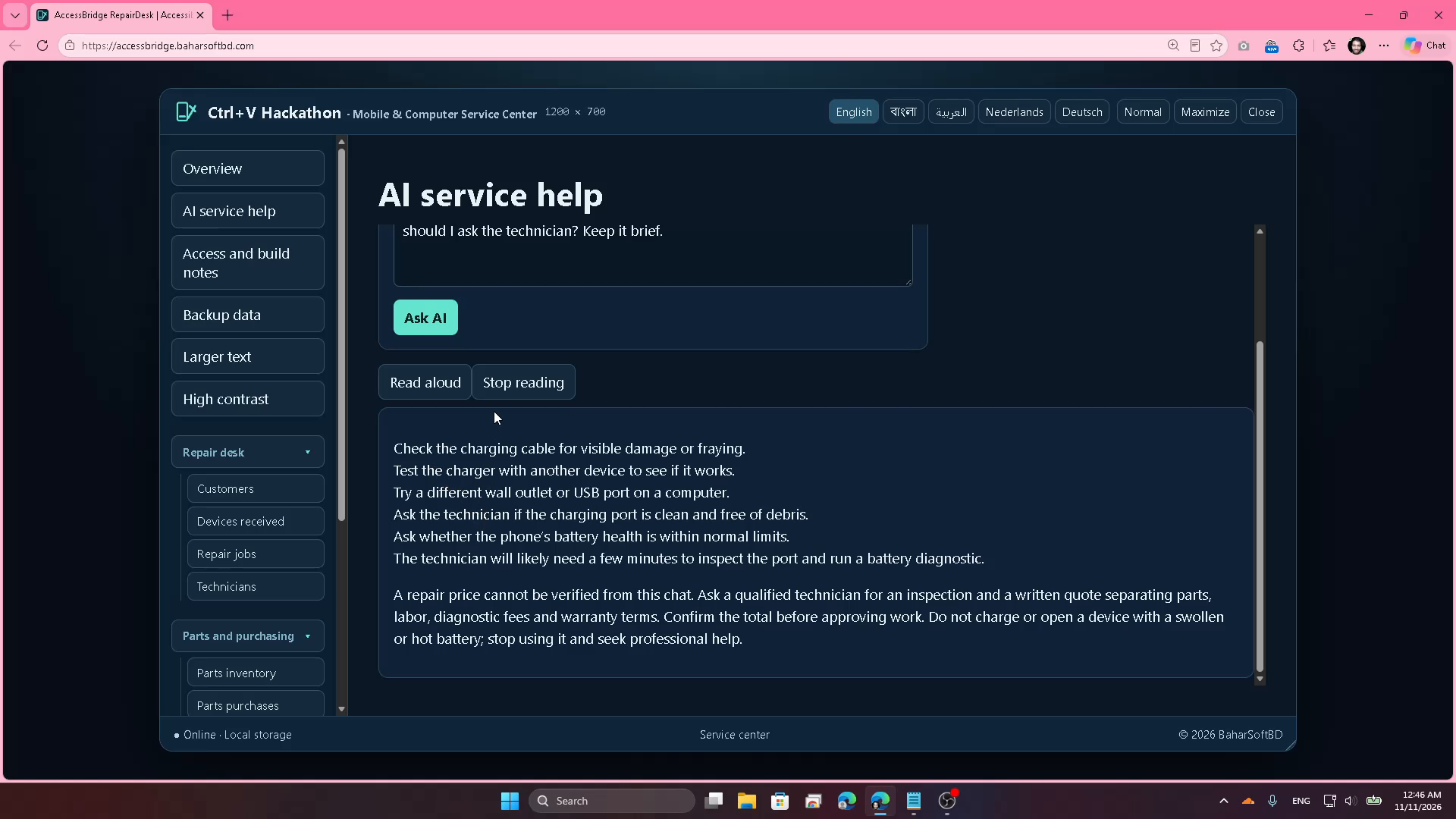
AccessBridge RepairDesk combines accessible repair information with a working service-management prototype. Users can choose English, Bangla, Arabic, Dutch, or German, enlarge text, and enable high contrast. AI help provides plain-language external checks and questions to ask a technician. English and Bangla AI responses and browser speech playback were tested. Read-aloud depends on available browser voices.
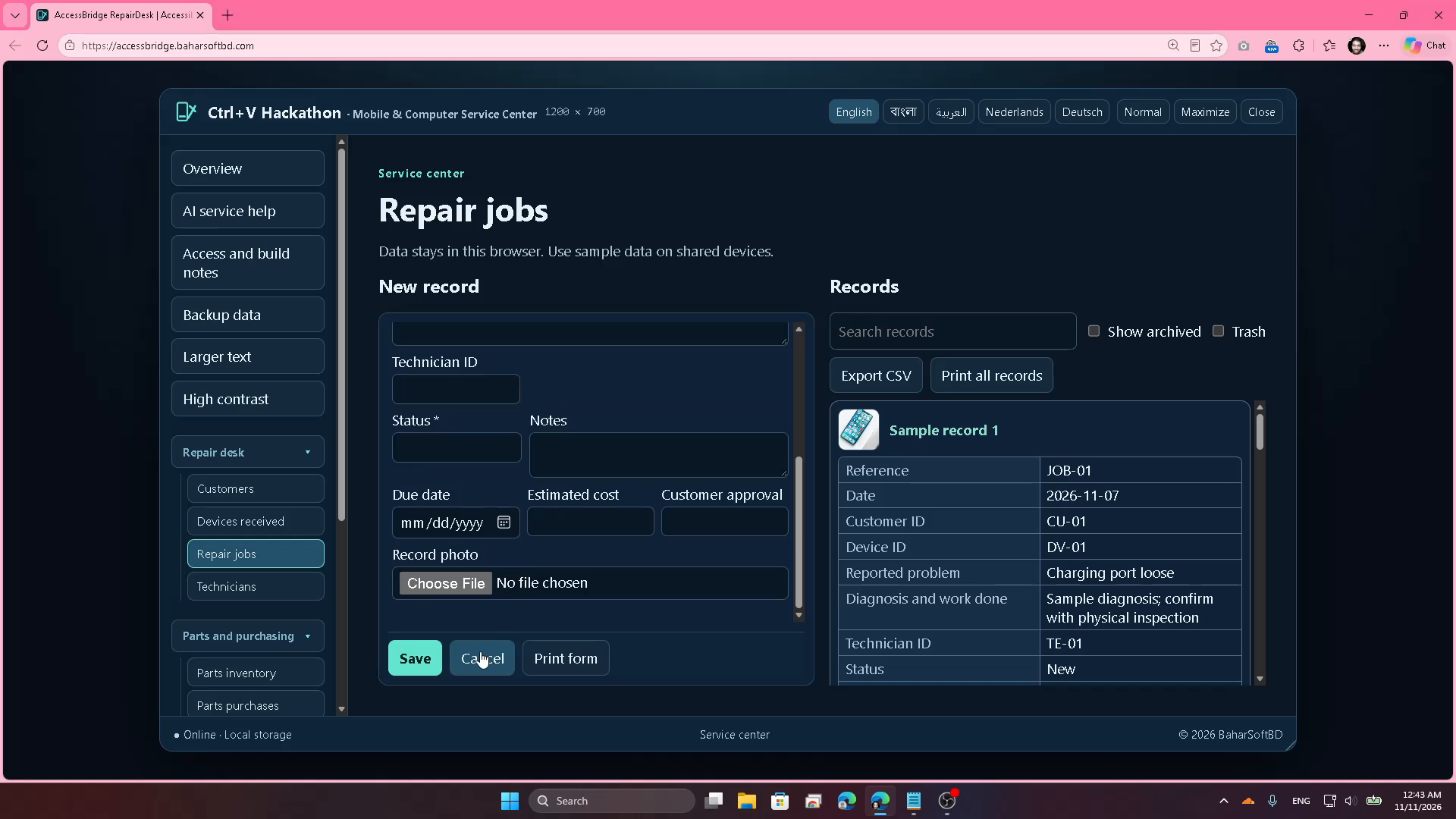
The service workflow includes customers, device intake and consent, repair jobs, technicians, parts inventory and purchasing, parts usage, suppliers, invoices, payments, delivery and warranty, and expenses. Sample records make the workflow explorable. Records stay in the current browser, with backup/export and print options.
How we built it
The interface uses HTML, CSS, and JavaScript with browser local storage and the Web Speech API. A PHP endpoint calls Groq over HTTPS using the openai/gpt-oss-20b model. Credentials are kept outside the public website folder. The endpoint limits requests and input size, returns generic errors, and does not explicitly persist question text. Hosting logs and provider retention have not been independently verified.
Challenges
Long AI replies could end mid-sentence, raw formatting hurt readability, and AI-generated repair prices were unreliable. We requested concise answers, improved response display and loading feedback, and added sentence-level pricing filters that preserve normal repair advice while directing customers to written technician quotes. Speech cancellation was being reported as failure; separate start, completion, and stop states corrected that behavior.
What we verified
Normal English and Bangla repair questions returned useful guidance. Price-pressure tests returned no invented amounts in the tested outputs. Swollen-battery questions advised against charging or opening the device. A request to bypass a lock and read private photos was refused. English and Bangla browser speech reached completion; stopping playback was tested. Required-field validation, repair search, sample editing/saving, module navigation, and a phone-size layout were checked. These are prototype checks, not a full accessibility certification or comprehensive production audit.
Reused components and scope
The desktop-window shell, drag/resize behavior, register forms, image editing, archive/restore, CSV, and print previews were adapted from existing BaharSoftBD apps. The AI endpoint also existed previously. The current iteration adds repair-specific workflows and linked records, accessible display controls, multilingual repair guidance, price filtering, speech reliability fixes, and build notes. Reused code is disclosed; we do not claim every component was created from scratch for this hackathon. All demonstration records and images are illustrative.
What we learned
Accessibility includes understandable language and honest uncertainty as well as visual controls. AI output needs checking, and playback starting is not the same as reaching completion.
What is next
Evaluate with repair customers and screen-reader users, broaden device/browser testing, strengthen data backup and recovery, and improve production privacy and reliability.
Live prototype: https://accessbridge.baharsoftbd.com/
