-
-
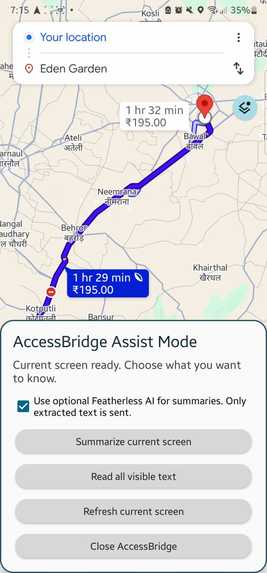
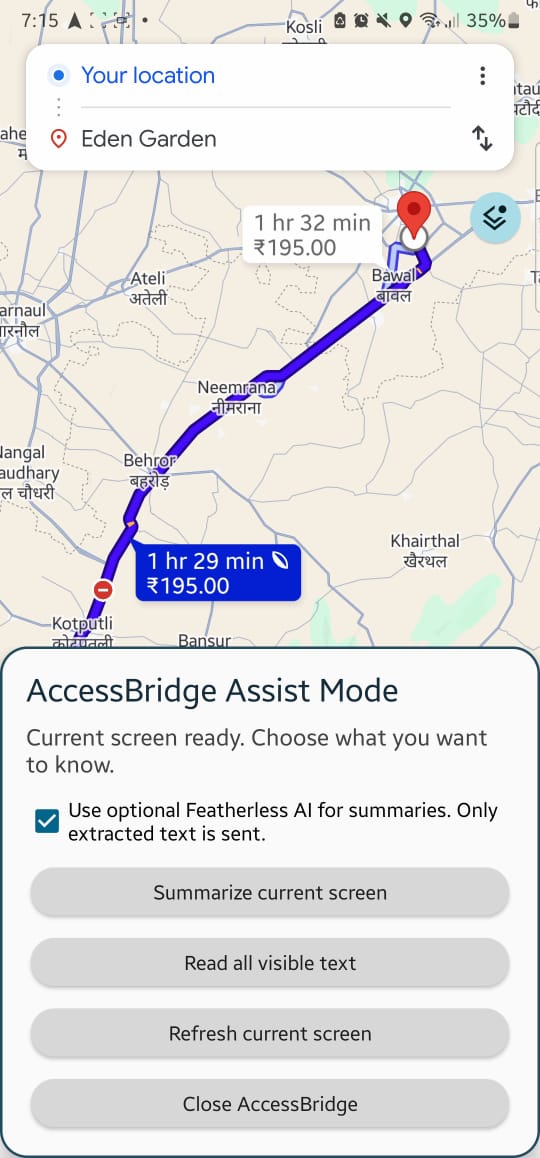
This is the overlay for the app, that pops up once you press the little accessibility icon at the bottom.
-
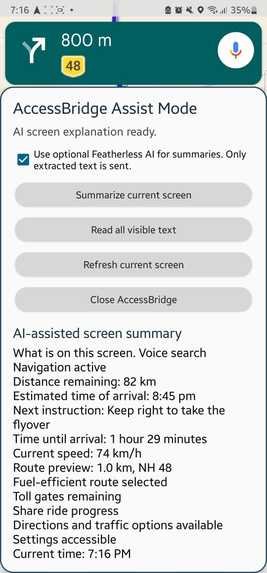
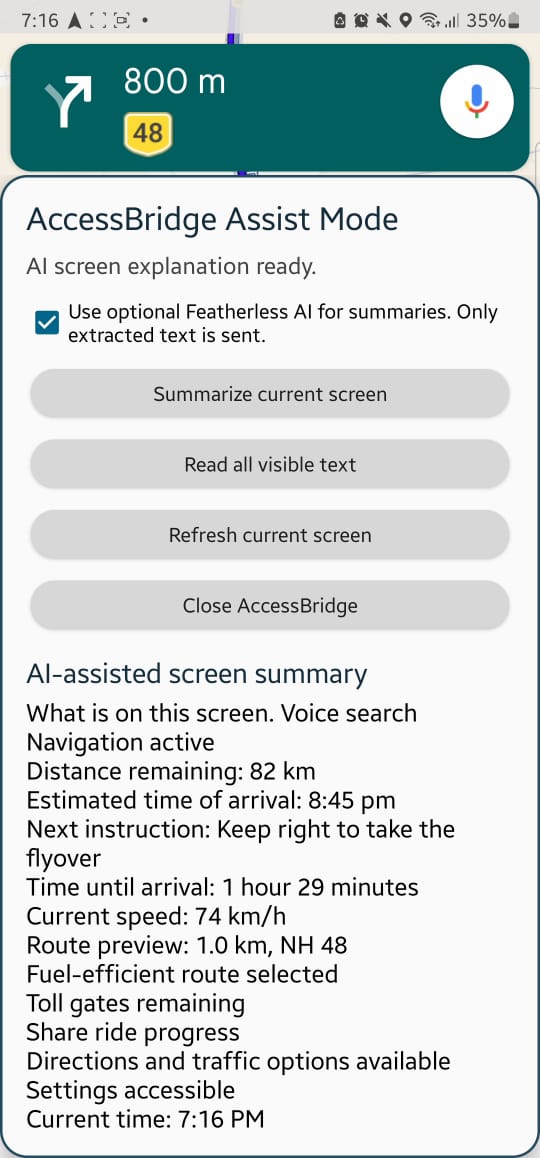
This is the same situation but a different part of the booking journey.
-
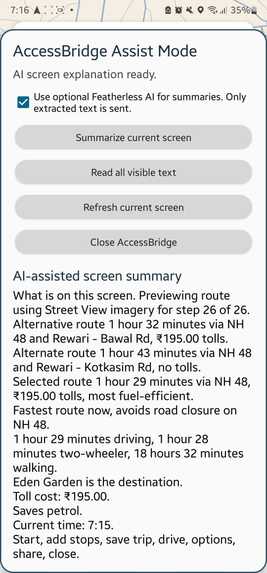
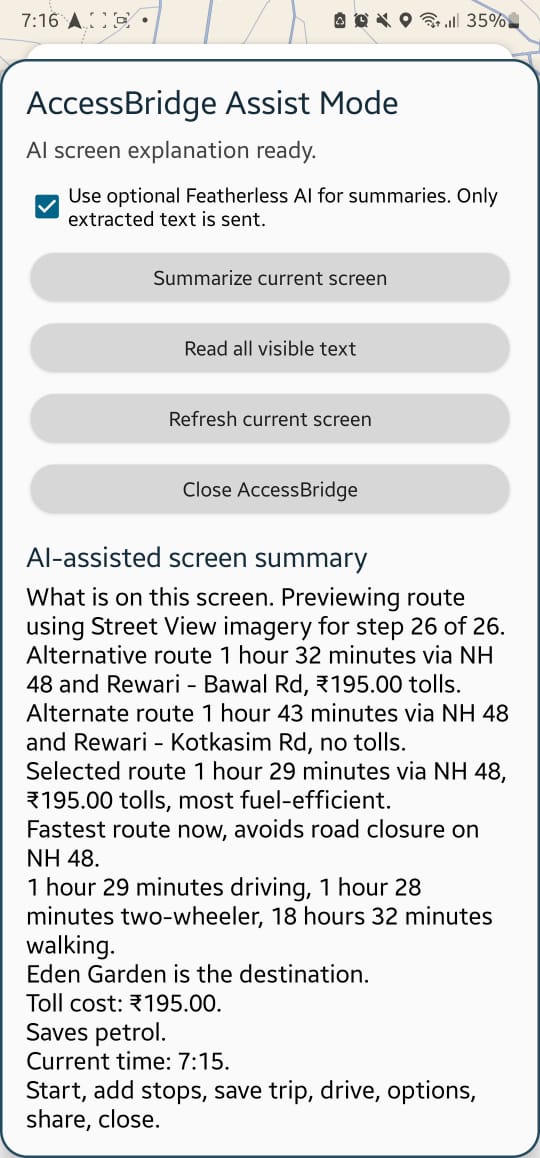
This is the summarized information the app provides after the AI Analyse a
-
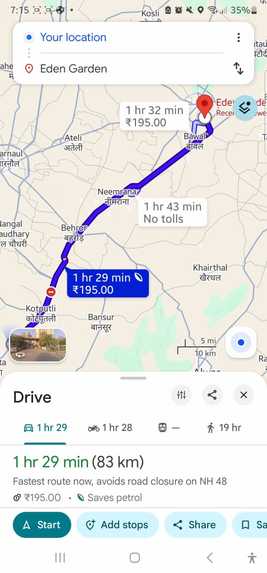
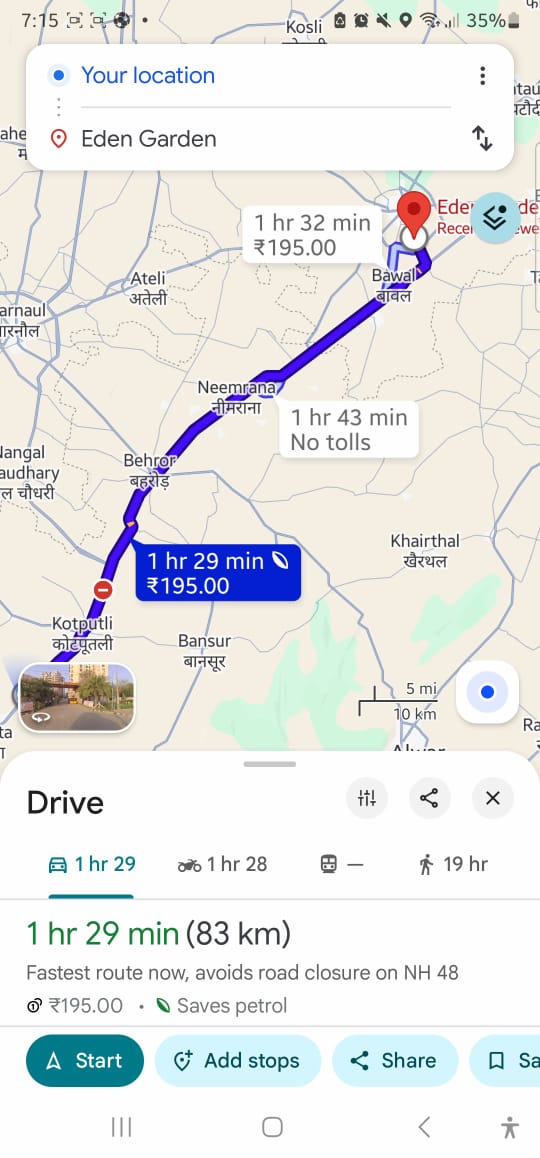
This is the situation used, as it is the closest alternative to Grab we could find for now. As grab doesn't allow information to be accessed
-
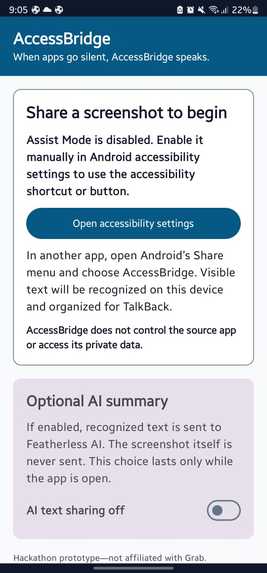
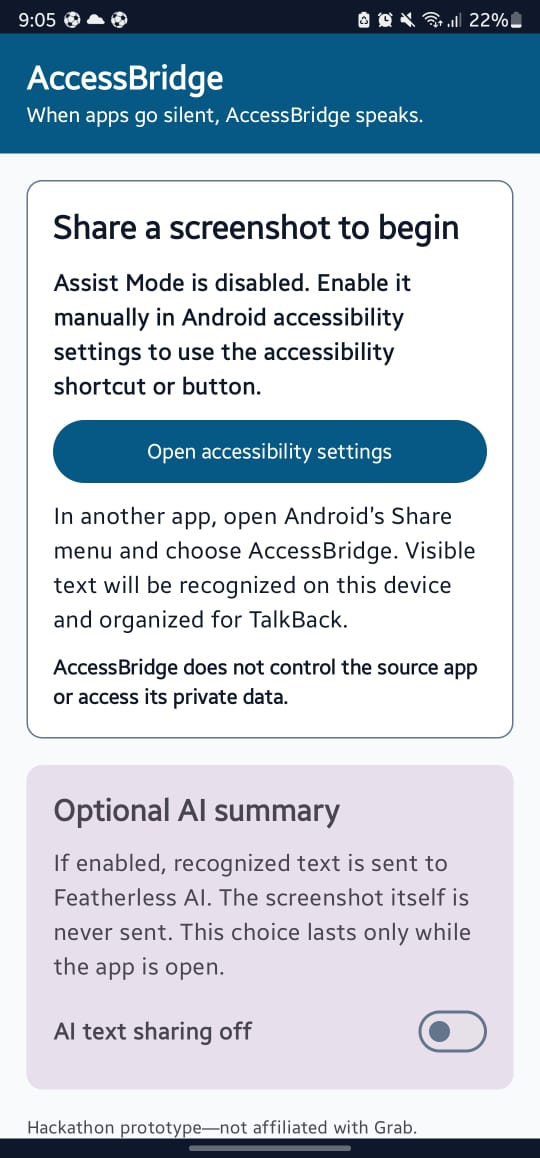
This is the main app home screen.
Inspiration
Eashan and I have spent time volunteering at St. Nicholas’ Home for the Blind in Penang. I have been volunteering there every week for a few years, and Eashan has also joined me in supporting the community. Our work began with reorganising library books and later expanded to recording audiobooks and typing printed books so they could be converted into Braille. While speaking with residents about challenges in their daily lives, we learned that using Grab independently can become difficult when TalkBack becomes unresponsive or important ride information is presented visually. Eashan and I realised that this was not only a problem with Grab—it reflected a wider accessibility gap across many mobile applications. We saw an opportunity to build a scalable accessibility layer that could support different apps when their existing accessibility features fall short. It was an important but underserved area of the app ecosystem, and that conversation became the inspiration for AccessBridge.
What it does
AccessBridge is an Android accessibility-companion prototype. The current application turns manually shared screenshots of visually complex or poorly labelled screens into structured text that TalkBack can communicate clearly. The planned assist mode will add user-triggered screen analysis through Android accessibility features.
When the user requests help, AccessBridge reads the available accessibility information and captures the current screen. On-device Google ML Kit OCR extracts visible text, while duplicate or unnecessary information is removed. The user can then choose to hear all visible text or receive a shorter, accessibility-focused summary. Featherless AI can optionally improve the summary, while local processing remains available when AI is not enabled. Accessbridge doesn’t continuously monitor the device.
How we built it
We began by speaking with a visually impaired user and identifying a specific accessibility failure inside Grab. We then narrowed our idea from a large accessibility platform into a prototype that could be completed and demonstrated during a hackathon. Eashan and I built AccessBridge while we were both on vacation. We worked with our laptops whenever we had the time, often learning something new only moments before using it in the project. Since this was our first hackathon and our first Android app, the beginning felt overwhelming. Even setting up GitHub, creating branches and understanding how an APK worked took us time. We first wrote down the smallest version of our idea that could actually work. Our original prototype allowed users to share a screenshot with AccessBridge. We built the Android app in Kotlin and used Google ML Kit OCR to recognise text from the screenshot directly on the phone. We then organised the extracted text so TalkBack could read it more clearly.
After the screenshot version worked, we built Assist Mode using Android’s AccessibilityService. This allowed AccessBridge to open as a TalkBack-friendly overlay while another app remained open. We combined information from the accessibility tree with a user-triggered screenshot, removed repeated text and added options to read everything, create a summary, refresh the screen or close the overlay. For optional AI summaries, we connected the Featherless API. We also kept local summaries and manual screenshot sharing as fallbacks so the prototype would still be useful without an internet connection or AI access, but the without AI feature is still quite jumbled up. We used GitHub to store our work and collaborate through branches and commits. DevSwarm helped us work on the same project, while OpenAI Codex acted as both as a coding assistant and a teacher. We asked Codex to explain unfamiliar concepts such as Git branches, Gradle, Android permissions, accessibility services and APK building. It also helped us understand errors and possible fixes, but we reviewed the changes, made the final decisions and tested everything ourselves. We learned from the explanations instead of simply copying code we did not understand. We used Gradle and the Android SDK to build the application, ADB to install development versions and TalkBack to test the experience on a real Android phone.
Challenges we ran into
The biggest challenge was finding enough time. Eashan and I were both on vacation while building AccessBridge, so we had to work around travel plans and use every free moment we could find. We were often working from different places, which made coordinating tasks and keeping track of GitHub changes more difficult. his was also our first hackathon and our first time building an Android application. We had to learn Git, Gradle, APK building, Android permissions and accessibility services while developing the project. Some problems took hours to understand. Builds failed, the phone initially blocked our APK, and the accessibility overlay did not always behave as expected. At one point, the overlay appeared inside the screenshot it was trying to analyse, which meant we had to rethink the capture process.
Accomplishments that we're proud of
This was our first hackathon and our first time building an app, but we still managed to create something that works end to end on a real phone. We’re both proud that we actually managed to make our idea into a working prototype. And that AccessBridge can be activated while another application remains open, collect information from the current screen and provide a result that TalkBack can read. We successfully combined Android accessibility features, on-device ML Kit OCR, optional Featherless AI summarisation and a manual screenshot fallback. We are also proud that we completed the project while both of us were travelling. We learned how to coordinate through GitHub, solve unfamiliar technical problems and keep going when builds failed or time was limited.
What we learned
The biggest thing we learned is that accessibility is about more than adding labels to buttons. TalkBack may be able to read individual elements while the user still does not understand the overall screen or what is happening. Good accessibility must provide useful context, not only text. Eashan and I also learned how to use GitHub, work with branches, build APKs and divide a technical project between two people. We learned that tools such as DevSwarm and OpenAI Codex can help us learn and move faster, but we still need to understand the suggestions, test the results and make our own decisions. Most importantly, we learned that we were capable of building much more than we originally thought.
What's next for AccessBridge
AccessBridge is such an interesting concept, and it is full of untapped opportunities. We certainly have intentions of continuing our work with this. We believe it could support blind and low-vision users not only in Malaysia, but eventually around the world..Our next goal is to improve AccessBridge’s understanding of visual information rather than relying mainly on recognised text. This includes interpreting maps, icons, layouts, vehicle markers and changing screen content. When we are both back in Malaysia, we will be able to test it out with the Visually Impaired and get real time feedback from them, and we can collaborate together to make travelling easier for the disabled. We want to also give the user the choice of what they would like to know on the page, and the choices are made to suit the app regarding the situation by the AI, then summarized, and hopefully getting information straight from the app instead of a screenshot.
