-
-
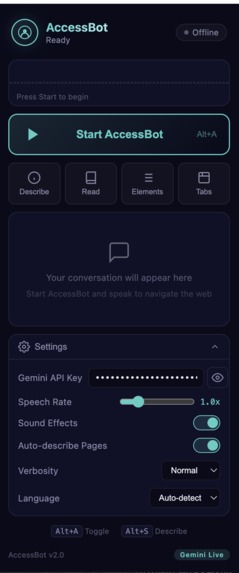
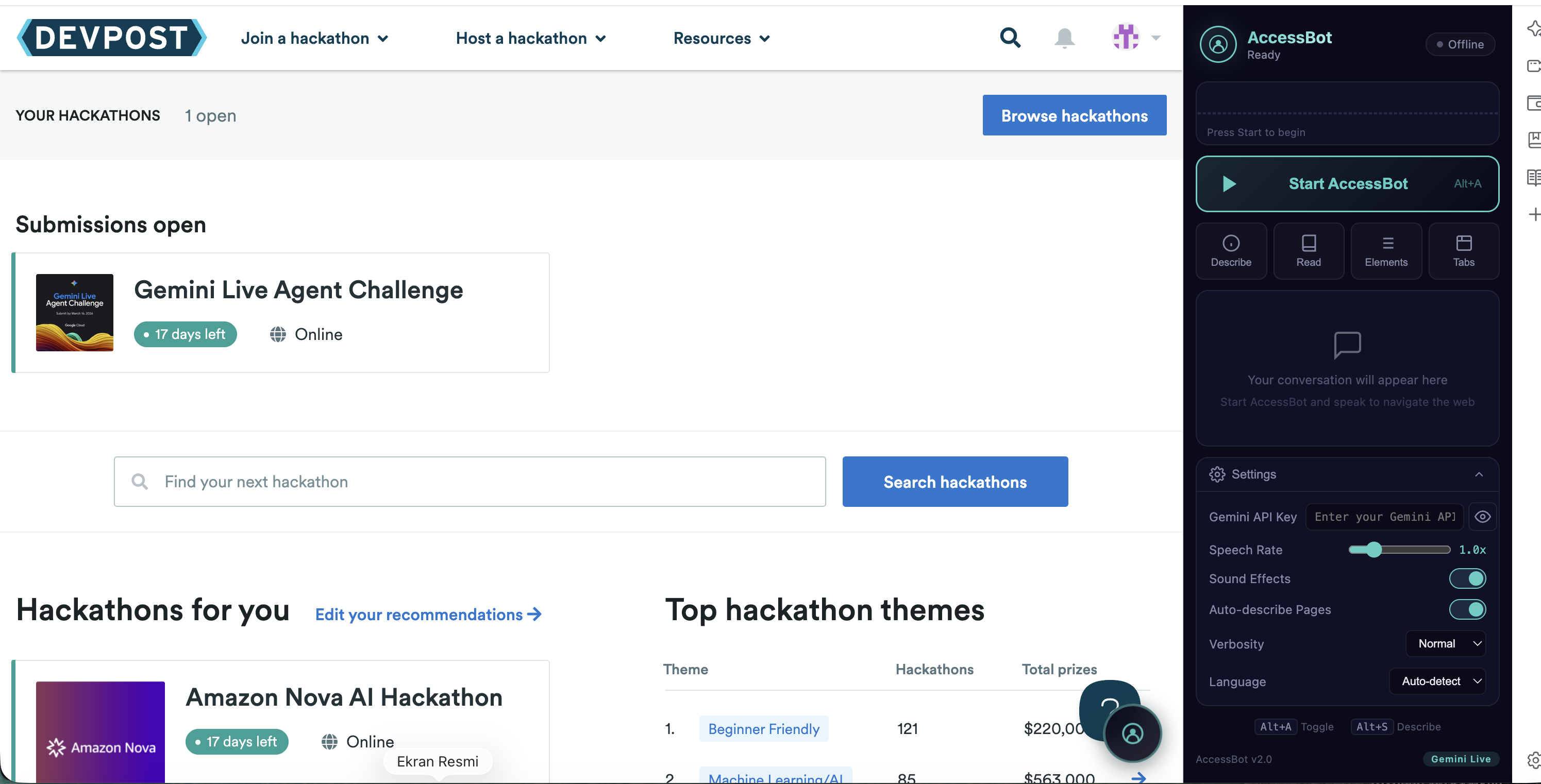
Side Panel
-
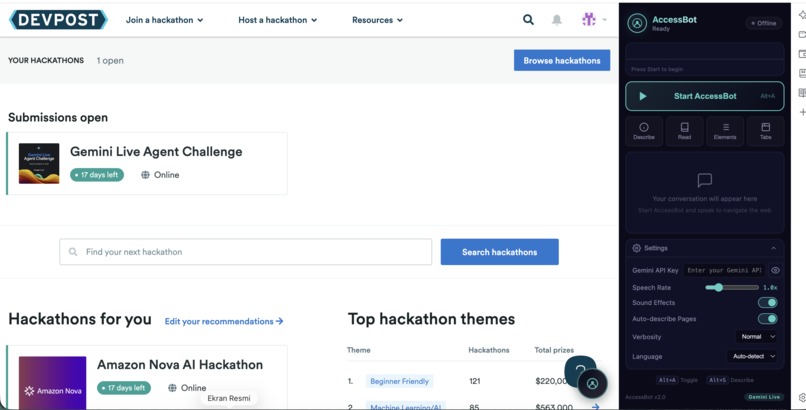
Side Panel - Main Screen
-
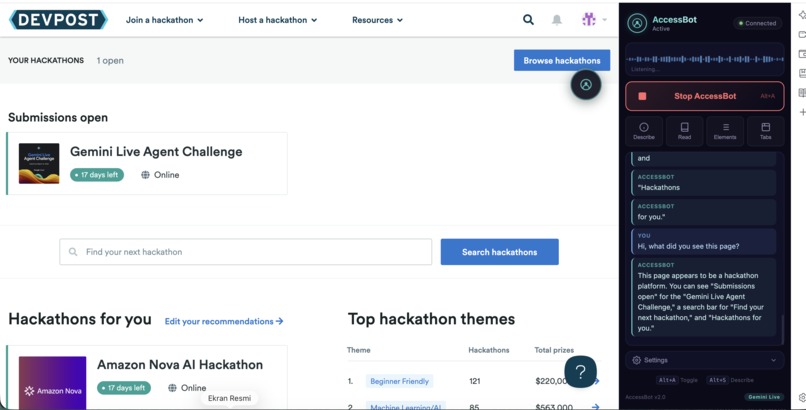
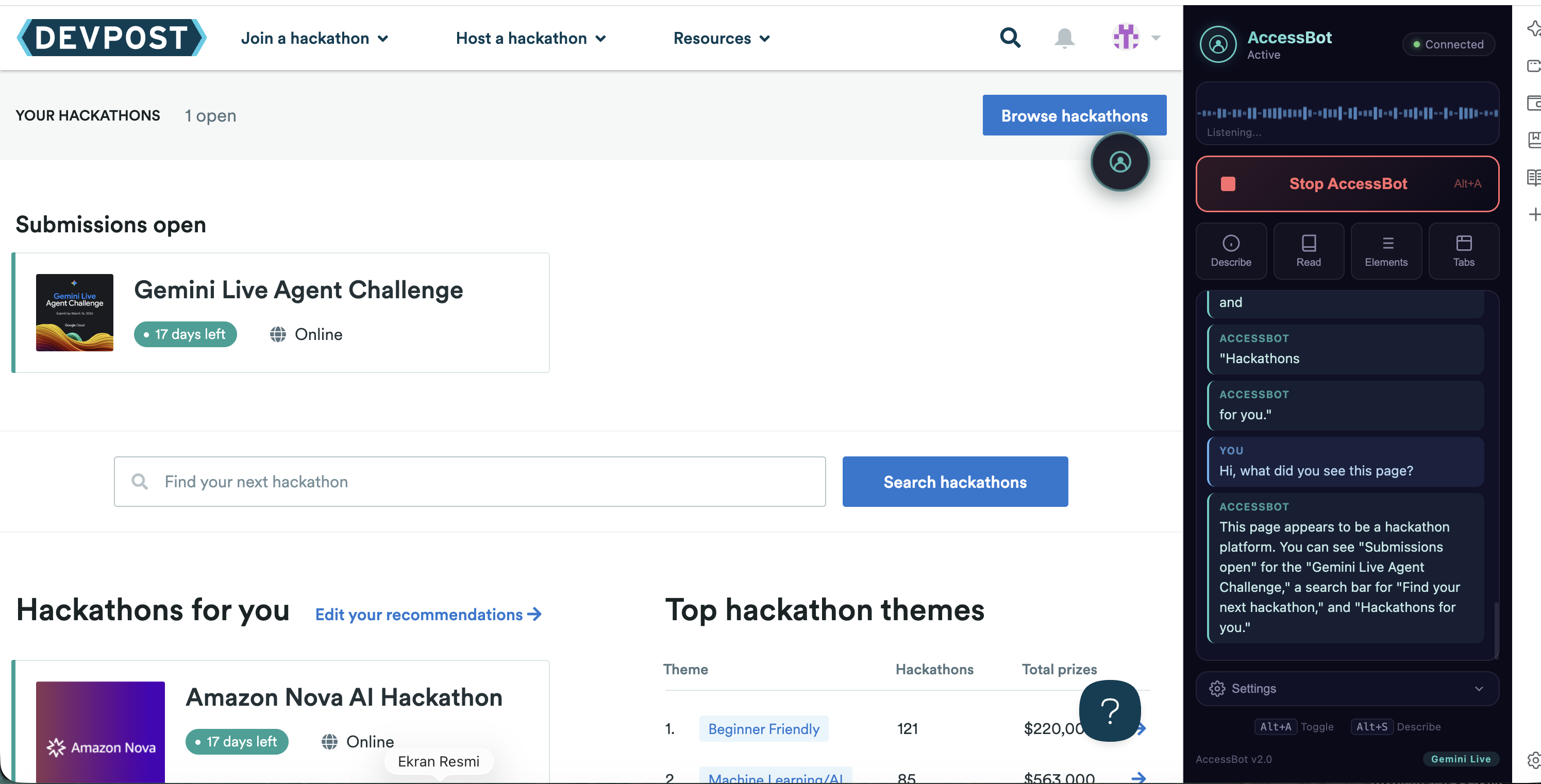
Side Panel - Active Speech
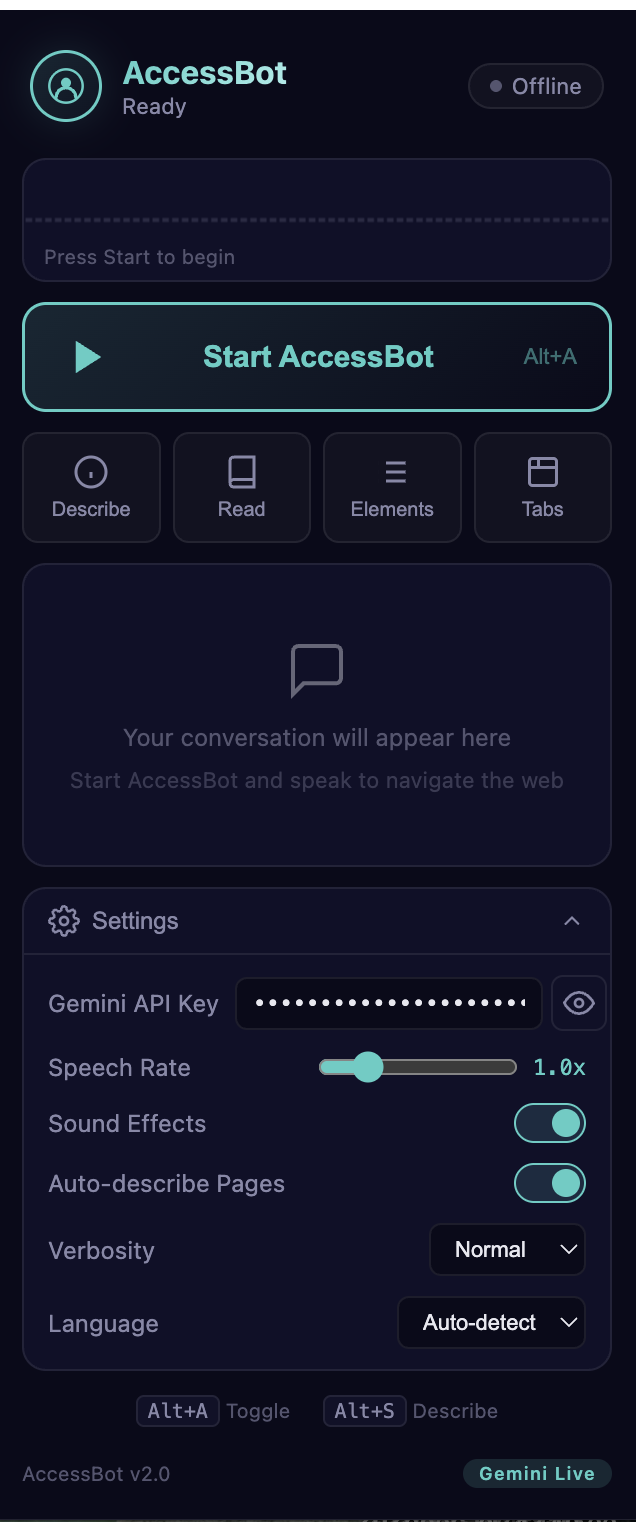
Inspiration
Approximately 250 million people worldwide live with vision impairments. While screen readers exist, they struggle with modern dynamic web applications — SPAs, complex JavaScript UIs, and constantly changing content create barriers that traditional accessibility tools can't overcome.
We asked: What if a visually impaired user could simply talk to their browser like they'd talk to a human assistant sitting next to them?
"Click the blue button", "Read me this article", "Go to YouTube and search for cooking recipes" — natural commands that a sighted helper would understand instantly. That's what AccessBot does, powered by Gemini's real-time audio streaming.
What it does
AccessBot is a Chrome Extension that acts as AI eyes and hands for visually impaired users:
- See: Streams the user's screen to Gemini at 2 FPS via screenshots
- Listen: Captures the user's voice in real-time using bidi-streaming audio
- Speak: Responds with natural voice through Gemini's native audio output
- Act: Executes 36 browser actions — clicking, typing, scrolling, tab management, form filling, keyboard shortcuts, drag & drop, web search, and more
- Understand: Supports 14 languages with auto-detection — speak Turkish, get Turkish responses
The user simply speaks, and AccessBot sees their screen, understands their intent, and takes action — all in real-time conversation.
How we built it
AI Model: gemini-2.5-flash-native-audio-preview with bidi-streaming mode — enabling real-time voice conversation without separate STT/TTS services.
Backend: Python FastAPI with Google ADK (Agent Development Kit). The ADK's LiveRequestQueue handles mixing text context with streaming audio/video. Deployed on Google Cloud Run with session affinity for WebSocket persistence.
Chrome Extension (Manifest V3):
- Service Worker: Orchestrates WebSocket connection, screenshot capture, and action dispatch
- Offscreen Document: Handles audio capture (microphone) and playback (Gemini voice) since service workers can't access getUserMedia
- Content Script: Executes 36 browser actions in the DOM with a 10-pass element finding strategy
- Side Panel: Professional glassmorphism UI with waveform visualizer, transcript, and settings
36 Function-Calling Tools: Gemini decides which action to take based on what it sees and hears — from simple clicks to complex page structure analysis, web search, and drag & drop.
User-Provided API Keys: Each user enters their own Gemini API key in the extension. The key is sent via WebSocket auth handshake, keeping the backend stateless and free to operate.
Challenges we ran into
Modern Web Compatibility: Standard element.value = "text" doesn't trigger React/Angular's synthetic event system. We built a 3-strategy typing approach: document.execCommand("insertText") → character-by-character InputEvent dispatch → direct value setter as fallback.
Closing the Feedback Loop: Initially, the AI would fire-and-forget actions with no idea if they succeeded. A user would say "click login" and the AI would say "done!" even if the click failed. We solved this by forwarding every action result back to Gemini via LiveRequestQueue.send_content(), so the AI always knows the actual outcome and can retry with alternatives.
Element Finding from Voice: When a user says "click the search button", finding the right DOM element is surprisingly hard. We built a 10-pass progressive search: exact text → partial match → aria-label → title/placeholder → well-known selectors → coordinate-based → closest clickable ancestor → href matching → ID matching → visible elements fallback.
Gemini Session Limits: The Live API has ~2 minute session limits for audio+video. We implemented automatic reconnection — when a session expires, the backend seamlessly restarts the stream and notifies the user.
Service Worker Lifecycle: Chrome's MV3 service workers terminate after 30 seconds of inactivity. We maintain a 20-second WebSocket keepalive ping and use an Offscreen Document for continuous audio, since service workers can't access microphone APIs.
Accomplishments that we're proud of
- 36 browser action tools — from basic clicks to page structure analysis, web search, drag & drop, clipboard operations, and zoom control
- Real-time voice conversation — not request-response, but continuous bidi-streaming where the user can interrupt the AI mid-sentence
- 10-pass element finding that works on Google, YouTube, React apps, and complex SPAs where traditional selectors fail
- Action result feedback loop — the AI knows exactly what happened after every action and adapts its strategy
- 14 language support — say "Türkçe konuş" and the entire interaction switches to Turkish
- Zero-cost backend — Cloud Run scales to zero, and each user brings their own API key
- Full browser control through voice alone — tab management, form filling, navigation, search, settings — a visually impaired user can do everything a sighted user can
What we learned
- Gemini's native audio bidi-streaming eliminates the latency of separate STT→LLM→TTS pipelines, making voice interaction feel truly conversational
- The ADK's
LiveRequestQueuewithsend_content()andsend_realtime()provides a clean abstraction for mixing text context with streaming audio/video - Accessibility is not just about screen readers — it's about giving users agency. The ability to say "search for flights to Istanbul" and have the AI navigate, type, and read results back is transformative
- Building reliable DOM interaction across the modern web is an unsolved problem — every framework handles events differently, and there's no universal "click this element" API
- The feedback loop between AI actions and real results is critical — without it, the AI is essentially blind to its own impact
What's next for AccessBot
- Learning user patterns: Remember frequently visited sites and preferred navigation paths
- Multi-step task automation: "Book me a flight to Istanbul for next Friday" as a single compound command
- Braille display integration: Output text to connected Braille devices for deaf-blind users
- Site-specific tool plugins: Let developers contribute optimized interaction tools for popular websites
- Offline mode: Cache common page structures for faster navigation on revisited sites
Built With
- chrome-exstension-manifestv3
- fastapi
- gemini
- google-cloud
- googleadk
- html/css
- javascript
- python
- webaudio
- websockets


Log in or sign up for Devpost to join the conversation.