-
-
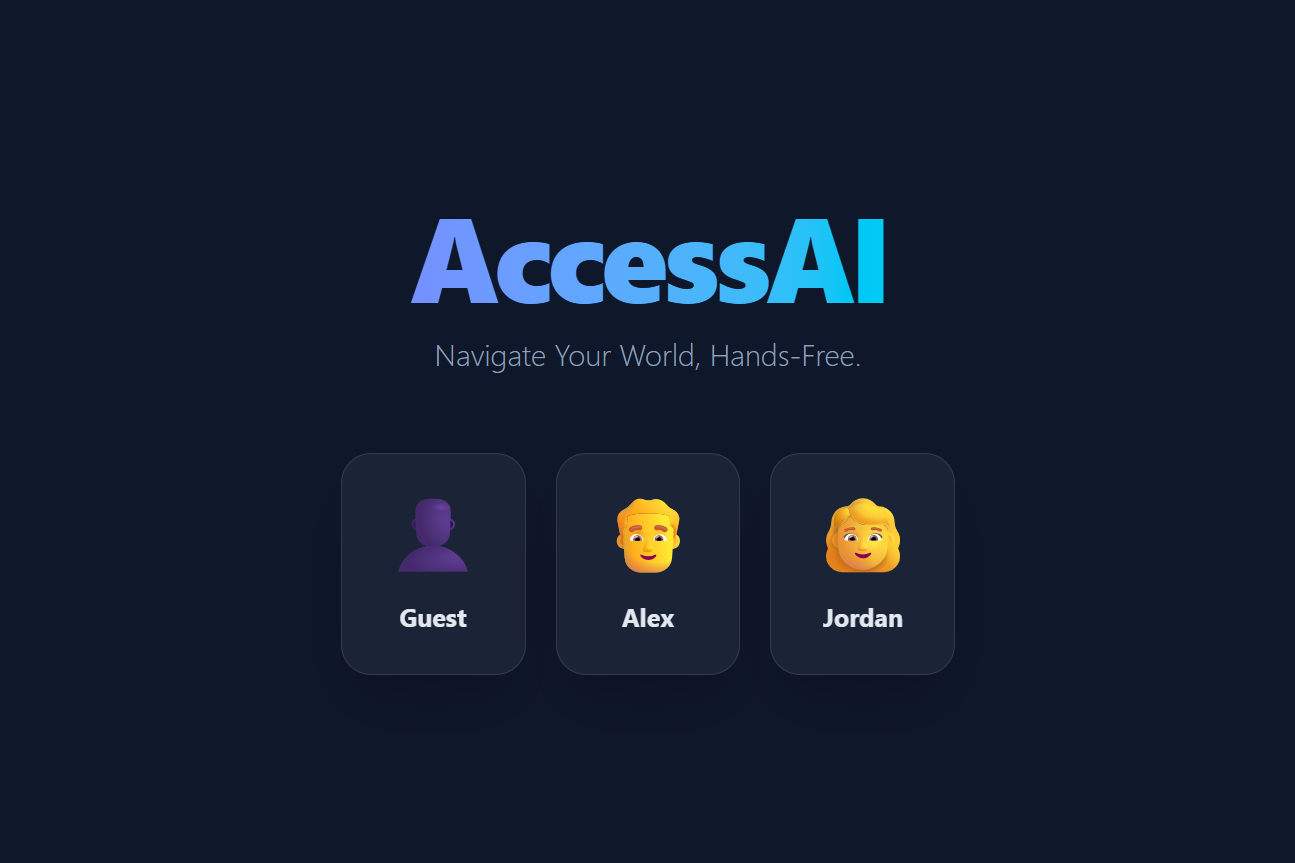
Login Page
-
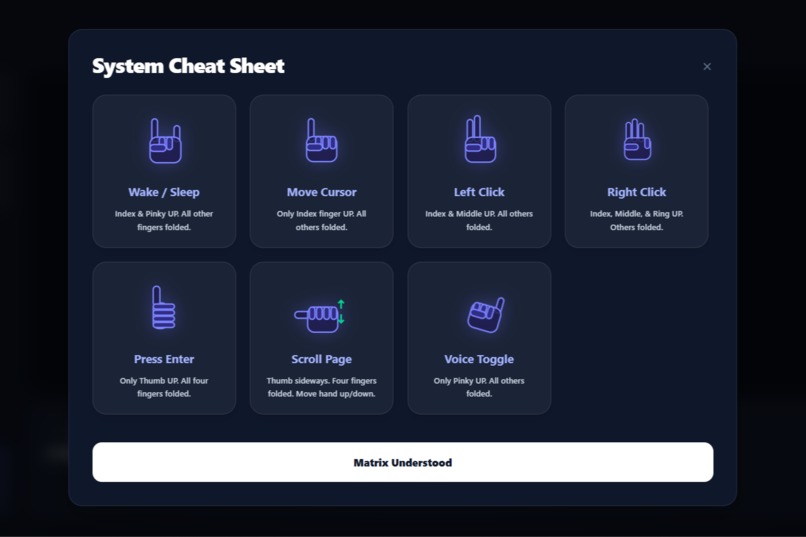
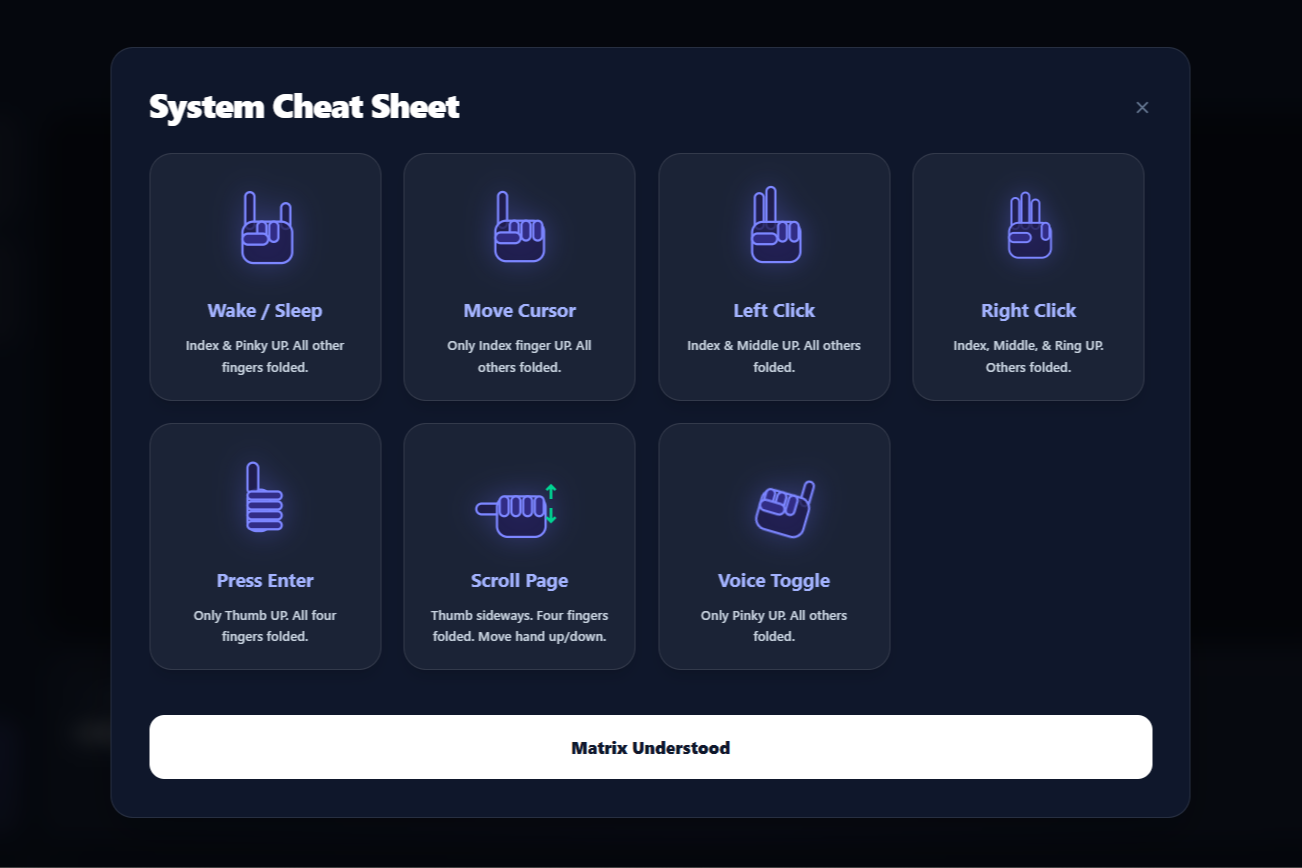
Cheat Sheet
-
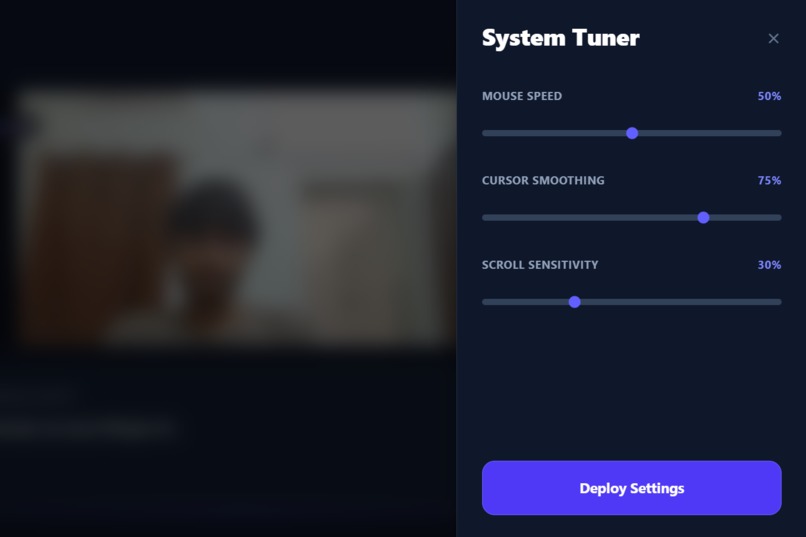
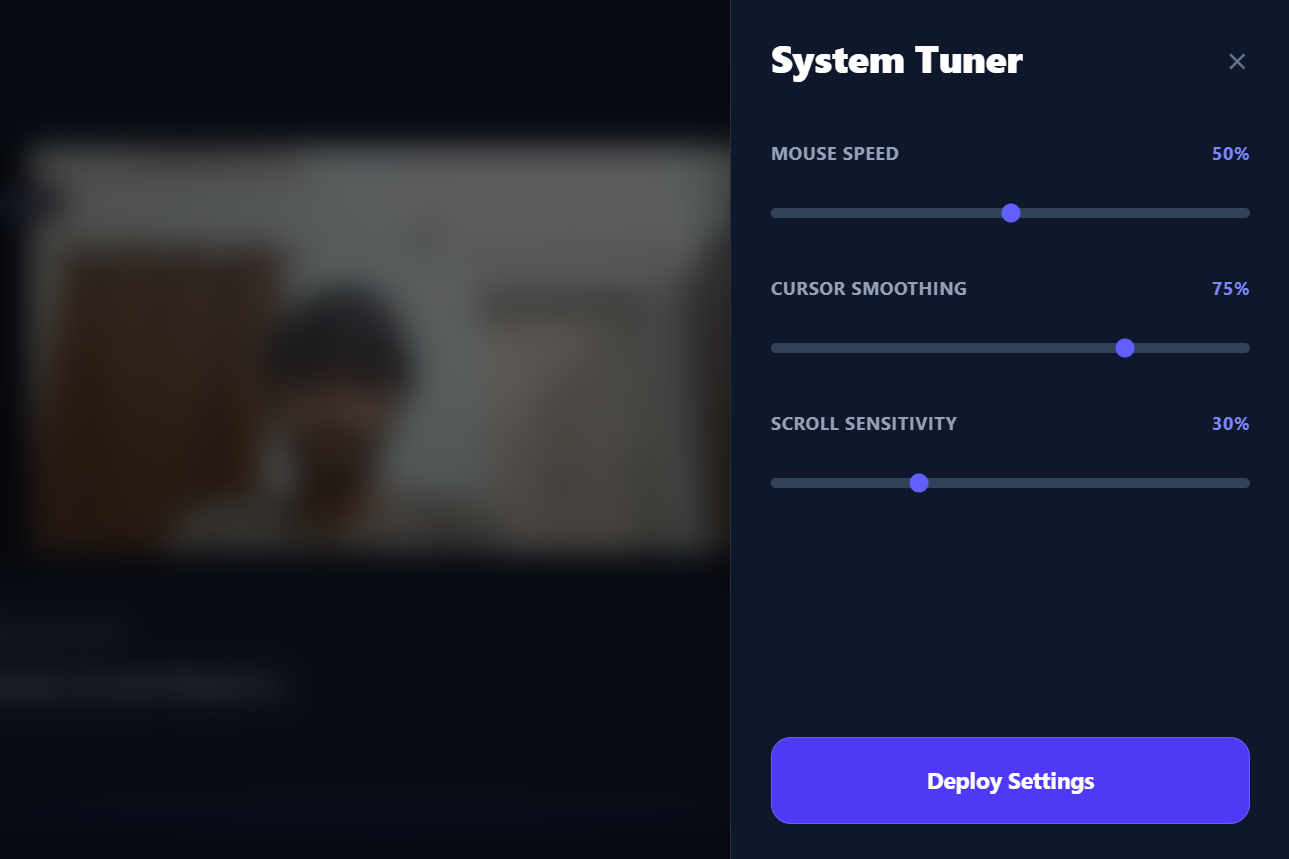
Tune Settings
-
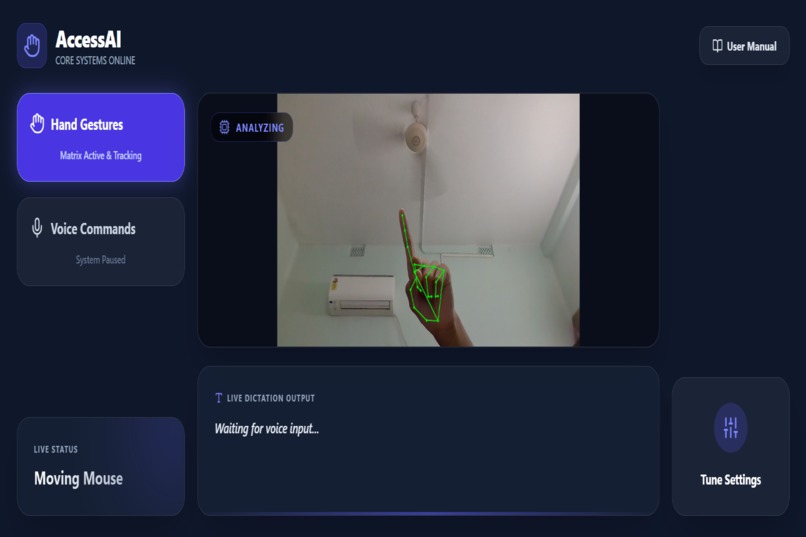
Dashboard
-
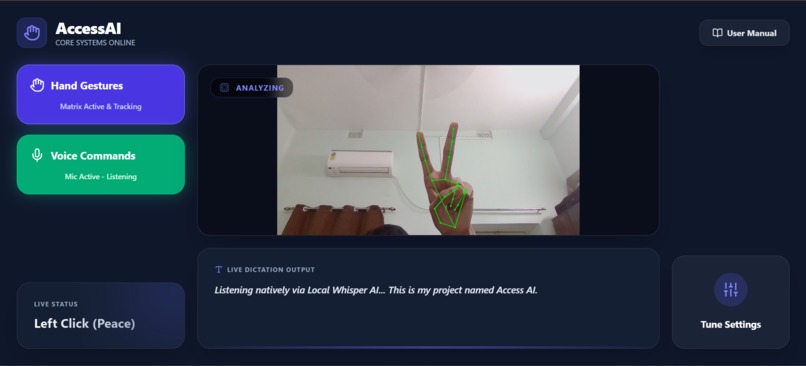
Voice Commands Activated
Inspiration
Hundreds of millions of people worldwide live with arthritis, motor disabilities, repetitive strain injuries, or amputations. For them, using a traditional keyboard and mouse ranges from painful to entirely impossible.
When I looked at existing accessibility tools, I found a broken market: solutions are either prohibitively expensive (like $2,000+ eye-tracking hardware), incredibly clunky, or require invasive cloud subscriptions that compromise privacy.
I realized that almost every modern laptop already has the exact hardware needed to solve this problem: a webcam and a microphone. I built AccessAI: Gesture OS — a completely free, intelligent, and 100% offline software matrix that gives users complete control over their computer using natural body movement.
What It Does
AccessAI transforms your standard webcam and microphone into a full operating system controller.
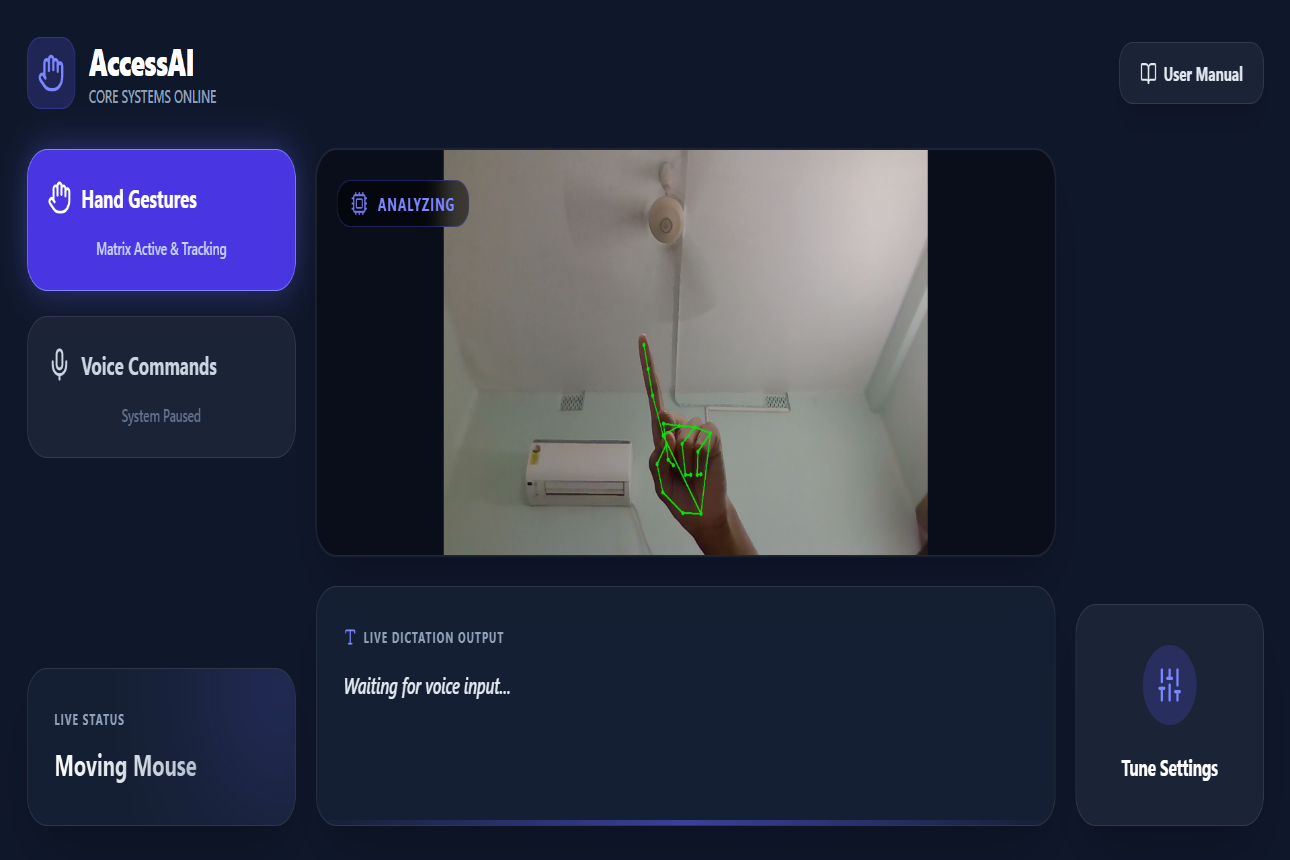
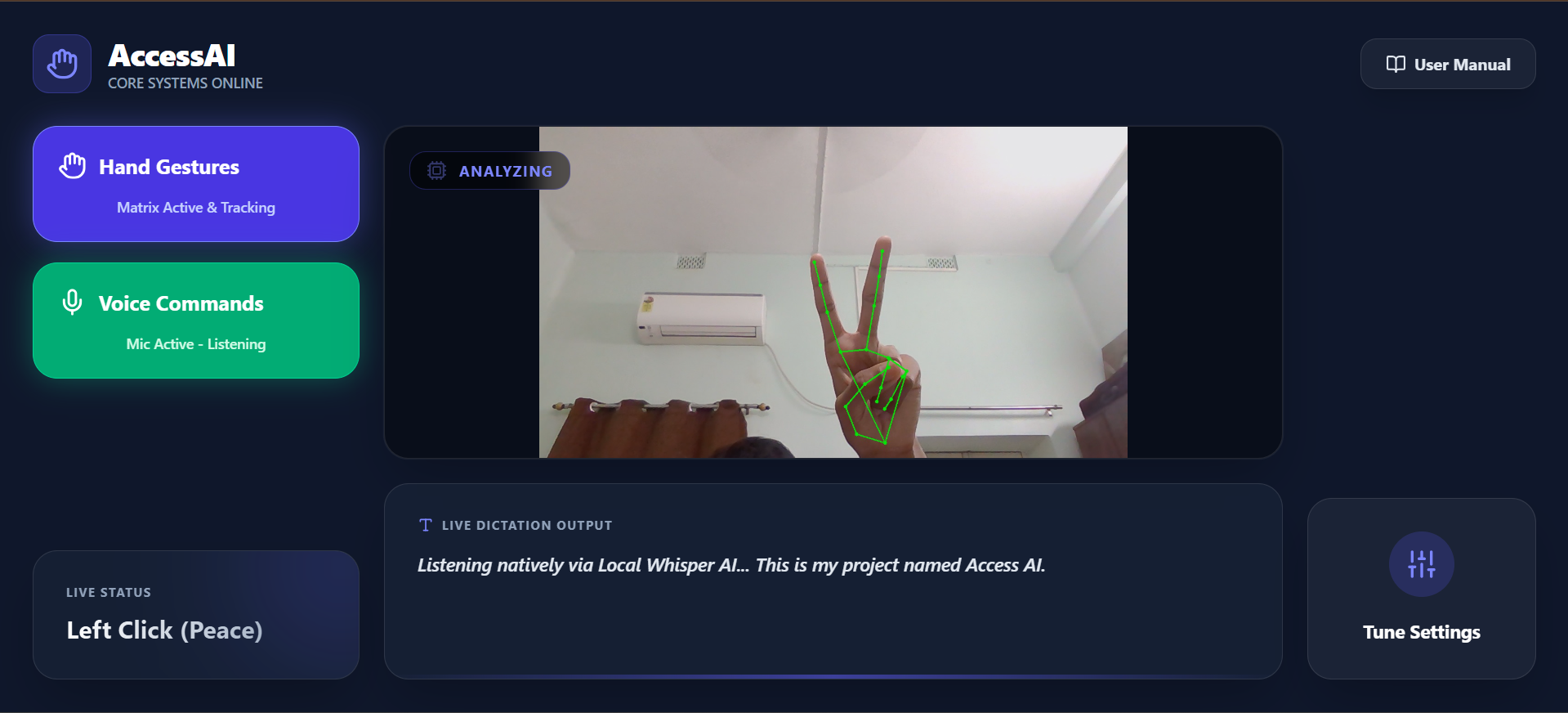
- Vision Matrix — Using a custom-tuned hand-tracking engine, users move their cursor by pointing, left/right click using natural finger extensions, and scroll web pages by pulling a fist up and down.
- The Clutch — To prevent false clicks when a user just wants to rest their hand, I engineered a physical clutch gesture that instantly puts OS tracking to sleep while keeping the system alive.
- Offline Dictation — By raising their pinky finger, users toggle a local AI transcription engine. They speak naturally, and the system types their words into any application on their computer.
- Zero-Latency Dashboard — Everything is monitored via a premium glassmorphic React dashboard featuring real-time state tracking, live text transcription, dynamic SVG gesture cheat sheets, and custom sensitivity tuning.
How I Built It
I architected AccessAI as a robust, full-stack system with three distinct layers:
The Engine (Backend) Written in Python using FastAPI and Uvicorn. I used OpenCV and MediaPipe's Hand Landmarker model for 30FPS computer vision. For voice, I implemented Faster-Whisper running purely on int8 CPU inference. OS-level control was achieved via PyAutoGUI, with cross-platform notifications via Plyer.
The Interface (Frontend) A sleek React.js application styled with TailwindCSS and Framer Motion. I built a custom Web Audio API synthesizer directly into the frontend to generate zero-asset audio feedback without relying on any external files.
The Bridge A bi-directional WebSocket connection links the two layers. The Python engine streams live video frames and JSON state updates to React, while React beams dynamic settings — like cursor smoothing algorithms and tracking margins — back to Python in real time.
Challenges I Ran Into
Building a multimodal, asynchronous AI system natively on a laptop CPU brought serious engineering hurdles.
Integration Hell I had to bridge an async FastAPI WebSocket server, a synchronous OpenCV video loop, and a heavy local LLM (Whisper) running in a background thread — all simultaneously. Preventing the video feed from freezing while the AI transcribed audio required meticulous thread management and async sleep cycles.
Jitter & Mathematical Smoothing Initially, mouse movement was incredibly snappy and unusable. I wrote a custom Exponential Moving Average (EMA) algorithm combined with dynamic tracking margins to absorb the micro-jitters of a human hand — resulting in a smooth, controllable cursor.
Anatomical Edge Cases Simple logic for detecting folded fingers failed depending on a user's hand flexibility. I rewrote the spatial detection logic to check relative anatomical landmarks — for example, ensuring the pinky tip is physically higher than its own knuckle — to guarantee robust, consistent gesture triggers across different hands.
Accomplishments I'm Proud Of
- Zero to One — My First Hackathon. I came in with absolutely zero hackathon experience and shipped a complete, full-stack, AI-driven project entirely solo within the time limit. That means something to me.
- 100% Offline & Privacy First. Zero user data, voice recordings, or camera feeds are ever sent to a cloud API. It runs securely, privately, and costs $0 to operate.
- Graceful Hardware Degradation. If a user unplugs their webcam mid-session, the backend catches the stream failure, safely pauses all threads, and triggers a custom Hardware Disconnected error UI in the dashboard — rather than crashing the app.
- The Dynamic SVG Engine. Instead of static PNG images for the gesture tutorial, I built a React component that programmatically draws and animates a wireframe hand from JSON coordinate configurations — every gesture is rendered live in code.
What I Learned
Building AccessAI taught me that accessibility tools are not just about writing code — they demand extreme empathy for the user. I learned how to manipulate raw Web Audio Contexts for non-intrusive auditory feedback, mastered the complexities of Python threading and WebSocket architecture, and discovered how critical mathematical smoothing is when translating chaotic real-world physical movement into precise 2D pixel coordinates.
What's Next for AccessAI: Gesture OS
- Custom Macro Mapping — A UI interface letting users record and map their own gestures to complex OS macros, like opening specific apps or running terminal scripts.
- Gaze Tracking — Integrating eye-tracking alongside hand-tracking so users can move the cursor with their eyes and use their hands strictly for clicking and scrolling.
- Native Desktop Packaging — Wrapping the Python server and React frontend into a single executable app using Electron or PyInstaller, so non-technical users can install it with one click — no terminal required.
Built With
- fastapi
- faster-whisper
- framer-motion
- mediapipe
- opencv
- plyer
- pyautogui
- python
- react.js
- tailwind.css
- uvicorn
- web-audio-api
- websockets


Log in or sign up for Devpost to join the conversation.