-
-
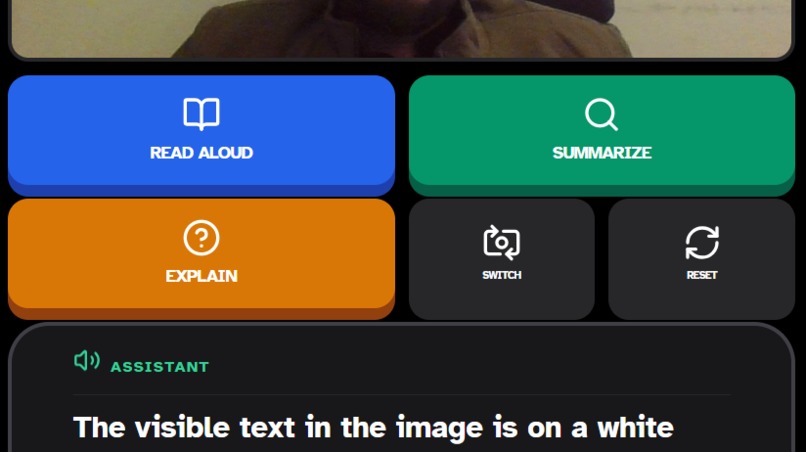
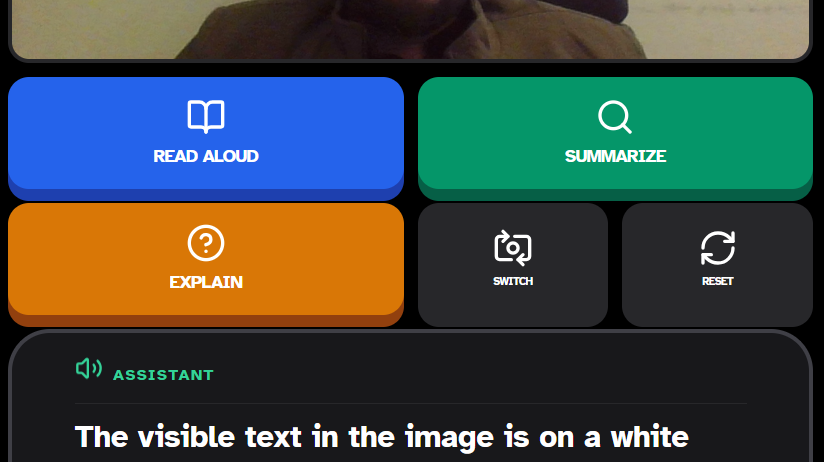
App Interface
🌟 Inspiration Millions of people with disabilities face daily barriers in communication, navigation, and understanding. We were inspired to build AccessAI to harness the power of Gemini’s multimodal AI to create a truly inclusive digital companion — one that empowers users to read, listen, speak, and understand the world around them, regardless of ability.
🚀 What it does AccessAI is a mobile app that uses Gemini’s vision, speech, and language capabilities to assist users with disabilities. It converts images to speech, transcribes and translates spoken language in real time, and simplifies complex documents into easy-to-understand summaries. Designed with accessibility-first principles, it helps users navigate menus, conversations, forms, and more — independently and confidently.
🛠️ How we built it We built AccessAI using React Native for cross-platform mobile support, integrating Gemini APIs for multimodal processing.
OCR + Vision API for image-to-text conversion
Text-to-Speech (TTS) for narration
Speech-to-Text + Translation for real-time conversation support
Simplification engine using Gemini’s language model to rephrase complex content We followed WCAG guidelines to ensure the UI is accessible, with large fonts, voice commands, and high-contrast visuals.
⚔️ Challenges we ran into Ensuring fast and accurate multimodal processing on mobile devices
Designing a UI that’s intuitive for users with diverse accessibility needs
Handling edge cases in OCR (e.g., blurry images, handwritten text)
Balancing performance with offline functionality for low-connectivity regions
🏆 Accomplishments that we're proud of Seamless integration of Gemini’s multimodal features into a real-time mobile experience
Building a working MVP that narrates images and translates speech in under 2 seconds
Creating a user-friendly interface that passed accessibility audits
Receiving positive feedback from test users with visual and hearing impairments
📚 What we learned Gemini’s multimodal capabilities are incredibly powerful when applied to real-world accessibility challenges
Designing for accessibility requires empathy, iteration, and constant user feedback
Simplicity and clarity in UX are just as important as technical innovation
🔮 What's next for AccessAI Expand support for more languages and dialects
Add gesture-based navigation and voice command control
Build a community-driven library of simplified guides and translated content
Partner with NGOs and accessibility advocates to deploy AccessAI globally
Launch on Play Store and App Store with open-source accessibility modules


Log in or sign up for Devpost to join the conversation.