-
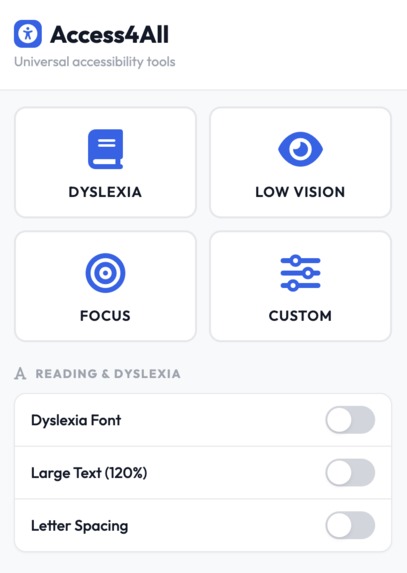
Extension Page
-
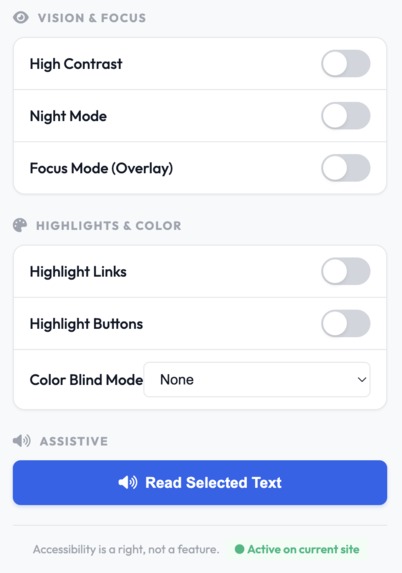
Extension Page Continued
-
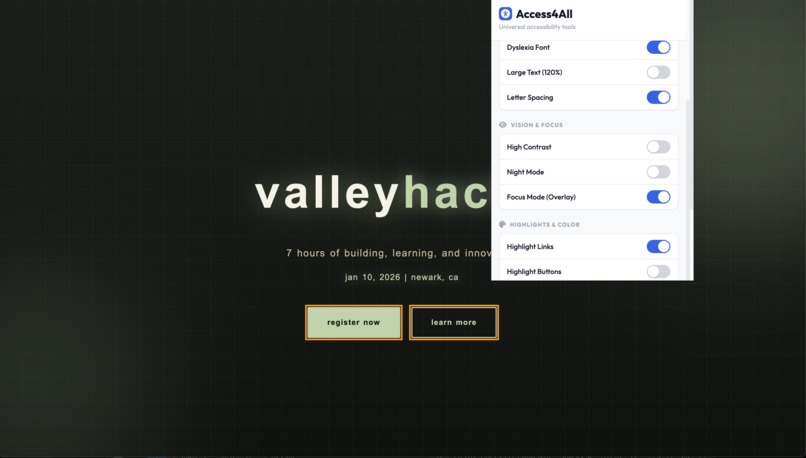
ValleyHacks Example
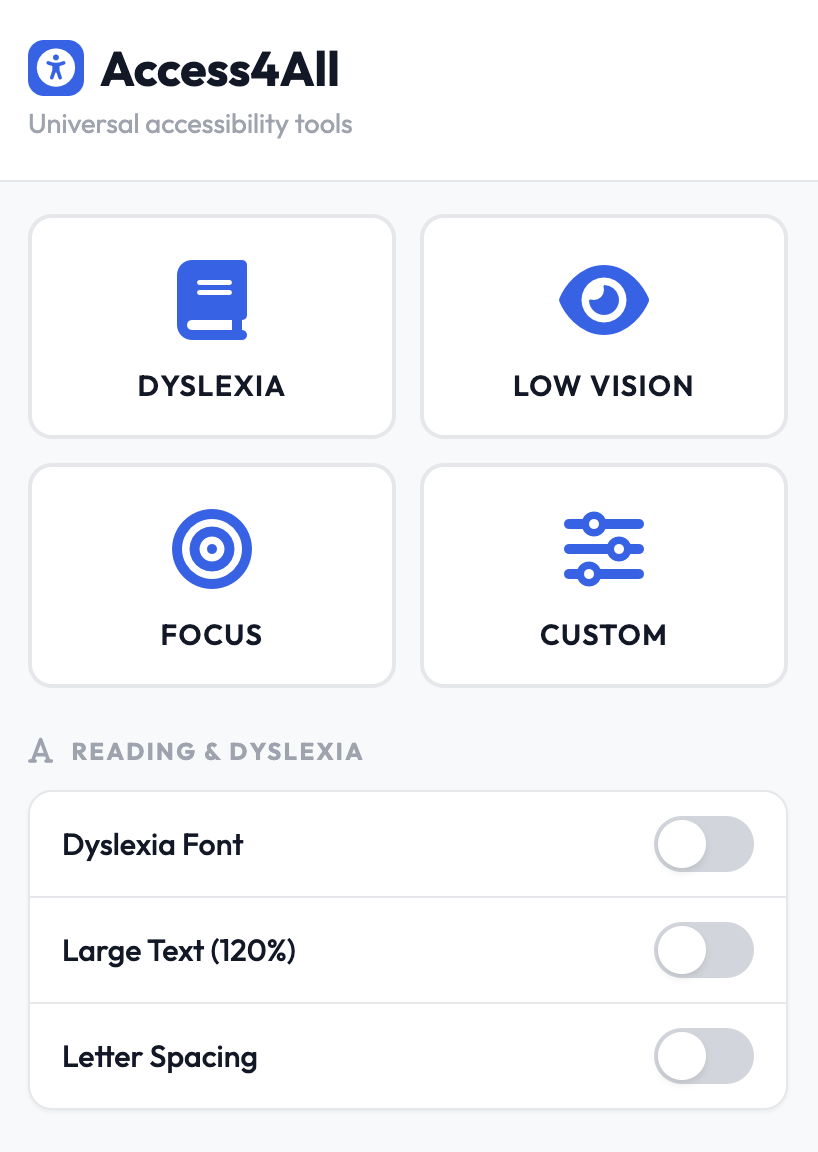
Access4All - "Accessibility is a right, not a feature."
Our Inspiration
We spoke on a call with our friend who has dyslexia. He told us about the frustration of visiting websites that weren't designed with his needs in mind. While scrolling through inaccessible sites, he struggled with tiny fonts, poor contrast, and cluttered layouts. We realized that accessibility shouldn't depend on whether individual websites implement it—users like him deserve to adapt the web to their needs, instantly.
This sparked an idea: "What if we could give users the power to make ANY website accessible in seconds?" Not through relying on developers to do the right thing, but by letting users take control themselves by using our extension.
We started researching Web Content Accessibility Guidelines (WCAG 2.1) standards and discovered that many common accessibility features are simple CSS transformations. That's when Access4All was born.
What it does
Access4All is a lightweight Chrome extension that instantly adds accessibility features to any website—no setup required, no per-site configuration, just install and go.
Core Features:
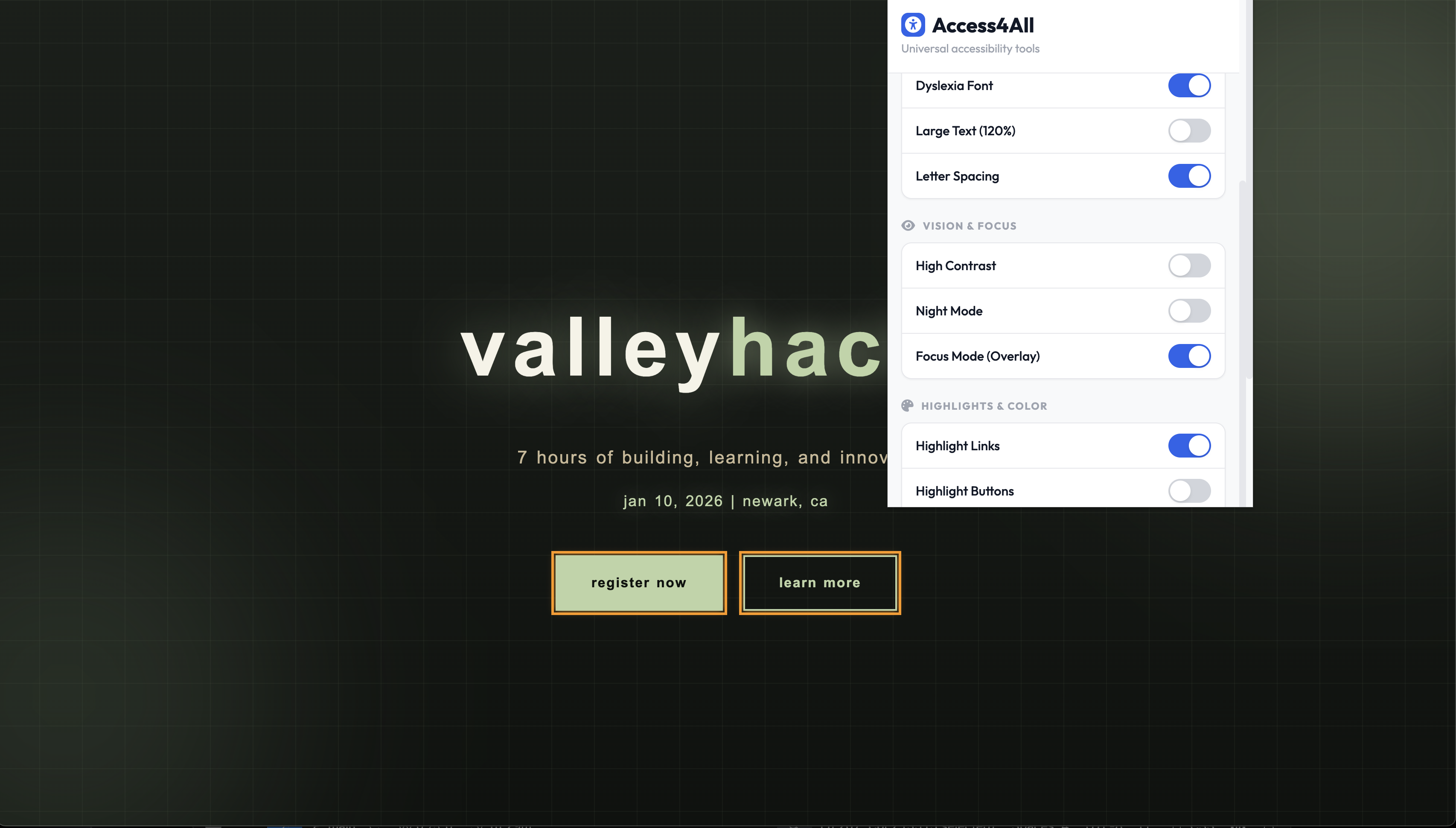
- Dyslexia Mode - Optimized font choices (Arial, Verdana) with enhanced letter spacing and line height for improved readability
- Large Text (120%) - Scales all text across the entire page proportionally
- Letter Spacing Control - Adds extra spacing between letters for clarity
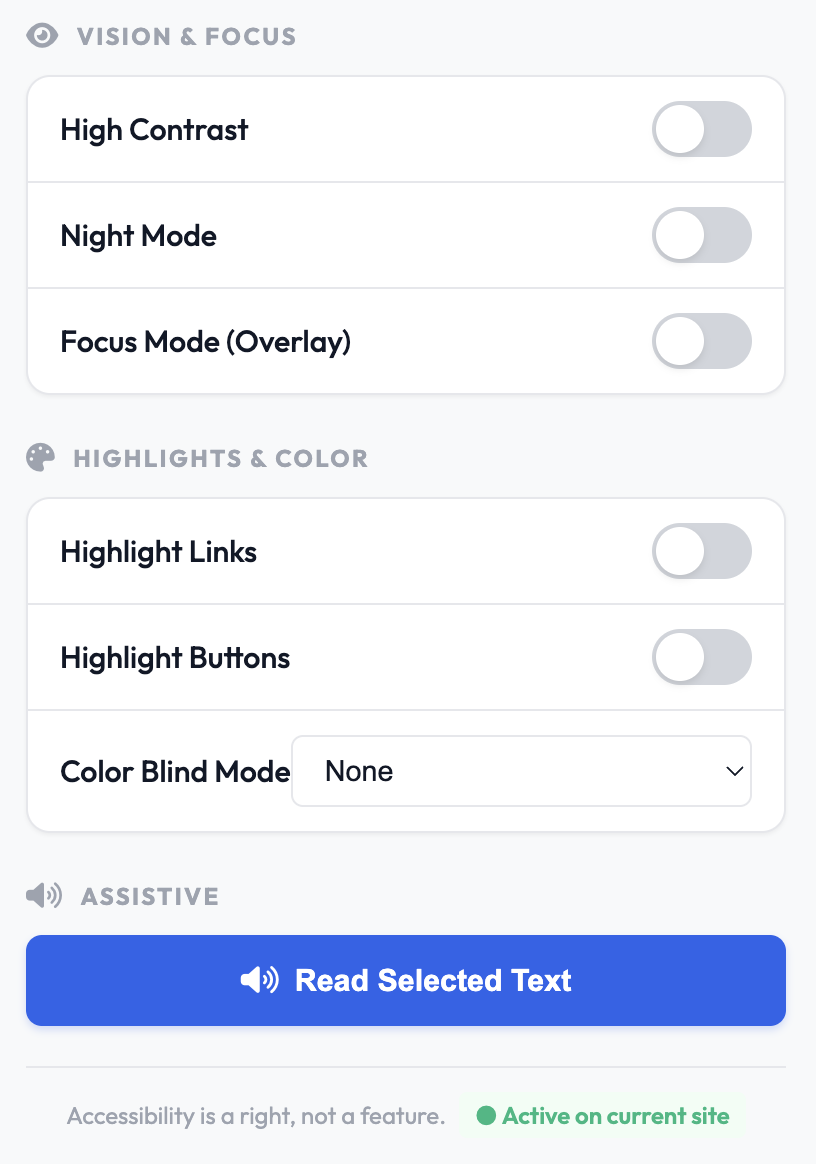
- High Contrast Mode - Converts pages to stark black backgrounds with bright white/yellow text for users with low vision
- Night Mode - Inverts page colors with hue rotation to reduce eye strain
- Focus Mode - Strips away navigation bars, sidebars, ads, and visual clutter to create a distraction-free reading experience
- Highlight Links & Buttons - Adds orange glowing outlines to interactive elements for better navigation
- Color Blind Mode - Simulates three types of color blindness (Protanopia, Deuteranopia, Tritanopia) with adaptive filters
- Text-to-Speech - Select any text and have it read aloud using browser speech synthesis
- Reading Ruler - A movable highlight bar for tracking lines while reading (arrow keys to move)
All settings are per-site persistent so your preferences automatically save for each domain you visit.
How we built it
Tech Stack:
- Chrome Manifest V3 - Modern extension architecture
- Content Scripts - Inject accessibility styles into the DOM at document_start for maximum compatibility
- Chrome Storage API - Per-site preference persistence (no server needed)
- Web APIs Used:
speechSynthesisfor text-to-speechMutationObserverfor dynamic site support (React, Vue, etc.)- CSS filters & transformations for visual effects
Architecture:
Manifest.json - Declares permissions, content scripts, and popup UI
content.js - Runs on every page automatically
- Injects a
<style>element at the top of<head>with!importantflags - Maintains a state object for all active features
- Listens for messages from the popup and applies CSS dynamically
- Uses
MutationObserverto reapply styles on DOM changes (SPA support) - Handles text-to-speech selection and reading ruler positioning
- Injects a
popup.html/popup.js - The UI users interact with
- Modern card-based UI with Font Awesome icons
- Quick-access grid for common presets (Dyslexia, Low Vision, Focus, Custom)
- Toggle switches synced with content script state
- Color blind mode dropdown selector
Styling - Uses CSS-in-JS approach with
!importantto override aggressive website styling
Key Technical Decisions:
!importantCSS flags - Websites often use!importantin their own styles; we had to match that aggression to ensure our accessibility styles weren't overridden- document_start timing - Content script runs before page renders, preventing flash of unstyled content
- Per-site storage - We use hostname as the storage key so users get different settings for Gmail vs LinkedIn vs news sites
- No external APIs - Everything runs in the browser, zero data collection, zero privacy concerns
Challenges we ran into
- CSS Specificity Wars ⚔️
The Problem: Many modern websites use scoped CSS and CSS-in-JS. Our global
!importantflags would sometimes still get overridden by more specific selectors or inline styles.
The Solution: We had to target html * (all elements) and use !important on nearly every property. We also discovered that targeting specific tag types (button, input, a) helped with more consistent results.
- SPA (Single Page Application) Support The Problem: Modern websites like Gmail, Google Docs, and Facebook are Single Page Applications. When users navigate to different pages, the DOM changes, but our styles might not reapply correctly.
The Solution: We implemented a MutationObserver that watches the entire DOM tree and re-applies styles when significant changes occur (with debouncing to avoid performance issues).
- Focus Mode Complexity
The Problem: Simply hiding nav/aside/footer elements wasn't enough. Some sites use ARIA roles (
[role="navigation"]), custom div structures, or absolute positioning for these elements.
The Solution: We target multiple selectors including semantic tags, ARIA roles, and common CSS class names (.ad, .sidebar, .advertisement).
- Text-to-Speech Latency The Problem: When users clicked "Read Selected Text," there was a 300-500ms delay before the browser's speech synthesis API kicked in.
The Solution: We preload the SpeechSynthesis API on popup open and cancel any previous speech before starting new speech. We also added visual feedback (though not visible in this version).
- Cross-Domain Communication The Problem: The popup and content script communicate via message passing. On some sites (like chrome:// pages), message passing fails entirely.
The Solution: We wrapped all chrome.tabs.sendMessage calls in try-catch blocks and added error logging.
Accomplishments that we're proud of
Zero Setup Required- Users install once, it works everywhere instantly. No accounts, no payment, no per-site configuration.
Privacy-First Design - Everything runs locally in the browser. We never send data anywhere. No tracking, no servers.
WCAG 2.1 Compliant - Our features align with Web Content Accessibility Guidelines Level A & AA standards.
Works Everywhere - Tested on static websites, dynamic SPAs (React, Vue, Next.js), and even older sites with complex CSS.
Persistent Preferences - Your settings automatically save per domain, so your dyslexia settings on news sites don't affect your settings on Twitter.
Modern UI - Built with Outfit font, Font Awesome icons, and a clean card-based design. Looks professional.
Accessibility for Accessibility Tools - Our own extension UI is fully keyboard accessible and respects high contrast mode.
No Dependencies - Zero npm packages required. Pure vanilla JavaScript, HTML, CSS. Lightweight (~50KB).
Combo Flexibility - Users can mix and match features (e.g., Dyslexia Mode + High Contrast + Focus Mode) for personalized experiences.
What we learned
CSS is powerful but fragile - We learned that CSS filters, transforms, and specificity rules can accomplish incredible accessibility work, but consistency across websites is hard.
Accessibility affects more people than you think - While building this, we realized that features like "Large Text" help not just people with vision impairments, but also people on tiny phone screens, people in bright sunlight, and people over 60. Accessibility benefits everyone.
MutationObserver is essential for modern web - Most websites are SPAs now. Watching for DOM changes is critical for any extension that modifies page appearance.
Users want control - The original idea was to suggest that websites implement accessibility. But users told us: "We don't want to wait for websites to do the right thing. We want to fix it ourselves, right now."
Speech Synthesis is available but inconsistent - Different browsers have different voice options and performance. We learned to gracefully degrade on unsupported platforms.
Chrome Storage API is limited but sufficient - We originally wanted to sync settings across devices, but Chrome's local storage is simple and private. For this project, that's a feature, not a limitation.
Icon libraries matter - Switching from emoji to Font Awesome made the UI look 10x more professional with no code changes.
What's next for Access4All
Phase 2 - Enhanced Features:
- Reading Ruler Improvements - More customizable ruler width, color, and positioning
- Custom Color Schemes - Let users define their own color palettes (high contrast variants)
- Advanced Text-to-Speech - Voice selection, speed/pitch controls, language detection
- Mobile Support - Firefox extension + mobile browser support
- Performance Mode - Lighter CSS injection for slower devices
Phase 3 - Intelligence:
- AI-Powered Readability - Use ML to detect main content areas automatically
- Reading Mode - Extract articles and present them in a distraction-free format (like Reader Mode on Safari)
- Smart Font Substitution - Detect fonts and suggest dyslexia-friendly alternatives
- Crowd-Sourced Site Fixes - Community database of "best settings" for popular websites
Phase 4 - Ecosystem:
- Cross-Browser Support - Firefox, Edge, Safari extension versions
- Web Version - Bookmarklet for sites where extensions aren't allowed
- Analytics Dashboard - Anonymized insights: "79% of users benefit from high contrast mode"
- API for Developers - Let developers request accessibility data: "Does this user prefer dark mode?"
Phase 5 - Community:
- Open Source - Release on GitHub with community contribution guidelines
- Educational Resources - Teach developers about accessible design
- Enterprise Licensing - Offer site-wide licenses for companies that want to provide this to all users
Team & Credits
Built with ❤️ by developers who believe accessibility is a fundamental right. "Accessibility is a right, not a feature."
Om, Evan, Eric, & Preston 1/10/26 ValleyHacks Hackathon


Log in or sign up for Devpost to join the conversation.