Inspiration
Workflow tools are often split between visual diagramming, automation, and approval systems. We wanted to explore what it would look like if these experiences shared one clear, auditable interface. Access Canvas was inspired by the idea that AI should help people improve important workflows without silently changing them or removing human control.
What it does
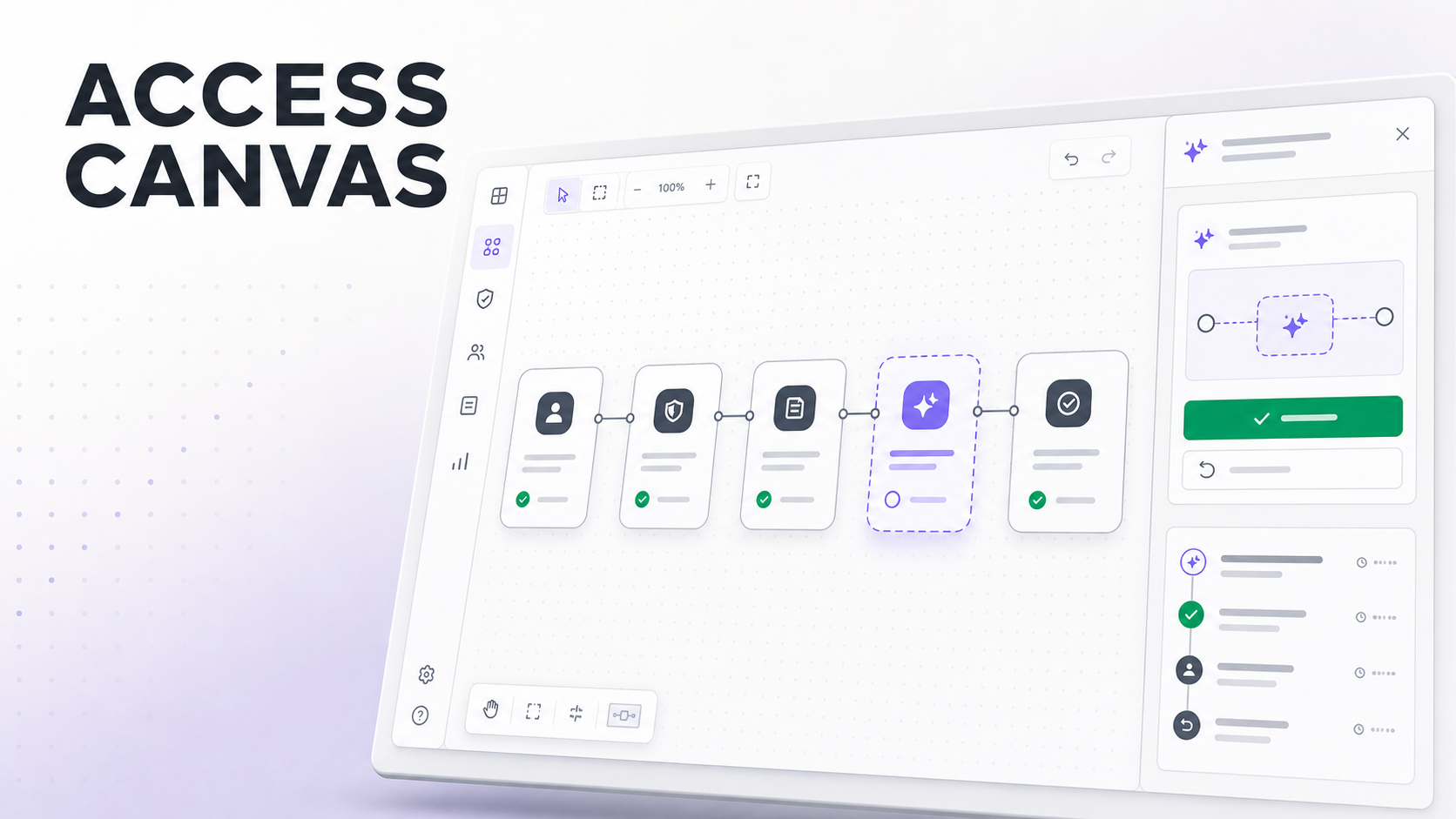
Access Canvas is a visual editor for designing and reviewing workflows. Users can create workflows, add and arrange process nodes, connect steps, model decision branches, and automatically organize the canvas.
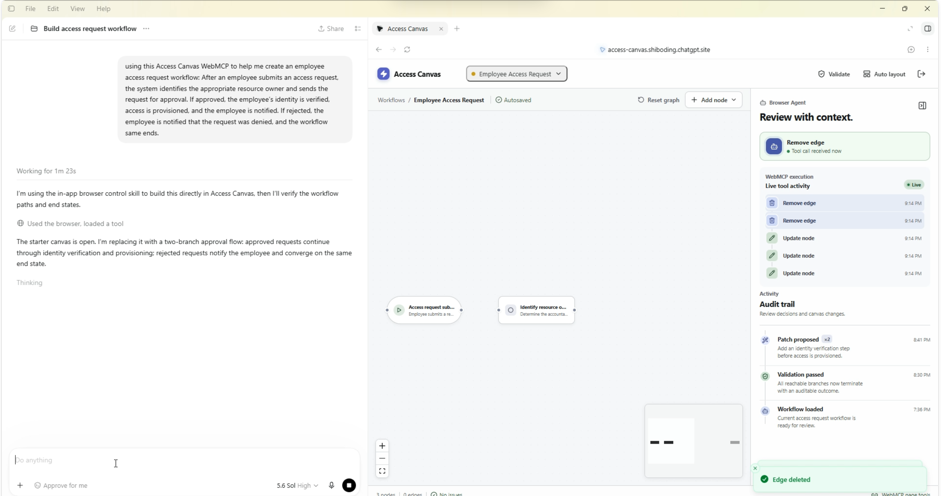
AI-enabled tools can inspect the current workflow, identify control gaps, and propose revisions. Suggested changes appear as a separate preview and require explicit human approval before they are applied. Users can then validate the workflow, review the audit history, or undo the latest approved change.
How we built it
We built the interface with React, TypeScript, and Vite. React Flow powers the interactive node-and-edge canvas, while Dagre handles automatic workflow layout. Zustand manages editor state, history, proposals, and audit activity.
Supabase provides authentication and persistent workflow storage. Motion adds focused interface transitions, Lucide supplies the icon system, and Sonner handles notifications.
We used WebMCP to expose structured tools for reading, creating, editing, analyzing, and validating workflows. Mutating operations remain constrained by the application’s permission model, and proposed AI changes pass through a visible human-approval step.
Challenges we ran into
One major challenge was keeping proposed changes clearly separated from committed workflow state. The preview needed to be understandable without modifying the original diagram until approval.
We also had to coordinate canvas interactions, automatic layout, persistence, undo history, and audit events without making the interface feel like a dense administration dashboard.
Designing the WebMCP tool boundary required careful thought. AI tools needed enough access to be useful, but applying a proposed patch still had to remain an explicit user decision.
Accomplishments that we're proud of
We are proud of creating an end-to-end workflow experience where users can design, analyze, preview, approve, validate, and undo changes from one interface.
We also built a meaningful human-in-the-loop approval boundary instead of treating approval as a decorative confirmation message. AI-proposed revisions remain visually distinct, cannot silently bypass the user, and become part of the audit history after approval.
What we learned
We learned that trustworthy AI experiences depend as much on interaction design and permission boundaries as they do on model capabilities. Showing exactly what will change makes approval more informed and reduces uncertainty.
We also learned that an audit trail does not need to dominate the interface. With clear visual hierarchy, history and tool activity can provide accountability while allowing the workflow itself to remain the primary focus.
What's next for Access Canvas
Next, we want to add reusable workflow templates, richer validation rules, complete version history, and import/export support. We would also like to introduce real-time collaboration, comments, role-based approval policies, and more advanced workflow analysis.
Longer term, Access Canvas could connect workflows to operational systems, allowing teams to move from visual design to controlled execution while preserving the same approval and audit model.
Built With
- codex
- lucide
- react
- webmcp

Log in or sign up for Devpost to join the conversation.