-
-
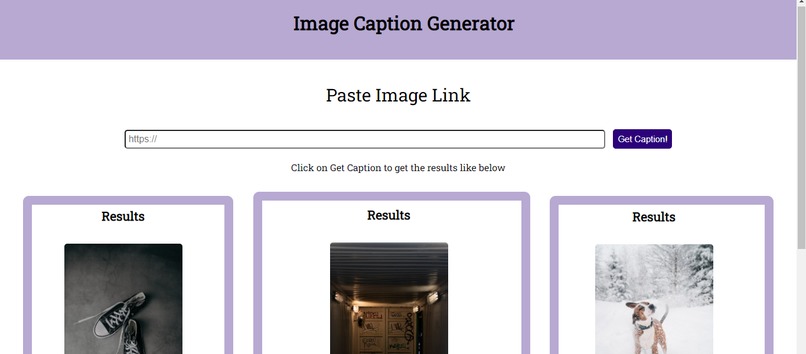
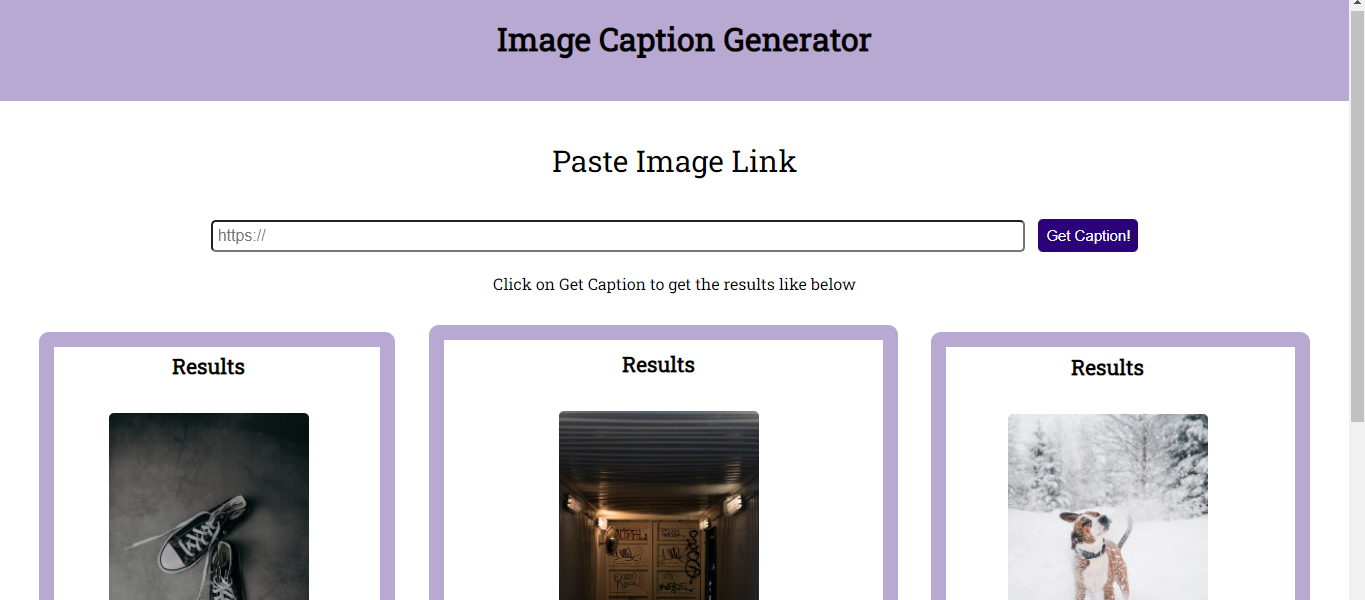
index page to insert the image link
-
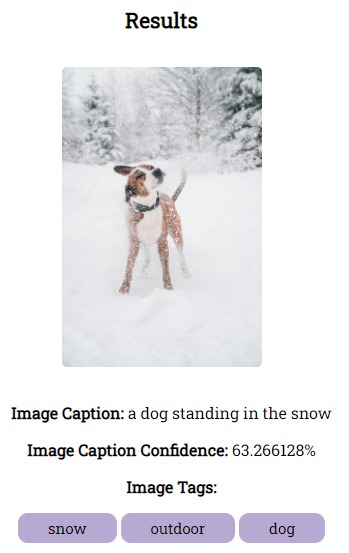
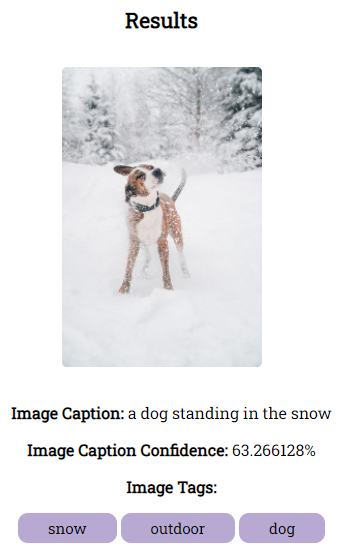
Results of a dog image
-
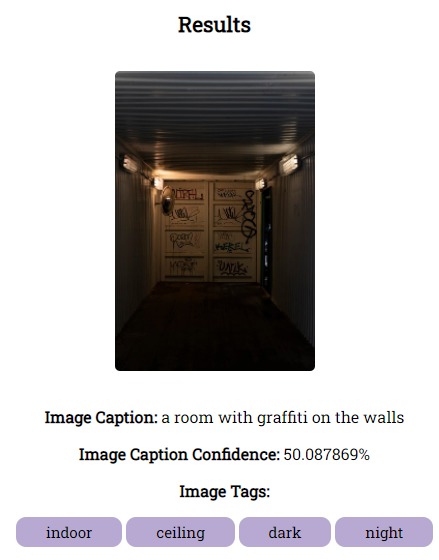
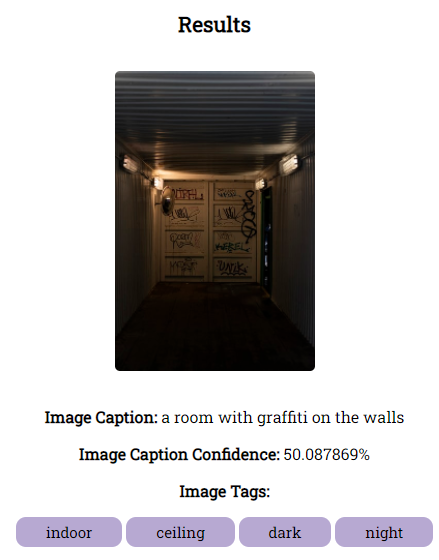
Results of a wall image
-
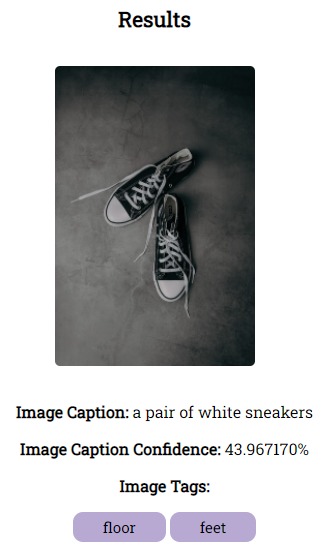
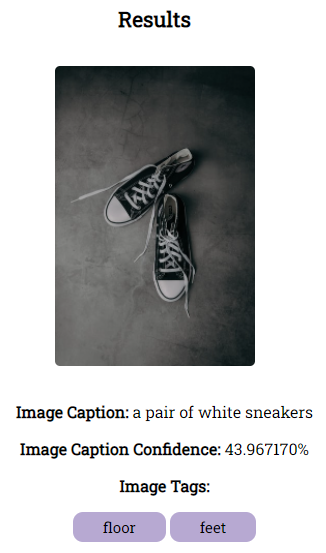
Results of a shoe image
Inspiration
My inspiration comes from the Code; without Barriers Accenture problem statement, automating the caption for images is sometimes a struggle as thinking of a caption that conveys the image in a short and succinct manner may be more difficult than it seems. As someone who likes to think of taglines and funny captions of an image, this can be super helpful whether you are starting a caption from blank or would want more inspiration for a caption.
What it does
The web app requires an image link to be pasted in a text box, whereafter it is inserted the user can click on Get Caption!. After which, the user will be redirected to the caption generated results. This result page shows the user the caption, its confidence as well as image tags associated with the image. If the image contains a celebrity, Accenture_AI_SPY can include them in the caption as well.
How I built it
The web app was built using the Computer Vision Cognitive Service and the App Service from Azure using the APIs. The Flask framework was used to create the web development along with the programming language in Python which was all implemented through the VS code IDE.
Challenges I ran into
A challenge that was met during its development was extracting the image caption and confidence from the JSON file when requested through the API. In the beginning, the result had included both the image caption and confidence in one line surrounded by the JSON brackets [] and quotation marks ''. However, for a potential user, it is better to provide a cleaner result that is labelled separately for the image caption and its confidence respectively. This challenge was solved using arrays within a JSON file to specifically extract keys and their corresponding value, thus, the solution resulted in a cleaner and elegant presentation of the image caption and confidence respectively. Furthermore, there were times when the Accenture_AI_SPY would not provide results and instead hit an Internal Server Error, however, this was later solved as the image link pasted should be directly linked to the image and not the URL website etc.
Accomplishments that I'm proud of
Firstly, I'm proud that I was brave enough to register for this Hackathon which to me is an accomplishment on its own. Secondly, I'm proud to deliver a working application that leverages the Computer Vision Cognitive Service which has so many benefits and uses and was incorporated into the web application. Overall, I'm proud that I overcame the challenges that were presented as there were times of frustration (no doubt ), but it was definitely worth the final results!
What I learned
I've learned how to be persistent and follow my heart when it comes to developing such an application. I've learned to have fun with my project and insert myself into it with the use of colours and styles. I've also become more comfortable using Flask and Azure services and how to use them as an API for requesting the data. Overall, I've very grateful to be part of this experience, this is my first Hackathon and as someone who is just starting to get out of my shell and beginning to take the bull by the horns, it is scary, exciting, and refreshing all at the same time to build this web application to be considered in the hackathon.
What's next for Accenture_AI_SPY
The next step for Accenture_AI_SPY is to expand the extraction of an image apart from its caption and tags, the Accenture_AI_SPY can offer more fields such as:
- Detecting contents of adult, gore or racy content which can help parents understand whether images are safe for their children or others.
- Another potential for Accenture_AI_SPY is to extract the colours of an image which can be in separate sub-categories of extracting the dominant, accent or detecting if the image is black and white. This can be especially helpful for artists extracting the colour code as well to accurately get the colour of the image within the picture.
- Accenture_AI_SPY has the prospective of identifying the genders and ages of the people in an image (if humans are detected). This can be used by specific businesses to understand their audience or users who enter their stores.
- Determining the category to which the image belongs can also be included in the results as this can be helpful for stores to automate the categorization of their products through the app without the need to do it manually.
- This web app can be integrated into another website for businesses as the backend coding can be simply incorporated into their existing code.


Log in or sign up for Devpost to join the conversation.