Inspiration
A French student has studied English for six years. When they speak, people answer: "Sorry, I don't understand." They can't hear their own mistake: /θ/ doesn't exist in French, so think and sink sound the same to them.
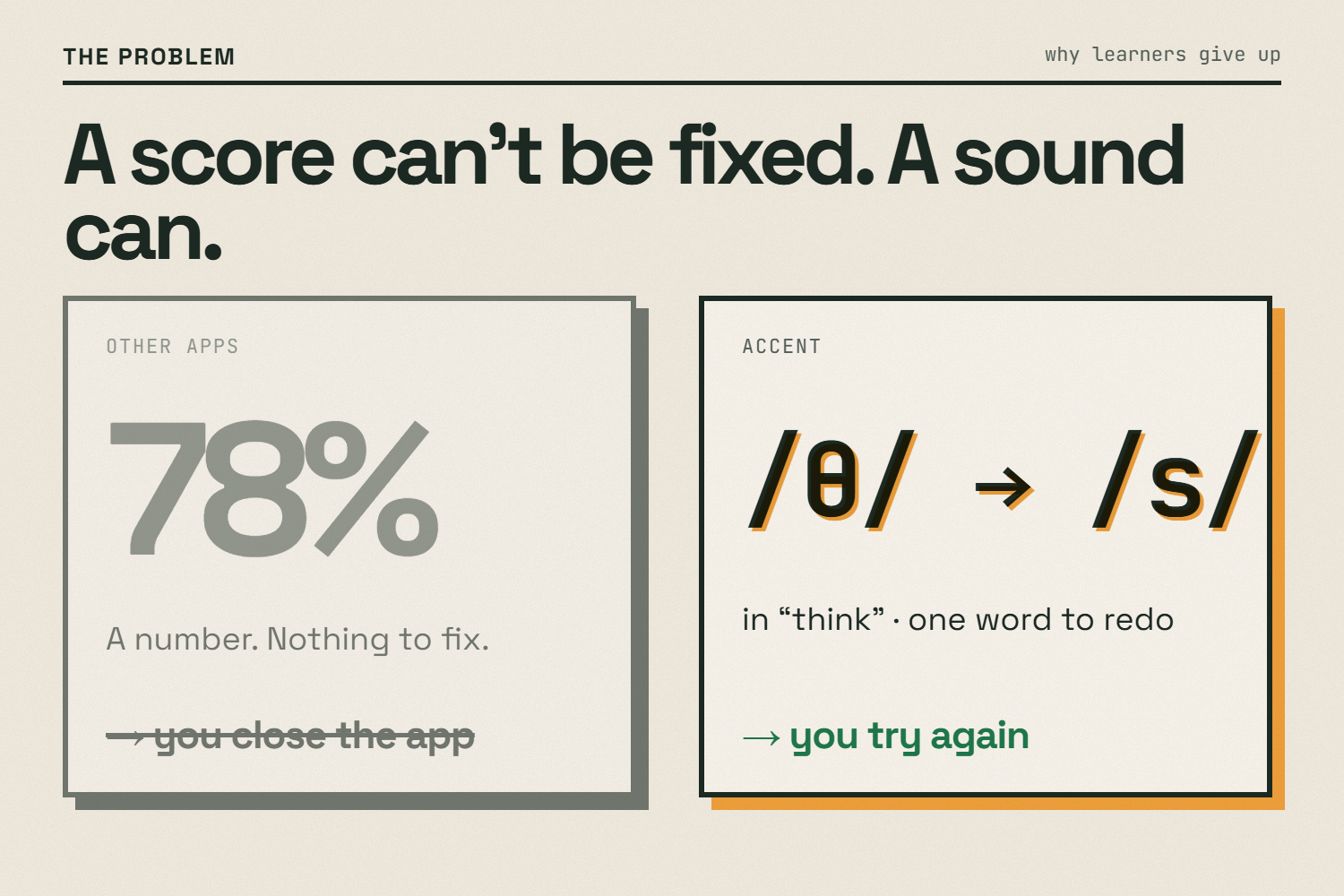
Every pronunciation app answers the same way: a score. 78%. And then what? You can't act on 78%. Most learners close the app.
A score can't be fixed. A sound can.
What it does
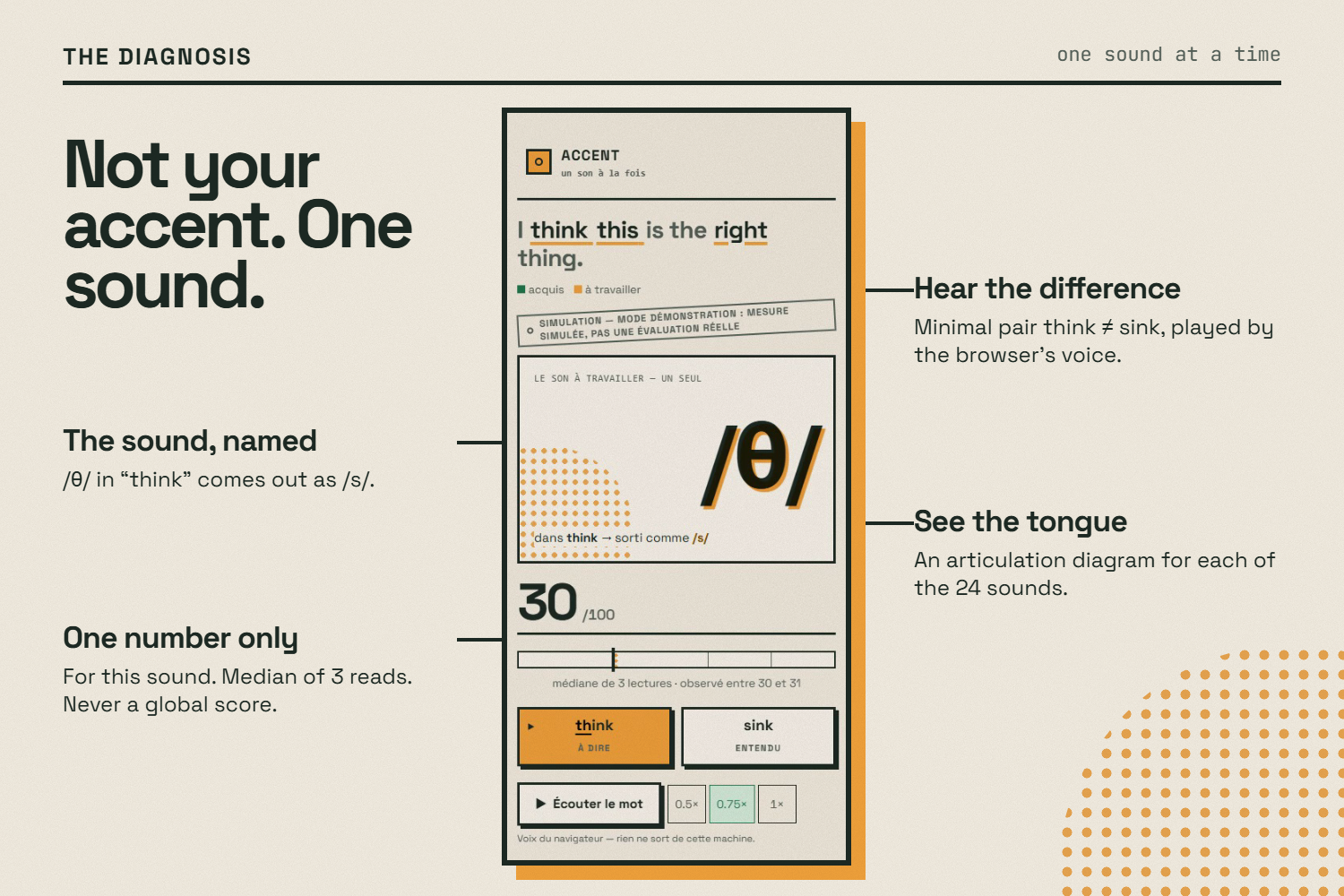
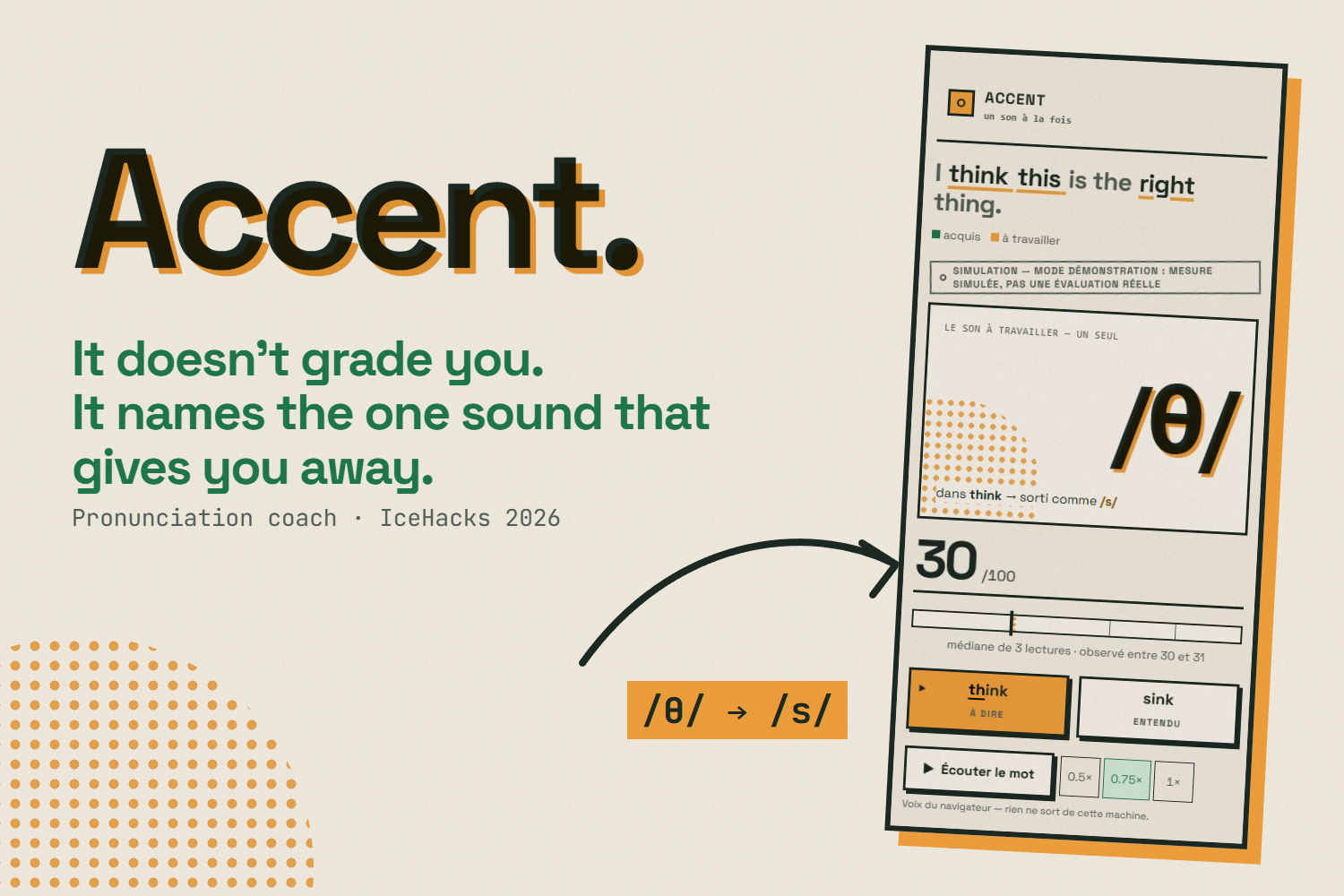
Accent doesn't grade you. It names the one sound that gives you away — and makes you work on that sound until it passes.
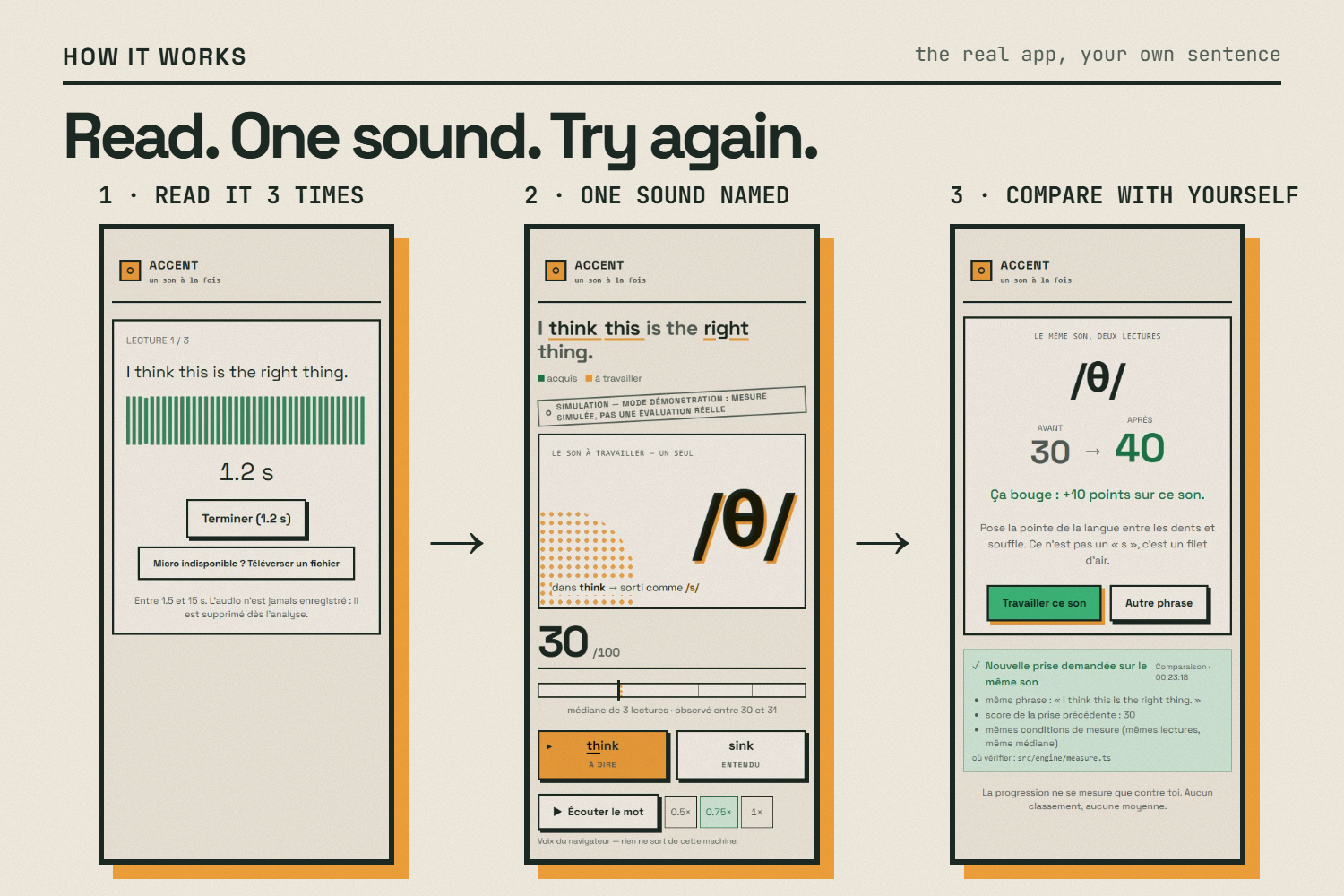
- Your own sentence. You start from the line you actually have to say: your presentation, your job interview, your oral exam. Not our curriculum.
- Three reads. You read it three times. Accent keeps the median, rejects any take shorter than 1.5 s, and never stores your voice.
- One sound, named. Not your whole accent: "/θ/ in **think* comes out as /s/."* One number on screen, for that sound only. The minimal pair think ≠ sink to hear the difference, and an articulation diagram showing where the tongue goes.
- Try again — against yourself only. Same sound, same sentence, before → after. No leaderboard, no comparison with anyone.
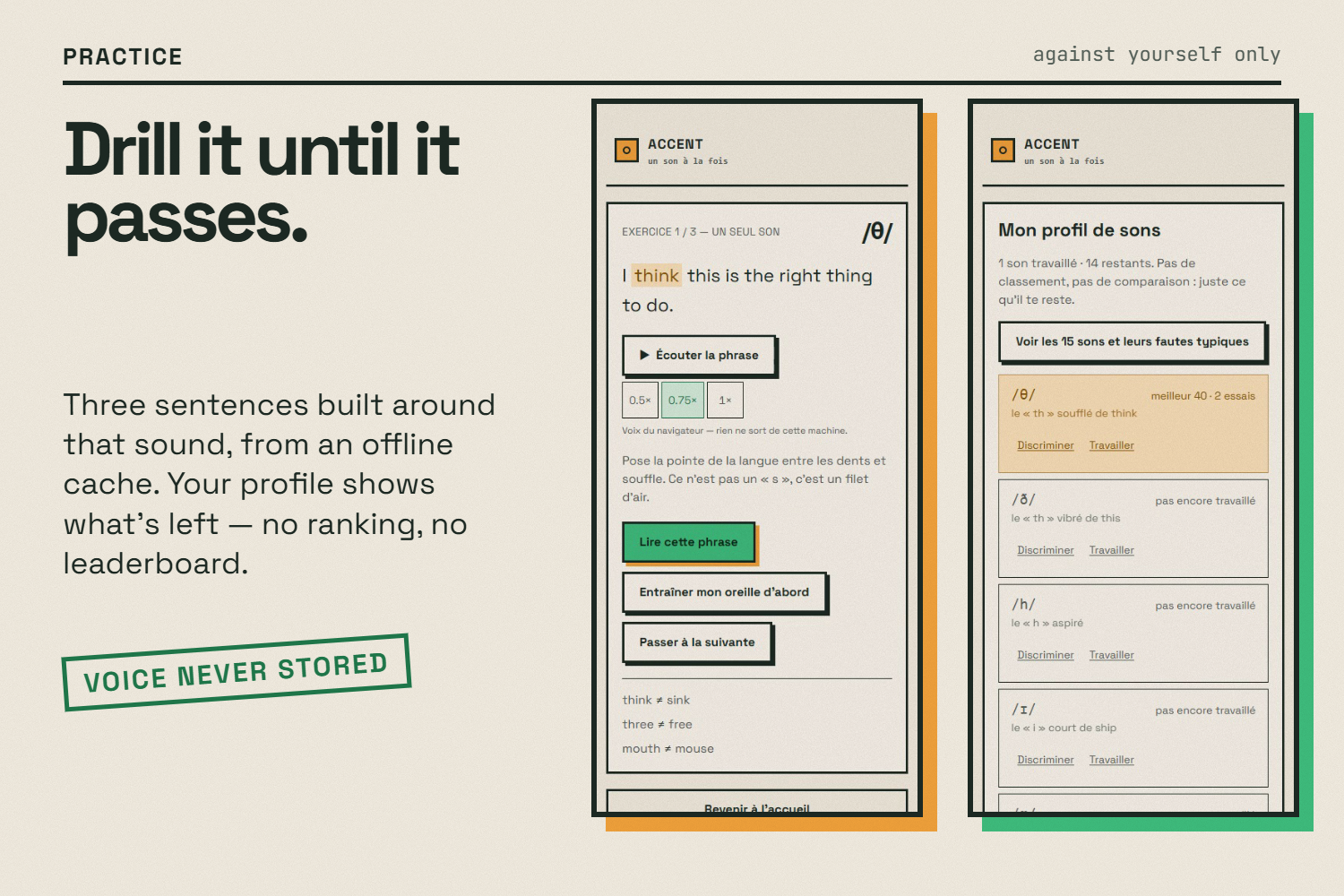
- Practice that sound. Three sentences built around it, from an offline cache.
- Your sounds. A profile of what you've worked on and what's left.
Three rules we refuse to break, enforced in code:
- Never a global score. A CI guard fails the build if
globalScore,overallScore,noteGlobale… ever appears in the source. - No ranking, no comparison between users.
- The goal is to be understood, not to sound native.
How we built it
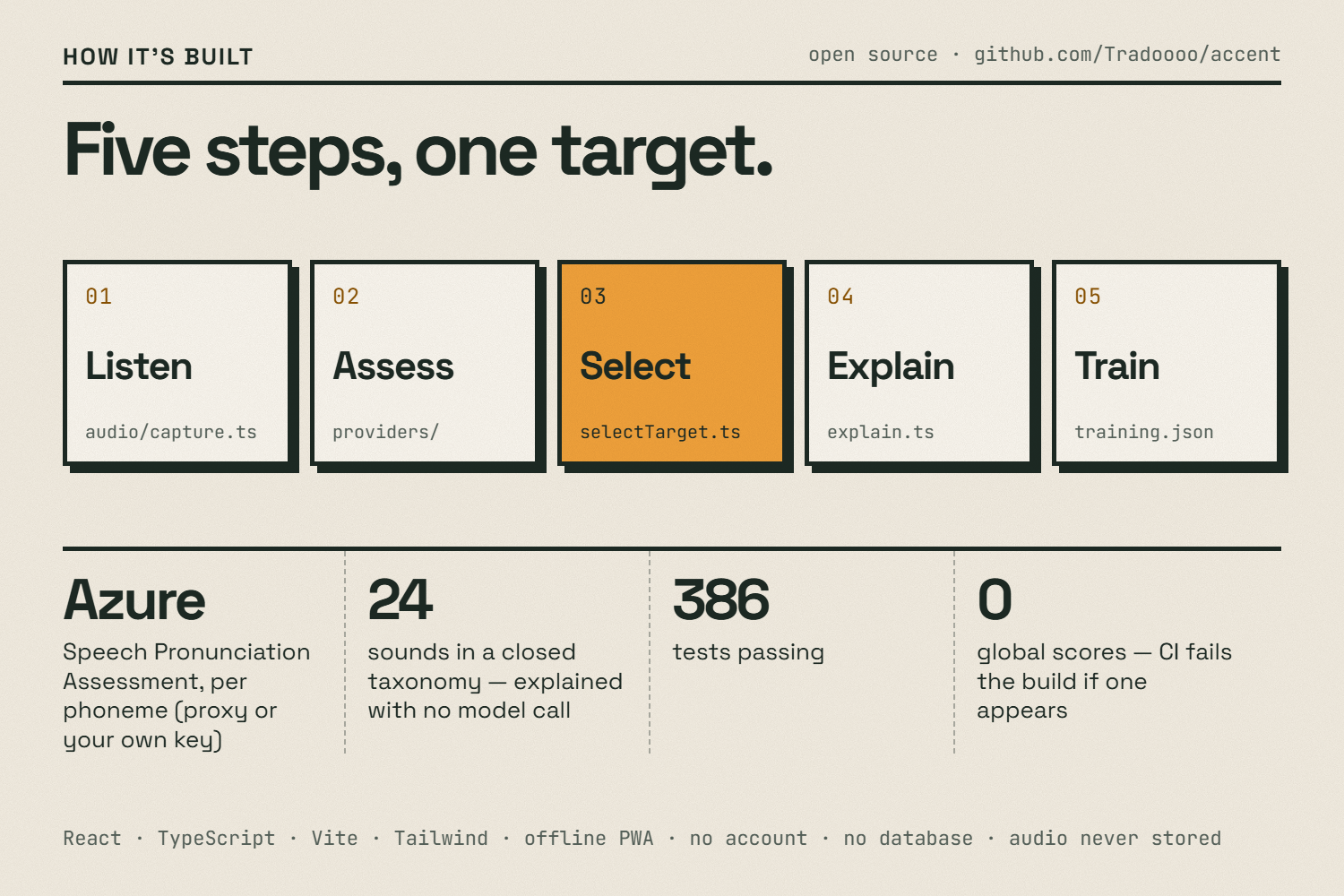
A static, installable web app (PWA) — React + TypeScript + Vite + Tailwind, no account, no database, no audio ever stored. The core is a five-step pipeline (src/engine/pipeline.ts), with a < 10 s budget from the end of your reading to the diagnosis:
| Step | What happens | Where |
|---|---|---|
| 1. Listen | Microphone → 16 kHz mono WAV, quality gate (too short, silence, clipping) | src/audio/ |
| 2. Assess | A 0–100 score per phoneme — Azure Speech Pronunciation Assessment | src/providers/ |
| 3. Select | Median of 3 reads → one target sound, weighted by occurrences × difficulty; a read spread > 20 points is refused instead of shown | src/engine/ |
| 4. Explain | Minimal pair, error signature and tip from a closed taxonomy of 24 sounds (15 French→English, 9 Spanish→French) — no model call, so it can't hallucinate | src/data/phonemes.ts |
| 5. Train | Three sentences containing the sound, from a committed cache (works offline) | src/data/training.json |
- Scoring providers. Azure Speech is reached either through a small proxy that keeps the key server-side (a Cloudflare Worker and a dependency-free Node server share the same logic), or bring-your-own-key in Settings, where your key talks to Azure directly. Without a key, the app runs a built-in demo engine and says so on screen.
- Model voice. The browser's own speech synthesis by default (free, offline, nothing leaves the device), or ElevenLabs with your own key — only the text is sent, never your voice.
- Design. A risograph look — paper, ink and two "inks" with meaning: amber = the sound to work on, green = acquired. Red is reserved for real system errors, never for a sound.
- Quality. 386 automated tests (Vitest), TypeScript strict, an 83 KB gzip JS bundle (300 KB budget enforced in CI), deployed on GitHub Pages.
Challenges we ran into
- Refusing the score. Every pronunciation API returns a global score first. We had to build the product around the one per-phoneme value we trust, and add a CI guard so no one (human or AI) reintroduces a global score.
- Not showing a number we can't stand behind. Three reads, the median, and an explicit "unstable measurement" state when reads disagree by more than 20 points.
- Honesty without a key. We had no Azure credit during the hackathon, so the public demo needed a fallback that is clearly labelled instead of pretending.
Accomplishments that we're proud of
- A diagnosis a learner can act on in one second: one sound, one word, one minimal pair.
- Privacy by design: no account, no database, audio discarded after analysis — and a "Your data" screen where every claim links to the file in the repo that proves it.
- A design where color carries meaning, accessible (AA contrast, 48 px touch targets, reduced-motion respected).
What we learned
Feedback is only useful when it is specific and actionable. Narrowing everything to one sound at a time made the product simpler, more honest and more encouraging.
What's next
- On-device phoneme recognition (a wav2vec2 phoneme model running in the browser), so real per-phoneme scoring needs no key and your voice never leaves your phone.
- English → Spanish (architecture ready, data table missing).
- A teacher mode to prepare a class for an oral exam — still without any ranking.
About this demo
No Azure key was available during the hackathon, so the scores shown in the video and on the public site come from the app's built-in demo engine (labelled in the UI), not from Azure Speech. The readings in the video are synthetic voices (a French-accented take, then a clearer retry uploaded as a file). Paste your own Azure Speech key in Settings to get real per-phoneme scores.
Links
- 🌐 Live app: https://tradoooo.github.io/accent/
- 💻 Code: https://github.com/Tradoooo/accent
AI tools were used during development (Claude, opencode) — details in docs/AI-DISCLOSURE.md.
Built With
- azure-speech
- claude
- cloudflare-workers
- elevenlabs
- github
- github-actions
- mediarecorder
- node.js
- pwa
- react
- tailwindcss
- typescript
- vite
- vitest
- web-audio-api
