-
-
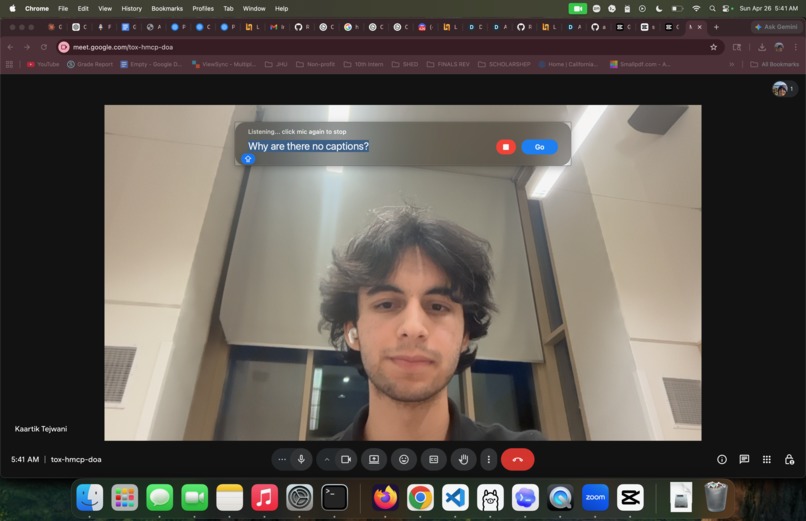
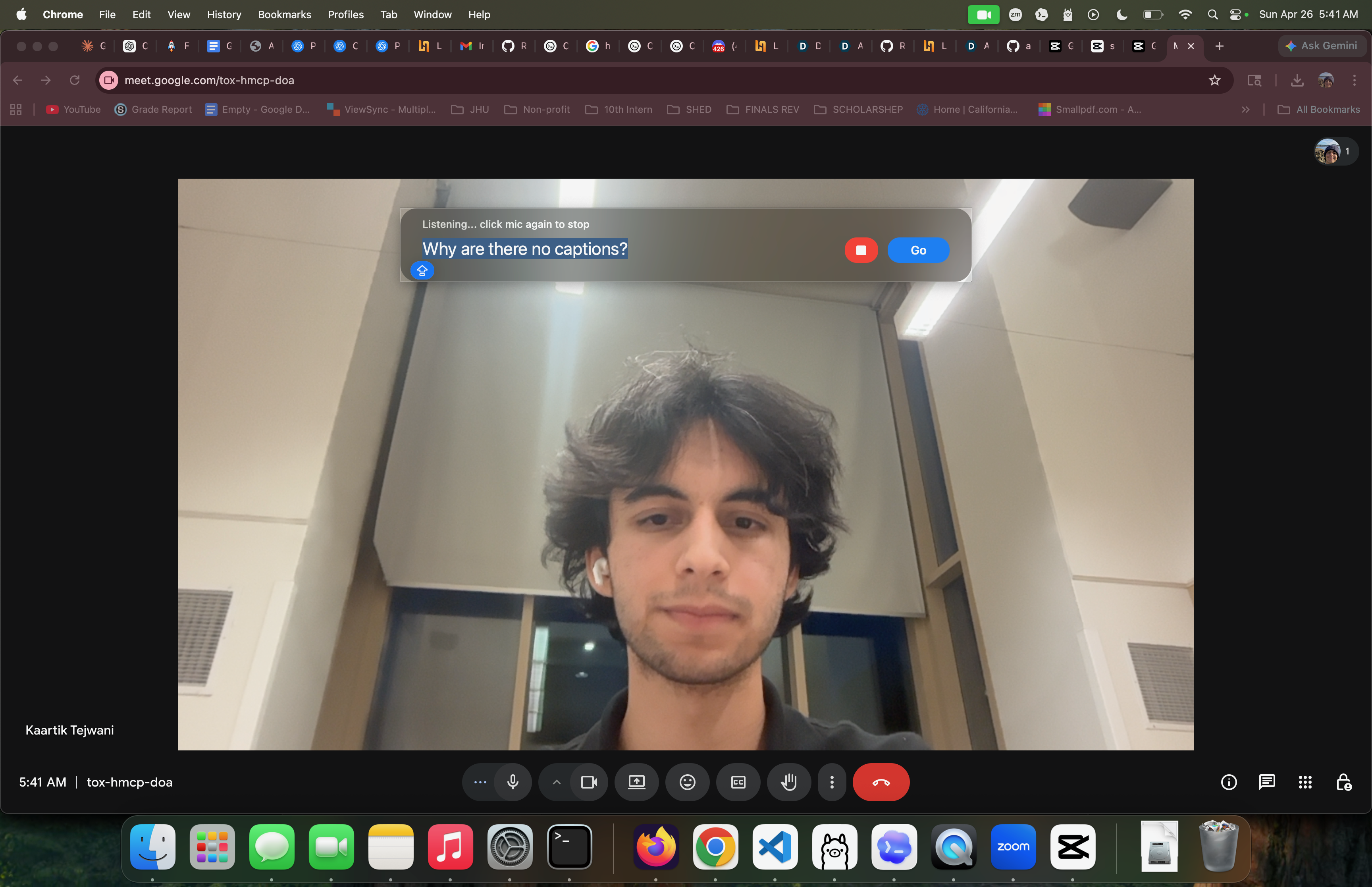
Prompting on Google Meet
-
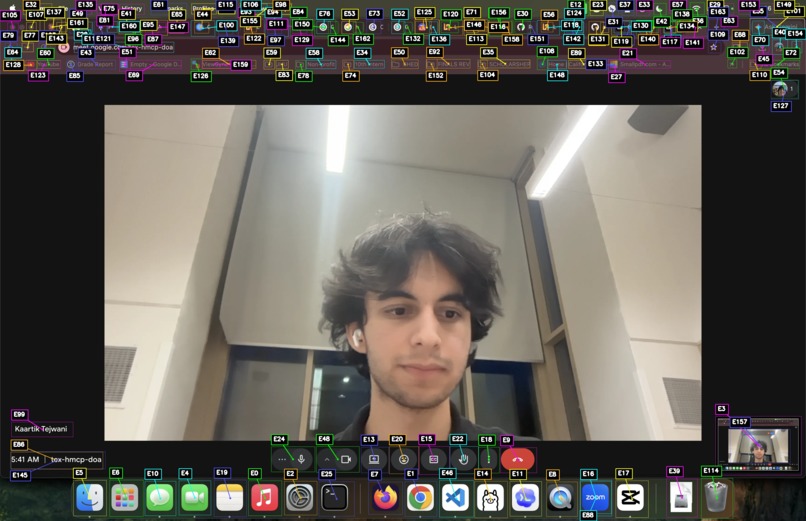
Computer vision UI annotations on Google Meet
-
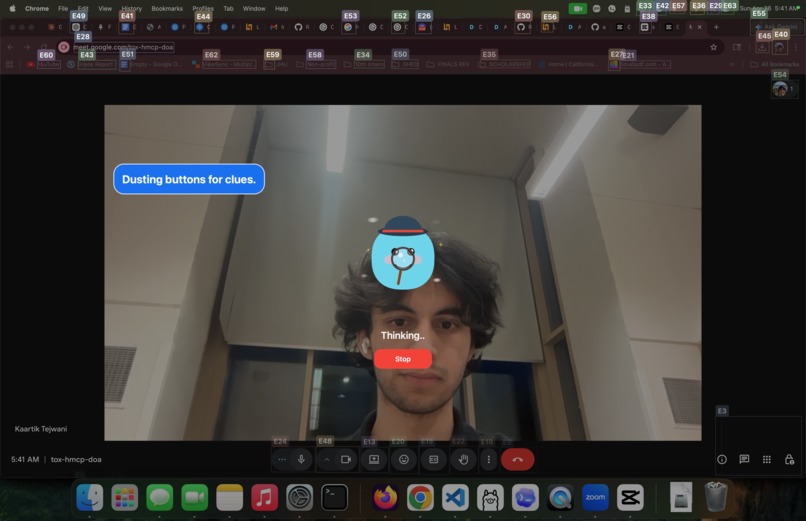
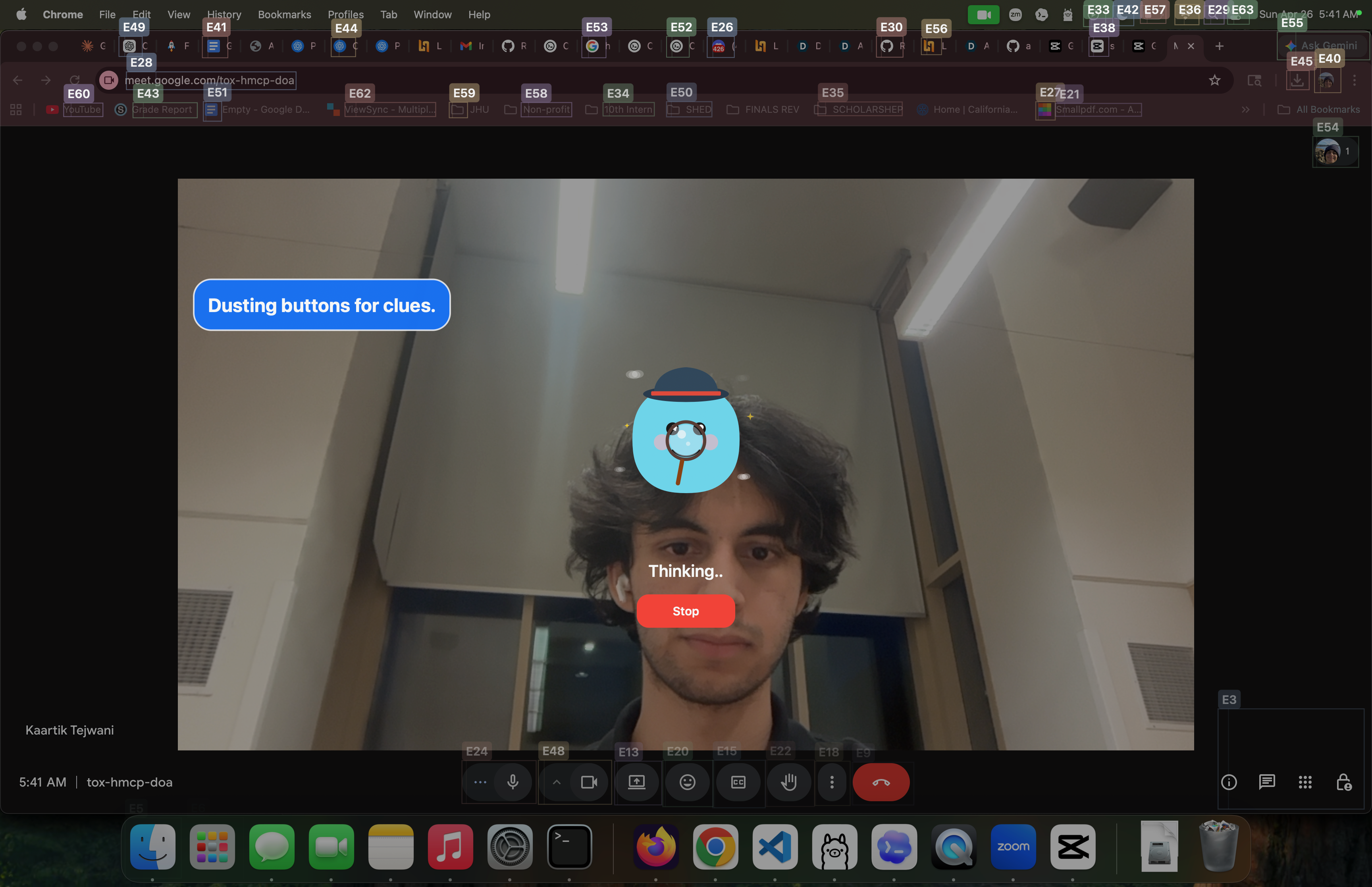
Accent mascot (generated by FigmaMake) is thinking about annotations...
-
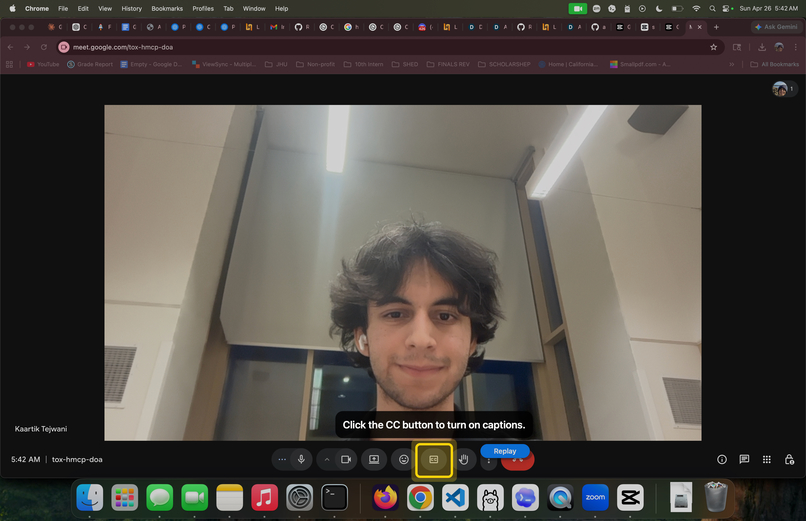
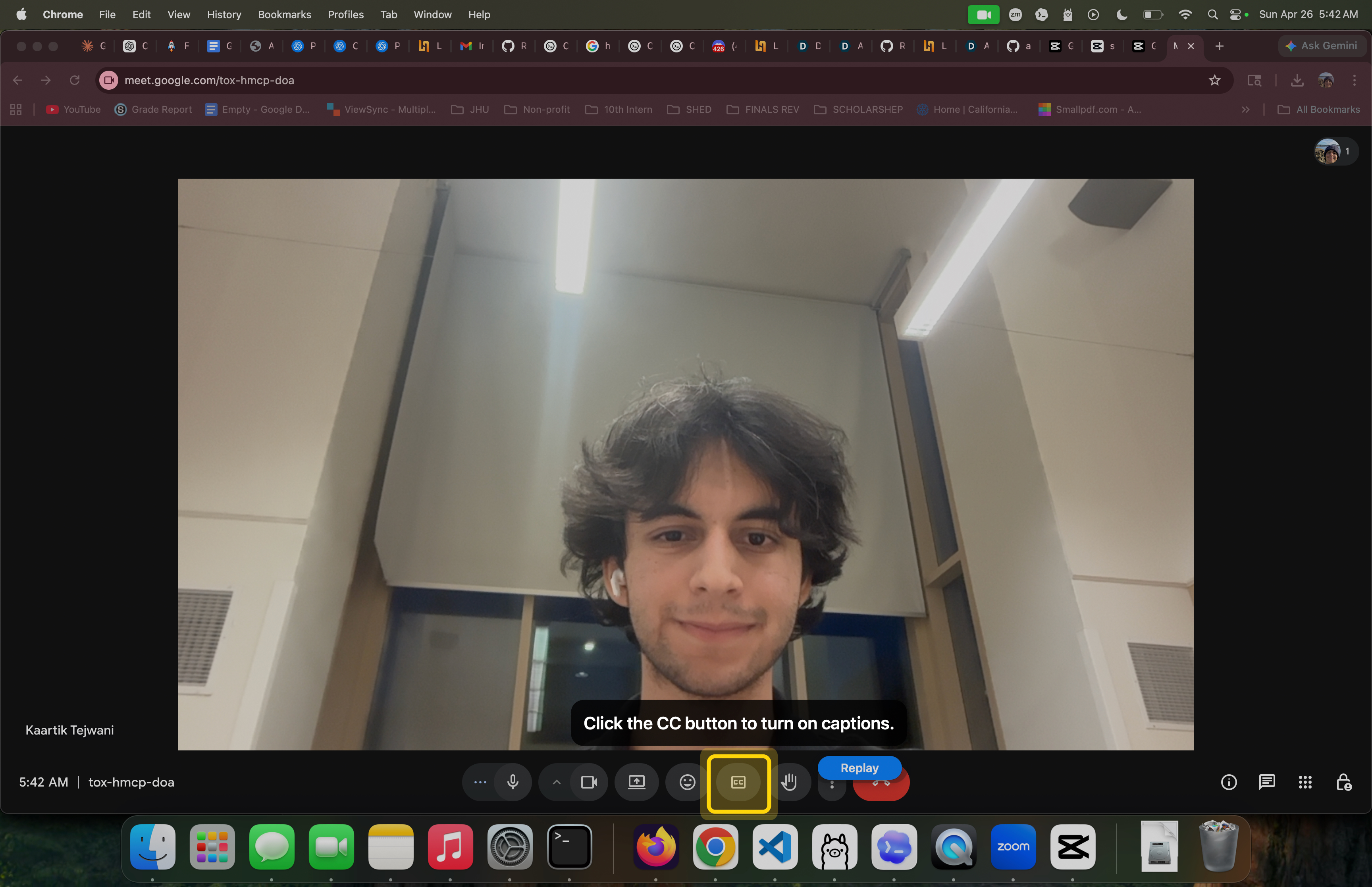
Highlight caption button and provides instruction
-
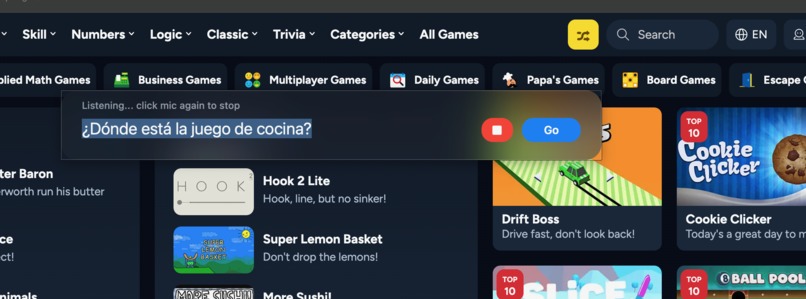
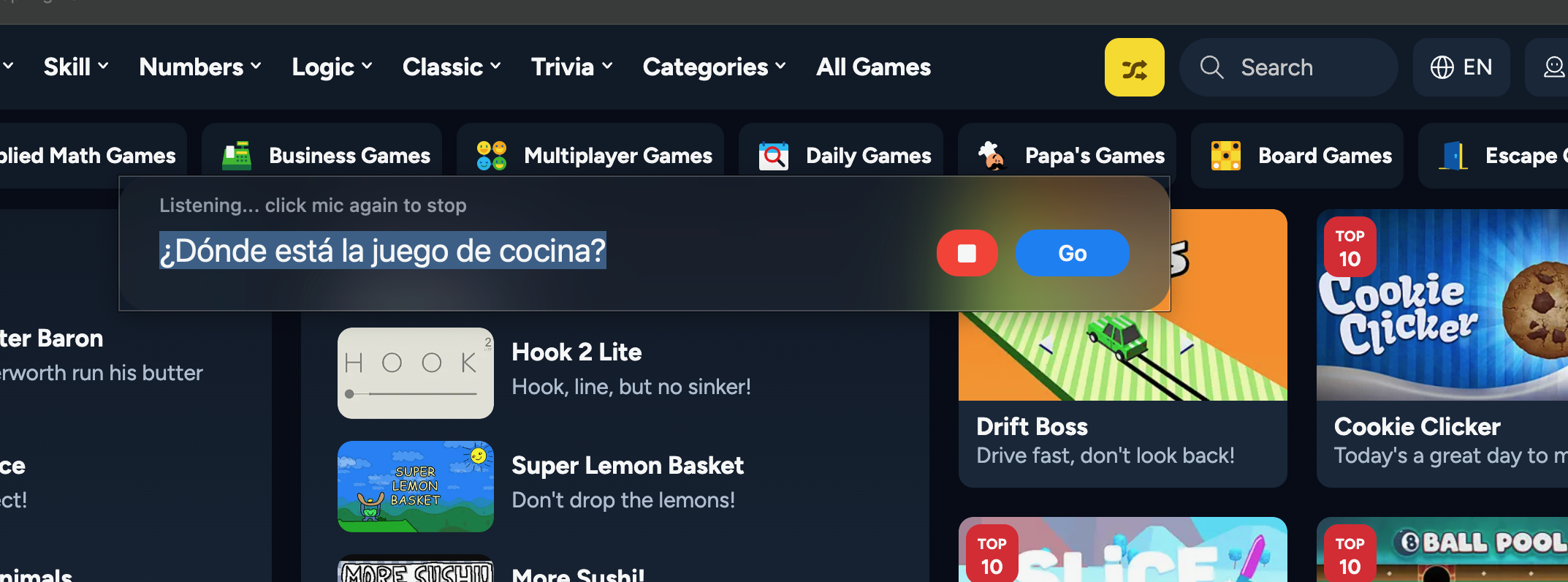
Prompting in Spanish: looking for cooking game
-
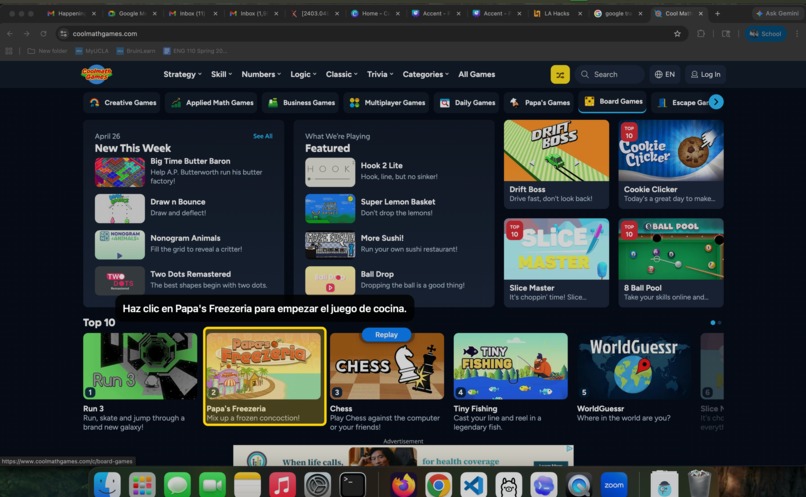
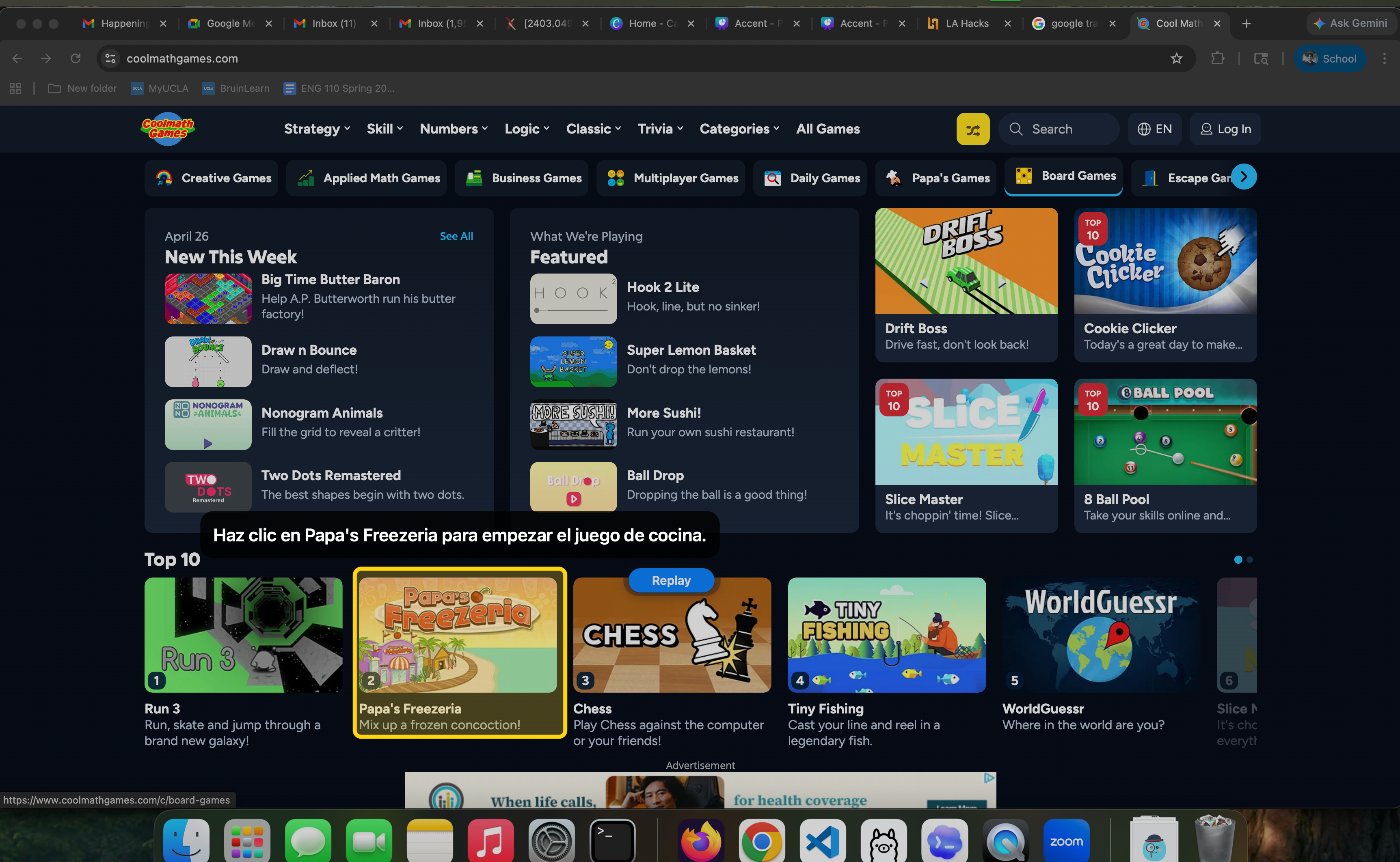
Highlight cooking game and provides instruction in Spanish
-
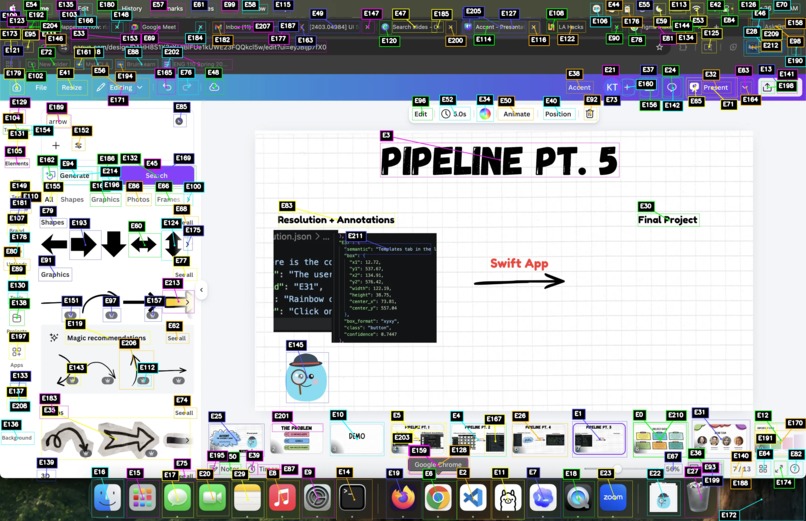
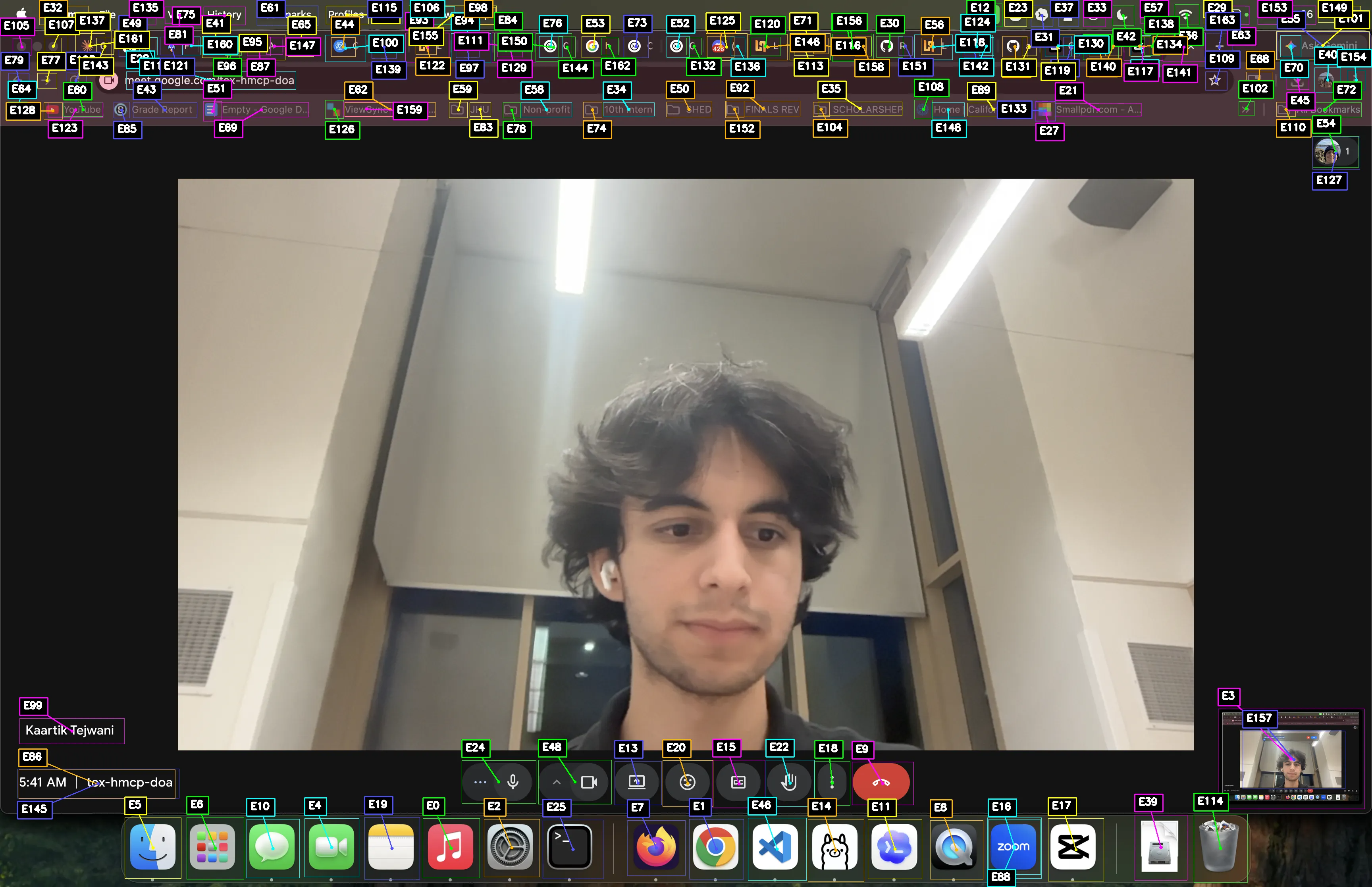
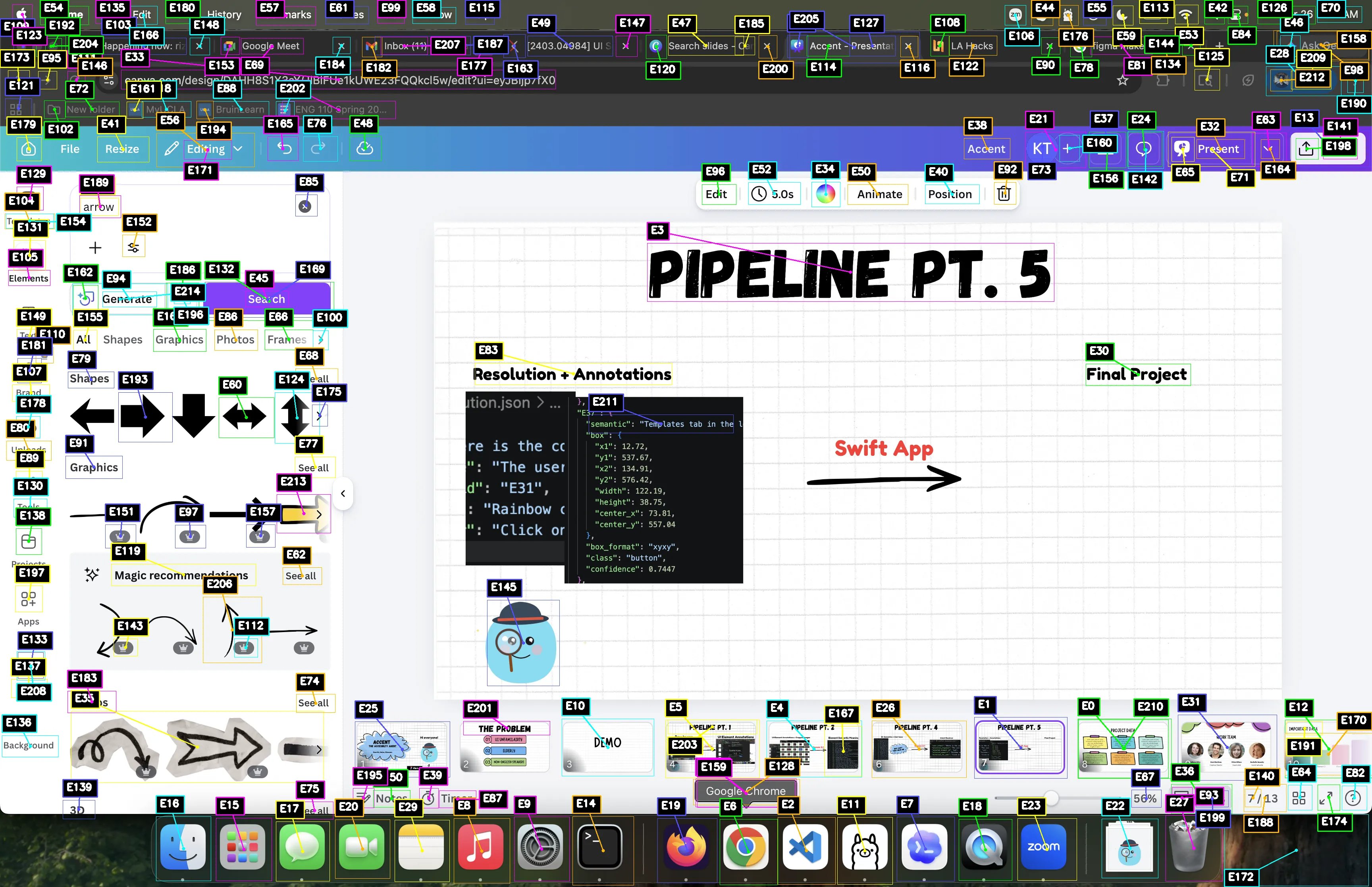
Bounding boxes for UI elements identified by Hugging Face RF-DETR model
-
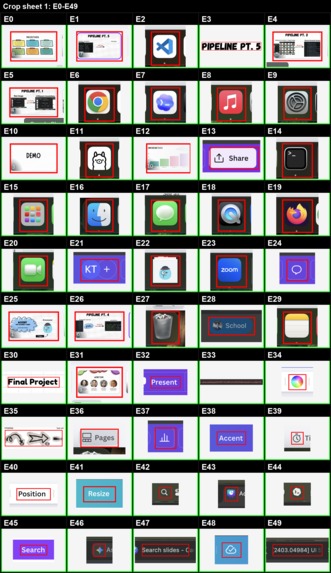
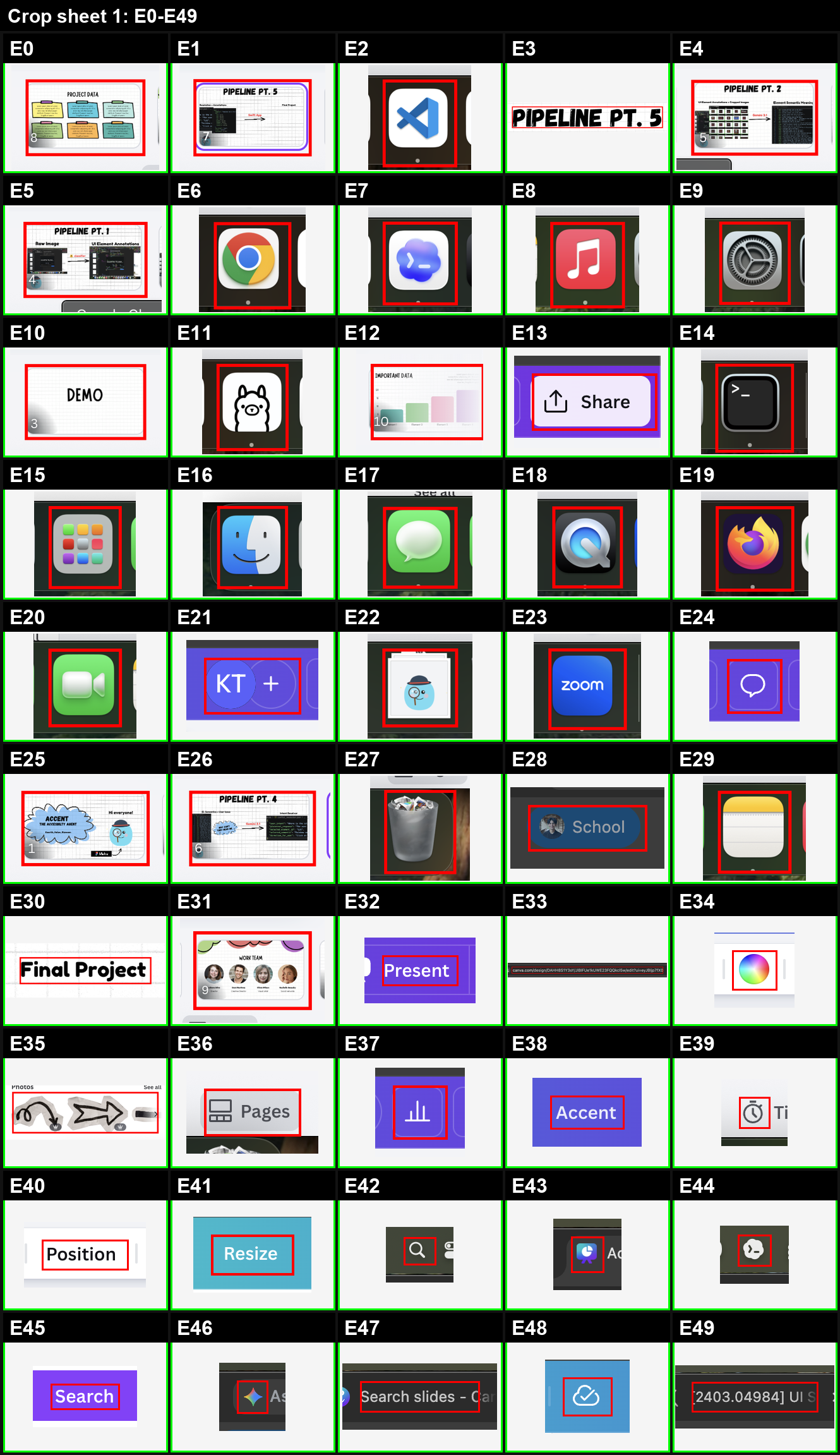
Cropsheet of UI elements
Inspiration
From our grandparents struggling to unmute and flip their cameras, we built Accent the accessibility agent that highlights specific UI to navigate in real time. Our goal is to make technology more learnable, approachable, and intuitive for everyone.
What it does
Accent is a local macOS assistant that lets you press a keyboard shortcut, ask what you want to do on screen, and get a highlighted UI element plus verbal directions.
A user can say something specific like “Call my daughter” or “Turn on subtitles,” or something more vague like “Why can’t you hear me?” or “I want the words on my screen,” in any language!
Accent listens, catalogs visible UI elements, interprets and resolves user input, and highlights the next step by:
- Taking in audio input
- Analyzing the current screen
- Understanding the intent
- Identifying actionable UI elements
- Highlighting what the user should press
How we built it
We built a UI pipeline for LLMs--turning visual interfaces into a structured action space so models can understand what is available to the user at any given moment. This converts noisy, large screenshots into specific elements that support the user.
1. Perception Layer - Input
- Menu bar app (macOS / Swift): captures user interaction from a lightweight always-available interface
- ElevenLabs speech-to-text model: converts raw voice input into structured text in any language
- System screenshot capture (OS-level API): automatically grabs the screen at the moment the user finishes speaking
- JSON normalization: standardizes raw multimodal data into a consistent schema for downstream processing
2. Reasoning Layer - Intent, Context, Semantic Processing
- Hugging Face RF-DETR Transformers model: detects UI features, annotating clickable elements like buttons, menus, and interface regions (UI-DETR-1 UI Element Detector)
- Gemini 3.1 as intent-resolving model:
- uses semantic reasoning to determine the purpose of each element in the labeled screenshot
- uses speech and visual context to decide whether the user is giving a command, asking a question, or interacting with the UI
- uses semantic reasoning to determine the purpose of each element in the labeled screenshot
3. Output Layer - Response
- Local server endpoint: Node server on device that receives structured decisions from the reasoning layer
- FigmaMake: displays a friendly animated mascot thinking
- Gradio web UI: displays output by drawing highlights over selected UI elements and printing text instructions
- ElevenLabs text-to-speech model: reads instructions out loud in the user’s language
Coding Environment
- Windsurf – AI-assisted IDE used for faster iteration, multi-file edits, and building the full system
- OpenAI Codex – AI coding agent used to generate, debug, and modify code
Challenges we ran into
- Local LLMs were too slow – We tested Ollama with Gemma models, but they were not fast or reliable enough for real-time intent reasoning. We switched to Gemini 3.1 for better speed and consistency.
- Screenshots caused bad UI mapping – Sending full screenshots or smaller screenshot sections still caused crowding. Labels overlapped, UI elements were mislabeled, and the model could not reliably match labels to controls. We fixed this with a cropsheet: each UI element gets cropped into a clean grid so the model can map labels correctly.
- The pipeline had too many moving parts – Speech, screen vision, intent reasoning, and UI actions all had to work together. We added strict schemas and LangChain to keep inputs and outputs consistent.
- Swift and Python were hard to connect – The macOS app runs in Swift, but the backend runs in Python. We used a local server and custom process control to keep both sides synced and recover from Python hangs.
Accomplishments that we're proud of
- Augmenting AI coding agents with UI context – LLMs are strong with text but weak with visual grounding. We improve agent reliability by converting screenshots and voice input into structured, normalized UI state, giving downstream agents precise context and improving reasoning over real application interfaces.
- End-to-end working prototype – We built a fully functional system that turns natural language voice input and a raw screen into a concrete UI action in under 36 hours!
- Robust, production-style system design – Instead of a single model demo, we built a full pipeline with fallback logic, multi-model support, and cross-platform integration, making the system resilient.
- Tech for Social Good – We made tech more accessible, especially for our grandparents, older adults, and non-technical users navigating complex digital interfaces. This inspires us to keep building tools that make software more intuitive and inclusive.
What we learned
- New AI tools (FigmaMake, ElevenLabs, Ollama) – We learned how to combine specialized tools for different parts of the pipeline instead of relying on a single system.
- LLMs’ strengths and weaknesses – LLMs are powerful for reasoning and language tasks, but unreliable as standalone systems. We learned to divide labor across models and use strict schema validation, fallback logic, and structured parsing.
- UI ambiguity – Screenshots alone are not enough; models need structured UI context (bounding boxes + element mapping) to reliably translate intent into actions.
- Prompt engineering + high-level planning – Small changes in prompting significantly affect output consistency. Defining the full architecture (perception → reasoning → output) early helped prevent integration issues and made the system easier to scale and debug.
What’s next for Accent
We’re excited by Accent’s potential to make technology more accessible and intuitive. Moving forward, we aim to include:
- Faster Inference - decreasing latency and time to first output
- “Teach Me” Mode - guides users through apps step-by-step to build long-term understanding
- Memory-Based Personalization - learns frequent actions and turns them into natural language shortcuts
- Mobile expansion - bringing Accent’s accessibility experience to phones and tablets


Log in or sign up for Devpost to join the conversation.