-
-
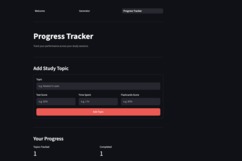
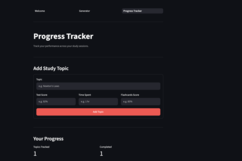
Acader’s Progress Tracker helps students monitor their study progress, track completed work, and stay organized as they prepare for classes.
-
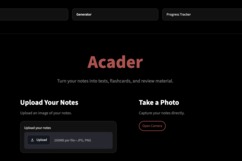
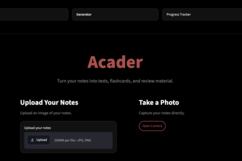
Turn your notes and study materials into AI-powered practice tests, flashcards, and study resources — all i
-
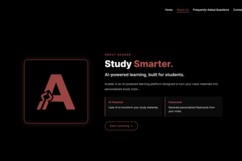
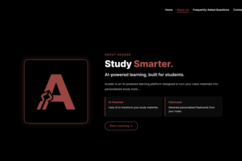
The About Us page introduces Acader, its mission, the story behind the project, and the people building it.
-

Create an Acader account to save your study materials, generated resources, and progress in one place.
-

A simple loading screen that keeps students informed while Acader processes their study materials and generates personalized resources.
-

Review AI-generated flashcards from your study materials to reinforce key concepts and improve retention.
-

The main hub of Acader where students can access their study tools, track progress, and quickly navigate between different features.




Inspiration
As a student, I found myself spending a lot of time turning my own notes and study materials into practice questions and flashcards before I could actually start studying. I wanted to make that process much faster without replacing the material I was already learning from.
That led me to build Acader, an AI-powered study app that takes the materials students already have and turns them into useful study resources.
How I Built It
Acader is built as a web application using Streamlit, with Supabase handling authentication and user data. I built an AI pipeline that processes uploaded study materials and generates practice tests, flashcards, and study notes from them.
I also focused on making the experience simple: upload your material, choose what you want to generate, and use the resulting resources to study.
What I Learned
Building Acader taught me much more than just how to connect an AI model to a web app. I learned about authentication, databases, deployment, UI/UX, handling unreliable AI outputs, and designing an application around an actual user workflow.
One of the biggest lessons was that building something that works is only the beginning. Once real people started testing Acader, I began getting feedback about things I hadn't considered, such as making it easier for students to verify where generated information came from.
Challenges
One of the biggest challenges was getting all of the different pieces to work together reliably. Authentication, database operations, AI generation, file processing, and the frontend all had to work together without making the experience confusing for users.
I also had to deal with AI-generated outputs that weren't always structured exactly how the application expected them, which required validation and error handling.
Acader is still an early-stage project, so I'm continuing to improve it based on how real students use it and the problems they encounter.

Log in or sign up for Devpost to join the conversation.