-
-
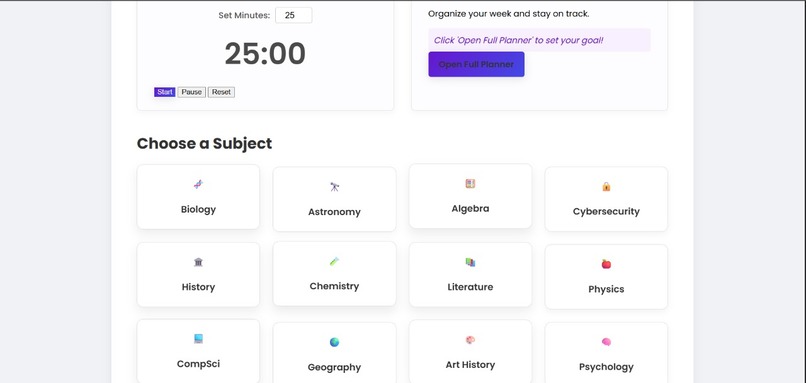
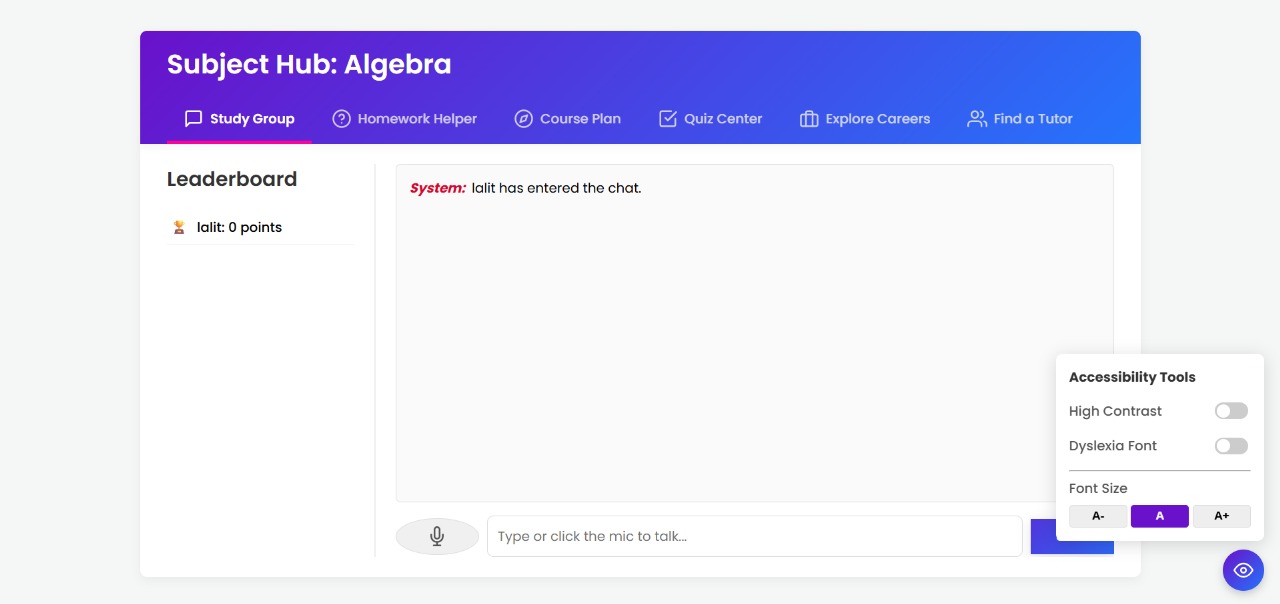
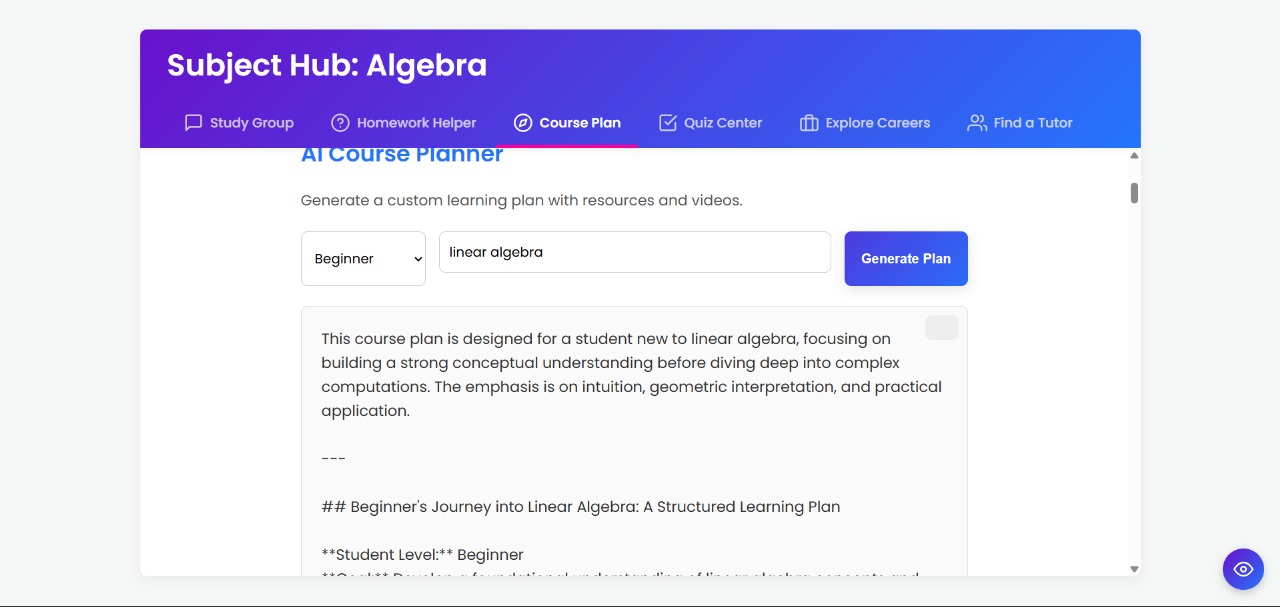
first page
-
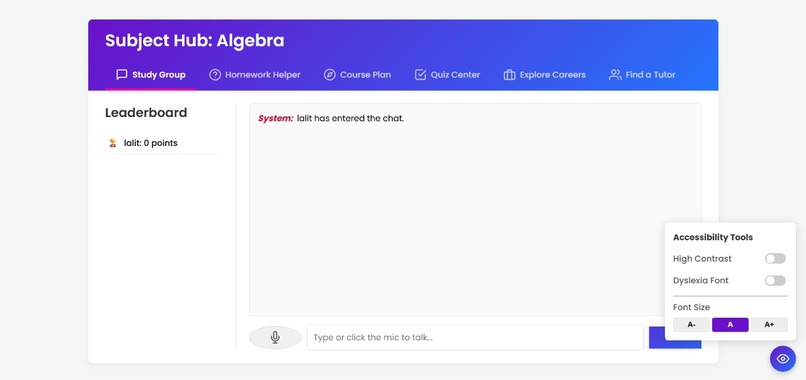
next page- suits disabled students too
-
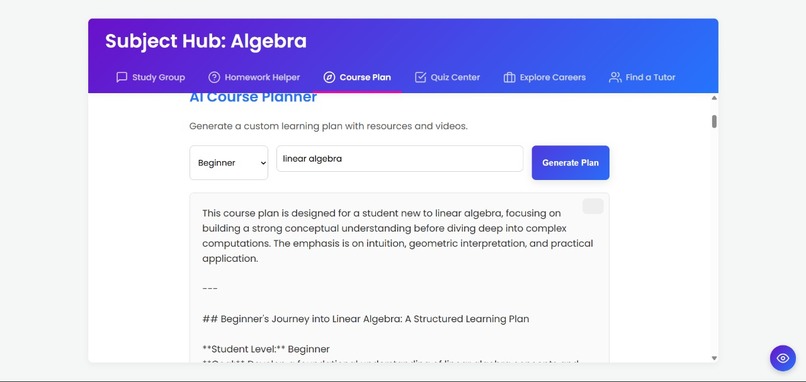
LLM in action
-
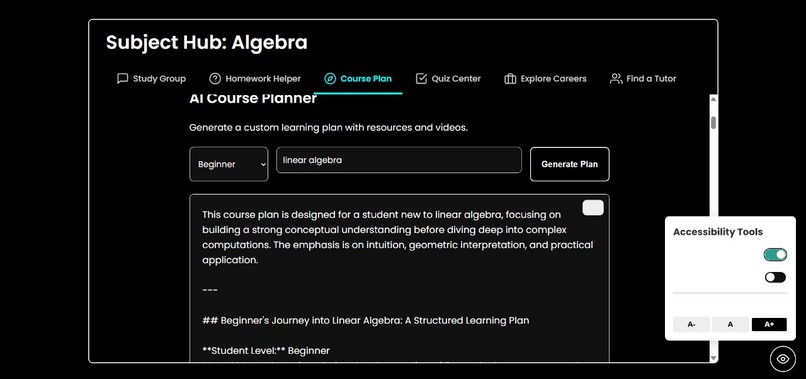
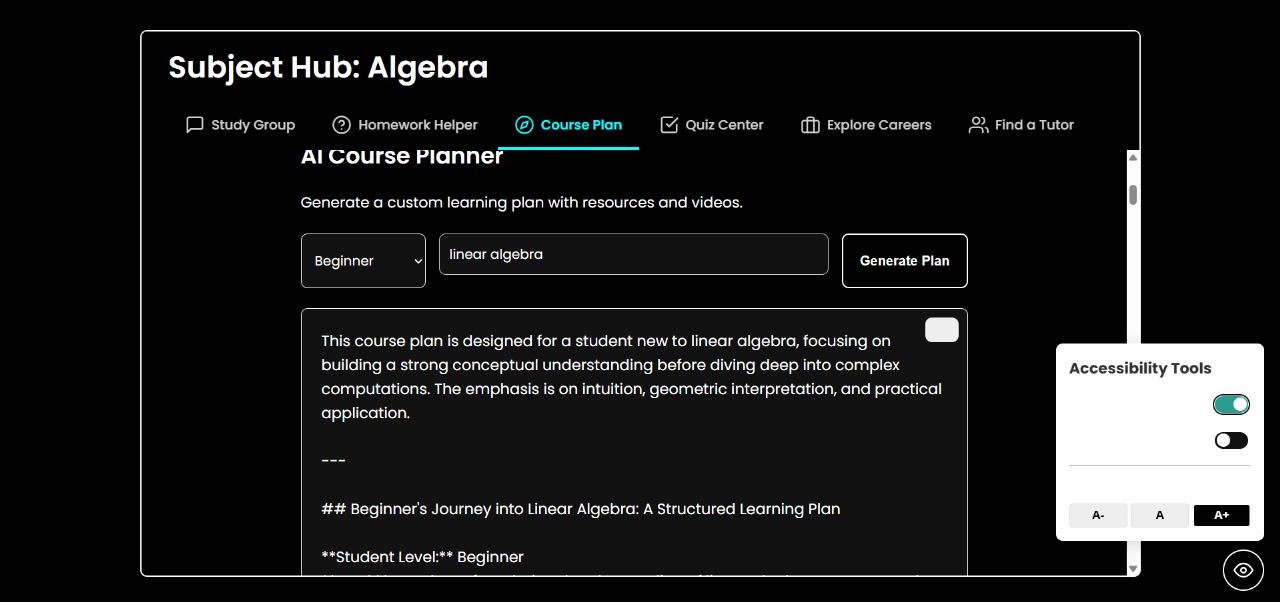
high contrast option for disabled students
-
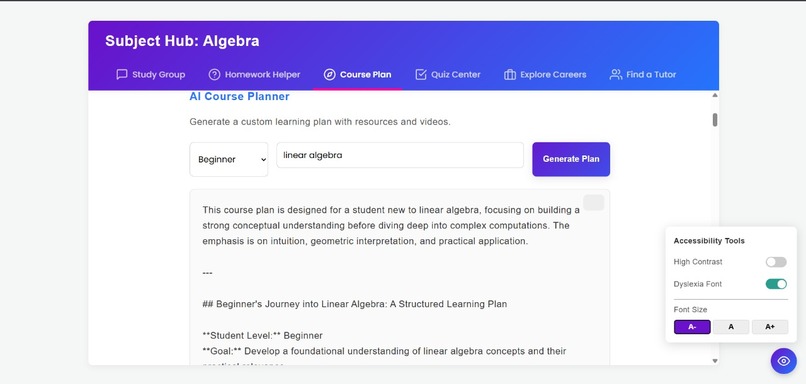
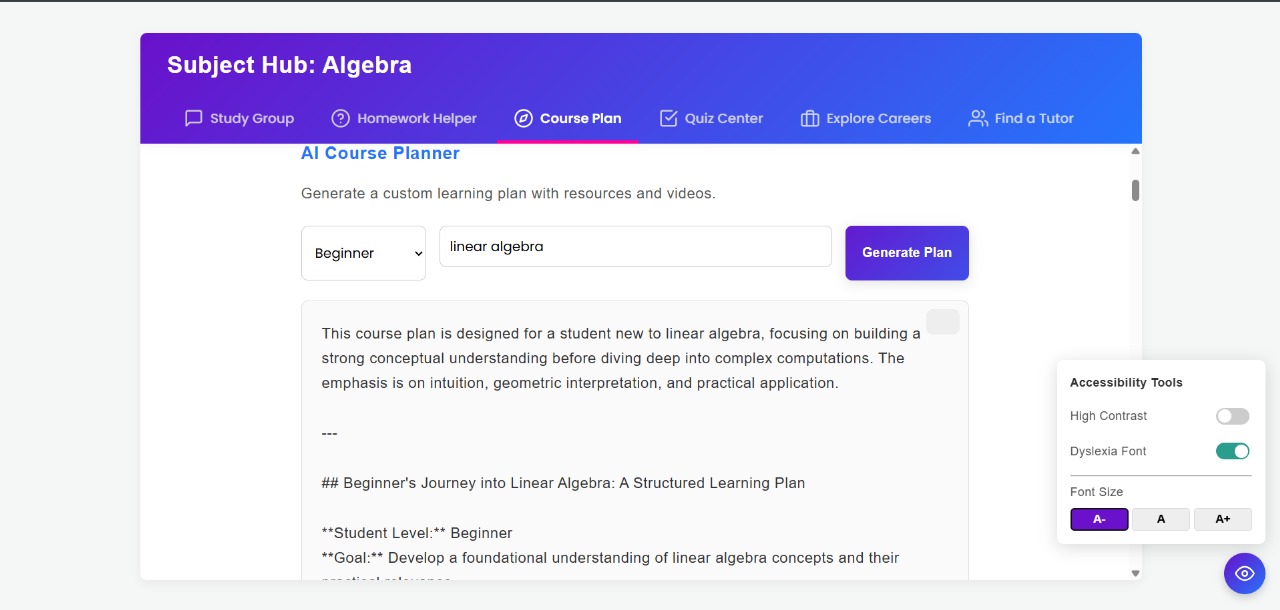
font change for people with dyslexia
-
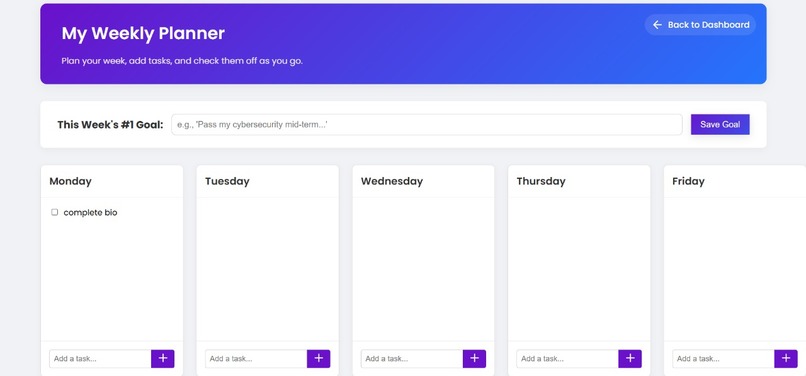
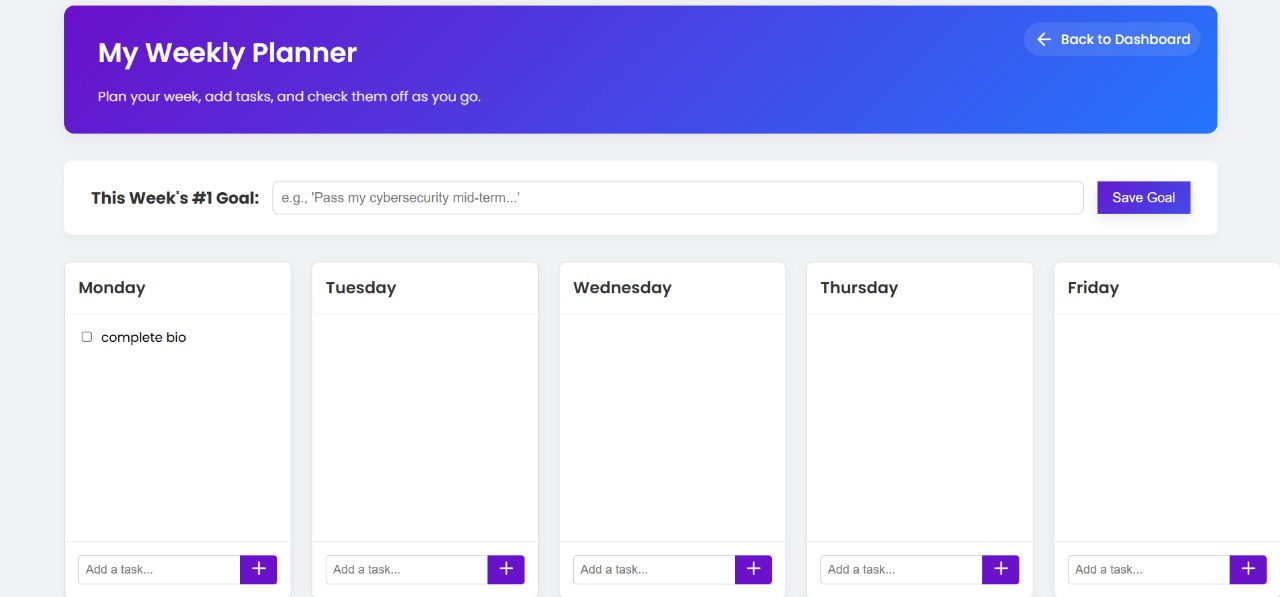
Weekly planner for students
Inspiration: I was watching a friend—brilliant, curious, but struggling with dyslexia—trying to navigate a typical online course. They had five different tabs open: the course video, a separate site for notes, a forum for questions, a timer app to stay focused, and another tool reading the dense textbook aloud. It was a digital obstacle course, not a learning environment.
That night, it hit me: why isn't there one place for all of this? Why are we forced to stitch together a dozen tools just to learn effectively? And why do so many platforms treat accessibility features like an optional add-on instead of a fundamental requirement? It felt like we were building barriers, not bridges, to knowledge.That frustration turned into an idea.
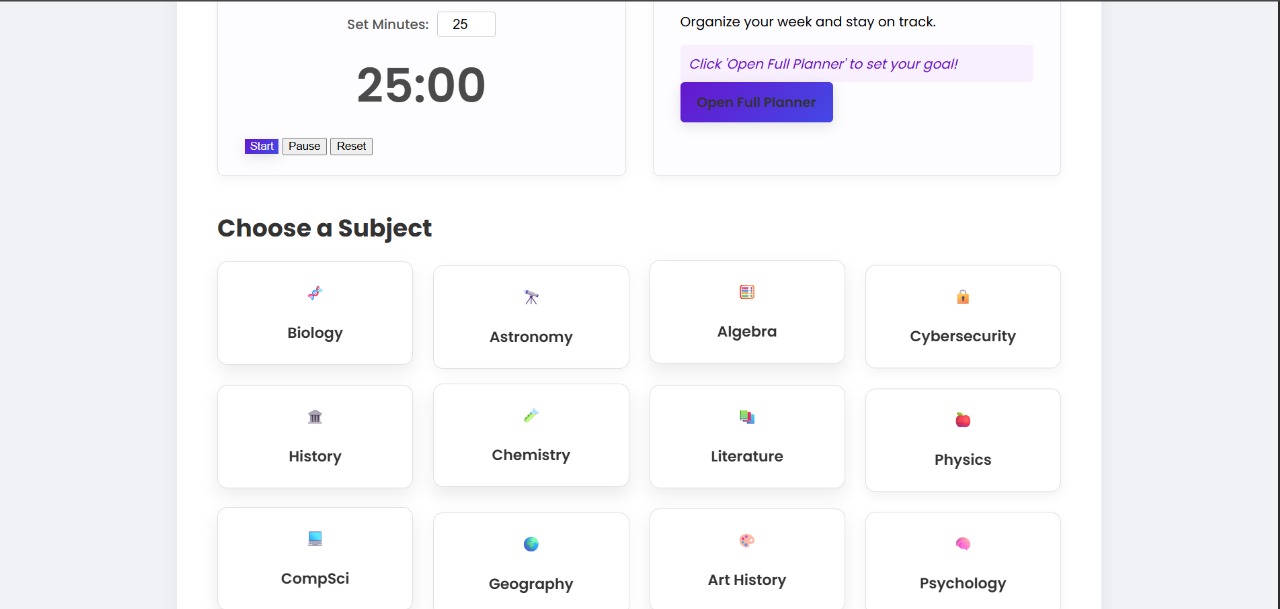
What it does:StudySquad Hub is an all-in-one, accessible learning platform designed to streamline studying. For any subject, it offers:
AI Homework Helper: Get step-by-step explanations.
AI Course Planner: Generate custom study plans with resources.
Study Group Chat: Collaborate with peers in real-time.
Quiz Center: Compete on AI-generated quizzes to earn points on a leaderboard.
Career Explorer: Discover potential careers related to the subject.
Peer Tutor Finder: (UI Demo) Connect with peer tutors.
Study Tools: Includes a Pomodoro timer and a weekly planner.
Accessibility Features: High-contrast mode, dyslexia-friendly font, adjustable font size, and text-to-speech for AI responses
How we built it: Backend: Python with Flask handled the web server and routing.
Real-Time: Flask-SocketIO powered the live chat, leaderboard updates, and communication between the frontend and backend for the AI features.
AI: The Gemini API (specifically models/gemini-2.5-flash) was used via the google-generativeai library for all AI-driven features (helper, planner, quiz, careers). Specific prompts were engineered for each feature.
Frontend: Standard HTML, CSS, and JavaScript were used for the user interface. We implemented a multi-page flow (Login -> Dashboard -> Planner/Study Hub) using browser localStorage to persist user data (name, subject, planner tasks) without needing a database.
UI/UX: A tabbed interface organizes the Study Hub features. CSS gradients and animations were added for a more engaging feel. Feather Icons were used for iconography.
Accessibility: JavaScript toggles CSS classes on the body element for visual changes (contrast, font). The browser's SpeechSynthesis API provides text-to-speech.
Challenges we ran into: API Connection Issues: The biggest hurdle was connecting to the Gemini API. We encountered persistent 404 model not found errors, trying multiple model names (gemini-1.5-flash, gemini-pro, gemini-1.0-pro). The solution involved upgrading the Python library (google-generativeai) and using a script (list_models()) to find the exact model string (models/gemini-2.5-flash) available to our key.
Scope Management: The initial vision was huge. We had to constantly make tough decisions to cut features (like file uploads for the homework helper, a full tutor scheduling system) and build realistic MVP versions (like the weekly goal planner evolving into a full page) to fit the time constraints.
Time Pressure: Building this many distinct features (real-time chat, 4 different AI tools, planner, Pomodoro, accessibility suite) required extremely rapid prototyping and debugging.
Accomplishments that we're proud of :ntegration: Successfully bringing diverse study tools (AI help, collaboration, planning, quizzes) into a single, cohesive platform.
Functional AI: Implementing multiple, distinct AI features that provide real value, powered by well-crafted prompts.
Real-Time Collaboration: The live chat and competitive leaderboard make the "Study Group" feature engaging.
Working Planner: Building a functional weekly planner with task management and local storage persistence in a short time.
Comprehensive Accessibility: Integrating a suite of practical accessibility tools (TTS, contrast, font options) directly into the core experience.
Polished UI/UX: Creating a colourful, professional, and animated interface despite the time pressure.
What we learned : Debugging APIs is Crucial: When an API gives errors, don't just guess model names. Use the tools provided (like list_models()) to get definitive answers. Check library versions!
Ruthless Prioritization: Hackathons force you to focus on the core value. Learn to cut features mercilessly and build demo-ready placeholders for future vision.
localStorage is Powerful for MVPs: It's a surprisingly effective way to simulate multi-page apps and data persistence without the overhead of a database setup.
Build Accessibility In, Not On: Thinking about accessibility from the start makes integrating features like TTS and contrast modes much easier.
Rapid Prototyping: Flask and basic HTML/CSS/JS are incredibly fast for building functional web app prototypes.
What's next for AcademiKit:Robust Backend & Database:
Replace the localStorage hacks with a real database (e.g., PostgreSQL, MongoDB, Firebase Firestore).
Implement proper user authentication and accounts to store progress, planner data, and preferences securely.
Expand Accessibility Features:
Screen Reader Compatibility: Thoroughly test and optimize the UI for screen readers (like JAWS, NVDA).
Color Blindness Modes: Add options to adjust color schemes for different types of color blindness.
Keyboard Navigation: Ensure the entire platform is navigable using only a keyboard.
Enhance Collaboration Tools:
Add a shared virtual whiteboard within the Study Group chat.
Allow simple collaborative document editing for group notes.
Gamification Expansion:
Introduce badges for achievements (e.g., "Quiz Master," "Planner Pro").
Implement study streaks for consistent use of the platform. Deeper AI Integration & Personalization:
AI Study Coach: Have the AI analyze tasks in the planner and suggest optimal study times or break down large tasks.
Smart Summaries: Allow the AI to summarize discussions from the Study Group chat.
Adaptive Quizzes: Generate quizzes that adapt in difficulty based on the student's previous performance.
Built With
- css-frameworks-&-libraries:-flask
- flask-socketio
- github
- google-generativeai
- html
- javascript
- languages:-python
- localstorage-development:-git
- python-dotenv-apis:-gemini-api
- speechsynthesis-api-(text-to-speech)-frontend:-feather-icons
- web-speech-api-(speechrecognition)

Log in or sign up for Devpost to join the conversation.