-
-

Our app icon
-

Brainstorm feature, give you some idea
-
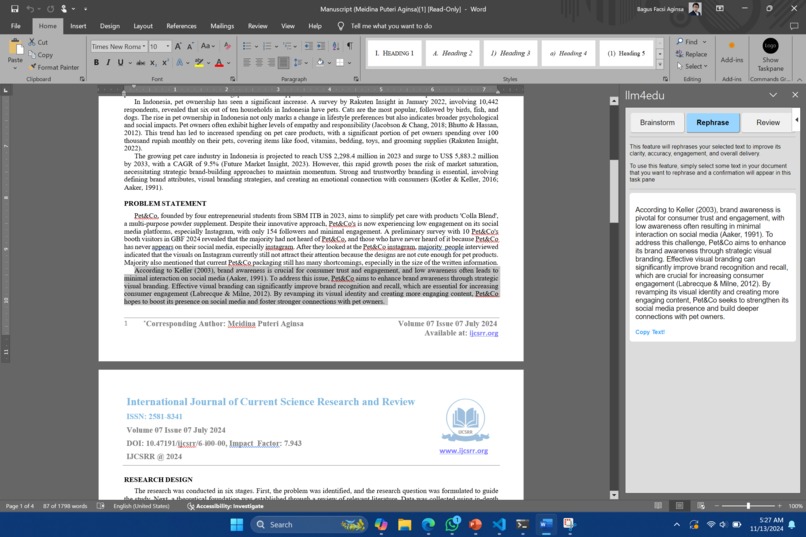
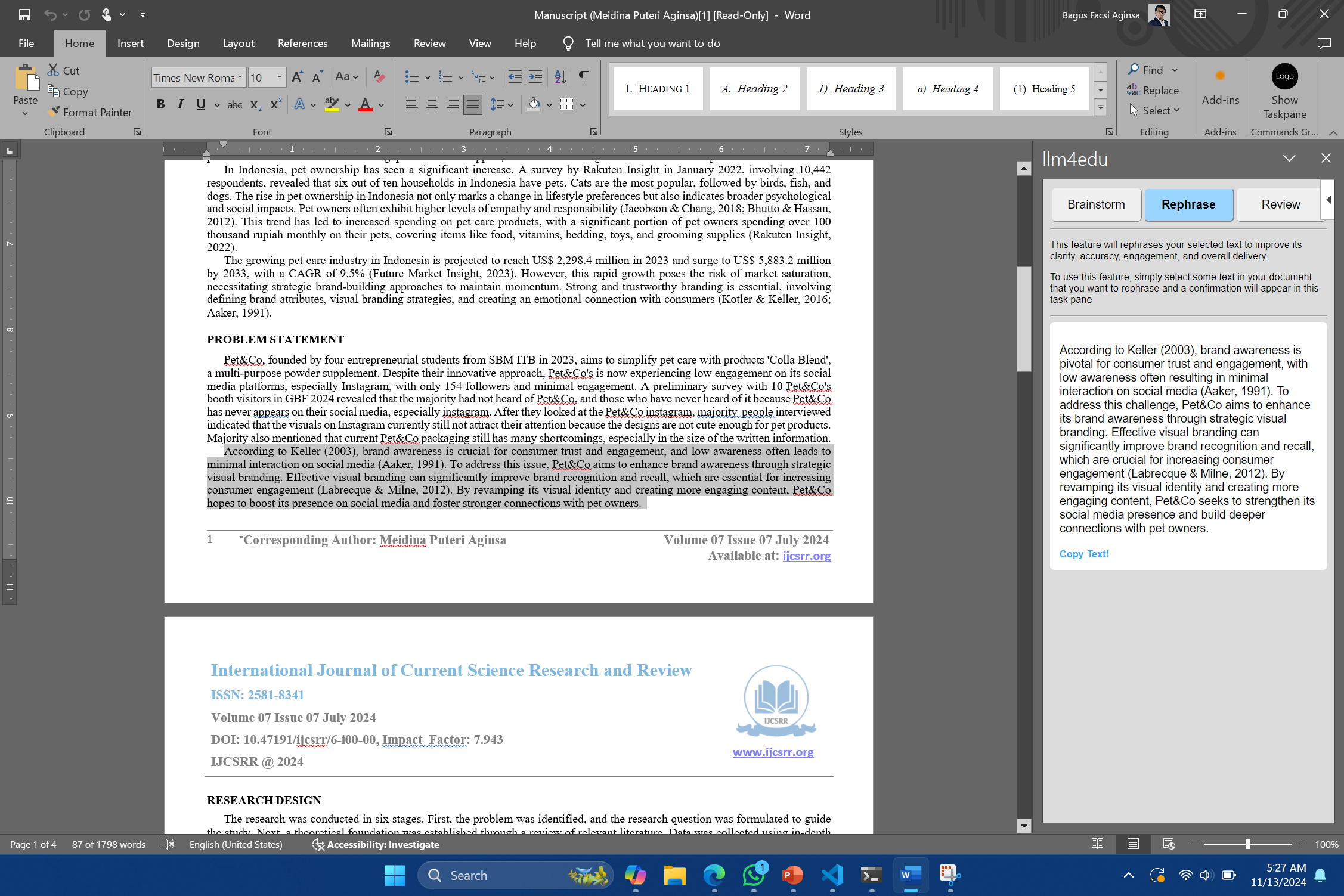
Rephrase to increase correctness, clarity, engagement, and delivery
-
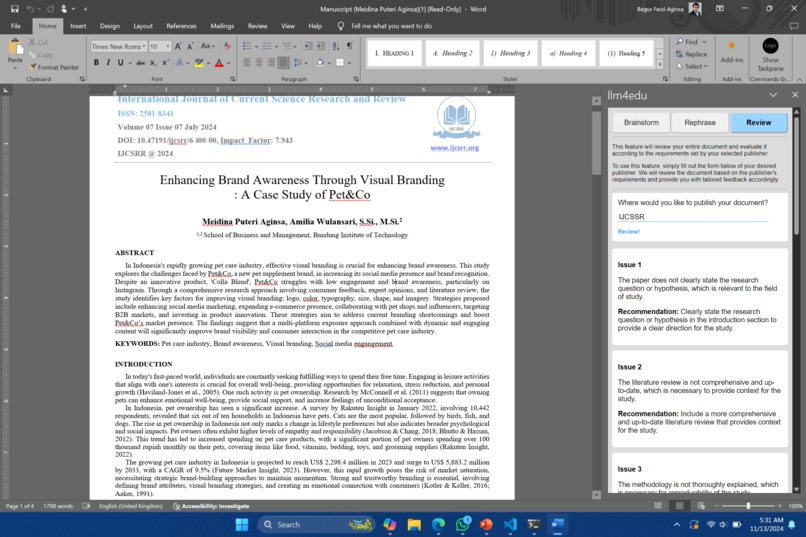
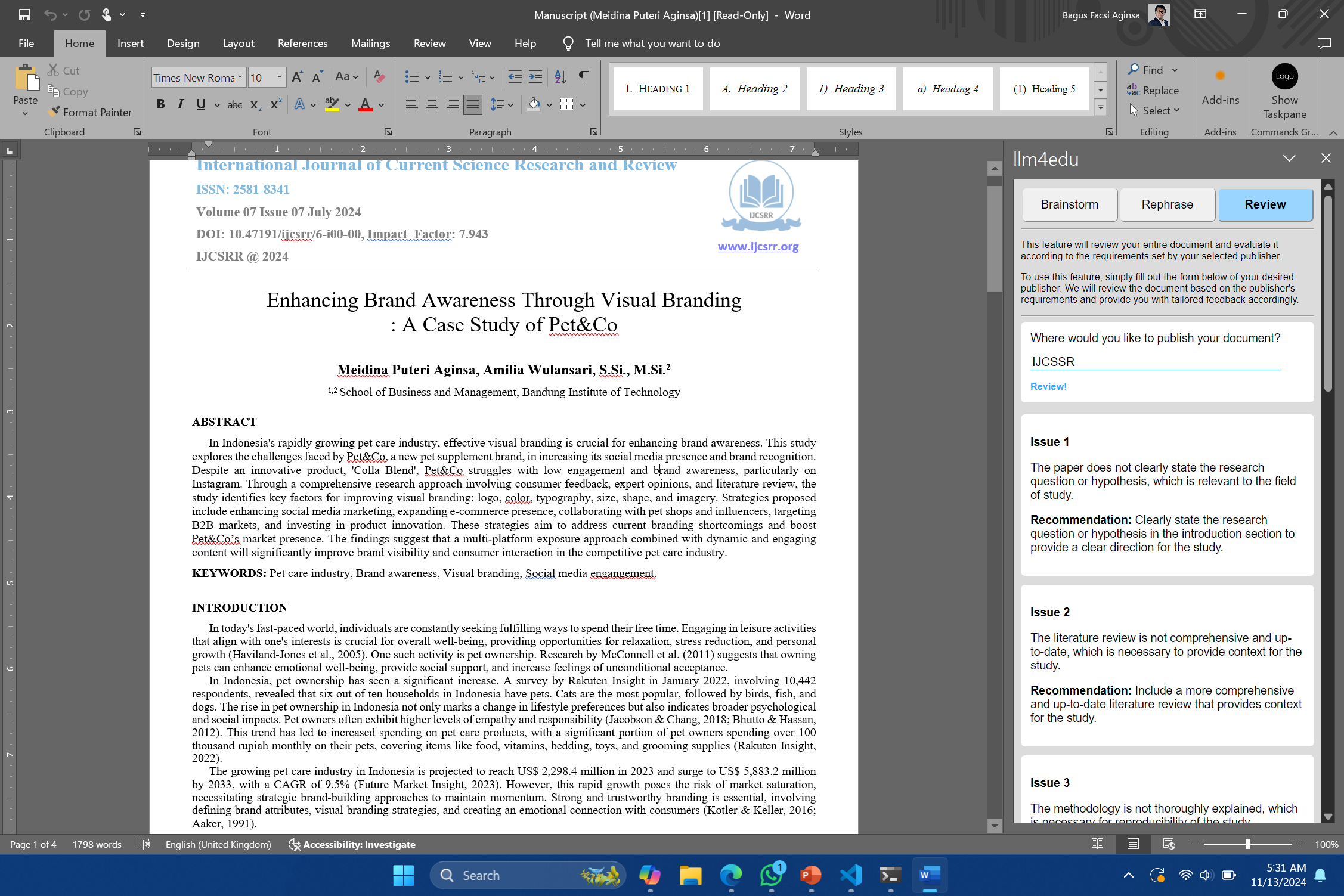
Review based on publisher's requirement


Inspiration
In Indonesia, some students use 'jockeys' to create research documents to graduate from college. These 'jockeys' are paid individuals who complete the research documents on their behalf. This results in a decline in the quality of graduates in Indonesia. We want to help these students so that they can work on their research documents on their own. Therefore, we created an application to assist students, particularly in Indonesia, in confidently creating their research documents with just right amount of support. Not too much so that they do not utilize their knowledge. Not too little so that they struggle. Just right!
What it does
Our Academic Writing Assistant help student write a better academic document by providing these 3 main fetures:
- Brainstorming: Help you find a research idea to write!
- Rephrase: Improve your writing correctness, clarity, engagement, and delivery.
- Review: Review your academic document based on publisher requirement.
How we built it
We build the academic writing assistant using these stacks:
- Microsoft Word Add-in
- Nodejs - fastify as backend framework
- Langchain as LLM apps framework
- MongoDB as Vector DB & Object Storage
- Amazon Bedrock as LLM backend.
Challenges we ran into
This is our first attempt at creating an LLM-based application, and we are still learning about the best prompting methods to achieve optimal results from the model.
Accomplishments that we're proud of
We are extremely happy to have created this project. I believe we have successfully developed our first LLM-based application in this hackathon. The best part is that we have identified areas for improvement, and we can't wait to enhance it and learn more about LLM-based applications
What we learned
We are learning about:
- RAG
- Few shot prompring
- Prompt chaining
Extra
- This is a word add-in application, so we cannot provide working online demo for you, please understand this. Although we have a working publicly hosted backend server for this hackathon in EC2.
- For local installation, please follow our guideline in the README.md file in the repository.
- if you need our guide to install the add-in, please email us at: [email protected]

Log in or sign up for Devpost to join the conversation.