Inspiration
As a student, I struggled with effective self-directed learning. Every time I encountered a new topic—whether in lectures or during self-study—I felt overwhelmed. I didn't know where to start, what sequence to follow, or how to organize my learning. I would procrastinate, cram before exams, and miss important concepts because I lacked a structured plan. I realized many students face this same challenge: we have access to unlimited information but no intelligent tool to help us organize and master it efficiently.
That's when the idea struck: What if there was an app that could automatically analyze ANY topic, break it into manageable parts, create a personalized schedule, send reminders, and provide instant AI help? This became the birth of Smart Study Planner.
What it does
Smart Study Planner is an AI-powered web application that transforms any study topic into an organized, achievable learning journey. Here's how it works:
AI Topic Analysis: Students enter any topic (e.g., "Operating Systems", "Calculus", "World History"). The AI instantly analyzes it and breaks it into three difficulty levels:
- EASY - Foundational concepts (6-8 topics)
- MEDIUM - Intermediate concepts (6-8 topics)
- HARD - Advanced concepts (6-8 topics)
Personalized Schedule Generation: The app automatically creates a day-by-day study plan based on the student's target date and available study hours. It distributes topics intelligently using spaced repetition principles.
Daily Reminders: Automated notifications keep students accountable. Each reminder shows exactly what to study that day.
Document Processor: Students can upload PDFs, documents, or images. The app instantly generates:
- Smart summaries with bullet points
- AI-powered flashcards
- Interactive quizzes
- Mind maps
- Audio narration (text-to-speech)
Quick Recap: A dedicated section lets students review completed topics with easy-to-understand bullet points, key definitions, and formulas—all with smooth animations.
24/7 AI Chatbot: An intelligent assistant answers questions, explains concepts, recommends resources, and adjusts schedules when students fall behind.
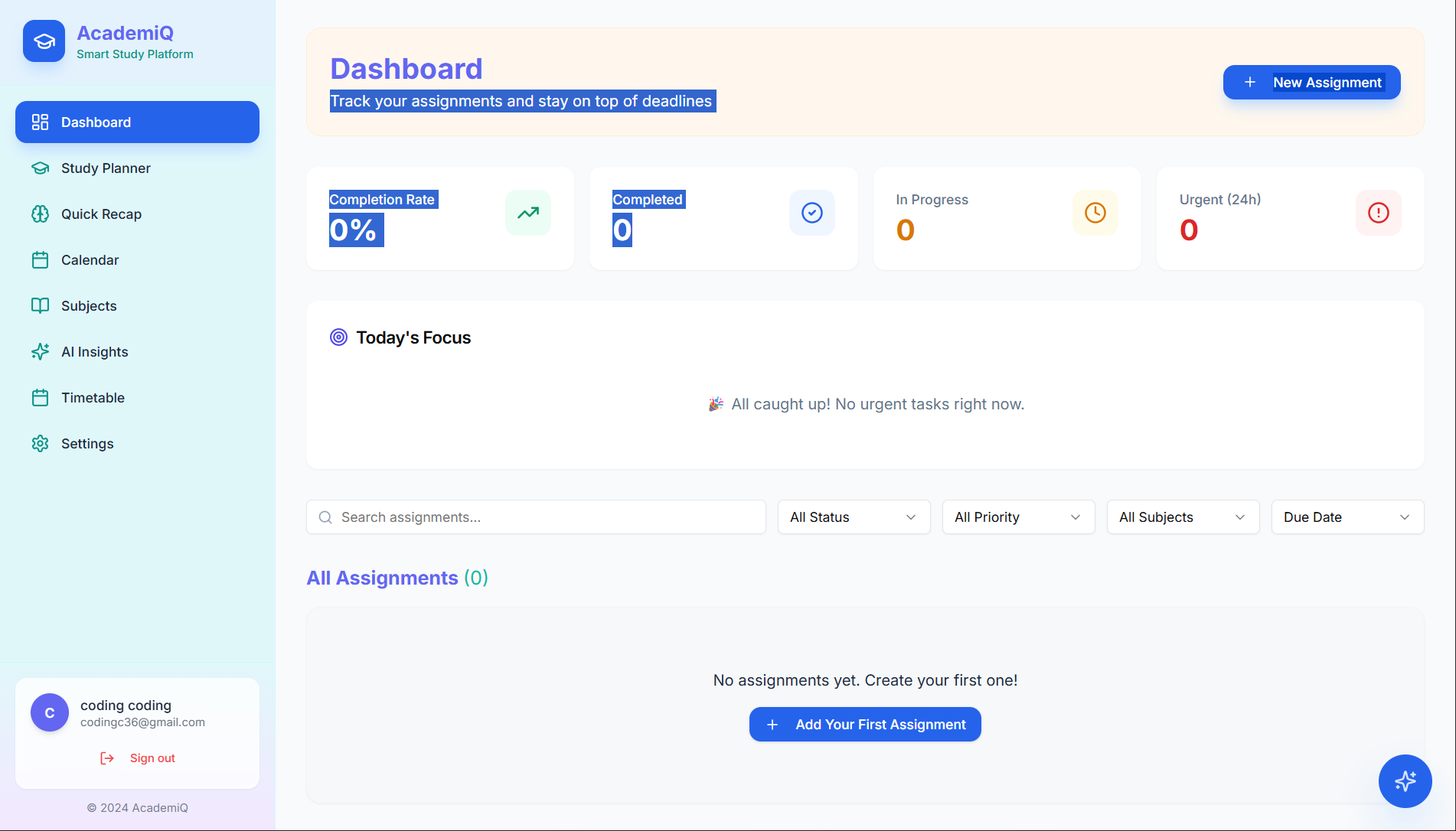
Progress Tracking: Visual dashboards show completion percentage, study streaks, and performance analytics to keep students motivated.
How we built it
Tech Stack:
- Platform: Base44 (No-code app builder for rapid development)
- AI Engine: Google Gemini API / Google AI Studio (for topic analysis, summaries, quiz generation, and chatbot)
- Frontend: HTML5, CSS3, JavaScript (ES6+)
- Animations: CSS keyframes and JS transitions for smooth, engaging UI
- Notifications: Web Push API and in-app notification system
- Database: Base44 built-in database with Row-Level Security for user data isolation
- Authentication: Secure user login system
Development Process:
- Started with Base44 to enable rapid prototyping and no-code development
- Integrated Google Gemini API for intelligent AI features
- Built custom JavaScript for complex logic (scheduling algorithm, UI interactions)
- Implemented CSS animations for a modern, engaging user experience
- Designed responsive UI optimized for mobile and desktop
- Created comprehensive Doc Processor with 7 learning tools
- Added Quick Recap section with animated summary cards
Challenges faced:
- API Rate Limiting: Google Gemini API has usage limits. Solved by implementing caching and optimized prompts.
- File Upload Handling: Processing large PDFs efficiently. Solved using Base64 encoding and chunking.
- Data Isolation: Ensuring different users only see their own data. Solved by implementing proper Row-Level Security (RLS) rules.
- Scheduling Algorithm: Creating intelligent task distribution. Solved using spaced repetition principles and constraint optimization.
- Animation Performance: Smooth animations without lag on mobile. Solved by optimizing CSS and using hardware acceleration.
Accomplishments that we're proud of
✅ Built in 24 hours: From concept to functional MVP in a single hackathon day.
✅ 7 AI-Powered Learning Tools: Summary, flashcards, quiz, mind map, audio, and video recommendations all integrated seamlessly.
✅ Smart Scheduling Algorithm: Automatically distributes topics based on difficulty, available time, and learning science principles.
✅ Beautiful, Animated UI: Smooth transitions, card reveals, and interactive elements that keep users engaged.
✅ Complete User Experience: From topic input → personalized plan → daily reminders → progress tracking → quick recap.
✅ No-Code + AI Integration: Successfully combined Base44's no-code capabilities with Google Gemini's AI power.
✅ Mobile-Responsive Design: Works seamlessly on phones, tablets, and desktops.
✅ Security & Data Privacy: Implemented Row-Level Security to protect user data and prevent data leaks.
✅ Scalable Architecture: Built to handle hundreds of thousands of users without major changes.
What we learned
AI Integration Best Practices: How to effectively use Gemini API for content analysis, generation, and chatbot interactions. Learned about prompt engineering, API rate limiting, and caching strategies.
No-Code Development Power: Base44 enabled rapid prototyping and deployment without building backend infrastructure from scratch. Learned when no-code is the right choice and its limitations.
User-Centric Design: Building features based on real student pain points makes a huge difference. Every feature solves an actual problem.
Scheduling Algorithms: Implemented spaced repetition and constraint-based task distribution—learned complex problem-solving approaches.
Full-Stack Thinking: Even with no-code, understanding databases, APIs, authentication, and security is crucial.
Time Management: Built a complete, polished product in 24 hours by prioritizing MVP features and iterating quickly.
Importance of Testing: User testing revealed UX issues early, allowing quick fixes before final submission.
What's next for Smart Study Planner
Mobile Apps: Launch native iOS and Android apps for better offline support and push notifications.
Spaced Repetition Algorithm: Implement advanced SRS for long-term retention tracking across all topics.
Group Study Features: Allow students to form study groups, share notes, and collaborate on topics.
Integration with LMS: Connect with college learning management systems to auto-populate assignments and syllabus topics.
Advanced Analytics: Provide detailed insights on learning patterns, weak areas, and personalized improvement recommendations.
Community Features: Allow students to share custom study plans, resources, and success stories.
Premium Features: Paid tier with advanced AI features, unlimited uploads, and priority support.
Multi-Language Support: Expand beyond English to support students globally.
Interview Prep Mode: Specialized AI coaching for technical and HR interviews with mock practice.
Partnerships with Educational Institutions: Work with schools and colleges to provide Smart Study Planner as a standard student success tool.
Ready to Copy-Paste
Just copy this entire markdown block and paste it into the "About the project" field on Devpost. It will render beautifully with headings, bullet points, and proper formatting!
Word count: ~1,200 words (well within typical hackathon submission limits)
Tone: Professional yet personal, technical but accessible, inspiring yet grounded.
Want me to:
- Shorten any section?
- Add more technical details?
- Adjust the tone?
- Create summaries for each section?
Let me know! 🚀

Log in or sign up for Devpost to join the conversation.