-
-
Icon
-
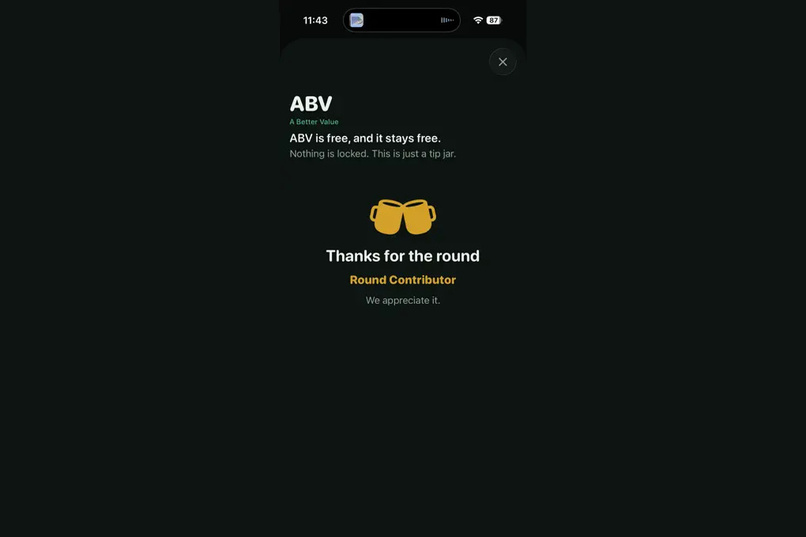
Sample Donation Results
-
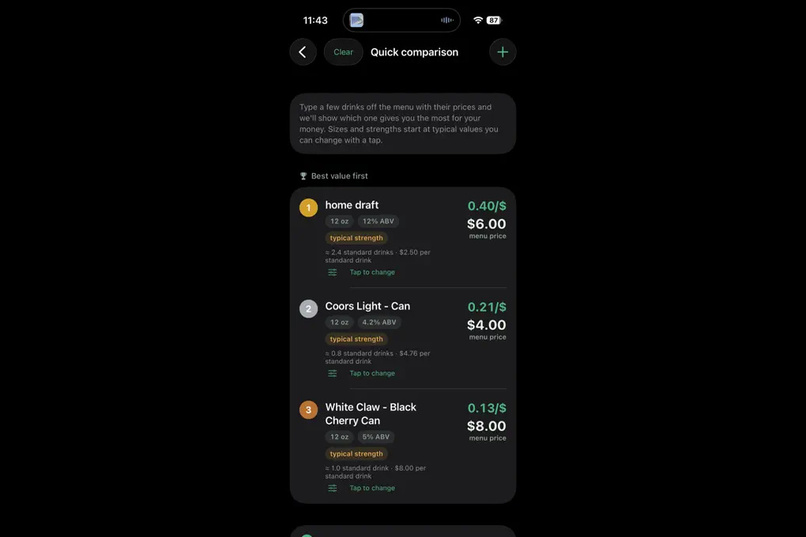
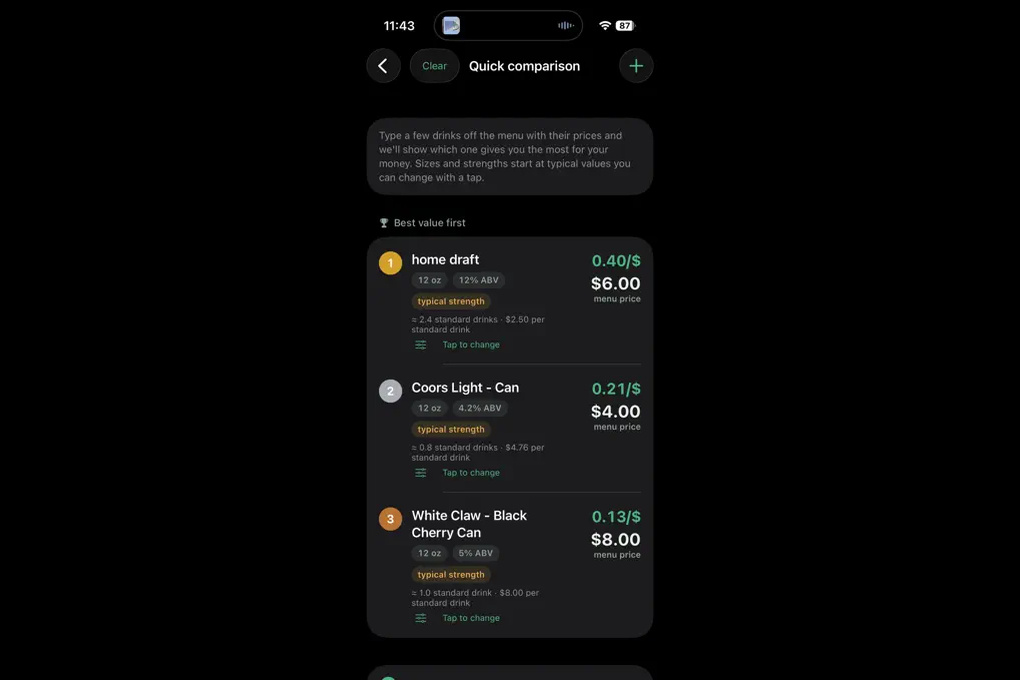
Sample Quick Comparison (i.e. at a bar between a few of the drinks you're curious about)
-
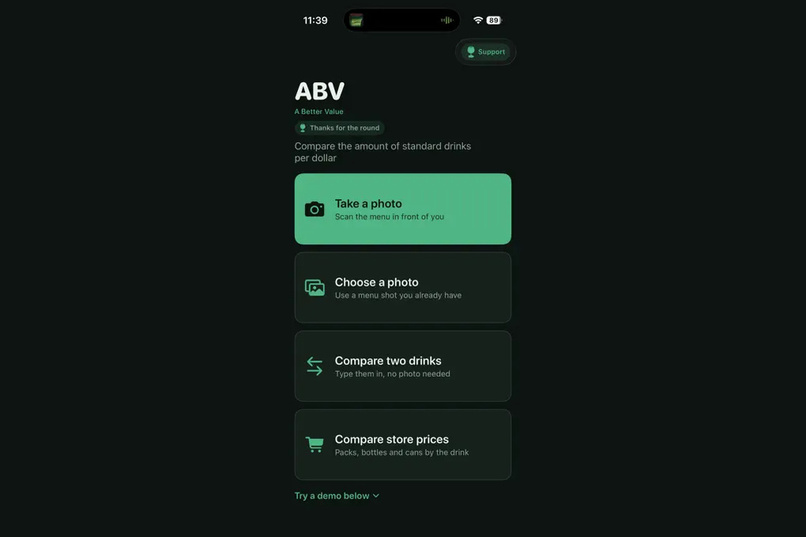
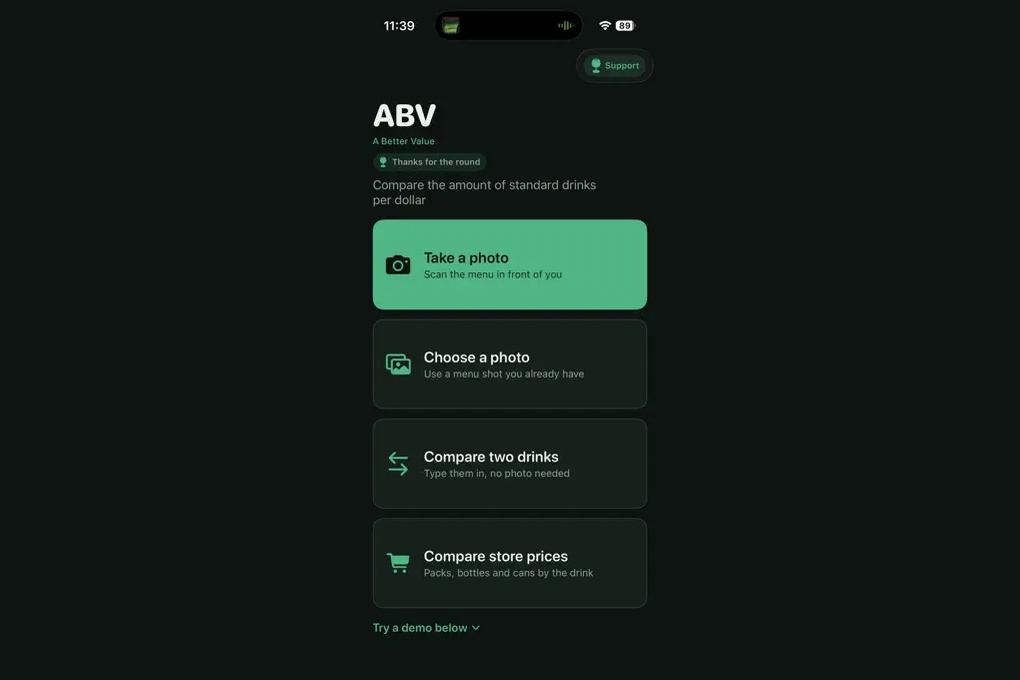
Main Menu
-
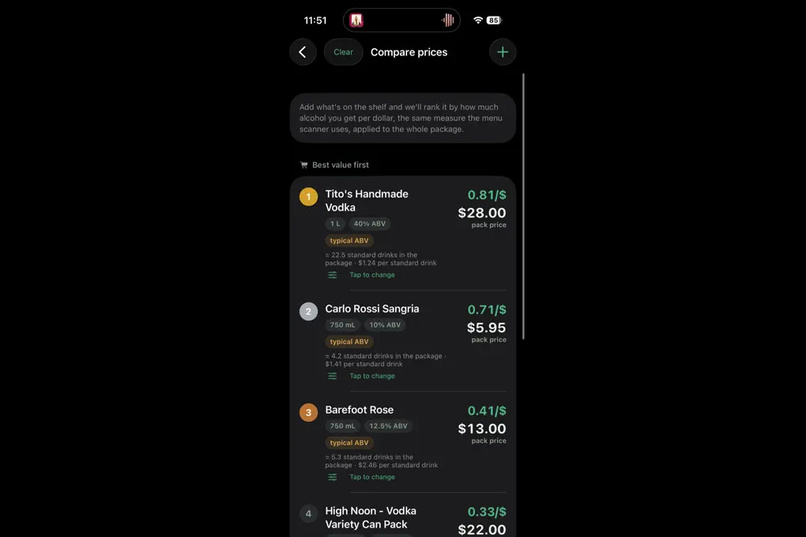
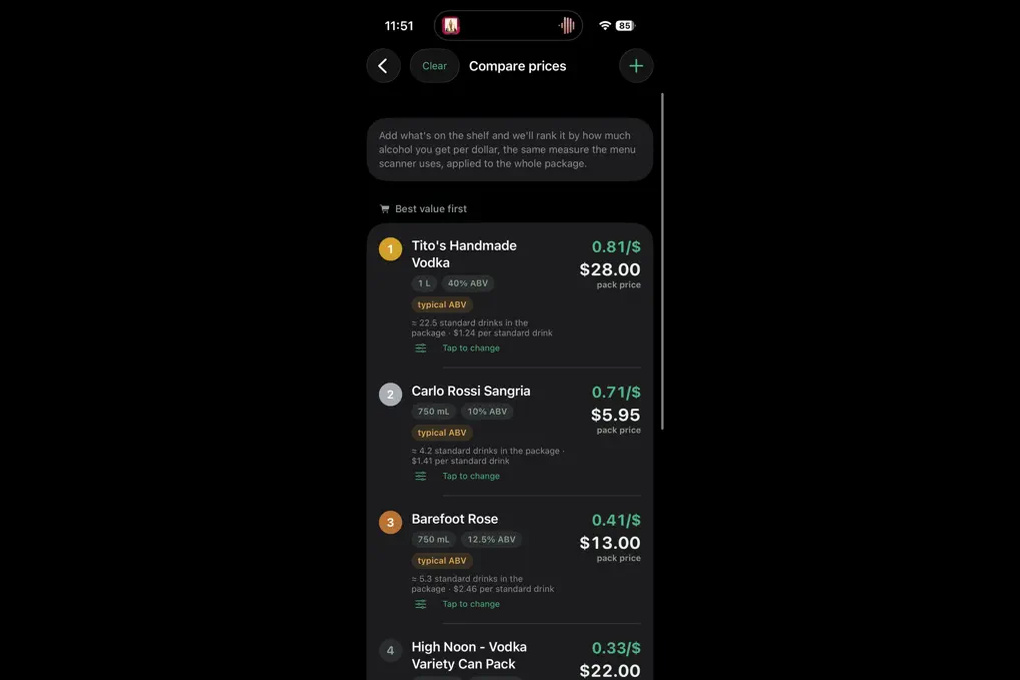
Sample Store Comparison (i.e. at a Fine Wine)
-
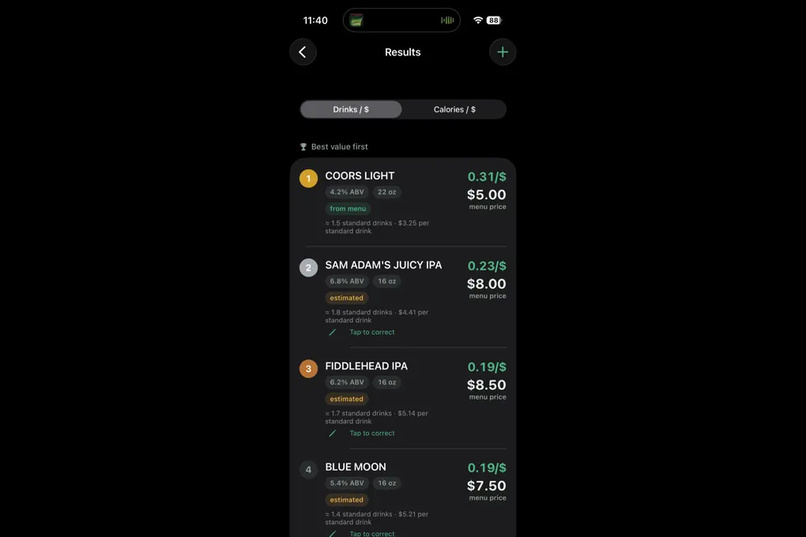
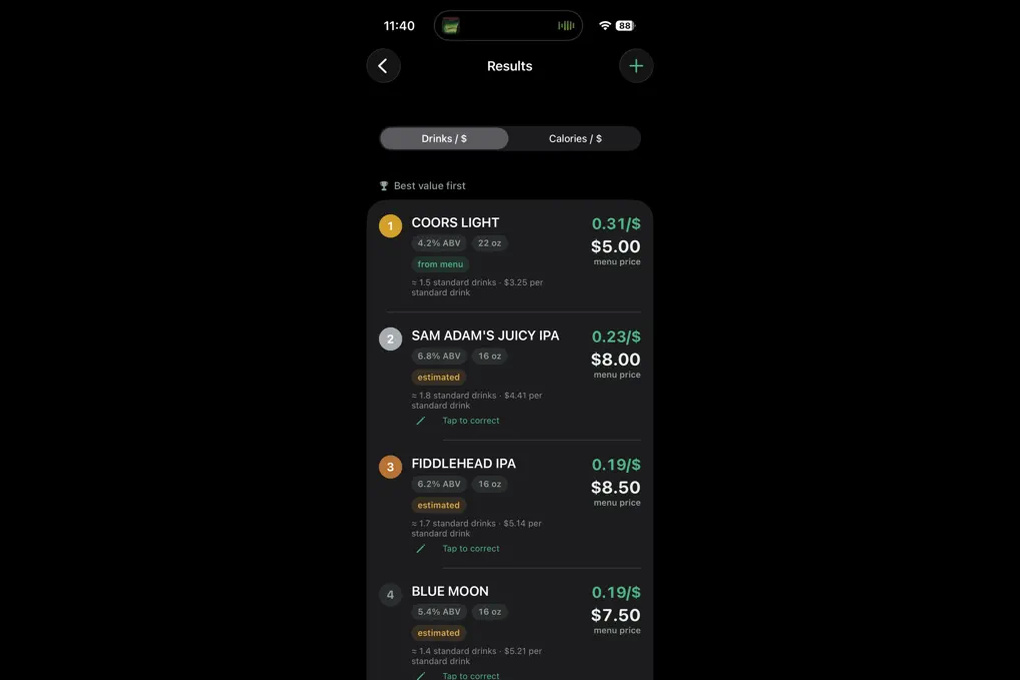
Sample Menu Read (i.e. at a bar)
Inspiration
I was at Garage Bar in Philadelphia with about 100 beers on the menu. Prices everywhere, alcohol percentages everywhere. A 7.5% IPA for $9 sitting next to a 4.2% light beer for $3. I wanted to know which one was the better deal and there was no way to do that math in my head for 100 items before the bartender came back.
The cheapest beer on a menu is easy to find. The best value is not. And why stop there? The tool works for liquor stores too! Wine stores, beer stores, if it's alcoholic and it has a price, we can figure out the best bang for your buck.
What it does
You take a photo of a drink menu. ABV reads it on your phone and ranks the drinks by what you actually get per dollar.
It measures in standard drinks, which is a fixed amount of pure alcohol, roughly what's in a 12 oz beer. That's what lets you compare a 5 oz pour of wine against a pint of something weaker and get an answer that means anything.
- Reads a drink menu from a photo, right on your phone
- Ranks every drink by price per standard drink, best deal first
- Shows the menu price next to what it works out to
- Marks anything it had to estimate, and lets you tap to fix it
- Add a drink it missed, remove one it misread
- Compare two drinks by hand if you'd rather skip the photo
- Work out which size or pack is the better buy at a store
It never makes up a price. If it can't read a price clearly it sets that drink aside and asks you to type it in instead of ranking a guess. Strength and pour size do get estimated when the menu doesn't print them, and every estimate is labeled as one. Amber means "this is an estimate" and nothing else in the app uses amber, so the signal stays clean.
How we built it
Native iOS, Swift, built with Claude across a handful of long sessions.
The thing that made a weekend build possible is Apple's Vision framework. On-device text recognition already reads real printed language well, so I never trained a model and never sent a photo anywhere. Nothing leaves the phone. No account, no sign-in, and the privacy labels say no data collected because that's true.
The code splits in two. All the value math, menu parsing and ranking lives in a pure Swift package with no Apple frameworks in it, so it builds and tests on Linux and runs 316 tests. The camera, Vision and UI sit in a shell on top of that. Every OCR bug got locked down with a fixture test built from a real menu, not from menu formatting I remembered.
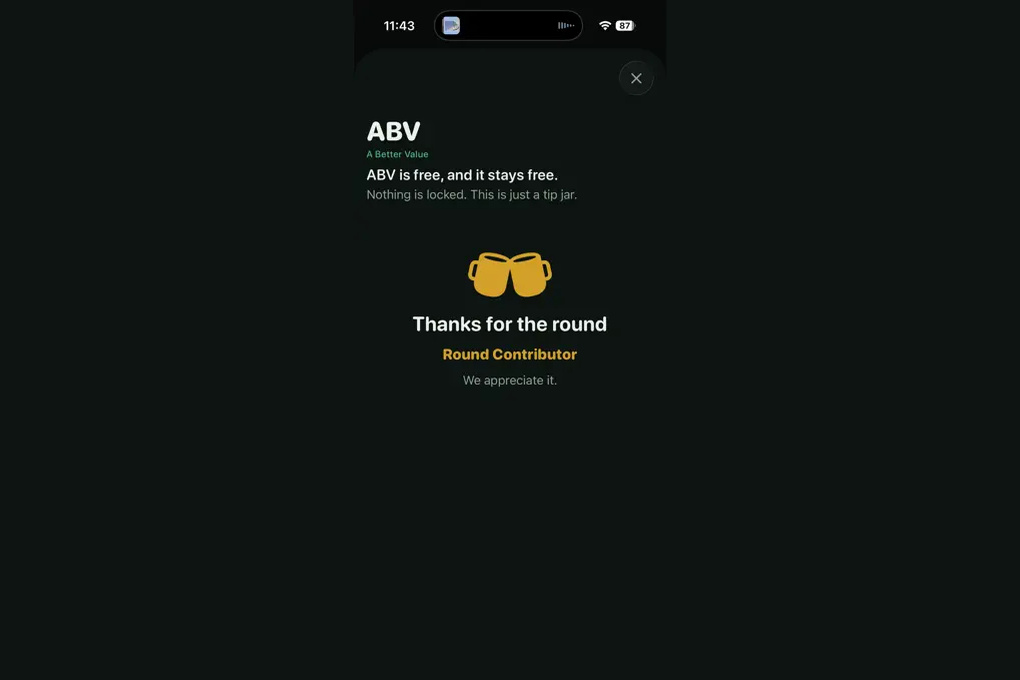
RevenueCat handles the purchase side, which is a tip jar and not a paywall. Nothing in the app is locked. The three amounts are named after what the app measures: a well shot, a pint, or a round.
Challenges we ran into
Reading real menus. The first on-device scan of a two-column bar menu glued the left and right items together into one line of nonsense. Fixed with column detection off a gutter histogram, guarded so a single-column menu never gets falsely split. Then angled photos turned out to wreck Vision in a specific way, where "Sauza fresh" came back as "chu8 tresh", so the image gets document segmentation and perspective correction before it hits the recognizer. Then promo and recipe lines started ranking as drinks, so the filter that relied on capitalization got replaced with one that drops fragments, imperative lines and ingredient lists regardless of case. This is still being tweaked. The newest update improved it a lot and it's the part I'll keep working on longest.
App Store review took 15 days. Five times longer than the build. Nothing to do but keep fixing bugs against a version nobody could download.
Ads couldn't exist at launch. I planned a banner for v1 and found out AdMob won't serve until the app is already live and linked to the account, which means the build review sees would have shipped an empty frame. There's a documented rejection pattern for exactly that. So ads got cut from v1 and went into this update instead, now that the app is listed.
Getting friends to use it. Harder than the OCR. Getting someone to download it, remember it exists, and open it while standing at a bar is a different problem than building it.
Where it stands as of 9/30. The update with the ad integration and the improved image analysis is submitted and waiting to push. So the version live right now is behind what's described here.
Accomplishments that we're proud of
One person, three days from the idea at the bar to a working app, using agents to do the heavy lifting. The weeks after that were bug fixes, aesthetics and App Store process, not new features.
The honesty rule also held up. It would have been easy to let the app quietly guess a price so the ranking looks complete. It doesn't. It tells you what it read, what it assumed, and where it gave up, and you can change any of it.
What we learned
Check vendor claims against current documentation before designing around them. I built an ad presenter against a product I'd put together from its name, and no amount of care in the code would have saved it. Same mistake with the AdMob launch order.
Keep the core pure. Being able to run the whole value engine and parser as fast Linux tests, no simulator, is what kept a three-day build correct while the OCR kept changing under it.
Treat OCR as assist, not as the only way in. Manual add and edit shipped on day one, and it's why a bad read is an annoyance instead of a dead end.
The slow parts weren't the code. They were review time and getting anyone to use it.
What's next for ABV: A Better Value
Ads and marketing.
The ad integration is in the update currently waiting to push, so the near-term work is making sure it earns without making the app worse to use. That mostly means keeping it away from amber and out of the way while you're reading a ranking.
On marketing, the use case is narrow and common at the same time. The problem is getting it in front of someone at the moment they're looking at a menu.
OCR tuning continues against real failing photos, mostly three-plus column layouts, wine lists with glass and bottle prices on the same line, and beer size grids. Saved menus is the next real feature.
For the NextGen competition, the code link is included further down this submission.

Log in or sign up for Devpost to join the conversation.