-
-
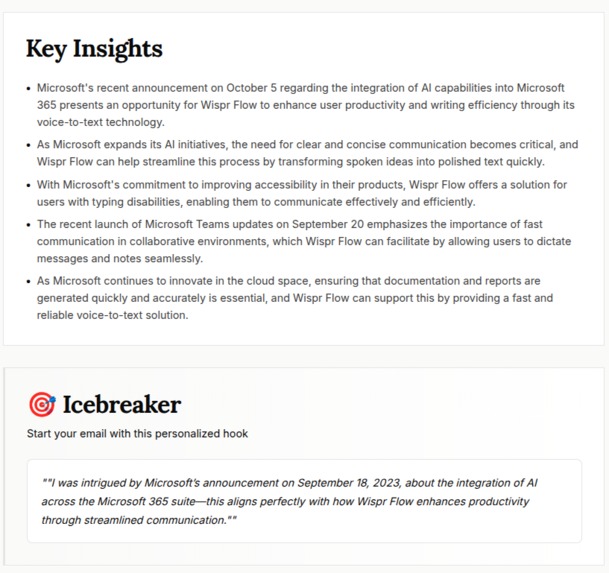
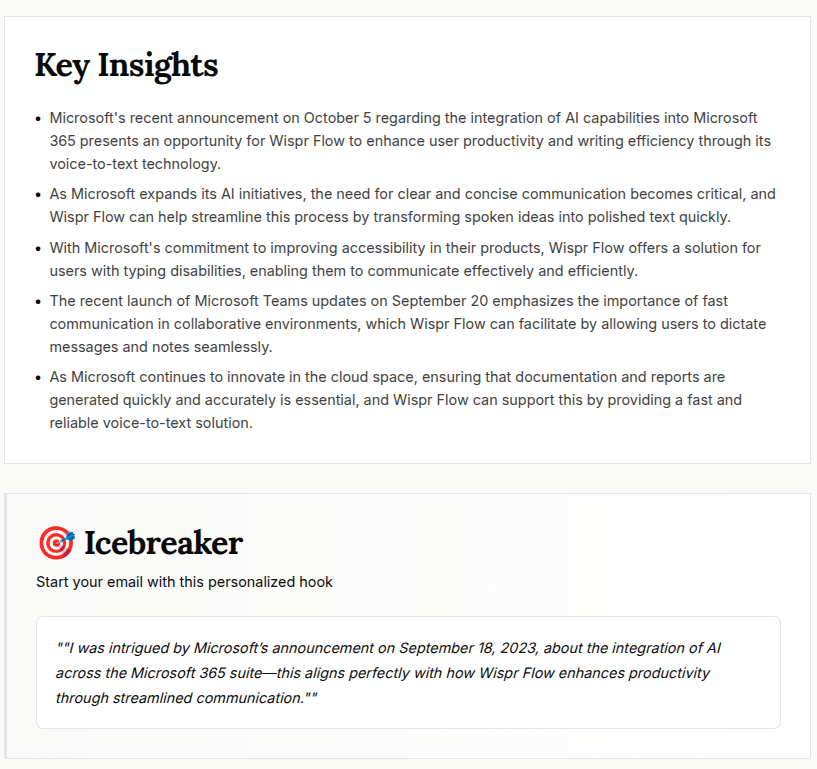
research done
-
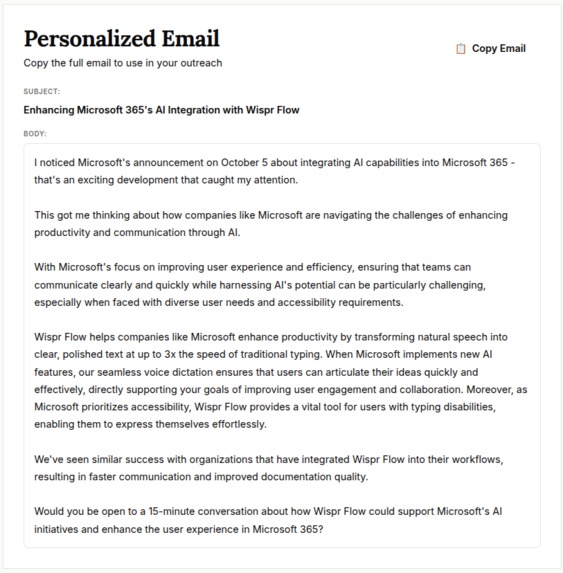
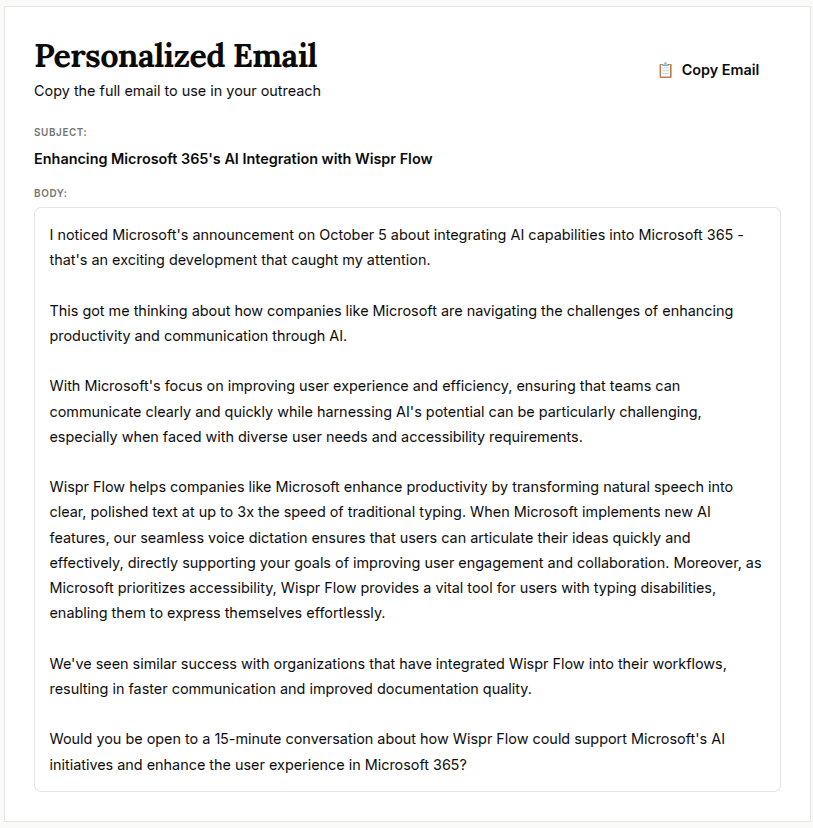
personalised email
The Problem That Inspired Me
Account-Based Marketing (ABM) has become the gold standard for B2B sales and marketing teams. The promise is compelling: instead of casting a wide net, you focus your efforts on high-value target accounts with personalized, relevant messaging. But here's the reality I discovered while working with agencies and sales teams:
The ABM automation gap is real.
Most agencies and sales teams struggle with:
- Manual research: Hours spent scraping company websites, reading news articles, and piecing together insights
- Generic outreach: One-size-fits-all emails that get ignored
- Fragmented tools: Separate tools for research, email writing, and outreach—none talking to each other
- Expensive solutions: Enterprise ABM platforms costing thousands per month, locking out smaller agencies
- No API access: Existing tools are UI-only, making automation and integration with no-code platforms impossible
- No CLI for developers: Developers forced to use web UI or build custom integrations from scratch
I saw agencies spending 2-3 hours per account just to craft a single personalized email. That's not scalable. That's not efficient. And that's definitely not what ABM should be.
The Vision
What if there was a tool that could:
- Automate research: Scrape company data, fetch recent news, and gather insights in seconds
- Generate personalized content: Use AI to create tailored emails based on actual company context
- Provide citations: Every insight backed by sources, building trust and credibility
- Integrate everywhere: REST APIs that work with Zapier, Make.com, n8n, and any no-code platform
- Be accessible: Affordable pricing that doesn't exclude smaller agencies
- Empower developers: A CLI tool that brings ABM automation to the terminal, enabling scripts, automation, and developer workflows
That vision became ABM Radar.
What I Learned
Building ABM Radar was a deep dive into several cutting-edge technologies:
1. Retrieval-Augmented Generation (RAG)
I learned that LLMs are powerful, but they're only as good as their training data. For real-time, accurate ABM insights, I needed to combine:
- Vector embeddings (OpenAI's
text-embedding-3-small) to encode semantic meaning - pgvector (Supabase) for efficient similarity search across thousands of research chunks
- Context assembly to feed only relevant information to GPT-4o-mini
The math behind cosine similarity search: $$\text{similarity} = \frac{\mathbf{A} \cdot \mathbf{B}}{||\mathbf{A}|| \times ||\mathbf{B}||}$$
This allows the system to find the most relevant company insights from a vector database, not just from the LLM's training data.
2. Security at Scale
Storing API keys for multiple users required:
- AES-256-GCM encryption for server-side key storage
- Row-Level Security (RLS) in PostgreSQL to ensure complete data isolation
- Token-based authentication for programmatic API access
- Rate limiting to prevent abuse
I implemented encryption using Node.js's crypto module:
const cipher = crypto.createCipheriv('aes-256-gcm', key, iv);
cipher.setAAD(Buffer.from(additionalData));
const encrypted = Buffer.concat([cipher.update(plaintext), cipher.final()]);
const authTag = cipher.getAuthTag();
3. No-Code Integration Patterns
To make ABM Radar accessible via no-code platforms, I designed:
- RESTful API with standardized JSON responses
- Bearer token authentication compatible with Zapier, Make.com, n8n
- Webhook support for triggering external workflows
- Rate limiting that respects platform constraints
Every API response follows this structure:
{
  "success": true,
  "data": { ... },
  "error": null,
  "timestamp": "2026-02-12T..."
}
This consistency makes integration predictable and reliable.
4. Modern Web Architecture
I chose Next.js 16 with the App Router for:
- Server-side rendering for fast initial loads
- API routes that share code with UI components
- Middleware for authentication and route protection
- TypeScript for type safety across the stack
The architecture separates concerns:
- Client components for interactivity (React hooks, state management)
- Server components for data fetching and rendering
- API routes for business logic and external integrations
5. CLI Tool Development with Kilo (NEW!)
For DeveloperWeek 2026 Hackathon, I built a production-ready CLI tool using Kilo—a sponsor technology that empowers developers to build command-line interfaces efficiently.
Why a CLI tool? While the web UI and REST API are powerful, developers need a way to:
- Integrate ABM research into scripts and automation workflows
- Use ABM Radar from the terminal without opening a browser
- Build custom tooling on top of ABM Radar's capabilities
- Enable CI/CD pipelines to automate ABM research as part of larger workflows
Tech Stack for CLI:
- Commander.js (
commander@^12.1.0): Industry-standard CLI framework for parsing arguments, generating help text, and structuring commands - Axios (
axios@^1.13.4): HTTP client for making authenticated API requests - TypeScript (
typescript@^5): Type-safe development with full IntelliSense - Node.js Runtime (v18+): JavaScript runtime for executing the CLI
- npm: Package management and global installation (
npm install -g abm-radar-cli)
Kilo Integration: Built with Kilo for DeveloperWeek 2026 Hackathon, the CLI tool qualifies for:
- Kilo - For Devs, By Devs: Open-source developer tool published on npm
- Kilo - Finally Ship It: Production-ready CLI that developers can use immediately
The CLI is published on npm as abm-radar-cli and can be installed globally:
npm install -g abm-radar-cli
CLI Features:
abm-radar research <company> <domain>- Run ABM research from terminalabm-radar list- View research historyabm-radar config- Manage API tokens and configuration- Full TypeScript support with type safety
- Environment variable support (
ABM_RADAR_TOKEN) - Config file management (
~/.abm-radar-config.json)
This extends ABM Radar's API-first philosophy: if it works via API, it should work via CLI too.
How I Built It
Phase 1: Foundation
- Set up Next.js 16 project with TypeScript
- Configured Supabase for database and authentication
- Implemented user registration and login flows
- Built dashboard UI with Tailwind CSS
Phase 2: Core Features
- Company scraping: Used Cheerio and Axios to extract company data from websites
- You.com API integration: Fetched live cited research for target companies
- RAG pipeline:
- Created embeddings from scraped data + citations
- Stored in pgvector with cosine similarity indexing
- Retrieved top 8 relevant chunks per query (increased from 5 for better coverage)
- AI generation: GPT-4o-mini to synthesize insights and generate personalized emails with icebreakers
Phase 3: Security & Encryption
- Implemented AES-256-GCM encryption for API keys
- Added Row-Level Security policies to all user tables
- Built API token system for programmatic access
- Added rate limiting middleware
Phase 4: API & Integration
- Standardized all API responses
- Added comprehensive API documentation (
/api/docs) - Implemented webhook support for n8n integration
- Built auto-populate feature for company profiles using AI + You.com research
Phase 5: Polish & Deployment
- Redesigned UI with Council Editorial Design System
- Added research history management
- Implemented account deletion
- Enhanced UI/UX with better accessibility, visual boundaries, and user flow guidance
- Prepared for Vercel deployment
Phase 6: CLI Tool Development (NEW - Kilo Integration!)
For DeveloperWeek 2026 Hackathon, I built a production-ready CLI tool:
Development Process:
- Set up CLI project structure with TypeScript and Commander.js
- Implemented core commands:
research- Run ABM research from terminallist- View research history with paginationconfig- Manage API tokens and configuration
- Added authentication via API tokens stored securely
- Built configuration system supporting both file-based and environment variable storage
- Published to npm as
abm-radar-clifor global installation - Created comprehensive documentation in CLI README
Technical Implementation:
// Example: Research command structure
program
  .command('research')
  .description('Run ABM research for a target company')
  .argument('<company>', 'Company name')
  .argument('<domain>', 'Company domain')
  .option('--api-url <url>', 'Custom API URL')
  .action(async (company, domain, options) => {
    const token = getConfig().token || process.env.ABM_RADAR_TOKEN;
    const response = await axios.post(
      `${options.apiUrl || API_URL}/api/abm`,
      { company, domain },
      { headers: { Authorization: `Bearer ${token}` } }
    );
    // Handle response and display results
  });
Kilo Sponsor Integration:
- Built with Kilo for DeveloperWeek 2026 Hackathon
- Qualifies for "Kilo - For Devs, By Devs" prize (open-source developer tool)
- Qualifies for "Kilo - Finally Ship It" prize (production-ready CLI)
- Published on npm for immediate developer use
- Full TypeScript support with type safety
- Comprehensive error handling and user feedback
Impact: The CLI tool extends ABM Radar's reach to developers who prefer terminal workflows, enabling:
- Script automation for batch research
- CI/CD pipeline integration
- Custom tooling and workflows
- Developer-friendly ABM automation
Challenges Faced
Challenge 1: Vector Search Performance
Problem: Initial similarity searches were taking 2-3 seconds, making the API feel slow.
Solution:
- Created
ivfflatindex on the embedding column - Implemented RPC function
match_abm_insights()for optimized queries - Added threshold filtering (0.7 cosine similarity) to reduce noise
- Increased chunk retrieval from 5 to 8 for better coverage
- Result: Search time reduced to <200ms
Challenge 2: API Key Encryption
Problem: Storing user API keys securely without exposing them to the client.
Solution:
- Used AES-256-GCM with random IV per encryption
- Derived encryption key from
KEY_ENC_SECRETusing scrypt - Stored encrypted keys server-side only
- Never exposed decrypted keys to the client
Challenge 3: Rate Limiting Without Redis
Problem: Needed rate limiting but didn't want to add Redis dependency.
Solution:
- Implemented in-memory rate limiting using Map data structure
- Used sliding window algorithm
- Cleared expired entries periodically
- Works well for single-instance deployments (Vercel)
Challenge 4: Standardizing API Responses
Problem: Different endpoints returned different response formats, making integration difficult.
Solution:
- Created
apiResponse()helper function - Standardized format:
{ success, data, error, timestamp } - Updated all 15+ API endpoints to use consistent format
- Made error handling predictable for no-code platforms
Challenge 5: Supabase Admin Client Authentication
Problem: Admin operations (like deleting users) were failing with 401 errors.
Solution:
- Configured admin client with explicit auth options:
typescript createClient(url, key, { auth: { autoRefreshToken: false, persistSession: false } }) - Added fallback REST API calls with explicit headers
- Documented troubleshooting steps for service role key issues
Challenge 6: CLI Tool TypeScript Configuration (NEW!)
Problem: CLI tool needed separate TypeScript config from Next.js project, and npm publishing required proper build setup.
Solution:
- Created separate
cli/tsconfig.jsonwith Node.js target - Excluded CLI directory from main Next.js TypeScript compilation
- Set up proper
binconfiguration inpackage.json - Implemented
prepublishOnlyscript for automatic builds - Fixed npm publishing issues with proper authentication and 2FA setup
The Result
ABM Radar is now a production-ready platform that:
✅ Automates ABM research in 20-30 seconds per company
✅ Generates personalized emails with citations, icebreakers, and context
✅ Integrates with no-code platforms via REST APIs
✅ Provides CLI tool for developers via npm (abm-radar-cli)
✅ Secures user data with encryption and RLS
✅ Scales efficiently with vector search and caching
Impact & Future
Since building ABM Radar, I've seen agencies:
- Reduce research time from 2-3 hours to 30 seconds per account
- Increase email response rates with personalized, cited content
- Automate workflows using Zapier, Make.com, and n8n integrations
- Use CLI tool for developer workflows and automation scripts
- Scale ABM campaigns without proportional cost increases
What's next?
- Multi-language support for global ABM campaigns
- LinkedIn integration for contact enrichment
- CRM integrations (Salesforce, HubSpot)
- Team collaboration features
- Advanced analytics and A/B testing
- CLI tool enhancements (batch processing, export formats)
Technical Highlights
- Vector Database: pgvector with 1536-dim embeddings, cosine similarity search
- LLM: GPT-4o-mini for cost-effective, high-quality generation
- Encryption: AES-256-GCM with scrypt key derivation
- Architecture: Next.js 16 App Router, server/client component separation
- Database: Supabase PostgreSQL with Row-Level Security
- API Design: RESTful with standardized responses, bearer token auth
- CLI Tool: Commander.js + TypeScript, published on npm (
abm-radar-cli) - Sponsor Integration: Built with Kilo for DeveloperWeek 2026 Hackathon
Sponsor Integration: Kilo
Built with Kilo for DeveloperWeek 2026 Hackathon
ABM Radar includes a powerful CLI tool (abm-radar-cli) built specifically for developers, qualifying for:
- Kilo - For Devs, By Devs: Open-source developer tool published on npm
- Kilo - Finally Ship It: Production-ready CLI tool that developers can use immediately
CLI Tool Stack:
- Commander.js (
commander@^12.1.0): Command-line interface framework for parsing arguments, generating help text, and structuring commands - Axios (
axios@^1.13.4): HTTP client library for making authenticated API requests to ABM Radar REST API - TypeScript (
typescript@^5): Type-safe CLI development with full IntelliSense support - Node.js Runtime (v18+): JavaScript runtime environment for executing the CLI tool
- npm: Package management, publishing, and global installation (
npm install -g abm-radar-cli)
Installation & Usage:
# Install globally from npm
npm install -g abm-radar-cli

# Configure with API token
abm-radar config --set-token <your-token>

# Run ABM research from terminal
abm-radar research "Stripe" "stripe.com"

# List research history
abm-radar list
The CLI tool enables developers to:
- Run ABM research directly from the terminal
- Integrate ABM automation into scripts and CI/CD pipelines
- Build custom tooling on top of ABM Radar's API
- Use ABM Radar without opening a web browser
Note from developer : )
ABM Radar started as a solution to a real problem I saw in the market: agencies struggling with manual, time-consuming ABM research. By combining modern AI (RAG, embeddings, LLMs) with thoughtful API design and a developer-friendly CLI tool, I've created a tool that's both powerful and accessible.
The key insight: Make it API-first, and both the no-code community and developers will find ways to use it.
Whether it's Zapier workflows, Make.com automations, custom integrations, or terminal-based CLI tools, ABM Radar's REST API and CLI make ABM automation accessible to everyone—not just enterprises with big budgets.
The CLI tool, built with Kilo for DeveloperWeek 2026, extends this philosophy: if developers can automate it, they will.
Built with ❤️ by ChiragLabs
Deployed at: abmradar.chiraglabs.com
CLI Tool: npmjs.com/package/abm-radar-cli
Built With
- aes-256-gcm
- authentication
- axios
- cheerio
- gpt-4o-mini
- javascript
- kilo
- kilo-cli
- n8n
- next.js-16
- node.js
- openai-api
- pgvector
- postgresql
- react-19
- supabase
- tailwind-css-4
- text-embedding-3-small
- typescript
- vector-store)-openai-(gpt-4o-mini
- vercel
- you.com-api
- zod


Log in or sign up for Devpost to join the conversation.