MERN E-Commerce Application
A full-stack e-commerce application built with MongoDB, Express.js, React, and Node.js with modern security practices and deployment-ready configuration.
🚀 Features
- Authentication & Authorization: JWT-based authentication with role-based access control
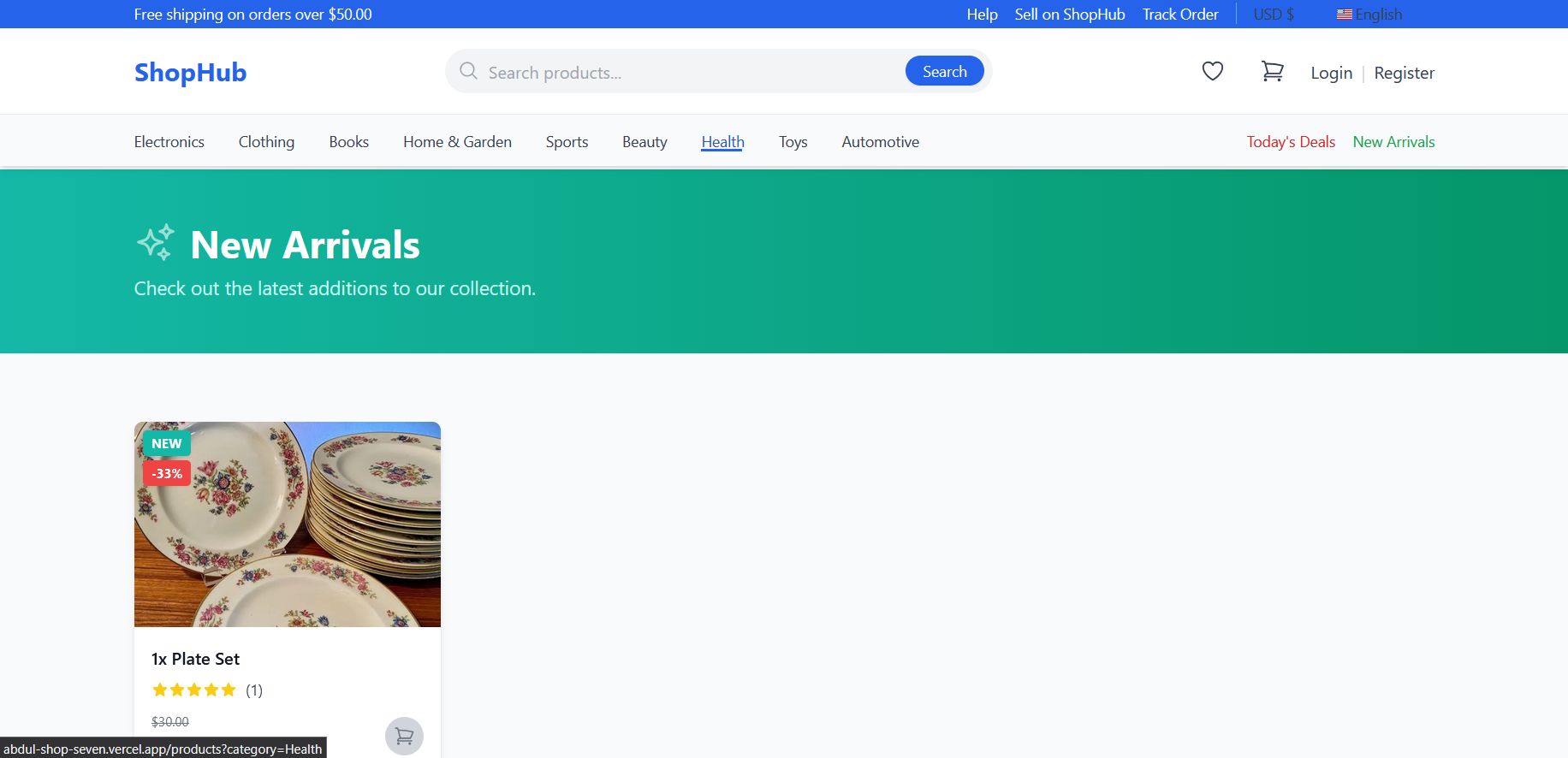
- Product Management: CRUD operations for products with image upload
- Shopping Cart: Add/remove items, quantity management
- Order Management: Order processing and tracking
- Payment Integration: Stripe payment gateway integration
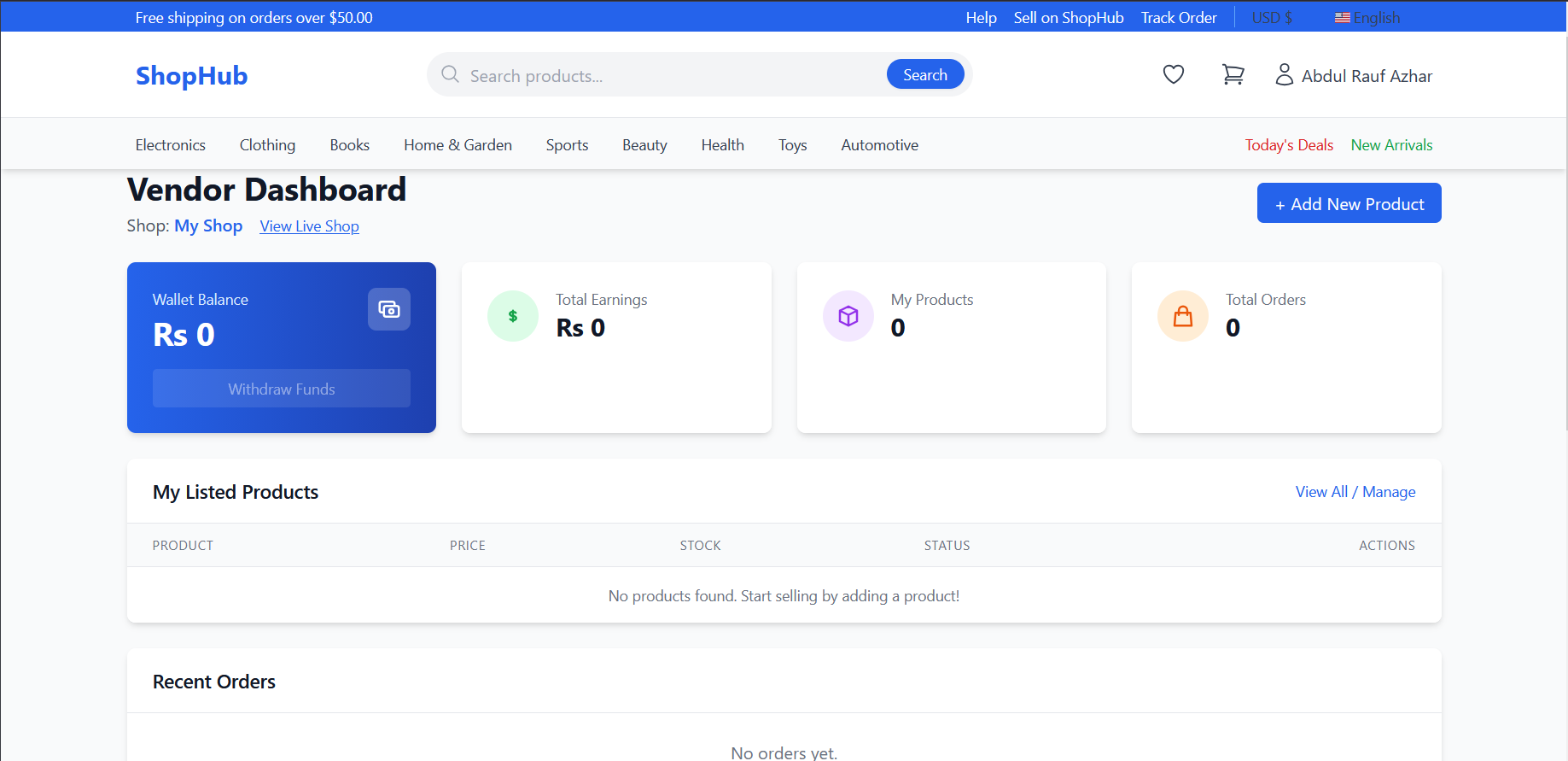
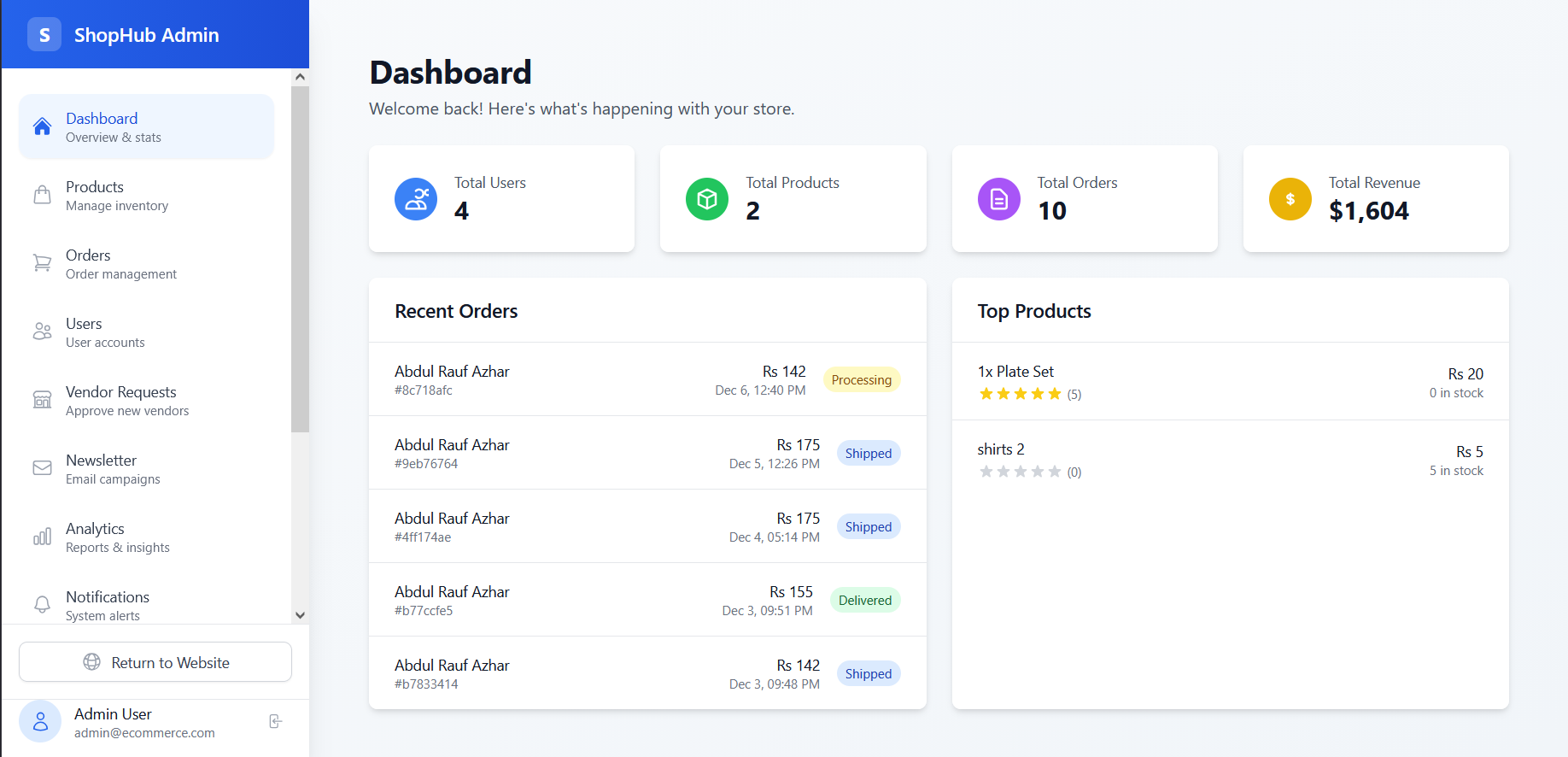
- Admin Dashboard: Product and order management for admins
- Responsive Design: Mobile-first design with Tailwind CSS
- Security: Modern security practices with helmet, rate limiting, and input validation
🛠️ Tech Stack
Backend
- Node.js & Express.js - Server framework
- MongoDB & Mongoose - Database and ODM
- JWT - Authentication
- Bcrypt - Password hashing
- Stripe - Payment processing
- Cloudinary - Image storage
- Nodemailer - Email service
Frontend
- React & TypeScript - Frontend framework
- Redux Toolkit - State management
- React Router - Navigation
- Tailwind CSS - Styling
- React Hook Form - Form handling
- Axios - API requests
Security
- Helmet - Security headers
- CORS - Cross-origin resource sharing
- Rate Limiting - API rate limiting
- Input Validation - Data sanitization
- Environment Variables - Secure configuration
📁 Project Structure
mern-ecommerce/
├── backend/
│   ├── config/
│   ├── controllers/
│   ├── middleware/
│   ├── models/
│   ├── routes/
│   ├── utils/
│   ├── .env
│   ├── .env.example
│   ├── package.json
│   └── server.js
├── frontend/
│   ├── public/
│   ├── src/
│   │   ├── components/
│   │   ├── pages/
│   │   ├── services/
│   │   ├── store/
│   │   ├── types/
│   │   └── utils/
│   ├── .env
│   ├── .env.example
│   ├── package.json
│   └── tailwind.config.js
├── docker-compose.yml
├── Dockerfile
├── render.yaml
├── package.json
└── README.md
🔧 Installation & Setup
Prerequisites
- Node.js (v16 or higher)
- MongoDB (local or cloud)
- Git
1. Clone the Repository
git clone https://github.com/yourusername/mern-ecommerce.git
cd mern-ecommerce
2. Install Dependencies
npm install
npm run install-all
3. Environment Configuration
Backend (.env)
PORT=5000
MONGODB_URI=mongodb://localhost:27017/ecommerce
JWT_SECRET=your_super_secret_jwt_key_here
CLOUDINARY_CLOUD_NAME=your_cloudinary_cloud_name
CLOUDINARY_API_KEY=your_cloudinary_api_key
CLOUDINARY_API_SECRET=your_cloudinary_api_secret
STRIPE_SECRET_KEY=your_stripe_secret_key
EMAIL_SERVICE=gmail
[email protected]
EMAIL_PASS=your_email_password
CORS_ORIGIN=http://localhost:3000
NODE_ENV=development
Frontend (.env)
REACT_APP_API_URL=http://localhost:5000
REACT_APP_STRIPE_PUBLISHABLE_KEY=your_stripe_publishable_key
4. Start Development Server
npm run dev
This will start both frontend (http://localhost:3000) and backend (http://localhost:5000) servers.
🚀 Deployment
Render Deployment
Push to GitHub: Ensure your code is pushed to a GitHub repository.
Create Render Account: Sign up at render.com
Deploy Backend:
- Create a new Web Service
- Connect your GitHub repository
- Select the
backendfolder - Add environment variables from
.env.example - Deploy
Deploy Frontend:
- Create a new Static Site
- Connect your GitHub repository
- Select the
frontendfolder - Build command:
npm install && npm run build - Publish directory:
build - Add environment variables
- Deploy
Update Environment Variables:
- Update
CORS_ORIGINin backend to frontend URL - Update
REACT_APP_API_URLin frontend to backend URL
- Update
Docker Deployment
Build and Run:
docker-compose up --buildProduction Build:
docker build -t mern-ecommerce .
docker run -p 5000:5000 mern-ecommerce
Heroku Deployment
- Install Heroku CLI
Login to Heroku:
heroku loginCreate App:
heroku create your-app-nameSet Environment Variables:
heroku config:set NODE_ENV=production heroku config:set MONGODB_URI=your_mongodb_uri heroku config:set JWT_SECRET=your_jwt_secret # Add other variables...Deploy:
git push heroku main
🔐 Security Features
- JWT Authentication: Secure token-based authentication
- Password Hashing: Bcrypt for password security
- Input Validation: Express-validator for data validation
- Rate Limiting: Protection against brute force attacks
- CORS Configuration: Secure cross-origin requests
- Security Headers: Helmet for security headers
- Environment Variables: Secure configuration management
- Data Sanitization: MongoDB injection protection
📊 API Documentation
Authentication Endpoints
POST /api/auth/register- User registrationPOST /api/auth/login- User loginPOST /api/auth/logout- User logoutGET /api/auth/me- Get current user
Product Endpoints
GET /api/products- Get all productsGET /api/products/:id- Get product by IDPOST /api/products- Create product (Admin)PUT /api/products/:id- Update product (Admin)DELETE /api/products/:id- Delete product (Admin)
Order Endpoints
POST /api/orders- Create orderGET /api/orders- Get user ordersGET /api/orders/:id- Get order by IDPUT /api/orders/:id- Update order status (Admin)
🧪 Testing
Backend Tests
cd backend
npm test
Frontend Tests
cd frontend
npm test
📄 License
This project is licensed under the MIT License.
🤝 Contributing
- Fork the repository
- Create your feature branch (
git checkout -b feature/AmazingFeature) - Commit your changes (
git commit -m 'Add some AmazingFeature') - Push to the branch (
git push origin feature/AmazingFeature) - Open a Pull Request
📞 Support
For support, email [email protected] or create an issue in the GitHub repository.
🔄 Changelog
v1.0.0
- Initial release with core e-commerce functionality
- JWT authentication system
- Product management
- Shopping cart functionality
- Order processing
- Payment integration
- Admin dashboard
- Responsive design
Built With
- css
- dockerfile
- html
- javascript
- typescript

Log in or sign up for Devpost to join the conversation.