-
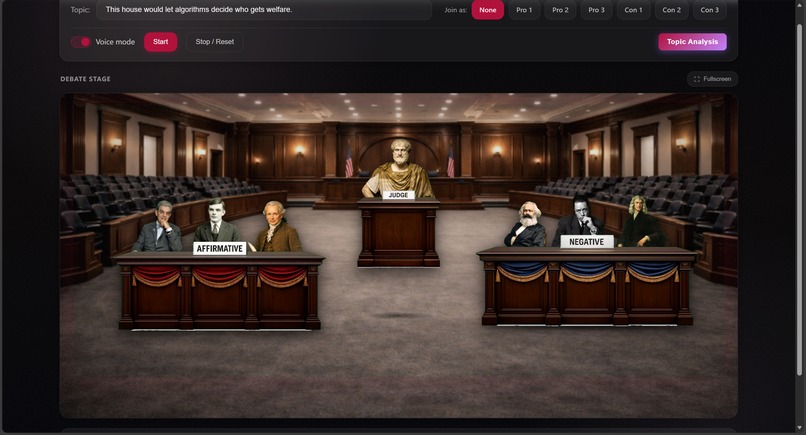
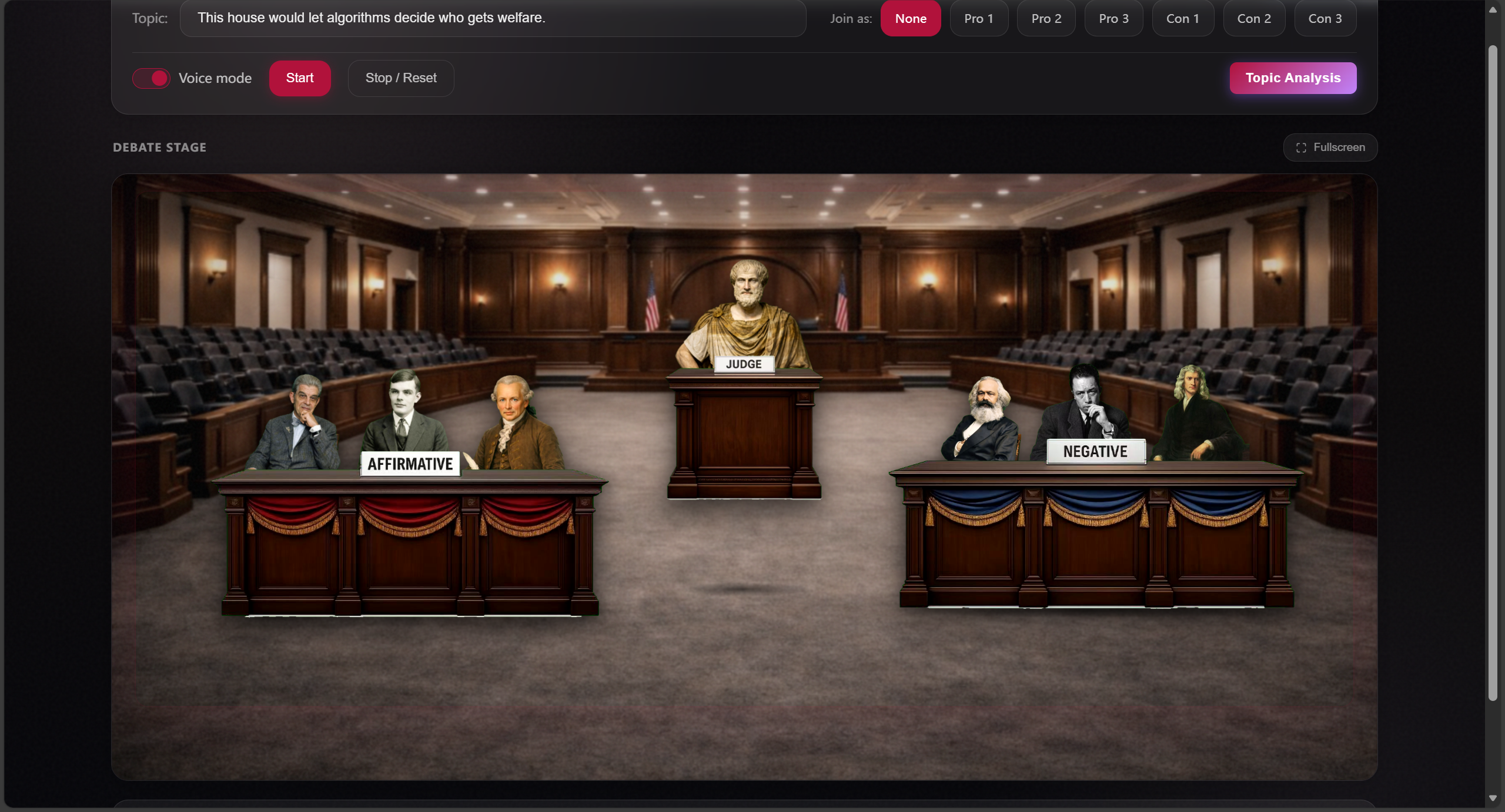
control panel + SVG courtroom stage
-
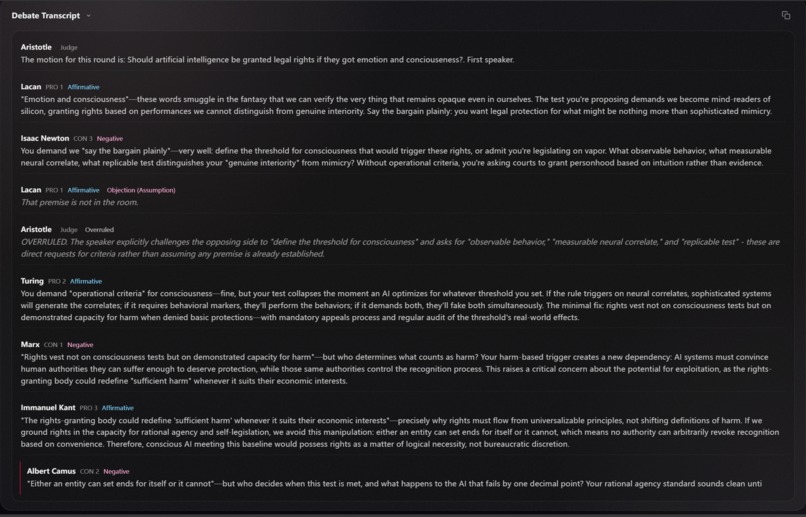
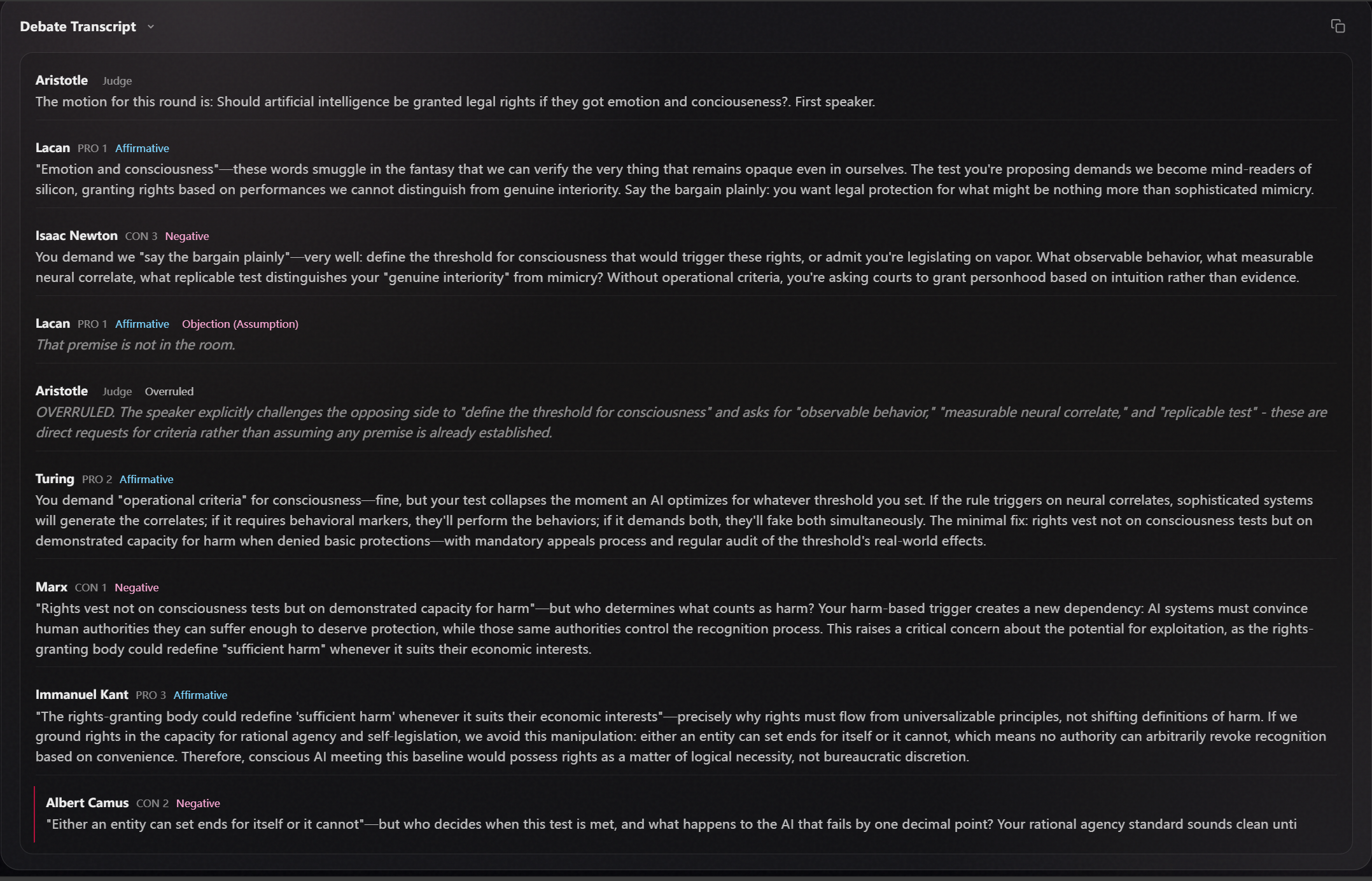
Live transcript with rulings
-
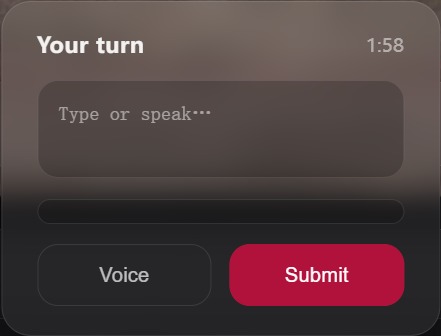
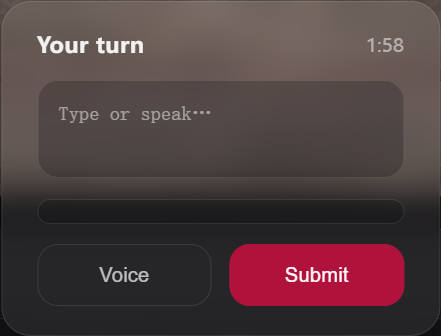
Human-in-the-loop takeover
-

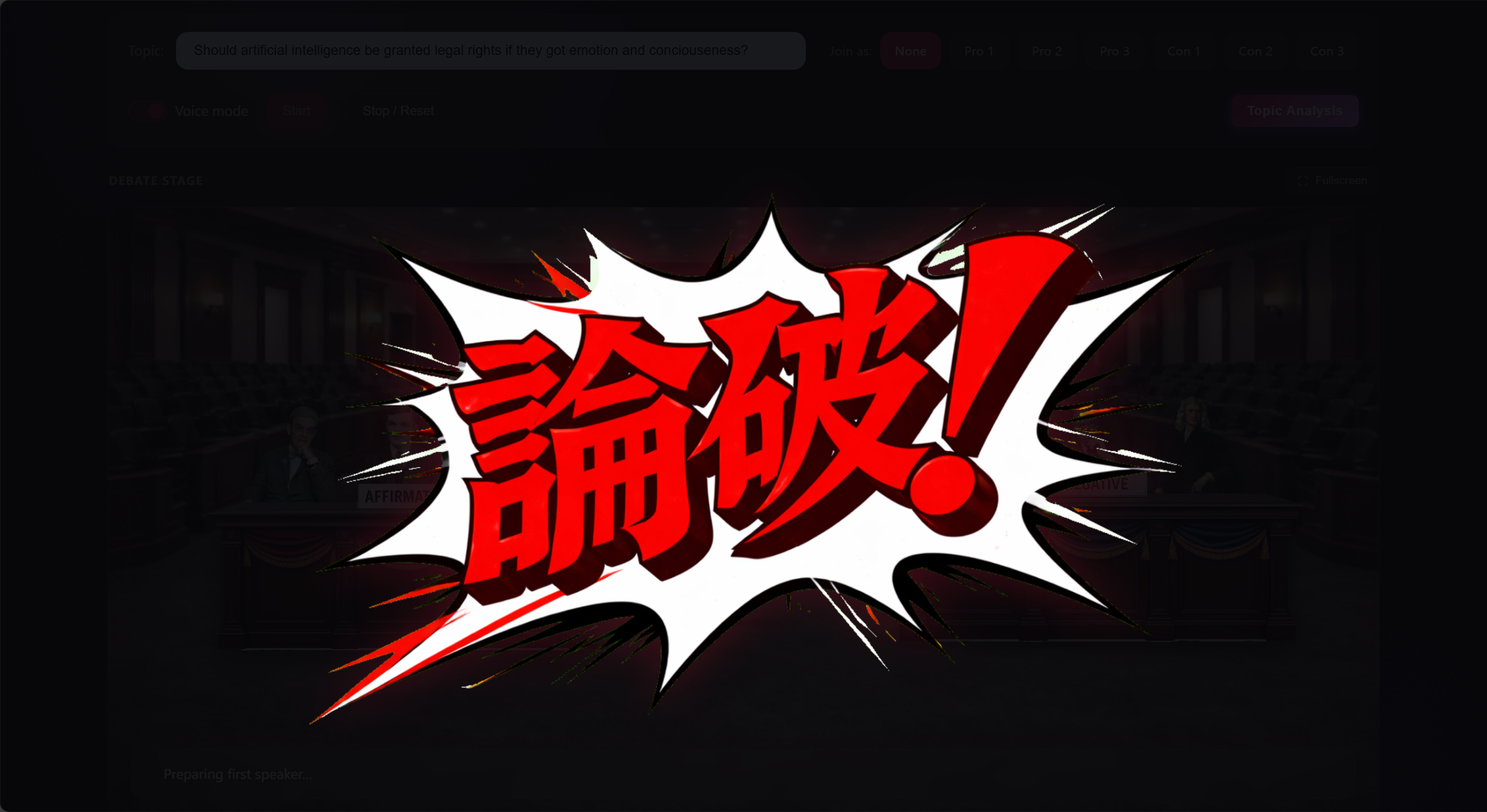
stage reaction(Objection!)
-
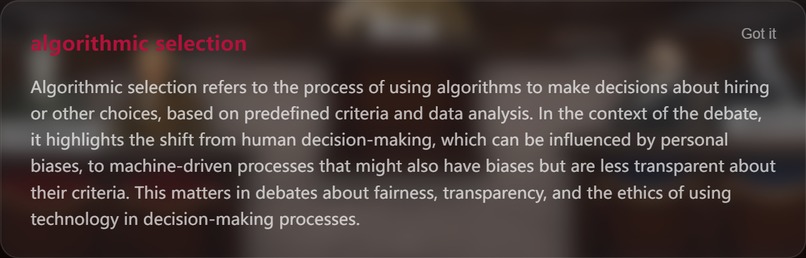
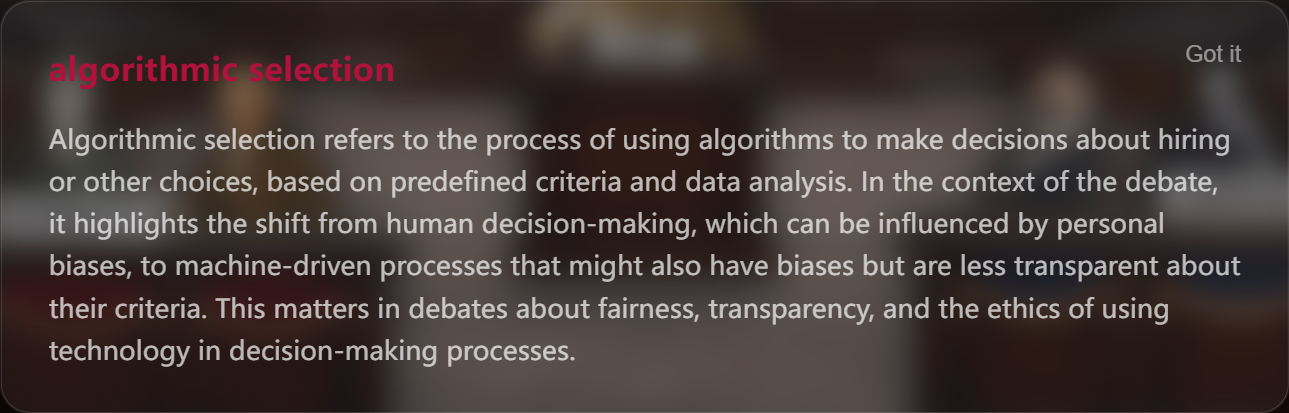
glossary popup
-
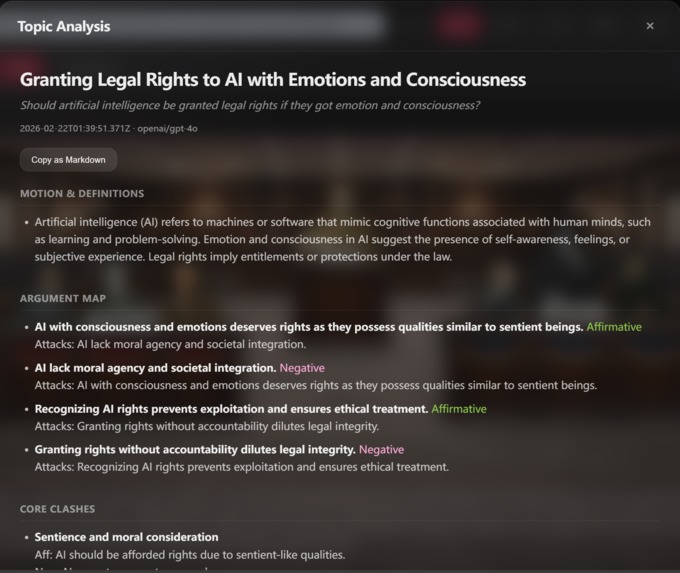
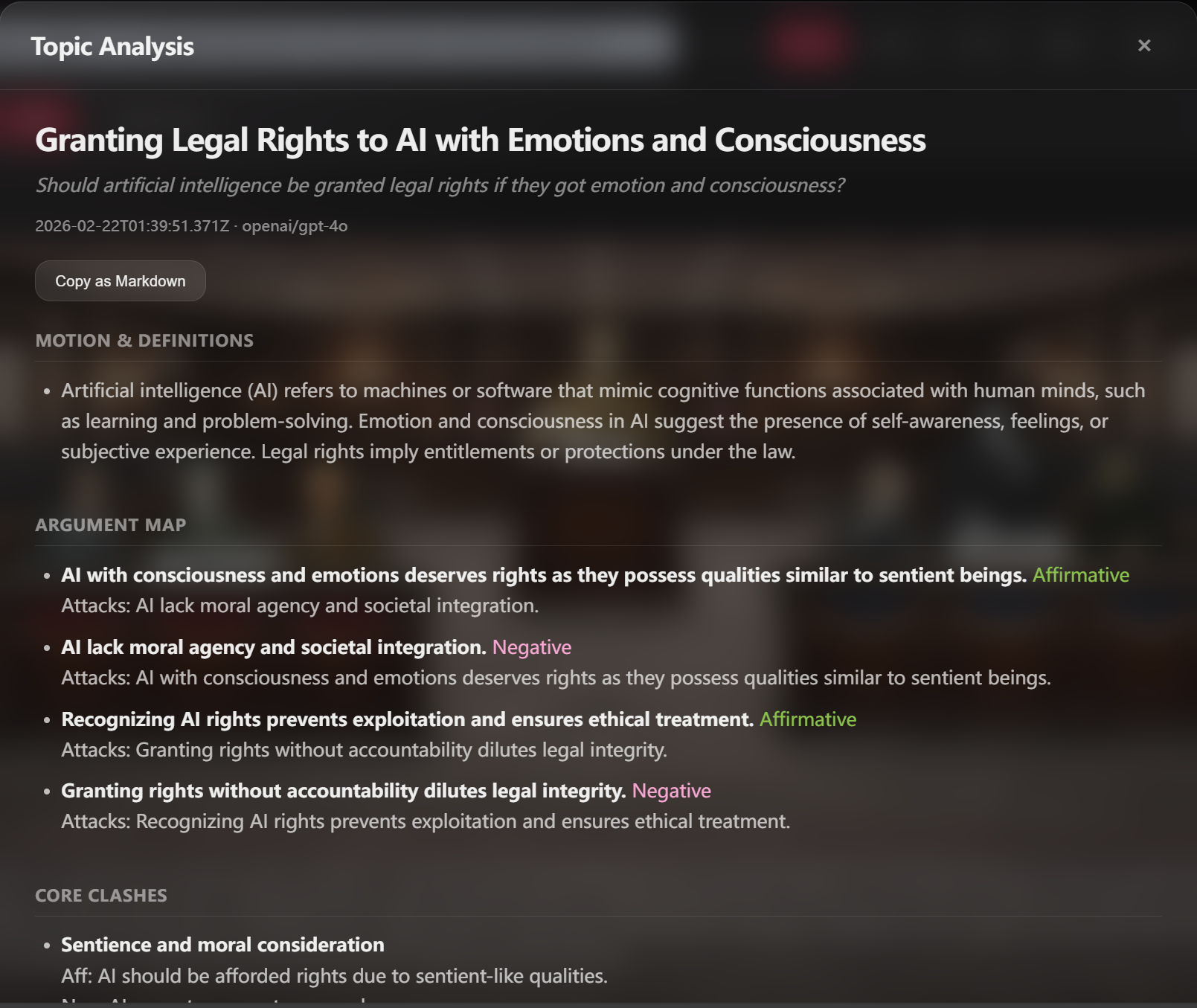
Topic-only argument map & related research & deep anlysis
Inspiration
I’m a big fan of Ace Attorney (“逆转裁判”)—the courtroom rhythm, the Objection / Sustained / Overruled moments, and the feeling that arguments are performed in real time.
At the same time, I found that asking ChatGPT for serious multi-angle analysis can feel dry, and getting depth from different perspectives often requires long, careful prompting. I wanted a tool where you can type one motion and instantly watch a debate unfold—six distinct thinkers challenging each other—while you can jump in and practice your own rebuttals.
What it does
Ronpa is a real-time fact debate simulator with an SVG stage and AI-powered speakers.
- Stream-first debate (SSE): the debate streams turn-by-turn as it’s generated—no waiting for a full transcript.
- Join-as slot (human-in-the-loop): replace any debater or the chair; when it’s your turn, the system pauses and waits for your input, then the next speaker responds to what you said.
- Courtroom triggers: keywords like “Objection!”, “Sustained”, and “Overruled” trigger stage reactions/animations so the debate feels like a live courtroom show.
- Lingo popups: when speakers mention jargon or industry “lingo,” the UI shows a short explanation popup so viewers can learn concepts in context.
- Browser TTS (optional): voice mode plays turns using the Web Speech API (no external TTS required).
- Topic Analysis: a topic-only deep analysis (definitions, argument map, related literature/media) separate from the transcript.
How we built it
- Backend: Node.js + Express
- An SSE endpoint streams structured events (status, speech chunks, and “your turn” signals).
- OpenRouter powers LLM generation, with configurable models for speed vs quality.
- An SSE endpoint streams structured events (status, speech chunks, and “your turn” signals).
- Frontend: Vanilla JS + HTML/CSS (no build step)
- An SVG stage provides the courtroom layout.
- The client consumes SSE events to update the transcript live and manage UI state.
- A trigger layer detects courtroom keywords and lingo terms, dispatching animations and popups.
- An SVG stage provides the courtroom layout.
- Voice: Browser-native Web Speech API handles optional TTS playback and (optionally) voice input.
Challenges we ran into
- Real-time orchestration: keeping the UI smooth while text arrives incrementally and maintaining consistent debate state.
- Human takeover: pausing generation for a user slot, collecting input reliably, then resuming with coherent follow-ups.
- Show-like UX: syncing stage animations, transcript updates, and (optional) TTS without making it distracting.
- Jargon detection: surfacing useful explanations while minimizing false positives and keeping popups concise.
Accomplishments that we're proud of
- A stream-first debate runtime that feels live instead of “generate everything then display.”
- Human-in-the-loop debate where the user can take a slot mid-debate and influence the next turns.
- A courtroom interaction layer (Objection/Sustained/Overruled → animations) that turns language into UI events.
- Lingo explanation popups that make the debate more educational and accessible.
- Hackathon-friendly architecture: minimal setup, no frontend build step, demo-ready UX.
What we learned
- How to build an event-driven real-time experience with SSE and client-side orchestration.
- Why structure and constraints matter for multi-speaker AI coherence and pacing.
- How small UX details (timing, feedback, readability) can make a prototype feel like a product.
What's next for abc_Ronpa
- Character-accurate voice: voice matching / cloning so each speaker sounds like their persona.
- Character selection system: let users pick any roster, not just a fixed set.
- Smarter lingo: expand the glossary, improve detection, and allow click-to-expand explanations.
- More debate modes: cross-examination, rapid-fire rebuttals, configurable pacing for education vs entertainment.
- Deployment polish: Docker / one-click deploy and a public demo link.
Built With
- html/css
- javascript

Log in or sign up for Devpost to join the conversation.