Inspiration
Too many tabs. Too many windows. One tired brain. We’ve all been there — juggling notes, music, and tasks across flat screens that just don’t fit how we think. We think in visuals. We like space. So we asked: what if your workspace felt more like your actual desk? What if your notes, music, and planner could float around you — calm, visual, and exactly where you want them to be? That’s why we built MindOrbit, a spatial workspace that feels intuitive, a little magical, and built for how people actually think.
What it does
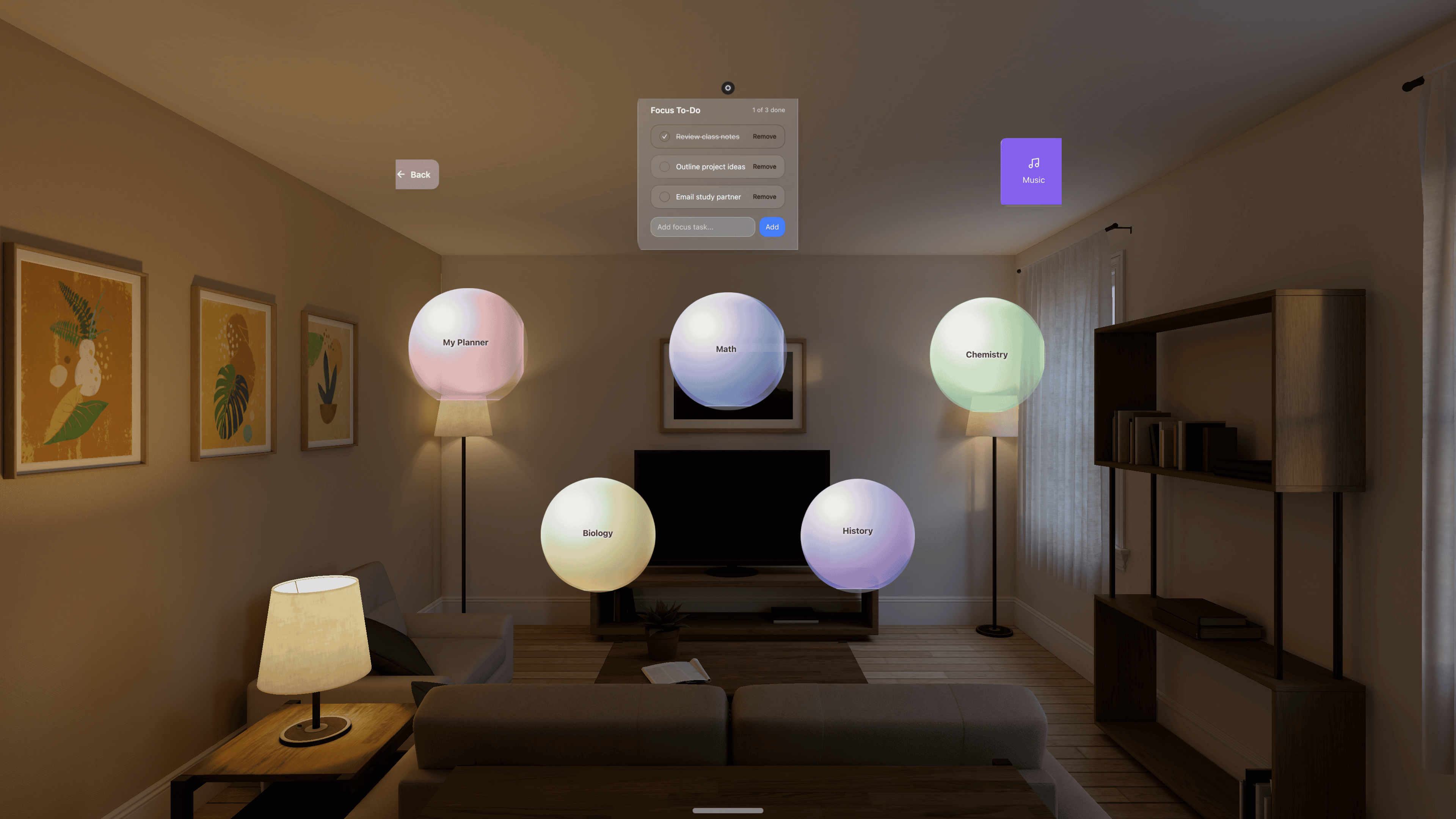
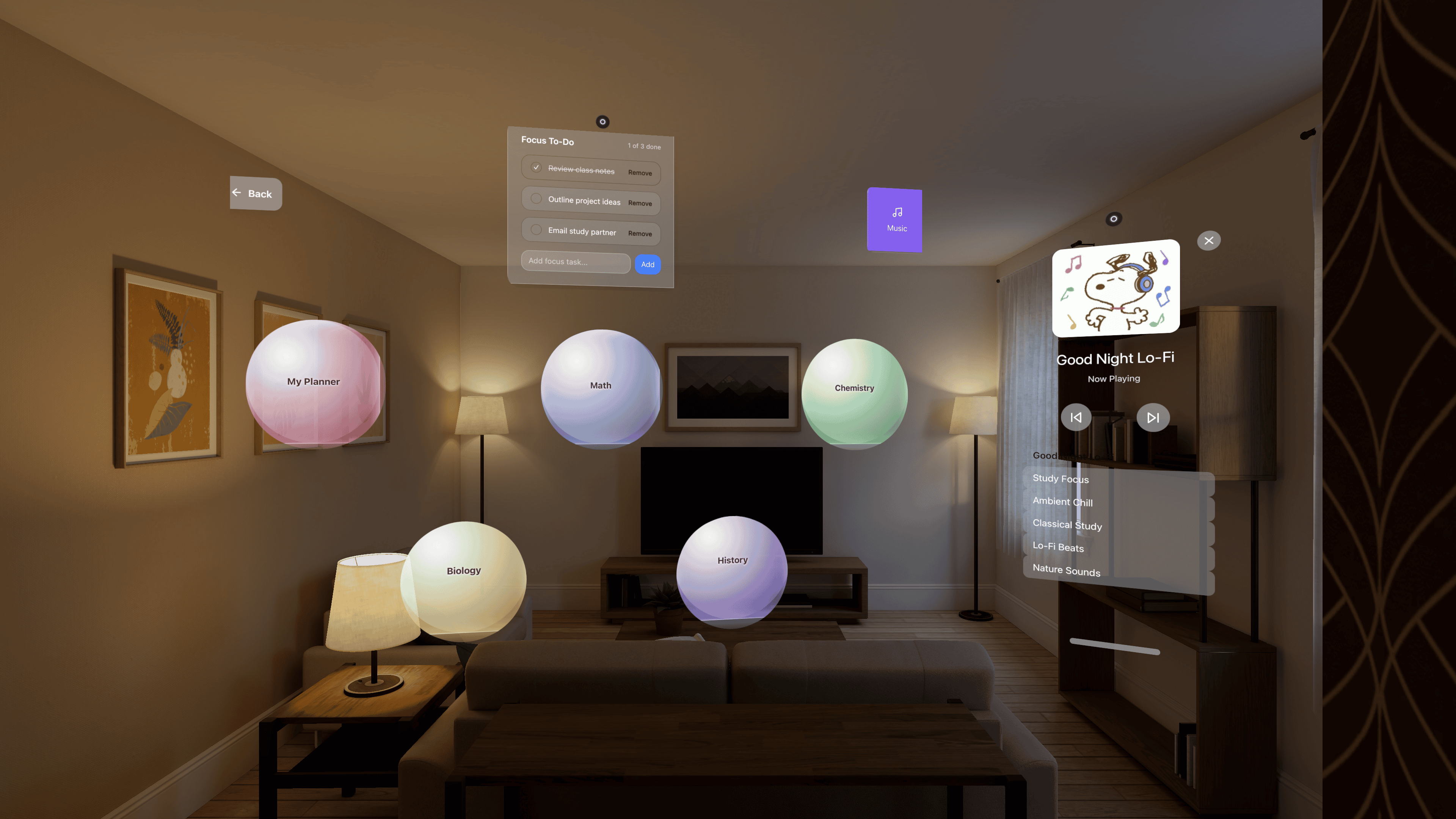
MindOrbit is a multi-scene spatial workspace designed for WebSpatial and XR. Imagine replacing flat tabs with floating panels you can arrange all around you. You’re not just working on a screen; you’re working in a space.
Music Player
A dedicated floating music player sets your vibe — chill lo-fi when you need focus, energetic beats when you need momentum. Just place it off to the side and let it shape your atmosphere.
Subject Tabs
Every subject gets its own floating panel — fully customizable with colors, themes, and moods. You can shape each one to match how you think and feel, giving every topic its own space to breathe.
My Planner
Your planner drifts into view when you need it — your classes, to-do lists, and reminders orbiting close, so you never lose track of what’s next.
How we built it
We built MindOrbit with React, TypeScript, and Vite, powered by the WebSpatial SDK for XR and spatial computing. We also used:
- React Router for smooth, scene-based navigation
- React Hooks to manage state, motion, and interactivity
- Tailwind CSS and CSS 3D Transforms for styling
- Lucide Icons for a clean, modern visual language
Everything is XR-ready, transparent, and designed to feel alive in three dimensions.
Challenges we ran into
Setting up the WebSpatial SDK was a real challenge since this was our first time building anything in XR. None of us had done this before, so there was a lot of trial and error just to get things working. We had so many ideas, we wanted to try AR games, VR experiences, even building with the PICO headset, but time was short. In the end, we had to pick one idea and stick with it. Focusing on just WebSpatial was tough, but it taught us a lot about staying disciplined and making ideas real.
Accomplishments that we're proud of
We’re proud that this was our first real project using WebSpatial in XR world, and we actually got it working. We went from idea to working prototype in a weekend, learning everything as we went. Creating a tool that can genuinely help students and busy people stay organized and focused is something we care about, and it feels meaningful to build something that solves a problem we all feel. Learning, experimenting, and figuring things out together made the process fun, challenging, and rewarding.
What we learned
We learned that user experience is everything. A calm, intuitive interface matters more than packing in lots of features, especially in a spatial environment where clarity and comfort guide how people interact. Designing for 3D also changed the way we think about layout. Floating scenes require us to consider depth, spacing, and movement rather than just arranging elements on a flat screen. We also saw how simple features can feel magical when they become spatial. Finally, we learned the importance of intentional simplicity. When everything is floating, clean design and gentle visuals help prevent overload and make the space more welcoming and accessible for longer use.
What's next for MindOrbit
We’re just getting started — there’s so much more we want to bring into MindOrbit.
- AI Agents – each floating note will have its own mini AI assistant that can summarize notes, rewrite text, or answer questions right inside the tab.
- 3D Model – We want to add 3D models through WebSpatial to make the workspace feel more immersive and alive.
- Cloud Sync & Collaboration – We want to bring real-time teamwork: multiple users sharing the same 3D space, moving panels, and editing notes together.
Built With
- meshy.ai
- pico
- react
- typescript
- visionpro
- vite
- webspatial
- xcode

Log in or sign up for Devpost to join the conversation.