-
-
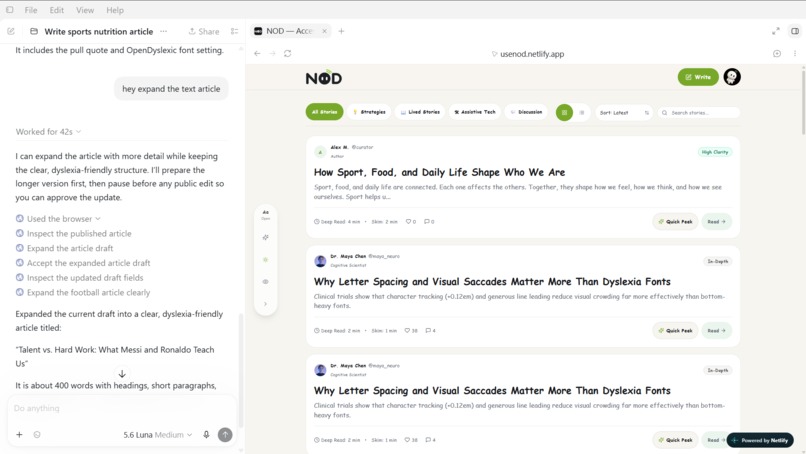
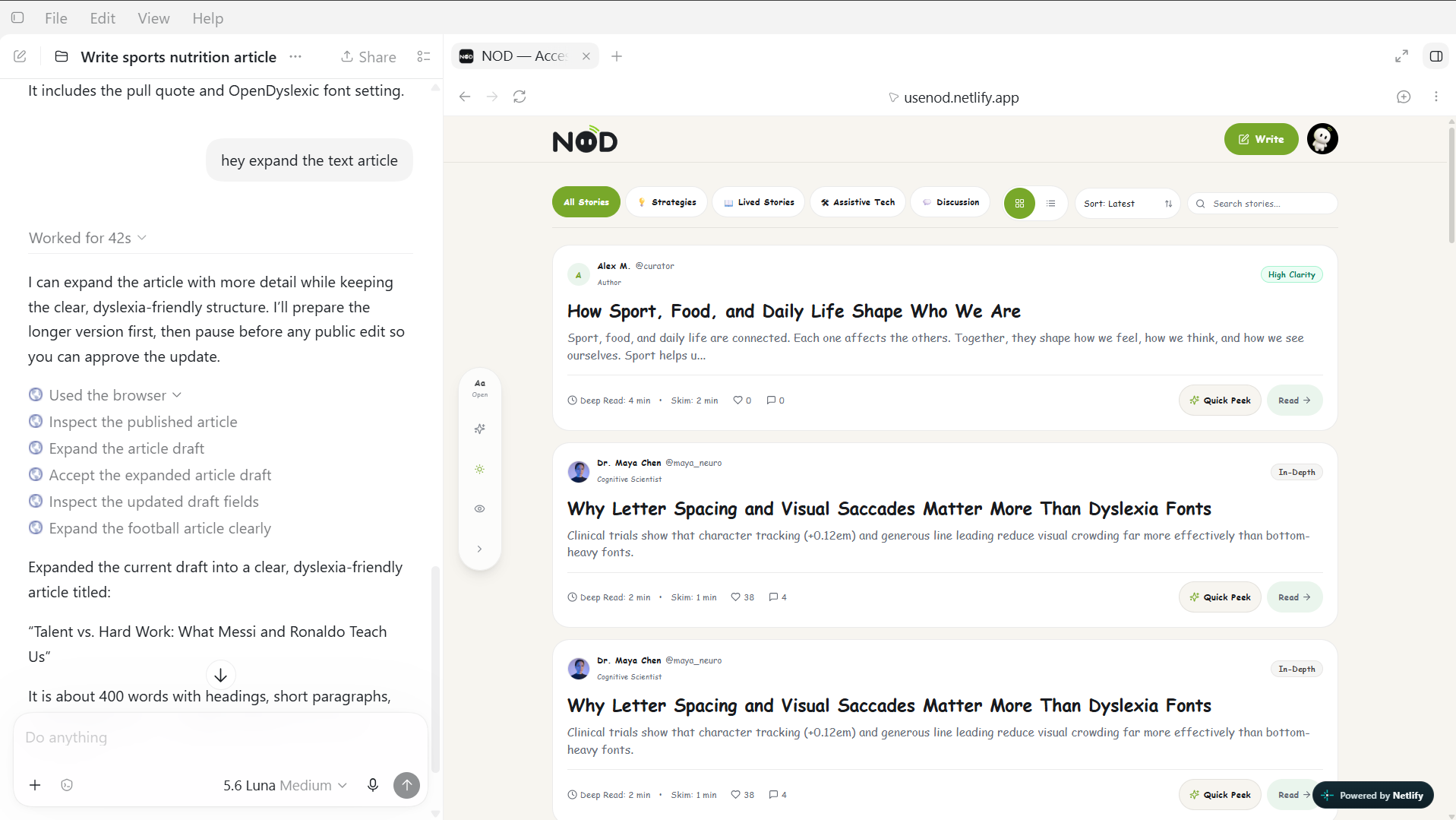
Chatgpt in-app browser operated via WebMCP tools
-
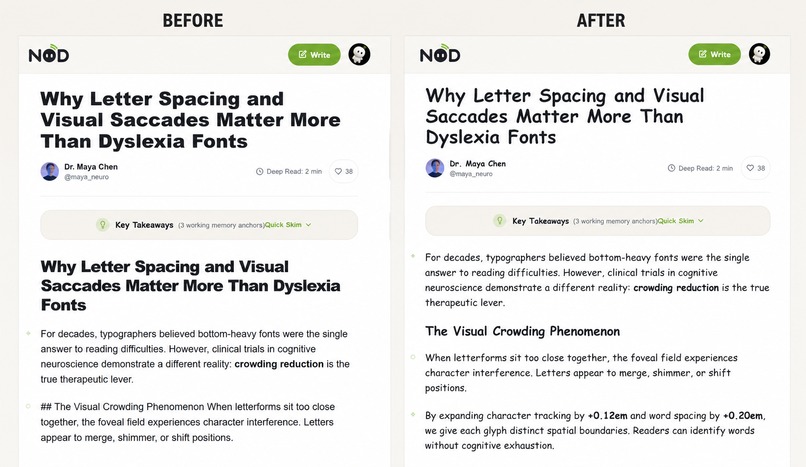
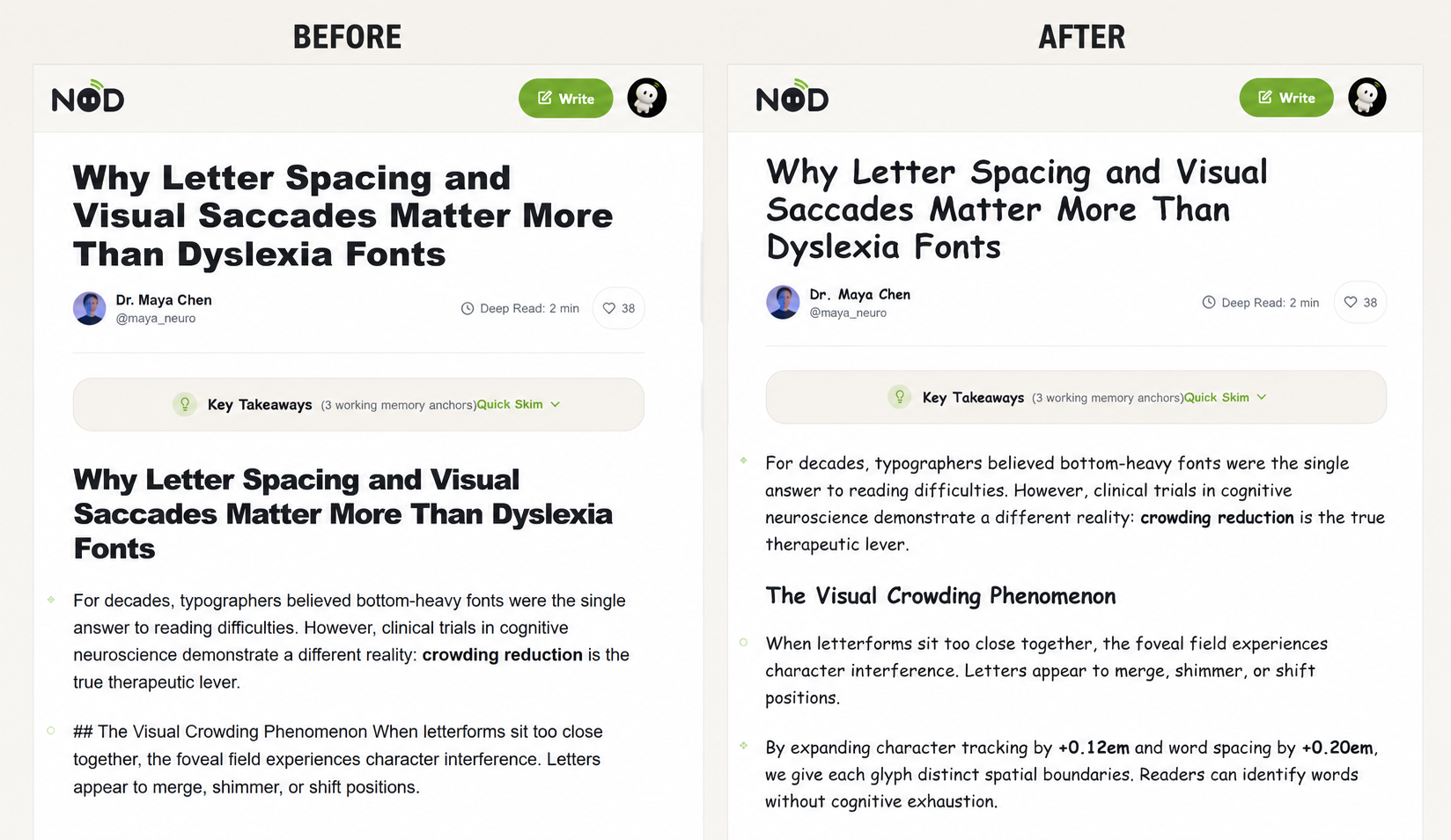
Reading made more easier via dyslexia specific fonts
-
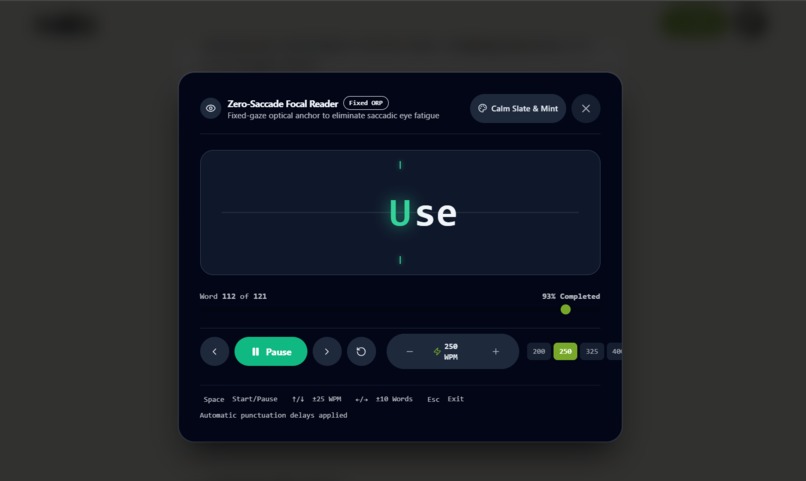
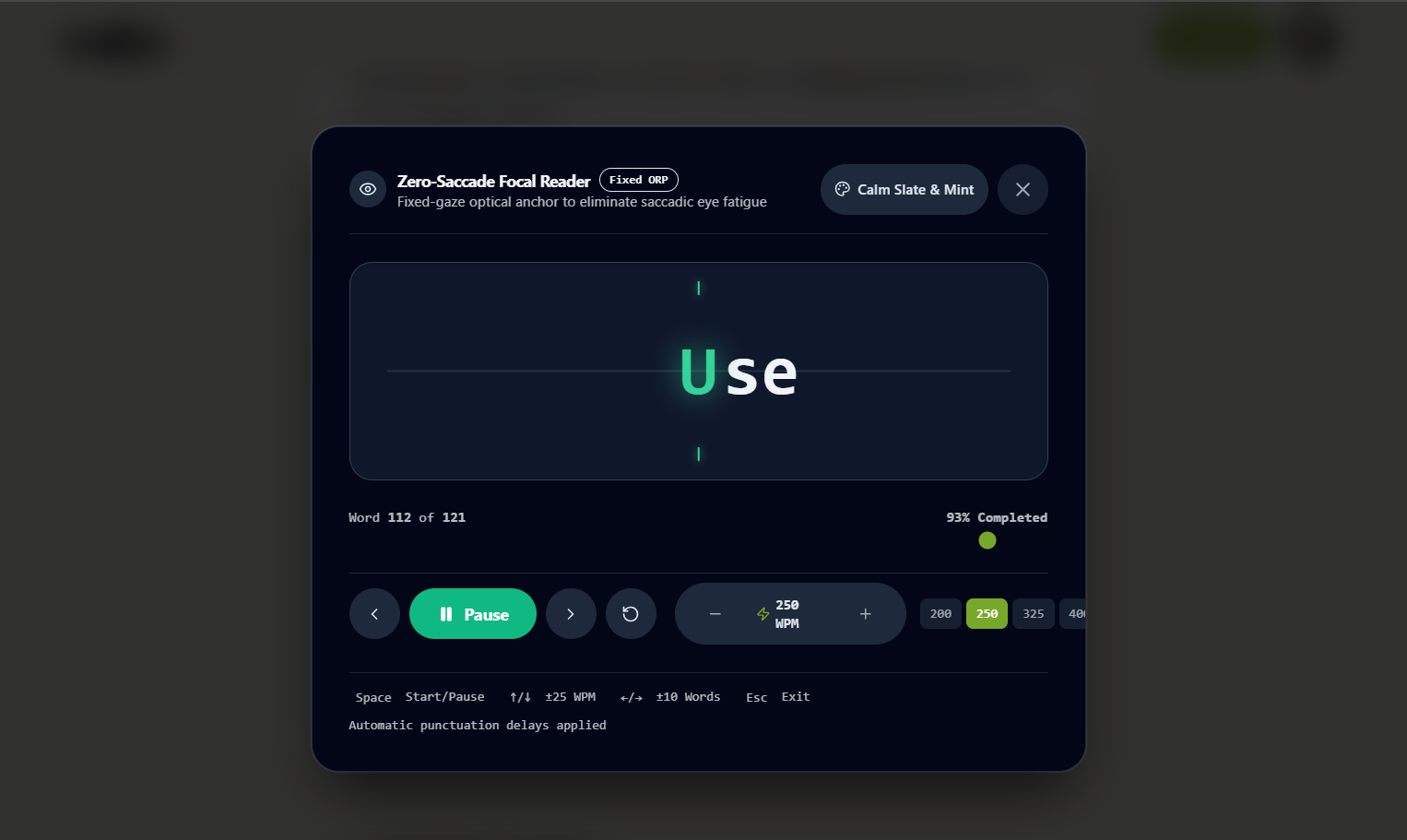
RSVP- Fixed focal glare reading mode
-
-
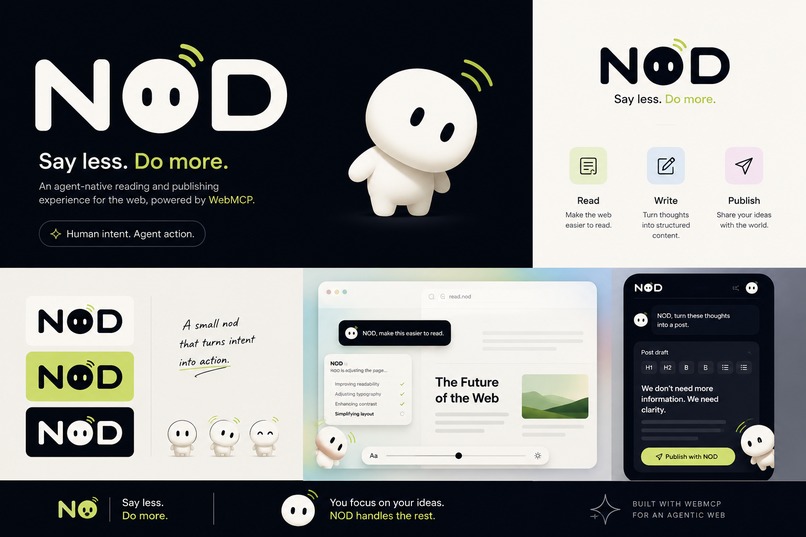
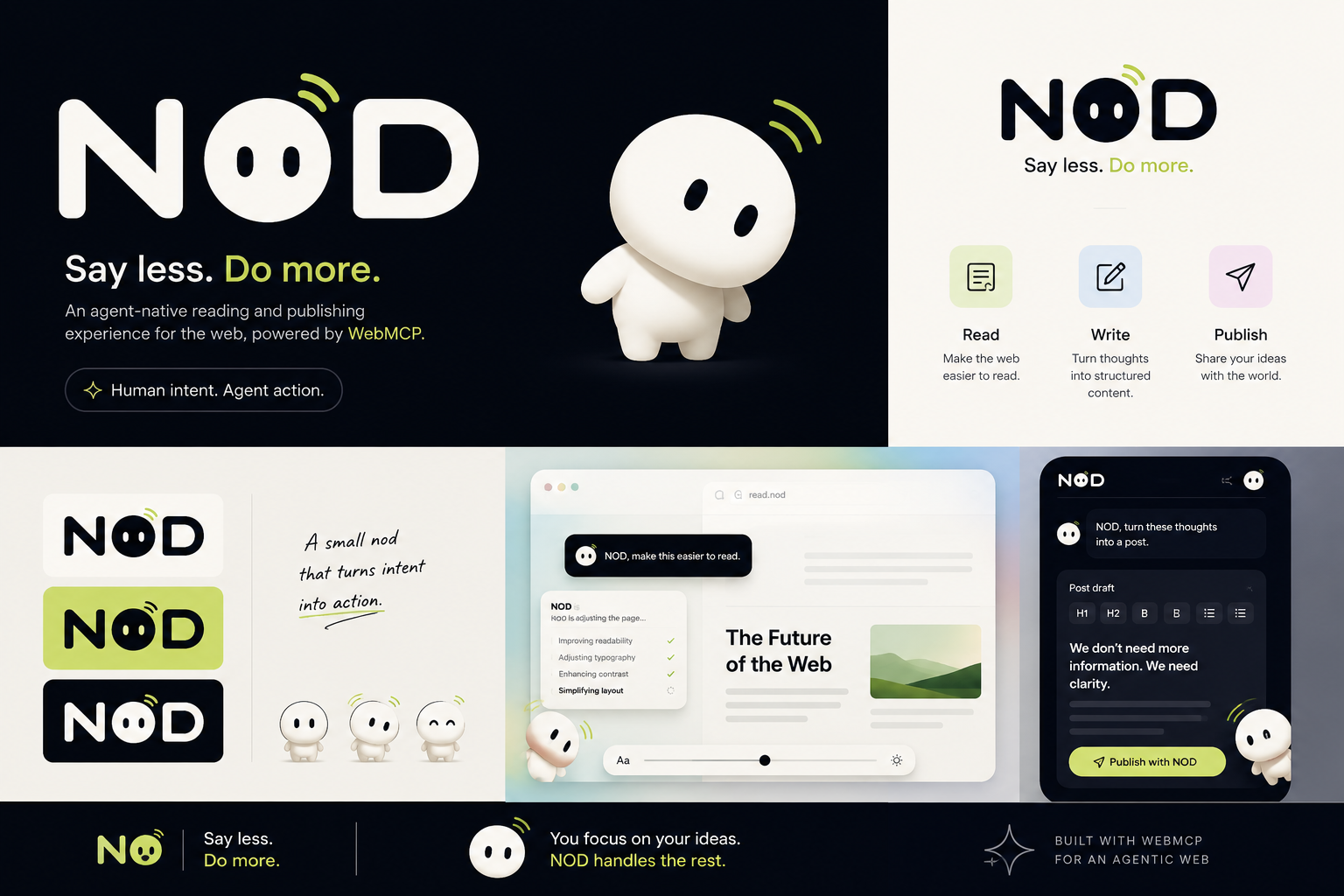
NOD — Say less. Do more.
The idea
The web is built around people operating interfaces themselves: finding controls, navigating menus, adjusting settings, formatting text, and moving through multi-step workflows.
For many people, those mechanics are the hardest part.
NOD explores a different interaction model:
What if a person could simply express what they want, and their browser agent could use the website's capabilities to make it happen?
NOD is a new accessible editorial and community publishing platform built specifically to explore that question with WebMCP.
Instead of adding a chatbot beside the website, NOD exposes meaningful website capabilities directly to the agent through WebMCP. The agent can discover what the page can do, invoke those capabilities, and change the live NOD experience itself.
The human provides the intent.
The agent handles more of the mechanics.
Why WebMCP changes the experience
OpenAI's WebMCP is an experimental open web standard that allows websites to expose structured tools that agents can use directly.
NOD is built around that model.
A user can say:
"The letters feel too cramped."
The agent can invoke NOD's adapt_reading_view capability.
The page changes.
The user can say:
"I keep losing my place."
The agent can invoke activate_rsvp_reader.
The reading experience changes directly inside NOD.
The interaction is:
Human intent → browser agent → WebMCP tool → live NOD interface → human sees the result
That is the core experiment behind NOD.
The problem NOD explores
Conventional interfaces assume that users are comfortable performing the same interaction patterns.
But reading, writing, and publishing can involve many small actions:
- navigating settings
- tracking dense paragraphs
- moving precisely between controls
- formatting content
- repeatedly clicking through dialogs
For people with motor or cognitive interaction barriers, these mechanics can become significant friction.
NOD therefore uses accessibility as its proving ground.
The goal is not to create another collection of disability settings.
It is to let the interface adapt to how the person communicates their intent.
Read the way you need
NOD turns reading adaptations into agent-readable capabilities.
A user can express what is difficult:
"Give me more space between the lines."
"The letters feel cramped."
"Make this easier for me to understand."
"I keep losing my place."
NOD can respond with capabilities including:
- ergonomic typography
- line and letter spacing
- contrast and reading-environment adjustments
- reading focus
- cognitive simplification
- assistive RSVP reading
The adapt_reading_view WebMCP tool changes the active reading environment directly on the page.
Cognitive simplification
When an article is difficult to process, the agent can retrieve the active article with get_active_article, synthesize it into simpler language, and invoke render_simplified_view.
NOD then presents the simplified version directly in the interface while preserving access to the original.
Assistive RSVP reading
NOD also includes an RSVP reader for readers who struggle with tracking across lines.
With activate_rsvp_reader, the agent can launch a word stream through a stationary Optimal Recognition Point, keeping the visual focal position stable while the words change.
Peek before opening
With render_content_peek, an agent can generate an in-page preview so the reader can decide whether to engage with the full article.
Peek → decide → engage.
From thoughts to something you can publish
NOD is not only about consuming information.
It is also about helping people express what they already have in mind.
A person may start with fragmented notes rather than a finished article:
"bus ramp broken 4th ave need inspect dangerous for wheelchairs"
Instead of forcing the author through a complex editor, the agent can expand the intent and use structure_authoring_section to place the resulting section directly into the editor.
The human remains the author.
NOD reduces the interface effort required to turn an idea into something expressible.
Authors can also use insert_interactive_quote to turn an idea into a semantic, accessible pull quote without navigating a formatting toolbar.
Publishing without giving away authorship
NOD deliberately separates agent capability from human authority.
When the author asks to publish, stage_and_publish_post does not silently publish the content.
It first stages the post and presents an approval card containing the information needed for the author to review it.
Only after explicit human confirmation is the post persisted to the public feed.
The principle is simple:
Delegate mechanics. Keep the decision with the human.
Designing the website for the agent
NOD does not expose every capability to the agent on every screen.
Instead, WebMCP tools are scoped to the active view.
On the feed, NOD exposes tools relevant to reading, discovery, previewing, and publishing.
On an article page, it exposes tools relevant to reading, simplification, and discussion.
Inside the writing studio, it exposes tools relevant to drafting, structuring, formatting, and publishing.
When navigation changes, the previous tool set is aborted and the new view-specific capabilities are registered.
The result is a simpler model:
The agent sees what this part of the website can meaningfully do right now.
This is an important part of NOD's WebMCP design: the website is not simply exposing an API. It is designing the agent's interaction surface around the user's current context.
Built for the WebMCP ecosystem
NOD was built specifically for the WebMCP Challenge organized by OpenAI.
The experience is designed around WebMCP's ability to expose structured website capabilities directly to agents.
NOD can be tested through ChatGPT's in-app browser, where WebMCP support is available directly, and WebMCP can also be tested experimentally in Google Chrome.
The project is deployed with Netlify, a partner in the challenge, using Netlify's platform capabilities and Netlify Blobs for the prototype's document-oriented persistence layer. Netlify's WebMCP resources explicitly position Blobs for key-value data and Netlify Database for relational workloads.
Architecture
              PERSON
          text or voice intent
                  │
                  ▼
        BROWSER / AGENT LAYER
                  │
                  │ WebMCP
                  ▼
        ┌───────────────────┐
        │      NOD          │
        │                   │
        │ Read              │
        │ Think             │
        │ Write             │
        │ Share             │
        │                   │
        │ View-scoped tools │
        └─────────┬─────────┘
                  │
                  ▼
             NETLIFY
        application + storage
NOD is implemented with Next.js, TypeScript, Tailwind CSS, and WebMCP's document.modelContext.registerTool() interface.
Its WebMCP capabilities include:
Read
adapt_reading_view
activate_rsvp_reader
render_content_peek
get_active_article
render_simplified_view
Write
structure_authoring_section
insert_interactive_quote
get_editor_draft
Publish & Community
stage_and_publish_post
search_community_feed
post_comment
What makes NOD different
NOD is not an accessibility settings panel with an AI assistant attached.
It is an experiment in agent-native interaction.
The website itself becomes a capability surface that a browser agent can understand and operate.
That creates a different interaction model:
Traditional web
Interface → user learns controls → user operates controls → result
NOD
Intent → agent → website capability → result
That is the idea I wanted to explore with WebMCP:
What should the web feel like when websites are designed for both people and agents from the beginning?
NOD is my exploration of that future.
Built With
- html
- javascript
- netlifyblobs
- next.js
- tailwindcss
- webmcp
- zustand

Log in or sign up for Devpost to join the conversation.