Aakha
Aakha means "eye" in Nepali. It turns the smartphone camera someone already carries into a real-time navigation companion for visually impaired people.
Introduction
More than 43 million people are blind, and over 250 million more live with low vision. For many of them, moving around outdoors on their own is one of the hardest parts of daily life. The tools available today tend to fall into two extremes. On one side are dedicated hardware devices that work well but cost thousands of dollars, out of reach for most people who need them. On the other are phone apps that give slow or occasional feedback, which makes them hard to trust when the street around you is changing second by second.
We built Aakha because we think the phone in someone's pocket can do better than that. Our goal was not another research demo, but a system that understands its surroundings fast enough actually to help a person move more safely. While looking at existing apps, we noticed that almost all of them treated every message the same. Reading a sign on a wall should never interrupt with the same urgency as a warning that something is moving straight toward you. That one observation shaped the whole project. From the start, our priority was simple: the most important information always reaches the user first.
What it does
Aakha turns a smartphone camera into a real-time assistive navigation system. As the user walks, it watches the surroundings, detects nearby objects, works out where they are relative to the user, and speaks only when the information is worth saying. Instead of narrating everything in view, it focuses on what matters in that moment.
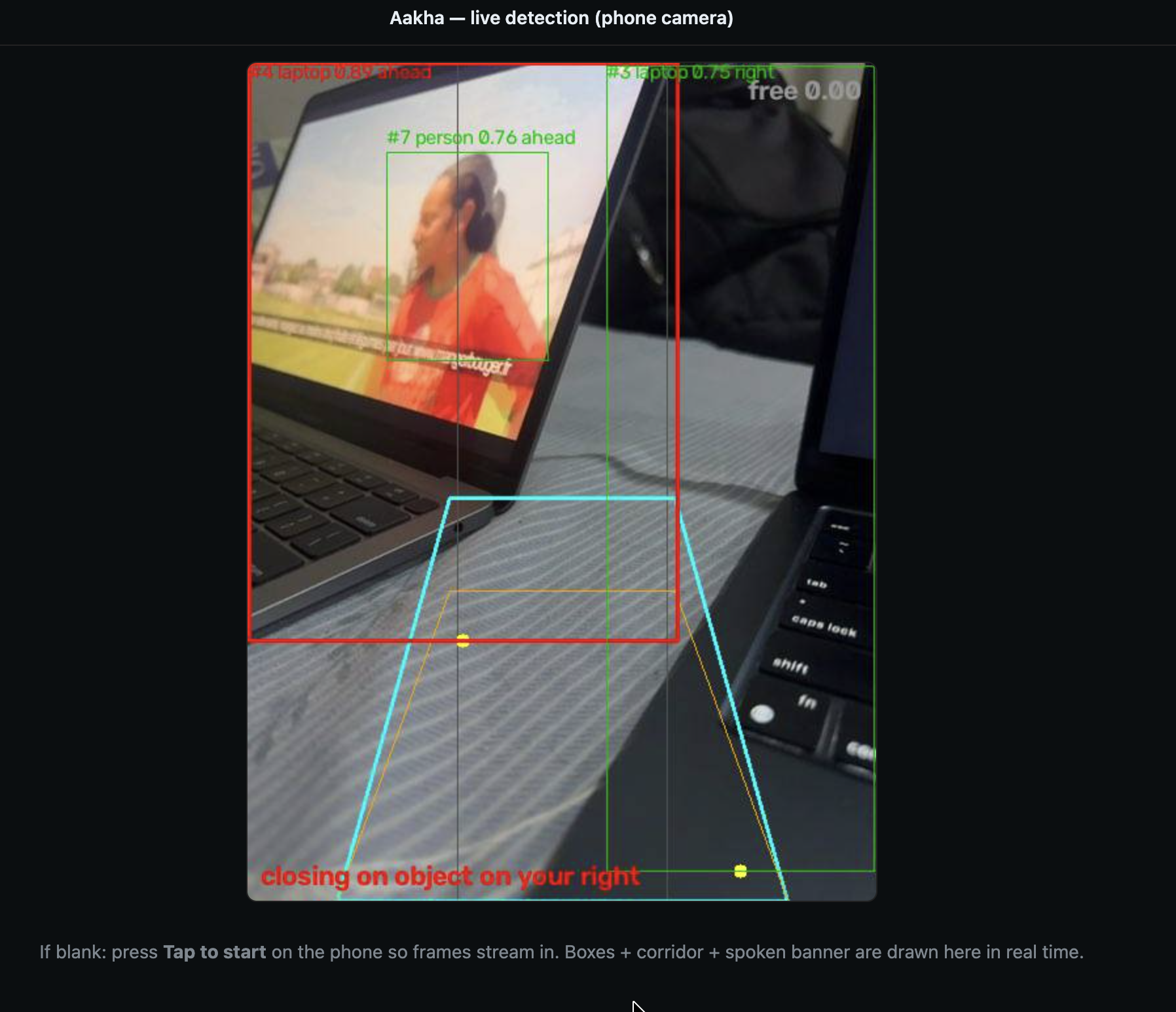
It detects nearby objects and tells the user whether each one is on the left, ahead, or to the right. It tracks objects across frames to judge whether something is approaching, and if a collision looks likely, it raises a high-priority warning right away. It also estimates the clearest direction to walk by reading the free space ahead, spots zebra crossings and reads printed text aloud on request.
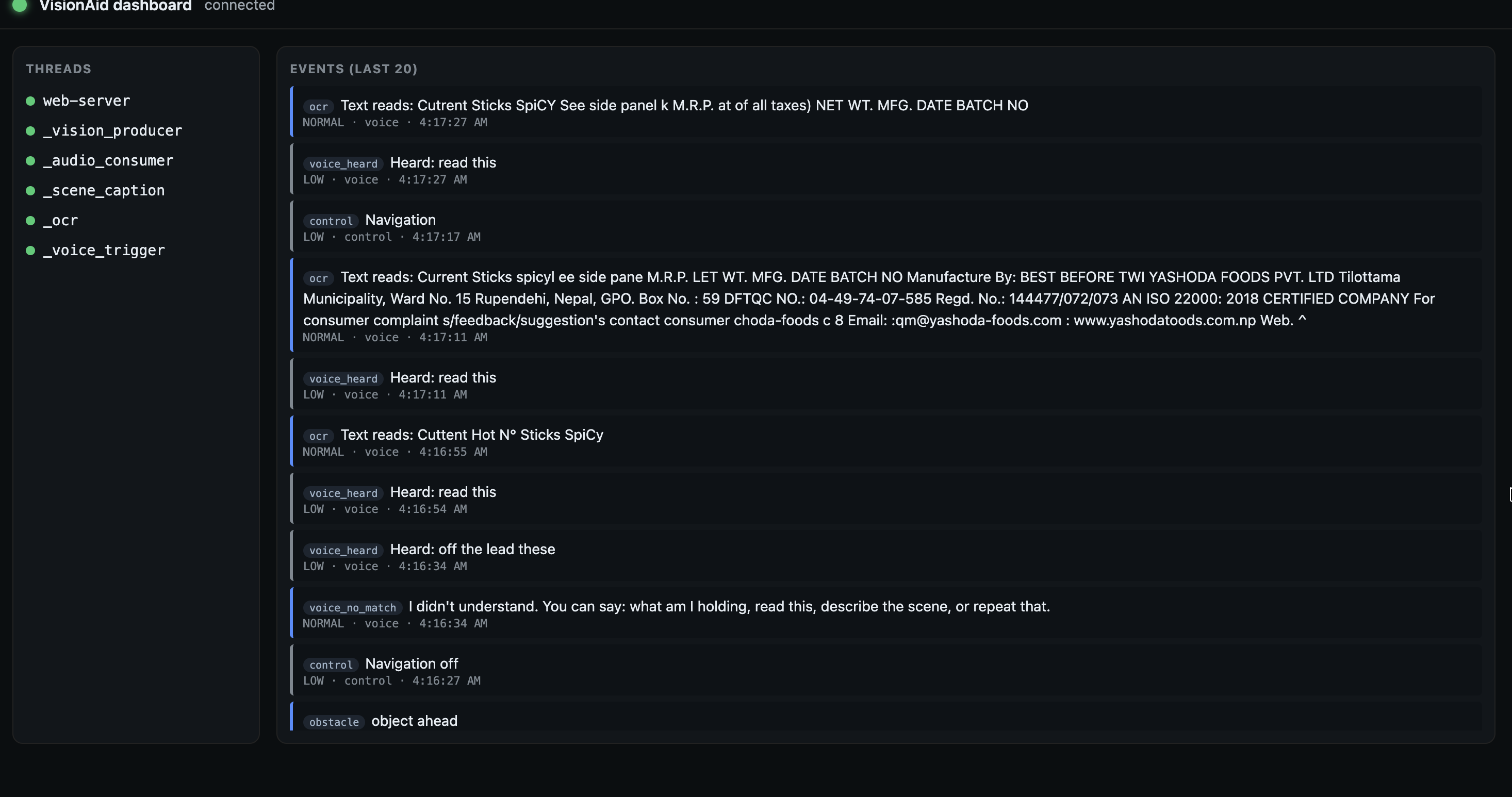
The user can talk to Aakha with a few simple voice commands: ask what they are holding, ask it to read nearby text, or replay the last thing it said. For caregivers and developers, we also built a live dashboard that shows the annotated video feed, recent events, and the health of the background services in real time.
How we built it
Aakha is built around an event-driven design. Every module publishes what it finds to a single shared priority queue, and one audio thread is the only thing allowed to speak. This keeps a collision warning ahead of lower priority messages and makes overlapping or garbled speech impossible.
The vision pipeline runs YOLO11n through ONNX Runtime so detection stays fast on the CPU. ByteTrack gives each detected object a stable identity across frames, which lets us watch how an object changes over time and flag one that is closing in by how quickly its bounding box grows.
Voice interaction runs fully offline with Vosk for speech recognition. A recognised command triggers the matching module, such as reading text with OCR or naming the object the user is holding. To make the system easy to deploy, we built a FastAPI server that streams camera frames and short voice clips from a phone browser over WebSockets, so the phone works as the sensing device with nothing to install.
Challenges we ran into
The hardest part was making speech reliable. The text-to-speech engine blocks while it talks, so letting several threads reach it directly produced corrupted audio, deadlocks, and the occasional crash. We reworked the design so that exactly one thread ever touches the speech engine, and everything else simply publishes an event to the shared queue.
Collision detection was also trickier than we expected. Watching a bounding box grow works well for spotting something approaching, but quick camera moves and sideways motion kept setting off false alarms. We cut those down with a minimum size before we warn, a growth threshold, and a cooldown so the same object cannot trigger the warning over and over.
Streaming video from the phone brought its own surprise. Mobile browsers refuse camera access without a secure connection, so we had to serve the app over an HTTPS tunnel before the browser would hand over the camera. We also spent real time tuning when the system should speak at all. Talk too often, and it overwhelms the user; talk too rarely, and it leaves them without enough to go on. Getting that balance right took repeated testing and careful work on the event prioritisation.
Accomplishments that we are proud of
We are proud of how well the priority-based audio held up in practice. Even when several modules fired events at once, collision warnings still came through first, with no overlap and no garble.
We are also proud of how Aakha decides what to say. Rather than calling out every object, it filters events, favours meaningful changes, and delivers only what is useful right then. The result feels calm, more like guidance than constant chatter.
And we are proud that the whole thing runs in a normal phone browser, with no special hardware and nothing to install. That makes it far easier to put in the hands of the people who actually need it.
What we learned
Building Aakha taught us that the experience depends as much on communication as on computer vision. Detecting objects accurately matters, but deciding what to say, when to say it, and when to stay quiet matters even more. We spent far more time on speech timing and prioritisation than we planned, and it became one of the defining parts of the work.
What is next for Aakha
Our priority is testing Aakha with blind and low vision users in real outdoor settings. Nothing tells us more about where it succeeds, where false alarms still slip through, and how to make the spoken guidance more useful than real navigation.
We also want to try bone conduction headphones, so users can keep hearing the street around them while they receive guidance. On the software side, we plan to grow the voice interface past fixed commands toward something that feels more like a natural conversation. Further out, we want to move the most time sensitive safety features, collision detection above all, directly onto the phone, so the critical warnings keep working even if the connection to the backend drops.

Log in or sign up for Devpost to join the conversation.