-
-
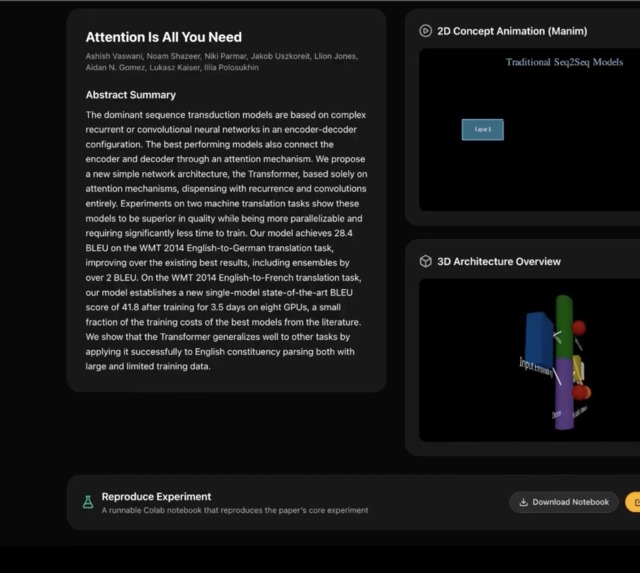
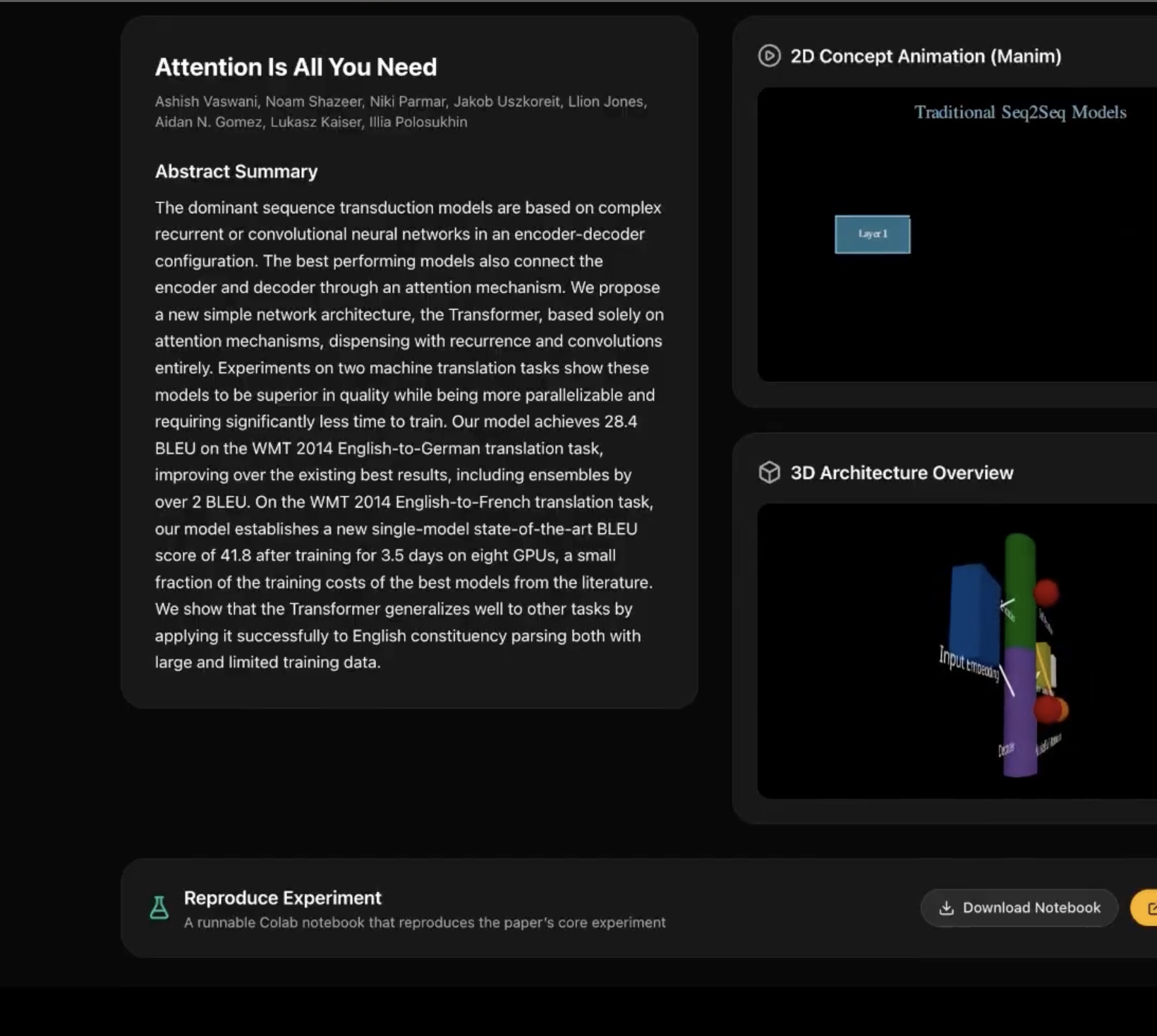
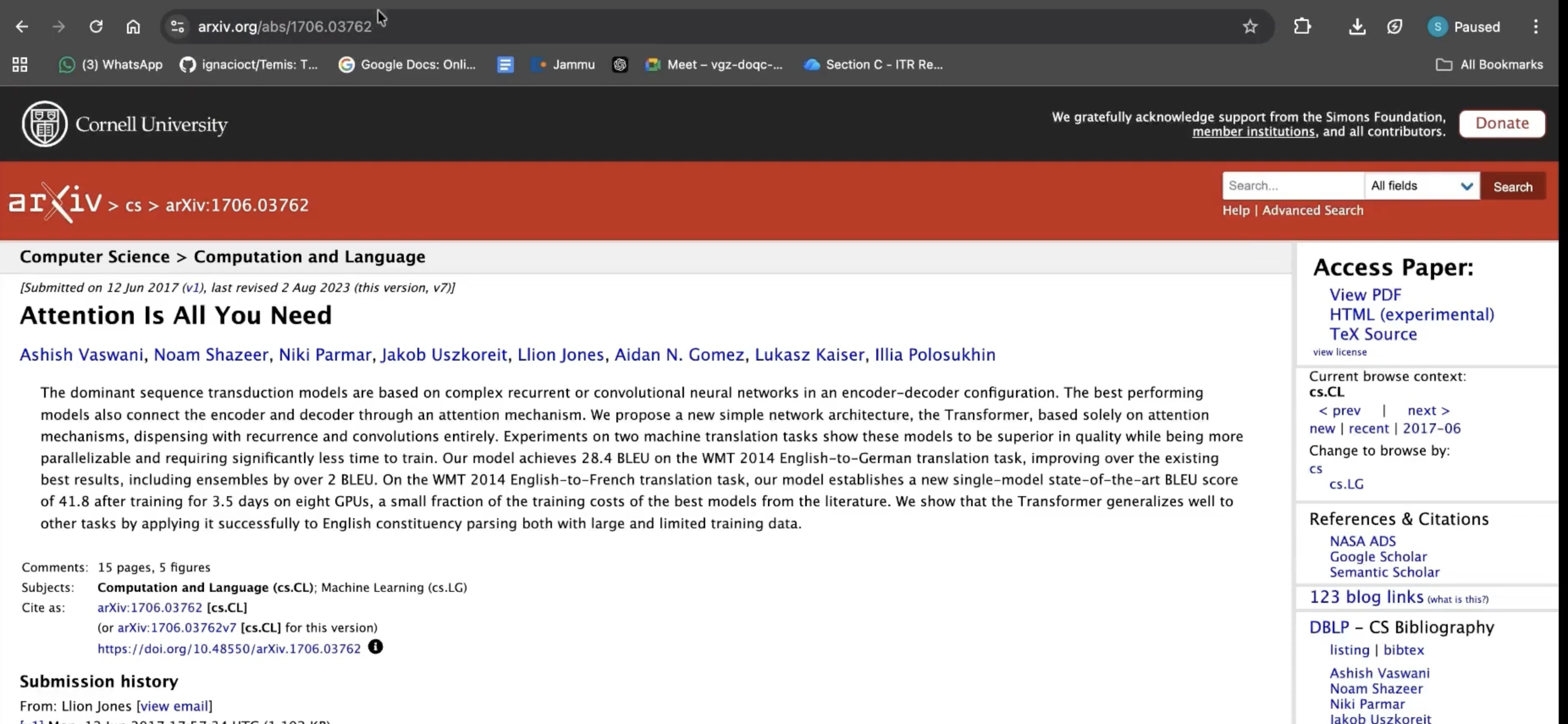
Paper summary: Quick Visualize result: paper title, authors, and abstract.
-
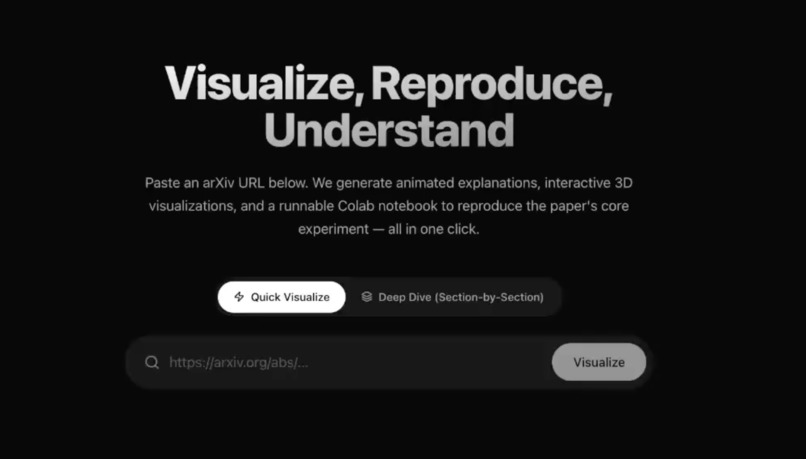
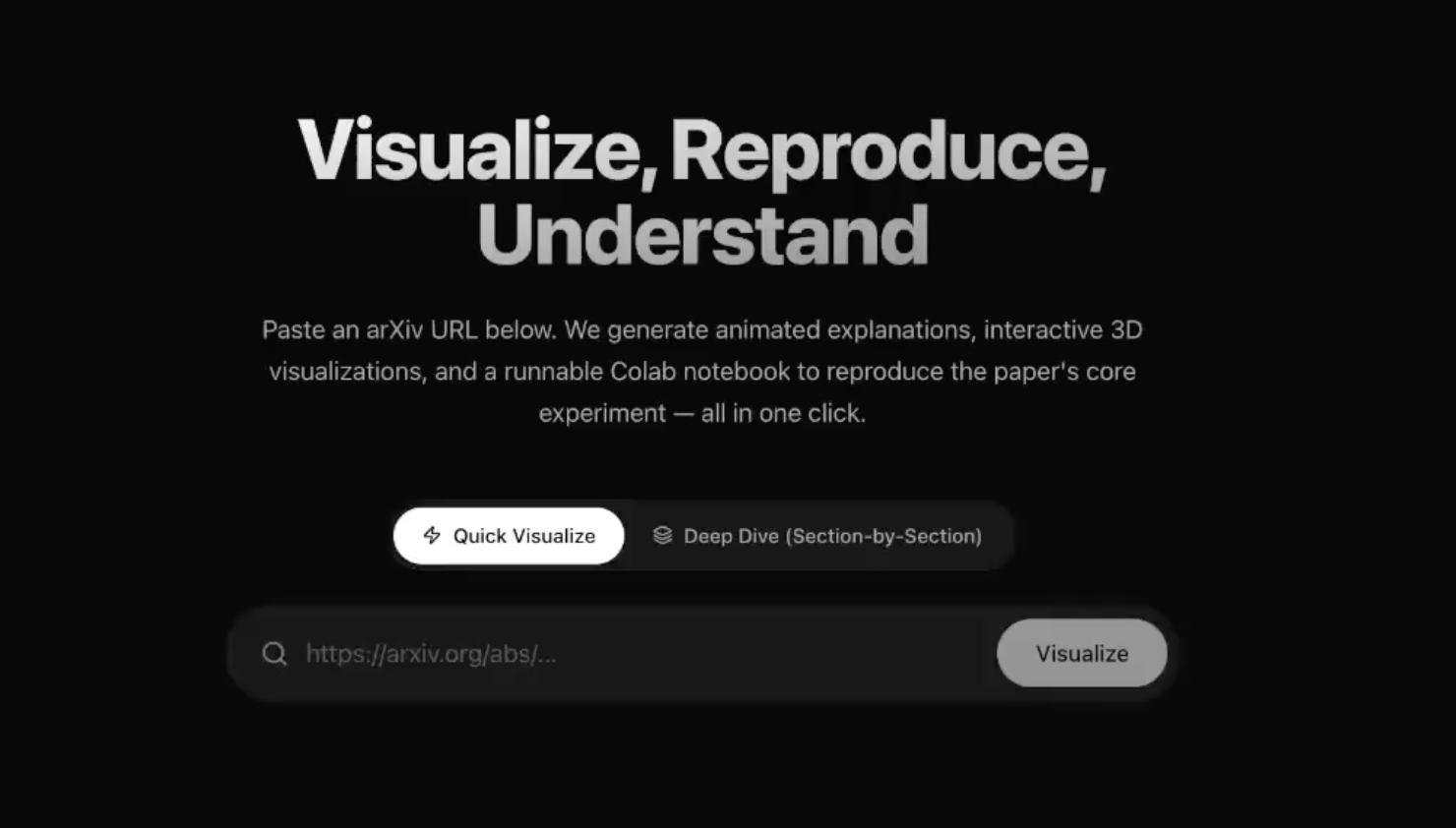
Home: Mode toggle (Quick Visualize vs Deep Dive) and arXiv URL input.
-
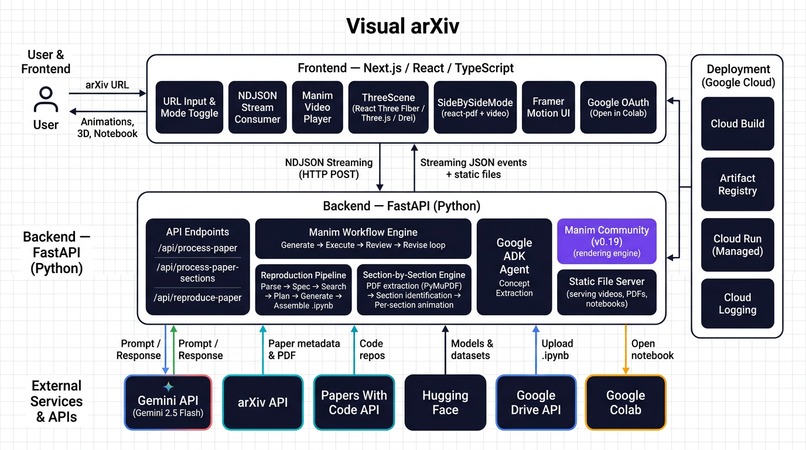
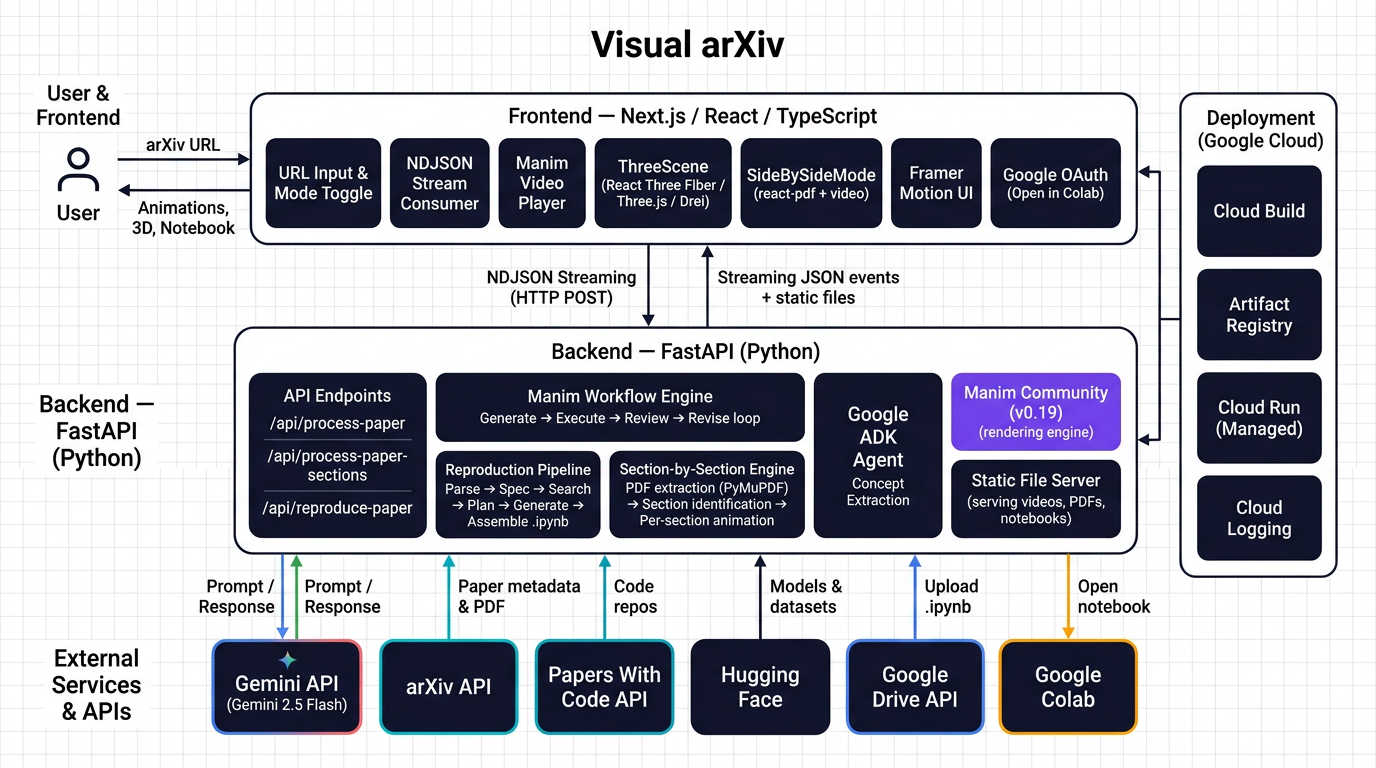
Architecture diagram
-
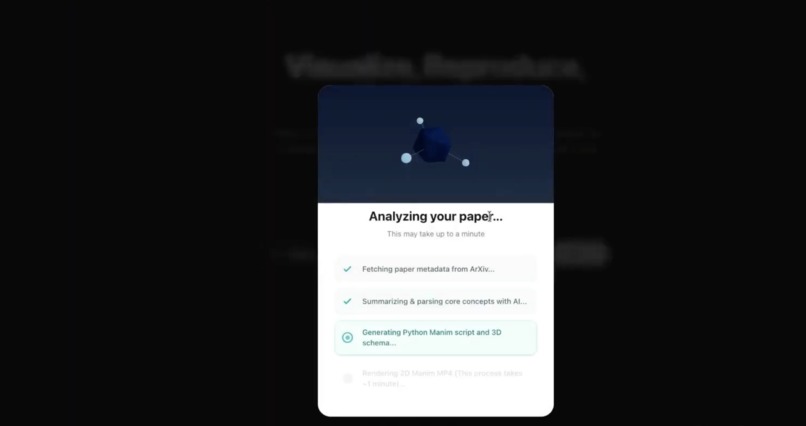
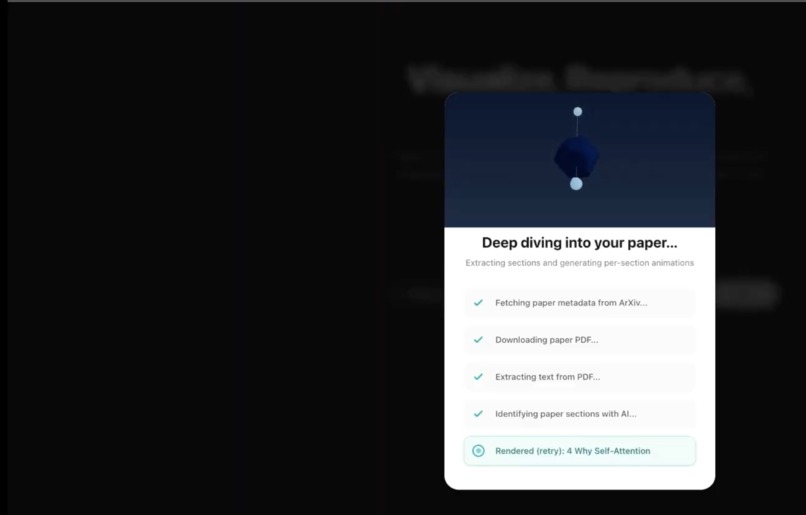
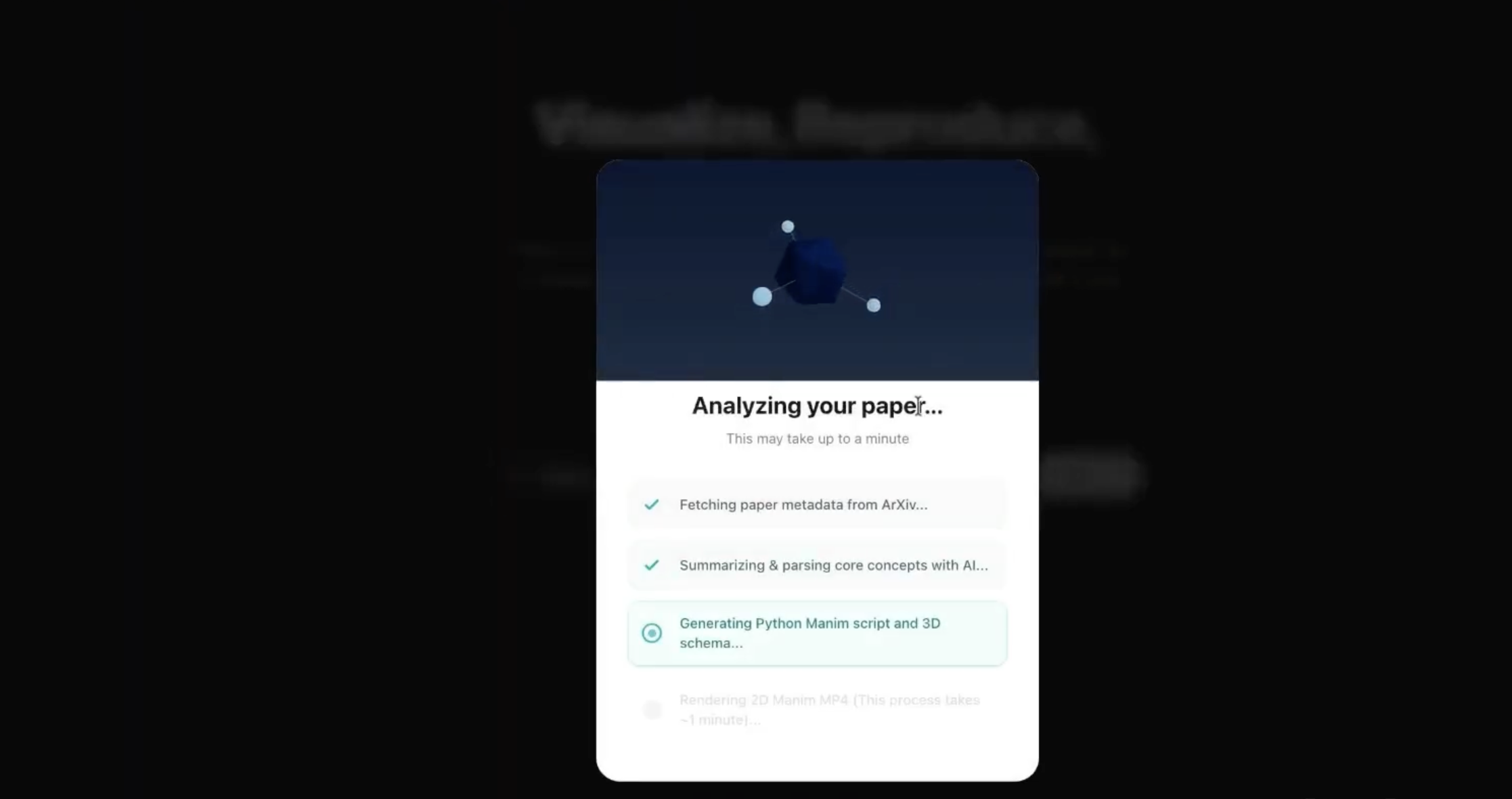
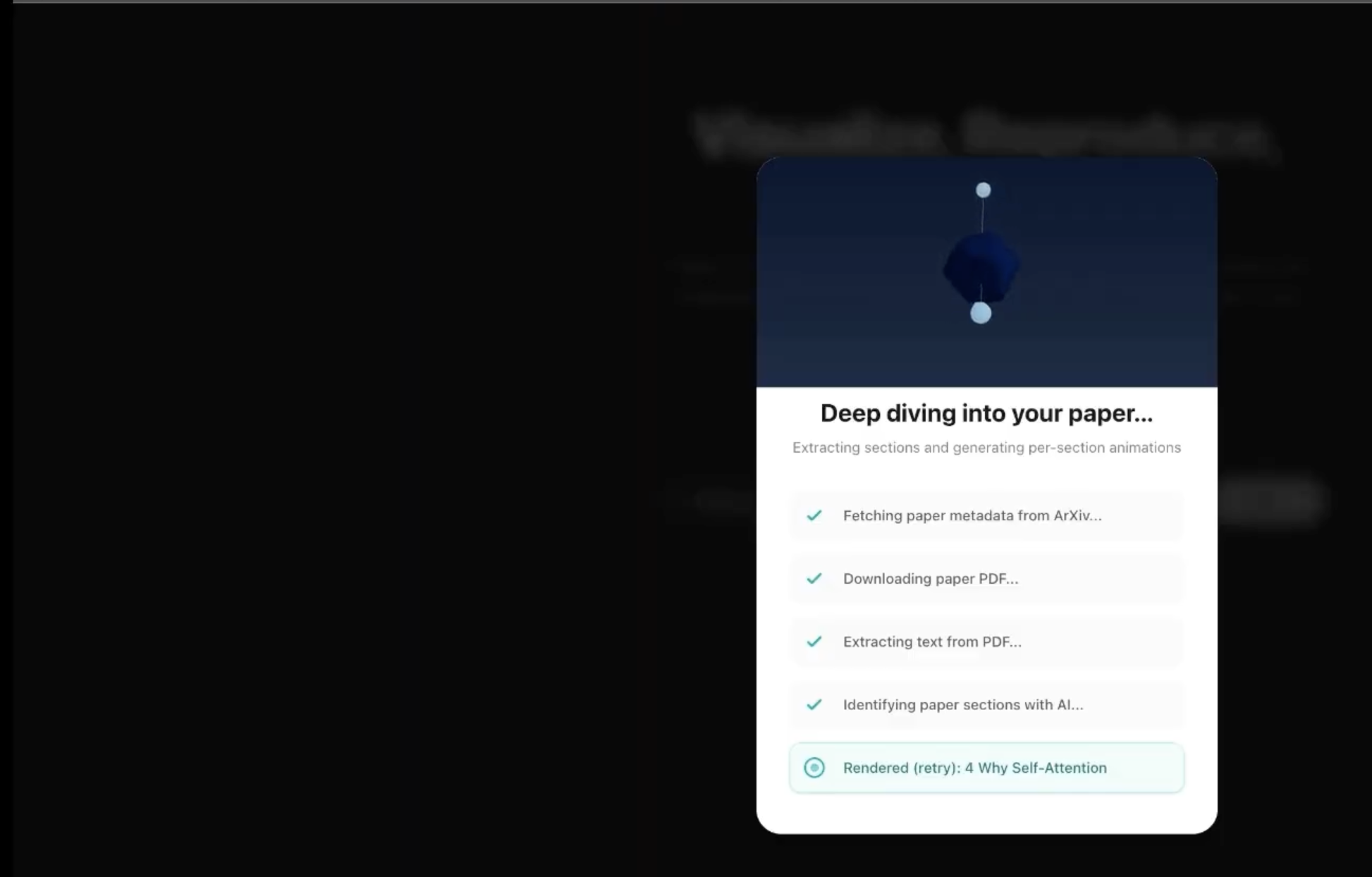
Streaming progress: Loading overlay showing live NDJSON progress (e.g. fetching paper, generating animation, running reproduction pipeline).
-
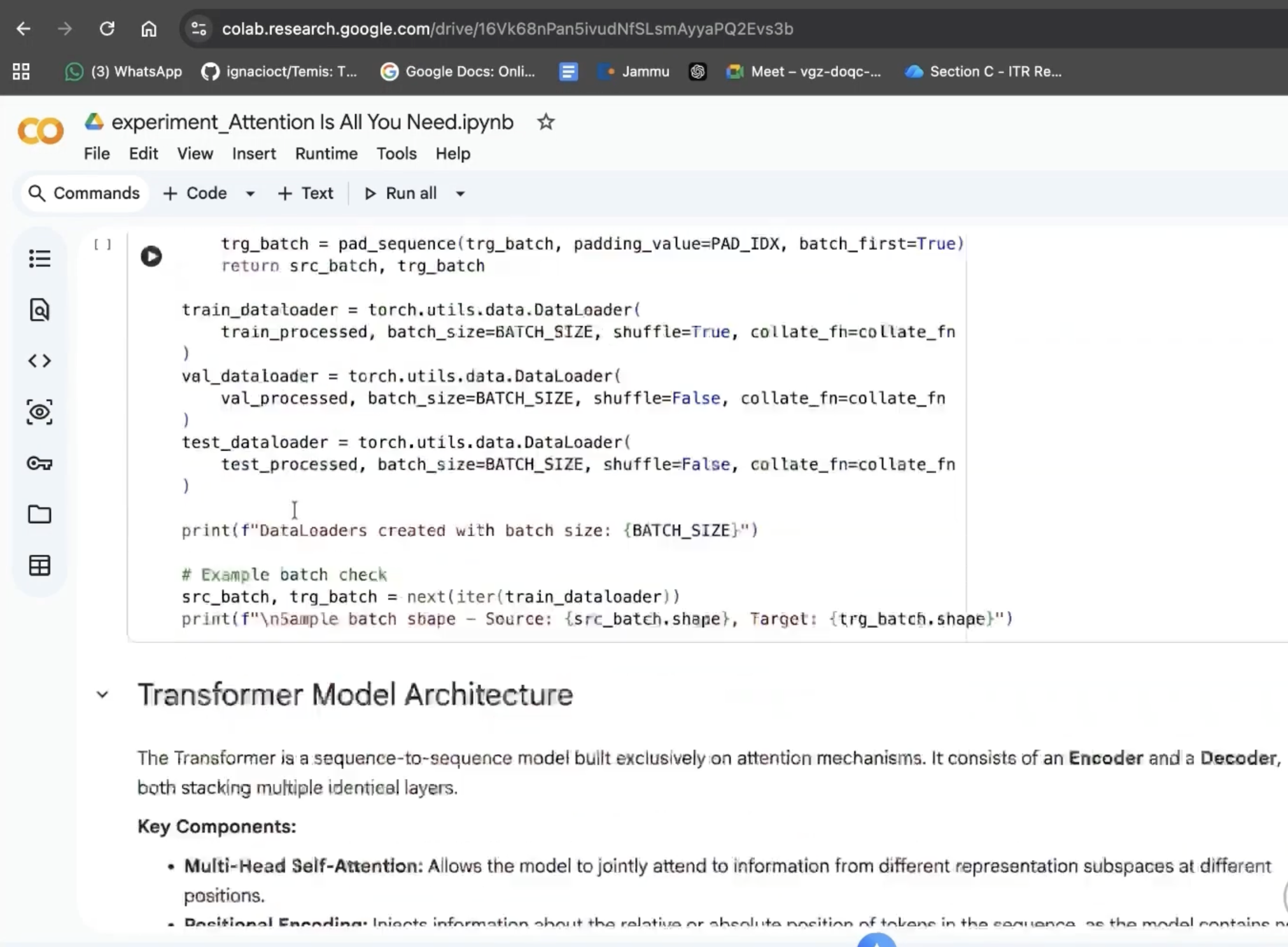
Reproduce experiment: Card with download notebook and “Open in Colab” (via Google Drive).
-
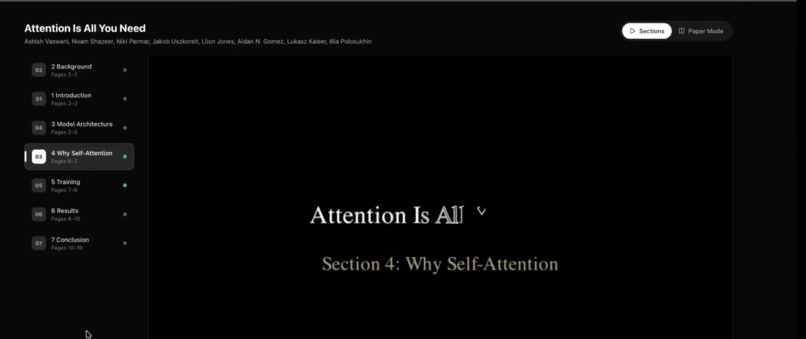
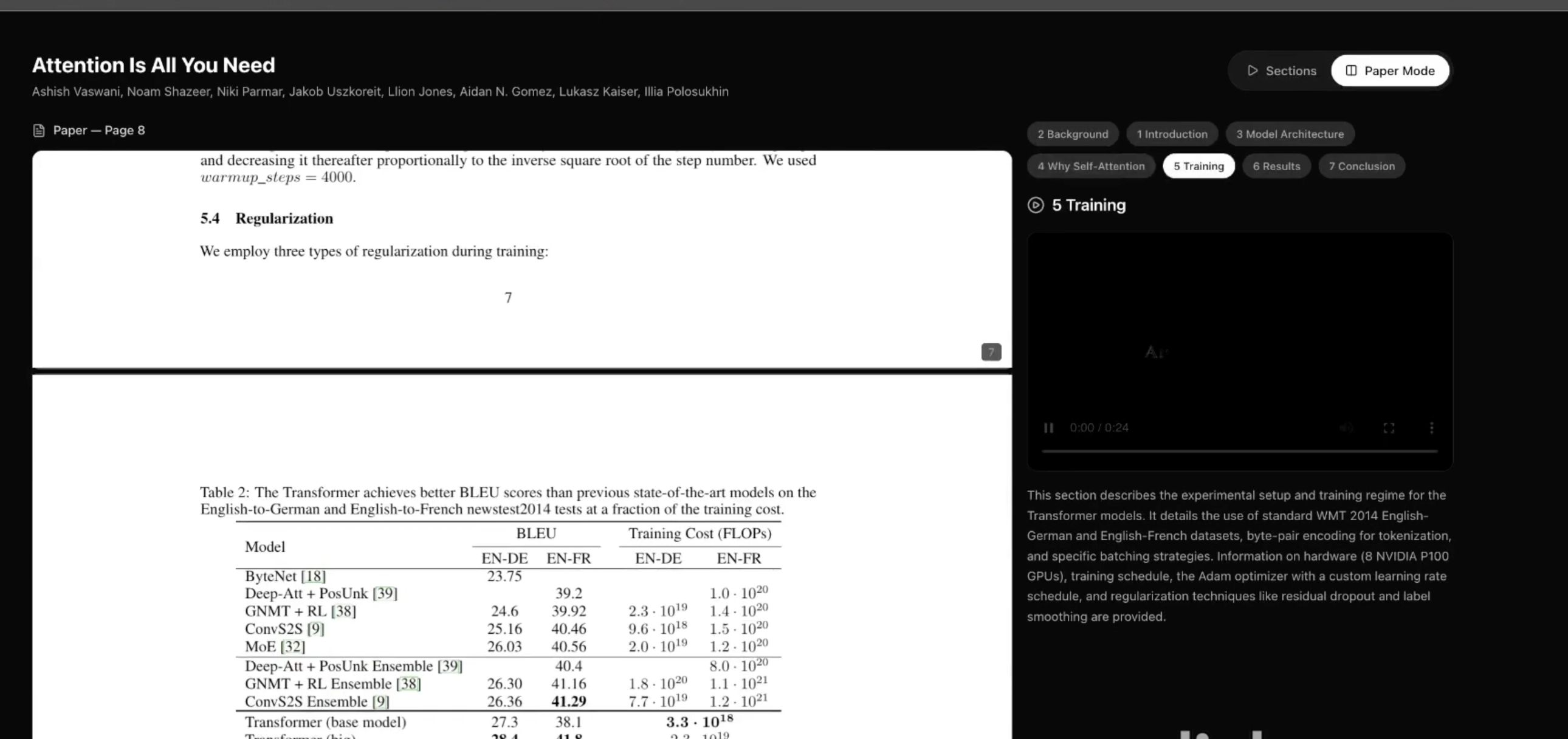
Deep Dive mode: Side-by-side view: PDF on one side, section list with per-section videos on the other.
-
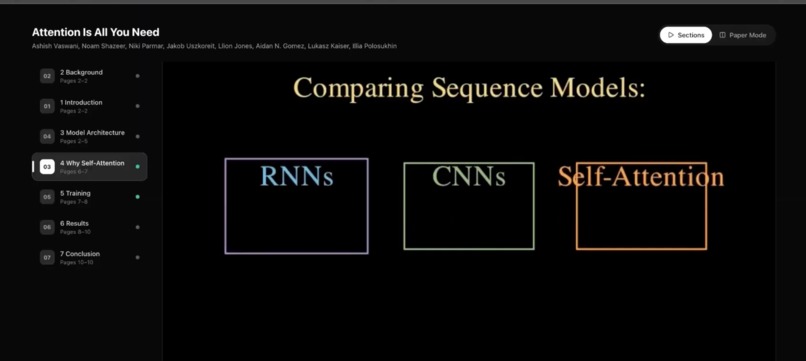
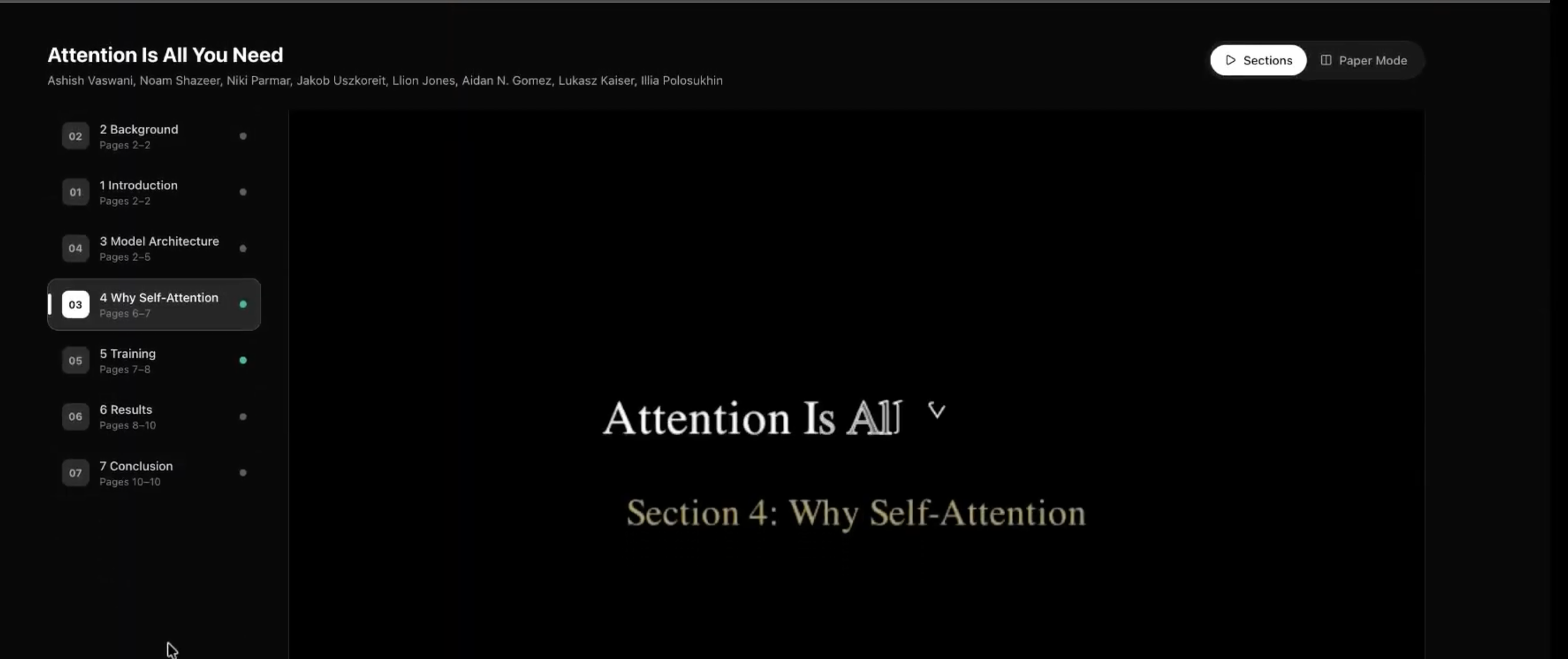
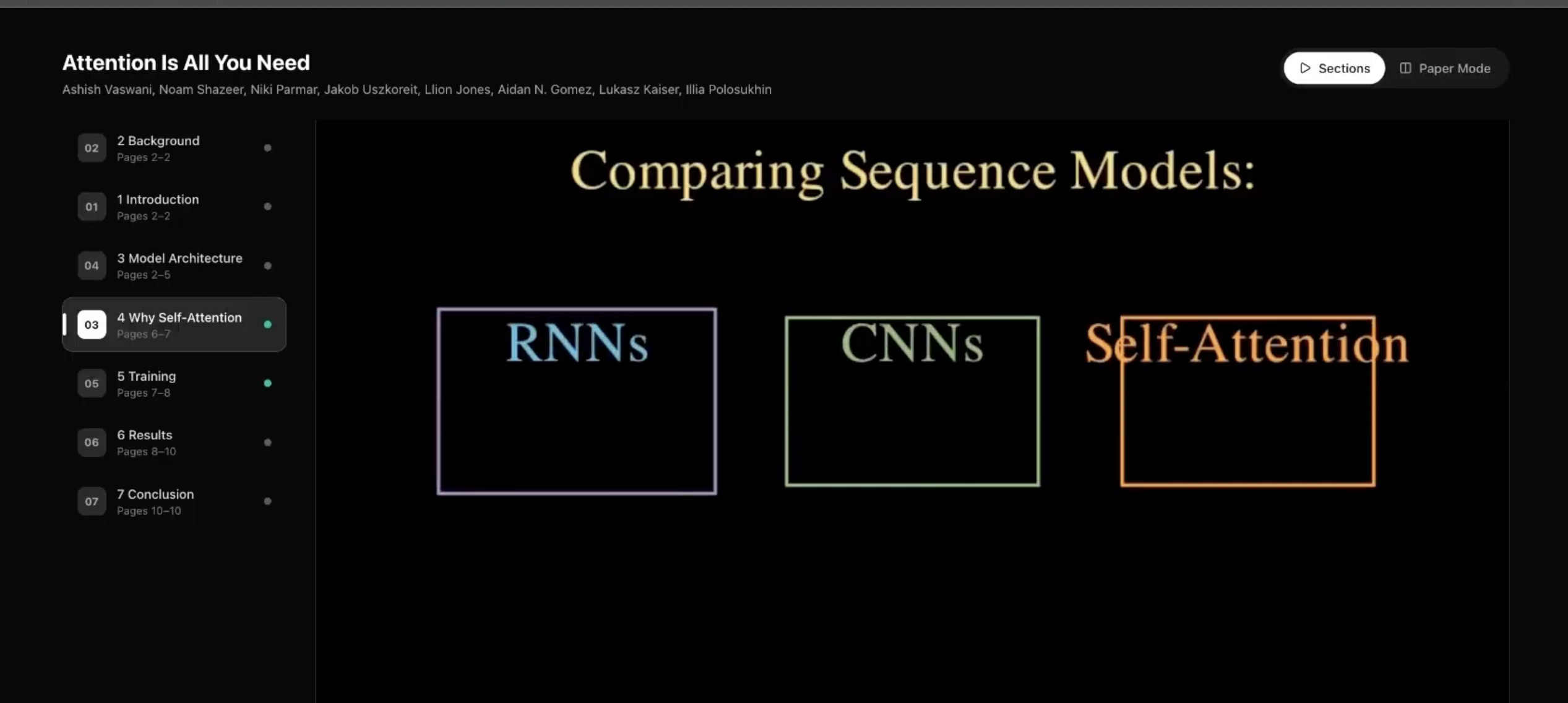
Section-by-section viewer: PDF and section list with a selected section’s Manim animation playing.
-
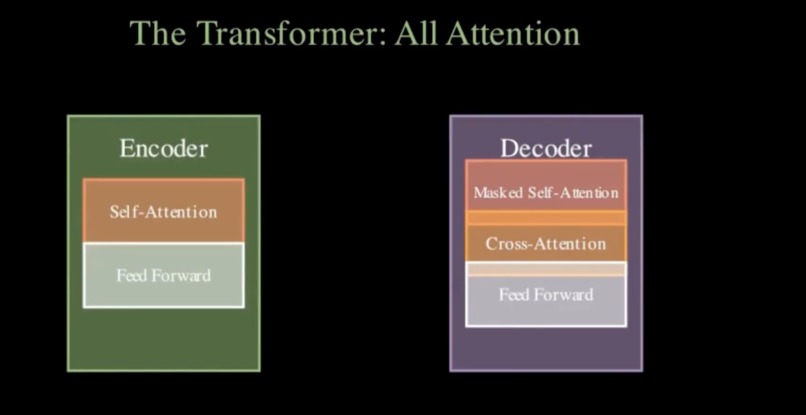
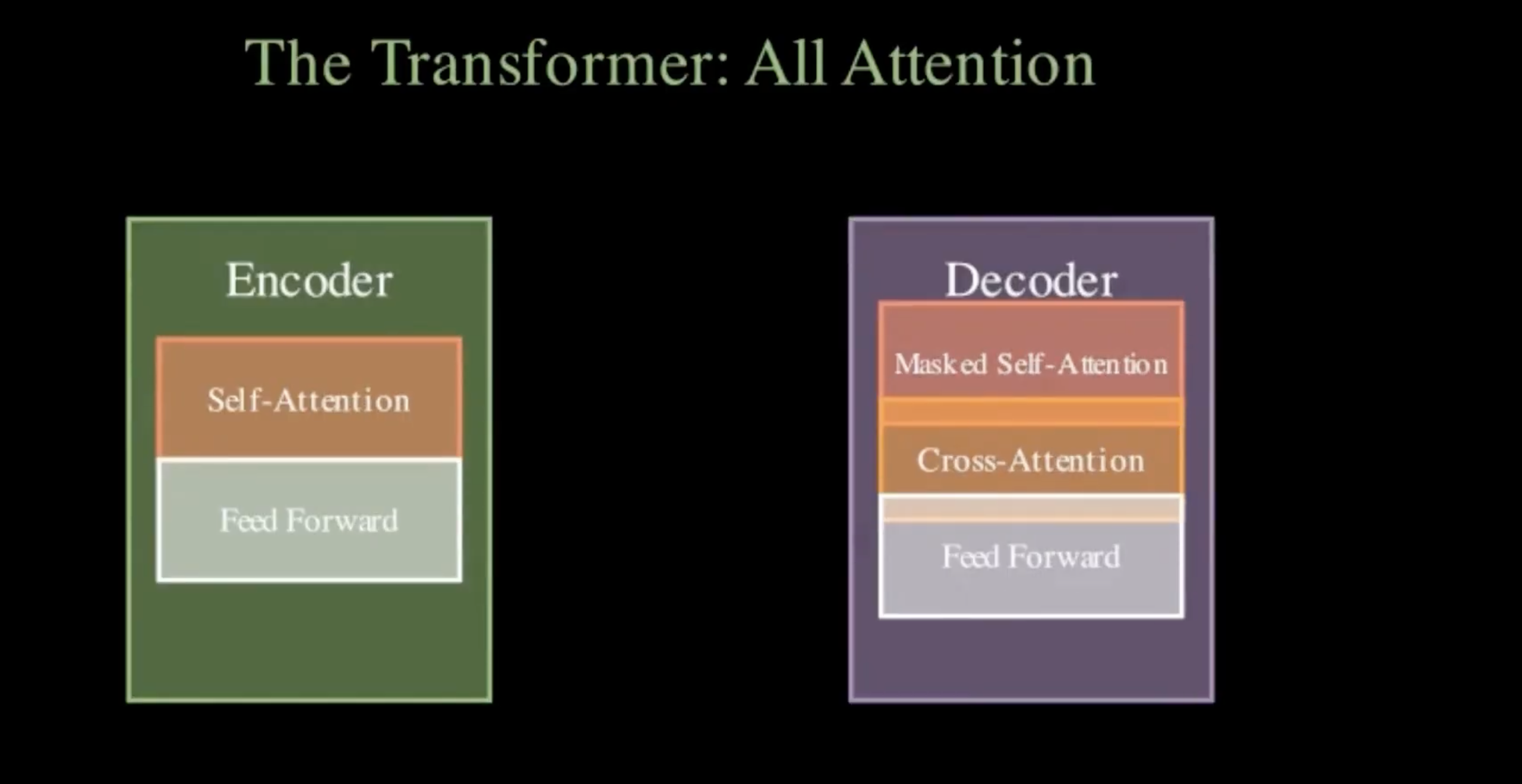
Concept animation: Manim-generated 2D video illustrating the paper’s main idea from title and abstract.
-
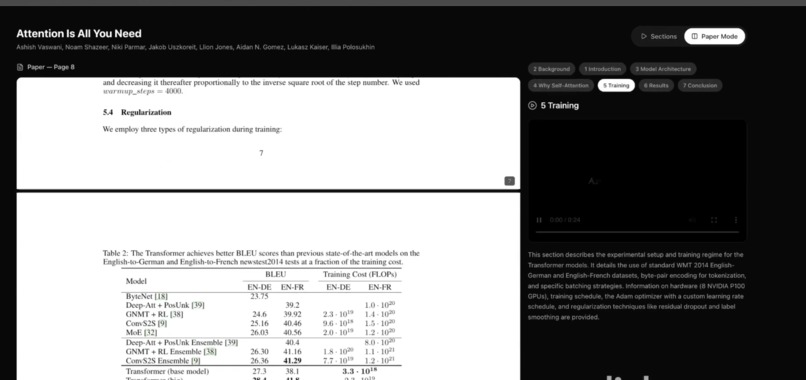
Colab / result: “Open in Colab” flow or final result view (e.g. notebook opened in Colab).
-
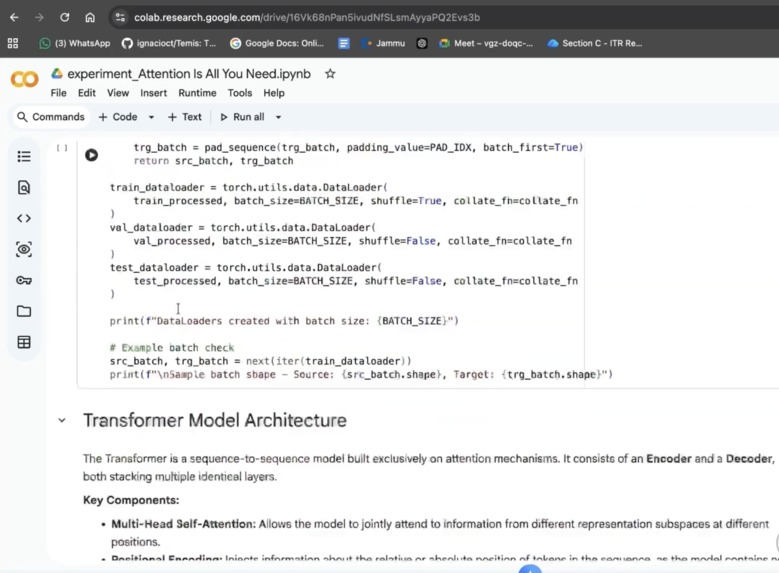
3D architecture view: Interactive Three.js scene (nodes/edges) for the model or concepts in the paper.
-
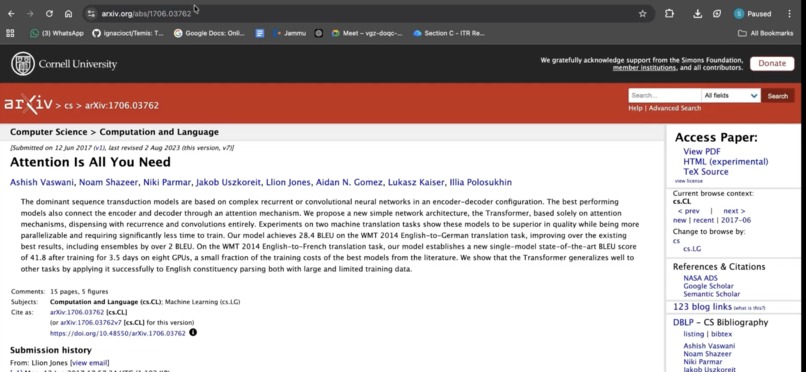
URL submitted: User has entered an arXiv URL and chosen a mode; ready to visualize.
DecodeXiv
Inspiration
Research papers, especially on arXiv are dense and abstract. We wanted to make them immediately graspable: turn a paper URL into animated explanations, interactive 3D views, and runnable code so anyone can visualize and reproduce the core ideas without wading through equations and prose. We were inspired by tools like 3Blue1Brown (Manim) and the need for better reproducibility and accessibility in ML/science.
What it does
DecodeXiv turns an arXiv paper URL into a full visual and reproducible experience in one click:
- 2D concept animation: Generates a Manim (Manim Community) video that illustrates the paper’s main idea from the title and abstract, with an automatic review-and-revision loop so the script actually runs.
- 3D architecture overview: Produces a structured Three.js config (nodes/edges) for an interactive 3D view of models or concepts described in the paper.
- Reproduce experiment: Runs a 6-stage pipeline (paper parsing → spec extraction → external resource search → code planning → code generation → notebook assembly) to build a runnable Colab notebook that reproduces the paper’s core experiment, with optional “Open in Colab” via Google Drive.
- Deep Dive mode: Optionally downloads the PDF, extracts text by page, uses AI to identify sections, and generates section-by-section Manim animations with a side-by-side PDF + video viewer.
Users paste an arXiv URL, choose Quick Visualize or Deep Dive (Section-by-Section), and get streaming progress, then results: summary, Manim video, 3D scene, and reproduction notebook (download or open in Colab).
How we built it
Backend (FastAPI, Python)
- arXiv metadata fetched via the
arxivclient; PDFs downloaded for Deep Dive. - Manim workflow: Gemini (or OpenRouter) generates initial Manim code + Three.js config from title/abstract; we run Manim in a subprocess, capture logs, and run multiple review cycles (standard or “enhanced” visual review based on success rate) with Gemini revising the script until it renders or we exhaust cycles. Rendered MP4s are served from
/static/videos/. - Concept extraction: Google ADK agent (Gemini) extracts key visual concepts from the paper to enrich the prompt for animation generation.
- Reproduction pipeline: A separate 6-stage pipeline (see
reproduce_pipeline.py) parses the paper, extracts a reproducibility spec, searches Papers With Code / HuggingFace, plans and generates notebook cells, and assembles a.ipynb; it runs in parallel with the Manim workflow when using Quick Visualize. - Section-by-section: PyMuPDF extracts text per page; Gemini identifies sections; we generate and render one Manim animation per section (with retries) and return PDF URL + section list with video URLs for the side-by-side viewer.
- All long-running work is streamed to the frontend as NDJSON (
status: step | complete | error).
- arXiv metadata fetched via the
Frontend (Next.js, React, TypeScript)
- Single page with mode toggle (Quick vs Deep Dive), arXiv URL input, and NDJSON streaming to drive a loading overlay and final result.
- Quick mode: paper info, Manim video player, Three.js scene (from
ThreeScene+ config), and Reproduce Experiment card (download notebook / Open in Colab via Google Drive). - Deep Dive:
SideBySideModeshows the PDF and section list with per-section videos (lazy-loaded withreact-pdf). - Framer Motion for layout and step transitions; styling with Tailwind.
- Single page with mode toggle (Quick vs Deep Dive), arXiv URL input, and NDJSON streaming to drive a loading overlay and final result.
Deployment
- Backend and frontend have Dockerfiles;
deploy_gcp.shandcloudbuild.yamltarget Google Cloud (e.g. Cloud Run). - Backend needs
GEMINI_API_KEY; optionalOPENROUTER_API_KEYfor OpenRouter; optional Google OAuth for Colab upload.
- Backend and frontend have Dockerfiles;
Challenges we ran into
- Manim correctness: The model often produced invalid Manim (wrong APIs,
MathTexwithout LaTeX,VGroupwith non-VMobjects, etc.). We added strict prompt rules and a multi-cycle review loop that feeds execution logs back to the LLM and re-renders until success or max cycles. - JSON from the LLM: Gemini sometimes returned JSON with comments or minor syntax issues. We added robust parsing (find first
{/last}, strip//comments, fallback toast.literal_eval) so we could reliably getmanim_codeandthreejs_config. - Coordinating two long pipelines: Quick Visualize runs the Manim workflow and the reproduction pipeline in parallel and streams progress from both; we used a shared queue and drained it in the async generator so the frontend sees a single coherent stream.
- Section-by-section scale: Generating many section animations can hit rate limits and take a long time; we added retries, clearer rate-limit error messages, and optional parallel section generation with a cap (e.g. 4 workers) to balance speed and API limits.
- Colab integration: Opening the reproduction notebook in Colab required uploading the
.ipynbto Google Drive and opening the Colab link; we added optional Google OAuth and a dedicated “Open in Colab” flow in the frontend.
Accomplishments that we're proud of
- End-to-end from URL to video + 3D + notebook with a single submit and clear streaming UX.
- Self-correcting Manim pipeline (review → revise → re-render) so many papers produce a working animation without manual fixes.
- Dual mode: quick “one animation + 3D + reproduce” vs deep “PDF + per-section animations” in one app.
- Reproduction pipeline that goes from abstract to runnable Colab notebook with external resource search (Papers With Code, HuggingFace) and structured code generation.
- Google ADK integration for concept extraction, improving the quality of what we ask the animation model to visualize.
- Deployable stack with Docker and GCP config so the app can run in the cloud.
What we learned
- Manim’s API and execution environment (e.g. no LaTeX) need to be encoded very explicitly in prompts and validated via real runs; log feedback is essential.
- Streaming NDJSON from FastAPI and consuming it in the frontend (ReadableStream, line-by-line parse) gives a much better UX for long jobs than a single blocking request.
- Running Manim and reproduction in parallel improves perceived speed but requires careful progress aggregation and error handling so one failure doesn’t hide the other’s result.
- Section-level PDF parsing plus LLM section detection works well for structured papers; handling messy layouts and non-English text is still an area to improve.
What's next
- Caching: Cache Manim videos and reproduction notebooks by arXiv ID to avoid re-running for the same paper.
- Better 3D: Use the Three.js config for more than a static schema e.g. animate transitions, link nodes to paper sections.
- More animation backends: Support other engines (e.g. Lottie, or headless browser for D3/svg) for papers where Manim is less suitable.
- Reproduction quality: Add execution checks (run notebook in Colab or a kernel) and surface success/failure and diff from paper results.
- Accessibility: Transcripts or captions for animations, and
prefers-reduced-motionsupport. - Cost and limits: Smarter batching, queueing, and rate-limit handling for section-by-section and reproduction so the app scales for many users.
Built With
- artifact-registry
- arxiv-api
- cloud-logging
- cloud-run-(managed)
- container-registry
- docker
- drei
- fastapi
- framer-motion
- gemini-api-(gemini-2.5-flash)
- google-adk-(agent-development-kit)
- google-cloud-build
- google-colab
- google-drive-api
- google-identity-services-(oauth-2.0)
- javascript
- litellm
- manim-community
- next.js
- openrouter
- papers-with-code-api
- pymupdf
- python
- react
- react-pdf
- react-three-fiber
- tailwind-css
- three.js
- typescript


Log in or sign up for Devpost to join the conversation.