Daisy - an accessibility-first phone agent for blind and low-vision users
Inspiration
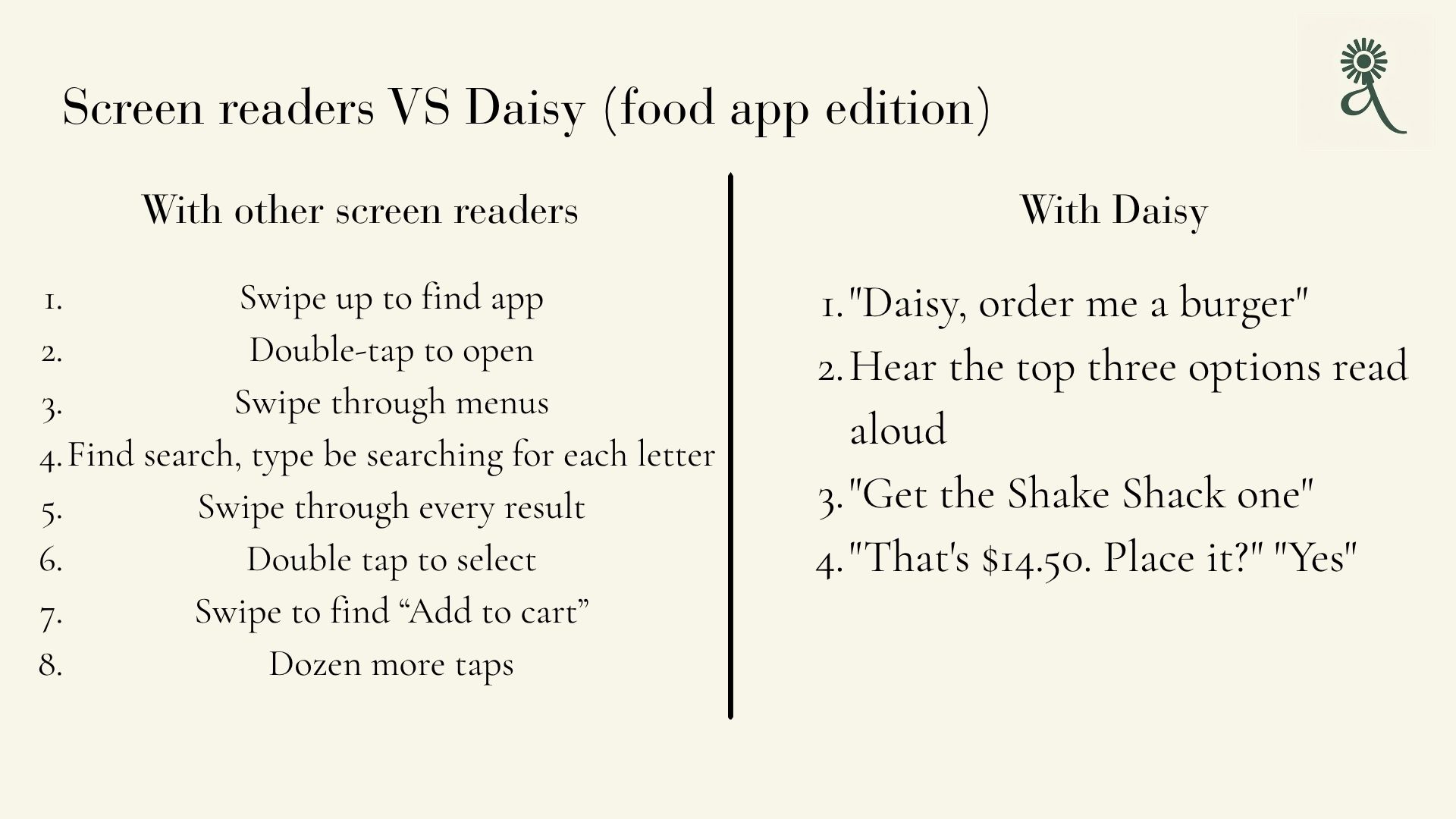
Screen readers like TalkBack let blind and low-vision (BLV) users hear what's on screen, but operating an app still means swiping through it one element at a time. A single everyday task like ordering food, booking a ride, replying to a message, or changing a setting can take dozens of sequential swipes and taps, which is slow, fatiguing, and easy to lose track of.
Mainstream voice assistants don't fix this. They answer questions and fire off a few built-in commands, but they can't actually drive third-party apps. We wanted an assistant where a BLV user states a goal once, in plain language, and the agent does the navigating while narrating every step and confirming before anything important, so the user stays fully in control without needing to see the screen.
What it does
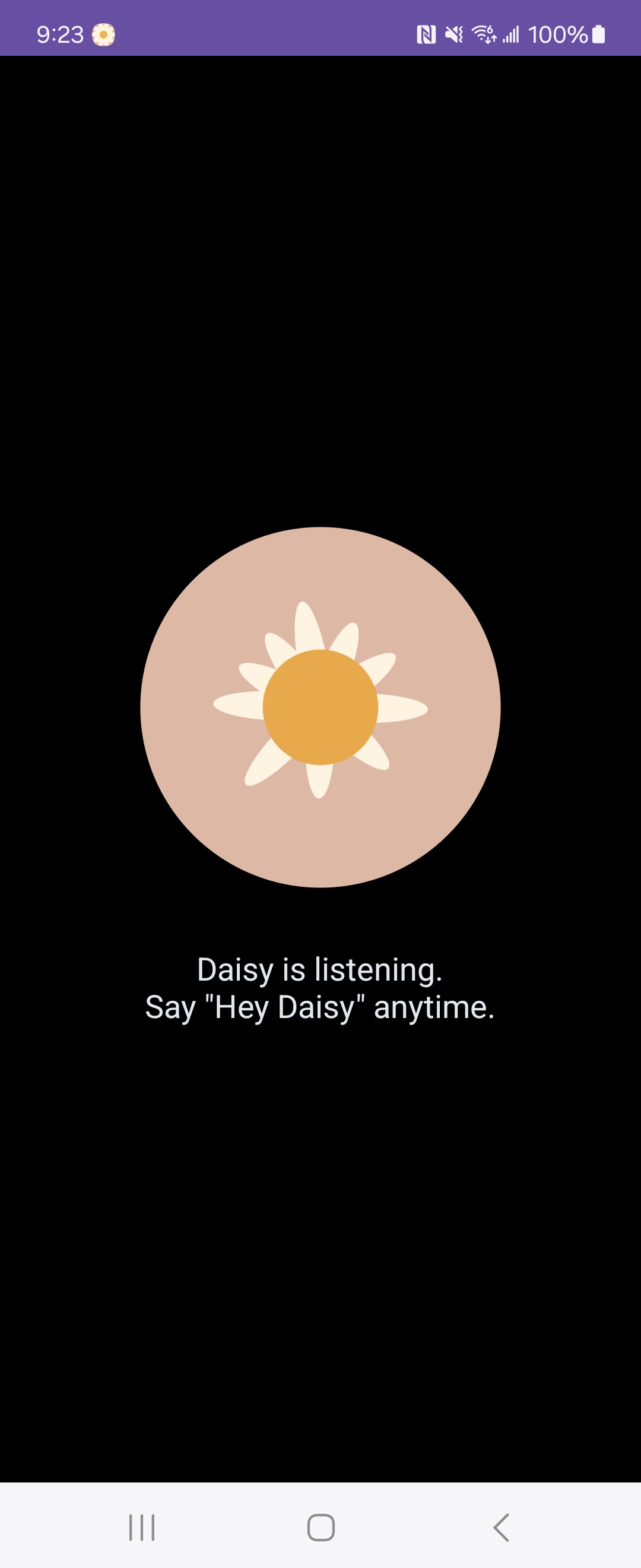
Daisy is an accessibility-first Android agent that sits between a user's voice and their phone.
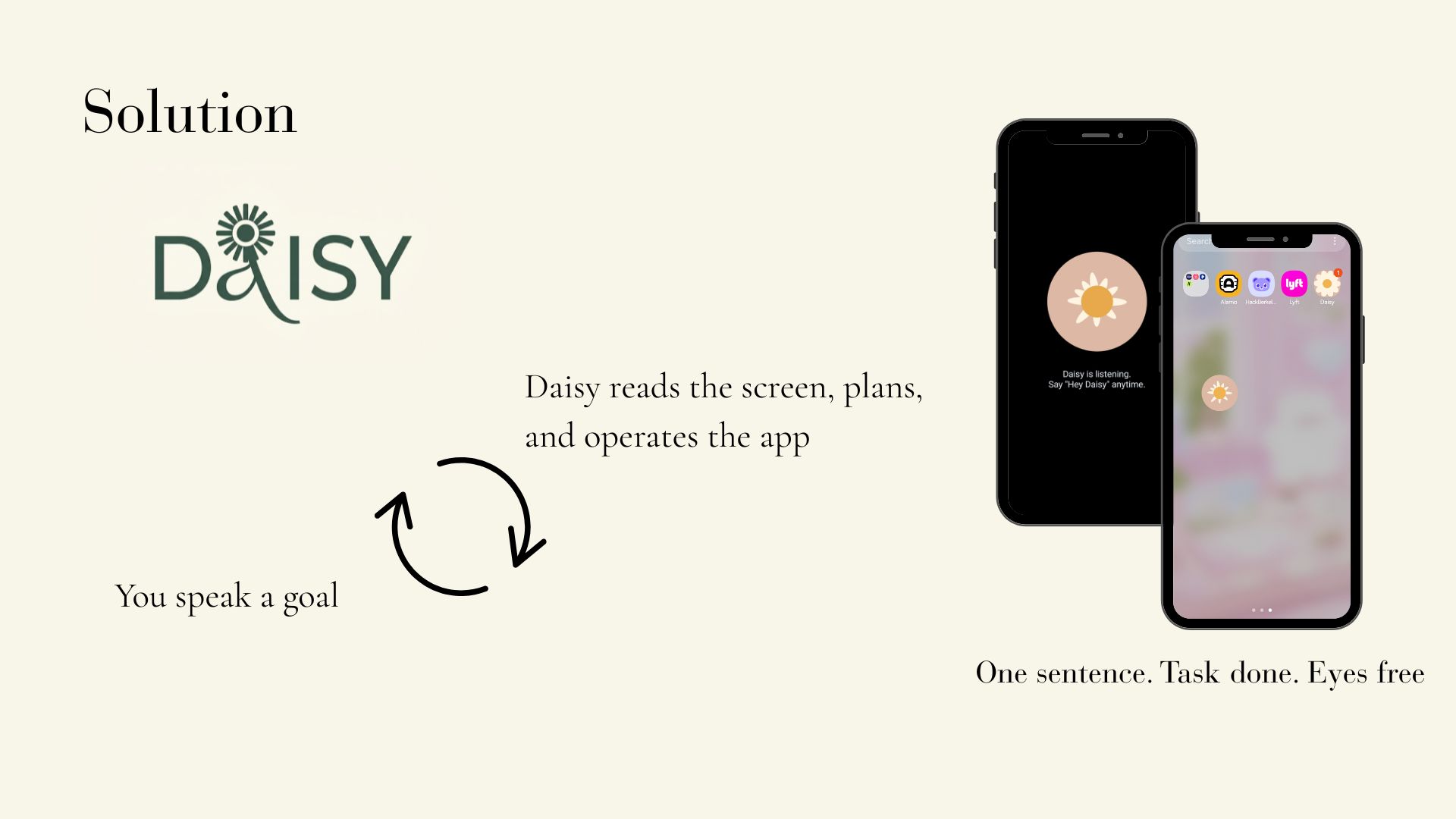
After activation (a wake word), the user says what they want. Daisy interprets the intent, explains its plan aloud, asks for confirmation, and then uses Android automation to carry out the multi-step task inside a real app, describing what's on screen as it goes and pausing before any meaningful action.
The core goal isn't just app automation. It's independence: letting BLV users complete multi-step mobile tasks by voice, without grinding through linear screen-reader navigation, and without ever losing visibility into what the agent is doing.
How we built it
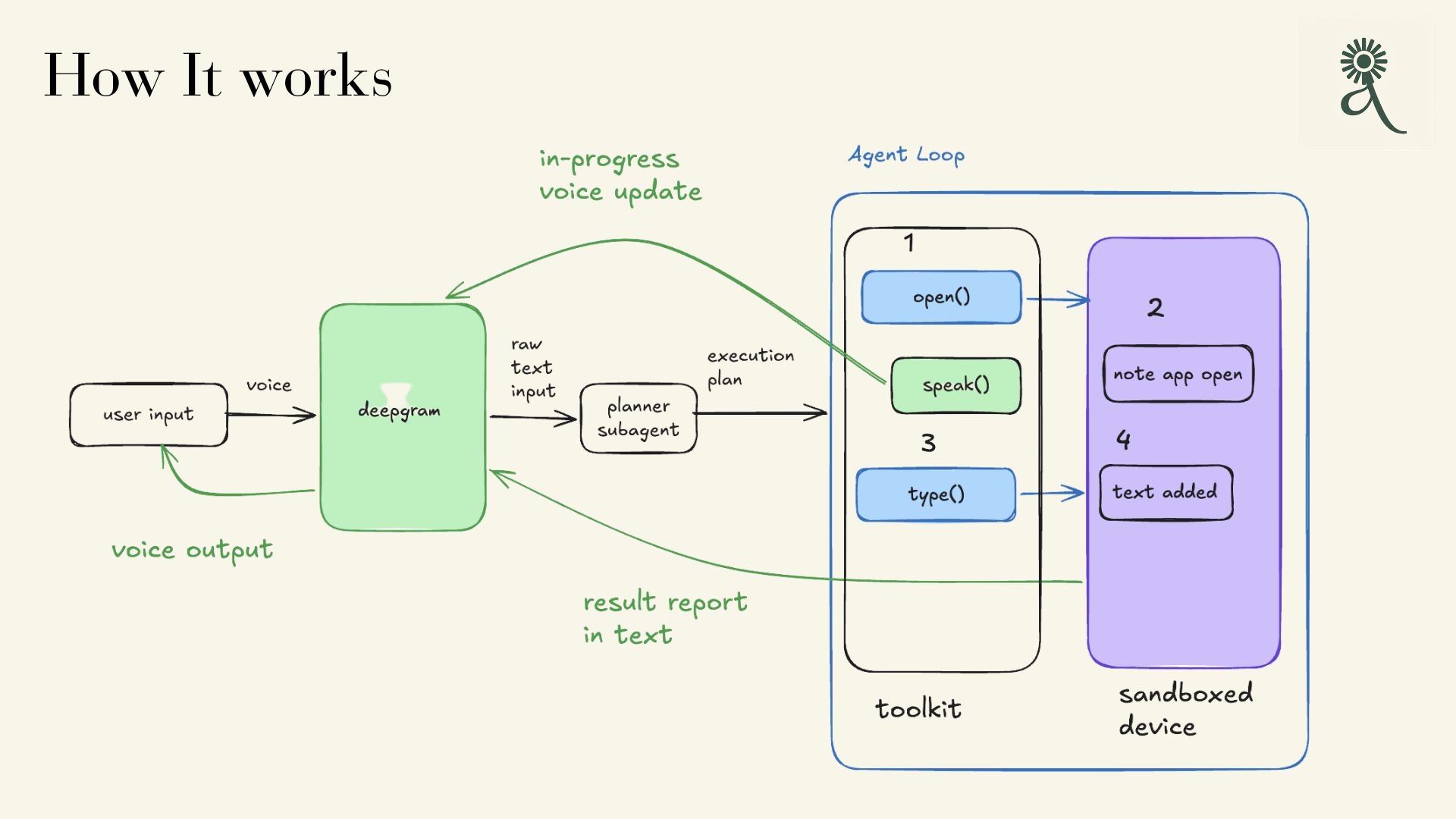
Daisy combines speech, LLM reasoning, user memory, and Android app control:
- Deepgram — speech-to-text and text-to-speech, powering the audio-first interface (the primary channel for our users).
- Claude — interprets the user's goal, plans the multi-step task, and reasons over the current screen to decide the next action.
- Android Accessibility Service — captures screen state (the same accessibility tree TalkBack uses) and performs taps, swipes, and text entry.
- Evaluation tooling — tracks whether the agent completed the task the user actually intended.
Architecture
Rather than one monolithic chatbot, Daisy splits the work across agents with genuinely distinct jobs — a divide-and-conquer design where each stage does one thing well:
- Wake — a wake word activates the assistant; a persistent audio/visual cue signals it's listening.
- Listen & transcribe — Deepgram converts the spoken request to text.
- Planner — Claude reconstructs the user's intent and drafts a step-by-step roadmap for the task.
- Perceiver — reads the current screen via the Accessibility Service and identifies the relevant elements (search box, buttons, list items).
- Verifier / guard — narrates what happened, checks the action succeeded, and gates any risky or irreversible step behind explicit spoken confirmation.
- Evaluation — each interaction is scored to measure intent accuracy and task success.
Steps 4–6 loop (read the screen, act, narrate) until the task is complete.
What makes it different
Execution, not just narration
Existing screen readers describe the screen and leave the work to the user. Daisy does the multi-step task across real apps, turning dozens of manual swipes into a single spoken request.
Built for non-visual confirmation
Because our users can't glance at the screen to double-check, transparency is the product, not a feature. Daisy explains its interpreted intent before acting and reads back consequential details (what, where, how much) before committing.
Divide-and-conquer agents
Separate planner, perceiver, executor, and verifier roles — each with a different job — rather than one model wearing many labels. This makes the system more reliable and easier to reason about.
Personalized memory
Daisy learns a specific user over time: their go-to apps, their usual orders, how much narration detail they prefer.
Evaluation pipeline
We built Daisy to be measured. Each interaction can be scored by comparing the agent's interpreted intent and completed task against the user's confirmed goal. Metrics tracked:
- Intent match accuracy
- Task completion rate
- Steps / turns to completion
- Correction rate
- Improvement across repeated interactions
Safety
For users who can't visually verify what's happening, safety and trust are central. Daisy is designed to:
- Explain the interpreted intent before acting
- Ask for confirmation before any meaningful action
- Never take irreversible actions (placing orders, payments) without explicit approval
- Narrate continuously so the user always knows what the agent is doing and seeing
- Summarize sensitive steps before committing to them
Challenges we ran into
Reading arbitrary app screens reliably is hard because not every app labels its elements well in the accessibility tree, so the perceiver has to handle messy or incomplete information.
Mapping a single high-level voice goal to a robust multi-step plan, then executing it against a live, changing screen, is much harder than a one-shot command.
Designing an audio-only UX that keeps a non-visual user oriented and in control — informed enough to trust the agent, but not buried in narration — took as much care as the models did. For accessibility, the fastest action isn't the best action; the system has to be clear, confirmable, and trustworthy.
Accomplishments
We built an end-to-end prototype that connects voice input, intent understanding, planning, live screen reading, real app execution, spoken confirmation, personalized memory, and evaluation focusing on a problem where AI agents create real accessibility value: helping blind and low-vision users complete multi-step phone tasks independently by voice.
What we learned
Accessibility-first agents need more than strong models. They need confirmation loops, careful narration design, personalized memory, evaluation metrics, and deliberate audio UX. And the hardest part isn't clicking through an app but reliably understanding the user's goal and keeping a non-visual user in control the whole way through.
What's next
- A companion/caregiver view for reviewing task history and progress over time
- Support for more apps and more complex, multi-app workflows
- Multimodal confirmation (haptics, simple yes/no gestures) alongside voice
- Partnerships with BLV organizations and accessibility researchers
- On-device processing for stronger privacy
Research & references
We grounded Daisy's design in prior work on mobile UI agents, screen understanding, and accessibility. Papers we read:
- Smartphones-Based Assistive Technology: Accessibility Features and Apps for People with Visual Impairment, and its Usage, Challenges, and Usability Testing https://pmc.ncbi.nlm.nih.gov/articles/PMC8636846/
- mHealth Technology Experiences of Middle-Aged and Older Individuals With Visual Impairments: Cross-Sectional Interview Study https://pubmed.ncbi.nlm.nih.gov/38145472/
- Challenges and Enablers for Smartphone Use by Persons With Vision Loss During the COVID-19 Pandemic: A Report of Two Case Studies https://pubmed.ncbi.nlm.nih.gov/35875007/
- Blind people and mobile touch-based text-entry: acknowledging the need for different flavors https://dl.acm.org/doi/abs/10.1145/2049536.2049569


Log in or sign up for Devpost to join the conversation.