-
-
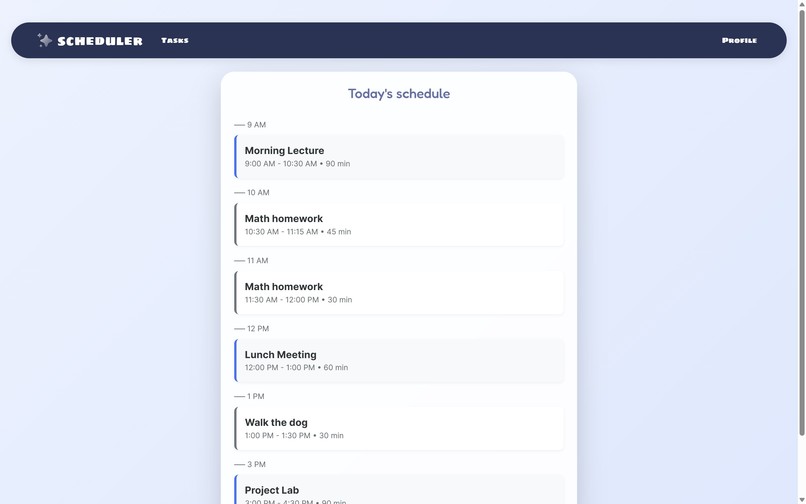
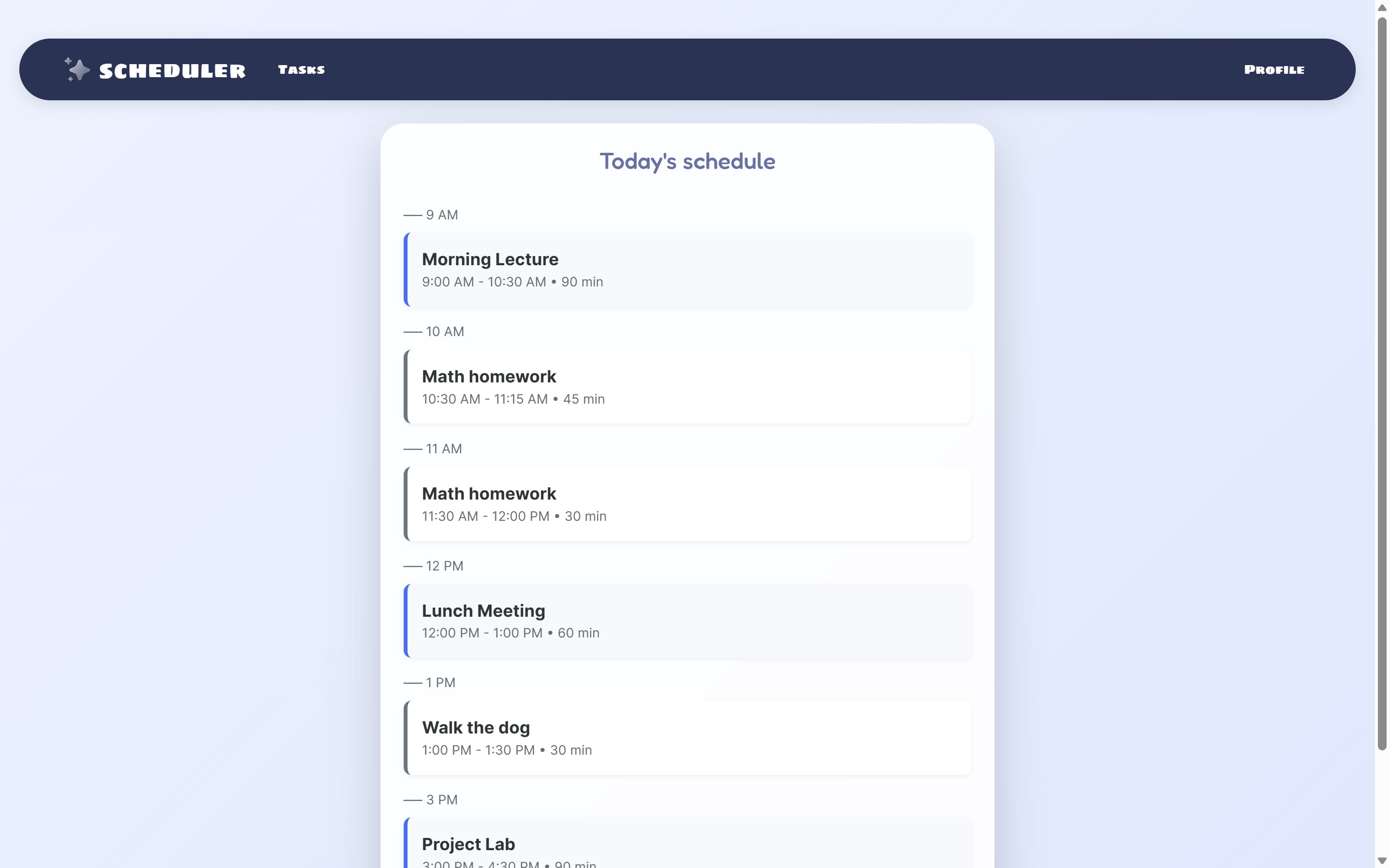
Daily schedule with scheduled tasks
-
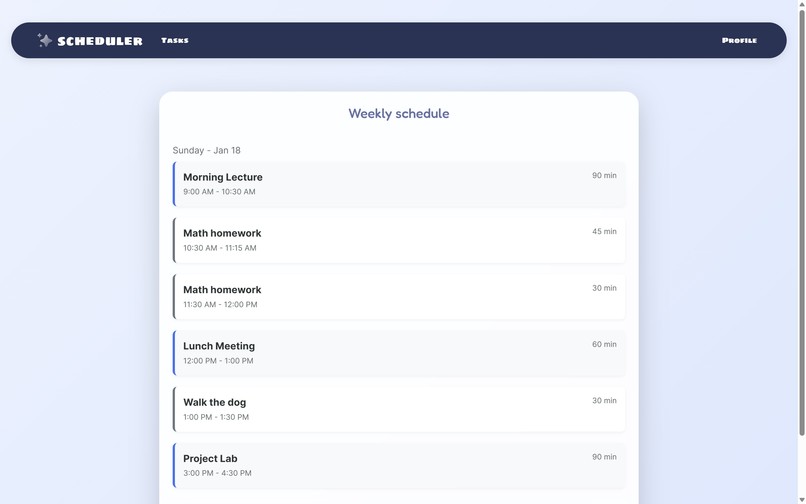
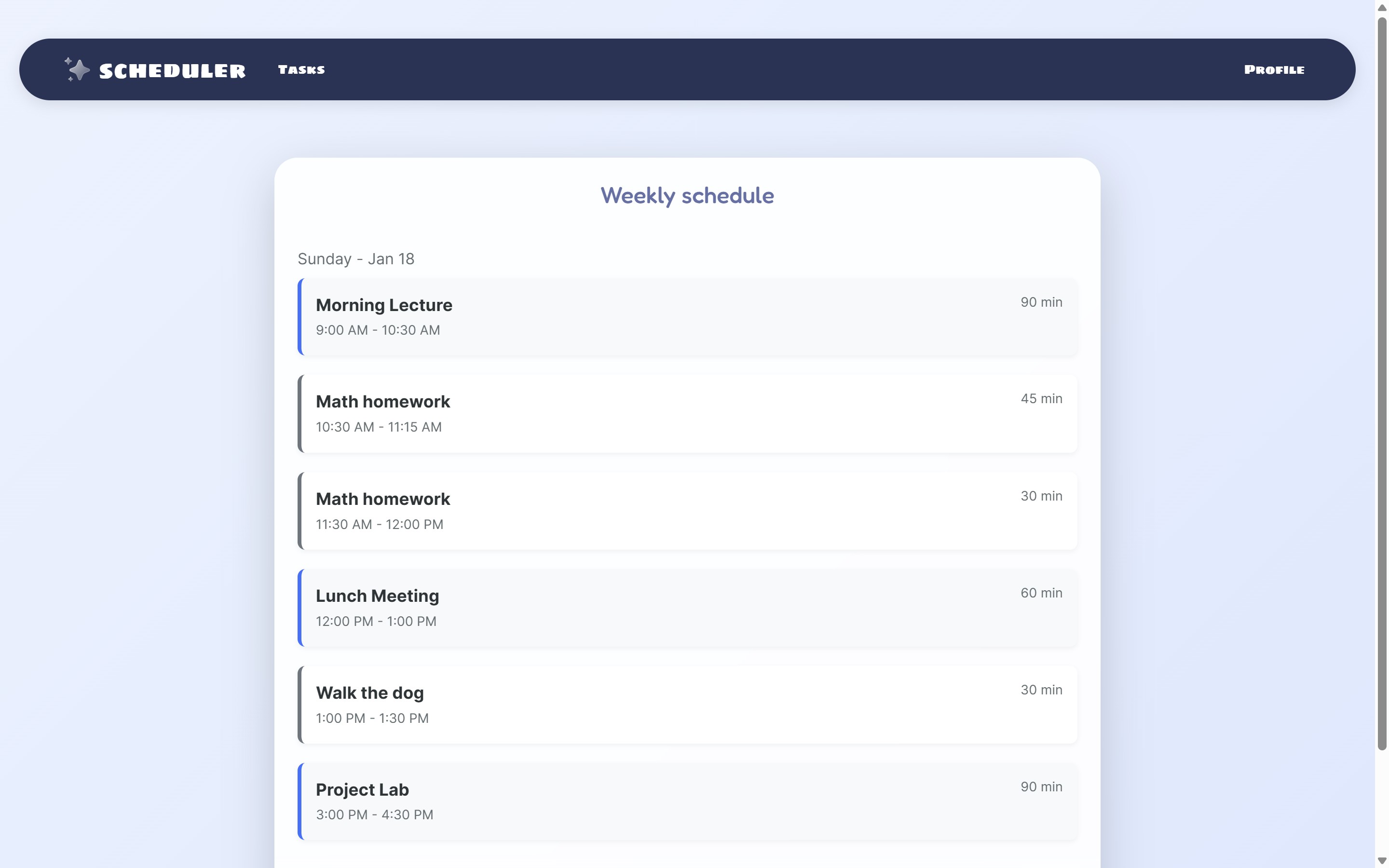
Weekly schedule
-
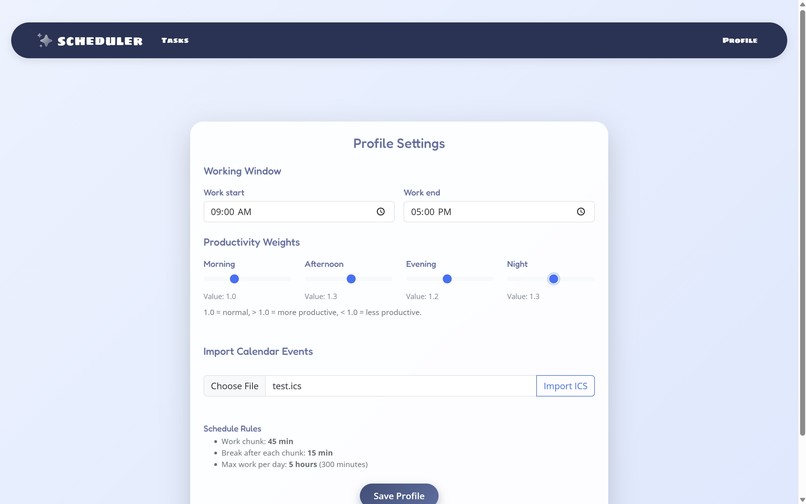
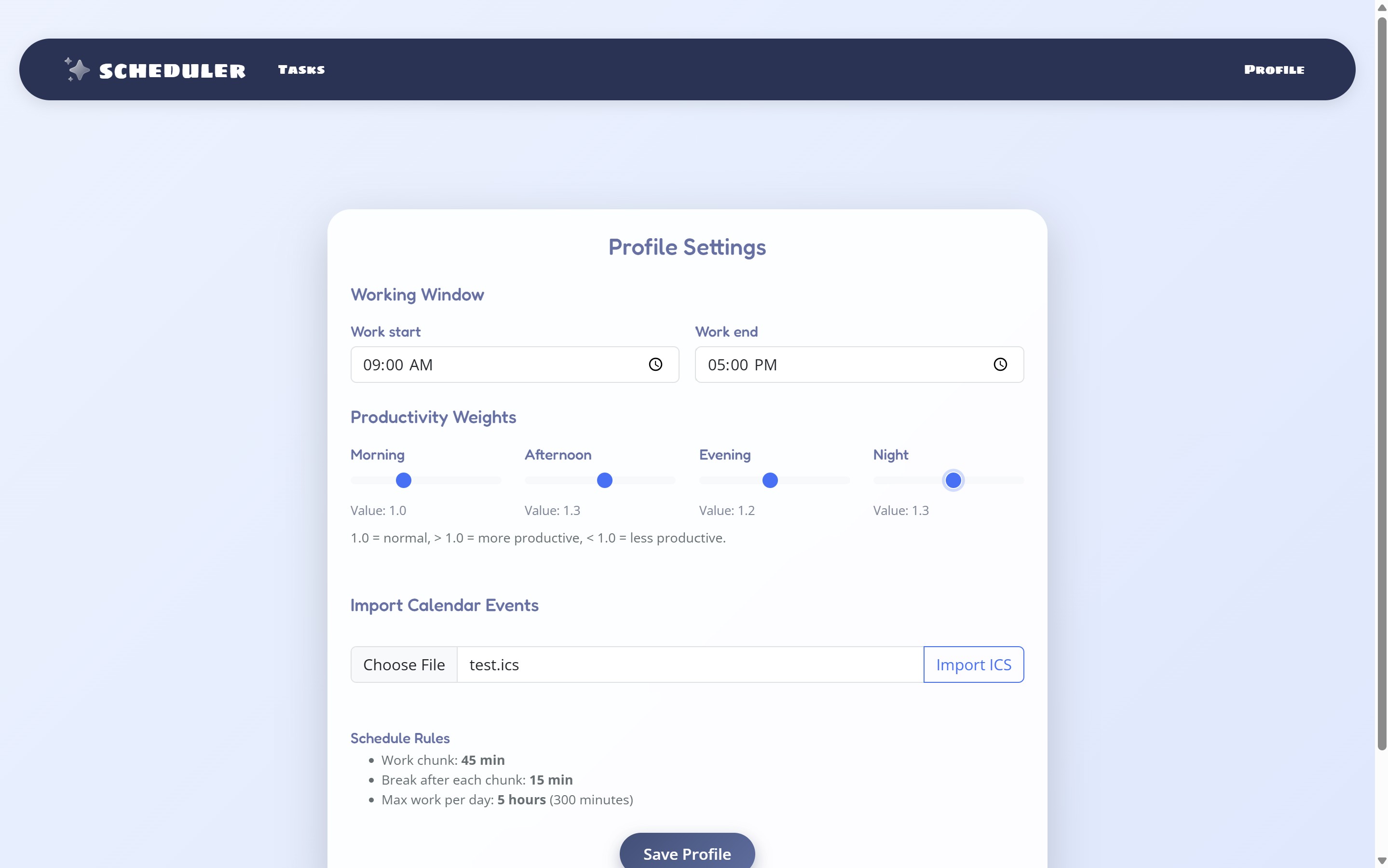
Profile page to modify user settings
-
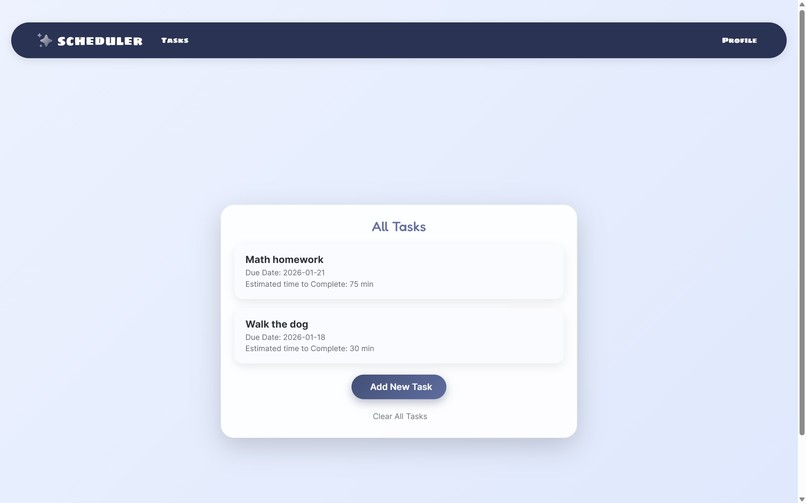
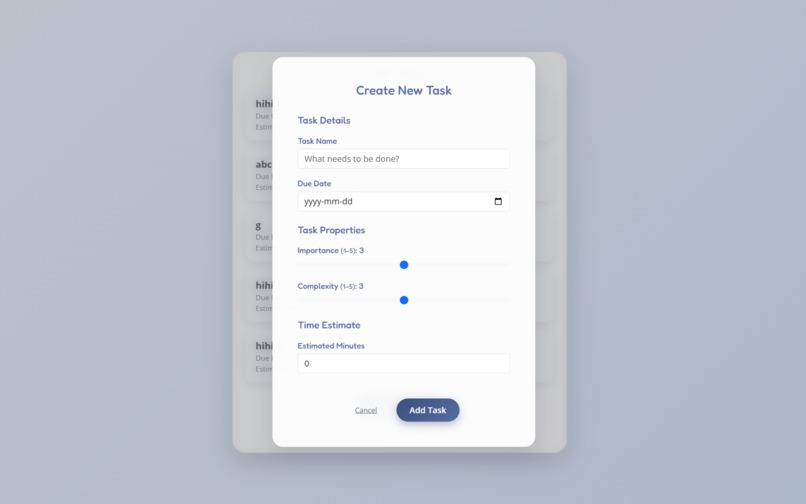
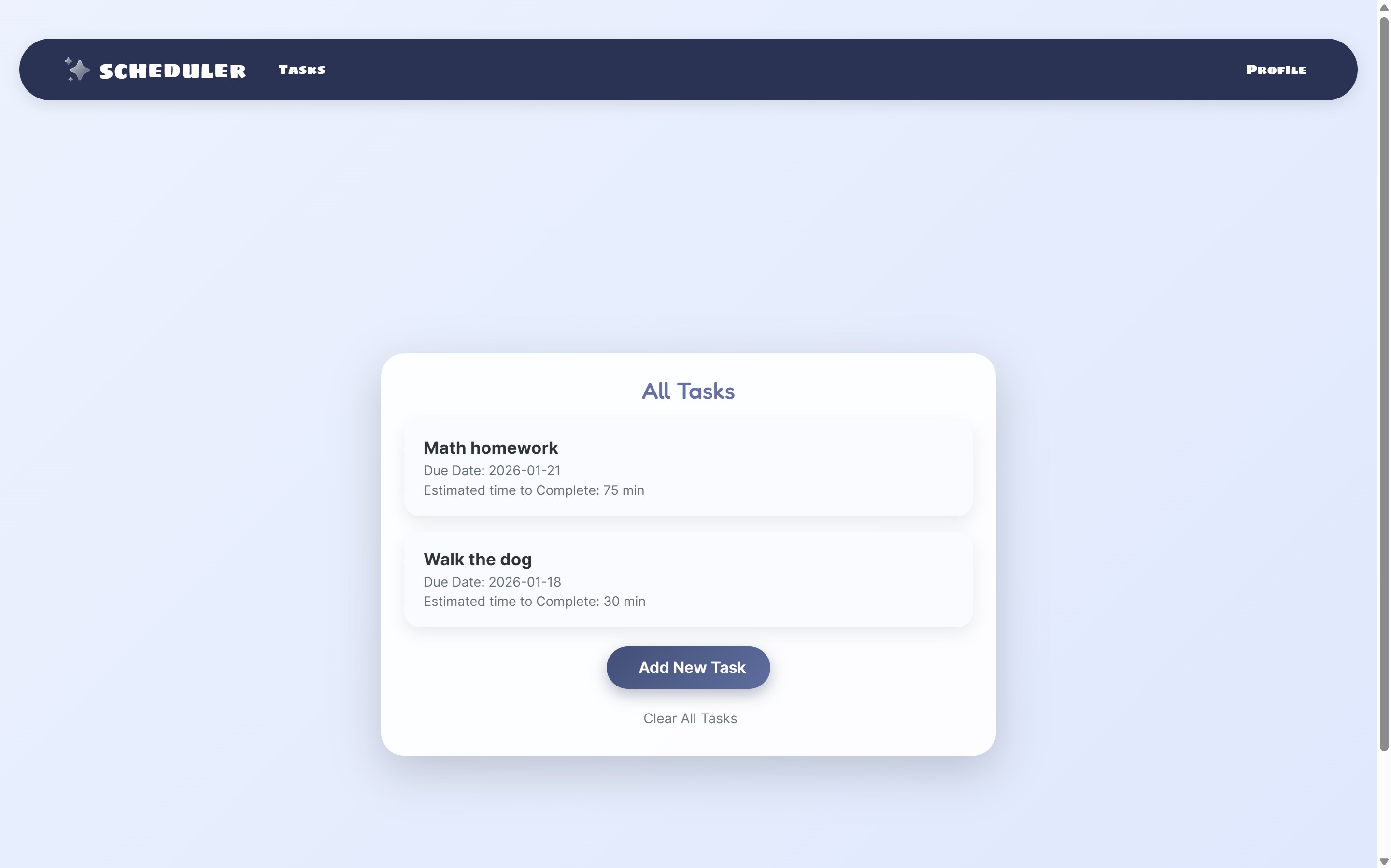
List of tasks to complete
-
Inspiration
We started this project because we are all students with different timetables, workloads, and commitments. Between homework, projects, classes, and part-time work, it can be hard to decide what to work on and when each day. Most existing planners require a lot of manual scheduling, which can be time-consuming and overwhelming. We wanted to build a tool that could automatically generate a reasonable schedule for us, including break times, based on our own preferences and constraints.
What it does
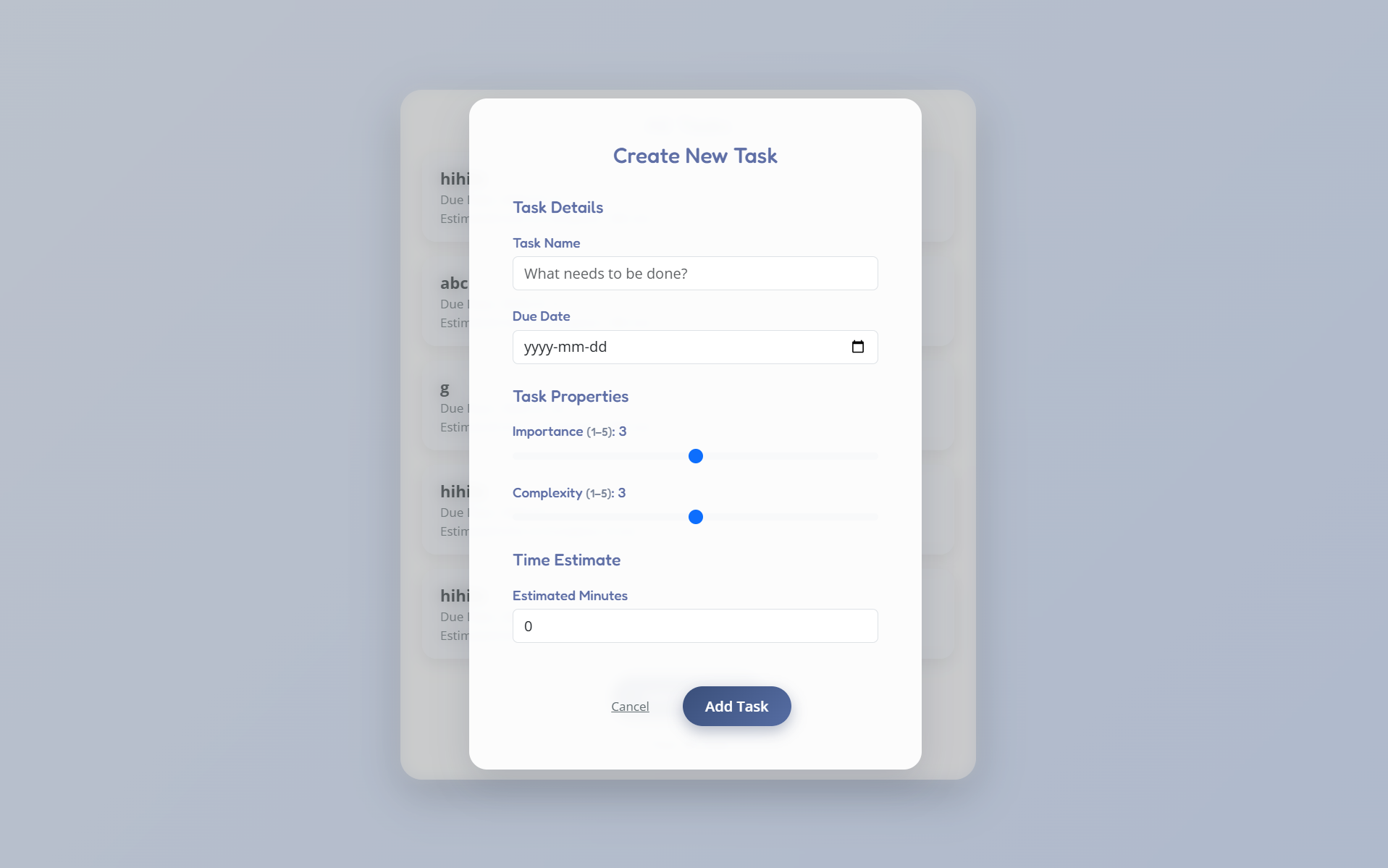
Scheduler is a web application that automatically generates a structured daily and weekly schedule. Users can add tasks with different priorities, complexities, and estimated durations, and the app organizes them into time blocks with built-in breaks. It visualizes both today’s schedule hour-by-hour and a full weekly overview, helping users clearly see what they should be working on and when.
How we built it
We built the backend using Java with Spring Boot, which handles task management, scheduling logic, and data flow. The scheduling algorithm considers task properties and working windows to produce a reasonable plan with breaks.
For the frontend, we used HTML, Thymeleaf, Bootstrap, and CSS to render the schedules visually. Thymeleaf allowed us to dynamically pass scheduling data from the backend into the UI. Even though we are mostly backend-focused CPEN students, we designed the interface to clearly display schedules by day and by hour.
Challenges we ran into
One of our biggest challenges was frontend development. Since we were not very familiar with HTML, CSS, and templating, we had to learn a lot in a short amount of time. Styling dynamic schedules, grouping tasks by hour or date, and making the UI readable took many iterations.
In addition to frontend challenges, we faced many issues on the backend, especially with the scheduling logic itself. Handling edge cases, such as overlapping tasks, limited available time, or tasks that did not fit cleanly into the schedule, was more difficult than expected.
We also encountered problems with the database not working consistently at times, which made debugging more challenging. Ensuring that data was stored, retrieved, and reflected correctly in the generated schedules required careful testing and multiple fixes. Balancing correctness, flexibility, and performance in the scheduler was one of the hardest parts of the project.
Accomplishments that we're proud of
We are proud that we stepped outside our comfort zone and learned many new things during this project. As CPEN students, we mainly focused on backend development, but we successfully taught ourselves enough frontend skills to build a functional and visually clear web interface in constrain of time. Despite time constraints and technical challenges, we delivered a working scheduler that connects backend logic, database handling, and frontend display into one complete application.
What we learned
We learned more about both frontend and backend development, especially how they interact with each other. This project helped us better understand what the full app-making process looks like and gave us more hands-on experience building a real application from start to finish.
What's next for scheduler
We did not have enough time to implement everything we wanted. If we had more time, we would add more features to the app, such as editing existing tasks, adding productivity considerations into the scheduling logic, and implementing a login page for users.

Log in or sign up for Devpost to join the conversation.