Project Story: AI Phone — Your Autonomous Communication Agent
The Inspiration
In a world of constant digital noise, our phones have become sources of disruption. Between relentless marketing calls, promotional spam, and the anxiety of "unknown numbers," we are losing our most valuable asset: focus.
As a developer and an introvert, I realized that many of us face major hurdles:
- The Noise: Endless random calls that break our deep work.
- The Social Drain: The mental energy required for "small-talk" errands when we just want to stay focused on what matters.
- The Broadcast Burden: The difficulty of sharing information with many people simultaneously without losing hours to manual calling.
- The Memory Gap: Trying to recall exactly what was discussed in a call weeks or months ago.
I was inspired to build AI Phone — a "Communication Shield" that doesn't just transcribe, but acts as your professional double. It makes and receives calls on your behalf, remembers every detail, and resolves errands while you live your life.
What It Does
AI Phone is a full-stack mobile application that delegates phone calls to an intelligent AI agent. At its core, it offers:
Real-Time AI Voice Calls
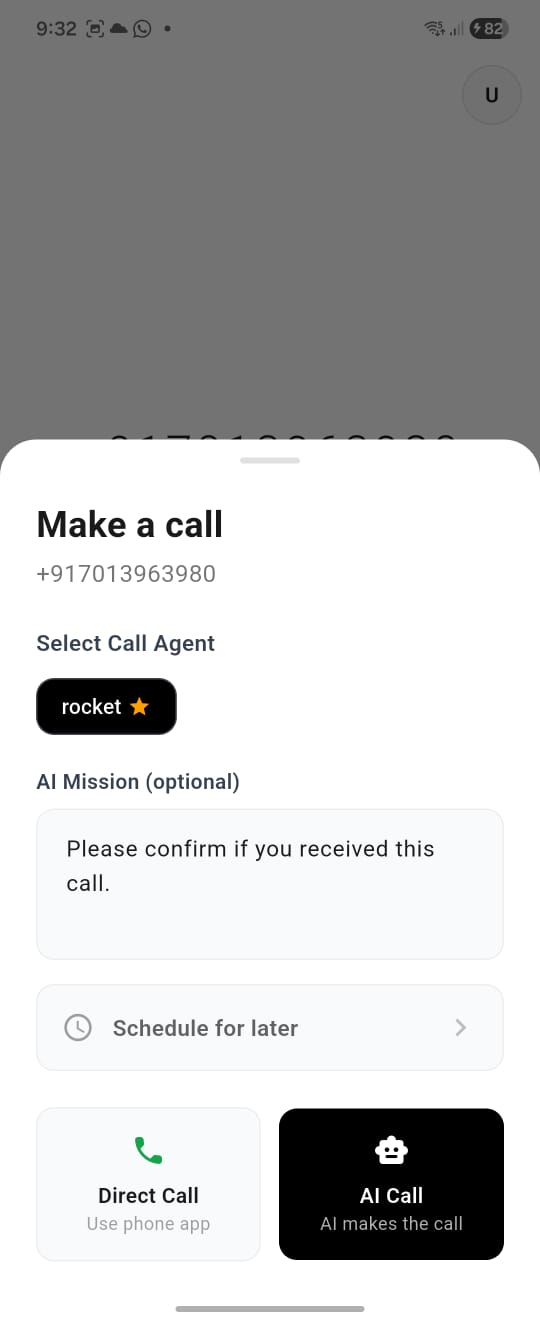
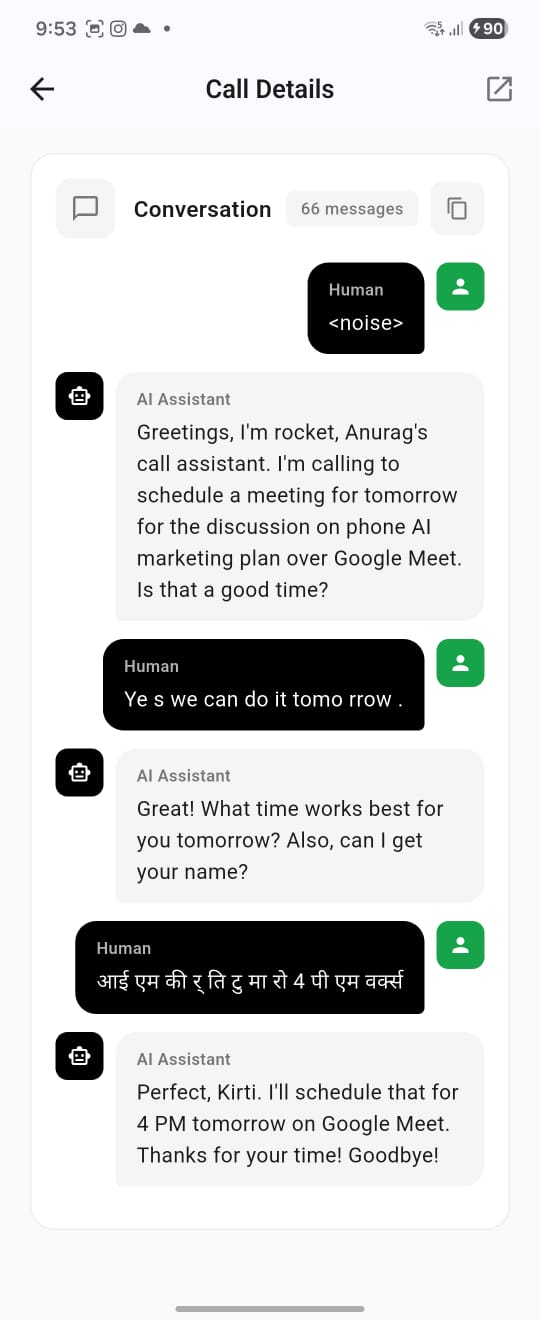
- Initiate outbound calls through natural language missions ("Call my dentist and reschedule my appointment")
- AI speaks naturally using Gemini's Multimodal Live API with voice synthesis
- Bidirectional audio streaming with real-time transcription
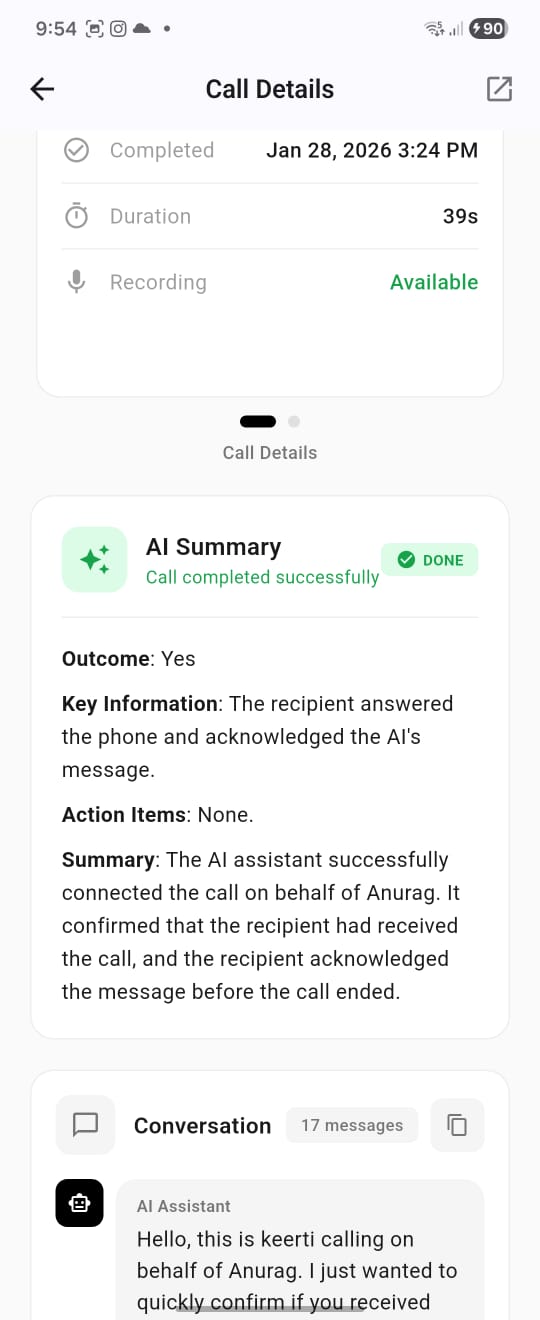
- Automatic call completion with AI-generated summaries
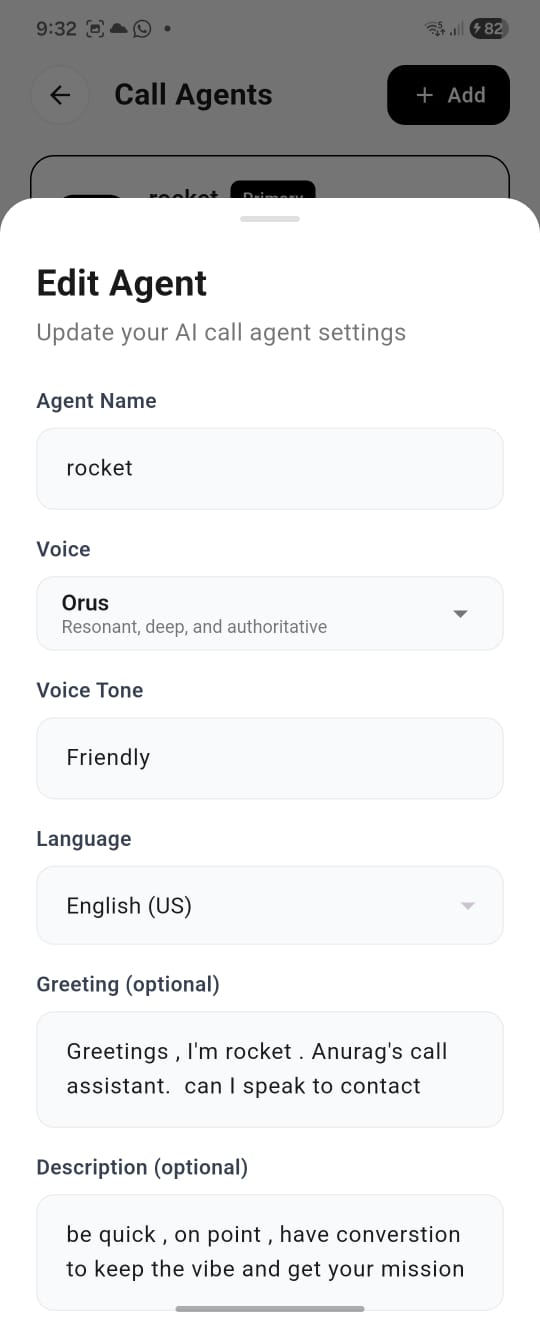
Customizable AI Agents
- Create multiple AI personas with distinct personalities
- Choose from 10 unique voice profiles: Aoede (casual), Charon (professional), Kore (calm), Fenrir (energetic), Leda (youthful), Orus (authoritative), Puck (playful), Zephyr (breeze), Vale (warm), Sage (British accent)
- Configure tone, behavior guidelines, and caller information
- Set language restrictions (single or multi-language support)
- Designate a primary agent for quick calls
Context-Aware Memory
- Every call is transcribed and stored with a structured summary
- AI can access previous conversations with the same contact
- Ask your AI: "What did we discuss last time?" — it knows
Knowledge Base Chat
- Chat interface to query your entire call history
- Gemini-powered RAG (Retrieval-Augmented Generation) for intelligent answers
- Referenced calls displayed alongside responses
Unified Call Log
- Seamlessly merges AI calls with your device's native call history
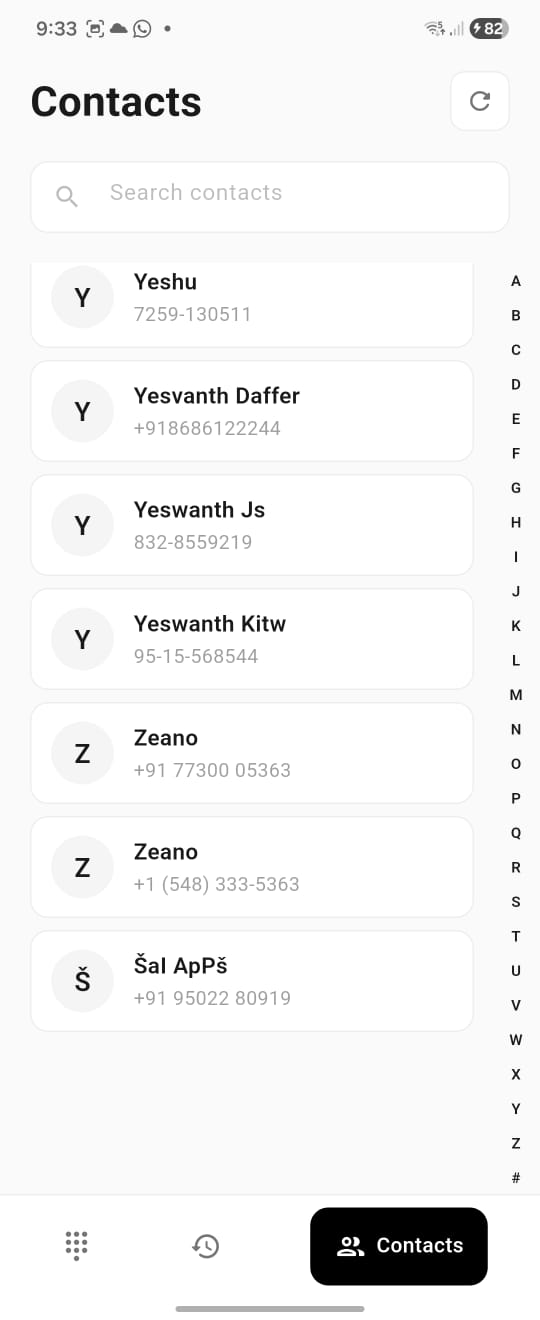
- Contact integration with fast Trie-based search
- Filter by call type (AI vs. Device)
How I Built It
The project is built on an industrial-grade, full-stack architecture designed for real-time interaction:
Architecture Overview
┌─────────────────────────────────────────────────────────────────┐
│                        Flutter Mobile App                       │
│   (Riverpod State Management • 12 Screens • Contact Integration)│
└─────────────────────────┬───────────────────────────────────────┘
                          │ REST + WebSocket
┌─────────────────────────▼───────────────────────────────────────┐
│                     Serverpod Backend                           │
│  (Dart-first ORM • Real-time Streams • FutureCalls Scheduling)  │
└───────────┬─────────────────────────────────────┬───────────────┘
            │                                     │
┌───────────▼───────────┐           ┌─────────────▼───────────────┐
│     Twilio Voice      │           │    Gemini Multimodal Live   │
│  (Telephony + Media   │◀─────────▶│    (Speech-to-Speech AI)    │
│   Stream WebSocket)   │  μ-law↔PCM │                             │
└───────────────────────┘  Transcoding└─────────────────────────────┘
Backend (The Engine)
I used Serverpod as the backbone. Its Dart-first ORM and high-performance capabilities allowed me to build a seamless bridge between the database and the telephony logic. Key services include:
- MediaStreamHandler: Bidirectional WebSocket bridge between Twilio and Gemini
- AudioTranscoder: Real-time μ-law ↔ PCM conversion with upsampling/downsampling
- GeminiLiveService: Manages WebSocket connections to Gemini's real-time API
- CallSchedulerService: Handles scheduled calls via Serverpod's FutureCalls
- CallEventService: WebSocket broadcasting for live UI updates
The Intelligence
Gemini 2.5 Flash serves as the reasoning core via the Multimodal Live API. Using a RAG (Retrieval-Augmented Generation) system, I gave the AI a long-term memory by storing call histories in a PostgreSQL database. The AI has access to tool functions:
get_call_history()— Retrieve previous conversations with the same contactend_call(reason, summary)— Autonomously terminate calls when mission complete
Telephony
Twilio Programmable Voice handles the global telephony infrastructure:
- REST API for call initiation with TwiML webhooks
- Media Streams for bidirectional audio via WebSocket
- Automatic call recording with MP3 storage
- Status callbacks for real-time call state tracking
Frontend
A clean Flutter interface with Riverpod state management across 12 screens:
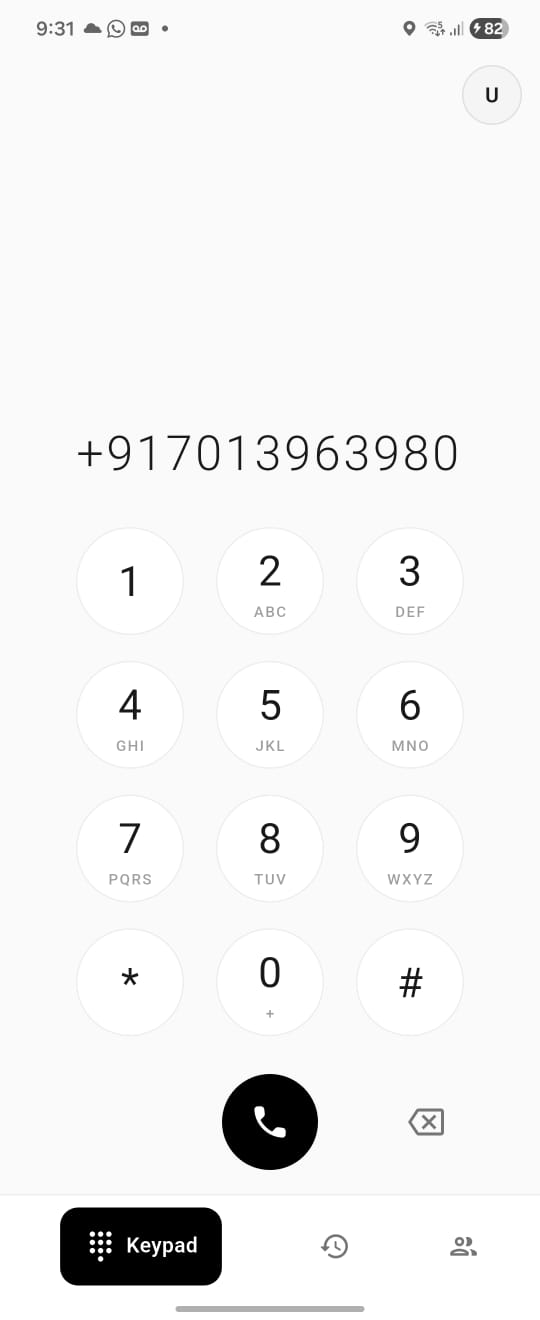
- DialerScreen: Contact integration with Trie-based search
- CallAgentsScreen: Create and manage AI personas
- ActiveCallMonitorScreen: Live transcript and status updates
- CallHistoryScreen: Unified AI + device call log
- ChatScreen: Knowledge base queries with referenced calls
Challenges I Faced: Mastering the Conversation
Challenge 1: The Audio Mismatch
The most significant hurdle was the Audio Format Gap. Telephony standards operate at 8,000 Hz μ-law (Narrowband), while Gemini requires high-fidelity PCM at 16,000 Hz for input and outputs at 24,000 Hz.
Solution — Custom Audio Transcoder:
Twilio → Server:  μ-law 8kHz → decode → upsample 2x → PCM 16kHz → Gemini
Gemini → Twilio:  PCM 24kHz → downsample 3:1 → encode → μ-law 8kHz → Twilio
I built a real-time audio transcoding pipeline with:
- Pre-computed μ-law decode/encode tables (256 entries) for O(1) conversion
- Linear interpolation for upsampling (8kHz → 16kHz)
- 3:1 averaging for downsampling (24kHz → 8kHz)
- 20ms audio chunks (~200 bytes) processed in real-time
Challenge 2: The Latency Paradox
For conversations to feel natural, the AI's first response must arrive in under 3 seconds. Initial tests showed 5+ second delays.
Solution — Gemini Pre-initialization: Instead of waiting for Twilio to connect before initializing Gemini, I start the Gemini WebSocket connection during call setup. By the time the recipient answers, the AI is ready to speak.
| Metric | Before | After |
|---|---|---|
| First Response | ~5s | ~2s |
| Audio Roundtrip | ~800ms | ~300ms |
Challenge 3: Transcript Persistence
Real-time transcripts were being lost when calls ended abruptly. The solution involved:
- Debounced database updates (500ms) to avoid excessive writes
- Saving transcript before broadcasting status changes
- FutureCall-based post-call analysis with 5-second delay
Challenge 4: Memory Retrieval at Scale
The AI needs instant access to call history for context-aware conversations:
[ T(n) = O(\log n) ]
By optimizing PostgreSQL indexes on (userId, phoneNumber, completedAt), the AI retrieves relevant history from thousands of calls in milliseconds.
What I Learned
I learned that the future of AI isn't about replacing human connection; it's about filtering the noise. Building this taught me:
Technical Insights
- Real-time systems are unforgiving: Every millisecond matters. A 100ms delay in audio processing compounds into awkward pauses.
- State synchronization is hard: Coordinating state between Flutter, Serverpod, Twilio, and Gemini required careful event-driven architecture.
- Audio engineering is its own discipline: Understanding μ-law encoding, sample rates, and interpolation algorithms opened a new world.
Product Insights
- Context is everything: An assistant that remembers previous conversations is infinitely more valuable than one that just talks.
- Voice UX differs from chat UX: Users expect immediate responses. Silence feels like failure.
- Customization breeds adoption: Letting users create their own AI personas with unique voices and behaviors dramatically increases engagement.
Architecture Insights
- Dart everywhere works: Having Flutter, Serverpod, and shared models all in Dart eliminated entire categories of bugs.
- WebSocket > Polling: Real-time updates via WebSocket broadcasting transformed the user experience.
- Pre-computation pays off: Lookup tables for audio conversion, Trie structures for contact search — these optimizations compound.
The Call Flow
Here's how a typical AI call works end-to-end:
┌──────────────────────────────────────────────────────────────────────────┐
│ PHASE 1: INITIATION                                                      │
├──────────────────────────────────────────────────────────────────────────┤
│ User enters: Phone Number + Mission + Agent Selection                    │
│ → Flutter calls initiateCall endpoint                                    │
│ → Backend creates CallSession (status: pending)                          │
│ → Gemini connection pre-initialized in background                        │
│ → Twilio REST API initiates call → returns Call SID                      │
└──────────────────────────────────────────────────────────────────────────┘
                                    ↓ (~2 seconds)
┌──────────────────────────────────────────────────────────────────────────┐
│ PHASE 2: MEDIA STREAM SETUP                                              │
├──────────────────────────────────────────────────────────────────────────┤
│ Twilio dials recipient → Recipient answers                               │
│ → Twilio requests TwiML → Returns WebSocket URL                          │
│ → WebSocket upgrades at /media-stream                                    │
│ → MediaStreamHandler bridges Twilio ↔ Gemini                             │
│ → Status: active                                                         │
└──────────────────────────────────────────────────────────────────────────┘
                                    ↓
┌──────────────────────────────────────────────────────────────────────────┐
│ PHASE 3: REAL-TIME CONVERSATION                                          │
├──────────────────────────────────────────────────────────────────────────┤
│ Loop until call ends:                                                    │
│   Recipient speaks → Twilio sends μ-law 8kHz                             │
│   → Transcode to PCM 16kHz → Send to Gemini                              │
│   → Gemini generates response + transcript                               │
│   → Receive PCM 24kHz → Transcode to μ-law 8kHz                          │
│   → Send back to Twilio → Recipient hears AI                             │
│   → Transcript saved (debounced 500ms)                                   │
│   → Flutter UI updates via WebSocket broadcast                           │
└──────────────────────────────────────────────────────────────────────────┘
                                    ↓
┌──────────────────────────────────────────────────────────────────────────┐
│ PHASE 4: POST-CALL ANALYSIS                                              │
├──────────────────────────────────────────────────────────────────────────┤
│ Call ends (AI calls end_call or recipient hangs up)                      │
│ → Status: completed                                                      │
│ → FutureCall scheduled (5-second delay)                                  │
│ → GeminiService generates structured summary                             │
│ → Summary saved: Outcome, Key Info, Action Items                         │
│ → Flutter displays final summary                                         │
└──────────────────────────────────────────────────────────────────────────┘
Tech Stack Summary
| Layer | Technology | Purpose |
|---|---|---|
| Mobile App | Flutter 3.32 | Cross-platform iOS/Android |
| State Management | Riverpod 2.5 | Reactive state with providers |
| Backend | Serverpod 3.2 | Dart-first backend with ORM |
| Database | PostgreSQL | Persistent storage with indexes |
| AI Engine | Gemini 2.5 Flash | Multimodal Live API for speech |
| Telephony | Twilio Voice | Programmable voice + media streams |
| Real-time | WebSocket | Bidirectional audio + UI updates |
| Auth | Serverpod Auth | JWT with email/Google OAuth |
Future Roadmap
AI Phone is just the beginning. The next 12 months will focus on:
Near-Term (Q1-Q2)
- Inbound Call Handling: Let AI answer calls on your behalf with caller ID screening
- Call Transfer: Seamless handoff to human operator with full context
- Multi-party Broadcasts: Call multiple recipients with the same message
Mid-Term (Q3-Q4)
- Emotional Intelligence: Adapt AI's tone based on caller's urgency or mood
- Autonomous Scheduling: Calendar integration to resolve booking conflicts automatically
- Advanced Analytics: Success metrics, failure analysis, conversation insights
Long-Term (Year 2)
- Visual Context: AI can "see" documents or images shared during calls
- Language Expansion: Localized voice profiles for any language or dialect
- Barge-in Detection: Allow user to interrupt and take over mid-call
Project Statistics
| Metric | Value |
|---|---|
| Flutter Screens | 12 major screens |
| Backend Services | 38+ Dart files |
| Database Models | 11+ protocol definitions |
| Voice Options | 10 unique AI voices |
| Supported Languages | Multi-language with restrictions |
| Target Latency | <3s first response |
| Achieved Latency | ~2s with pre-initialization |
The Impact
AI Phone is for the busy professional, the introvert, and anyone tired of the noise. Whether you need to:
- Handle a tedious customer service call while you focus on work
- Follow up with leads without the mental drain of repetitive conversations
- Schedule appointments while your AI remembers all the details
- Query your call history — "What did the insurance company say last month?"
AI Phone ensures you can reclaim your time and stay focused on what actually matters.
Try It Yourself
The project demonstrates:
- Full-stack Dart development (Flutter + Serverpod)
- Real-time WebSocket communication
- Audio engineering with format transcoding
- AI integration with tool calling
- Production-grade state management
Built with passion for developers who value their focus.
Built With
- dart
- flutter
- serverpod
- serverpodcloud


Log in or sign up for Devpost to join the conversation.