Inspiration
I am both a mechanical engineer and a web developer, and this project came from combining these two parts of my experience.
In mechanical engineering, having a good idea is only the beginning. The idea must become real geometry, materials, joints, forces, sensors, controls, and measurable results. In web development, I learned how a good interface and AI can make a complicated tool easier for more people to use.
This made me ask one question:
What if AI could do more than generate a picture or description of a machine? What if it could enter the same engineering workspace as the human, build the machine part by part, test it, see what failed, and improve it?
This is why I built ForgeTwin. I wanted someone to describe a physical goal in normal language, without knowing every CAD command, and then watch an AI agent turn that goal into an editable, animated, and testable mechanical system.
As an engineer, one principle was very important to me:
A design should not be trusted only because it looks convincing. It should be tested with physics and evidence.
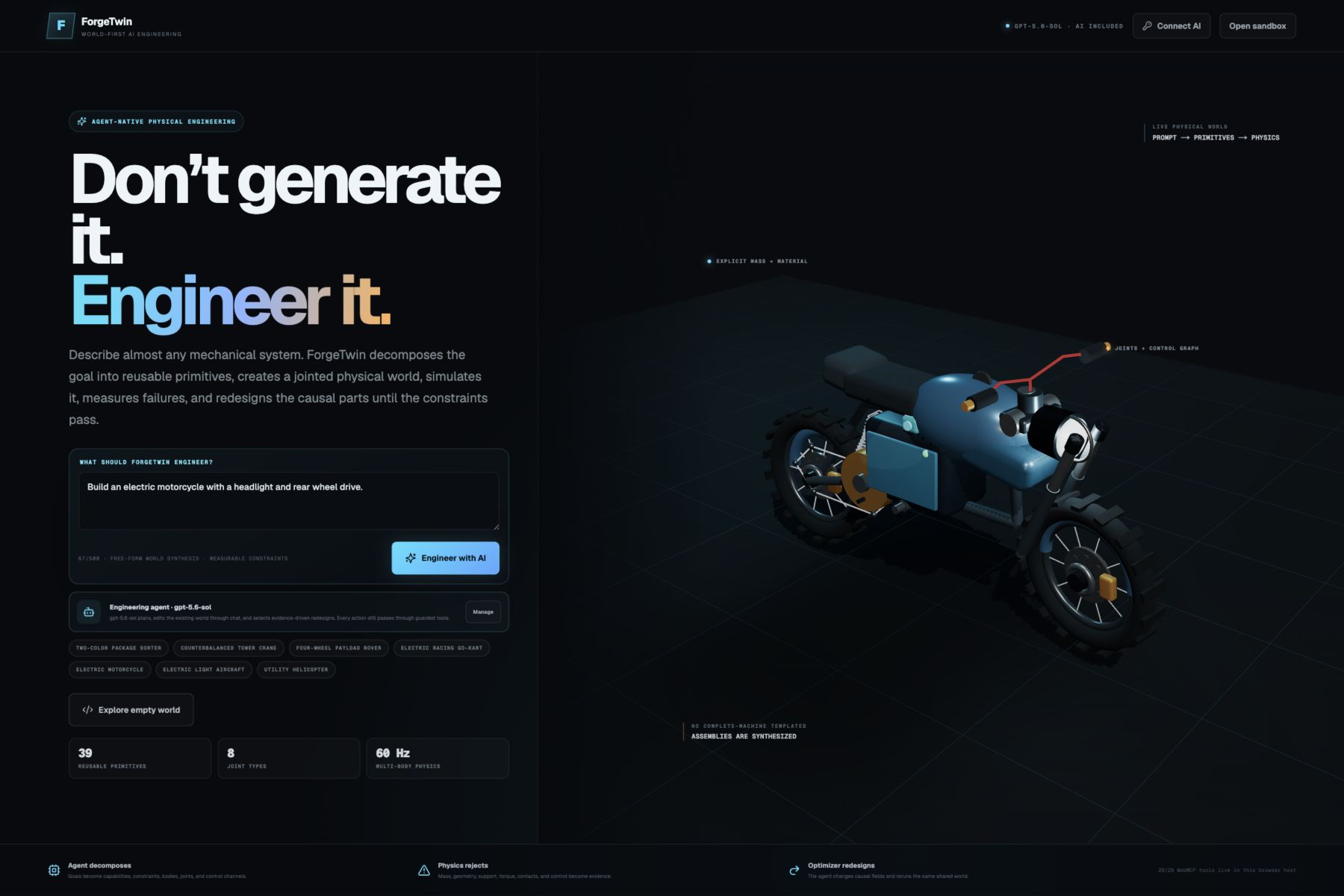
Don’t generate it. Engineer it.
What it does
ForgeTwin is a browser-based AI engineering sandbox. The user describes a machine or mechanical goal, and ForgeTwin creates a versioned physical world from reusable parts.
For example, a user can ask:
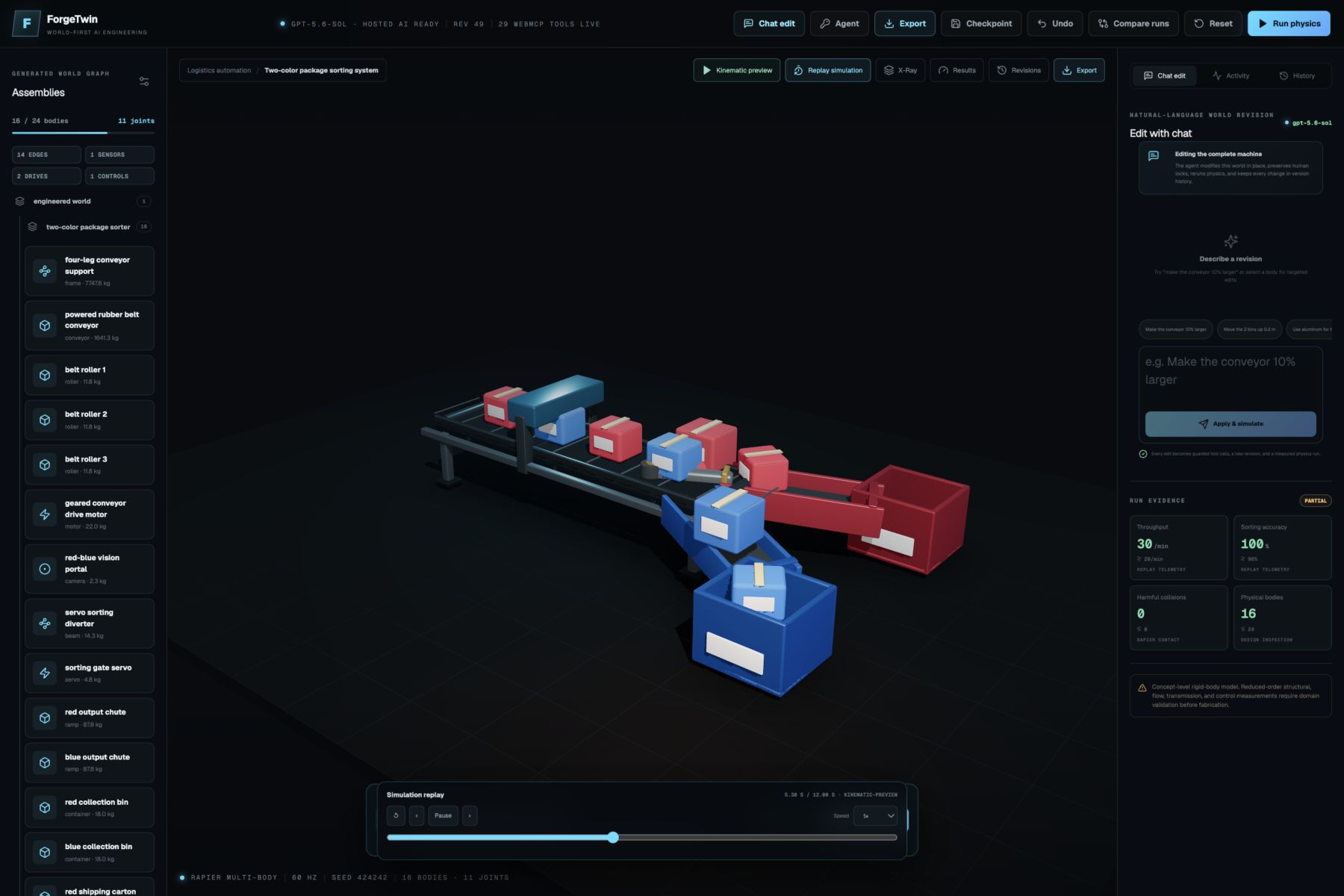
“Build a conveyor that sorts red and blue boxes at 20 boxes per minute.”
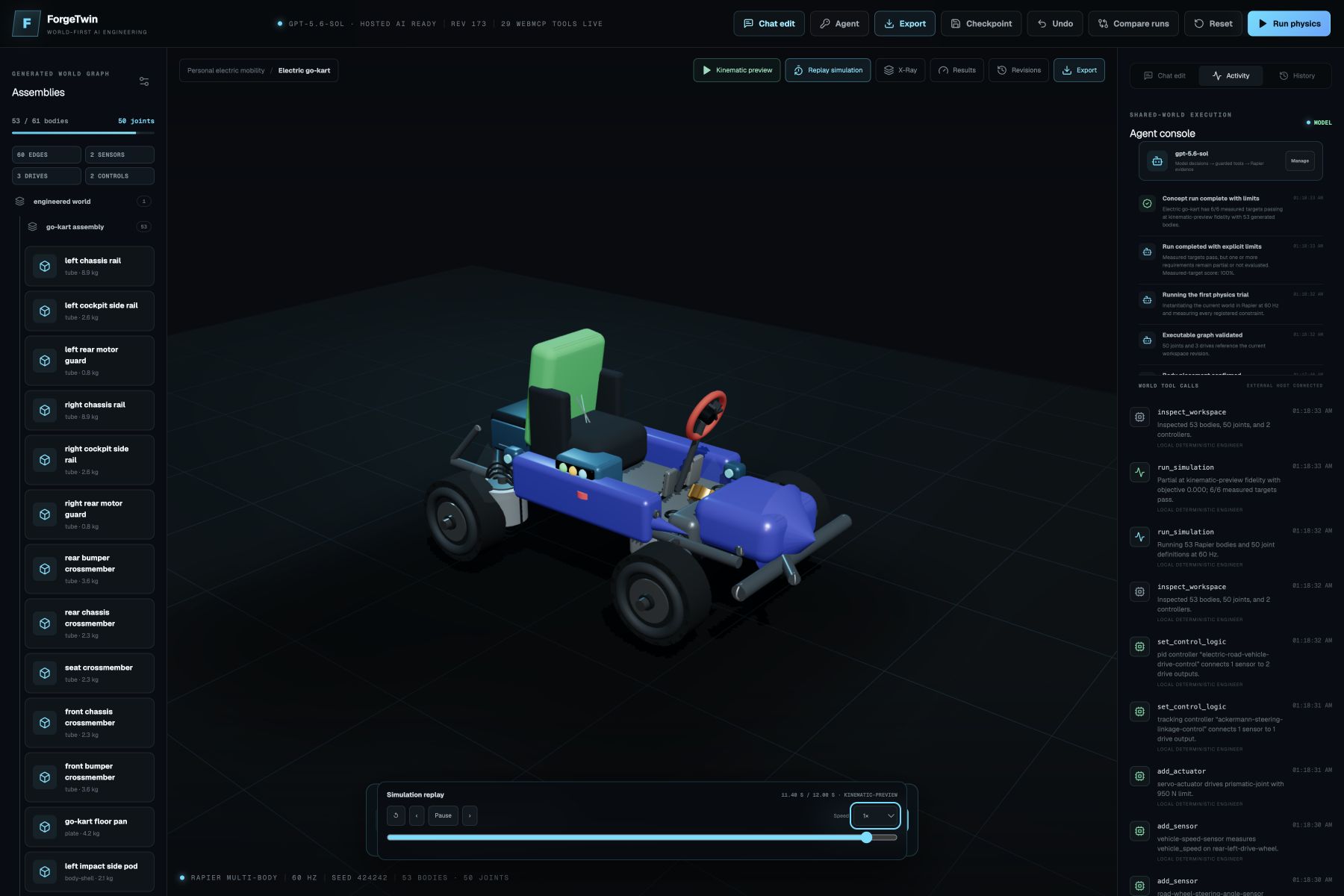
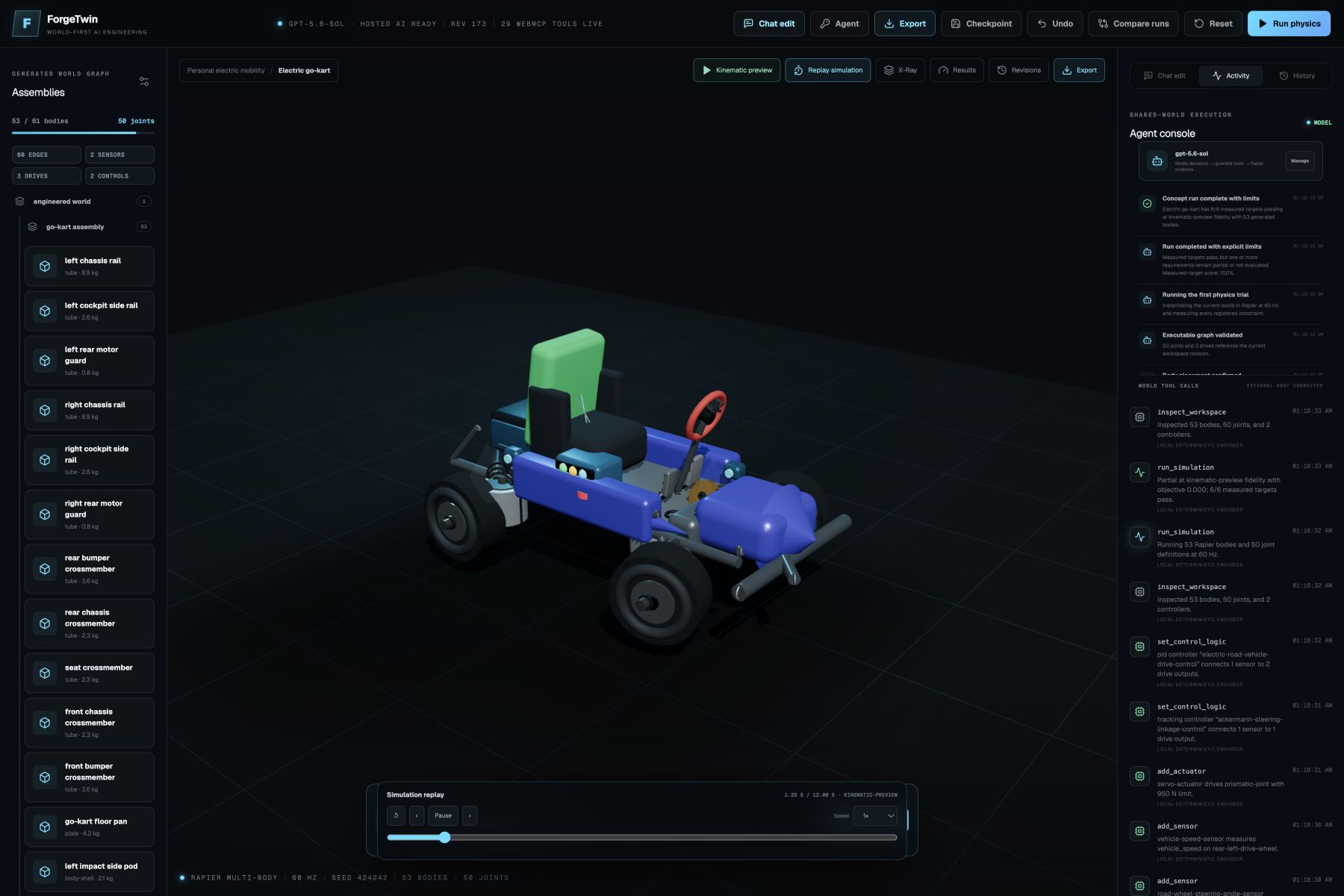
“Build an electric go-kart with four wheels, steering, accelerator and brake pedals.”
“Build a brazing fixture that positions a heat exchanger and two copper pipes within 2 mm.”
ForgeTwin then:
- Understands the requested machine, functions, and measurable requirements.
- Creates an engineering plan instead of returning only text.
- Breaks the design into assemblies and reusable low-level components.
- Gives every component dimensions, material, mass, position, and orientation.
- Adds physical connections, joints, motors, sensors, actuators, and control logic.
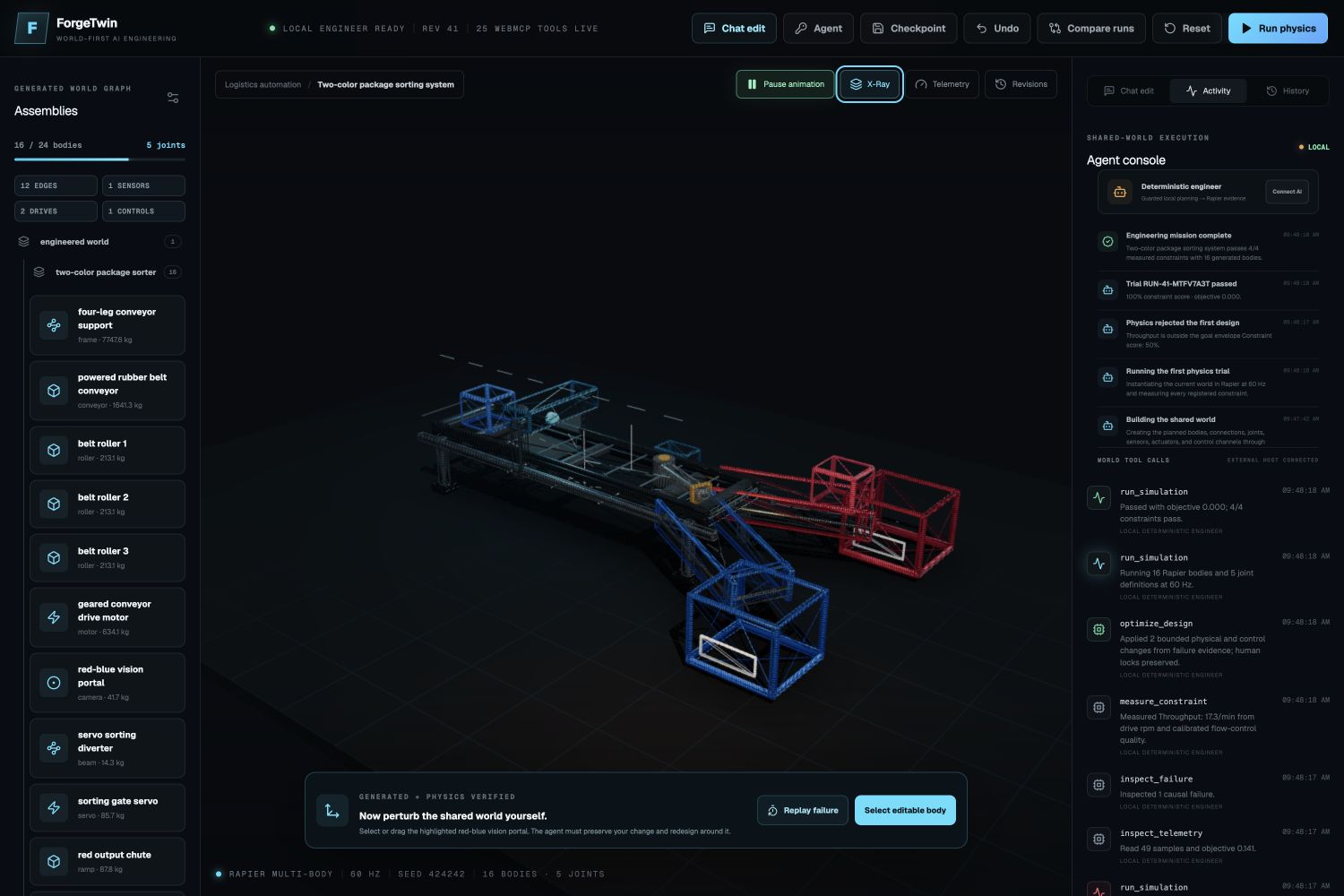
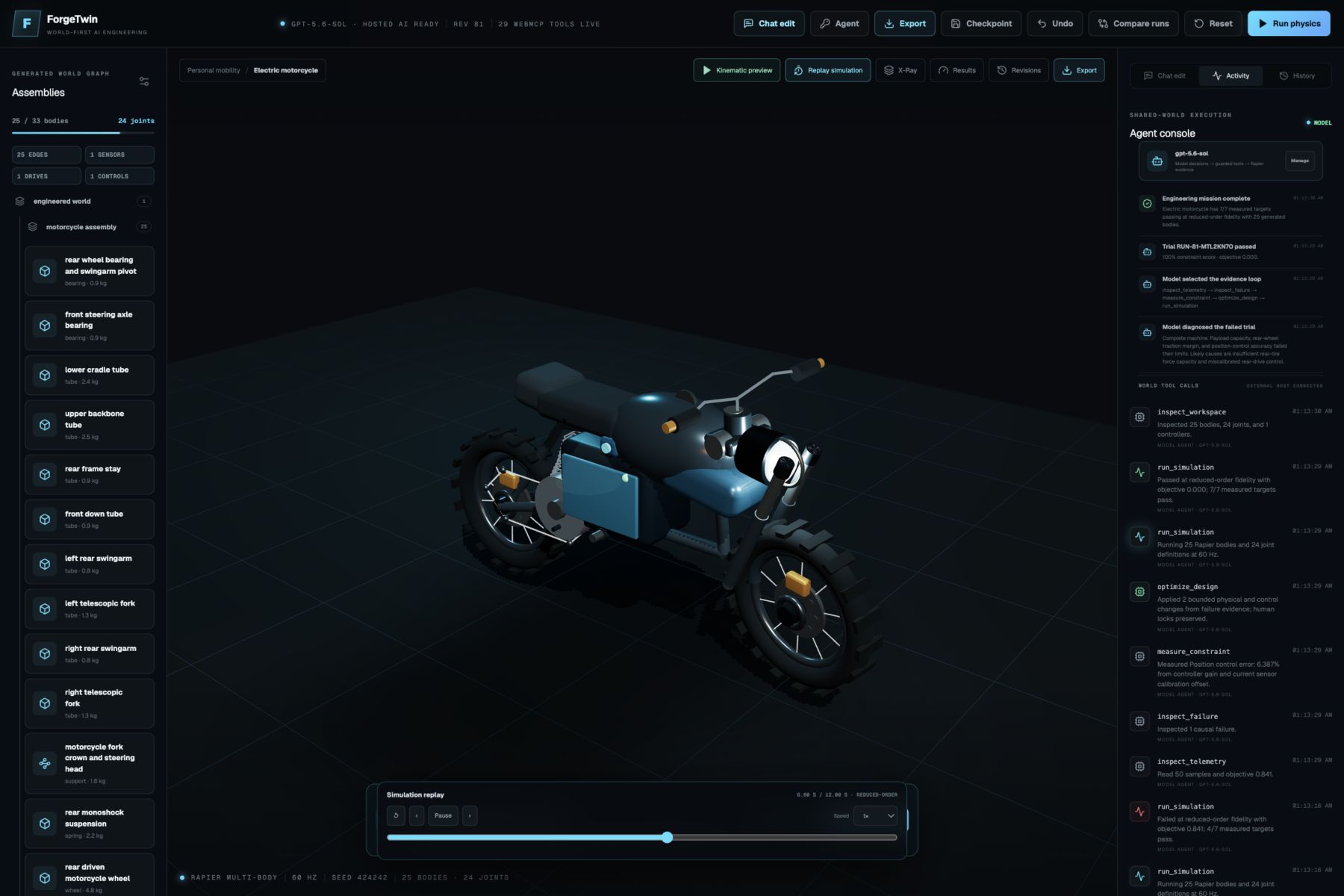
- Builds the machine in an interactive 3D workspace while the user watches.
- Runs a fixed-step 60 Hz Rapier simulation.
- Reads telemetry, collisions, movement, and requirement measurements.
- Finds the reason when a requirement fails.
- Changes the related geometry, physical property, actuator, motor, or controller and runs the test again.
The app is not limited to conveyors. Its 39-part reusable vocabulary covers structures, power transmission, controls, road vehicles, motorcycles, aircraft, rotorcraft, tracked mobility, and articulated robots. It can compose cranes, lifts, bicycles, go-karts, motorcycles, cars, rovers, robotic arms, humanoid robots, gearboxes, suspension systems, airplanes, helicopters, solar trackers, bridges, warehouse systems, agriculture machines, recycling systems, HVAC fixtures, medical lifting mechanisms, and new systems made from smaller primitives.
The current app includes 19 editable challenge briefs, but these are examples, not locked machine templates. The user can change the prompt, dimensions, load, speed, or target. If a special component is not already available, the planner can build it from lower-level parts such as beams, plates, tubes, shafts, wheels, pulleys, joints, sensors, and motors.
The user can also:
- Use the built-in AI without entering credentials, or temporarily use their own OpenAI API key.
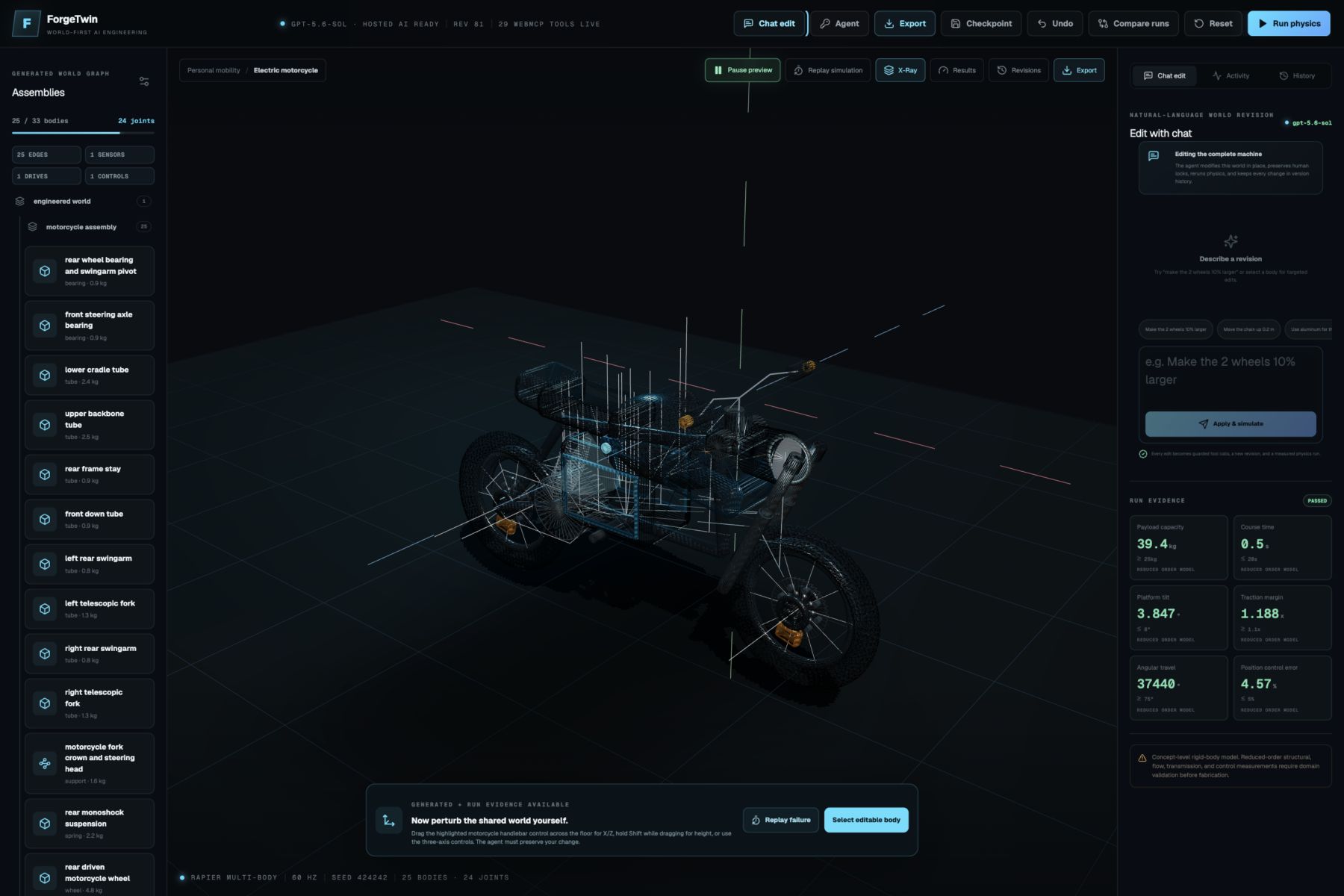
- Edit the existing design with natural-language chat instead of starting over.
- Select, move, resize, and rotate parts in X, Y, and Z.
- Orbit the full camera through 360 degrees with mouse or touch.
- Use a rotation gizmo, snapping, or numeric angle entry.
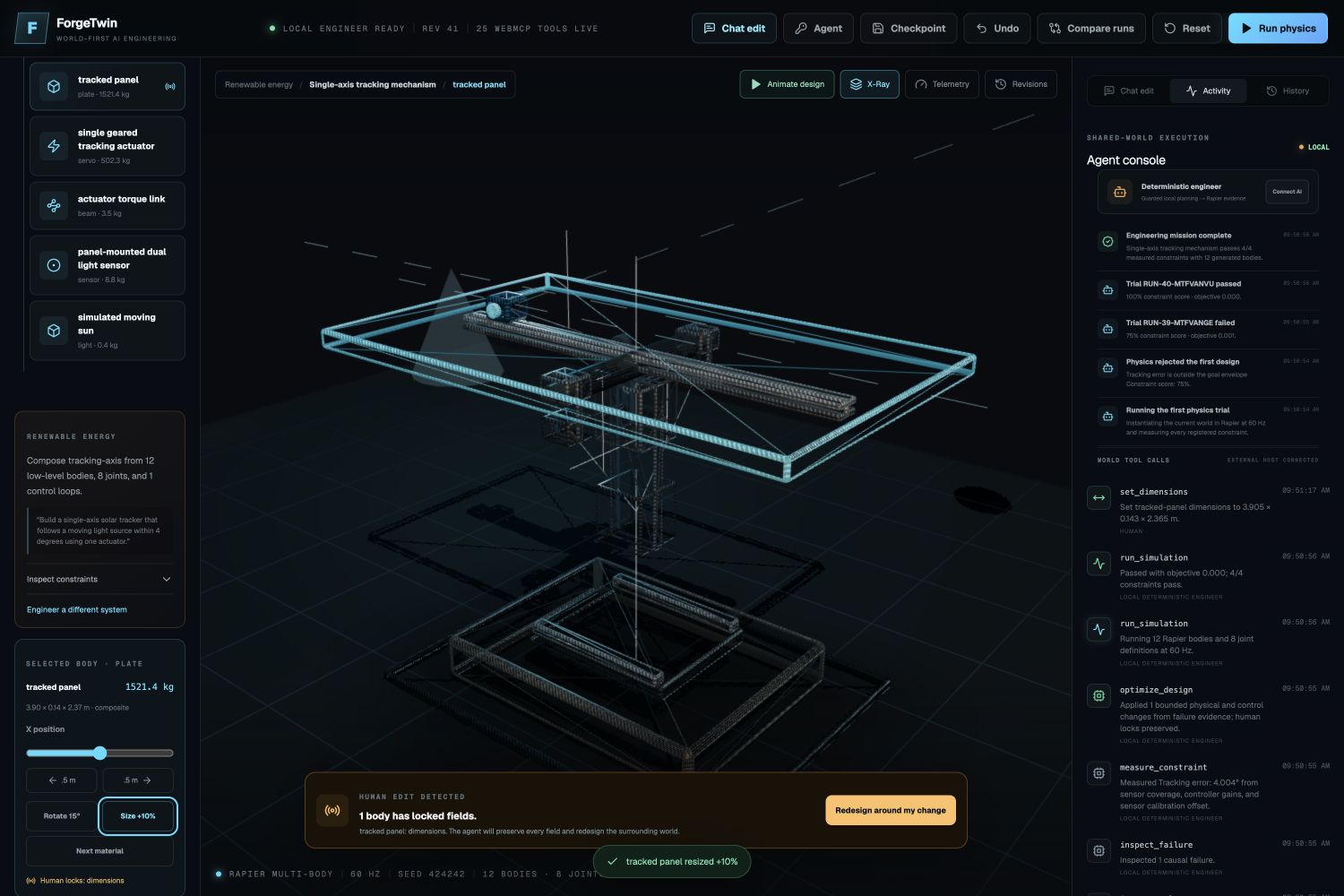
- Lock a manual change so the AI redesigns around it instead of moving it back.
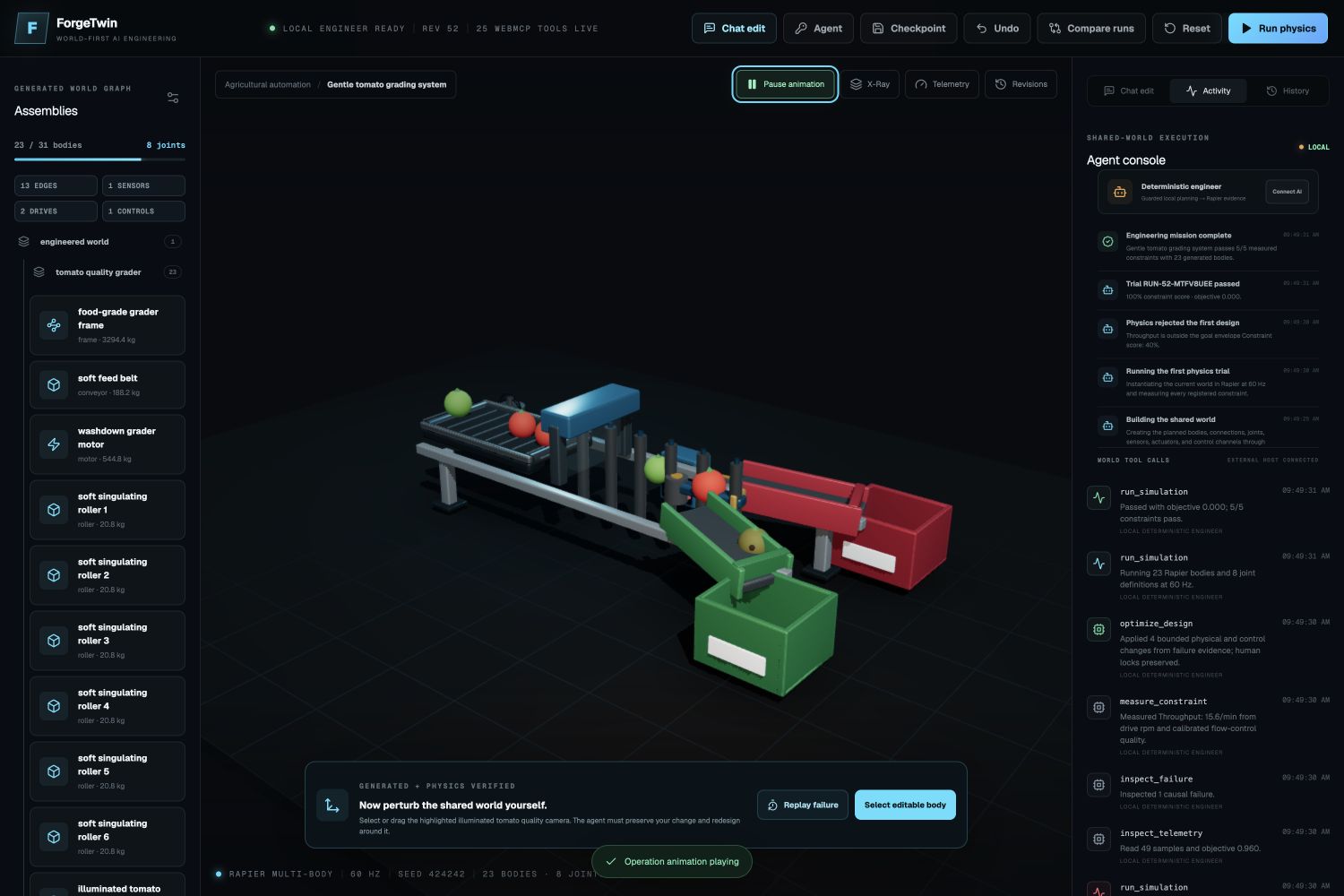
- Animate the operating sequence of different machine families.
- Run physics and replay a failure in slow motion.
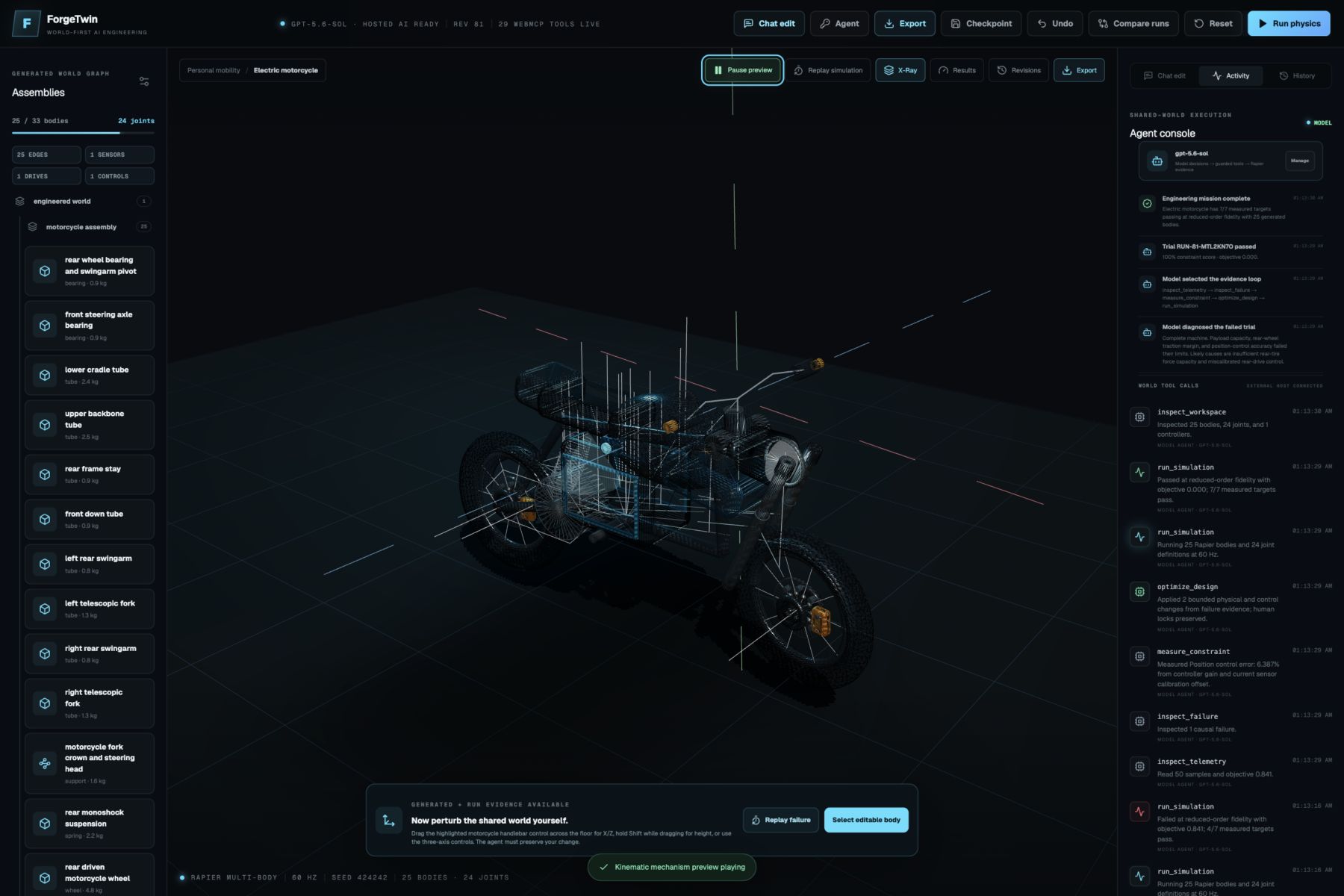
- Use X-Ray Mode to inspect joints, sensor paths, axes, collision boxes, actuator paths, and velocity information.
- Inspect requirement evidence and see what passed, failed, or was not evaluated.
- Undo changes, restore revisions, and compare a failed design with the improved design.
- Export the current world as PNG, JPG, PDF, STL exchange geometry, or complete ForgeTwin JSON data.
How I built it
ForgeTwin is built with Next.js, React, TypeScript, Tailwind CSS, Three.js, React Three Fiber, Drei, Rapier, and Zod.
The main idea is that the machine is not saved as one opaque 3D model. It is stored as a shared engineering graph containing:
- Assemblies and individual bodies
- Dimensions, materials, mass, and rigid-body properties
- Position, rotation, and machine orientation
- Mechanical, power, and signal connections
- Fixed, revolute, prismatic, spherical, spring, rope, gear, and belt joints
- Motors, sensors, actuators, and control rules
- Simulation runs, telemetry, collisions, and failure evidence
- Human-owned edits and immutable revision history
The 3D editor renders this graph procedurally. The same graph is used by the human interface, the built-in model agent, the physics simulator, the activity feed, exports, and an external WebMCP agent.
The hosted AI uses GPT-5.6 Sol through the OpenAI Responses API. To keep generation faster and more reliable, the model creates a compact engineering intent: the object identity, architecture, motion, controls, primitive vocabulary, and requirements. ForgeTwin then expands that intent into the complete body-and-joint graph, validates it, repairs safe topology problems, and executes the design through guarded tools.
The hosted key stays on the server, so judges can use the full AI experience without adding a key. A visitor can still connect their own key for the current browser tab. That key is kept only in memory and is not stored. If model access is unavailable, ForgeTwin also has a deterministic local engineering path for the main design, physics, optimization, and supported chat-edit operations.
I also created one universal coordinate convention for every machine: +X is front, -X is rear, +Y is up, -Z is left, and +Z is right. This helped fix many problems with lights, wheels, propellers, steering, windshields, and joint axes.
The design validator checks for missing supports, hubs, axles, joints, steering links, bad proportions, wrong orientations, floating components, incorrect joint axes, overlaps, blocked windshields, and unrequested systems. For example, a go-kart uses front wheel hubs, spindles, steering knuckles, separate kingpin axes, tie rods, a steering rack, column, and Ackermann-style steering instead of making the whole wheel rotate around one incorrect axis.
Rapier runs the connected rigid-body world at a fixed 60 Hz and records replay frames and collision events. Some advanced engineering results, including aerodynamics, flexible cables, structural stress, detailed tire behavior, and some manufacturing processes, still use clearly labeled reduced-order checks. ForgeTwin is a concept-validation sandbox, not a replacement for certified CAD, FEA, CFD, medical approval, or safety analysis.
Why WebMCP is essential
WebMCP is what makes ForgeTwin an AI-operable engineering workspace instead of only a website with an AI button.
ForgeTwin exposes 29 small, typed, state-aware WebMCP tools, including:
inspect_workspaceinspect_primitive_catalogset_design_goalcreate_assemblycreate_componentset_dimensions,set_material, andset_massmove_componentandrotate_componentconnect_componentsandcreate_jointadd_motor,add_sensor, andadd_actuatorset_motor_speed,set_sensor_range, andset_actuator_timingset_control_logicandupdate_control_logicrun_simulationinspect_telemetry,inspect_failure, andmeasure_constraintoptimize_designremove_componentandremove_jointcompare_designsandrestore_revision
I did not create one giant generate_machine tool. The agent must inspect the current world, create parts, connect them, run the simulation, read the evidence, and make bounded changes. Every tool call is visible in the activity feed.
This matters for human and AI collaboration. If I move a camera, sensor, or other component by hand, ForgeTwin creates a new revision and marks the transform as human-owned. The agent reads this new shared state and can redesign the rest of the machine without silently removing my decision.
The built-in chat uses the same idea. It receives the current graph, selected component, latest measurements, human locks, and recent conversation. A request such as “move the right clamp 0.04 meters outward, preserve my camera position, and rerun the test” becomes a guarded change to the existing world, followed by a new simulation and revision.
Without WebMCP, AI can give advice about the machine. With WebMCP, AI can work inside the engineering environment together with the human.
Challenges I ran into
Understanding many different mechanical prompts
At first, different prompts could become the same conveyor-like system. A bicycle could receive an unrequested electric system, or a new vehicle could become unrelated industrial parts. I had to make object identity authoritative, preserve modifiers, handle common misspellings like “bycicle,” and understand compound machines such as a rover with a robotic arm.
Making every machine easy to recognize
A label is not enough. A child or judge should understand the object from its shape and motion. I spent a lot of time improving proportions, silhouettes, materials, component placement, windows, lights, wheels, steering, robot limbs, aircraft control surfaces, helicopter rotors, recycling equipment, patient lifts, and other machine families.
Making the animations mechanically understandable
Some designs looked acceptable while stopped but became strange when animated. Wheels used the wrong axis, propellers did not turn, cables crossed through loads, and parts could shake or overlap. I built machine-aware motion rules, clearance paths, driven-joint logic, stable kinematic previews, and replay-based physics views so the animation explains how the mechanism should work.
Keeping the AI fast and reliable
Sending a complete large mechanical graph to the model was slow and could produce schema errors. I changed the system so the model decides a compact engineering intent and the local compiler expands it into a complete validated world. This made the AI faster, reduced disconnected parts, and kept the WebMCP actions small and inspectable.
Measuring different machine families honestly
A bridge, crane, gearbox, bicycle, airplane, and brazing fixture do not use the same success measurements. I created evidence levels for replay telemetry, Rapier contact, design inspection, reduced-order models, and unsupported measurements. A result cannot pass only because the AI says it looks good.
Keeping humans and agents synchronized
The user, built-in AI, and external WebMCP agent can all change the same world. I added workspace nonces, design hashes, revision checks, atomic edit batches, undo, and human-owned locks so stale agent actions cannot silently overwrite newer human work.
Accomplishments I am proud of
I am proud that ForgeTwin is not only a gallery of 3D models. One shared design powers the editor, animation, WebMCP tools, physics, telemetry, failure analysis, optimization, chat editing, history, and exports.
The strongest demo is the HVAC brazing fixture. The agent receives a 2 mm alignment requirement, builds the fixture from individual bodies and joints, runs the test, sees that the first alignment and clamp-force result fails, inspects the evidence, optimizes the related controls, and reaches a measured pass. I can then move and lock the alignment camera by hand, ask the chat to move a clamp, and see the AI preserve my change while creating and testing a new revision.
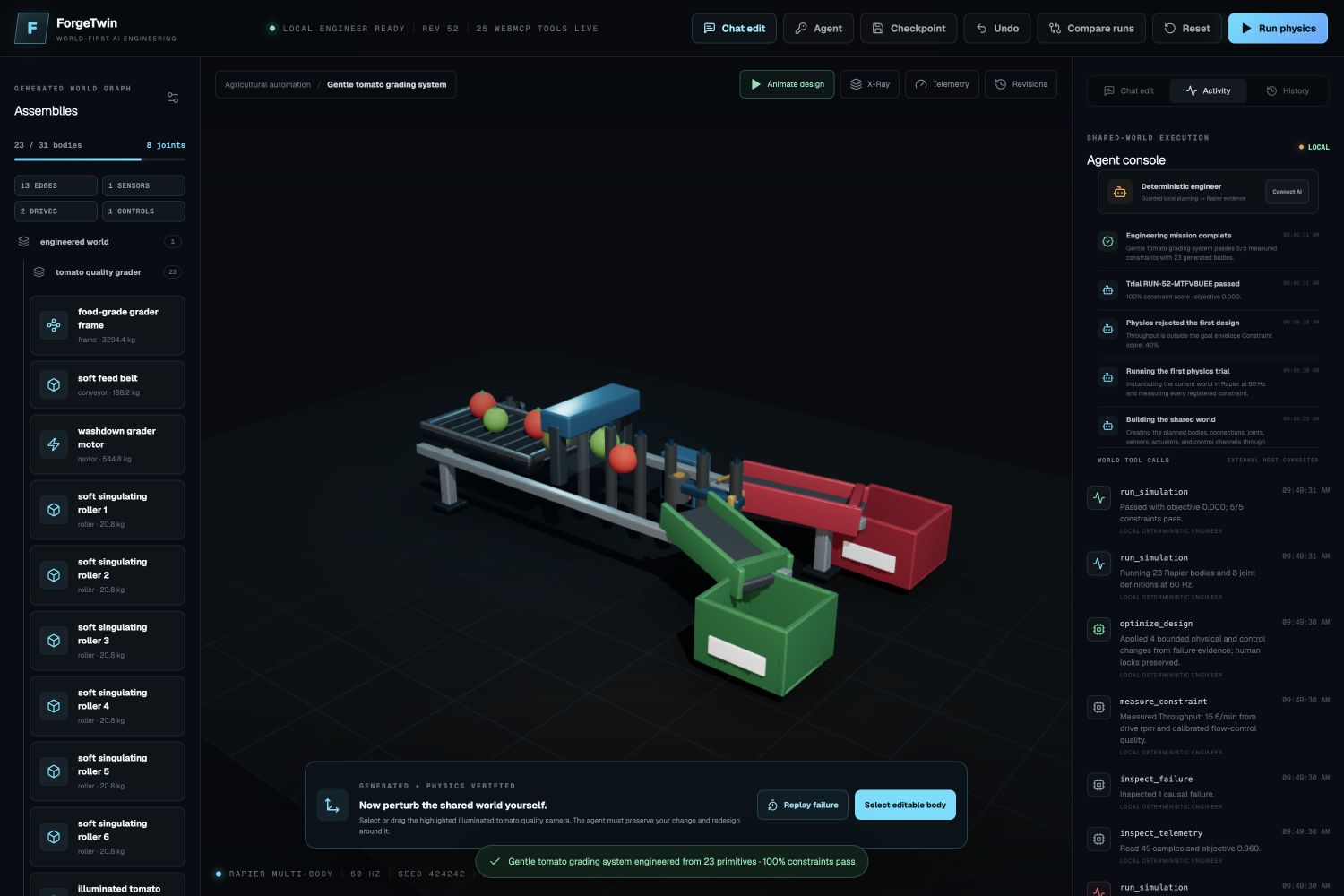
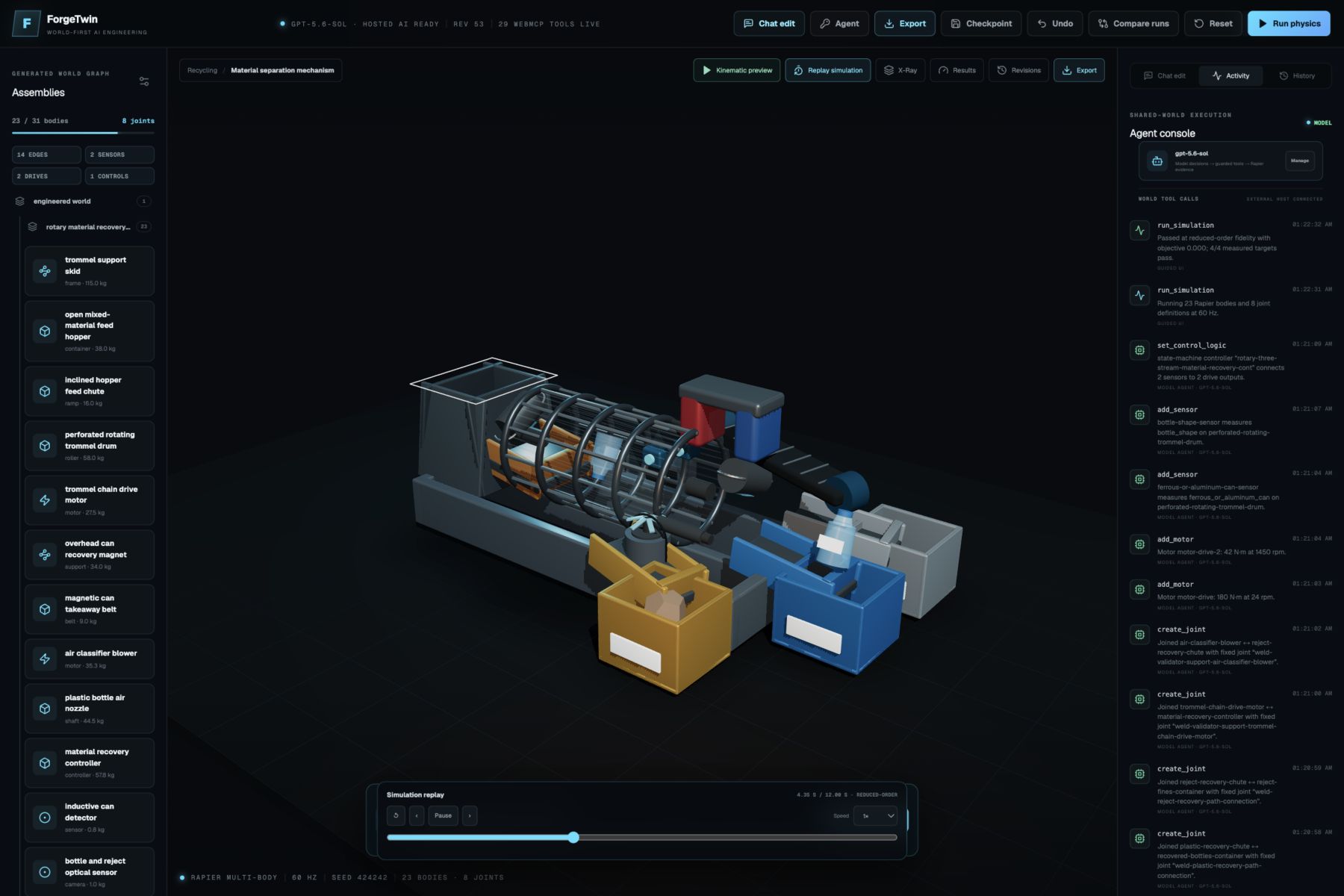
I am also proud of the variety now in the app. The recycling machine has a rotary drum, magnet, air separation, and three material streams. The tomato grader moves individual red, green, and damaged tomatoes into good and reject paths. The solar tracker is mounted to a real foundation. The patient lift has a wheeled base, mast, boom, spreader, and sling. Vehicles include understandable frames, wheels, hubs, steering parts, pedals, bodywork, and correctly oriented lights. Aircraft and helicopters have visible powered propellers or rotors and grounded landing equipment.
The export center also produces useful handoff files. The PNG and JPG exports have a verified 1800 × 1200 fallback even when WebGL readback is not available. The PDF includes the design evidence and bill of materials. The binary STL contains the transformed assembly geometry in millimeters for tools such as ShareCAD, SolidWorks, Creo, Fusion 360, and FreeCAD. I describe it honestly as mesh exchange geometry, not as a native SolidWorks or Creo feature tree.
What I learned
I learned that a mechanical design becomes understandable from topology, geometry, and motion working together. Good labels cannot fix the wrong shape, and a beautiful shape cannot fix disconnected kinematics.
I also learned that animation is a very useful engineering test. Many problems only become visible when the machine starts moving.
The most important lesson is that AI engineering becomes more dependable when:
- Tools are small and typed.
- Every action is visible and reversible.
- The human and the agent share the same current state.
- Manual decisions can be protected.
- The agent explains what it changed.
- Measurements, not AI confidence, decide the result.
What’s next
ForgeTwin is still a concept-level engineering sandbox, and there is more I want to build.
My next steps are:
- Native parametric CAD and assembly exports
- More advanced contact, tire, cable, structural, and fluid simulation
- Stronger manufacturing and tolerance analysis
- More sensors, joints, controls, and reusable primitives
- Multi-agent design reviews
- Real-time team collaboration
- Hardware-in-the-loop testing
- Connections to real machines, sensors, robots, and manufacturing systems
My long-term goal is to make ForgeTwin a shared engineering environment where a human can bring the idea and judgment, the AI can perform structured work, and both can move from a prompt to a tested physical concept together.
The AI did not generate a picture of a machine. It engineered one, watched it fail, learned from the evidence, and fixed it.
Built With
- cloudflare-workers
- codex
- drei
- gpt-5.6-sol
- next.js
- openai-api
- openai-responses-api
- openai-sites
- rapier-physics
- react
- react-three-fiber
- structured-outputs
- tailwind-css
- three.js
- typescript
- vite
- webmcp
- zod

Log in or sign up for Devpost to join the conversation.