-
-
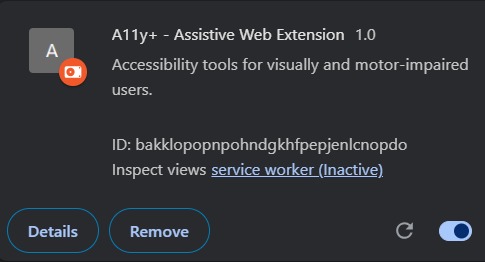
A11yPlus successfully loaded in Chrome as a version 1.0 extension
-
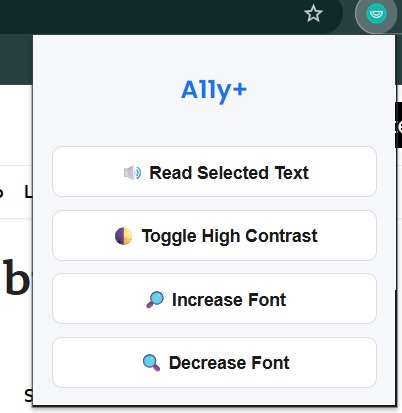
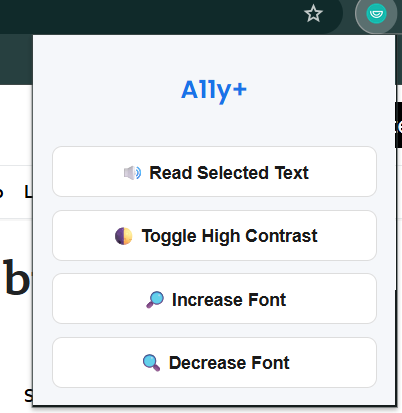
Extension opened showing all 4 buttons clearly
-
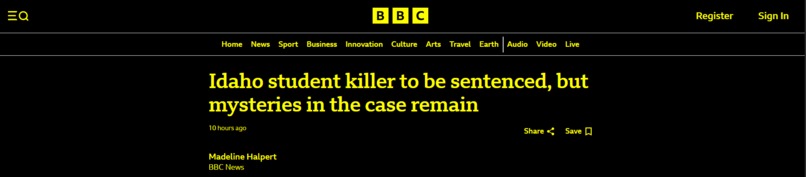
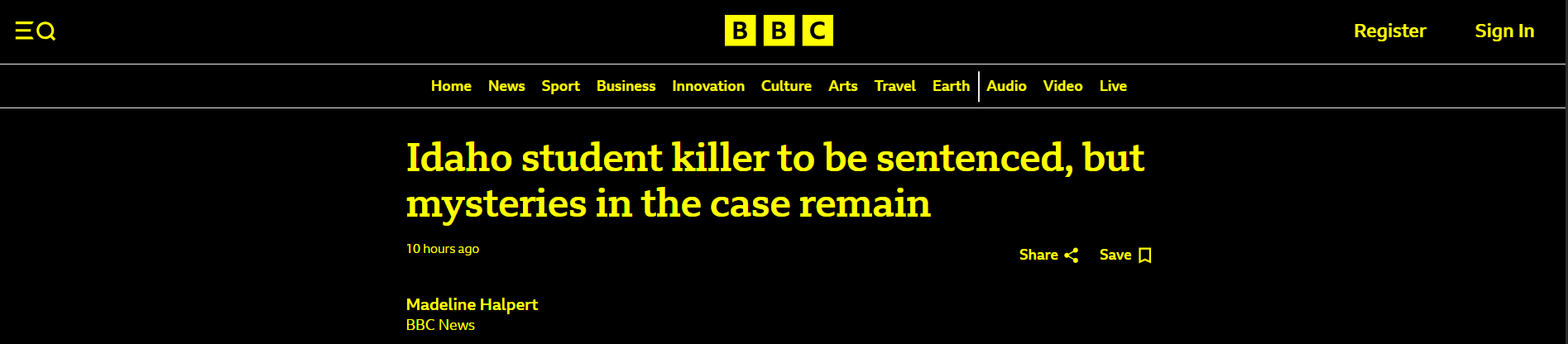
A page with contrast mode applied (black/yellow)
Inspiration
While browsing websites, we noticed how difficult it can be for people with visual or motor impairments to access basic content. Many rely on screen readers or special browser settings — but these solutions aren't always simple or user-friendly. We wanted to build something lightweight, easy to use, and instantly helpful to improve web accessibility for everyone.
What it does
A11yPlus is a Chrome Extension that enhances web accessibility by offering three key features:
- 🔊 Text-to-Speech: Reads out any selected text on a webpage
- 🌓 High Contrast Mode: Applies a black background with bright yellow text to improve readability
- 🔎 Font Size Controls: Lets users increase or decrease font size instantly across any page
These tools work on any website with no setup — just click and use. They help people with low vision, dyslexia, motor challenges, or aging-related difficulties.
How we built it
We built the extension using:
- HTML, CSS, and JavaScript for the popup UI and user interaction
- Chrome Extension APIs (Manifest V3) including
scripting,activeTab, andcontent_scripts - SpeechSynthesis API to handle text-to-speech
- A simple, responsive interface that is clean and user-friendly
Everything was bundled in a way that works offline and injects only the code needed for the current tab.
Challenges we ran into
We faced several challenges during development:
- Injecting scripts safely into webpages using the new
chrome.scriptingAPI - Making sure the contrast mode applied styles without breaking webpage layouts
- Handling font size changes across different HTML elements while preserving structure
- Debugging permission issues and manifest configurations
Each challenge gave us deeper insight into how browser extensions function under the hood.
Accomplishments that we're proud of
- Successfully implemented all features from scratch
- Created a fully working Chrome Extension that runs on almost any website
- Designed a clean and minimal interface
- Learned how to use Chrome APIs effectively without external libraries
- Made the web a little more inclusive and accessible for users who need support
What we learned
- How Chrome Extensions work with tabs, scripting, and content injection
- How to manipulate the DOM of active websites safely
- The importance of designing with accessibility in mind
- How small UI changes can significantly improve usability for underserved users
- The value of thoughtful, simple design over flashy features
What's next for A11yPlus-Assistive Chrome Extension
We plan to add:
- A dyslexia-friendly font toggle
- Keyboard-only navigation support
- A dark/light theme toggle
- Improved font scaling for mobile users
- Multi-language support for speech synthesis
We believe accessibility should be a default — not an afterthought — and we’ll keep evolving A11yPlus to reach that goal.
Built With
- api
- apis
- chrome
- content
- css
- extension
- html
- javascript
- manifest
- scripting
- scripts
- speechsynthesis
- v3)
- web


Log in or sign up for Devpost to join the conversation.